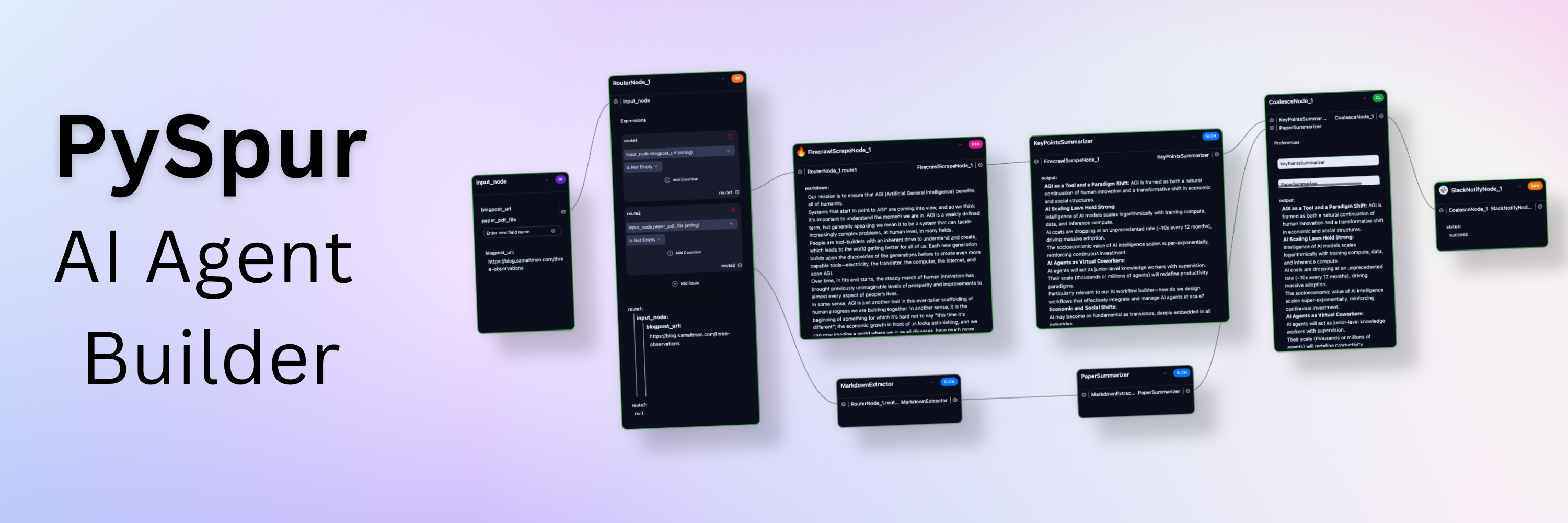
Iterate over your agents 10x faster. AI engineers use PySpur to iterate over AI agents visually without reinventing the wheel.


https://github.com/user-attachments/assets/54d0619f-22fd-476c-bf19-9be083d7e710
# 🕸️ Why PySpur?
## Problem: It takes a 1,000 tiny paper cuts to make AI reliable
AI engineers today face three problems of building agents:
* **Prompt Hell**: Hours of prompt tweaking and trial-and-error frustration.
* **Workflow Blindspots**: Lack of visibility into step interactions causing hidden failures and confusion.
* **Terminal Testing Nightmare** Squinting at raw outputs and manually parsing JSON.
We've been there ourselves, too. We launched a graphic design agent early 2024 and quickly reached thousands of users, yet, struggled with the lack of its reliability and existing debugging tools.
## Solution: A playground for agents that saves time
### Step 1: Define Test Cases
https://github.com/user-attachments/assets/ed9ca45f-7346-463f-b8a4-205bf2c4588f
### Step 2: Build the agent in Python code or via UI
https://github.com/user-attachments/assets/7043aae4-fad1-42bd-953a-80c94fce8253
### Step 3: Iterate obsessively
https://github.com/user-attachments/assets/72c9901d-a39c-4f80-85a5-f6f76e55f473
### Step 4: Deploy
https://github.com/user-attachments/assets/b14f34b2-9f16-4bd0-8a0f-1c26e690af93
# ✨ Core features:
- 👤 **Human in the Loop**: Persistent workflows that wait for human approval.
- 🔄 **Loops**: Iterative tool calling with memory.
- 📤 **File Upload**: Upload files or paste URLs to process documents.
- 📋 **Structured Outputs**: UI editor for JSON Schemas.
- 🗃️ **RAG**: Parse, Chunk, Embed, and Upsert Data into a Vector DB.
- 🖼️ **Multimodal**: Support for Video, Images, Audio, Texts, Code.
- 🧰 **Tools**: Slack, Firecrawl.dev, Google Sheets, GitHub, and more.
- 📊 **Traces**: Automatically capture execution traces of deployed agents.
- 🧪 **Evals**: Evaluate agents on real-world datasets.
- 🚀 **One-Click Deploy**: Publish as an API and integrate wherever you want.
- 🐍 **Python-Based**: Add new nodes by creating a single Python file.
- 🎛️ **Any-Vendor-Support**: >100 LLM providers, embedders, and vector DBs.
# ⚡ Quick start
This is the quickest way to get started. Python 3.11 or higher is required.
1. **Install PySpur:**
```sh
pip install pyspur
```
2. **Initialize a new project:**
```sh
pyspur init my-project
cd my-project
```
This will create a new directory with a `.env` file.
3. **Start the server:**
```sh
pyspur serve --sqlite
```
By default, this will start PySpur app at `http://localhost:6080` using a sqlite database.
We recommend you configure a postgres instance URL in the `.env` file to get a more stable experience.
4. **[Optional] Configure Your Environment and Add API Keys:**
- **App UI**: Navigate to API Keys tab to add provider keys (OpenAI, Anthropic, etc.)
- **Manual**: Edit `.env` file (recommended: configure postgres) and restart with `pyspur serve`
# 😎 Feature Reel
## Human-in-the-loop breakpoints:
These breakpoints pause the workflow when reached and resume whenever a human approves it.
They enable human oversight for workflows that require quality assurance: verify critical outputs before the workflow proceeds.
https://github.com/user-attachments/assets/98cb2b4e-207c-4d97-965b-4fee47c94ce8
## Debug at Node Level:
https://github.com/user-attachments/assets/6e82ad25-2a46-4c50-b030-415ea9994690
## Multimodal (Upload files or paste URLs)
PDFs, Videos, Audio, Images, ...
https://github.com/user-attachments/assets/83ed9a22-1ec1-4d86-9dd6-5d945588fd0b
## Loops
 ## RAG
### Step 1) Create Document Collection (Chunking + Parsing)
https://github.com/user-attachments/assets/c77723b1-c076-4a64-a01d-6d6677e9c60e
### Step 2) Create Vector Index (Embedding + Vector DB Upsert)
https://github.com/user-attachments/assets/50e5c711-dd01-4d92-bb23-181a1c5bba25
## Modular Building Blocks
https://github.com/user-attachments/assets/6442f0ad-86d8-43d9-aa70-e5c01e55e876
## Evaluate Final Performance
https://github.com/user-attachments/assets/4dc2abc3-c6e6-4d6d-a5c3-787d518de7ae
## Coming soon: Self-improvement
https://github.com/user-attachments/assets/5bef7a16-ef9f-4650-b385-4ea70fa54c8a
# 🛠️ PySpur Development Setup
#### [ Instructions for development on Unix-like systems. Development on Windows/PC not supported ]
We recommend using Cursor/VS Code with our dev container (`.devcontainer/devcontainer.json`) for:
- Consistent development environment with pre-configured tools and extensions
- Optimized settings for Python and TypeScript development
- Automatic hot-reloading and port forwarding
**Option 1: Cursor/VS Code Dev Container (Recommended)**
1. Install [Cursor](https://www.cursor.com/)/[VS Code](https://code.visualstudio.com/) and the [Dev Containers extension](https://marketplace.visualstudio.com/items?itemName=ms-vscode-remote.remote-containers)
2. Clone and open the repository
3. Click "Reopen in Container" when prompted
**Option 2: Manual Setup**
1. **Clone the repository:**
```sh
git clone https://github.com/PySpur-com/pyspur.git
cd pyspur
```
2. **Launch using docker-compose.dev.yml:**
```sh
docker compose -f docker-compose.dev.yml up --build -d
```
3. **Customize your setup:**
Edit `.env` to configure your environment (e.g., PostgreSQL settings).
Note: Manual setup requires additional configuration and may not include all dev container features.
# ⭐ Support us
You can support us in our work by leaving a star! Thank you!

Your feedback will be massively appreciated.
Please [tell us](mailto:founders@pyspur.dev?subject=Feature%20Request&body=I%20want%20this%20feature%3Ai) which features on that list you like to see next or request entirely new ones.
## RAG
### Step 1) Create Document Collection (Chunking + Parsing)
https://github.com/user-attachments/assets/c77723b1-c076-4a64-a01d-6d6677e9c60e
### Step 2) Create Vector Index (Embedding + Vector DB Upsert)
https://github.com/user-attachments/assets/50e5c711-dd01-4d92-bb23-181a1c5bba25
## Modular Building Blocks
https://github.com/user-attachments/assets/6442f0ad-86d8-43d9-aa70-e5c01e55e876
## Evaluate Final Performance
https://github.com/user-attachments/assets/4dc2abc3-c6e6-4d6d-a5c3-787d518de7ae
## Coming soon: Self-improvement
https://github.com/user-attachments/assets/5bef7a16-ef9f-4650-b385-4ea70fa54c8a
# 🛠️ PySpur Development Setup
#### [ Instructions for development on Unix-like systems. Development on Windows/PC not supported ]
We recommend using Cursor/VS Code with our dev container (`.devcontainer/devcontainer.json`) for:
- Consistent development environment with pre-configured tools and extensions
- Optimized settings for Python and TypeScript development
- Automatic hot-reloading and port forwarding
**Option 1: Cursor/VS Code Dev Container (Recommended)**
1. Install [Cursor](https://www.cursor.com/)/[VS Code](https://code.visualstudio.com/) and the [Dev Containers extension](https://marketplace.visualstudio.com/items?itemName=ms-vscode-remote.remote-containers)
2. Clone and open the repository
3. Click "Reopen in Container" when prompted
**Option 2: Manual Setup**
1. **Clone the repository:**
```sh
git clone https://github.com/PySpur-com/pyspur.git
cd pyspur
```
2. **Launch using docker-compose.dev.yml:**
```sh
docker compose -f docker-compose.dev.yml up --build -d
```
3. **Customize your setup:**
Edit `.env` to configure your environment (e.g., PostgreSQL settings).
Note: Manual setup requires additional configuration and may not include all dev container features.
# ⭐ Support us
You can support us in our work by leaving a star! Thank you!

Your feedback will be massively appreciated.
Please [tell us](mailto:founders@pyspur.dev?subject=Feature%20Request&body=I%20want%20this%20feature%3Ai) which features on that list you like to see next or request entirely new ones.