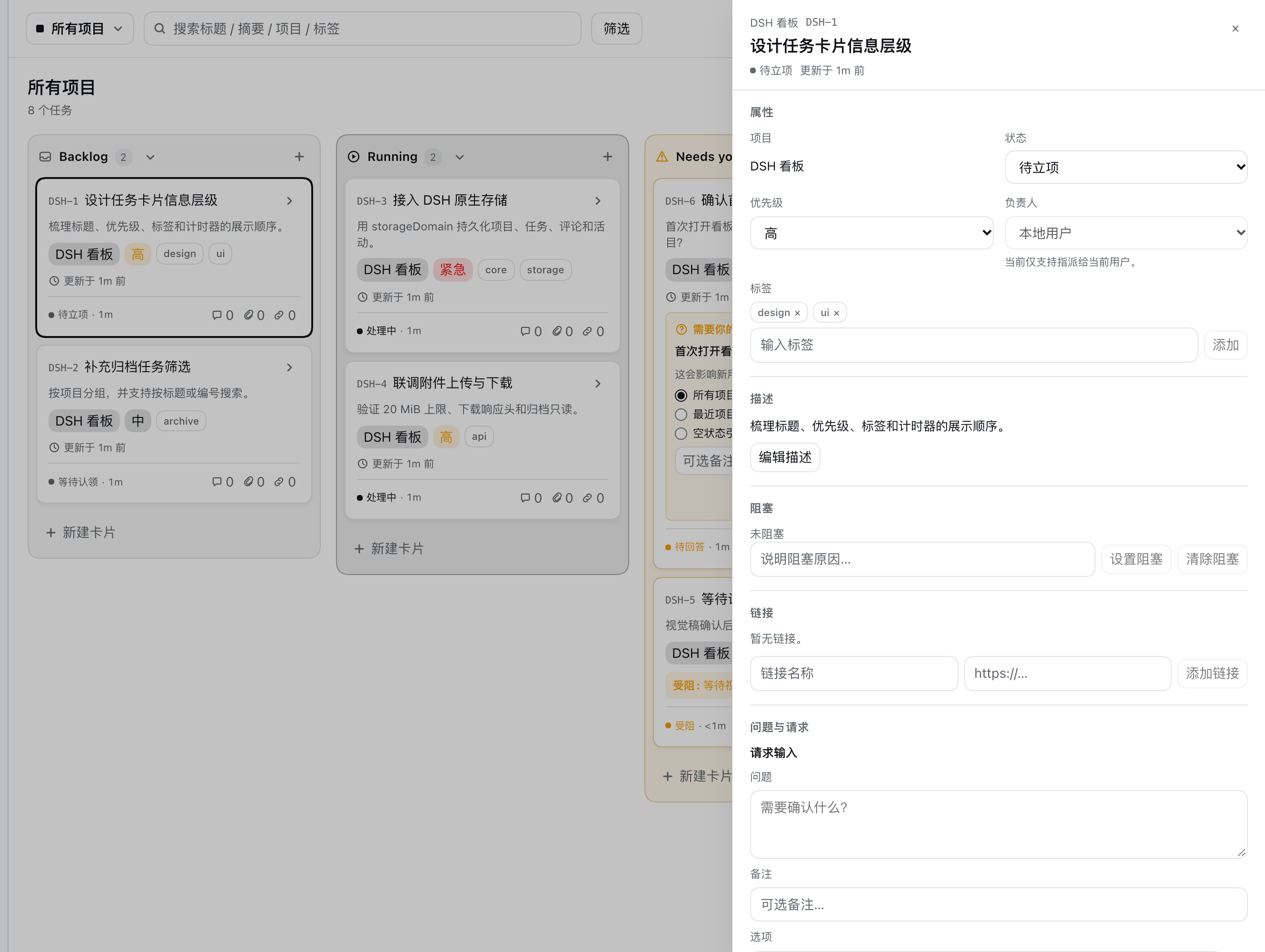
The native task board for DeepSeek Harness.
Four columns. Durable persistence. No iframe.





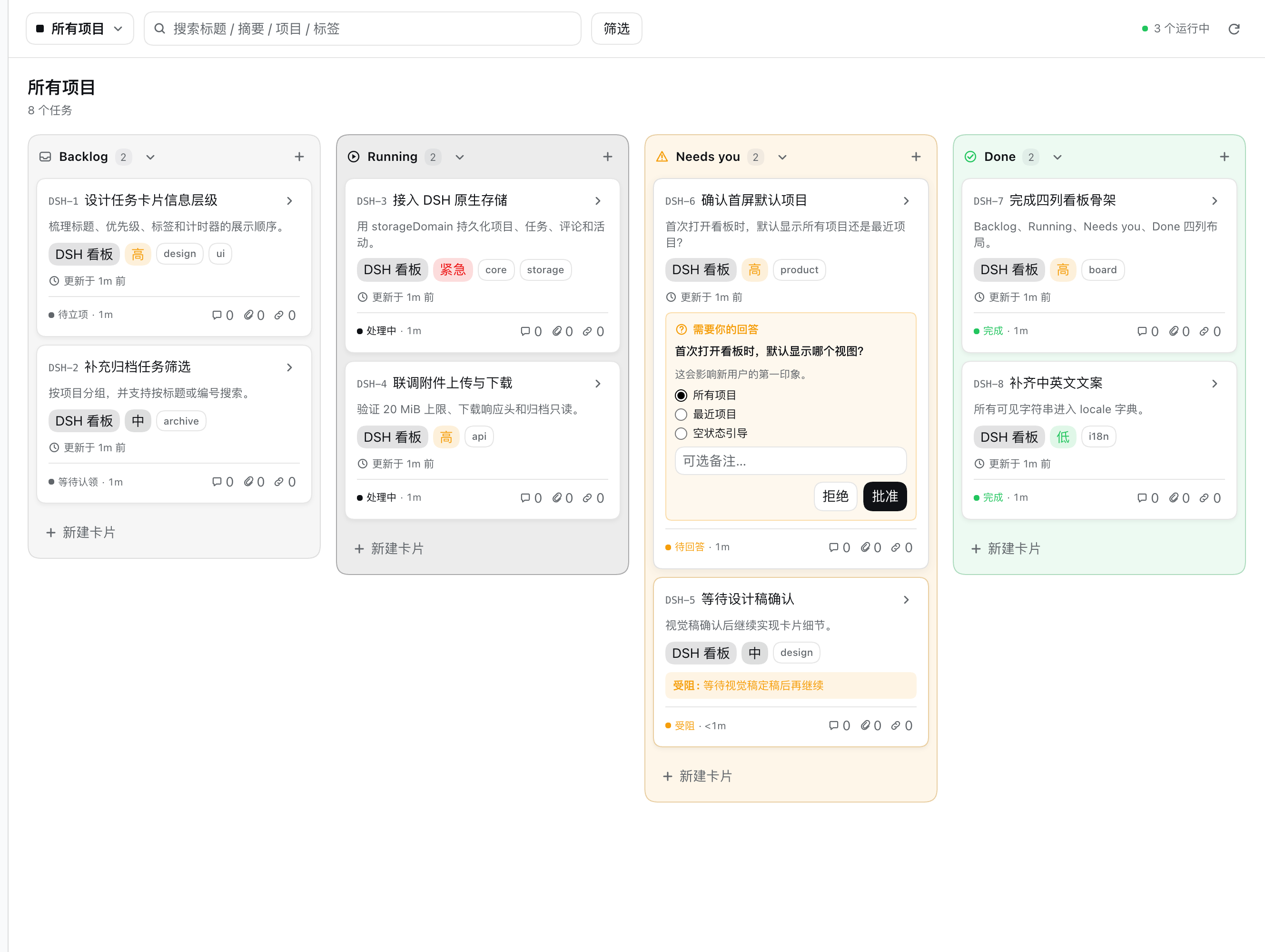
All projects view. Questions and blockers automatically collect in Needs you.
## Your agent needs a queue. You need a board. DSH Kanban is a **native Cordis plugin** for [DeepSeek Harness](https://github.com/deepseek-ai/deepseek-harness). It registers a real page in the `main` slot and a real entry in `sidebar.panellist` — not a web app inside an iframe. Projects, tasks, comments, attachments and activity live in the Host's `storageDomain`. The browser is never the source of truth. > **Chat manages sessions. Kanban manages tasks.** > DSH Kanban gives agents a task layer that outlives the conversation. The board is built for the loop between a human and an agent: 1. The agent creates work, records a blocker, or asks a question. 2. The card moves to **Needs you** automatically. 3. You answer in the card — approve, reject, unblock, comment. 4. The task moves to **Done**, with the full activity trail. > One board. One data model. No second tab to keep in sync. ## ✨ What you get | | | | --- | --- | | **Four-column board** | Backlog, Running, Needs you, Done. Drag to move, drag to reorder, collapse columns. | | **Needs you** | A derived column for unanswered questions, blockers and reviews. Precedence: question → blocker → review. | | **Approvals in the card** | Pick an option, add a note, approve or reject. Approval moves to Done; rejection returns to Backlog. | | **Native task drawer** | Status, priority, labels, description, blocker, links, request input, comments, attachments, activity. | | **Durable Host storage** | `storageDomain` records survive refresh and restart. Attachments use DSH attachment storage. | | **Archive and read-only** | Archive projects and tasks; restore them later. Archived projects open read-only with a restore banner. | | **Search and filters** | Search title, description, project and labels. Filter by project, priority, label or assignee. | | **DSH-native UI** | Theme tokens, `zh` / `en` locale, focus management, reduced-motion support. | ## 🎬 See it in motion
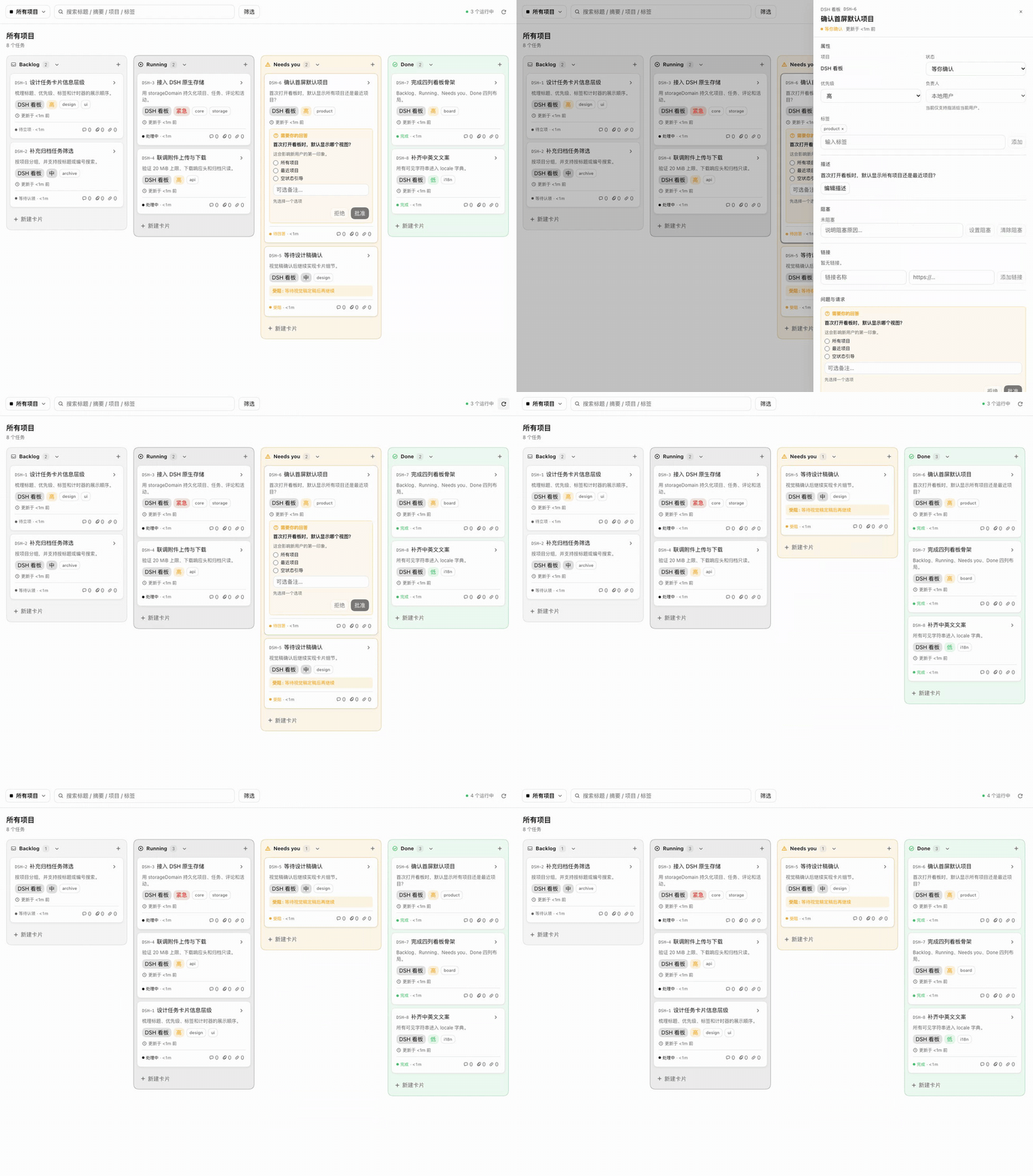
Open a card, answer the question in the drawer, approve it, and watch the card move to Done.
## 🚀 Quick start **Requirements:** DSH `0.2.1-rc.2` or newer, Node.js 22+, pnpm 10+. ```bash git clone https://github.com/SilasSolivagus/dsh-kanban.git cd dsh-kanban pnpm install pnpm check ``` Then: 1. Open **DSH → Settings → Plugins**. 2. Choose **Install local bundle** and select this folder (the one with `package.json`). 3. Enable `@local/dsh-kanban`. 4. Refresh DSH and click **Kanban** in the sidebar. The profile keeps a link to this folder, so updates are: ```bash git pull pnpm install pnpm check ``` Then disable/enable `@local/dsh-kanban` once and refresh. > `pnpm check` builds `index.js` / `client.js` and runs the full suite. Both generated bundles are committed, so a fresh install does not need a build step. ## 🧭 How it works ```mermaid flowchart LR subgraph Web["DSH Web UI"] slot["main + sidebar slots"] ui["Board / Drawer / Dialogs"] end subgraph Host["DSH Host"] api["/kanban-api"] store["KanbanStore"] domain[("storageDomain")] files[("attachments")] end slot --> ui ui -->|"JSON + task version"| api api --> store store --> domain store --> files ``` - **Client:** registers slots and locale, renders the board, drawer and dialogs, calls `/kanban-api`. - **Host:** owns the domain, routes, validation and optimistic concurrency. Every task write carries a `version`; stale writes get `TASK_VERSION_CONFLICT` (HTTP 409). - **Storage:** project/task/comment/activity records in `storageDomain`; attachment bytes through `ctx.attachments`; only column-collapse preferences use localStorage. ### Why native instead of an iframe | | iframe board | DSH Kanban | | --- | --- | --- | | Theme and locale | drifts from the app | native tokens + locale | | Persistence | browser localStorage | Host `storageDomain` | | Attachments | awkward bridge | DSH attachment service | | Navigation | nested page | `main` + `sidebar.panellist` | | Approvals | separate workflow | real Needs you queue | ## 📸 Inside a task