# MrRSS
 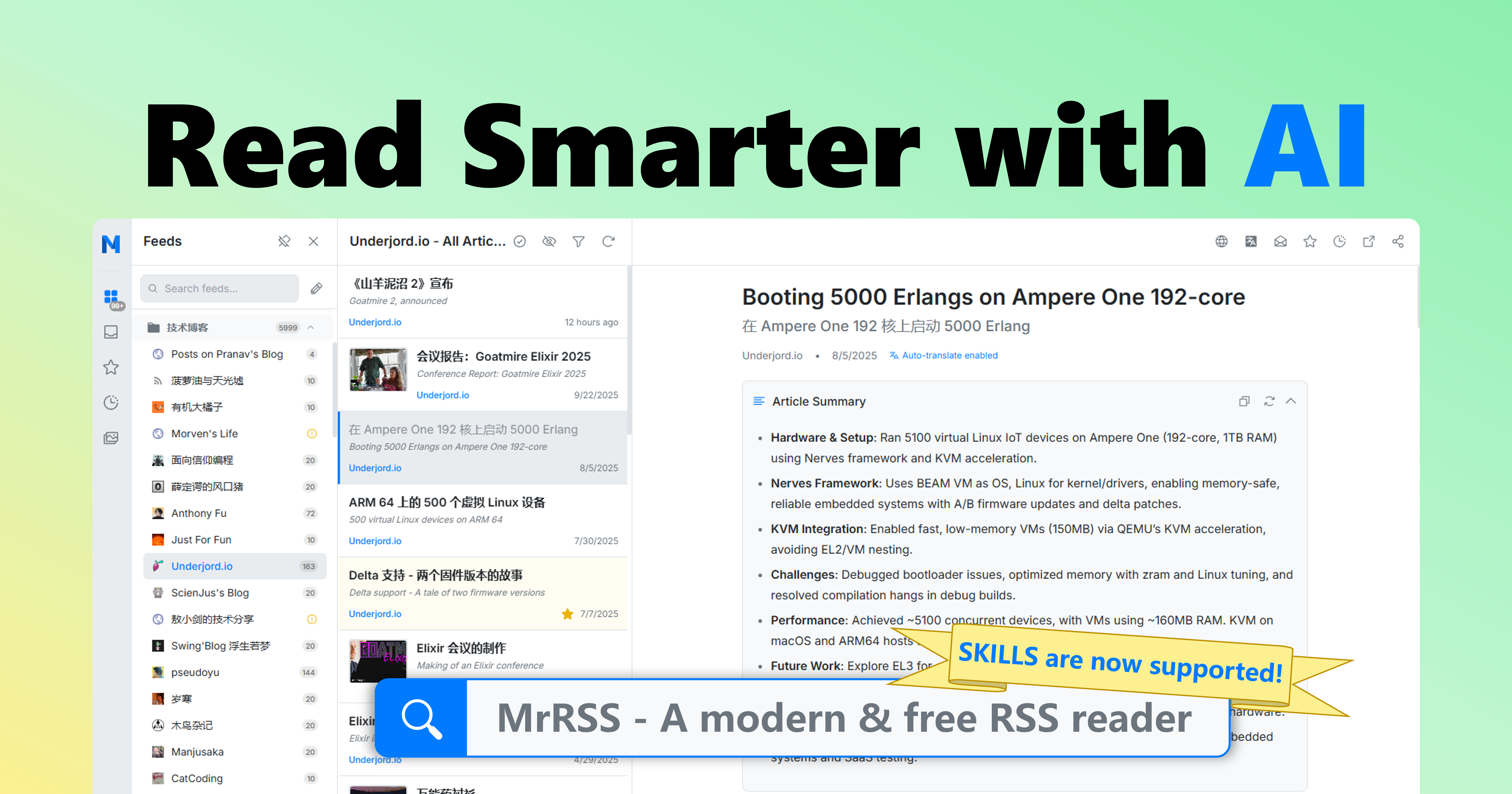

English | 简体中文
[](https://github.com/WCY-dt/MrRSS/releases)
[](LICENSE)
[](https://go.dev/)
[](https://wails.io/)
[](https://vuejs.org/)
## ✨ 功能特性
- 🌐 **自动翻译与摘要**: 自动翻译文章标题与正文,并生成简洁的内容摘要,助你快速获取信息
- 🤖 **AI 增强功能**: 集成先进 AI 技术,赋能翻译、摘要、推荐等多种功能,并支持通过 skill 读取与操作
- 🔌 **丰富的插件生态**: 支持 Obsidian、Notion、FreshRSS、RSSHub 等主流工具集成,轻松扩展功能
- 📡 **多样化订阅方式**: 支持 URL、XPath、脚本、Newsletter 等多种订阅源类型,满足不同需求
- 🏭 **自定义脚本与自动化**: 内置过滤器与脚本系统,支持高度自定义的自动化流程
## 🚀 快速开始
### 下载与安装
#### 选项 1: 下载预构建安装包(推荐)
从 [Releases](https://github.com/WCY-dt/MrRSS/releases/latest) 页面下载适合您平台的最新安装包。
点击查看可用的安装包列表
**标准安装版:**
- **Windows:** `MrRSS-{version}-windows-amd64-installer.exe` / `MrRSS-{version}-windows-arm64-installer.exe`
- **macOS:** `MrRSS-{version}-darwin-universal.dmg`
- **Linux:** `MrRSS-{version}-linux-amd64.AppImage` / `MrRSS-{version}-linux-arm64.AppImage`
**便携版**(无需安装,所有数据在一个文件夹内):
- **Windows:** `MrRSS-{version}-windows-{arch}-portable.zip`
- **Linux:** `MrRSS-{version}-linux-{arch}-portable.tar.gz`
- **macOS:** `MrRSS-{version}-darwin-{arch}-portable.zip`
**AI Agent Skills:**
- **Codex:** `MrRSS-{version}-skills.zip`([使用说明](docs/SKILLS.zh.md))
#### 选项 2: 源码构建
点击展开源码构建指南
##### 前置要求
在开始之前,请确保已安装以下环境:
- [Go](https://go.dev/) (1.25 或更高版本)
- [Node.js](https://nodejs.org/) (20 LTS 或更高版本,带 npm)
- [Wails v3](https://v3alpha.wails.io/getting-started/installation/) CLI
**平台特定要求:**
- **Linux**: GTK4、WebKitGTK 6.0、libsoup 3.0、GCC、pkg-config
- **Windows**: MinGW-w64(用于 CGO 支持)、NSIS(用于安装包)
- **macOS**: Xcode 命令行工具
详细安装说明请参见[构建要求](docs/BUILD_REQUIREMENTS.md)
```bash
# Linux 快速设置(Ubuntu 24.04+):
sudo apt-get install libgtk-4-dev libwebkitgtk-6.0-dev libsoup-3.0-dev gcc pkg-config
```
##### 安装步骤
1. **克隆仓库**
```bash
git clone https://github.com/WCY-dt/MrRSS.git
cd MrRSS
```
2. **安装前端依赖**
```bash
cd frontend
npm install
cd ..
```
3. **安装 Wails v3 CLI**
```bash
go install github.com/wailsapp/wails/v3/cmd/wails3@v3.0.0-alpha2.117
```
4. **构建应用**
```bash
# 使用 Task(推荐)
task build
# 或使用 Makefile
make build
# 或直接使用 wails3
wails3 build
```
可执行文件将在 `build/bin` 目录下生成。
5. **运行应用**
- Windows: `build/bin/MrRSS.exe`
- macOS: `build/bin/MrRSS.app`
- Linux: `build/bin/MrRSS`
### 数据存储
点击展开数据存储说明
**正常模式**(默认):
- **Windows:** `%APPDATA%\MrRSS\` (例如 `C:\Users\YourName\AppData\Roaming\MrRSS\`)
- **macOS:** `~/Library/Application Support/MrRSS/`
- **Linux:** `~/.local/share/MrRSS/`
**便携模式**(当 `portable.txt` 文件存在时):
- 所有数据存储在 `data/` 文件夹中
这确保了您的数据在应用更新和重新安装时得以保留。
## 🛠️ 开发指南
点击展开开发指南
### 开发模式运行
启动带有热重载的应用:
```bash
# 使用 Wails v3
wails3 dev
# 或使用 Task
task dev
```
### 代码质量工具
#### 使用 Make
我们提供了 `Makefile` 来处理常见的开发任务(在 Linux/macOS/Windows 上都可用):
```bash
# 显示所有可用命令
make help
# 运行完整检查(lint + 测试 + 构建)
make check
# 清理构建产物
make clean
# 设置开发环境
make setup
```
### Pre-commit Hooks
本项目使用 pre-commit hooks 来确保代码质量:
```bash
# 安装 hooks
pre-commit install
# 在所有文件上运行
pre-commit run --all-files
```
### 运行测试
```bash
make test
```
### 服务器模式(仅限 API)
对于服务器部署和 API 集成,请使用无界面服务器版本:
```bash
# 使用 Docker(推荐)
docker run -p 1234:1234 mrrss-server:latest
# 或从源码构建
go build -tags server -o mrrss-server .
./mrrss-server
```
本项目也提供了基于 ghcr.io 的预构建服务器镜像:
```bash
docker run -d -p 1234:1234 ghcr.io/wcy-dt/mrrss:latest-amd64
docker run -d -p 1234:1234 ghcr.io/wcy-dt/mrrss:latest-arm64
```
请参阅[服务器模式 API 文档](docs/SERVER_MODE/swagger.json)以获取完整的 API 参考。
如需让 Codex 通过该 API 操作 MrRSS,请安装 release 中的 skills 包,详见 [MrRSS Skills](docs/SKILLS.zh.md)。
## 🤝 贡献
我们欢迎贡献!详情请参阅我们的[贡献指南](CONTRIBUTING.md)。
点击展开贡献指南
在贡献之前:
1. 阅读[行为准则](CODE_OF_CONDUCT.md)
2. 检查现有 issue 或创建一个新 issue
3. Fork 仓库并创建功能分支
4. 进行更改并添加测试
5. 提交 Pull Request
## 🔒 安全
如果您发现安全漏洞,请遵循我们的[安全策略](SECURITY.md)。
## 📝 许可证
本项目采用 GPL-3.0 许可证 - 详情请参阅 [LICENSE](LICENSE) 文件。
## 📮 联系与支持
- **Issues**: [GitHub Issues](https://github.com/WCY-dt/MrRSS/issues)
- **讨论**: [GitHub Discussions](https://github.com/WCY-dt/MrRSS/discussions)
- **仓库**: [github.com/WCY-dt/MrRSS](https://github.com/WCY-dt/MrRSS)
---

Made with ❤️ by the MrRSS Team
⭐ 如果您觉得这个项目有用,请在 GitHub 上给我们点星!