



English · 简体中文

Re:X app icon

Re:X

Android 12 or later LSPosed Modern API 102 Telegram Ko-fi

A LSPosed module for the New X Android app

> This is the official project page, documentation, and release repository for Re:X. ## Preview
Preview screenshots
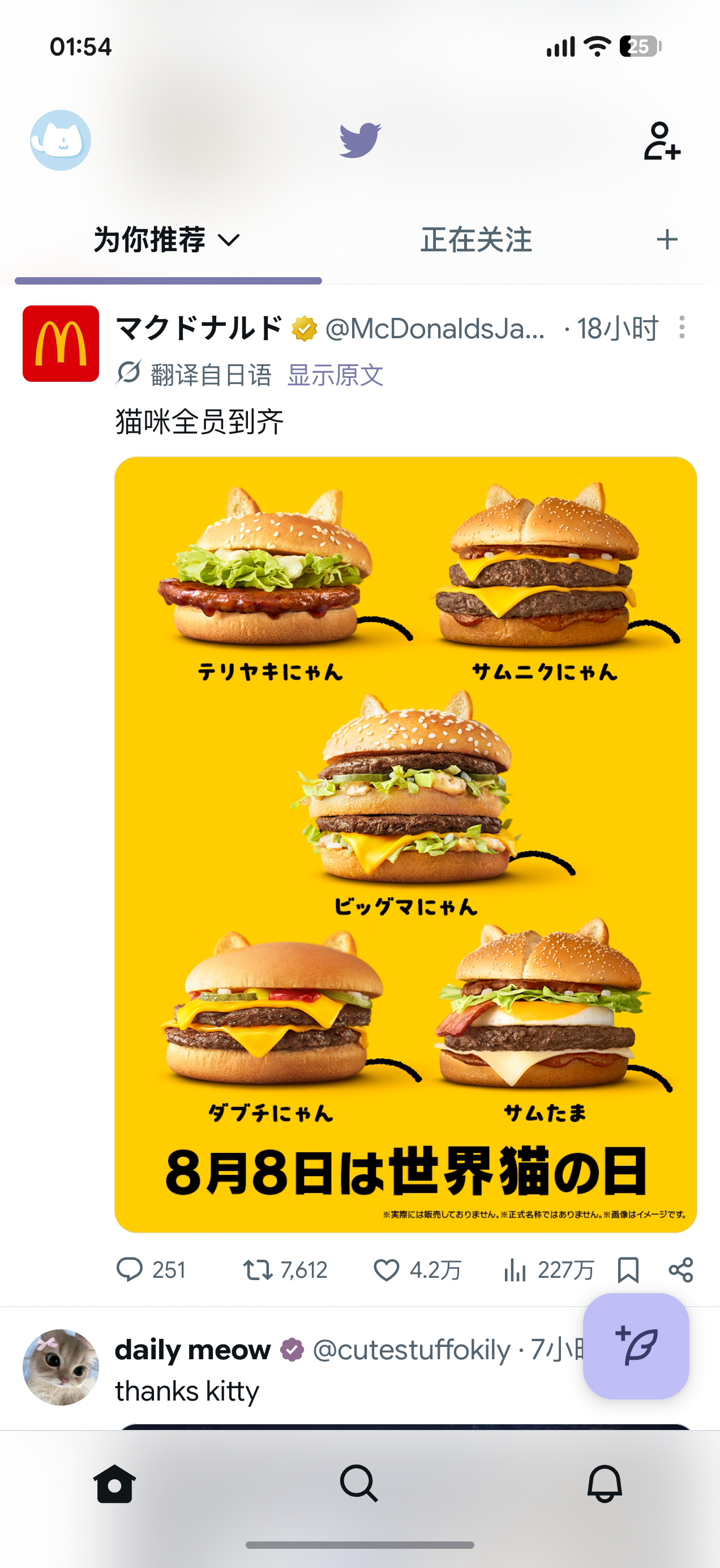
Timeline and restored branding
Timeline & restored branding
Dynamic colors, the Twitter bird, birdhouse Home icon, M3 FAB with La Pluma icon, a cleaner navigation bar, and cats
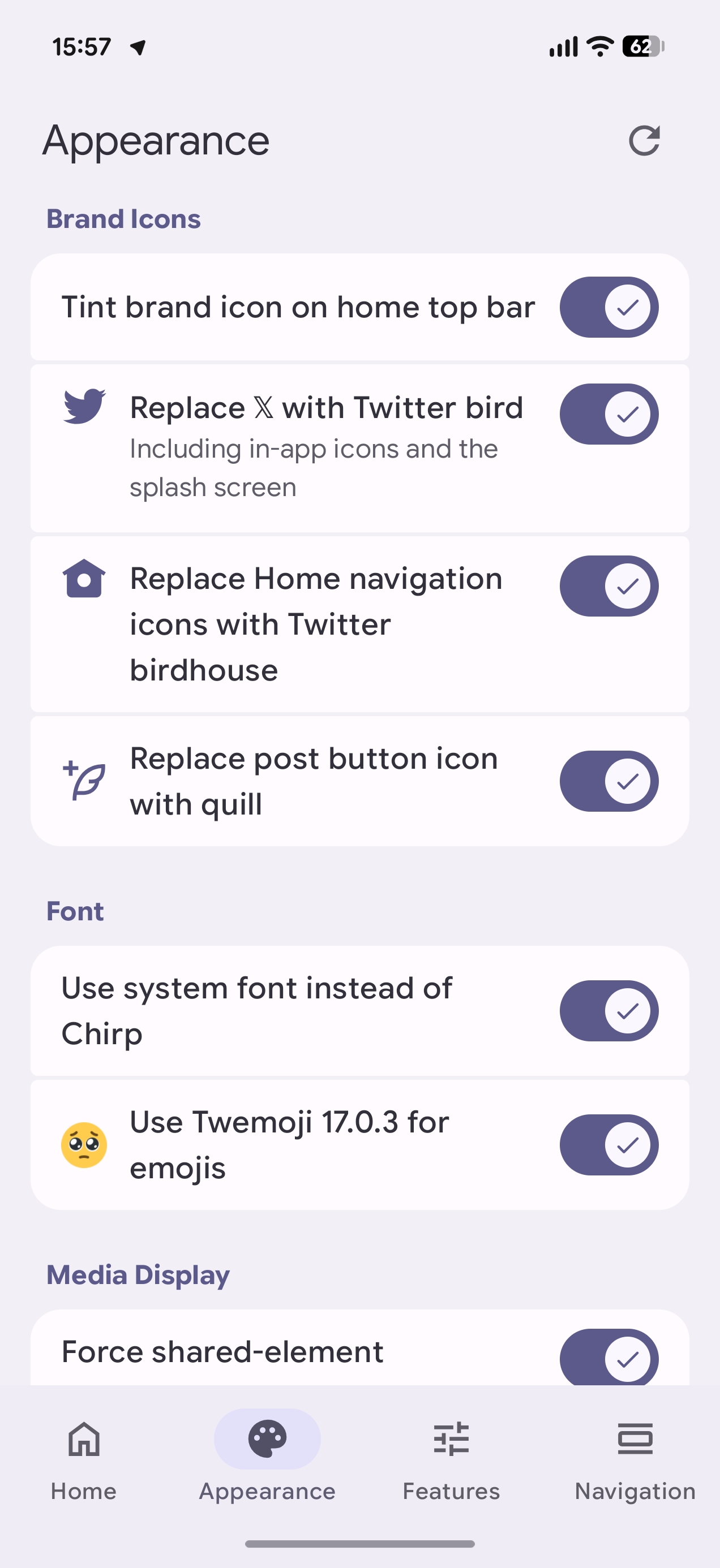
Appearance and brand icons
Appearance & brand icons
System font, Twemoji 17.0.3, brand icons, media presentation, and 🥺
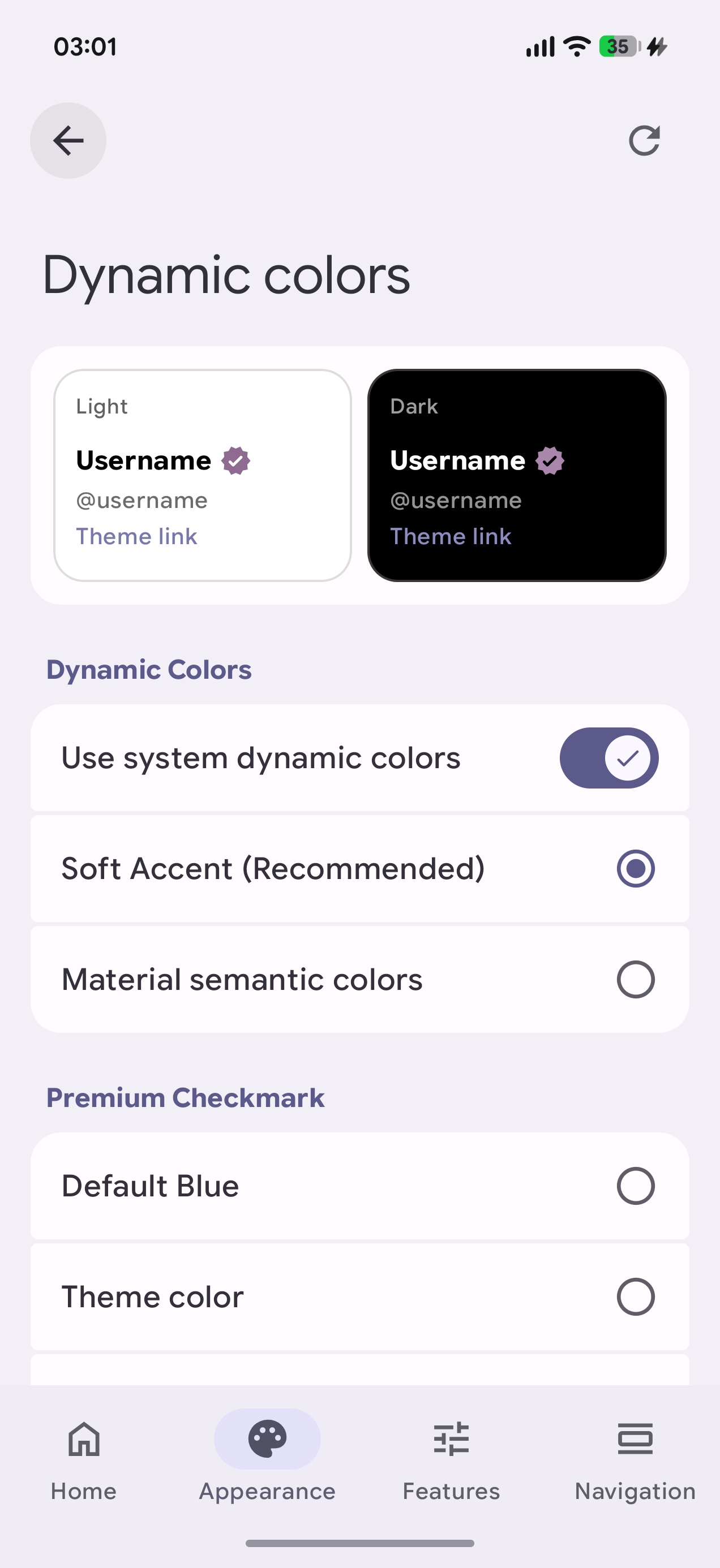
Dynamic color settings
Dynamic colors
Colors derived from your system wallpaper, Soft Accent, Material semantic colors, and a blue check that doesn't necessarily have to be blue
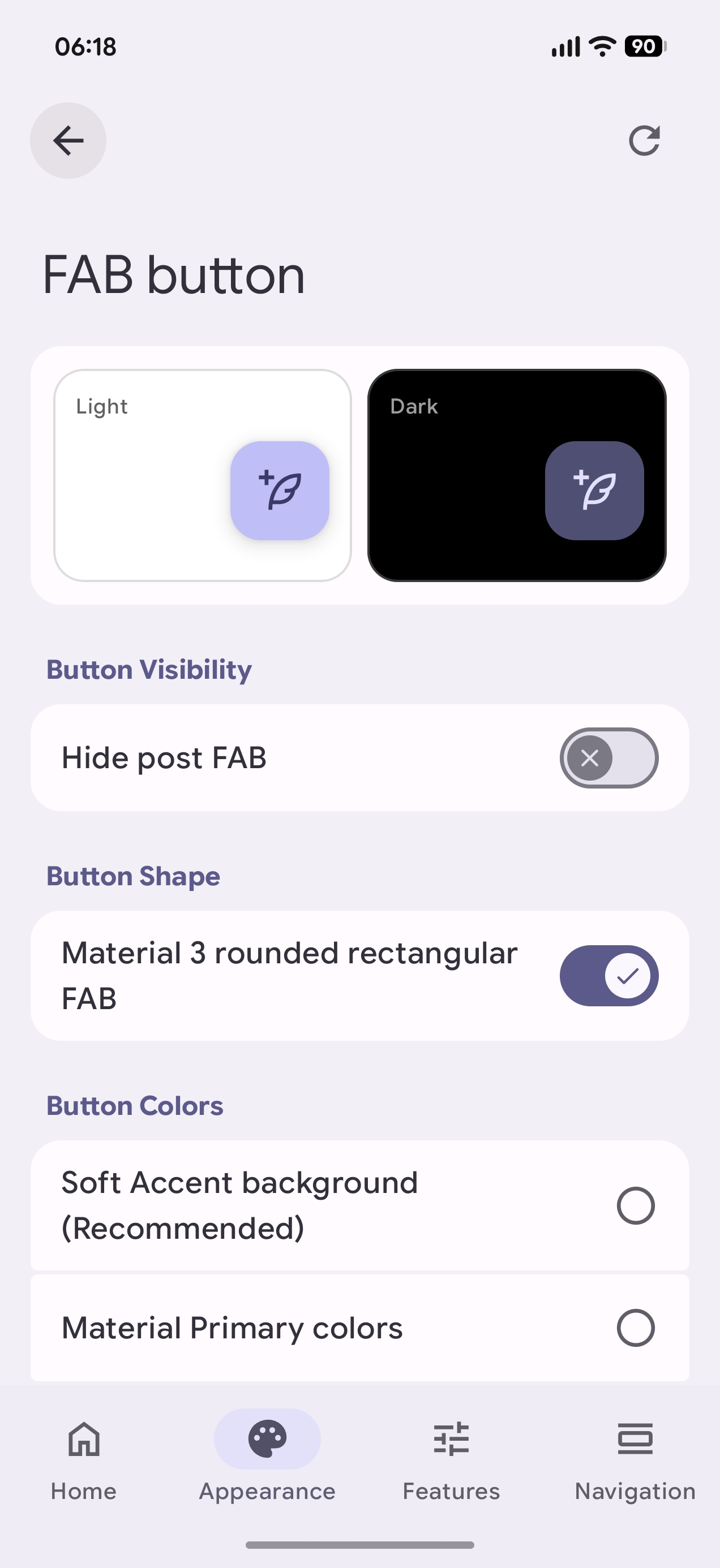
FAB button
FAB button
Show/hide, Material 3 rounded rectangle with configurable color schemes
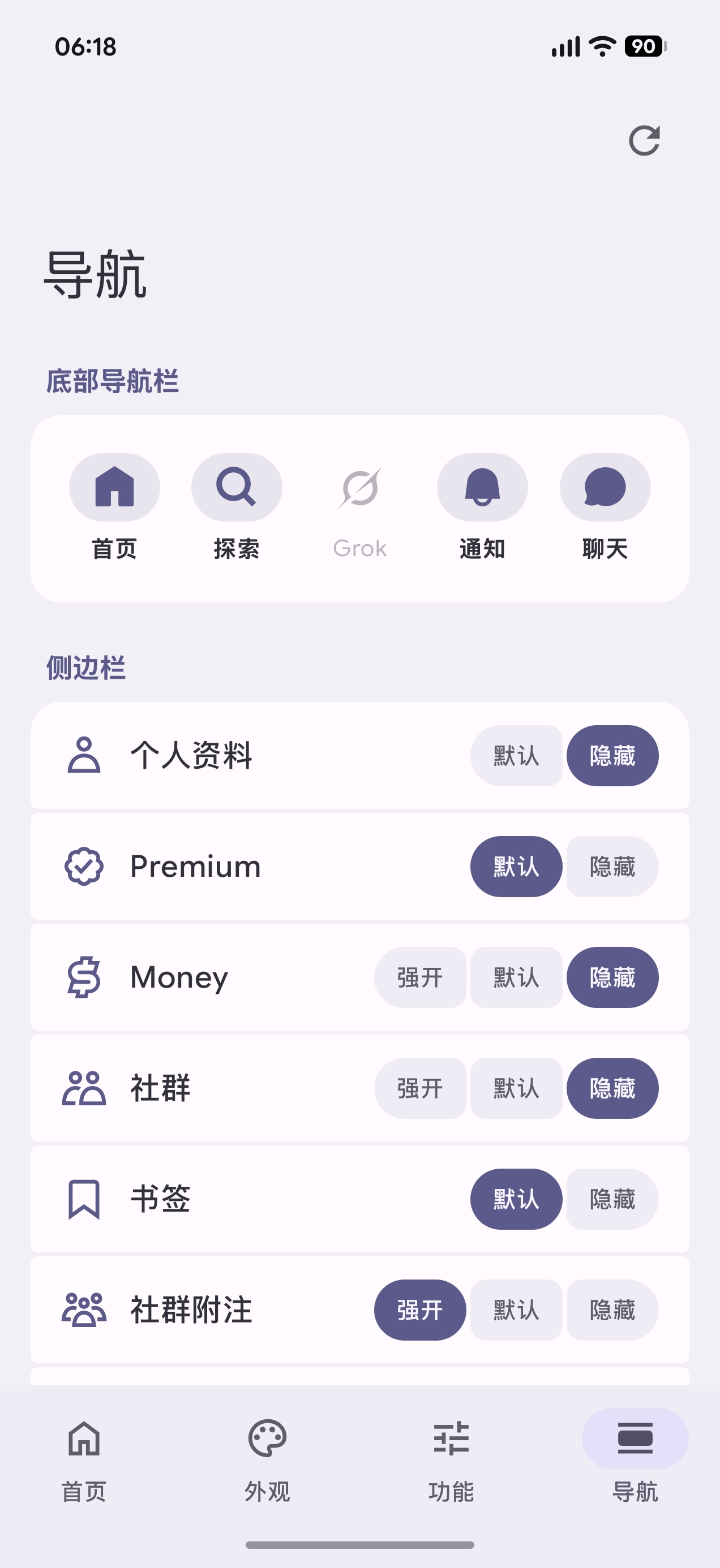
Navigation bar and drawer
Navigation & layout
Freely add or remove bottom navigation and drawer items
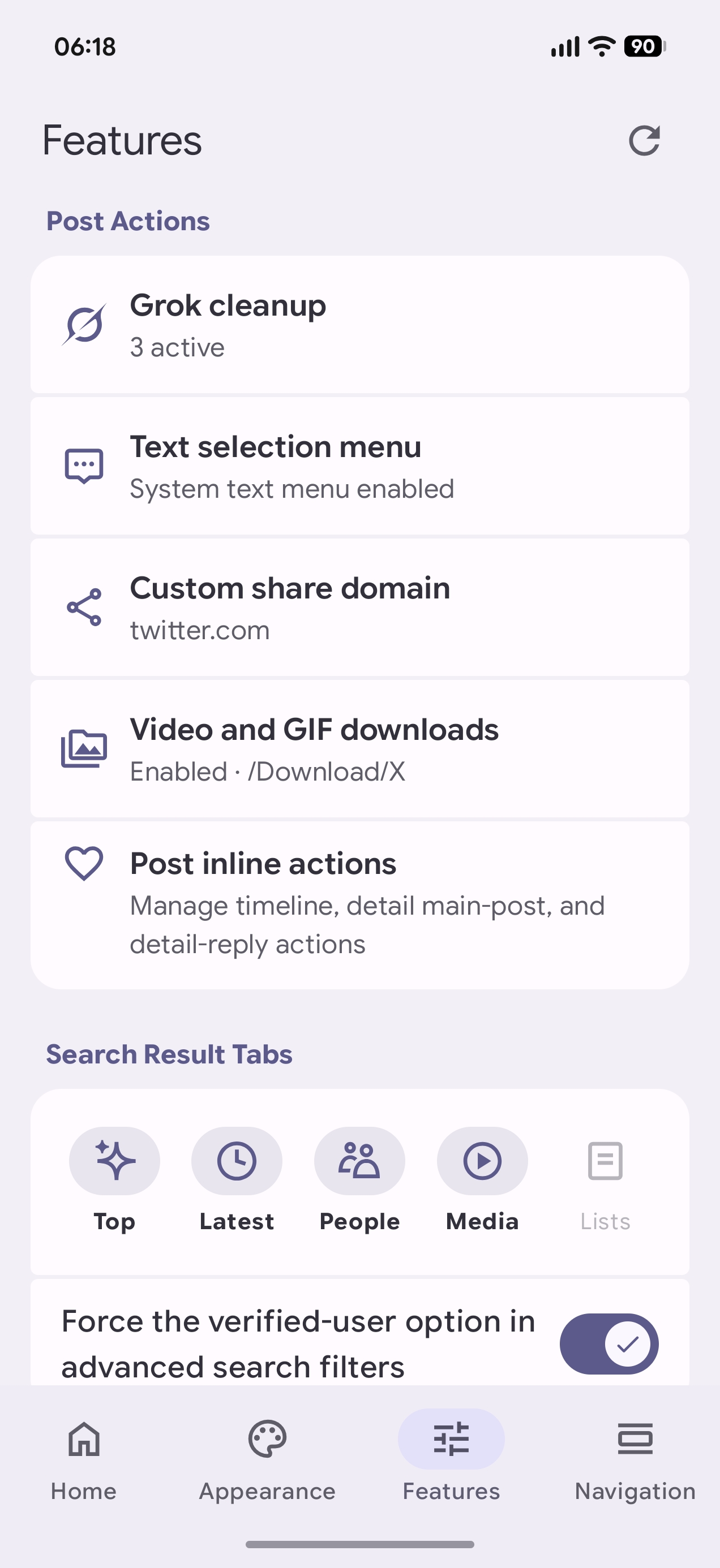
Features and enhancements
Features & enhancements
Grok cleanup, custom share domains, media downloads, post actions, and search result tab controls
## Features ### Appearance & UI - Use system dynamic colors for the app theme, with optional Soft Accent and Material semantic color modes. - Make the standard Premium blue check follow the primary or tertiary theme color. - Configure separate splash screen color combinations for light and dark mode. - Hide the compose FAB. - Replace the circular compose FAB with a Material 3 rounded rectangle and choose from different Material color schemes. - Choose between X's default in-app floating notification, the old wide solid-color UI, or the newer compact UI with a blurred background that X has not enabled yet. - Independently choose the old, X default, or newer icon-based tab style for Home, profiles, Explore, and search details. - Tint the brand icon at the top of Home with the theme color, as old Twitter did, instead of rendering it in black or white. - Replace the 𝕏 logo with the Twitter bird. - Replace the Home navigation icon with the birdhouse icon. - Replace the post FAB button icon with the quill icon. - Use the system font instead of Chirp. - Use Twemoji like the web app and old Twitter. - Force shared-element transitions when opening images. - Enable a horizontal carousel for multi-image posts. ### Navigation & layout - Freely show or hide Home, Explore, Grok, Notifications, and Chat in the bottom navigation bar. - Set main and footer drawer items to follow X, always show where supported, or hide. - Customize the width of the drawer (side menu). - Add a Re:X settings entry to X's drawer. ### Timeline, search & profiles - Hide promoted content in timelines and post replies. - Hide the live Spaces bar at the top of the timeline. - Hide the floating new-posts prompt at the top of the timeline. - Hide the Upgrade to Premium button in the Home top bar. - Prevent the Home timeline from refreshing automatically when the app starts or tab is switched. - Remember and restore the last tab when the app starts. - Remember and restore the last scroll position in the timeline when the app starts. - Set profile media tabs to a single Media tab, separate Photos and Videos tabs, or a combined tab that opens to a chosen media type by default. - Remove the standalone Reposts tab and return reposts to the Posts tab. - Split Posts and Highlights. - Hide the Subscriptions and Articles tabs. - Undo the new oversized single-row layout for major actions such as Unfollow and Message. - Hide the paid Subscribe button. - Switch between the Android system photo picker and X's built-in post media picker. - Choose which Top, Latest, People, Media, and Lists tabs appear in search results. - Force the verified-users option to appear in advanced search filters. ### Posts, sharing & media - Download videos and GIFs from the media long-press menu or fullscreen viewer; the highest available quality is selected automatically. - Remove the “Ask Grok” and “Hide” items from the text selection menu. - Add system Share, Translate, Define, and Process Text actions to the text selection menu, each configurable as shown directly, collapsed, or hidden. - Replace share link domains with `twitter.com`, `fixupx.com`, `fxtwitter.com`, `xfixup.com`, or a custom domain. - Hide the Grok button on post cards. - Hide the Grok item in the image long-press menu. - Hide the Grok button in the post detail toolbar. - Independently manage the `Reply`, `Repost`, `Like`, `Dislike`, `Views`, `Bookmark`, and `Share` action buttons below timeline posts, the main post on the detail screen, and replies on the detail screen. ### Other features - Browse and override Boolean Feature Switches collected from the currently supported X version. - Back up and restore settings. ## Where does the “Re” come in? After Hachidori stopped being maintained, I never found another LSPosed solution that really fit the way I use X. The `Re` is basically about picking up where this kind of module left off and starting fresh at the same time. Re:X is built from the ground up specifically for the refactored X Android interface. It started simply because I couldn't stand that Premium users on iOS could customize their navigation bar while Android users still couldn't, so I added it myself. I'll probably keep adding things I personally want to change, and I want the module's own settings UI to feel pleasant too. ## Compatibility | Requirement | Supported / tested | | -------------- | ------------------------------------------------------------------------------------------- | | Android | Android 12 or later (API 31+) | | Root | Required | | Framework | A recent LSPosed build, or another compatible framework providing Modern Xposed API 101–102 | | Target package | X for Android — `com.twitter.android` (not X Lite) | | Current target | The latest beta test branch version of main app | | Tested with | X 12.15.1-release and newer versions | Re:X only targets the redesigned X interface introduced in 2026. The older pre-rewrite interface and legacy mode are not supported. Re:X is adapted for specific X versions. After an X update, individual hooks may temporarily stop working when obfuscated structures change. Other versions use feature-based fallback matching where possible, but compatibility is not guaranteed. ## Updates, discussion & feedback - **Stable releases:** [GitHub Releases](https://github.com/Xposed-Modules-Repo/one.dot.rex/releases) - **LSPosed:** [LSPosed Modules Repository](https://modules.lsposed.org/) - **Updates, discussion, feedback & suggestions:** [Telegram group](https://t.me/re_x_mod) - **Developer:** [1Dot on GitHub](https://github.com/1-dot) · [Coolapk profile](https://www.coolapk.com/u/1414025) When reporting a compatibility issue, please include your Re:X version, X version, and the specific option that stopped working. ## Support Re:X Re:X is free to use. If it makes scrolling X a little nicer, you can [support 1Dot on Ko-fi](https://ko-fi.com/1dot). ## Distribution If you'd like to share Re:X, please share the official project page, Releases, LSPosed page, or Telegram group instead of re-uploading the APK. See [TERMS.md](TERMS.md) for the rest of the distribution and modification guidelines. ## Notes & credits Re:X is an independent third-party closed-source project. It is not affiliated with YouTube ReX, ReX Patches, or any other similarly named projects. - [jdecked/twemoji v17.0.3](https://github.com/jdecked/twemoji/tree/v17.0.3): Twemoji graphics bundled with Re:X, used under CC BY 4.0. See [THIRD_PARTY_NOTICES.md](THIRD_PARTY_NOTICES.md) for details. - Developed and maintained by [1Dot](https://github.com/1-dot).