
An open-source, general-purpose coding agent for the terminal, the browser, and the desktop.
Website |
English |
简体中文
---
## What is Apexo?
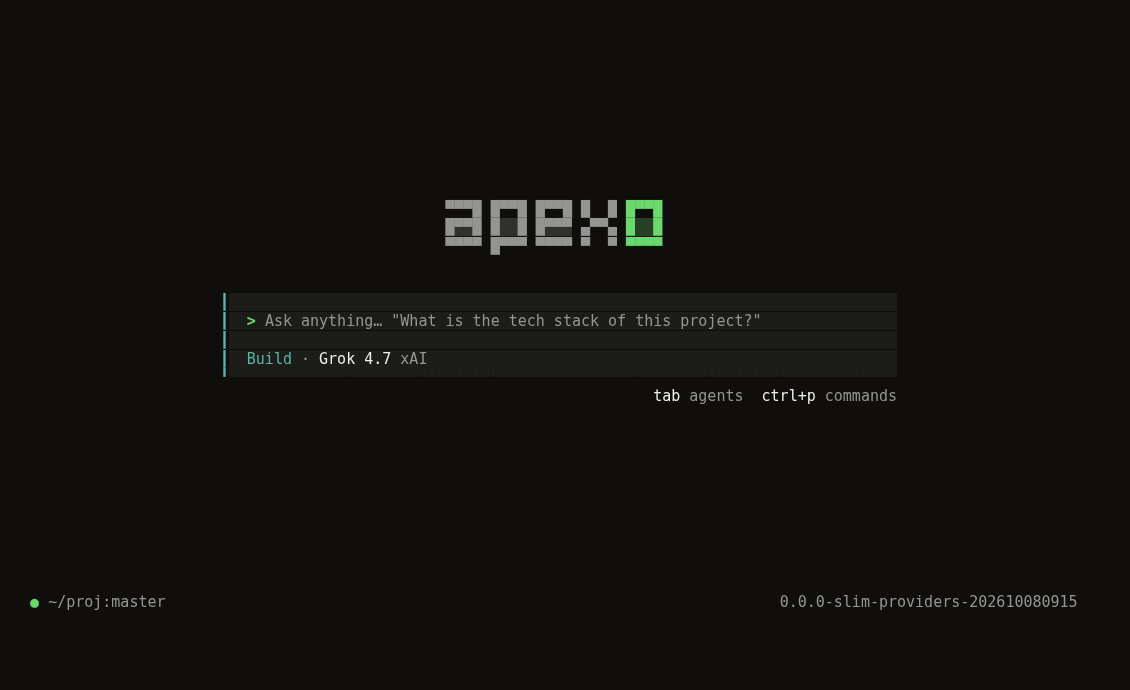
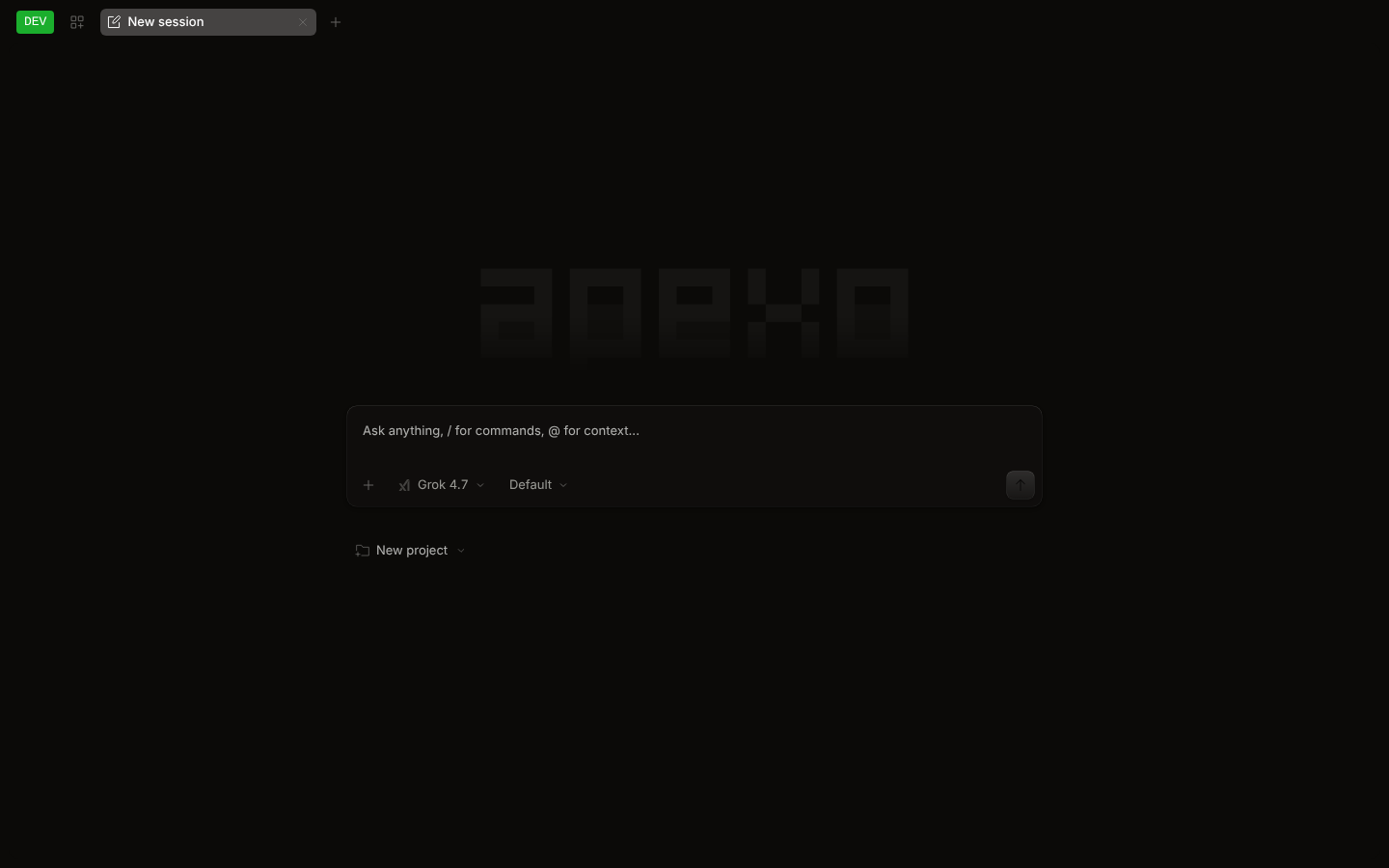
Apexo is a **general-purpose coding agent** with a unified terminal UI (TUI), web UI, and Electron desktop app powered by a single local agent runtime.
Rather than being tied to a single model vendor or acting as a thin wrapper, Apexo provides its own deeply engineered agent architecture — including a durable session runtime, autonomous goals (`/goal`), multi-session workflows (`/workflow`), background task & subagent orchestration (`/tasks`), persistent project memory (`/memory`), native command sandboxing (`/sandbox`), lifecycle hooks (`/hooks`), and side-channel queries (`/btw`) — while offering first-class support across major model ecosystems:
- **Google Gemini & Antigravity first-class support.** Reuse your local Antigravity CLI (`agy`) Google login directly without re-authorizing, or connect via `GOOGLE_GENERATIVE_AI_API_KEY`. Full support for Gemini models, thinking/reasoning summaries, multimodal attachments, and large-context coding workflows. See the [Antigravity setup guide](docs/antigravity.md).
- **xAI Grok & Grok Build workflows.** Sign in with your xAI account (SuperGrok or X Premium) using xAI's OAuth device-code flow, or use `XAI_API_KEY`. All current Grok models (`grok-4.7`, `grok-4.6`, `grok-4.20`, `grok-build-0.1`) and Grok Build-style agent capabilities work natively.
- **Universal multi-provider & OpenAI-compatible runtime.** Connect OpenAI, Anthropic (Claude), MiniMax, DeepSeek, Qwen, or any self-hosted endpoint (vLLM, Ollama, LM Studio) with automatic `` reasoning extraction, incremental streaming, and tool execution.
- **100% local, no middleman subscription, no ads.** There is no hosted model gateway, mandatory account console, telemetry relay, or upsell. Everything runs on your machine and communicates directly with the providers you configure.
- **One server, three interfaces.** Terminal UI, Web UI, and Desktop App share the same local server, live event stream, and durable session history.
- **Grove theme:** a warm-dark/green default theme across TUI, Web, and Desktop, alongside classic built-in and custom themes.
### Authentication & OAuth Philosophy
Apexo supports **local OAuth / native CLI login** for **Google Antigravity (`agy`)** and **xAI Grok**, plus direct API-key and custom endpoint connections for all providers (Google Gemini, xAI, OpenAI, Anthropic, MiniMax, and any OpenAI-compatible service). Authentication is handled entirely on your machine; model requests go straight to the provider you choose.
## Key Capabilities
- **Autonomous Goals (`/goal`):** Define a target objective and verification criteria; the agent iterates until the goal is verified, paused, blocked, or out of budget.
- **Multi-Session Workflows (`/workflow`):** Run structured multi-step workflows in dedicated child sessions while keeping your main conversation responsive.
- **Background Tasks & Subagents (`/tasks`):** Manage background shell commands, scheduled recurring jobs (`/loop`), subagents, and coordinator sessions in one place.
- **Persistent Memory (`/memory`, `/remember`, `/flush`, `/dream`):** Review, curate, and consolidate durable project and user memory across sessions.
- **Command Sandbox (`/sandbox`):** Enforce OS-level sandboxing (`seatbelt` on macOS, `bubblewrap` on Linux) for native shell commands (`workspace` or `read-only` profiles).
- **Lifecycle Hooks (`/hooks`):** Inspect and govern repository and user hooks with explicit per-repository trust controls.
- **Side Questions (`/btw`):** Ask a quick side question (even mid-prompt) in a modal without polluting or interrupting the active session turn.
## Install
```bash
npm install -g apexo-code
apexo --version
```
The npm package installs a prebuilt CLI for macOS, Linux (glibc or musl), or Windows
on x64 and arm64. Desktop installers and standalone CLI archives are available from
[GitHub Releases](https://github.com/cluster1900/apexo-code/releases).
See the [detailed installation guide](docs/installation.md) for platform and CPU
selection, npm-free installation, Windows PowerShell commands, checksums, PATH,
Desktop installation, updates, and removal.
### Build from source
To build Apexo from source, install [Bun](https://bun.sh) 1.4.4 (the repo pins `bun@1.4.4`) and git.
```bash
git clone https://github.com/cluster1900/apexo-code.git apexo && cd apexo
bun install
# Build a single native binary for this machine (the web UI is embedded)
bun run --cwd packages/apexo build --single
# The binary lands in packages/apexo/dist/apexo--/bin/apexo
mkdir -p ~/.local/bin
install -m755 packages/apexo/dist/apexo-*/bin/apexo ~/.local/bin/apexo
install -m755 packages/apexo/dist/apexo-*/bin/apexo-workflow-script ~/.local/bin/apexo-workflow-script
export PATH="$HOME/.local/bin:$PATH"
apexo --version
```
Pushing a `vX.Y.Z` tag runs `.github/workflows/release.yml`, which builds and smoke-tests the CLI npm packages, packages Desktop for macOS, Linux, and Windows,
and attaches the archives to a [GitHub Release](https://github.com/cluster1900/apexo-code/releases).
See [Releasing Apexo](docs/releases.md) for publishing setup and the release checklist.
Once a release exists, the install script can fetch it instead (`--version X.Y.Z` pins a release):
```bash
curl -fsSL https://raw.githubusercontent.com/cluster1900/apexo-code/main/install | bash
```
To run from source without building:
```bash
bun dev # same as: bun run --cwd packages/apexo src/index.ts
bun dev --help
```
## Usage
```bash
apexo # start the terminal UI in the current directory
apexo auth login # sign in to Google Antigravity, xAI Grok (OAuth), or configure an API key
apexo auth list # show configured credentials
apexo models # list available models across all configured providers
apexo run "explain this repo" # one-shot, non-interactive CLI execution
apexo web # start the local server and open the web UI
apexo serve # headless local server (for desktop app, editors, scripts)
apexo acp # run Apexo as an Agent Client Protocol (ACP) server for editors like Zed
```
In the TUI and Desktop composer, `/connect` opens the provider dialog, `/models` switches models, `/themes` switches
themes, and `ctrl+p` (`cmd+k` / `cmd+p` on macOS) opens the command palette. Start a prompt with `!` to run a shell command.
### Providers
| Provider | How to connect | Environment variable |
| ----------------------------------- | ---------------------------------------------------------------------------------------- | ------------------------------ |
| **Google Gemini** | API key (AI Studio / Vertex-compatible) | `GOOGLE_GENERATIVE_AI_API_KEY` |
| **Antigravity (Google / Gemini)** | Select Antigravity; reuse local `agy` login or complete `agy`'s Google sign-in once | — |
| **xAI Grok** | `apexo auth login` -> xAI -> SuperGrok Subscription (device-code OAuth), or an API key | `XAI_API_KEY` |
| **OpenAI** | API key | `OPENAI_API_KEY` |
| **Anthropic (Claude)** | API key | `ANTHROPIC_API_KEY` |
| **Custom / OpenAI-Compatible** | Configure `baseURL` + `apiKey` in `apexo.jsonc` (MiniMax, DeepSeek, Ollama, vLLM, etc.) | Custom `{env:...}` |
### Desktop app
The Electron desktop app lives in `packages/desktop`:
```bash
bun run --cwd packages/desktop dev # development build
bun run --cwd packages/desktop build # production bundle (packaging uses electron-builder)
```
The desktop app has no auto-updater; rebuild it (or install a newer release) to update.
## Configuration
Apexo reads JSON/JSONC config files:
| What | Location |
| --------------------- | ------------------------------------------------------------------------- |
| Global config | `~/.config/apexo/apexo.jsonc` (`apexo.json` also works) |
| Data / state / cache | `~/.local/share/apexo`, `~/.local/state/apexo`, `~/.cache/apexo` |
| Project config | `apexo.json` / `apexo.jsonc` in the project (searched up to the git root) |
| Project directory | `.apexo/` (agents, commands, plugins, themes, tools) |
| Environment variables | `APEXO_*` (for example `APEXO_CONFIG`, `APEXO_CONFIG_CONTENT`) |
Example `apexo.json`:
```jsonc
{
"$schema": "https://raw.githubusercontent.com/cluster1900/apexo-code/main/schemas/config.json",
"model": "google/gemini-2.5-pro",
"theme": "grove",
}
```
### Custom OpenAI-Compatible Providers
You can configure any self-hosted or third-party OpenAI-compatible endpoint (such as MiniMax, DeepSeek, Qwen, vLLM, Ollama, or LM Studio) in `~/.config/apexo/apexo.jsonc` or your project's `apexo.jsonc`:
```jsonc
{
"$schema": "https://raw.githubusercontent.com/cluster1900/apexo-code/main/schemas/config.json",
"model": "custom/MiniMax-M2.7",
"provider": {
"custom": {
"npm": "@ai-sdk/openai-compatible",
"name": "Custom OpenAI-Compatible",
"options": {
"baseURL": "https://api.minimax.cn/v1",
"apiKey": "{env:CUSTOM_API_KEY}",
},
"models": {
"MiniMax-M2.7": {
"name": "MiniMax M2.7",
},
},
},
},
}
```
Verify that your custom provider and models are registered by running `apexo models`.
JSON schemas for editor completion live in [`schemas/`](schemas): `config.json` (`apexo.json`),
`tui.json`, `theme.json` (TUI themes), and `desktop-theme.json` (app themes). Regenerate them with
`bun script/schemas.ts`.
## Themes
- **TUI:** `grove` is the default. Switch with `/themes`, or set `"theme"` in `tui.json`
(`~/.config/apexo/tui.json`). Custom themes go in `.apexo/themes/*.json` or
`~/.config/apexo/themes/`.
- **Web and desktop app:** Grove is the default in Settings -> Appearance. The classic theme is
also available.
## Development
```bash
bun install
bun turbo typecheck --concurrency=2
(cd packages/core && bun test)
(cd packages/apexo && bun test)
(cd packages/tui && bun test)
```
Workspace packages use the `@apexo/*` scope; the CLI and server live in
`packages/apexo`.
## Feedback
Report bugs and ideas at [github.com/cluster1900/apexo-code/issues](https://github.com/cluster1900/apexo-code/issues).
## License
MIT. See [LICENSE](LICENSE).