 DSH Desktop
 by Dataelem is a desktop Agent application built by the Dataelem team on the DeepSeek Harness framework, available in open-source and enterprise editions.
Website: www.dshdesktop.com
简体中文 · English · 日本語 · Русский · Español · Português


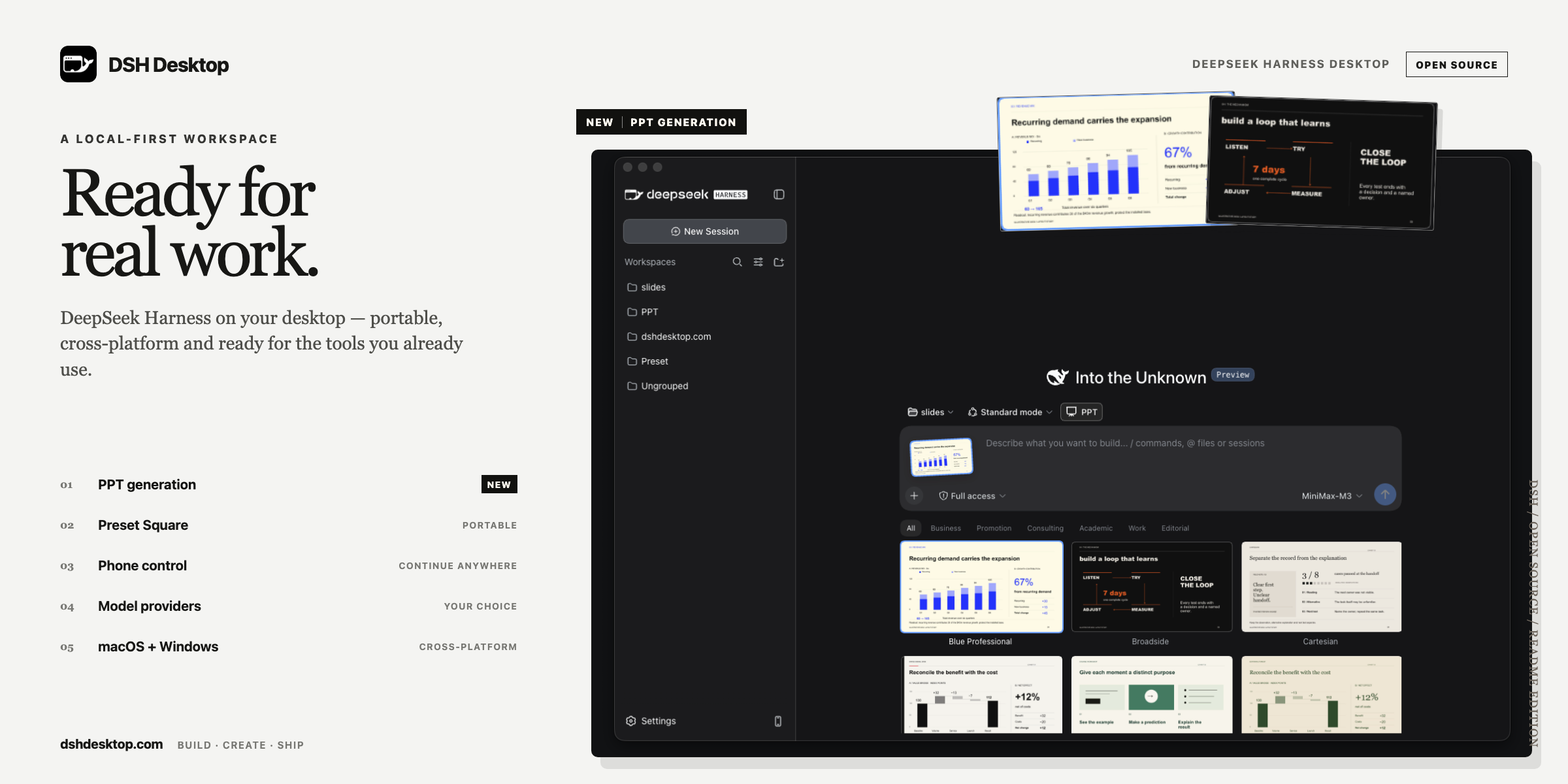
Built on DeepSeek Harness, with enhanced model-provider integration, Word / Excel / PPT templates, startup recovery, and workbenches in a ready-to-use desktop app.
## Download
Download DSH Desktop from the [official website](https://www.dshdesktop.com/en/).
DSH Desktop automatically checks for updates. New versions undergo a staged rollout for testing before being released to all users once confirmed stable.
## Community
Scan the QR code below with WeChat to join the DSH Desktop community group.

Prefer Discord? Join the DSH Desktop Discord community.
## What DSH Desktop adds
DeepSeek Harness provides the Agent runtime, Web UI, and basic model-provider integration. DSH Desktop builds on these foundations with:
- **Model-provider integration**: improved provider setup and onboarding, model search, image-input and reasoning-capability configuration, and third-party model compatibility.
- **Office templates**: native Word template editing, Excel example workbooks, and editable PPT templates, paired with business skills to create DOCX, XLSX, and PPTX; Python and Office processing dependencies ship with the desktop app.
- **Startup and plugin recovery**: startup and frontend diagnostics, guided recovery, Safe Mode, and a repair Agent entry point, designed to preserve user sessions and settings.
- **Workbenches**: browse, install, and open workbench apps through market installation or local import, reusing Harness conversations.
- **Portable Agent presets**: import and export custom presets as [`.dshpreset` packages](docs/preset-packages.md), with conflict checks and trust warnings before installation.
- **Phone access**: pair by QR code and continue sessions over the local network or an optional public tunnel.
- **Native desktop experience**: managed Harness startup and shutdown, system directory pickers, native menus and windows, user-data preservation across upgrades, and automatic update checks.
## Office suite
Word, Excel, and PPT modes let you choose a template and provide source material for the Agent to create editable files.
- **Word**: preserve native template layout and styles for notices, minutes, and reports, with DOCX output.
- **Excel**: organize data, analyses, and charts using example workbooks, with XLSX output.
- **PPT**: **16 built-in templates and 192 layouts** with editable PPTX output and support for importing personal templates. Built-in previews use English; generated decks support English and Chinese. Preview language does not determine output language.
Python and Office processing dependencies ship with the desktop app, so no separate runtime installation is needed. PPT template-mode instructions apply only when that mode is enabled for the current session.
## Workbenches
Workbenches combine task-specific business interfaces with Agent conversations, giving common workflows more than a chat-only entry point.
Browse, favorite, and install apps from the workbench market, or import a locally developed workbench. Use its business interface alongside the associated Agent conversations; after installation or updates, restart when prompted to load the changes. Removing a workbench preserves existing sessions and project files.
## Phone access
Choose **Connect Phone…** from the `Harness` menu and scan the pairing code.
- On Wi-Fi, scanning connects immediately.
- Over the internet tunnel, the phone enters a 6-digit pairing password shown only on the computer. By default the password is temporary (5 minutes, memory only). A durable password is created only after you opt in on the Connect Phone window.
Harness itself remains on a random `127.0.0.1` port. Phone access uses a separate paired bridge. Cloudflare Quick Tunnel is the usual long-lived remote path. Free Pinggy is the fallback when Cloudflare is unavailable (for example in mainland China) and expires after about 60 minutes. Disconnecting the phone from the desktop invalidates the mobile session.
If Cloudflare fails to start, the app tries Pinggy. If a Cloudflare pairing link appears but your phone cannot open it, choose **Can’t open? Try another link** to switch to Pinggy.
## Safe Mode and recovery
If a third-party plugin interferes with startup or rendering, DSH Desktop can identify the implicated plugin from runtime and frontend evidence and open a guided recovery surface.
Choose **Restart as Safe Mode…** from the `Harness` menu to temporarily block third-party plugins while keeping the Agent, sessions, model settings, and workspaces available. Disable a problematic plugin in the management screen, then restart normally to verify recovery. Disabling preserves the plugin and user data, and you can re-enable it later.
Recovery screens check for compatible plugin updates. When available, you can upgrade an affected plugin; Safe Mode also offers batch upgrades. For help, hover over **WeChat group** to display its QR code, or click **Discord** to open the community.
If the normal interface cannot be reached, start DSH Desktop with `--safe-mode`. On macOS:
```sh
open -a "DSH Desktop" --args --safe-mode
```
## Local data and security
- Sessions and settings stay in your local user-data directory and are preserved across app upgrades.
- The built-in sidebar browser is isolated from application privileges; ordinary external links open in your system browser.
- Pair your phone by scanning the code; internet connections also require the pairing password shown on the computer.
- Agent file and command operations are subject to permission controls. Approve sensitive actions carefully and install only trusted plugins.
## Platform support
| Platform | Distribution | Status |
| --- | --- | --- |
| macOS Apple Silicon | Signed and notarized DMG/ZIP | Supported |
| macOS Intel | Signed and notarized DMG/ZIP | Supported |
| Windows x64 | Code-signed NSIS installer | Supported |
| Windows ARM64 | — | Not currently supported |
| Linux | — | Not currently supported |
Harness includes target-native dependencies, so every release artifact is built on the matching operating system and architecture.
## Development and architecture
Contributions are welcome. Start with the public engineering documentation:
- [Development guide](docs/development.md) — setup, validation, patch maintenance, and target-native packaging
- [Architecture](docs/architecture.md) — runtime flow, persistent data, security boundaries, recovery, mobile access, and updates
- [Release runbook](docs/release-runbook.md) — signing and publication controls
- [Preset package format](docs/preset-packages.md) — portable Agent preset contract
Before submitting a change, run `npm test`, `npm run typecheck`, and `npm run build`, then exercise the affected real application flow. Never include real API keys in issues, logs, screenshots, or test data.
## Friends
[dsh-market](https://github.com/dsh-market/dsh-market) is the community plugin market for DeepSeek Harness. Browse and search plugins, preview screenshots, install or update packages, enable or disable plugins, and switch themes from the Harness interface.
## License
DSH Desktop is open source under the [MIT License](LICENSE).
DeepSeek Harness and its dependencies remain subject to their respective upstream licenses and trademark policies. DSH Desktop is an independent community desktop application.
## Learn about the enterprise edition
The enterprise edition combines the BISHENG desktop client with the BISHENG enterprise platform server. Built on DSH Desktop, the client works with local files and enterprise-authorized models, knowledge, tools and skills through an enterprise account. The server centrally configures resources and permissions and manages credits and usage. Both the BISHENG client and server for the enterprise edition are open source; their source code is available in the repositories below.
[Enterprise management platform source](https://github.com/dataelement/bisheng) · [Enterprise client repository](https://github.com/dataelement/bisheng-desktop) · [About the enterprise edition](https://www.dshdesktop.com/en/enterprise/)