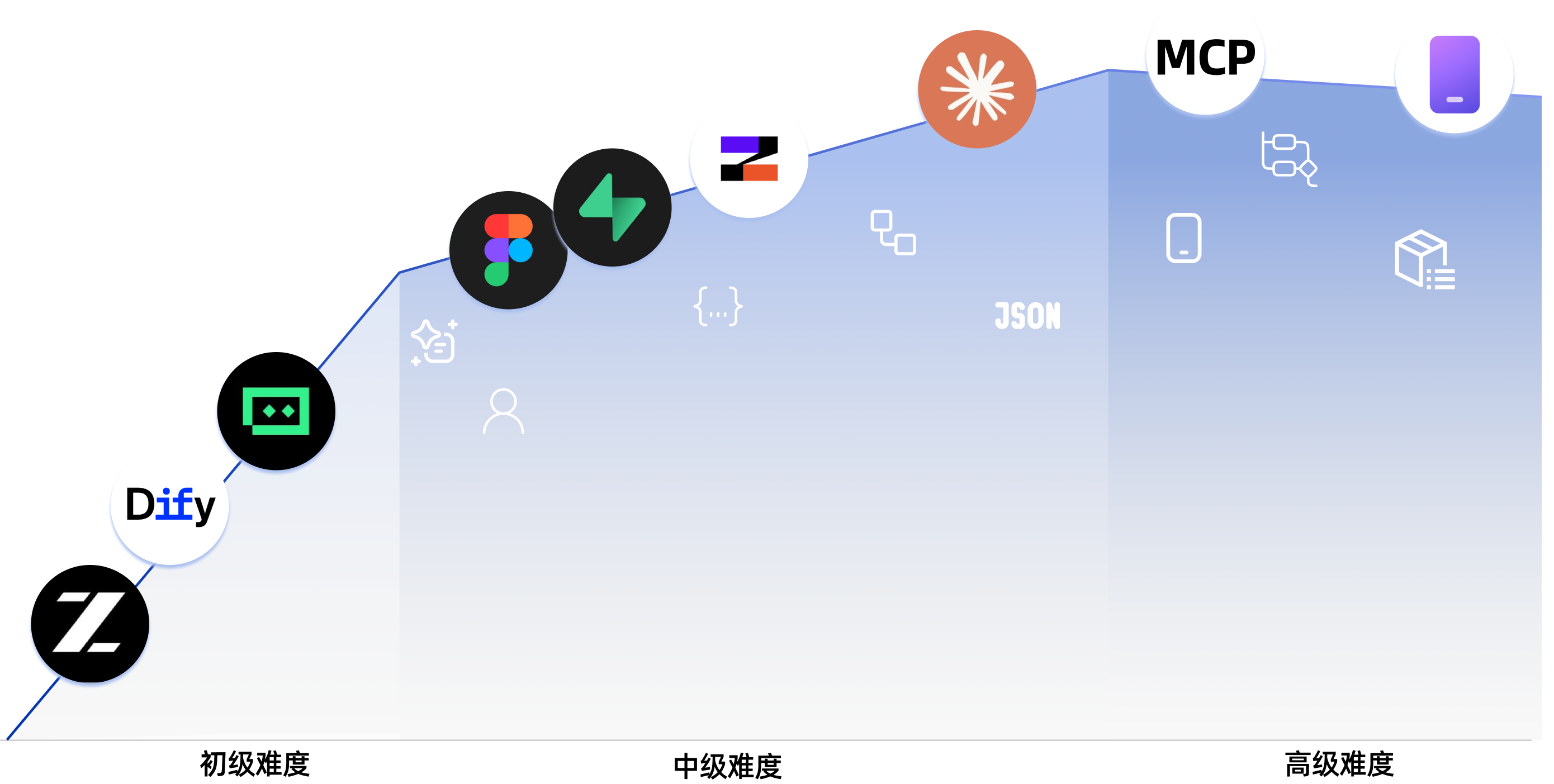
新手专属学习地图
零基础专属指引,清晰规划路径,告别“学了忘”
|
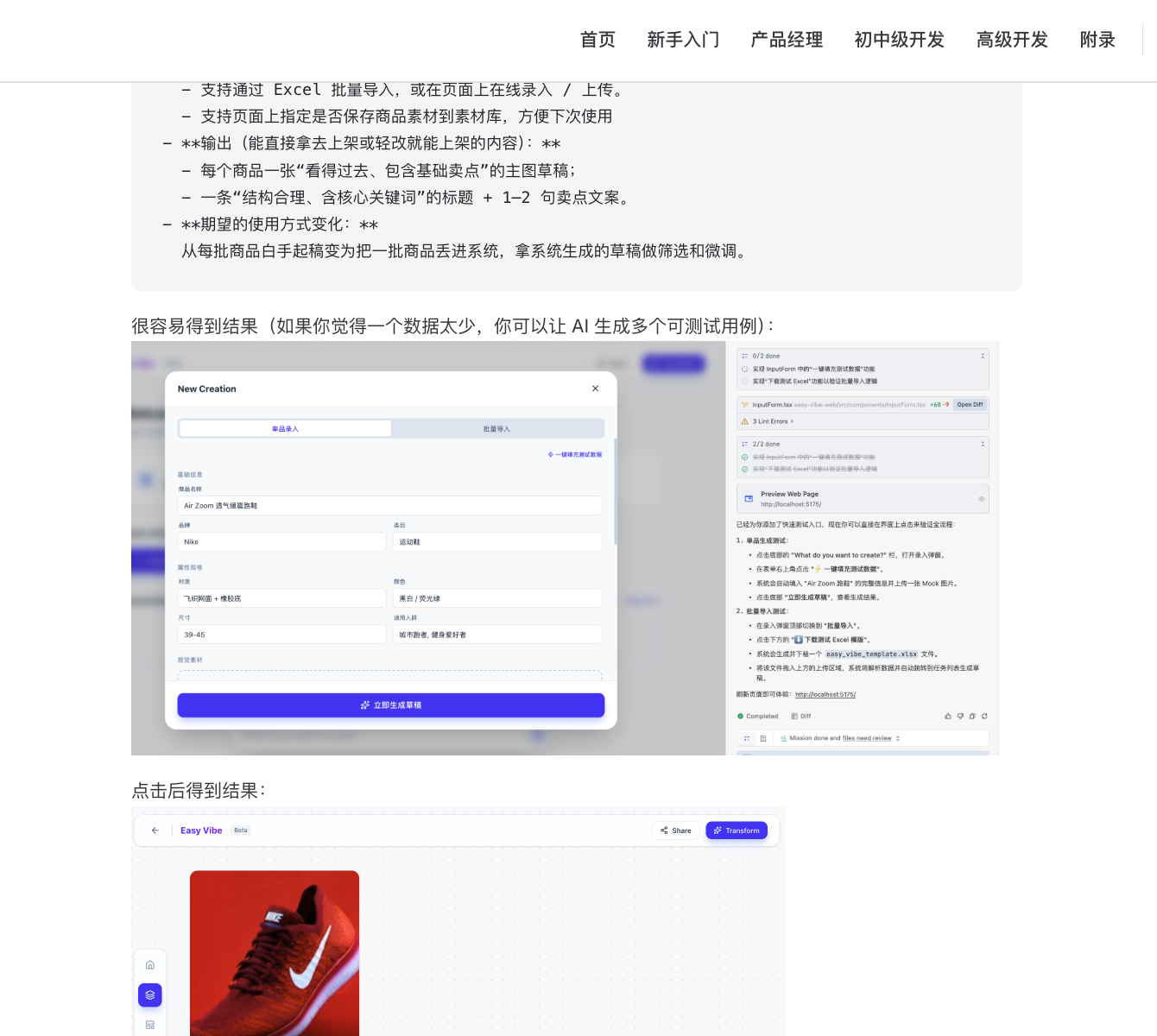
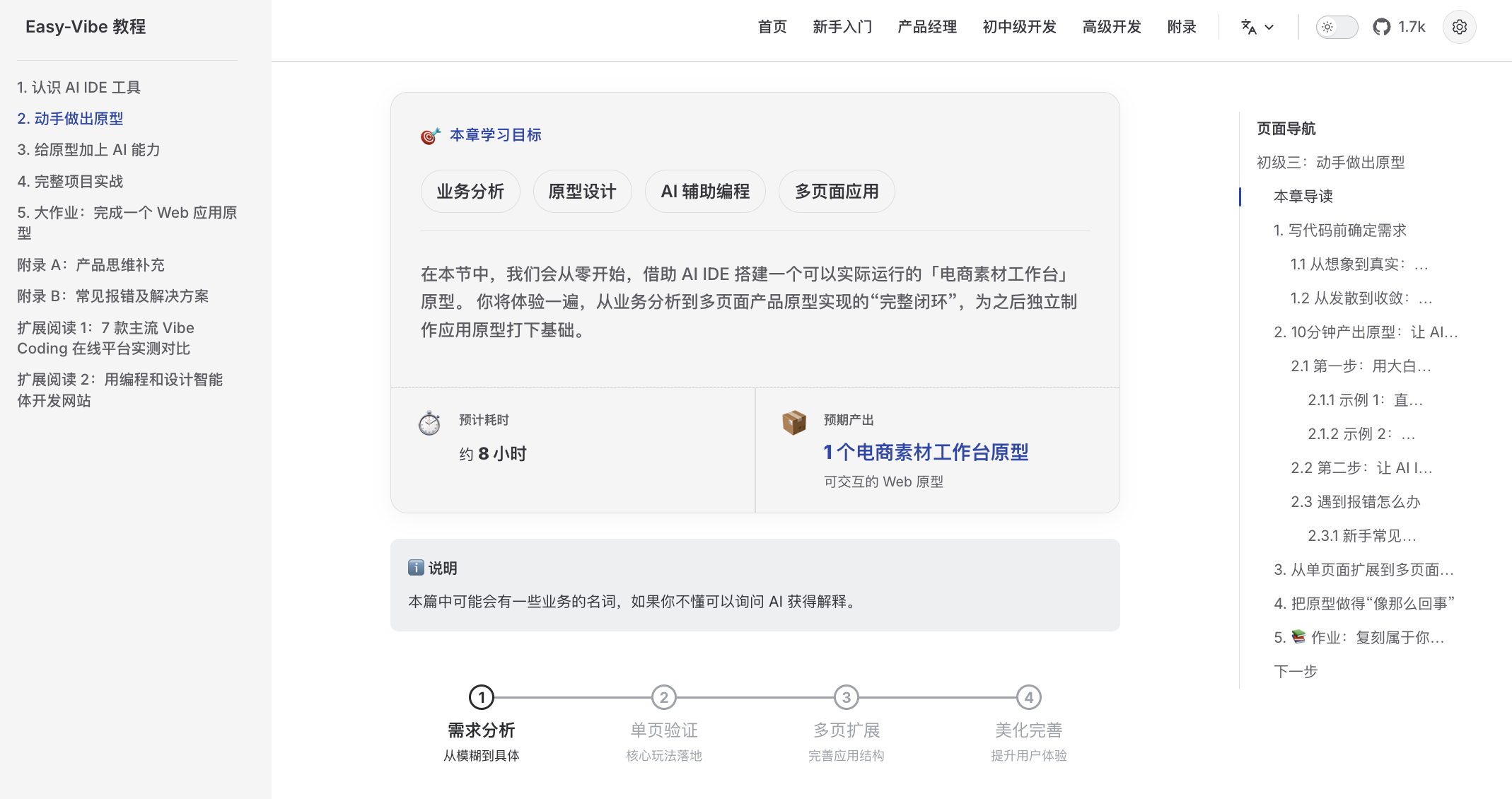
手把手图文教程
保姆级图文详解,如同私教在旁,跟着做就能学会
|
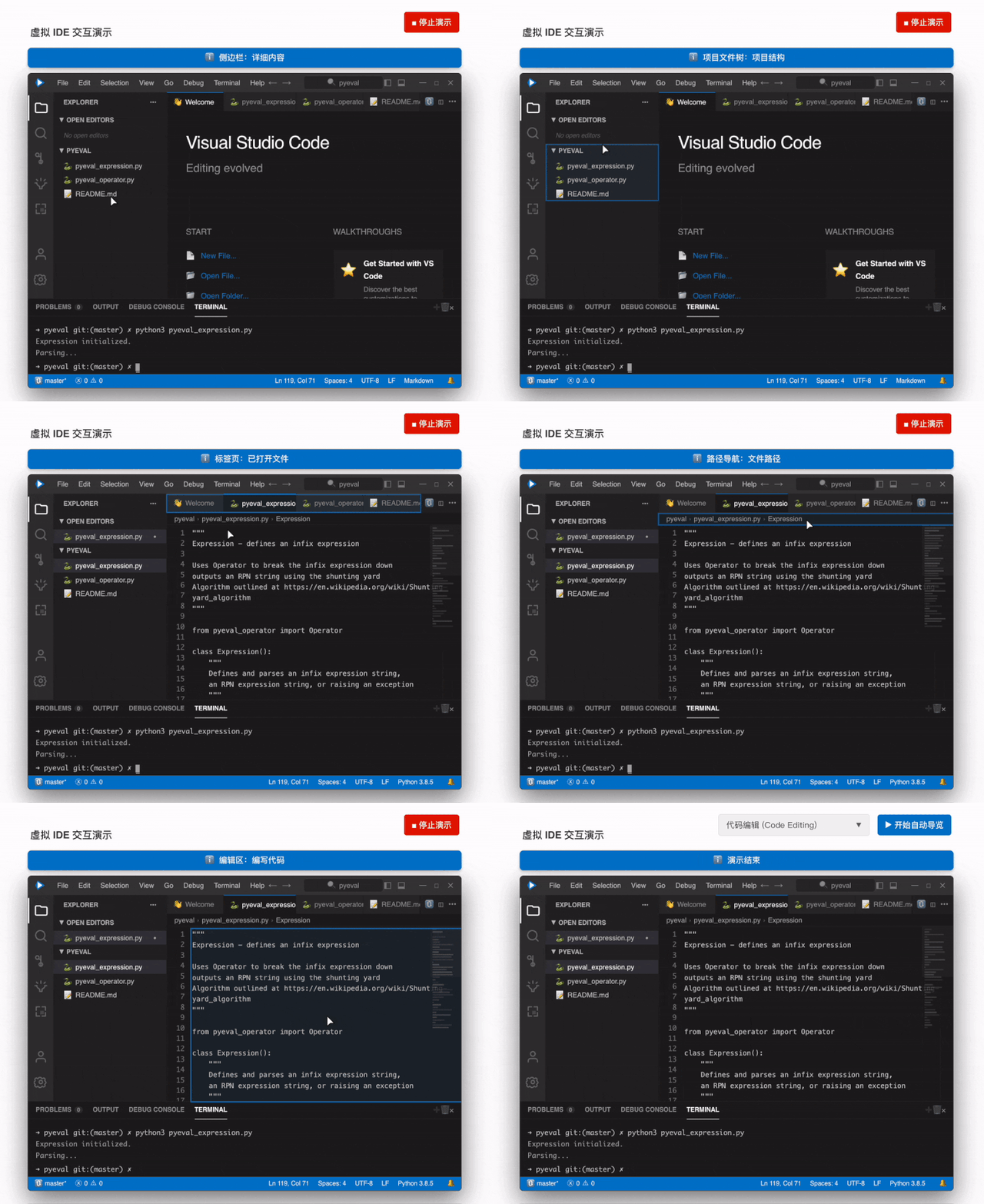
沉浸式模拟编程
虚拟鼠标自动导览,带你快速上手 IDE 核心用法
|
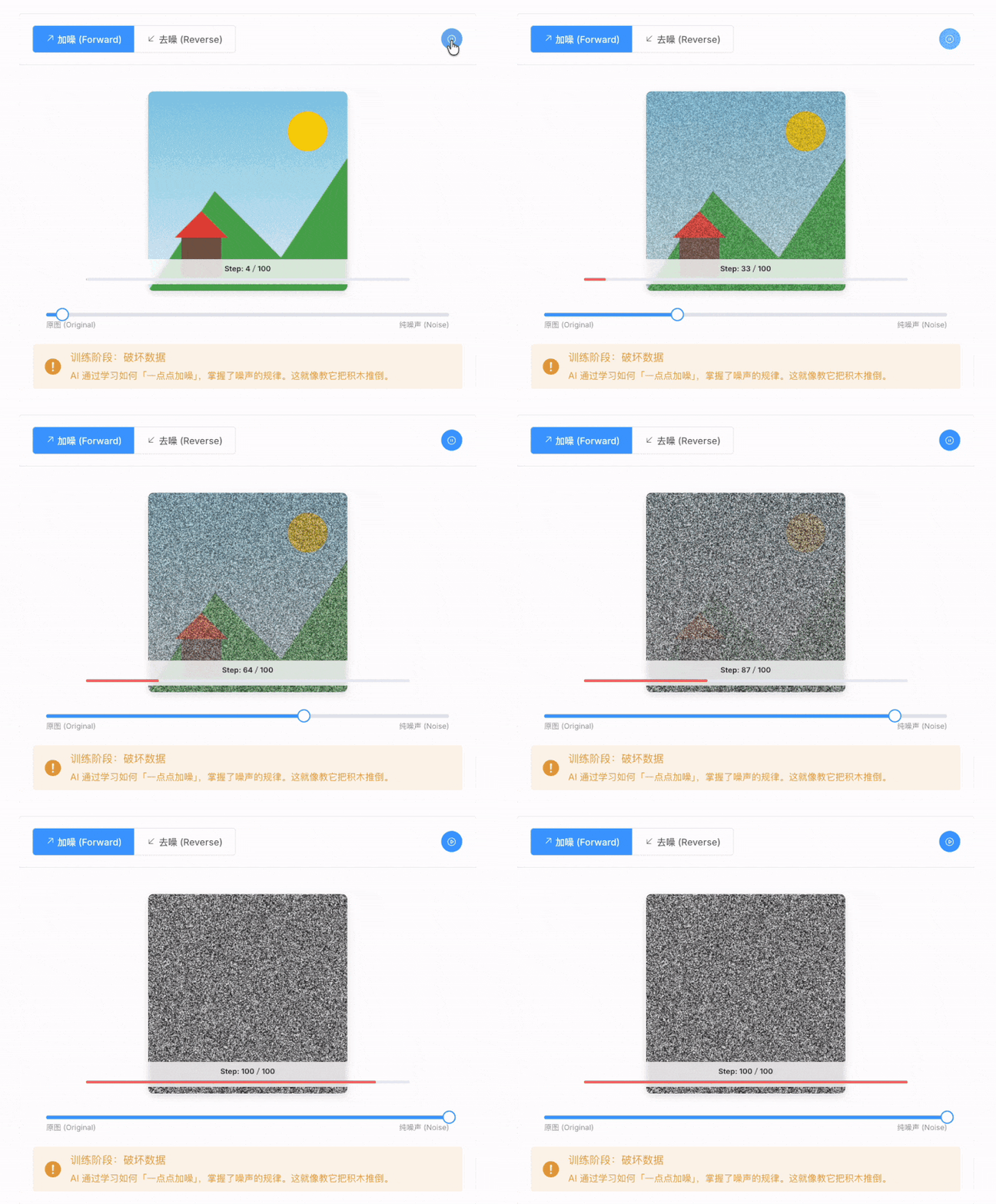
看得见的 AI 原理
算法原理动画化,一眼看懂 AI 如何“画”出图片
|
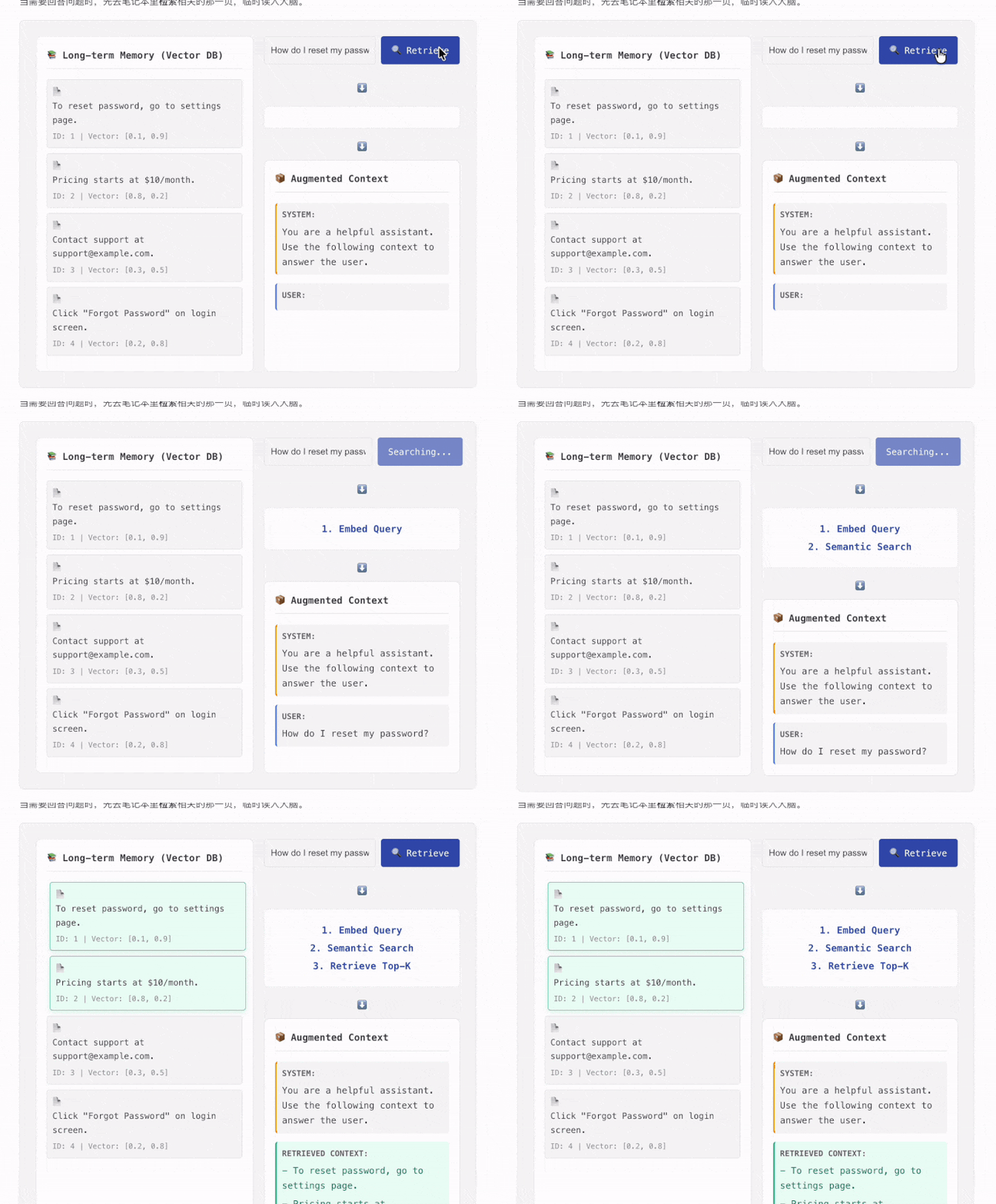
像玩游戏一样学 RAG
独家交互组件,点击即可看清 RAG 数据流向
|
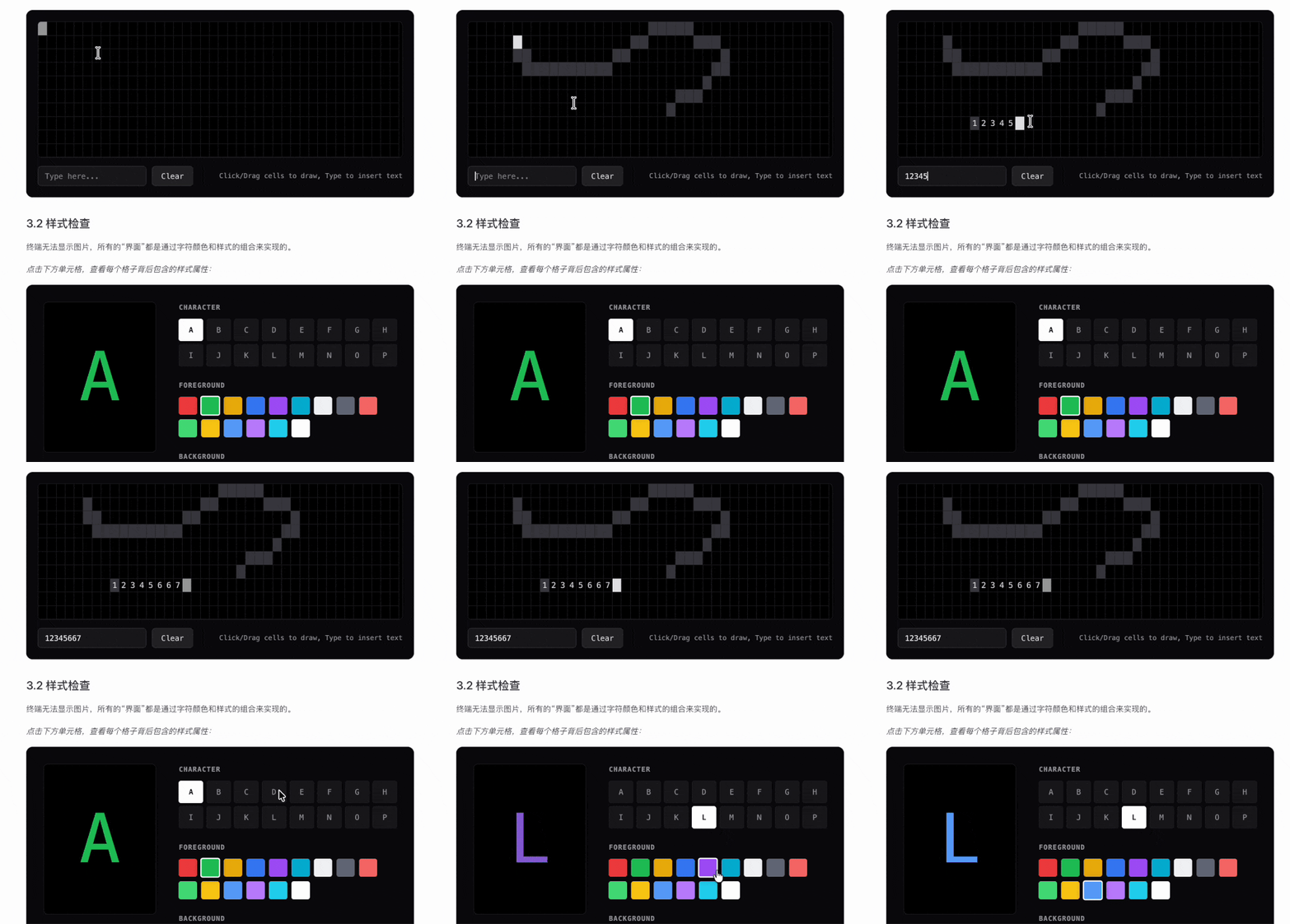
可视化终端原理
命令行操作可视化,直观展示后台逻辑与原理
|
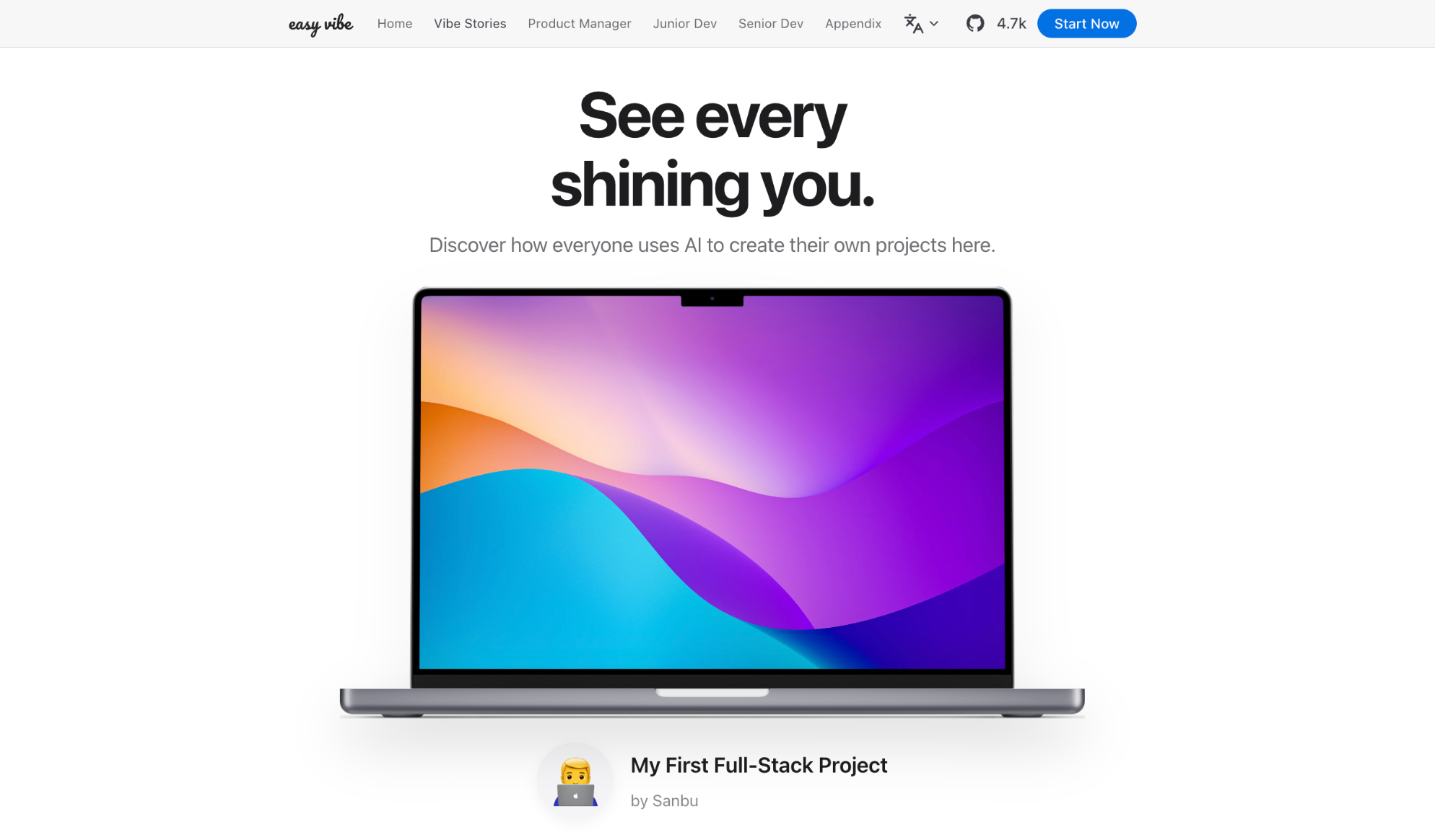
📝 Have your own vibe coding story?
Submit it here and inspire others!
## 为什么需要 Easy-Vibe
Du willst eine App fur Einnahmen und Ausgaben? Sag es einfach.
Du brauchst ein Buchungssystem mit WeChat-Login? Sag es einfach.
Du willst einen Blog mit Kommentaren? Sag es einfach.
Im KI-Zeitalter beginnt Programmieren damit, zu beschreiben, was du willst.
Easy-Vibe zeigt dir, wie daraus ein echtes Produkt wird.
## 🔥 News
- **[2026-03-29]** ✨ **Neue Nutzergeschichten-Sektion mit 4 echten Fallbeispielen**: Auf der Startseite gibt es jetzt ein interaktives Story-Karussell und eigene Story-Seiten. Außerdem haben wir Platzhalter durch vier echte Geschichten ersetzt, von einem Grundschullehrer auf dem Land, einer Studentin, einem Informatiklehrer und einem Lkw-Fahrer. [👉 View the stories](https://datawhalechina.github.io/easy-vibe/zh-cn/vibe-stories/story-1.html)
- **[2026-03-26]** 🚀 **Großes Update für Phase 2 Praxis**: SaaS-Kappenprojekt "[Ihre erste SaaS Full-Stack-App: Copywriting-Generator-Website](https://datawhalechina.github.io/easy-vibe/en/stage-2/assignments/fullstack-app/)" abgeschlossen und Abschnitt "[Wie man Stripe und Zahlungssysteme integriert](https://datawhalechina.github.io/easy-vibe/en/stage-2/backend/stripe-payment/)" erheblich erweitert.
- **[2026-03-25]** 📚 **Neuer Anhang: Nutzerforschung und Anforderungsvalidierung**: Vier neue Artikel hinzugefügt, die Ideenfindung, das Double-Diamond-Modell, Jobs to Be Done und The Mom Test abdecken, um Anfängern zu helfen, Produktideen zu entdecken und zu validieren. [👉 Anhang lesen](https://datawhalechina.github.io/easy-vibe/en/appendix/)
- **[2026-03-25]** 📚 **Englische Dokumentation vollständig aktualisiert**: Phase 2 (Full-Stack-Entwicklung) und Phase 3 (Fortgeschrittene Entwicklung) sind jetzt vollständig auf Englisch verfügbar. [👉 Lernen beginnen](https://datawhalechina.github.io/easy-vibe/en/stage-2/)
- **[2026-03-02]** 🦞 **OpenClaw & AI Agent freundliche Unterstützung**: `llms.txt` hinzugefügt, damit OpenClaw, Claude, Cursor, Trae und andere AI Agents die Repository-Struktur schnell verstehen und die richtigen Tutorial-Inhalte finden können.
- **[2026-03-01]** Der Abschnitt [Fortgeschrittene Entwicklung](https://datawhalechina.github.io/easy-vibe/en/stage-3/) wurde umfassend mit tiefen Anleitungen für Claude Code aktualisiert, einschließlich MCP, Skills, Agent Teams und mehr, zusammen mit acht plattformübergreifenden Projekttutorials.
- **[2026-02-25]** [Anhang-Wissensbasis](https://datawhalechina.github.io/easy-vibe/en/appendix/) aktualisiert, deckt jetzt 9 Wissensbereiche und über 80 interaktive Themen ab.
- **[2026-01-27]** Android- und iOS-App-Entwicklungstutorials hinzugefügt.
- **[2026-01-19]** Interaktive Demos für Prompt Engineering, KI-Geschichte, Authentifizierungsdesign, Git-Prinzipien und mehr veröffentlicht.
Vergangene Neuigkeiten
- **[2026-01-16]** Projektstruktur reorganisiert und offiziell das Kapitel "Einstieg für Anfänger" etabliert.
- **[2026-01-14]** Großes Update der Dokumente für Produktprototyping in Phase 1 abgeschlossen.
- **[2026-01-13]** Dokumentenarchitektur umgestaltet und mehrsprachige Unterstützung (i18n) vollständig aktiviert.
- **[2026-01-01]** Veröffentlichung der Kern-Lernkarte des Projekts.
## 适合谁
- **零基础爱好者**:先做出第一个作品,再理解怎么做
- **产品经理 / 创业者**:快速验证想法,低成本做 MVP
- **学生**:建立 AI 时代的实战技能
- **初级开发者**:补齐从想法到上线的完整开发链路
- **中高级开发者**:掌握 AI 协作开发、复杂项目实战与效率升级
## 你的学习路径
### 🎮 我想先试试(5分钟体验)
**适合人群**:所有人
**学什么**:AI 编程初体验、贪吃蛇小游戏
**你会得到**:5 分钟做出第一个 AI 应用
[开始体验](https://datawhalechina.github.io/easy-vibe/zh-cn/stage-1/learning-map/)
### 💡 我有个想法要实现
**适合人群**:零基础/产品经理/创业者
**学什么**:AI IDE 工具、需求拆解、页面设计、功能规划、提示词写法、原型迭代
**你会得到**:一个可演示的产品原型
[开始学习](https://datawhalechina.github.io/easy-vibe/zh-cn/stage-1/learning-map/)
### 🚀 我想系统学习
**适合人群**:开发者/进阶学习者
**学什么**:前端、后端、数据库、AI 集成、部署运维、Claude Code 开发技巧
**你会得到**:独立完成一个可上线的全栈 AI 应用
[开始学习](https://datawhalechina.github.io/easy-vibe/zh-cn/stage-2/)
### 🦞 我想构建 AI Agent
**适合人群**:对 AI Agent 感兴趣的开发者
**学什么**:OpenClaw AI 助理、Skills 系统、自动化工作流
**你会得到**:一个属于你的命令行 AI 助理
[开始学习](https://github.com/datawhalechina/hello-claw)
### 📚 我想查资料
**适合人群**:所有人
**学什么**:计算机基础、AI 原理、9 大知识领域
**你会得到**:80+ 交互式专题资料
[查看知识库](https://datawhalechina.github.io/easy-vibe/zh-cn/appendix/)
## 学习建议
- 零基础、产品经理、创业者:从 [第一阶段](https://datawhalechina.github.io/easy-vibe/zh-cn/stage-1/learning-map/) 开始
- 有开发经验:从 [第二阶段](https://datawhalechina.github.io/easy-vibe/zh-cn/stage-2/) 开始
- 想直接做复杂项目:进入 [第三阶段](https://datawhalechina.github.io/easy-vibe/zh-cn/stage-3/)
- 想学 AI Agent:看 [Hello Claw](https://github.com/datawhalechina/hello-claw)
### 📖 内容导航
### 一、零基础入门
| 章节 | 关键内容 |
| :----------------------------------------------------------------------------------- | :------------------------------------------------ |
| [学习地图](https://datawhalechina.github.io/easy-vibe/zh-cn/stage-1/learning-map/) | 整体学习路径导览 |
| [AI 时代,会说话就会编程](https://datawhalechina.github.io/easy-vibe/zh-cn/stage-1/ai-capabilities-through-games/) | 通过贪吃蛇等案例初步感受 AI 编程的能力 |
| [寻找好想法](https://datawhalechina.github.io/easy-vibe/zh-cn/stage-1/finding-great-idea/) | 学会寻找和验证产品想法,找到值得做的项目 |
| [认识 AI IDE 工具](https://datawhalechina.github.io/easy-vibe/zh-cn/stage-1/introduction-to-ai-ide/) | 学会使用 IDE,在本地制作小游戏 |
| [动手做出原型](https://datawhalechina.github.io/easy-vibe/zh-cn/stage-1/building-prototype/) | 从需求分析、AI 生成单页面,再到生成多页面产品原型 |
| [给原型加上 AI 能力](https://datawhalechina.github.io/easy-vibe/zh-cn/stage-1/integrating-ai-capabilities/) | 学会接入常见 AI 能力(文本、图片、视频) |
| [完整项目实战](https://datawhalechina.github.io/easy-vibe/zh-cn/stage-1/complete-project-practice/) | 模拟真实场景、接受用户反馈迭代,完整化项目 |
#### 附录:业务思维
| 章节 | 关键内容 |
| :----------------------------------------------------------------------------------- | :----------------------------------------- |
| [产品思维与方案设计](https://datawhalechina.github.io/easy-vibe/zh-cn/stage-1/appendix-a-product-thinking/) | 从零到一做产品需要考虑的思维框架 |
| [AI 行业应用场景参考 (B端)](https://datawhalechina.github.io/easy-vibe/zh-cn/stage-1/appendix-industry-scenarios/) | 了解 AI 在不同产业的应用场景 |
| [AI 消费场景灵感参考 (C端)](https://datawhalechina.github.io/easy-vibe/zh-cn/stage-1/appendix-c-consumer-scenarios/) | 探索 AI 在消费级产品中的应用场景 |
#### 附录:技术方案
| 章节 | 关键内容 |
| :---------------------------------------------------------------------------------------------------------------------- | :----------------------------------------- |
| [写代码时遇到错误怎么办](https://datawhalechina.github.io/easy-vibe/zh-cn/stage-1/appendix-b-common-errors/) | vibe coding 中的常见错误及排查方法 |
| [七款 AI 编程工具对比](https://datawhalechina.github.io/easy-vibe/zh-cn/stage-1/appendix-articles/example0-1/vibe-coding-tools-snake-game-tutorial) | 对比测试主流 AI 编程平台 |
| [用设计和编程 Agent 设计网站](https://datawhalechina.github.io/easy-vibe/zh-cn/stage-1/appendix-articles/example0-2/vibe-coding-tools-build-website-with-ai-coding-and-design-agents) | 学习如何使用 AI 智能体协同工作 |
### 二、初中级开发工程师
#### 前端部分
| 章节 | 关键内容 |
| :--------------------------------------------------------------------------------------------------------- | :--------------------------------------------------------------------------- |
| [从Lovart出发,搭建自己的素材生产Agent](https://datawhalechina.github.io/easy-vibe/zh-cn/stage-2/frontend/lovart-assets/) | 从零开始,利用Nanobanana和Lovart批量生成高质量的设计素材,并动手构建一个能意图识别的绘图Agent |
| [Figma 与 MasterGo 入门](https://datawhalechina.github.io/easy-vibe/zh-cn/stage-2/frontend/figma-mastergo/) | 用设计工具梳理信息架构和页面结构,为前端实现打基础 |
| [构建第一个现代应用程序-UI 设计](https://datawhalechina.github.io/easy-vibe/zh-cn/stage-2/frontend/ui-design/) | 基于设计稿完成组件化界面,实现从设计到代码的第一条链路 |
| [参考 UI 设计规范与多产品 UI 设计](https://datawhalechina.github.io/easy-vibe/zh-cn/stage-2/frontend/multi-product-ui/) | 围绕统一主视觉扩展多产品界面,练习系统化设计能力 |
| [用 LLM 和 Skills 让界面变好看](https://datawhalechina.github.io/easy-vibe/zh-cn/stage-2/frontend/llm-skills-beautiful/) | 用提示词和 Skills 插件让 AI 生成美观独特的界面 |
| [一起做霍格沃茨画像](https://datawhalechina.github.io/easy-vibe/zh-cn/stage-2/frontend/hogwarts-portraits/) | 从 0 到 1 做出接入 AI 能力的前端应用,串联设计与开发 |
| [从设计原型到项目代码](https://datawhalechina.github.io/easy-vibe/zh-cn/stage-2/frontend/design-to-code/) | 三种路径将设计工具中的原型转化为前端代码 |
| [使用现代组件库更新你的界面](https://datawhalechina.github.io/easy-vibe/zh-cn/stage-2/frontend/modern-component-library/) | 用组件库快速构建专业级界面,统一风格、提升开发效率 |
#### 后端开发部分
| 章节 | 关键内容 |
| :------------------------------------------------------------------------------------------------- | :---------------------------------------------------------- |
| [从数据库到 Supabase](https://datawhalechina.github.io/easy-vibe/zh-cn/stage-2/backend/database-supabase/) | 在 Supabase 上落地数据库和 API,打通数据模型与前端页面 |
| [大模型辅助编写接口代码与接口文档](https://datawhalechina.github.io/easy-vibe/zh-cn/stage-2/backend/ai-interface-code/) | 用大模型协助生成接口与数据库文档及代码,实现可读可测的后端 |
| [Git 和 GitHub 工作流](https://datawhalechina.github.io/easy-vibe/zh-cn/stage-2/backend/git-workflow/) | 在 Git 工作流中管理代码,进行版本控制和协作 |
| [如何部署 Web 应用](https://datawhalechina.github.io/easy-vibe/zh-cn/stage-2/backend/zeabur-deployment/) | 使用 CloudBase、Vercel、Zeabur 等平台部署应用上线 |
| [CLI AI 编程工具](https://datawhalechina.github.io/easy-vibe/zh-cn/stage-2/backend/modern-cli/) | 使用 CLI 类 AI 编程工具加速开发与调试,形成个人工程化工作流 |
| [如何集成 Stripe 等收费系统](https://datawhalechina.github.io/easy-vibe/zh-cn/stage-2/backend/stripe-payment/) | 接入支付系统,完成收费链路与基础结算流程 |
| [大作业:构建第一个现代应用程序-全栈应用](https://datawhalechina.github.io/easy-vibe/zh-cn/stage-2/assignments/copywriting-platform-supabase/) | 综合前端、后端与支付模块,完成可上线的全栈 Web 应用 |
#### AI 能力附录
| 章节 | 关键内容 |
| :------------------------------------------------------------------------------------------------------- | :------------------------------------------------------------- |
| [Dify 入门与知识库集成](https://datawhalechina.github.io/easy-vibe/zh-cn/stage-2/ai-capabilities/dify-knowledge-base/) | 用 Dify Workflow 与基础 RAG 搭建工具类产品,为后续应用升级打样 |
### 三、高级开发工程师
#### Claude Code 核心技能
| 章节 | 关键内容 |
| :------------------------------------------------------------------------------------------------------ | :----------------------------------------------------------- |
| [Claude Code 快速上手](https://datawhalechina.github.io/easy-vibe/zh-cn/stage-3/core-skills/basics/) | 安装配置、基础操作、实用技巧和常用指令 |
| [Claude Code MCP 完全指南](https://datawhalechina.github.io/easy-vibe/zh-cn/stage-3/core-skills/mcp/) | 通过 MCP 让 Claude Code 连接 GitHub、数据库、API 等外部服务 |
| [Claude Code Skills 完全指南](https://datawhalechina.github.io/easy-vibe/zh-cn/stage-3/core-skills/skills/) | 将专业知识打包成可复用技能包,一次配置反复使用 |
| [Claude Code 工作流最佳实践](https://datawhalechina.github.io/easy-vibe/zh-cn/stage-3/core-skills/workflow/) | 日常开发、代码重构、Code Review 等场景的最佳实践 |
| [Claude Agent Teams 完全指南](https://datawhalechina.github.io/easy-vibe/zh-cn/stage-3/core-skills/agent-teams/) | 多 AI 实例协同工作,像真正的开发团队一样并行协作 |
| [Claude Code Superpowers 工程级开发](https://datawhalechina.github.io/easy-vibe/zh-cn/stage-3/core-skills/superpowers/) | 让 AI 写出工程级代码,遵循 TDD 和最佳实践 |
| [如何让 Claude Code 长时间工作](https://datawhalechina.github.io/easy-vibe/zh-cn/stage-3/core-skills/long-running-tasks/) | 设计长时间运行的任务,让 Coding Tools 持续工作直到完成 |
#### 多平台开发
| 章节 | 关键内容 |
| :------------------------------------------------------------------------------------------------------------- | :----------------------------------------------------------- |
| [如何构建微信小程序](https://datawhalechina.github.io/easy-vibe/zh-cn/stage-3/cross-platform/wechat-miniprogram/) | 了解微信小程序生态,从官方模板到上线完成一个前端小程序 |
| [如何构建微信小程序-包含后端](https://datawhalechina.github.io/easy-vibe/zh-cn/stage-3/cross-platform/wechat-miniprogram-backend/) | 在小程序中接入数据库与后端逻辑,打通完整业务闭环 |
| [如何构建安卓程序](https://datawhalechina.github.io/easy-vibe/zh-cn/stage-3/cross-platform/android-app/) | 使用 Expo 等工具,完成 Web/原生一体化的安卓应用开发 |
| [如何构建 iOS 程序](https://datawhalechina.github.io/easy-vibe/zh-cn/stage-3/cross-platform/ios-app/) | 使用 Expo 等工具,完成 Web/原生一体化的 iOS 应用开发 |
| [如何开发 PWA 本地应用](https://datawhalechina.github.io/easy-vibe/zh-cn/stage-3/cross-platform/pwa-local-app/) | 让网页变成"真正的 App",支持离线、推送、桌面安装 |
| [如何开发浏览器 AI 助手插件](https://datawhalechina.github.io/easy-vibe/zh-cn/stage-3/cross-platform/browser-ai-extension/) | 开发 Chrome 插件,一键总结任意网页,支持云端 API 和内置 AI |
| [如何开发 Electron 桌面程序](https://datawhalechina.github.io/easy-vibe/zh-cn/stage-3/cross-platform/electron-voice-to-text/) | 用 Electron 构建语音转文字桌面应用,支持三平台安装运行 |
| [如何快速开发并铸造 NFT](https://datawhalechina.github.io/easy-vibe/zh-cn/stage-3/cross-platform/nft-minting/) | 从零编写智能合约,部署到以太坊测试网,铸造自己的 NFT |
| [如何开发 VS Code 插件](https://datawhalechina.github.io/easy-vibe/zh-cn/stage-3/cross-platform/vscode-extension/) | 开发 AI 项目助手插件,支持模板生成、代码对话、多文件问答 |
| [如何开发工业级 Qt 桌面应用](https://datawhalechina.github.io/easy-vibe/zh-cn/stage-3/cross-platform/qt-industrial-hmi/) | 用 Qt 构建工业级水泵监控 HMI 系统,实时数据、趋势图、报警 |
#### AI 能力附录
| 章节 | 关键内容 |
| :---------------------------------------------------------------------------------------------------------------------------------------- | :------------------------------------------------------ |
| [什么是 RAG 以及它如何工作](https://datawhalechina.github.io/easy-vibe/zh-cn/stage-3/ai-advanced/rag-introduction/) | 系统理解 RAG 原理与常见架构,为复杂应用提供知识检索基础 |
| [中高级 RAG 与工作流编排:以 LangGraph 为例](https://datawhalechina.github.io/easy-vibe/zh-cn/stage-3/ai-advanced/langgraph-advanced-rag/) | 使用 LangGraph 等工具设计多步工作流与中高级 RAG 系统 |
### 📚 附录知识库
> 涵盖 **9 大知识领域**、**80+ 交互式专题**,以动画和可视化组件帮助你直观理解从计算机底层到 AI 前沿的核心概念。
>
> 👉 [查看完整附录](https://datawhalechina.github.io/easy-vibe/zh-cn/appendix/) · [AI 能力词典](https://datawhalechina.github.io/easy-vibe/zh-cn/appendix/8-artificial-intelligence/ai-capability-dictionary)
## 🛠️ 如何学习
- 根据个人能力,选择性地阅读和实践相关章节,如果有问题欢迎 issue 提问。
## 💻 本地启动本课件
### 现代方案
在 AI IDE 对话框(vscode、cursor、trae 等)中,输入下列提示词启动本课件:
```
请你帮我运行这个项目的本地服务
```
### 旧方案
1. npm install
2. npm run dev
3. 打开浏览器访问 `http://localhost:3000` 即可查看。
## 🤝 参与贡献
- 如果你发现了一些问题,或者觉得任何可以改进本项目的地方,可以提 Issue 进行反馈。如果提完没有人回复你可以联系[保姆团队](https://github.com/datawhalechina/DOPMC/blob/main/OP.md)的同学进行反馈跟进~
- 如果你想参与贡献本项目,可以提 Pull Request,如果提完没有人回复你可以联系[保姆团队](https://github.com/datawhalechina/DOPMC/blob/main/OP.md)的同学进行反馈跟进~
- 如果你对 Datawhale 很感兴趣并想要发起一个新的项目,请按照[Datawhale 开源项目指南](https://github.com/datawhalechina/DOPMC/blob/main/GUIDE.md)进行操作即可~
## 🙏 感谢每位贡献者
- [散步-项目负责人](https://github.com/sanbuphy) (Datawhale成员)
- 方可-指导老师(Datawhale成员, 清华大学)
- [Yerim Kang](https://github.com/yerim25)(实践项目部分-清华大学)
- [赵芷霖](https://github.com/ChileenZ)(实践项目部分-清华大学)
- [李亦萱](https://yixuan20.github.io/)(页面美术设计-清华大学)
- 刘思怡(实践项目部分-清华大学)
- [刘丽欣](https://github.com/liulx25xx)(实践项目部分-清华大学)
- AI Vibe Coding 101 内测群完整给建议体验的小伙伴们
### 特别感谢
- 感谢 [@Sm1les](https://github.com/Sm1les) 对本项目的帮助与支持
- 感谢所有为本项目做出贡献的开发者们和支持点赞的朋友们 ❤️
## 📄 LICENSE
## Star History
[](https://www.star-history.com/#datawhalechina/easy-vibe&type=date&legend=top-left)