
dsh-workbuddy-bridge
WorkBuddy desktop models in DeepSeek Harness
把 WorkBuddy 桌面 App 的模型接进 DSH 对话窗口



Per-version changes → Releases (one-to-one with npm versions)
简体中文 · English
---
> [!NOTE]
> **Credentials never leave this machine**: sign-in state is read from the WorkBuddy desktop app's own
> credential file and kept as one encrypted local copy; the browser half never sees a token, and none ever appears in the UI.
The CN **WorkBuddy** and the international **WorkBuddy AI** coexist: install one app and its model group
appears; install both and the two groups sit side by side, each with its own account and credit. The
models appear directly in the DSH model picker — no separate provider to configure.
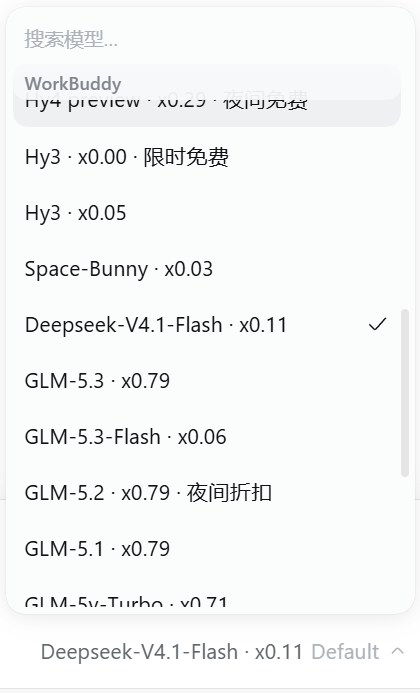
Chinese UI screenshot: The CN version forms its own group in the model picker, each model carrying its credit rate and promo
badge; installing the international version adds a "WorkBuddy AI" group the same way.
## Capabilities
- **Zero configuration** — install, enable, and the model group appears by itself.
- **Two isolated versions** — "WorkBuddy" (CN) and "WorkBuddy AI" (international) each form their own group;
models, accounts and credit never mix, and each follows only its own app's sign-in.
- **Reasoning levels** — models that declare levels expose them directly; the rest can be **checked manually**
on the plugin page. The bulb means "this model can switch levels"; a declared model shows it too, it just
has nothing to detect. A switchable model also carries a **default level** (the upstream's own declaration
when it has one, otherwise `high`), so the picker no longer offers "Default".
**Off means "send no level parameter"**: neither endpoint accepts that literal, so the plugin never puts it
on the wire — whether thinking is then actually disabled is up to the upstream, and the plugin makes no claim.
- **Credit in view** — each reply shows what it consumed, and remaining credit sits beside the model picker.
Nothing renders when a figure is unavailable.
- **Model visibility** — tick which models appear in the picker on the card's "Models" tab, saved per
signed-in account.
- **Image input** — most models accept pasted or dropped images; text-only models say so explicitly.
- **Three surfaces** — Web, Desktop and TUI; only the TUI lacks manual detection.

Chinese UI screenshot: The everyday view in the conversation window: the coin and its balance, the reasoning-level bulb, then the
model name — one row, left to right.
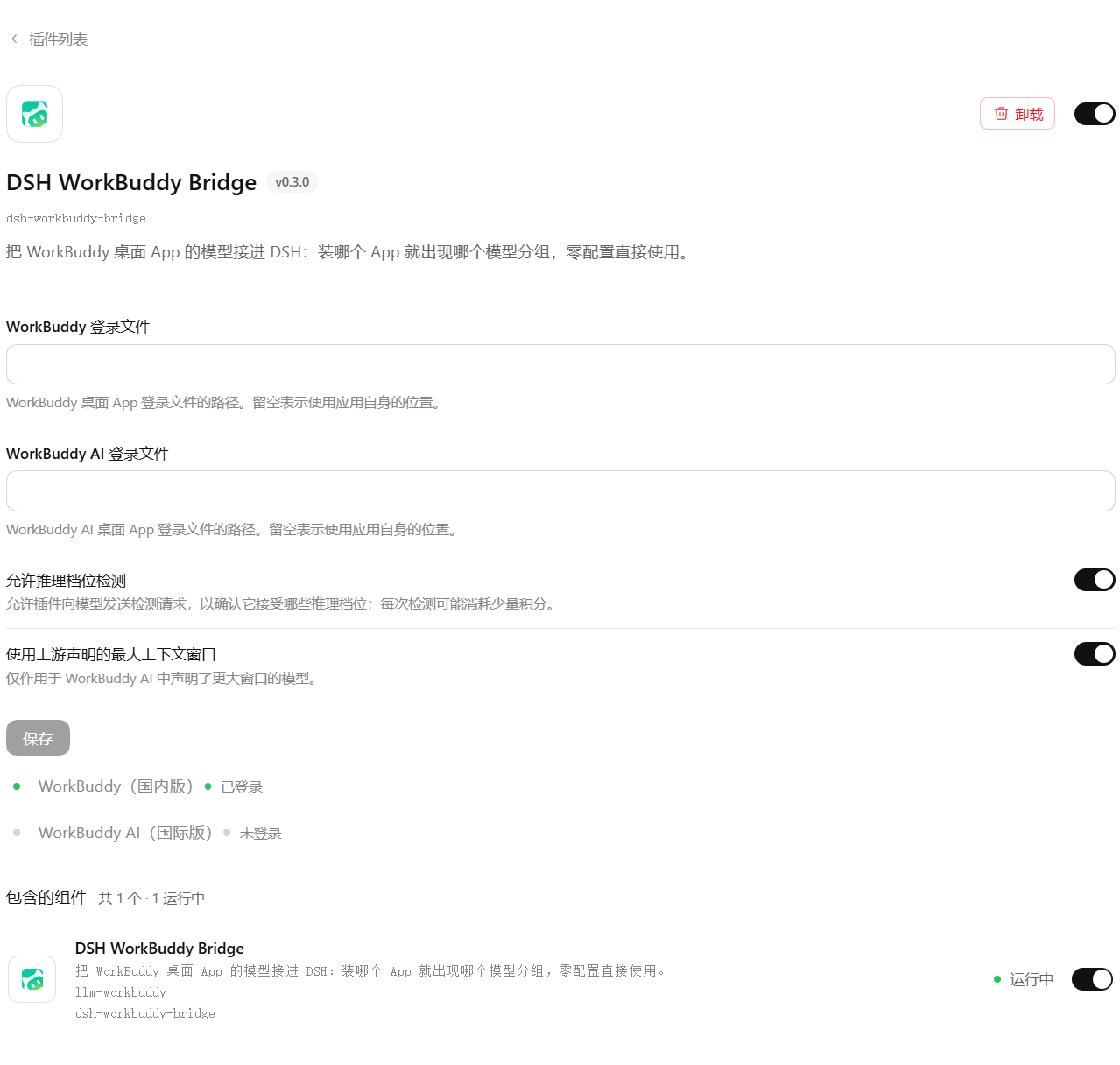
Chinese UI screenshot: The plugin page: the configuration form on top, two cards below, each following its own app's sign-in.
## Install
One prerequisite: the **WorkBuddy desktop app** is installed and signed in (WorkBuddy AI for the
international version) — the plugin reuses the app's sign-in state.
```sh
dsh plugin --profile web add dsh-workbuddy-bridge
dsh web
```
For Desktop and TUI swap `--profile web` for `desktop` / `dsh-tui` (the TUI needs a recent version of
the terminal plugin `@deepseek-harness-tui/dsh-tui` — see its docs).
Or from source:
```sh
git clone https://github.com/dsh-plugin-lab/dsh-workbuddy-bridge.git
cd dsh-workbuddy-bridge
pnpm install && pnpm build
dsh plugin --profile web add "$PWD"
```
⚠️ The `pnpm install` above is not optional: under a path install the repository has to supply
its own dependencies (see [local development setup](docs/PUBLISHING.md)) — skip it and the
plugin shows as "not running" (`ERR_MODULE_NOT_FOUND`).
## The plugin page
Sidebar **Plugins** → installed → click **DSH WorkBuddy Bridge**. The configuration area sits right under
the description and takes effect on save:
- **Sign-in file paths** (CN / international) — leave blank to use the app's own location.
- **Allow reasoning-level detection** and **use the largest declared context window** — two switches.
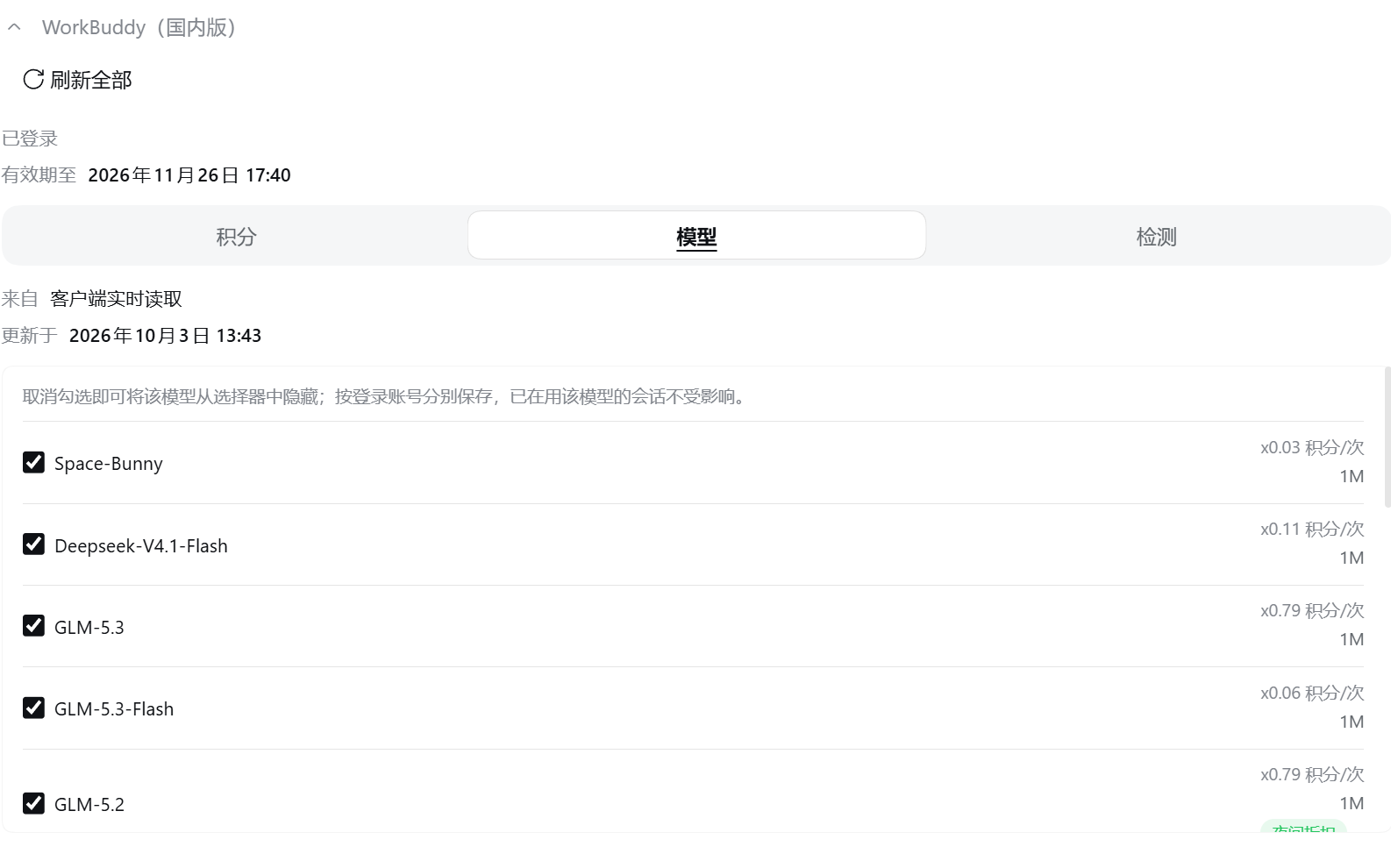
Chinese UI screenshot: The Models tab: tick which models appear in the picker, and read each one's window and rate.
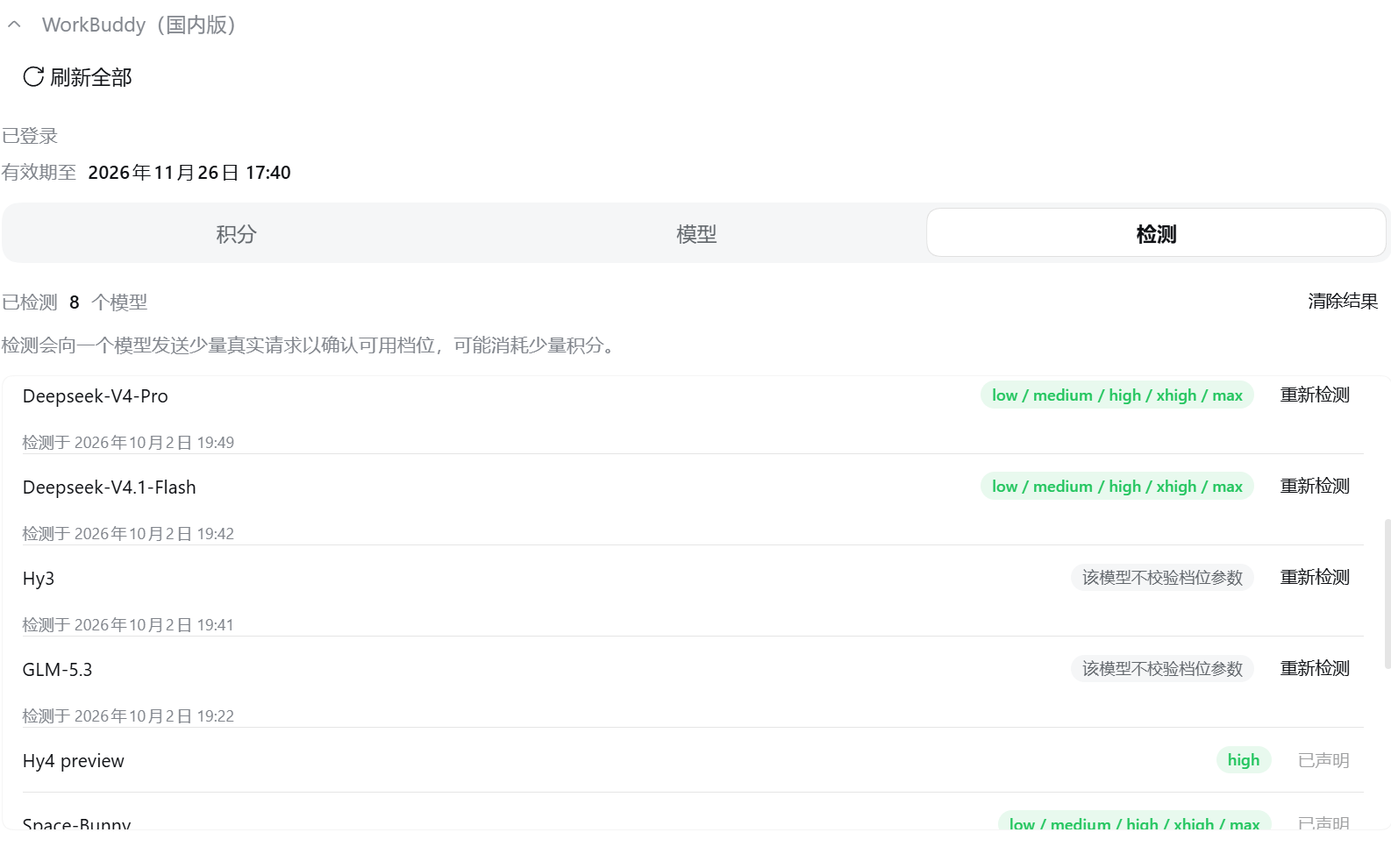
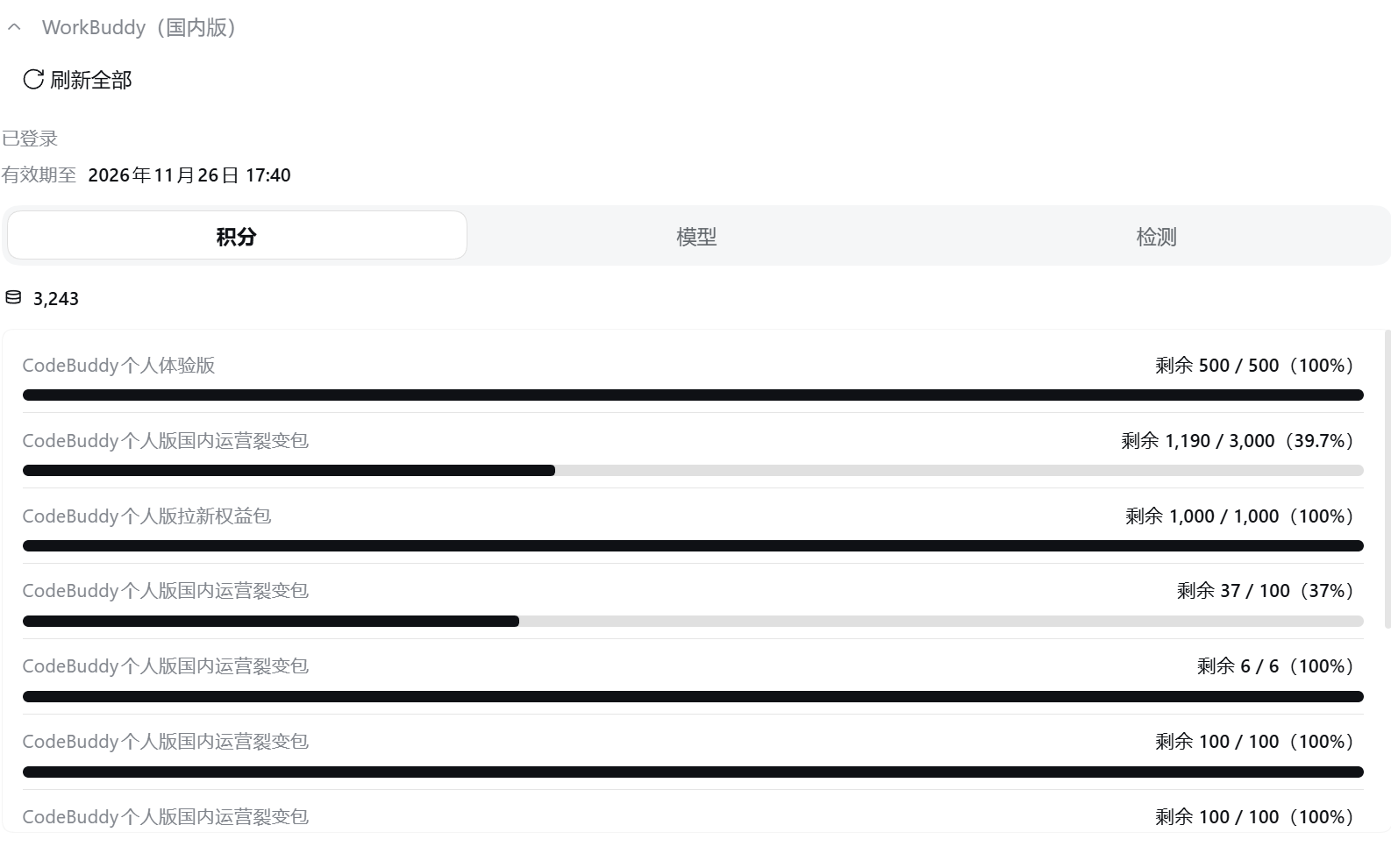
Chinese UI screenshots: Left, "Detection": one row per reasoning model — press the button to confirm which reasoning levels it
accepts. Right, "Credits": the total balance, each package's allowance as a row below.
## Why detection is manual
The WorkBuddy API does not guarantee that level information is reliable — some models were observed to
**accept** `reasoning_effort` while silently ignoring unknown values. So the plugin does not guess: it
confirms one model at a time with a few real requests on demand, and a result only means **the upstream
currently accepts that level** — it does not promise any change in behaviour. Models that declare their
levels skip this step and use the declared set directly.
Mechanism and trade-offs in [docs/ARCHITECTURE.md](docs/ARCHITECTURE.md).
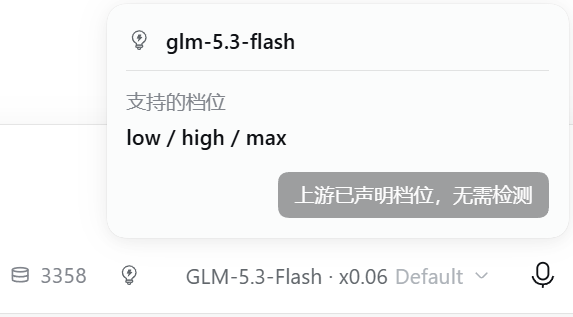
Chinese UI screenshot: A model with declared levels: the bulb is lit, the levels are directly selectable, and detection is disabled.
## Compatibility and limits
A group without credentials does not appear. The host version floor, platform support, where the model
catalog comes from and known gaps
→ [docs/COMPATIBILITY.md](docs/COMPATIBILITY.md).
Design notes → [docs/ARCHITECTURE.md](docs/ARCHITECTURE.md); release process → [docs/PUBLISHING.md](docs/PUBLISHING.md);
maintainer map → [AGENTS.md](AGENTS.md).
## Disclaimer
- This project is **for personal study and research only**; it drives your own WorkBuddy account on your own
machine. Do not use it commercially.
- You must comply with WorkBuddy's terms of service; any consequences are your own responsibility.
- Not affiliated with, nor endorsed by, Tencent, WorkBuddy, or DeepSeek; names appear only to describe
compatibility, and trademarks belong to their owners.
## Acknowledgements
- [Sliverkiss/workbuddy2api](https://github.com/Sliverkiss/workbuddy2api) (MIT) — reference for the WorkBuddy upstream protocol.
- [franksong2702/dsh-codex-connect](https://github.com/franksong2702/dsh-codex-connect) (Apache-2.0) — reference for DSH plugin structure and provider registration.
## License
[MIT](LICENSE).
## Contributing
Bugs and requests go to the repo Issues.