# Faded Balancer DCTL - Presets Companion
Home •
Background & Science •
FAQ
---
### About Presets
The presets included with Faded Balancer DCTL are designed to be **non-destructive starting points**. They do not move the UI sliders. When you select a preset, the correction is applied internally. If you switch back to `None`, your original image and UI settings are instantly restored.
This workflow allows you to:
1. Quickly test a corrective strategy.
2. Refine the result using the main UI controls.
3. Toggle between the preset and your manual grade without losing any work.
---
### Corrective Presets Guide
These presets are designed to address common film fading scenarios, particularly the characteristic magenta cast caused by cyan dye failure.
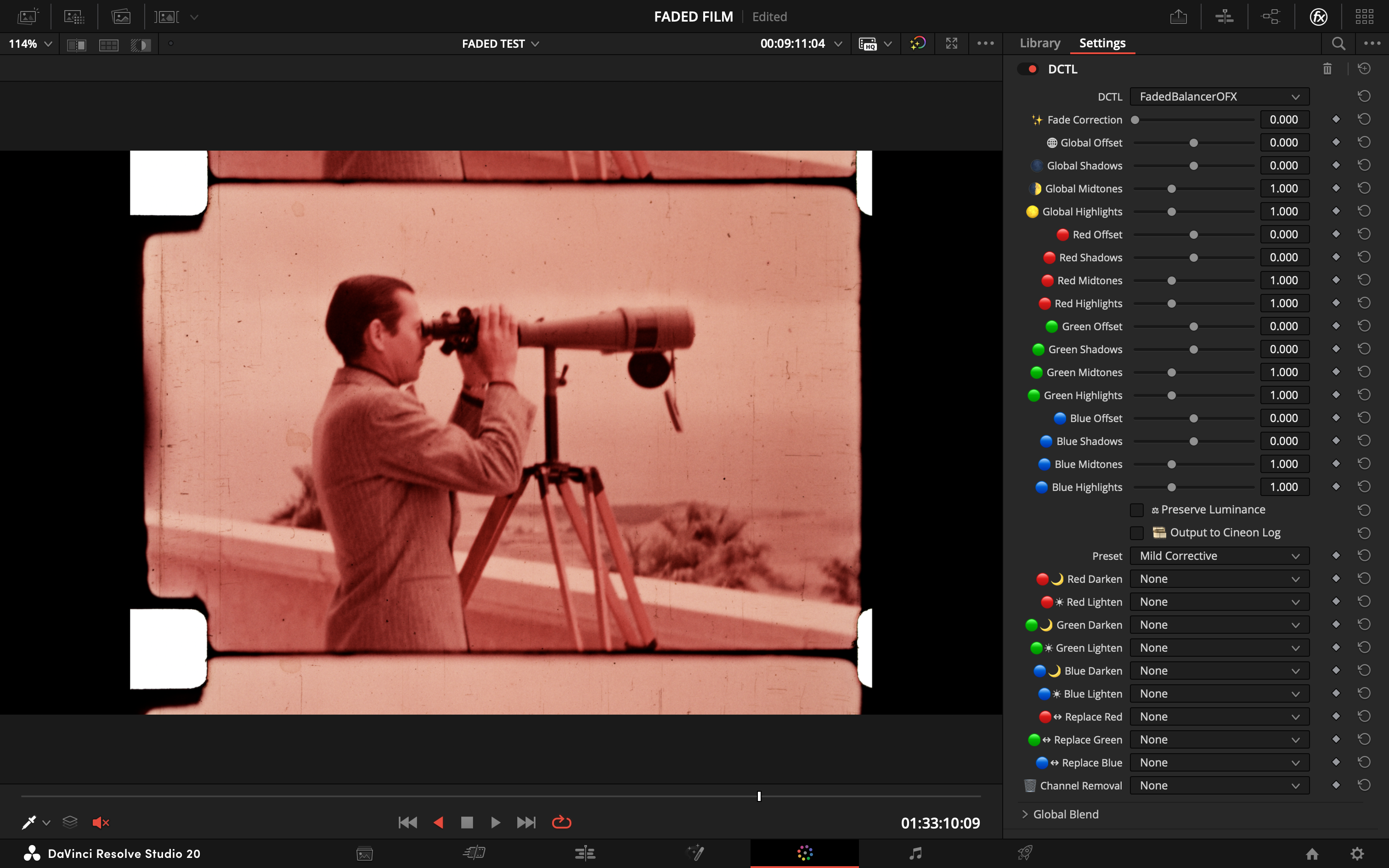
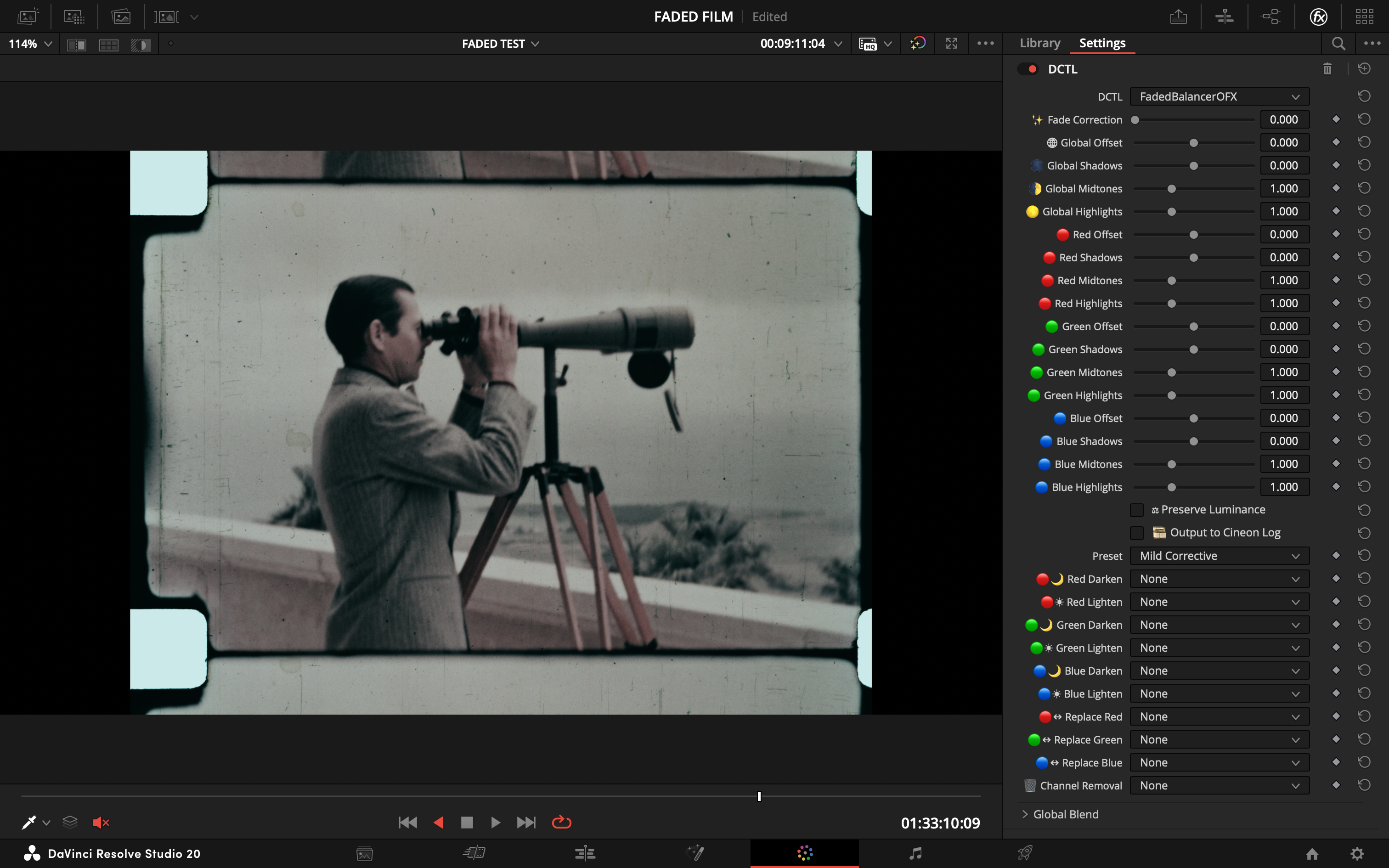
#### **Mild Corrective**
> - **Goal:** A gentle starting point for slightly faded prints.
> - **Action:** Applies a small amount of fade correction and subtly boosts the blue channel.
| Before | After |
| :---: | :---: |
|  |  |
---
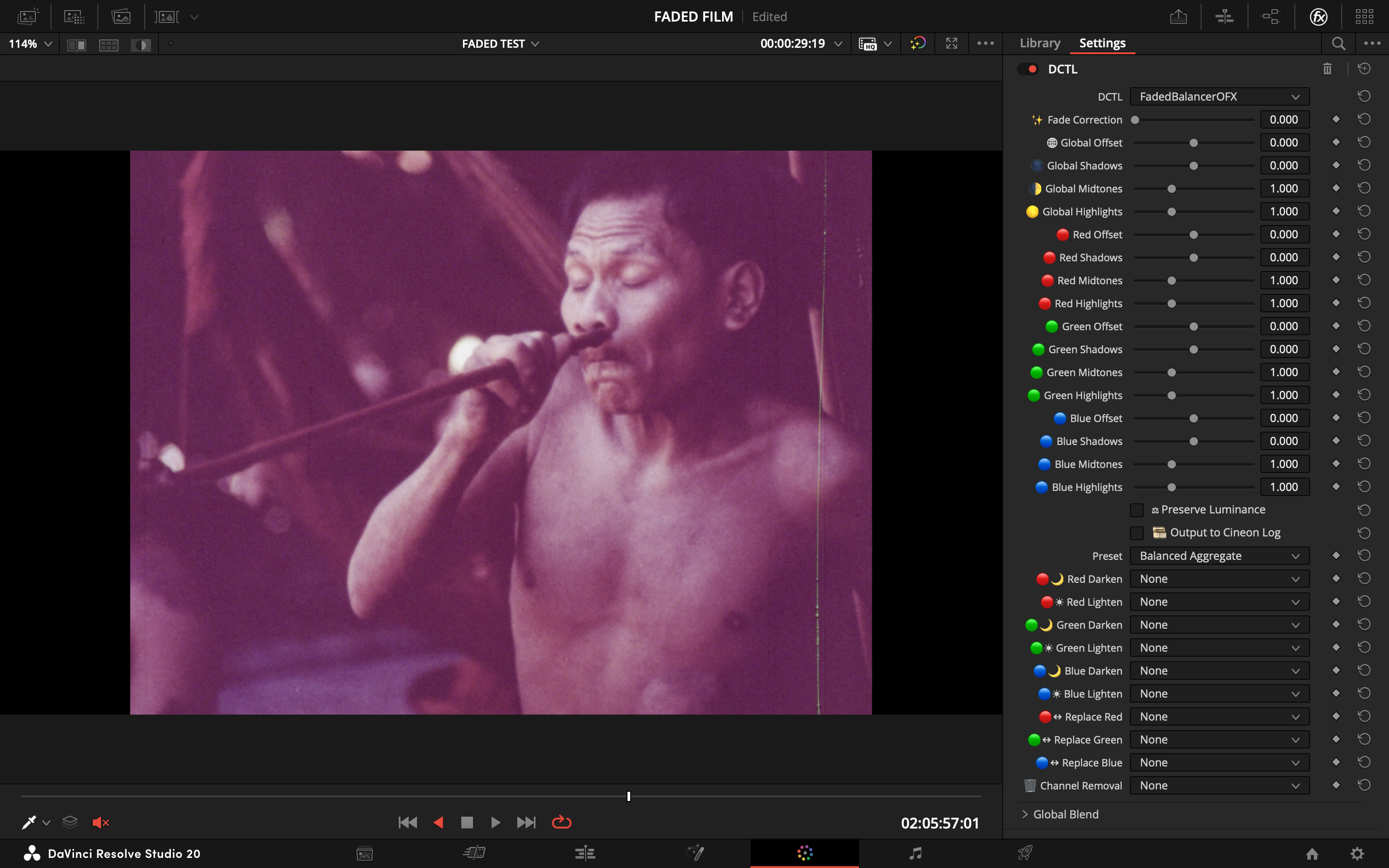
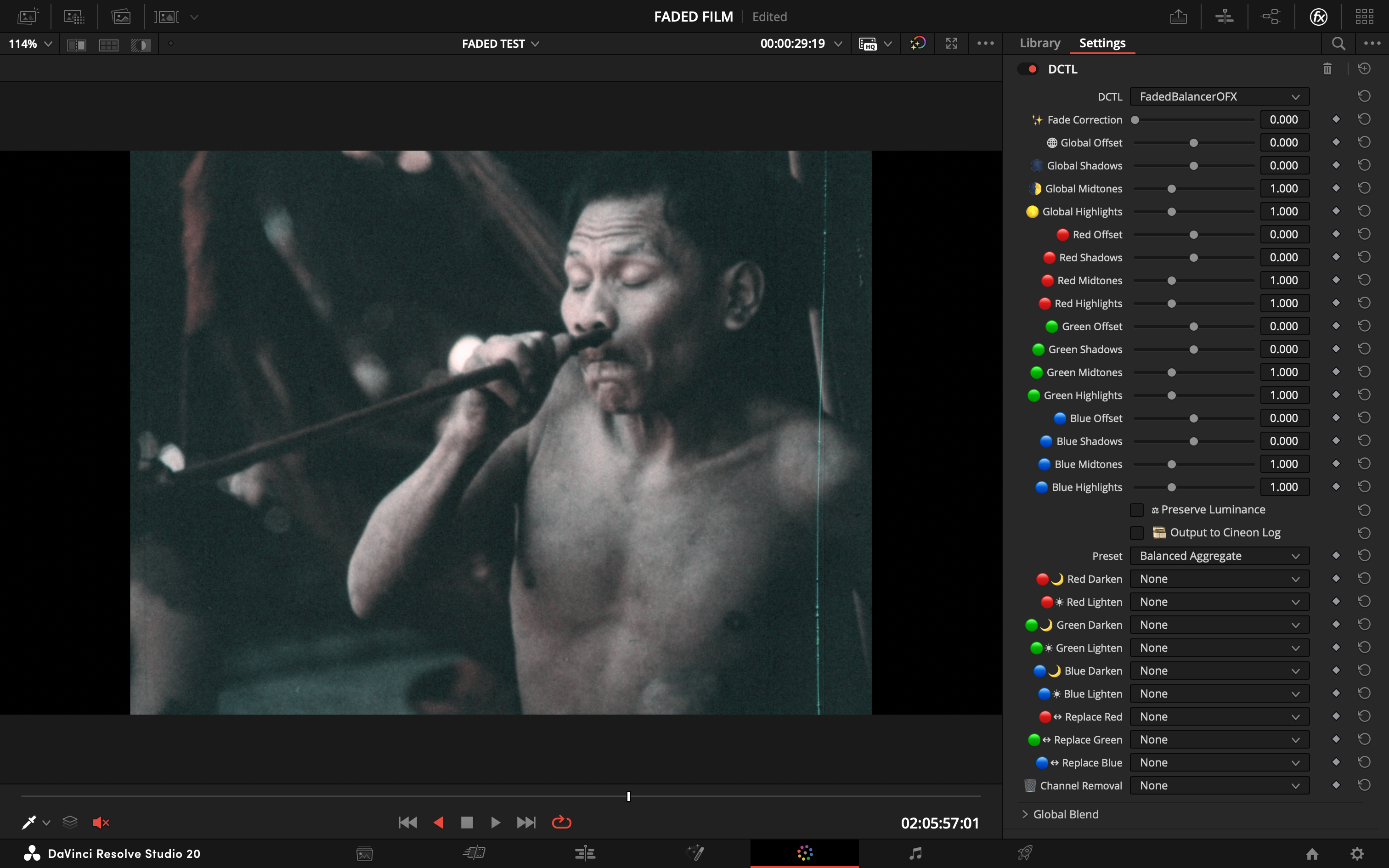
#### **Balanced Aggregate**
> - **Goal:** A generalized correction for moderately faded footage with a strong magenta cast.
> - **Action:** Averages multiple corrective strategies for a robust, balanced result.
| Before | After |
| :---: | :---: |
|  |  |
---
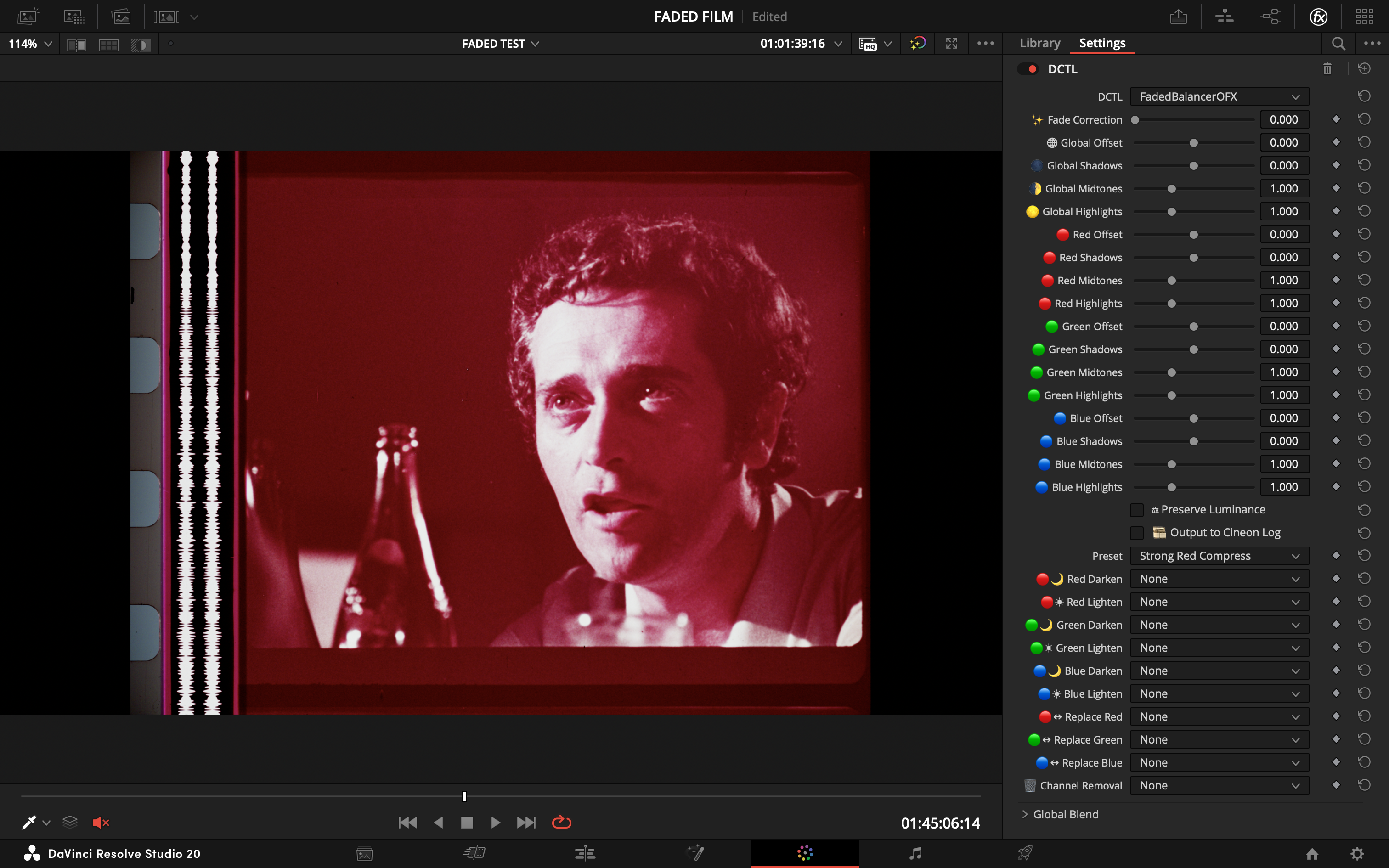
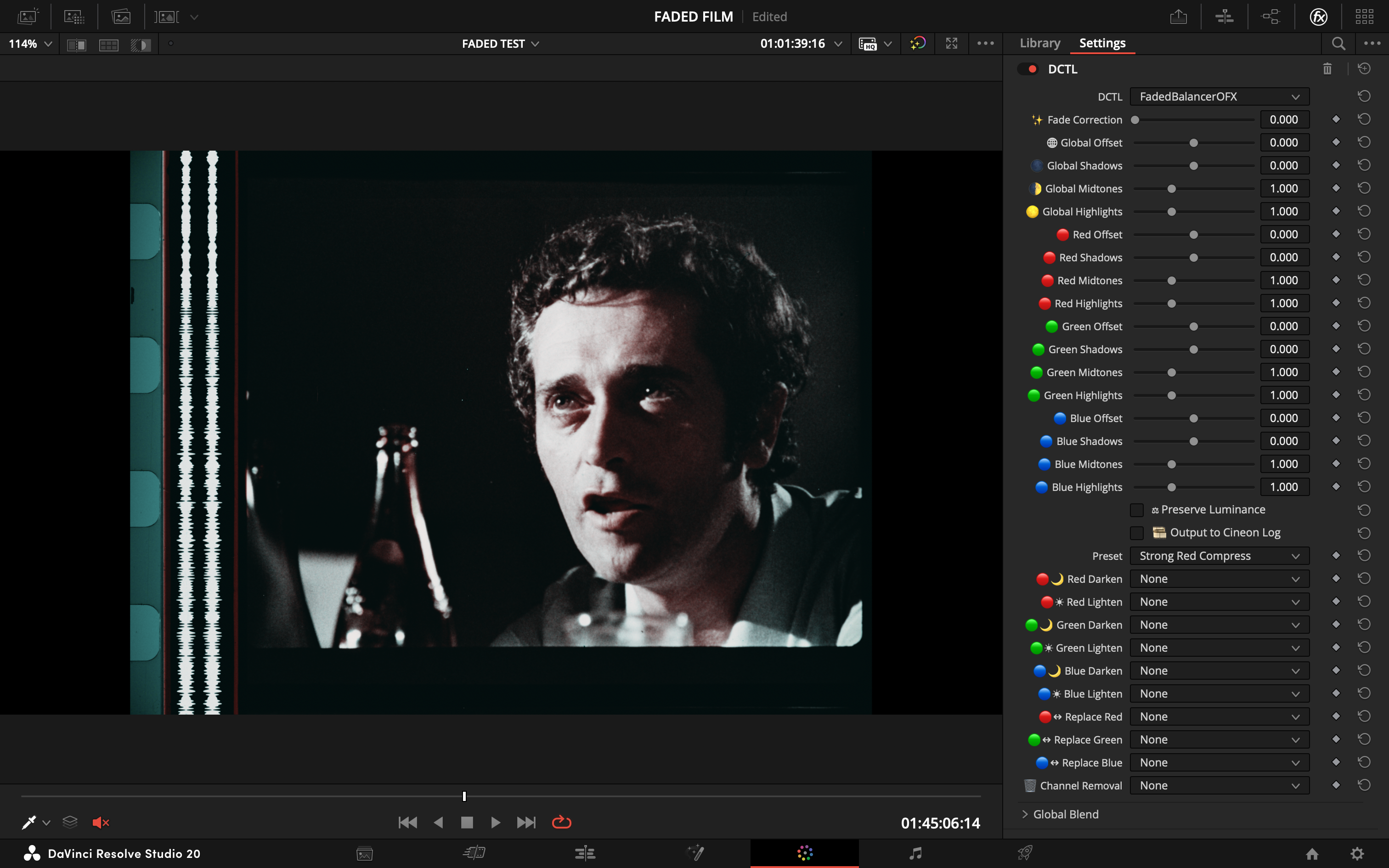
#### **Strong Red Compress**
> - **Goal:** Tame a dominant or clipped red channel.
> - **Action:** Aggressively compresses the red channel's highlights and midtones.
| Before | After |
| :---: | :---: |
|  |  |
---
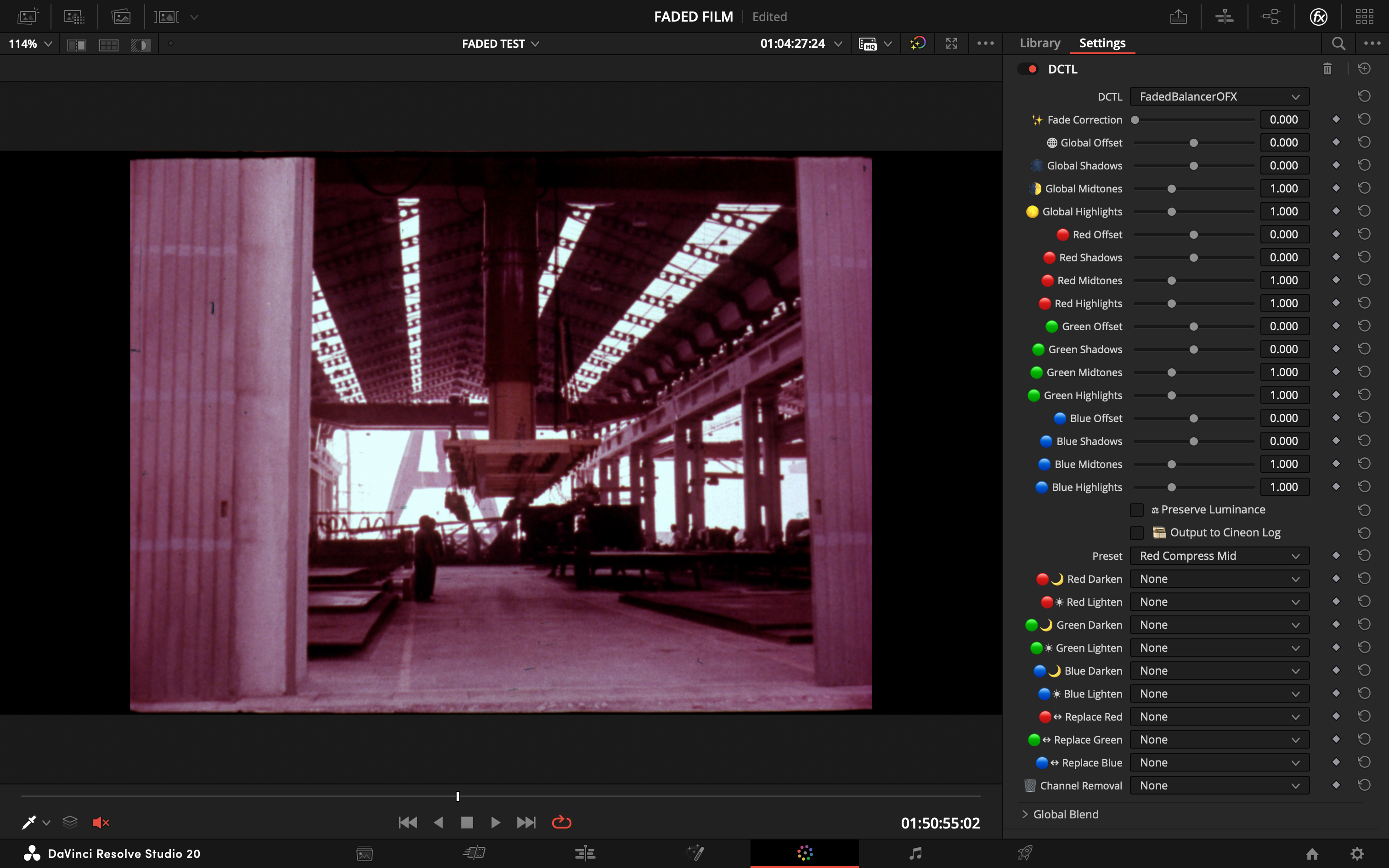
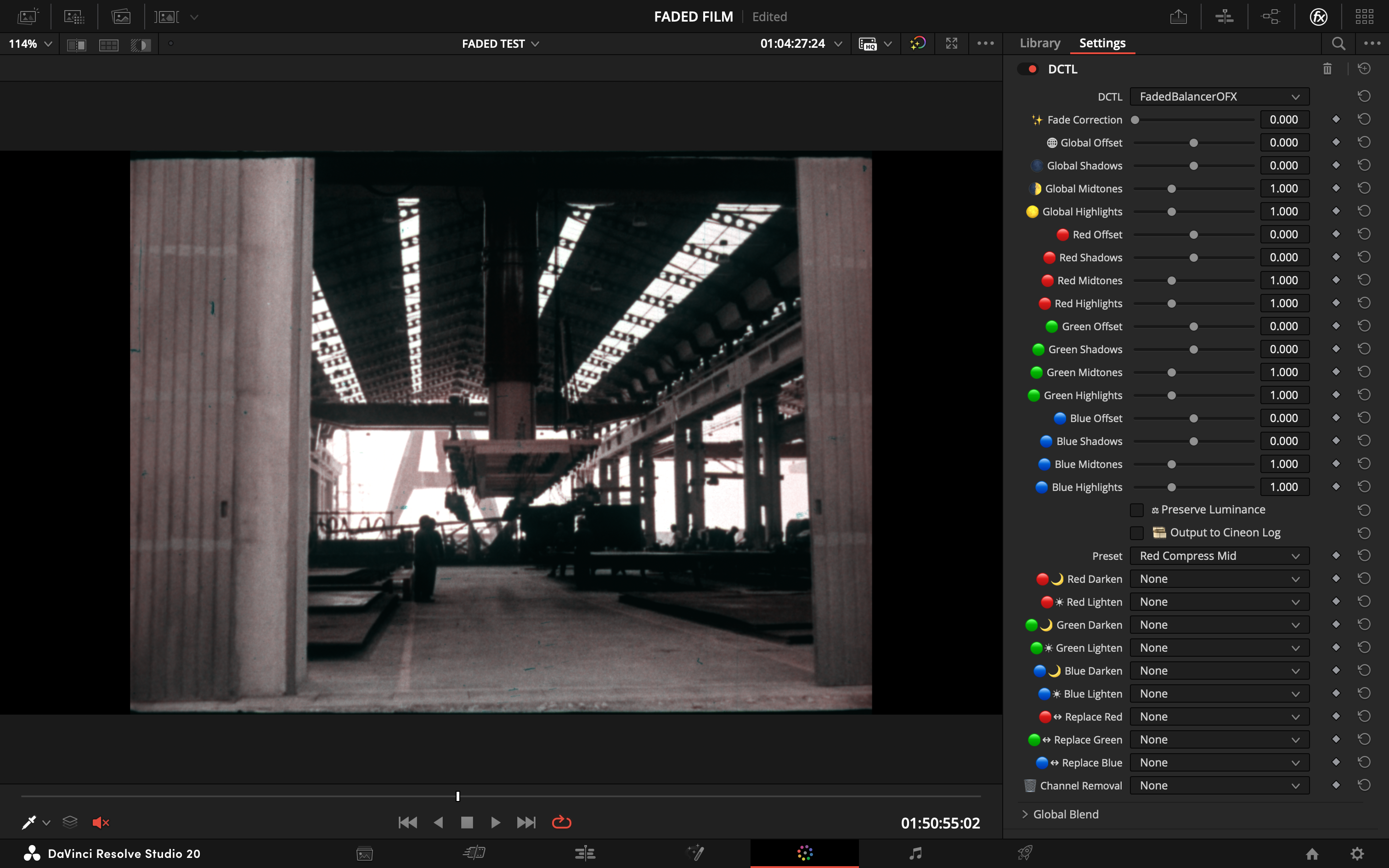
#### **Red Compress Mid**
> - **Goal:** Address red channel dominance, focusing only on the midtones.
> - **Action:** Compresses red midtones, which is useful when highlights are less of a problem.
| Before | After |
| :---: | :---: |
|  |  |
---
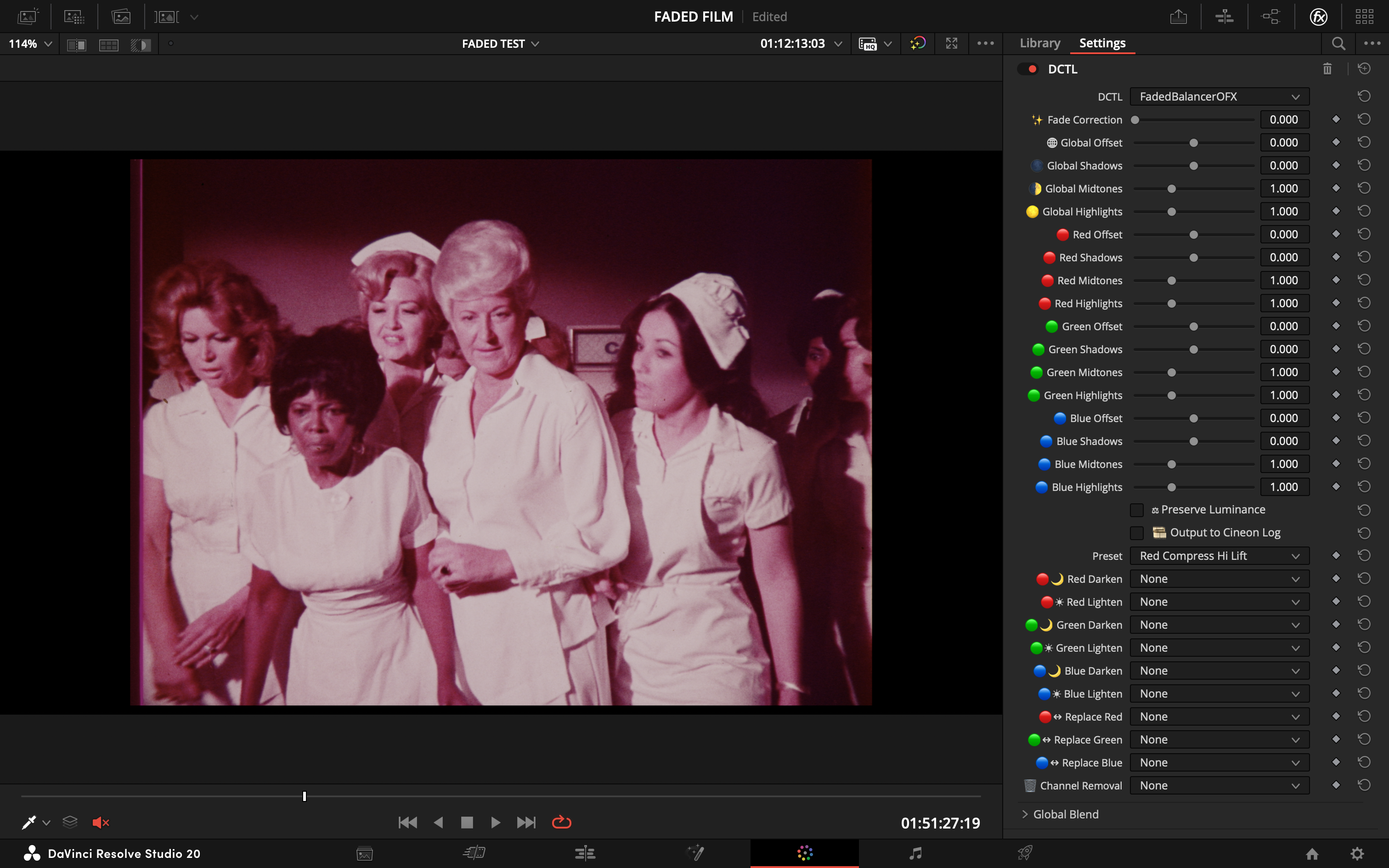
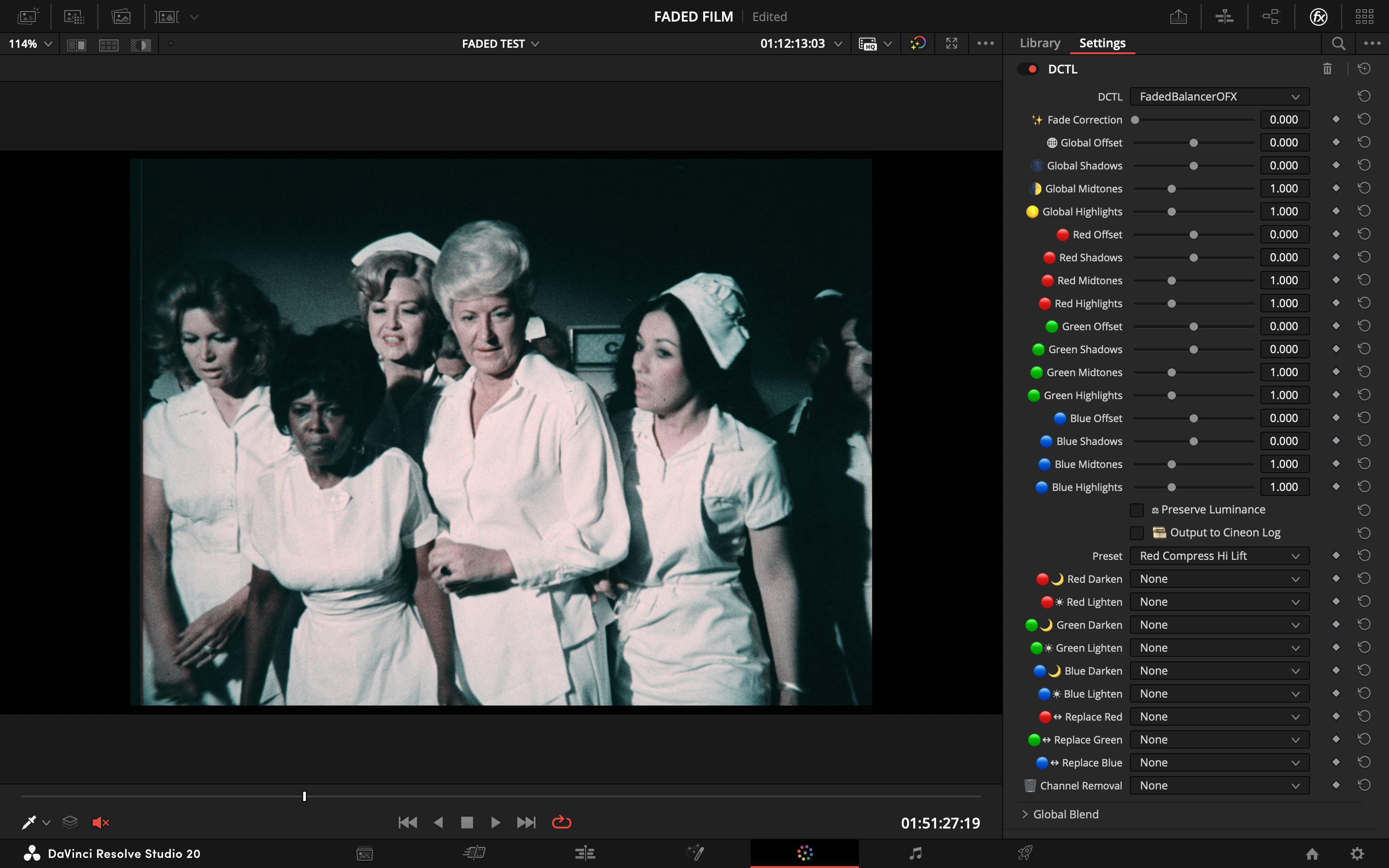
#### **Red Compress Hi Lift**
> - **Goal:** Correct clipped red highlights while simultaneously lifting shadow detail.
> - **Action:** Compresses red highlights and applies a lift to the red shadows.
| Before | After |
| :---: | :---: |
|  |  |
---
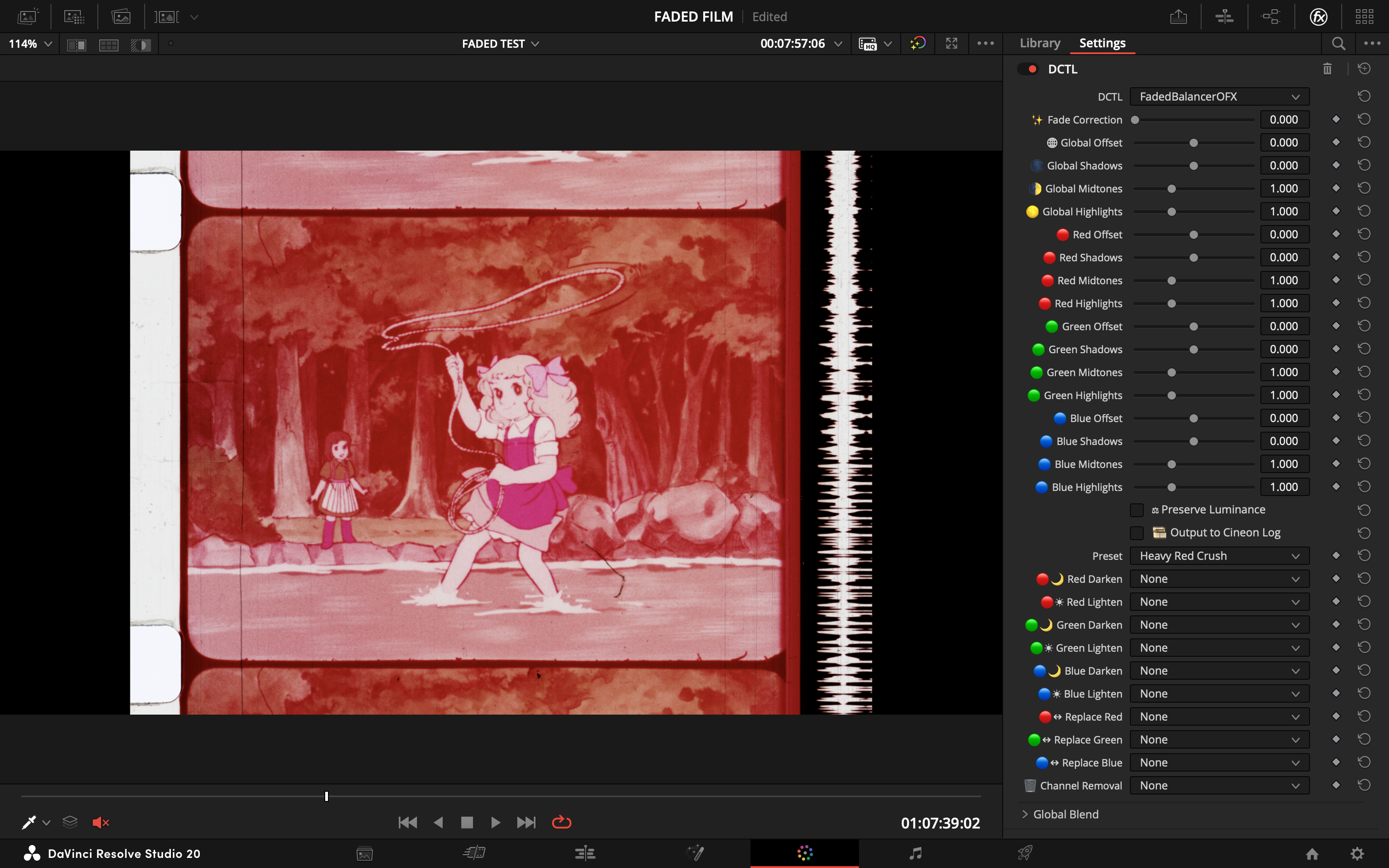
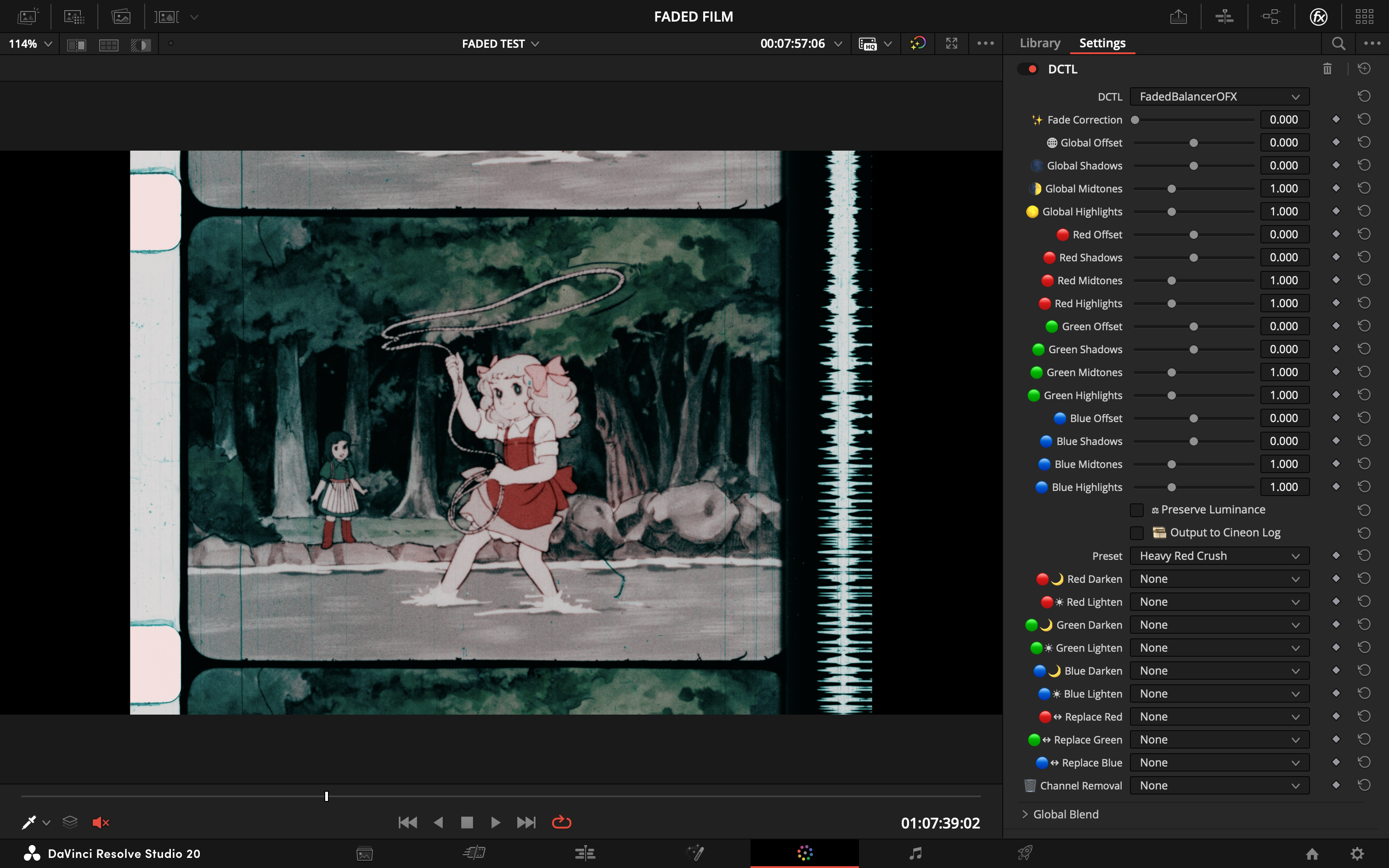
#### **Heavy Red Crush**
> - **Goal:** An aggressive solution for extreme red channel dominance.
> - **Action:** Severely darkens the red channel across its entire range. Use with caution.
| Before | After |
| :---: | :---: |
|  |  |
---
#### **Highlight Lift Blue Shadow**
> - **Goal:** Correct a yellow or green cast by reintroducing blue into the image.
> - **Action:** Lifts the global highlights while pushing blue into the shadows.
| Before | After |
| :---: | :---: |
| 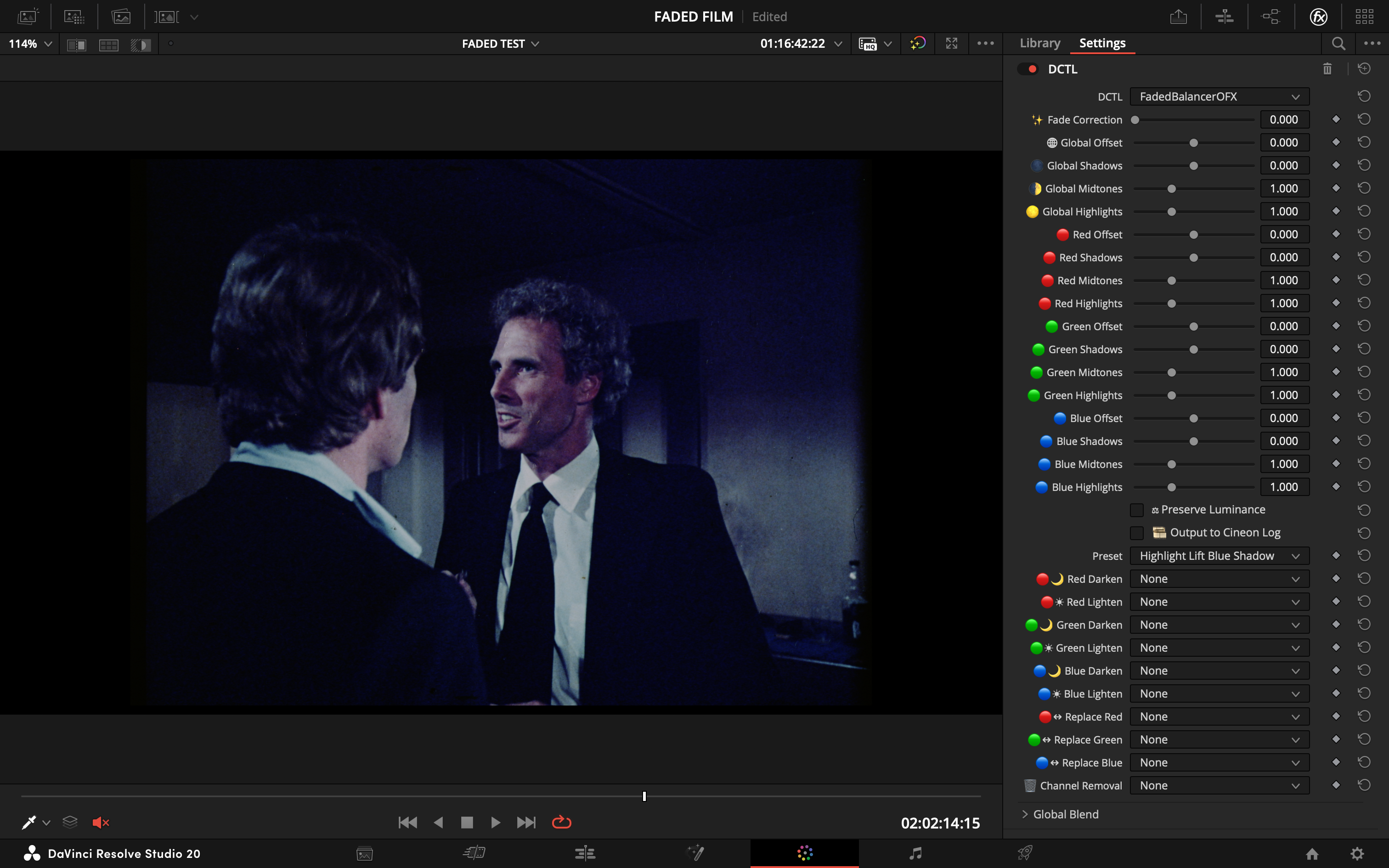 | 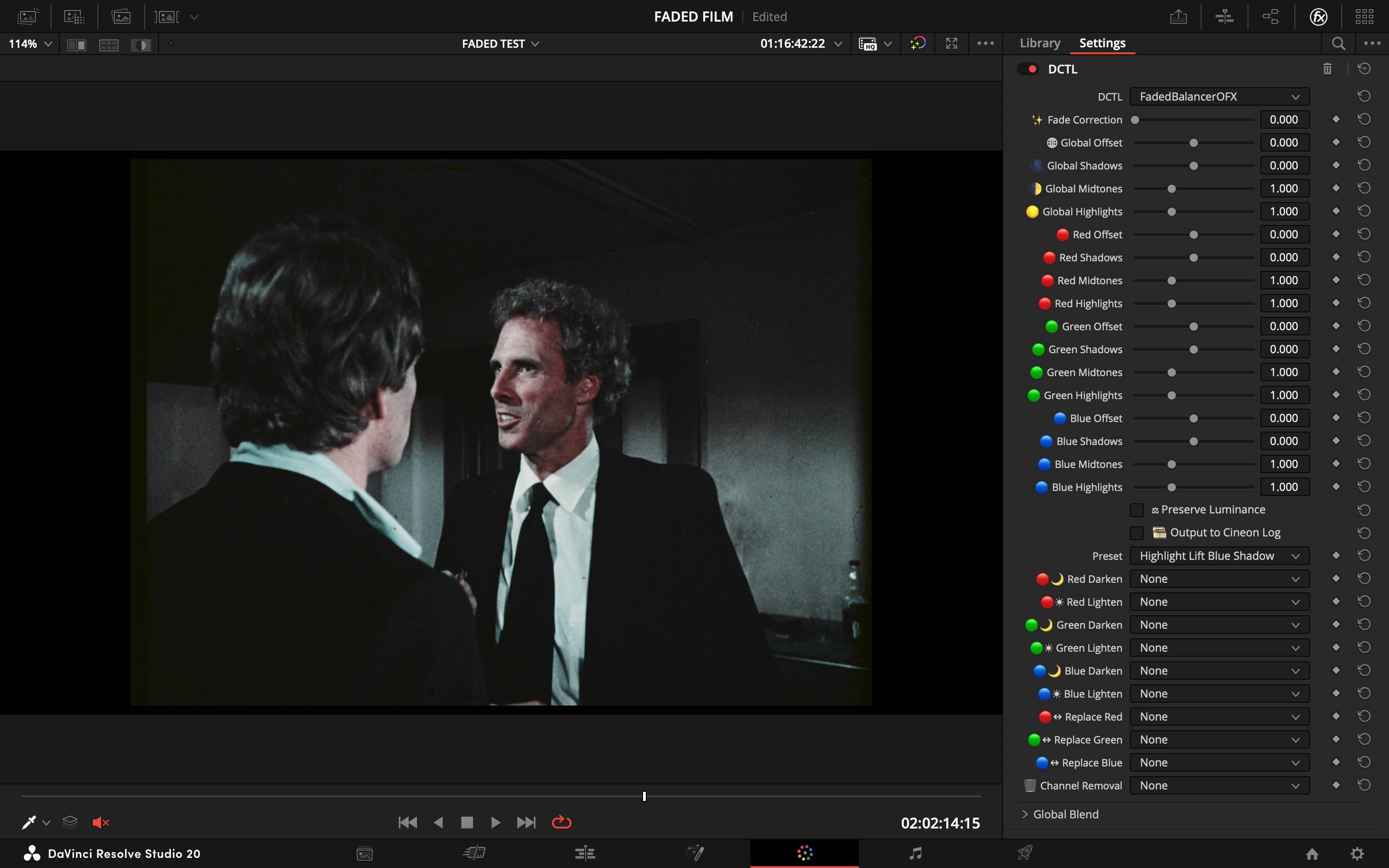 |
---
#### **Red Comp Blue Tweak**
> - **Goal:** A nuanced correction for common magenta casts.
> - **Action:** Compresses the red channel while subtly boosting blue midtones for a natural rebalance.
| Before | After |
| :---: | :---: |
| 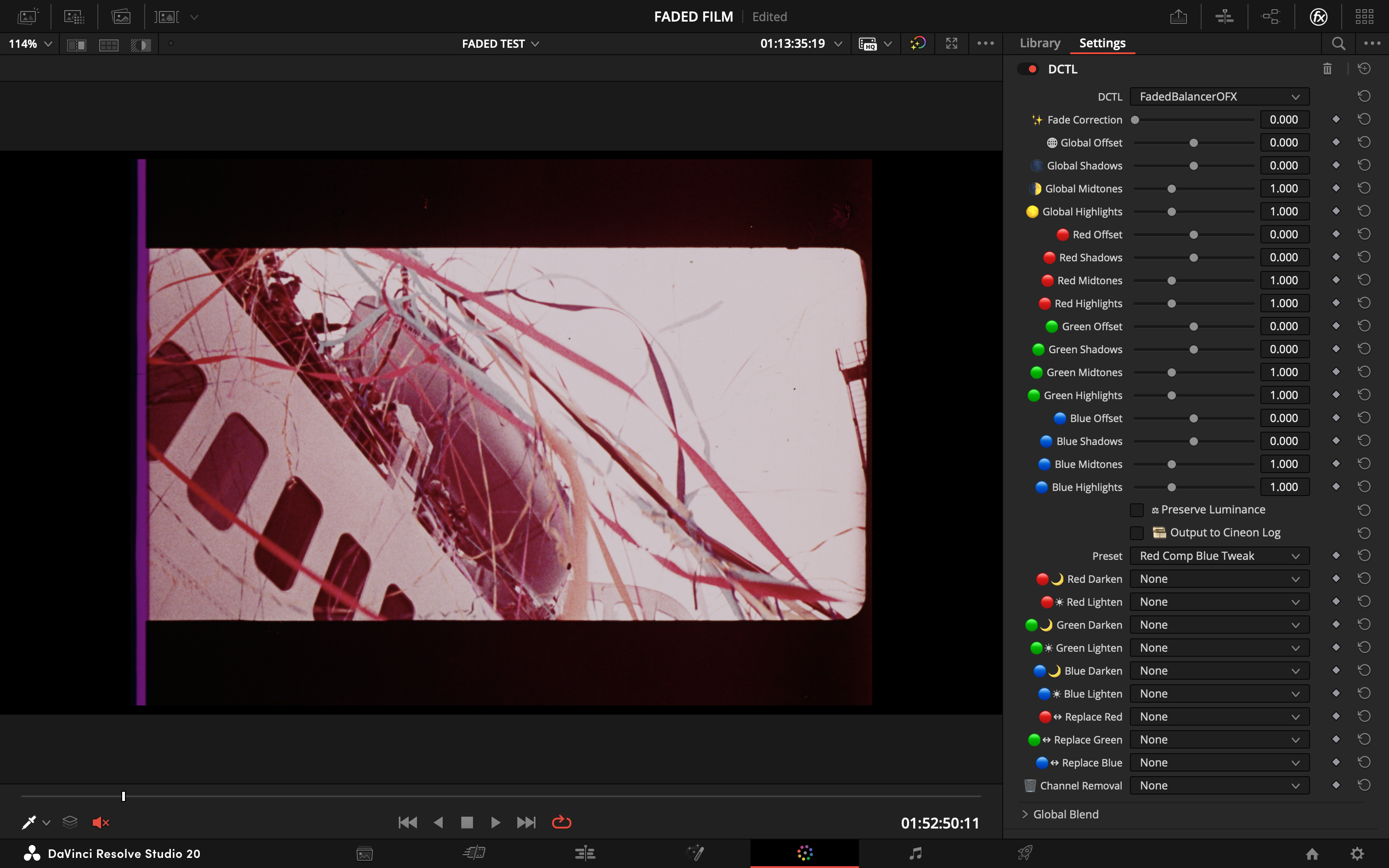 | 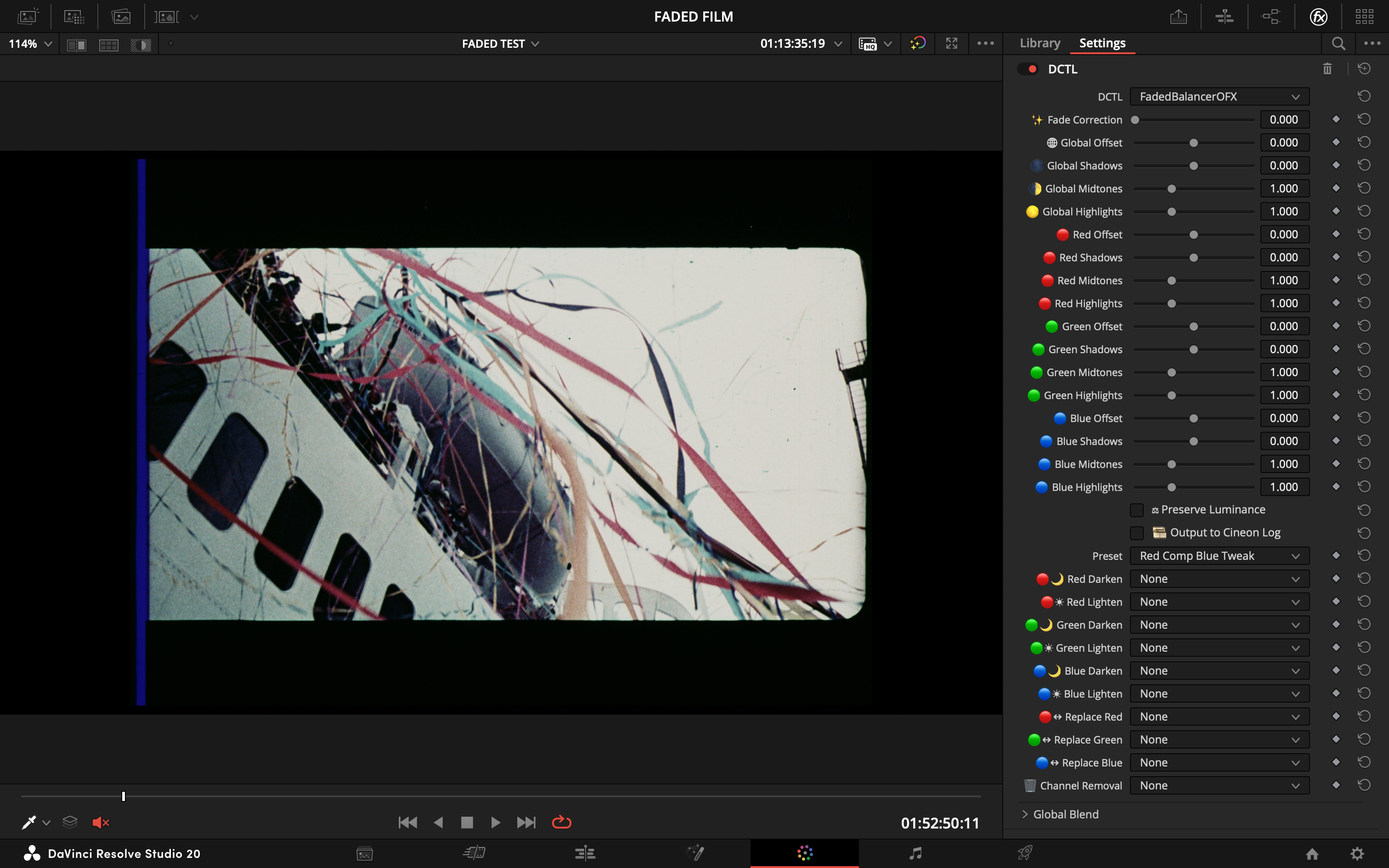 |
---
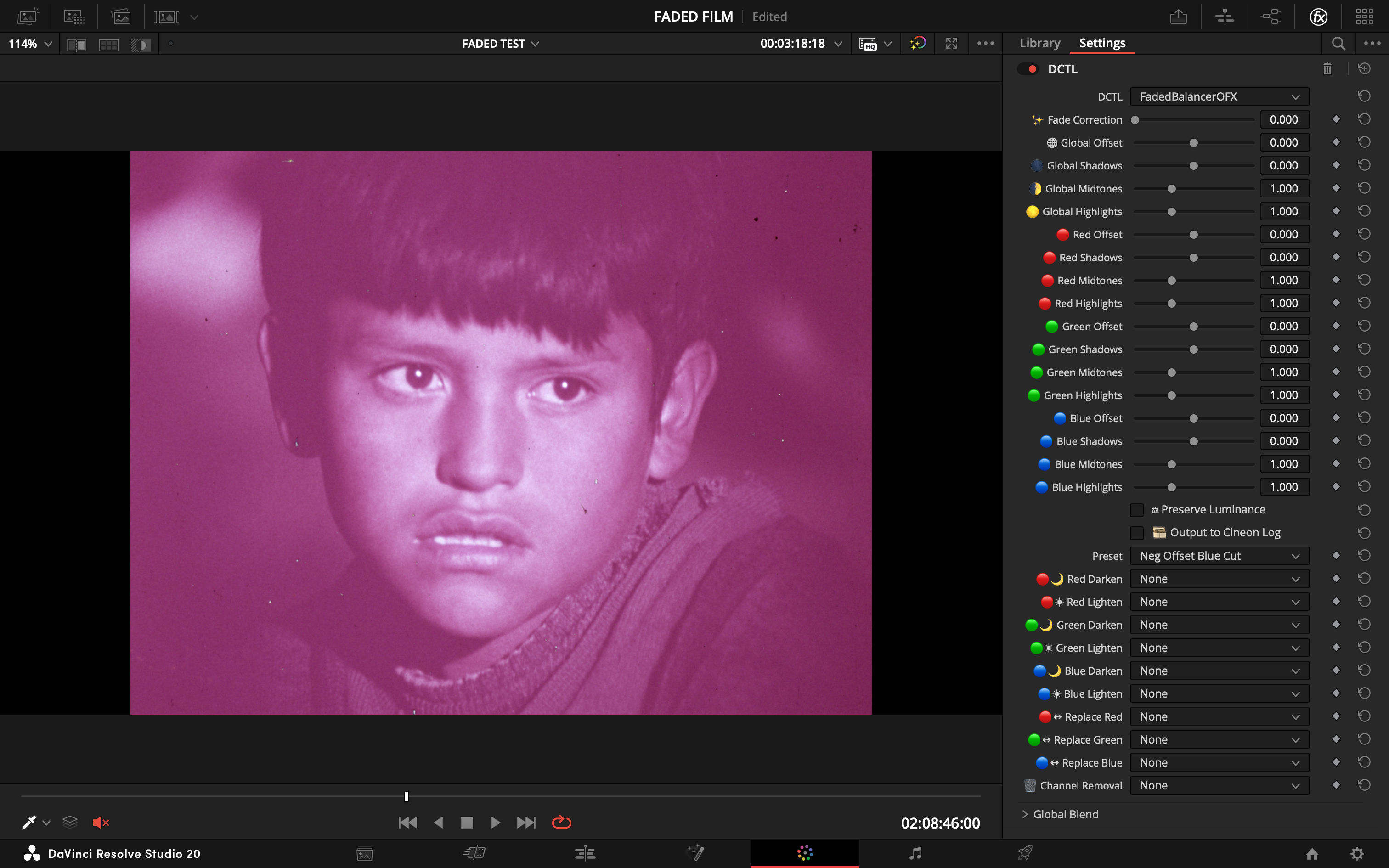
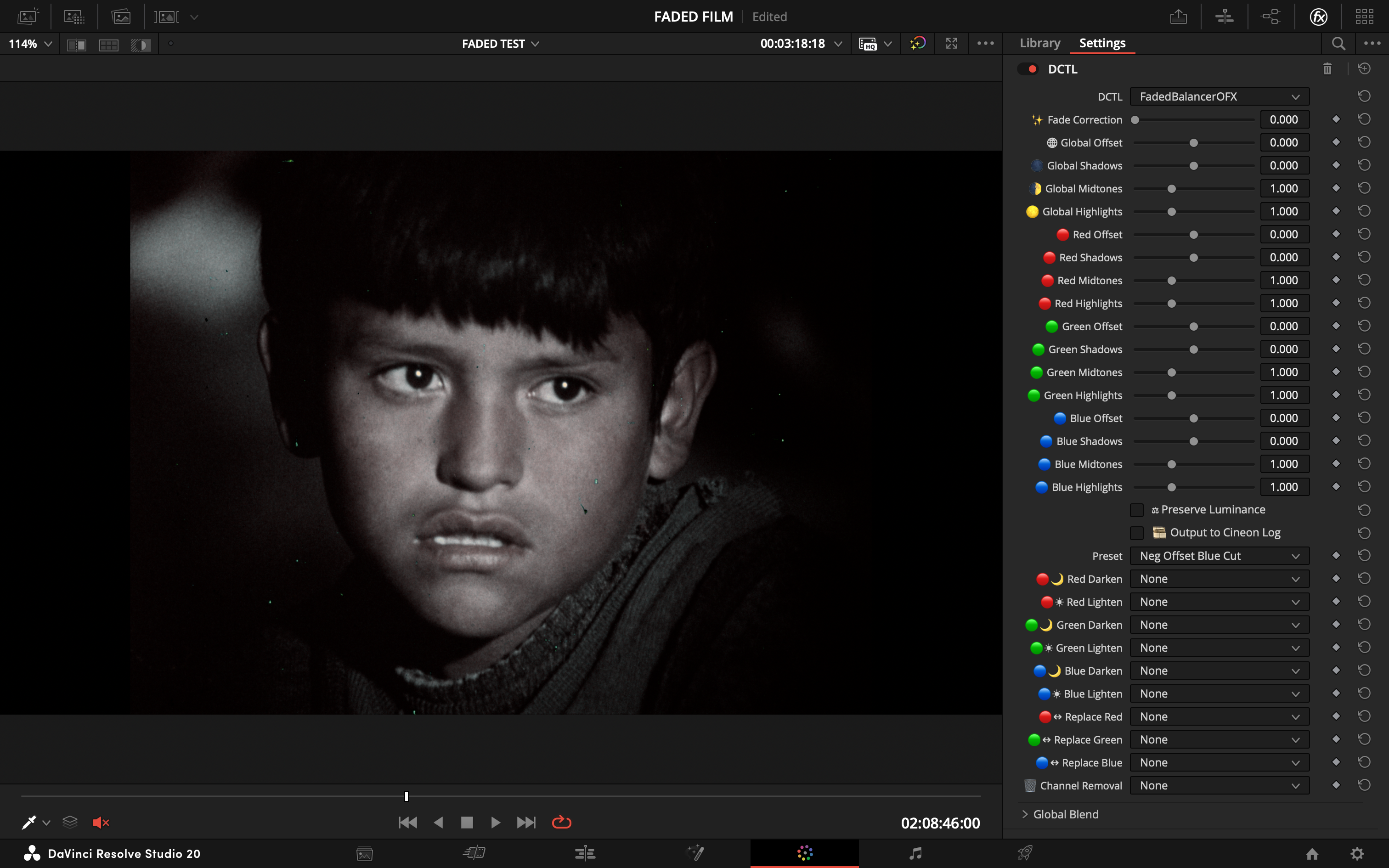
#### **Neg Offset Blue Cut**
> - **Goal:** Counteract a blue or cyan cast in the shadows, often seen in negative scans.
> - **Action:** Lifts the overall image (negative offset) and cuts the blue channel's shadows.
| Before | After |
| :---: | :---: |
|  |  |
---
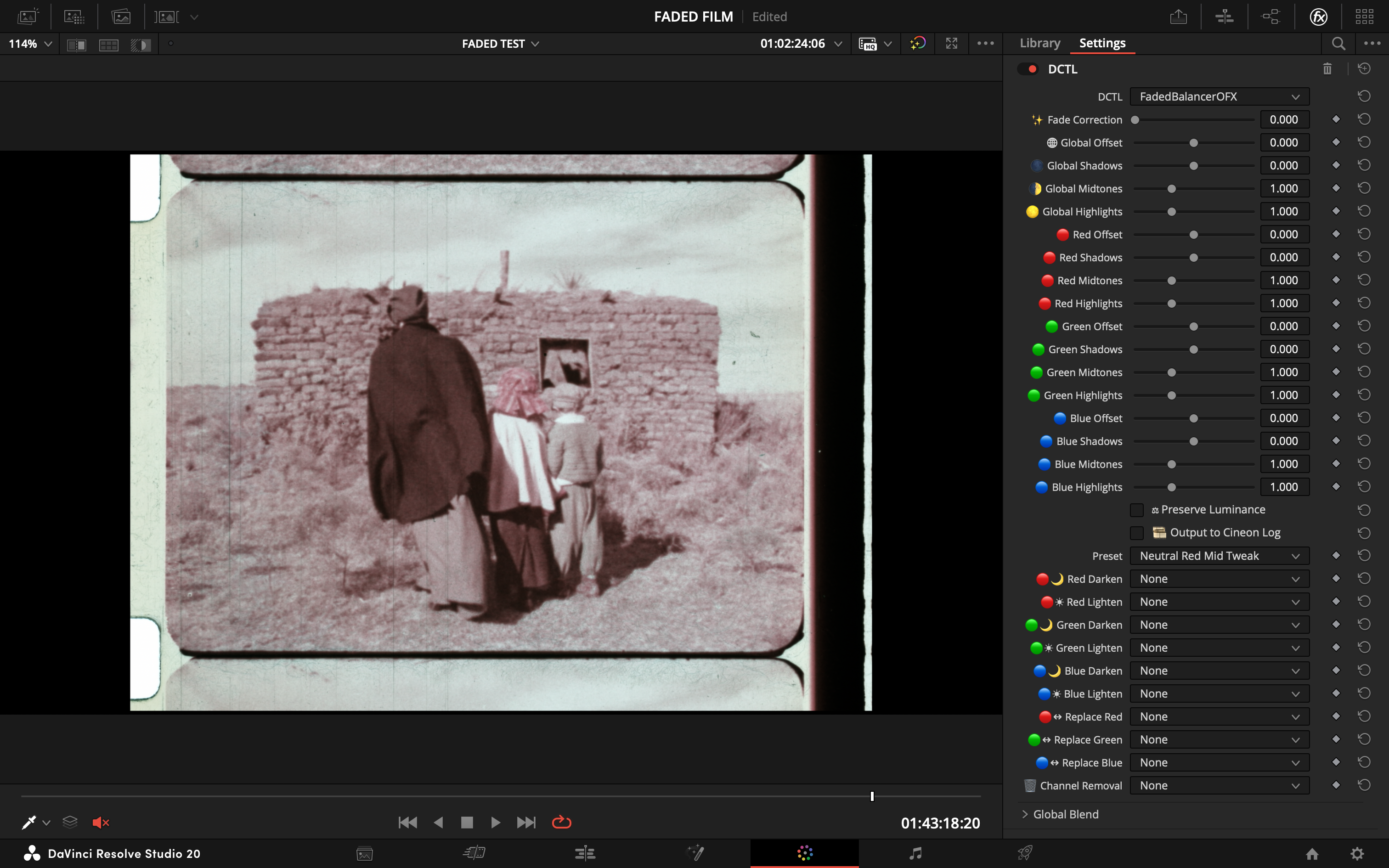
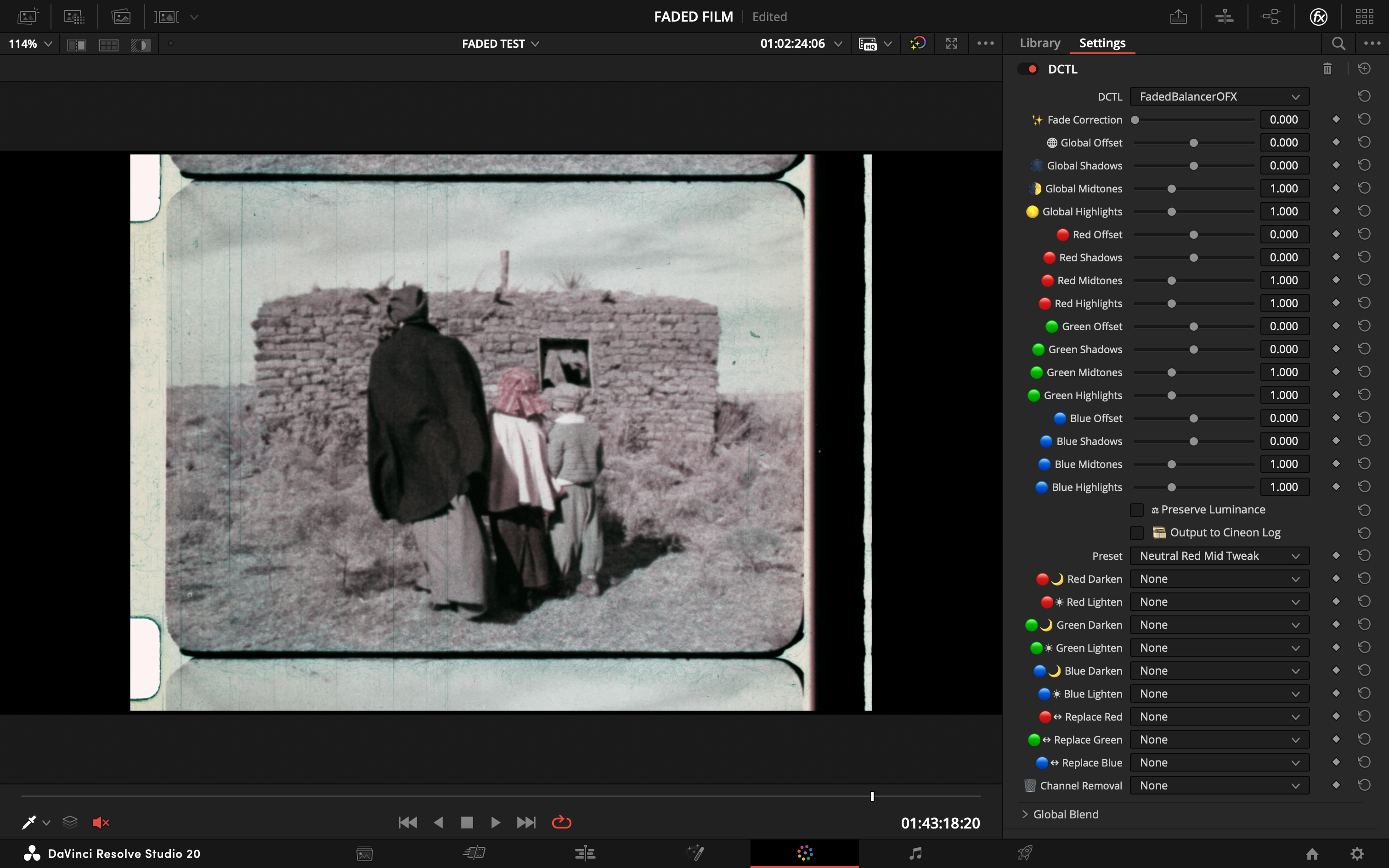
#### **Neutral Red Mid Tweak**
> - **Goal:** A very subtle correction for minor red imbalances in otherwise good footage.
> - **Action:** Slightly nudges the red midtones down to achieve a more perfect neutral.
| Before | After |
| :---: | :---: |
|  |  |
---
Back to Home