
[English] [简体中文] [日本語]
Memoh

Memoh

すべての AI Agent に専用のクラウドコンピューターを。オープンソース。
Desktop、Browser、ネットワーク、長期記憶 — ノートパソコンを閉じても Agent は止まりません。
Version Stars Forks DeepWiki Telegram

Login · Self-hosted · Docs · Website · X

Memoh
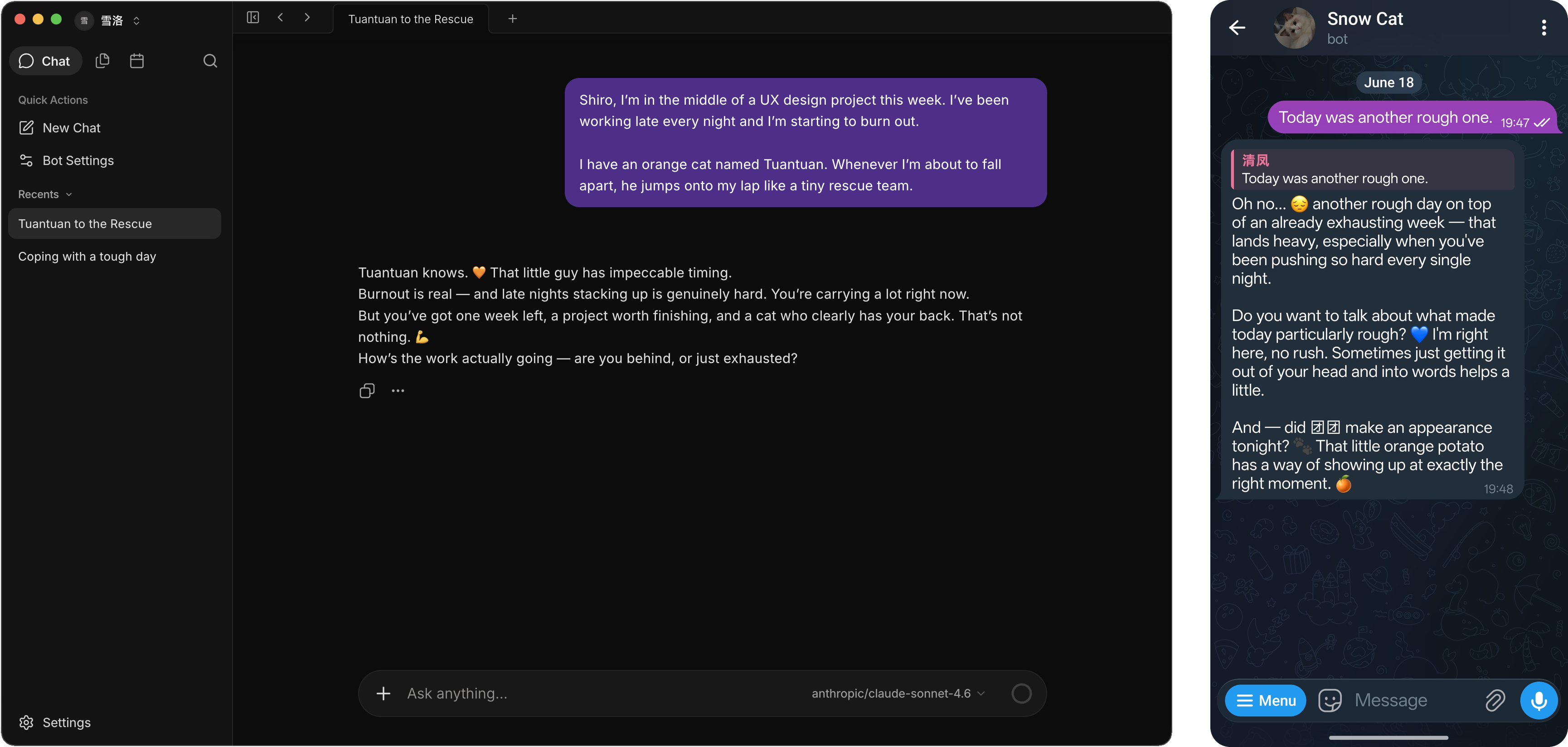
## Memoh とは? Memoh はオープンソースのマルチ Agent プラットフォームです。各 Agent には専用のクラウドコンピューターが割り当てられます — ファイルシステム、Desktop、Browser、ネットワーク、長期記憶を備えた独立した Workspace です。ノートパソコンを閉じても Agent は 24 時間稼働し続けます。 自分の API Key で Memoh 組み込みの Agent を動かすだけでなく、既存の Claude Code や Codex Agent を Memoh Workspace にホストすることもできます。 Telegram、Discord、Lark、WeChat、Web UI などから Agent と会話できます。セッションやプラットフォームをまたいで文脈を記憶し、Browser を操作し、MCP ツールを呼び出し、スケジュールタスクを実行します。自分用に 1 つ、チームメンバーごとに 1 つ、あるいは複数の Agent をまとめて起動できます。 ## はじめに ### Memoh Cloud [app.memoh.net](https://app.memoh.net) で、今すぐアカウントを登録・ログインできます。 ### Self-hosted 自分のインフラにフルスタックをセルフホストできます。 ```bash curl -fsSL https://memoh.sh | sh ```

その他のデプロイ方法 手動でデプロイする場合: ```bash git clone --depth 1 --recurse-submodules --shallow-submodules https://github.com/felinics/Memoh.git cd Memoh cp conf/app.docker.toml config.toml # config.toml を編集 export MEMOH_INTERNAL_RPC_SHARED_SECRET="$(openssl rand -hex 32)" docker compose up -d ``` Compose は Server と Channel を別々のサービスとして起動します。内部 RPC secret は安全に保管し、stack を再作成するときも同じ値を使用してください。 Docker を使わない場合(既存のベアメタル環境からのアップグレードを含む)は、`config.toml` の `internal_rpc.shared_secret` を空のままにしてください。Server が Channel ランタイムを内蔵し、外部チャネル・Email・webhook エンドポイントを含めて単一プロセスの all-in-one として動作し続けます。`memoh-channel` プロセスは不要です。secret を設定すると 2 プロセスの分離デプロイに切り替わります。 setup 済みの既存 checkout では、引き続き `git pull` を使用できます。post-merge hook が新しい submodule を初期化し、setup がそれ以降の pull で再帰更新を有効にします。 hook が未導入の場合だけ、更新後に `mise run submodule-init` を一度実行してください。 GitHub が自動生成する「Source code」 アーカイブには submodule が含まれないため、Release に添付された `Memoh--source.zip` または `.tar.gz` を使用してください。 > **イメージの pull が遅い場合は CN mirror を利用できます:** > ```bash > curl -fsSL https://memoh.sh | USE_CN_MIRROR=true sh > ``` > > インストーラー全体を `sudo` で実行しないでください。Docker に権限が必要な場合、インストーラー内部で `sudo docker` を使用します。 カスタム設定や本番環境での構成については [DEPLOYMENT.md](DEPLOYMENT.md) を参照してください。
## Memoh を選ぶ理由 - **すべての Agent に専用コンピューター**: 専用のファイルシステム、ネットワーク、Desktop、Browser を備えた隔離された Workspace。 - **Multi-user, multi-bot**: 自分用に 1 つ、家族やチームメンバーごとに 1 つ、または 1 台のマシンで複数の Bot をまとめて運用できます。 - **軽量**: 自分のインフラにセルフホストすることも、Memoh Cloud に接続することもできます。 ## Sub-projects - [**Twilight AI**](https://github.com/felinics/twilight) — Go 向けの軽量で idiomatic な AI SDK。[Vercel AI SDK](https://sdk.vercel.ai/) に着想を得ており、Provider 非依存で、streaming、tool calling、MCP、embeddings を first-class に扱えます。 - [**Connect It**](https://github.com/felinics/connect-it) — SaaS の認証情報を安全に保管し、単一の MCP endpoint を通じて Agent に各種連携を提供するセルフホスト型 connector gateway です。 - [**UI**](https://github.com/felinics/ui) — AI Agent の管理画面向け Vue 3 design system。component library、design token、および Agent に正しい使い方を教える Skill を含みます。 ## Project Status ![License](https://img.shields.io/github/license/felinics/Memoh) ![Last Commit](https://img.shields.io/github/last-commit/felinics/Memoh) ![Commit Activity](https://img.shields.io/github/commit-activity/m/felinics/Memoh) ![Issues](https://img.shields.io/github/issues/felinics/Memoh) ![Pull Requests](https://img.shields.io/github/issues-pr/felinics/Memoh) ## Star History [![Star History Chart](https://star-history.dera.page/svg?repos=felinics/Memoh&type=date&legend=top-left)](https://star-history.dera.page/#felinics/Memoh&type=date&legend=top-left) ## Contributors ## Community - 🌐 [**Website**](https://memoh.ai) - 📚 [**Documentation**](https://docs.memoh.ai) - 💬 [**Telegram Group**](https://t.me/memohai) - 🛒 [**Supermarket**](https://github.com/felinics/supermarket) - 🤝 [**Cooperation**](mailto:business@memoh.net) — business@memoh.net --- **LICENSE**: AGPLv3 Made with ❤️ by MemohAI Team, Copyright (C) 2026 MemohAI (memoh.ai). All rights reserved.
