English | 简体中文
对 Tandem Hosted 感兴趣?
加入等待名单
Tandem
**Tandem 在 AI agents 和它们使用的工具、数据、memory 与动作之间执行策略。**
Agents 可以推理、起草并提出工作。Tandem 决定它们被授权看到什么、可以调用哪些工具、哪些动作必须暂停等待审批、可以访问哪些 memory/context,以及哪些证据会被记录下来。
当 agents 触达真实公司系统时,Tandem 就很有用:文件、代码仓库、邮件、MCP tools、客户数据、内部文档、生产工作流和长期自动化。
对平台和安全团队来说,Tandem 是 agentic systems 的运行时控制平面:限定范围的工具访问、审批门、权限化 memory、tenant/resource boundaries 和审计证据。
**模型提出请求。Tandem 执行控制。**
从治理角度看,Tandem 在运行时管理 AI 智能体的委托权限。
## Tandem 做什么
- 用持久化状态运行 AI 工作流,而不是只依赖聊天记录。
- 按工作流步骤限定可见的内置工具和 MCP connectors。
- 在执行前阻止超出运行时策略的工具调用。
- 对重要动作暂停并要求人工审批。
- 控制一次 run 可以检索哪些公司记忆和上下文。
- 在模型上下文窗口之外记录 artifacts、tool events、approval decisions 和 audit evidence。
## 简单例子
某个 agent 可以被允许起草客户邮件,但不能直接发送。
Tandem 可以暴露 draft tool,隐藏或阻止 send tool,在审批门暂停,只有在人类批准后才继续,并把这次决策记录到 audit trail。
## Tandem 不是什么
| 不是这个 | 而是这个 |
| ------------------------ | ----------------------------------------------------------------- |
| Chatbot wrapper | 位于 agents 和 workflows 之下的运行时层 |
| 只是 agent framework | 控制 agent workflows 能看见什么、能做什么的策略层 |
| 只是 approval UI | 运行时执行控制,审批只是其中一道受控关口 |
| 只是 LLM gateway | 治理 workflow state、tools、memory、approvals、artifacts 和 audit |
| 平面 RAG 系统 | Runtime-scoped memory 和 source-bound retrieval |
| Prompt-only safety layer | 在模型之外执行控制 |
Tandem 把这称为 **runtime authority(运行时权限控制)**:在模型之外执行授权、执行控制、审批、记忆范围限制和审计。桌面端、TUI、Web 控制面板、渠道和 SDK 等入口都是同一个 engine runtime 的客户端。
- **运行时拥有控制权:** runs、sessions、memory、context、provider secrets、MCP tools、approvals、artifacts 和 audit records 都位于模型之外。
- **受治理的工具执行:** 内置工具和 MCP connectors 可以按工作流步骤设定作用域,并为关键动作设置审批门。
- **租户感知运行时:** Hosted 和 enterprise 模式会把 tenant/principal context 带入 sessions、runs、context runs、memory、provider credentials、MCP secrets 和 events。
- **部署在数据所在之处:** Tandem 可以本地运行、无头运行、托管运行,也可以部署到客户自己的基础设施中。
- **模型提供商无绑定:** 支持 OpenRouter、Anthropic、OpenAI、OpenCode Zen 或本地 Ollama endpoint。
`Agent intent -> Runtime policy -> Scoped tool/data access -> Approval gates -> Artifacts -> Audit trail`
**-> [AI runtime infrastructure](docs/AI_RUNTIME_INFRASTRUCTURE.md) | [Enterprise readiness](docs/ENTERPRISE_READINESS.md) | [Runtime trust boundaries](docs/RUNTIME_TRUST_BOUNDARIES.md) | [EU AI Act readiness](docs/EU_AI_ACT_COMPLIANCE.md) | [Compliance starter pack](docs/compliance/README.md) | [通过 MCP 连接 agent](https://tandem.ac/docs-mcp)**
## 为什么需要 Tandem
Agent 正在变成 worker。它们会读取公司上下文、调用工具、创建 pull request、起草客户沟通、操作项目看板,并准备过去只存在于人类系统里的决策。
Prompt 不是权限。System prompt 可以要求模型不要调用某个工具、不要读取某个目录,或者等待审批,但模型本身不应该成为安全边界。Tandem 把这些控制放进运行时,因此 workflow 可以只授予 agent 当前步骤所需的工具、memory 和动作,并拒绝这个范围之外的一切。
公司也需要集中 AI 上下文,但不能把访问权限做成一张平面大网。权限化公司记忆应该知道公司知道什么,但某个 team、tenant、project 或 user 名下运行的 agent 只能检索它被允许使用的那一部分。
## Tandem 治理什么
- **公司知识和记忆:** 运行时拥有 memory、knowledge spaces 和 retrieval paths,并围绕 tenant/workspace boundary 设计。
- **工具和 MCP 可见性:** 内置工具和 MCP connector tools 可以按步骤设定作用域;面向企业部署的更完整 pre-invocation masking 已在规划中。
- **工作流执行:** 持久化 automation 和 context-run state,而不是只依赖脆弱的聊天记录。
- **人工审批:** 运行时 gates 会暂停 run,收集 approve/rework/cancel 决策,并留下证据。
- **租户和工作区边界:** sessions、runs、context runs、events、provider credentials、MCP secrets、memory,以及 resource scope/grant contract vocabulary 都带有边界语义。
- **Connector 凭证和 secrets:** Provider 和 MCP secret references 由运行时拥有;connector source binding 为 scoped ingestion 提供共享契约。
- **产物和审计轨迹:** Outputs、validations、tool ledger events、approval decisions 和 protected audit records 会保存在模型上下文窗口之外。
## 核心用例
| 用例 | Tandem 增加的能力 |
| ----------------------------- | --------------------------------------------------------------------------------------------------- |
| 审批门控的邮件和工作流 | Agent 提议动作,Tandem 在执行前暂停,由人审批或要求返工。 |
| 权限化公司知识库 | 公司 memory 和 knowledge spaces,带 tenant-aware retrieval 和 resource-grant vocabulary。 |
| 受治理的 coding agents | Coder runs、worktree context、handoff artifacts、approval points 和可审计实现状态。 |
| 项目、sprint、event brain | 跨 session 和团队存活的长期 context、tasks、artifacts 和 memory。 |
| 租户隔离的 hosted automations | Hosted runtime records、event streams、provider credentials、MCP secrets 和 memory 按 tenant 隔离。 |
| 内部 agent 和工具治理 | 控制 agent 能看到哪些工具、能执行哪些动作,以及留下哪些证据。 |
## 为什么平台和安全团队会关心
Tandem 面向需要在真实运营控制下运行 AI 工作的团队:
- **运行时权限,而不是 prompt 权限:** 模型可以请求上下文或工具调用;运行时决定什么可见、什么可执行。
- **租户感知记录:** Sessions、automation runs、context runs、event streams、provider credentials、MCP secrets 和 memory paths 在 hosted/shared 模式中携带 tenant context。
- **资源与授权模型:** Tandem 对资源、主体、授权、数据分类和数据边界建模,使访问决策可以由运行时执行。
- **权限化记忆:** Memory 和 knowledge paths 携带 tenant boundaries,让公司知识有用但不变成全员可见的平面上下文。
- **可部署运行时:** 同一个 runtime 可以运行在 laptop、headless engine、hosted deployment 或客户基础设施里。
- **可审计性:** Approval decisions、policy denials、provider secret changes、MCP activity、tool ledger events、artifacts 和 protected audit records 都能在聊天记录之外被检查。
## 部署模型
Tandem 对本地使用有价值,也能向更严格的公司部署演进:
- **本地桌面端:** 单用户 desktop runtime,带本地 workspace scope、provider setup 和 approval-gated tools。
- **无头 engine:** `tandem-engine serve` 可供 SDK、control panels、automations 和 CI/dev 环境使用。
- **Hosted/private managed:** Hosted deployments 使用 transport-token 和 signed context assertions 实现 tenant-aware access。
- **客户基础设施:** 适合把运行时部署在公司数据、connector credentials 和运营证据所在的位置。
## 当前状态
| 当前能力 | 企业路线图 |
| ---------------------------------------------------------------------------------------------- | ------------------------------------------------------------------------------------------- |
| Runtime auth modes: `local_single_tenant`, `hosted_single_tenant`, `enterprise_required` | Full RBAC、OIDC、SCIM、SIEM integrations、SOC2 package 和 enterprise identity policy bridge |
| Hosted/enterprise ingress 的 tenant context 和 signed context assertions | 带 fail-closed policy authorization 的 private enterprise sidecar |
| Tenant-aware sessions、automation runs、context runs、events、coder routes 和 memory APIs | 覆盖所有路径的完整 artifact/export isolation |
| Provider credential 和 MCP secret tenant boundaries | 模型调用前的完整 tool-discovery masking |
| Memory tenant partitioning、tenant-scoped knowledge spaces 和 resource-scoped retrieval APIs | 带 live external source ingestion 的 production connector ingestion admin platform |
| Resource access-control contract types 和 strict context projection vocabulary | Signed approval receipts 和 auditor-grade immutable receipt chains |
| Approval gates、pending approval inbox、channel approvals、tool ledger events 和 audit records | 接入 production ingestion flows 的 advanced connector quarantine/revoke/rotate operations |
## 合规和 EU AI Act readiness
Tandem 帮助团队用 human oversight、scoped tools、durable execution evidence 和 protected-action controls 运行 AI 工作流。对于受监管或安全敏感部署,请先阅读 [EU AI Act readiness brief](docs/EU_AI_ACT_COMPLIANCE.md),再使用 [Compliance Starter Pack](docs/compliance/README.md) 做 control mapping、Article 50 transparency guidance、deployer instructions、Annex IV documentation template 和 limitations/responsibility matrix。
## 30 秒快速开始
### Web 控制面板
安装主 CLI,然后初始化控制面板和 engine service:
```bash
npm i -g @frumu/tandem
tandem install panel
tandem panel init
tandem panel open
```
当你需要由 engine 支撑的浏览器控制中心时,使用这个入口。
本地安装时,可以在 **Settings -> Providers -> openai-codex** 中选择 **Connect Codex Account**,通过浏览器登录,而不是粘贴 OpenAI API key。
### Desktop
1. 下载并启动 Tandem:[tandem.ac](https://tandem.ac/)
2. 打开 **Settings** 添加 provider API key,或在本地控制面板中为 `openai-codex` 连接 Codex account。
3. 选择 workspace folder。
4. 输入 task prompt,并选择 **Immediate** 或 **Plan Mode**。
### 可编辑 App Scaffold
在你自己的目录生成完全可编辑的 control panel app:
```bash
npm create tandem-panel@latest my-panel
cd my-panel
npm install
npm run dev
```
当你需要自定义 routes、pages、themes、styles 或 runtime behavior,但不想编辑 `node_modules` 时使用它。
### MCP-assisted setup
如果你想让已有 agent 帮你安装或配置 Tandem,先把该 agent 连接到 Tandem 的 MCP interface。MCP 文档说明了如何把你自己的 agent 接入 Tandem,让它协助 setup、configuration 和后续任务:
- [Tandem MCP docs](https://tandem.ac/docs-mcp)
如果你只需要 engine runtime,可以前台运行:
```bash
tandem-engine serve --hostname 127.0.0.1 --port 39731
```
### 其他入口
- TUI: `npm i -g @frumu/tandem-tui && tandem-tui`
- SDKs: `npm install @frumu/tandem-client` 或 `pip install tandem-client`
### Codex 和 Docker setup
- Codex 用户可以通过 [tandem-codex-plugin](https://github.com/frumu-ai/tandem-codex-plugin) 连接 Tandem。
- 如果想使用 Docker-based Tandem agents setup,请参考 [tandem-agents](https://github.com/frumu-ai/tandem-agents)。
## Open Core 和 Source-Available 架构
Tandem 首先面向开发者构建,并采用 open-core model。我们认为,要信任一个 AI runtime,你必须能够逐行审计 execution router。
**本地开发和评估:** 采用宽松许可(`MIT OR Apache-2.0`)的 crates 和 libraries 可按其各自条款使用。每个分发的 engine binary 还包含 source-available 的 `BUSL-1.1` components,可免费用于评估、开发、测试、源码审查、个人非商业用途以及非生产环境的 proofs of concept。
**企业路径:** 面向规模化组织部署的高级能力,例如 enterprise identity federation、更丰富的 policy enforcement、signed receipt chains、private sidecar enforcement、SIEM export 和 HA packaging,是规划中的企业能力,并可能受商业或 source-available 条款约束,包括在声明处使用 Business Source License 1.1 (`BUSL-1.1`)。
**许可边界:** 将 `BUSL-1.1` components 用于商业生产环境——包括内部生产使用、为客户进行的生产部署,以及 managed、hosted、SaaS、white-label、embedded、OEM 或 reseller 形式的产品或服务——需要向 Frumu LTD 获取单独的商业许可。逐 package 的准确条款见 [docs/LICENSING.md](docs/LICENSING.md)。
## 架构
```mermaid
flowchart TD
Human[Human operator or team]
subgraph Entrypoints["Entrypoints: clients, not authority boundaries"]
Desktop[Desktop app]
Panel[Web control panel]
TUI[Terminal UI]
SDK[TypeScript / Python SDKs]
Channels[Slack / Discord / Telegram]
end
subgraph Agents["Agents and models: propose, reason, draft"]
Workers[Agent workers]
Models[OpenAI / Anthropic / OpenRouter
OpenCode Zen / Ollama]
end
subgraph Tandem["Tandem governed runtime: owns authority"]
API[HTTP/SSE API]
Tenant[Auth mode, tenant context
and authority chain]
Projection[Authority projection
resources, grants, data classes]
Runs[Sessions, workflows
automations, context runs]
Gates[Human approval gates]
Policy[Tool and MCP policy]
Memory[Permissioned memory
and company knowledge]
Secrets[Provider and MCP secrets]
Artifacts[Artifacts, validation
and run evidence]
Audit[Audit trail and tool ledger]
end
subgraph Systems["Company systems and data"]
Workspace[Workspace files and repos]
MCP[MCP servers and connectors]
Data[Customer / company data]
Browser[Browser and external tools]
end
Human --> Desktop
Human --> Panel
Human --> TUI
Human --> SDK
Human --> Channels
Desktop --> API
Panel --> API
TUI --> API
SDK --> API
Channels --> API
API --> Tenant
Tenant --> Projection
Projection --> Runs
Runs <--> Workers
Workers <--> Models
Runs --> Gates
Runs --> Policy
Runs --> Memory
Runs --> Artifacts
Gates --> Audit
Policy --> Audit
Artifacts --> Audit
Policy --> Secrets
Policy --> Workspace
Policy --> MCP
Policy --> Data
Policy --> Browser
Memory --> Data
```
## 常见工作流
| Governed workflow | Tandem runtime 控制什么 |
| -------------------------- | ---------------------------------------------------------------------------------------------------- |
| Vendor 或 policy risk 评估 | 读取选定来源、起草带引用的 artifact、验证限制,并让 mutation tools 留在只读步骤之外。 |
| 审批门控的邮件或更新 | Agent 起草动作,runtime 在 human gate 暂停,记录 approve/rework/cancel 证据后继续。 |
| 代码迁移 | 追踪 coder runs、worktree state、changed files、validation、handoff artifacts 和 approval points。 |
| 外部 MCP tools 治理 | 按 workflow step 约束 connector tools,要求具体 tool evidence,并按 tenant path 隔离 MCP secrets。 |
| 权限化公司记忆 | 通过 runtime-owned memory 和 knowledge spaces 检索公司上下文,而不是把所有内容塞进 chat。 |
| 租户隔离 hosted workflows | 在 hosted/shared modes 下按 tenant 隔离 sessions、runs、events、credentials、MCP secrets 和 memory。 |
## 功能
### 受治理的执行
- **模型不是控制系统:** 模型可以提出工作;Tandem 拥有 allowed tools、context、state transitions、approvals 和 audit evidence。
- **作用域化工作流执行:** Automation V2 nodes 可以携带 built-in tool 和 MCP connector policy,让不同步骤看到不同能力。
- **审批门控动作:** Runs 可以在关键工作前暂停,等待 approve/rework/cancel,并用 gate history 继续执行。
- **状态存活:** Checkpoints、replayable event history 和 materialized run states 能跨 API timeout 和 connector failure 存活。
### 权限化记忆和公司知识
- **Tenant-partitioned memory:** Vector-backed session、project、global 和 file-import memory paths 携带 tenant scope。
- **Knowledge spaces:** Curated knowledge spaces 和 items 可通过 tenant-aware APIs 管理。
- **运行时检索:** Agents 通过 runtime 检索 context,为 permissioned company memory 提供路径,而不是把所有内容塞进 transcript。
### Tenant 和 workspace isolation
- **Tenant-aware records:** Sessions、automation definitions/runs、context runs、event streams、provider credentials、MCP secret references、memory 和 coder routes 都携带 tenant context。
- **Strict context contract:** Resource refs、scoped grants、data classes、principals 和 data boundaries 在 enterprise contract 中建模。
- **保留本地行为:** Desktop 和 developer workflows 默认仍使用 local/default single-tenant 行为。
### MCP 和 tool governance
- **MCP connector support:** Tandem 可以连接 MCP servers、同步 tools,并把选定 connector tools 约束到 workflow nodes。
- **Secret isolation:** Store-backed MCP secret references 在 hosted/shared paths 中解析前会验证 tenant scope。
- **Tool discovery 是权限面:** Tool discovery 和 MCP visibility 由 runtime policy 治理;模型调用前完整隐藏 unauthorized tools 仍是 enterprise roadmap。
### 人工审批和审计
- **Approvals inbox 和 channel approvals:** Operators 可以从 runtime-owned approval surfaces approve、request rework 或 cancel。
- **持久证据:** Tool ledger events、gate history、artifacts、validation metadata 和 protected audit events 可以保存在模型上下文窗口之外。
- **Audit stream:** 已有 admin-facing audit streams 和 protected audit envelopes;immutable receipt chains 和 signed approval receipts 仍在路线图中。
### Multi-agent orchestration
- **Kanban-driven execution:** Agents 认领任务、报告 blocker,并通过确定性状态交接工作。
- **Memory-aware workers:** Agents 可以通过 runtime paths 使用 prior run context、project memory 和 knowledge spaces。
- **Revisioned coordination:** Engine-enforced locks 防止多个 agents 同时踩踏同一代码库。
### 本地和 self-hosted controls
- MCP tool connectors
- Scheduled automations 和 routines
- Headless runtime with HTTP + SSE APIs
- Windows、macOS 和 Linux desktop runtime
- API keys 使用 local SecureKeyStore 加密(AES-256-GCM)
- Local Codex OAuth credentials 由 engine 拥有;browser UI 只发起登录,不持久化 refresh tokens
- Workspace access 仅限你明确授权的 folders
- Write/delete operations 通过 supervised tool flow 要求审批
- 默认拒绝敏感路径(`.env`、`.ssh/*`、`*.pem`、`*.key`、secrets folders)
- Tandem 本身没有 analytics 或 call-home telemetry
### Outputs 和 artifacts
- Markdown reports
- HTML dashboards
- PowerPoint (`.pptx`) generation
## Enterprise Path 和 Roadmap
Tandem 已经包含用于 hosted 和 self-managed 环境中治理 AI 工作的 runtime building blocks。下一阶段企业能力会围绕这些 building blocks 强化 identity、policy、audit export 和 administration。
Available now:
- Runtime auth modes 和 hosted/enterprise signed context assertion verification。
- Tenant-aware sessions、runs、context runs、event streams、provider credentials、MCP secrets、memory 和 coder routes。
- Resource access-control contract vocabulary:resources、scopes、principals、grants、data classes 和 data boundaries。
- Approval gates、protected audit records、audit streams、tool ledger events 和 runtime artifacts。
- Connector source-binding contracts:secret references、resource refs、data classes、quarantine/revoke/rotate vocabulary 和 scoped memory chunk references。
Planned enterprise capabilities:
- Full RBAC、OIDC/SSO、SCIM、SIEM export、SOC2 package 和 enterprise admin workflows。
- Private enterprise sidecar 和 policy bridge,并支持 required-mode fail-closed enforcement。
- Signed approval receipts、immutable receipt chains 和更广泛的 audit/export isolation。
- 模型调用前完整 tool-discovery masking。
- Production external connector ingestion admin platform 和 production ingestion flows。
## Programmatic API
SDK 是 API client。它们**不**内置 `tandem-engine`。
你需要先运行 Tandem runtime(desktop sidecar 或 headless engine),然后用 SDK 创建 sessions、触发 runs、流式读取 events。
Runtime options:
- 本地 desktop app(会启动 sidecar runtime)
- 通过 npm 启动 headless engine:
```bash
npm install -g @frumu/tandem
tandem-engine serve --hostname 127.0.0.1 --port 39731
```
- TypeScript SDK: [@frumu/tandem-client](https://www.npmjs.com/package/@frumu/tandem-client)
- Python SDK: [tandem-client](https://pypi.org/project/tandem-client/)
- Engine package: [@frumu/tandem](https://www.npmjs.com/package/@frumu/tandem)
```typescript
// npm install @frumu/tandem-client
import { TandemClient } from "@frumu/tandem-client";
const client = new TandemClient({ baseUrl: "http://localhost:39731", token: "..." });
const sessionId = await client.sessions.create({ title: "My agent" });
const { runId } = await client.sessions.promptAsync(sessionId, "Summarize README.md");
for await (const event of client.stream(sessionId, runId)) {
if (event.type === "session.response") process.stdout.write(event.properties.delta ?? "");
}
```
```python
# pip install tandem-client
from tandem_client import TandemClient
async with TandemClient(base_url="http://localhost:39731", token="...") as client:
session_id = await client.sessions.create(title="My agent")
run = await client.sessions.prompt_async(session_id, "Summarize README.md")
async for event in client.stream(session_id, run.run_id):
if event.type == "session.response":
print(event.properties.get("delta", ""), end="", flush=True)
```
## Provider setup
在 **Settings** 中配置 providers。
| Provider | Description | Get API key |
| ------------------------ | ------------------------------------------------ | -------------------------------------------------------------------- |
| **OpenAI Codex Account** | Browser sign-in for local Codex-account usage | Local control panel: **Settings -> Providers -> openai-codex** |
| **OpenRouter** ⭐ | Access many models through one API | [openrouter.ai/keys](https://openrouter.ai/keys) |
| **OpenCode Zen** | Fast, cost-effective models optimized for coding | [opencode.ai/zen](https://opencode.ai/zen) |
| **Anthropic** | Anthropic models (Sonnet, Opus, Haiku) | [console.anthropic.com](https://console.anthropic.com/settings/keys) |
| **OpenAI** | GPT models and OpenAI endpoints | [platform.openai.com](https://platform.openai.com/api-keys) |
| **Ollama** | Local models (no remote API key required) | [Setup Guide](docs/OLLAMA_GUIDE.md) |
| **Custom** | OpenAI-compatible API endpoint | Configure endpoint URL |
Notes:
- `openai-codex` 当前面向 local engine-backed Tandem setups。
- 标准 OpenAI API keys 仍可用于普通 `openai` provider。
## Web search setup
`websearch` 可直接在以下位置配置:
- Desktop: **Settings -> Web Search**
- Control panel: 连接 local managed engine 时使用 **Settings -> Web Search**
Recommended default:
- `Backend = auto`
- 添加 Brave key、Exa key,或二者都添加
`auto` 会优先使用已配置 providers,并可在 backends 之间 fallback,而不是把 engine 固定到单一 hosted search path。Headless installs 仍可通过 env vars 配置:
```env
TANDEM_SEARCH_BACKEND=auto
TANDEM_BRAVE_SEARCH_API_KEY=...
TANDEM_EXA_API_KEY=...
TANDEM_SEARXNG_URL=http://127.0.0.1:8080
TANDEM_SEARCH_URL=https://search.tandem.ac
```
如果 Brave 被 rate-limit 且 Exa 已配置,`auto` 可以继续使用 Exa,而不是立即把 search 标记为 unavailable。
## 设计原则
- **Local-first runtime**:数据和状态留在你的机器上,除非你把 prompt/tool 内容发送给已配置 providers。
- **Supervised execution**:AI 通过受控工具运行,write/delete operations 需要显式审批。
- **Provider agnostic**:使用你选择的 model providers。
- **可审计源码和清晰许可边界**:本仓库是 mixed-license:permissive `MIT`、`Apache-2.0`、`MIT OR Apache-2.0` components 与 source-available `BUSL-1.1` compiler/governance components 并存,详见 [docs/LICENSING.md](docs/LICENSING.md)。
## 安全和隐私
- **Telemetry**:Tandem 不包含 analytics/tracking 或 call-home telemetry。
- **Provider traffic**:AI request content 只会发送到你配置的 endpoints(cloud providers 或 local Ollama/custom endpoints)。
- **Network scope**:Desktop runtime 与 local sidecar (`127.0.0.1`) 和已配置 endpoints 通信。
- **Updater/release checks**:App update 和 release metadata flows 可能联系 GitHub endpoints。
- **Credential storage**:Provider keys 使用 AES-256-GCM 加密存储。
- **Filesystem safety**:Access 限于已授权 folders;sensitive paths 默认拒绝。
完整 threat model 和 reporting process 见 [SECURITY.md](SECURITY.md)。
## Learn more
- Architecture overview: [ARCHITECTURE.md](ARCHITECTURE.md)
- Engine runtime + CLI reference: [docs/ENGINE_CLI.md](docs/ENGINE_CLI.md)
- Desktop/runtime communication contract: [docs/ENGINE_COMMUNICATION.md](docs/ENGINE_COMMUNICATION.md)
- Engine testing and smoke checks: [docs/ENGINE_TESTING.md](docs/ENGINE_TESTING.md)
- Docs portal: [docs.tandem.ac](https://docs.tandem.ac/)
Advanced MCP behavior(包括 OAuth/auth-required flows 和 retries)见 [docs/ENGINE_CLI.md](docs/ENGINE_CLI.md)。
## Advanced setup(从源码构建)
### Prerequisites
- [Node.js](https://nodejs.org/) 20+
- [Rust](https://rustup.rs/) 1.75+(包含 `cargo`)
- [pnpm](https://pnpm.io/)(推荐)或 npm
| Platform | Additional requirements |
| -------- | ------------------------------------------------------------------------------------------------ |
| Windows | [Build Tools for Visual Studio](https://visualstudio.microsoft.com/downloads/) |
| macOS | Xcode Command Line Tools: `xcode-select --install` |
| Linux | `libwebkit2gtk-4.1-dev`, `libappindicator3-dev`, `librsvg2-dev`, `build-essential`, `pkg-config` |
### Local development
```bash
git clone https://github.com/frumu-ai/tandem.git
cd tandem
pnpm install
cargo build -p tandem-ai
pnpm tauri dev
```
### Production build and signing notes
```bash
pnpm tauri build
```
如果你要构建自己的 updater artifacts,请生成自己的 signing keys 并配置:
1. `pnpm tauri signer generate -w ./src-tauri/tandem.key`
2. `TAURI_SIGNING_PRIVATE_KEY`
3. `TAURI_SIGNING_PASSWORD`
4. `src-tauri/tauri.conf.json` 中的 `pubkey`
参考:[Tauri signing documentation](https://tauri.app/v1/guides/distribution/updater/#signing-updates)
Output paths:
```bash
# Windows: src-tauri/target/release/bundle/msi/
# macOS: src-tauri/target/release/bundle/dmg/
# Linux: src-tauri/target/release/bundle/appimage/
```
### macOS install troubleshooting
如果下载的 `.dmg` 显示 “damaged” 或 “corrupted”,通常是 Gatekeeper 拒绝了未 Developer ID signed 和 notarized 的 app bundle/DMG。
1. 确认架构正确(`aarch64/arm64` vs `x86_64/x64`)。
2. 尝试通过 Finder 打开(`Right click -> Open` 或 `System Settings -> Privacy & Security -> Open Anyway`)。
3. 面向非技术分发时,请从 release automation 发布 signed + notarized artifacts。
## Contributing
欢迎贡献。请阅读 [CONTRIBUTING.md](CONTRIBUTING.md)。
```bash
# Run lints
pnpm lint
# Run tests
pnpm test
cargo test
# Format code
pnpm format
cargo fmt
```
Engine-specific build/run/smoke instructions: `docs/ENGINE_TESTING.md`
Engine CLI usage reference: `docs/ENGINE_CLI.md`
Engine runtime communication contract: `docs/ENGINE_COMMUNICATION.md`
### Maintainer release note
- Desktop binary/app release: `.github/workflows/release.yml`(tag pattern `v*`)
- Registry publish(crates.io + npm wrappers):`.github/workflows/publish-registries.yml`(manual trigger 或 `publish-v*`)
- 这两个 workflows 有意拆分
## Project structure
```text
tandem/
├── src/ # React frontend
│ ├── components/ # UI components
│ ├── hooks/ # React hooks
│ └── lib/ # Utilities
├── src-tauri/ # Rust backend
│ ├── src/ # Rust source
│ ├── capabilities/ # Permission config
│ └── binaries/ # Sidecar (gitignored)
├── scripts/ # Build scripts
└── docs/ # Documentation
```
## 支持这个项目
如果 Tandem 帮你节省了时间,欢迎 [赞助开发](https://github.com/sponsors/frumu-ai)。
[❤️ 成为赞助者](https://github.com/sponsors/frumu-ai)
## Star history
[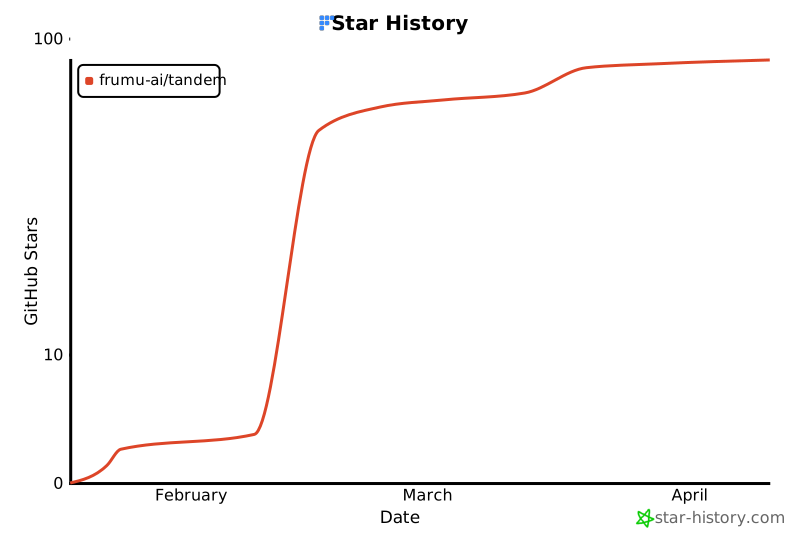](https://www.star-history.com/#frumu-ai/tandem&type=date&logscale&legend=top-left)
## License
本仓库使用 mixed licensing model。[docs/LICENSING.md](docs/LICENSING.md) 是 canonical package-by-package map。
- Core engine crates and tools(例如 `tandem-core`、`tandem-server`、`tandem-types`、`tandem-orchestrator` 以及 `crates/` 中的其他组件):
- 除非 manifest 或 local license 另有说明,否则使用 `MIT OR Apache-2.0`
- 见 [LICENSE-MIT](LICENSE-MIT) 和 [LICENSE-APACHE](LICENSE-APACHE)
- Mission compiler crate(`tandem-plan-compiler`):
- 使用 Business Source License 1.1 (`BUSL-1.1`)
- 见 `crates/tandem-plan-compiler/LICENSE`
- Governance engine crate(`tandem-governance-engine`):
- 使用 Business Source License 1.1 (`BUSL-1.1`)
- 见 `crates/tandem-governance-engine/LICENSE`
- Incident monitor crate(`tandem-incident-monitor`):
- 使用 Business Source License 1.1 (`BUSL-1.1`)
- 见 `crates/tandem-incident-monitor/LICENSE`
- Enterprise server crate(`tandem-enterprise-server`):
- 使用 Business Source License 1.1 (`BUSL-1.1`)
- 见 `crates/tandem-enterprise-server/LICENSE`
- Engine server crate(`tandem-server`,自 0.7.0 起):
- 使用 Business Source License 1.1 (`BUSL-1.1`)
- 见 `crates/tandem-server/LICENSE`
简而言之:Tandem 是 open core。Permissive protocol、SDK、client 和 local tooling surfaces 是 open source;engine server、mission/plan compiler、recursive governance engine、incident monitor 和 enterprise server 在 Business Source License 条款下 source-available。
本仓库中的任何 license 均不授予商标权。"Tandem"、"Frumu" 及相关 logos 是 Frumu LTD 的商标——使用政策见 [TRADEMARKS.md](TRADEMARKS.md)。
## 致谢
- [Anthropic](https://anthropic.com) 提供 Cowork 方向的启发
- [Tauri](https://tauri.app) 提供安全的桌面应用框架
- 开源社区