
Picture and file upload tool for macOS. - A native, powerful, beautiful and simple
[](https://travis-ci.org/gee1k/uPic) [](https://github.com/gee1k/uPic/blob/master/LICENSE)
[](https://paypal.me/geeee1k) [](https://t.me/upic_host) [](https://twitter.com/realSvend) [](https://weibo.com/6436660358)
-----
**👬联系: _[Telegram](https://t.me/upic_host), [Twitter](https://twitter.com/realSvend), [微博](https://weibo.com/6436660358)_**
**☕️赞助: _[Paypal](https://paypal.me/geeee1k), [支付宝](https://raw.githubusercontent.com/gee1k/oss/master/qrcode/alipay.JPG), [微信支付](https://raw.githubusercontent.com/gee1k/oss/master/qrcode/wechat_pay.JPG)_**
**📱uPic for iOS: [](https://apps.apple.com/us/app/id1510718678)**
## 📑 简介
> **uPic(upload Picture) 是一款 Mac 端的图床(文件)上传客户端**
**💡 特点:** 无论是本地文件、或者屏幕截图都可自动上传,菜单栏显示实时上传进度。上传完成后文件链接自动复制到剪切板,让你无论是在写博客、灌水聊天都能快速插入图片。
连接格式可以是普通 URL、HTML 或者 Markdown,仍由你掌控。
**🔋 支持图床:** [smms](https://sm.ms/)、 [又拍云 USS](https://www.upyun.com/products/file-storage)、[七牛云 KODO](https://www.qiniu.com/products/kodo)、 [阿里云 OSS](https://www.aliyun.com/product/oss/)、 [腾讯云 COS](https://cloud.tencent.com/product/cos)、 [百度云 BOS](https://cloud.baidu.com/product/bos.html)、[微博](https://weibo.com/)、[Github](https://github.com/settings/tokens)、 [Gitee](https://gitee.com/profile/personal_access_tokens)、 [Amazon S3](https://aws.amazon.com/cn/s3/)、[Imgur](https://imgur.com/)、[自定义上传接口](https://blog.svend.cc/upic/tutorials/custom)、...
## 🚀 如何安装
### 下载安装
#### 1.AppStore(推荐):
> 只有 AppStore 才是最新的版本。其他方式安装的停留在 `v0.21.1`,可以自行拉取代码编译打包。
[](https://apps.apple.com/cn/app/id1549159979)
#### 2.Homebrew
```bash
brew install bigwig-club/brew/upic --cask
```
#### 3.手动
从 [Github release](https://github.com/gee1k/uPic/releases) 下载。
**如果在国内访问 Github 下载困难的,可以从[Gitee release](https://gitee.com/gee1k/uPic/releases)下载。**
### 检查系统分享权限
- 1.打开 uPic
- 2.确保应用有完全磁盘访问权限,可在`偏好设置` - `高级` 中授权
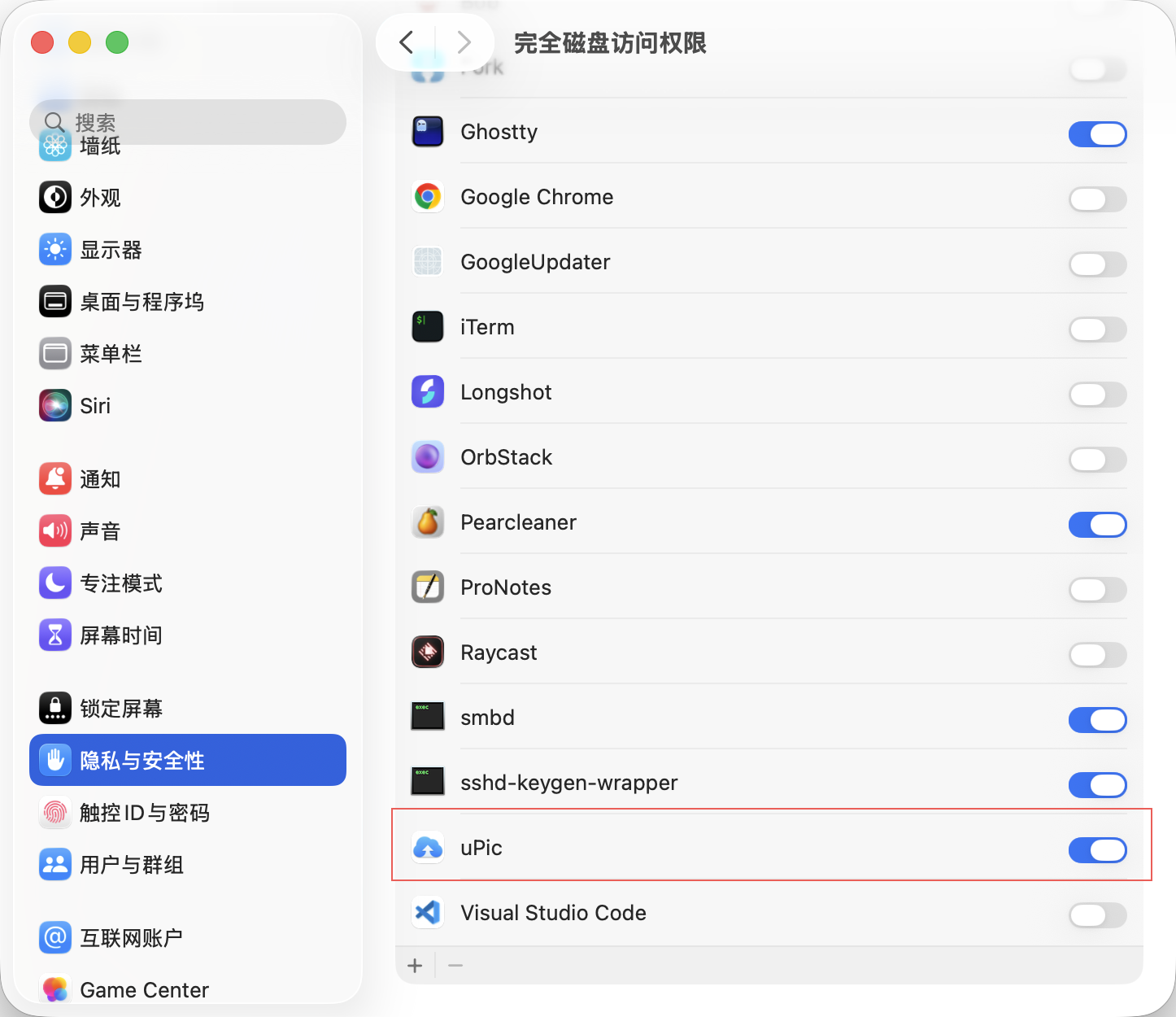
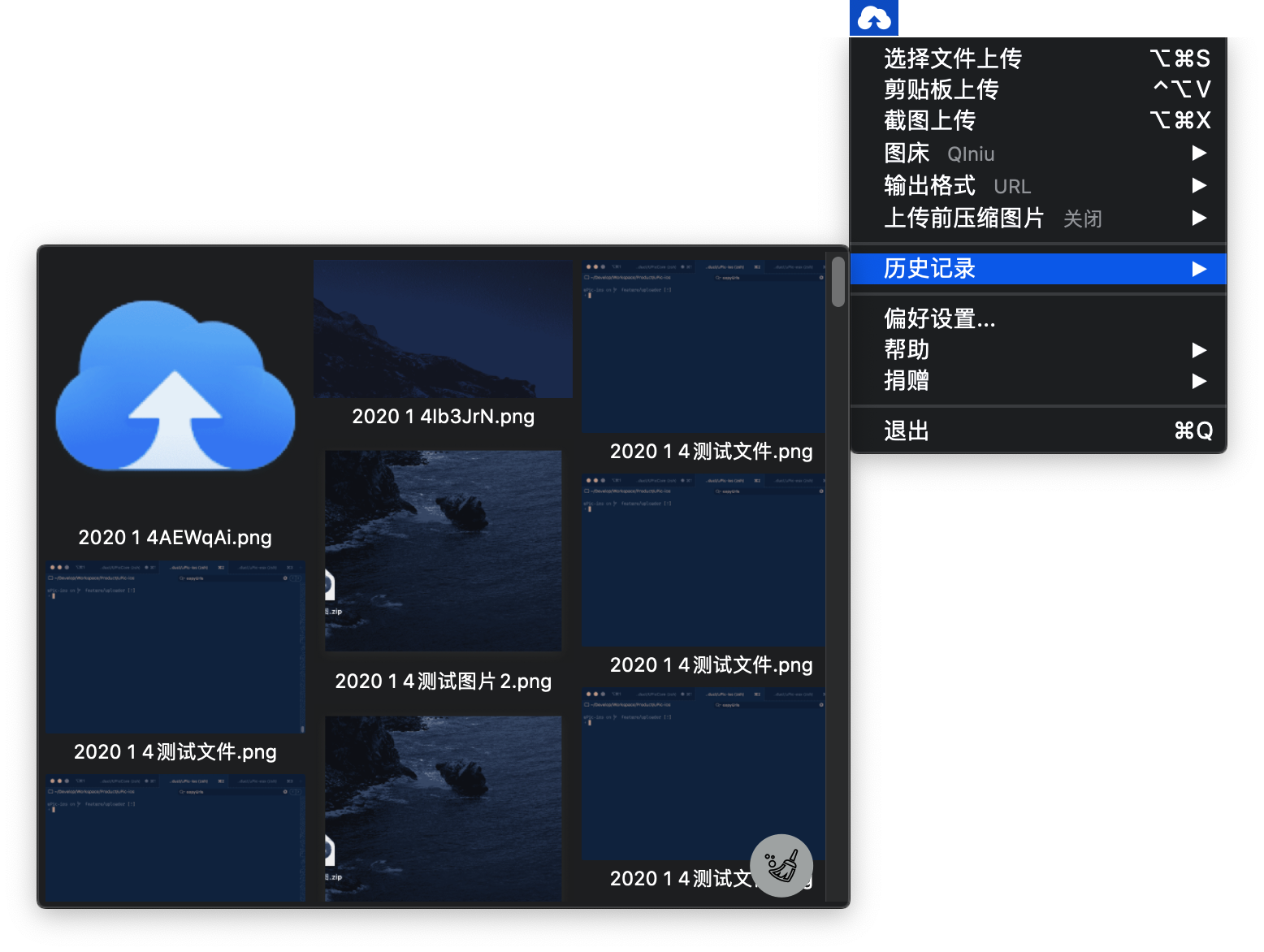
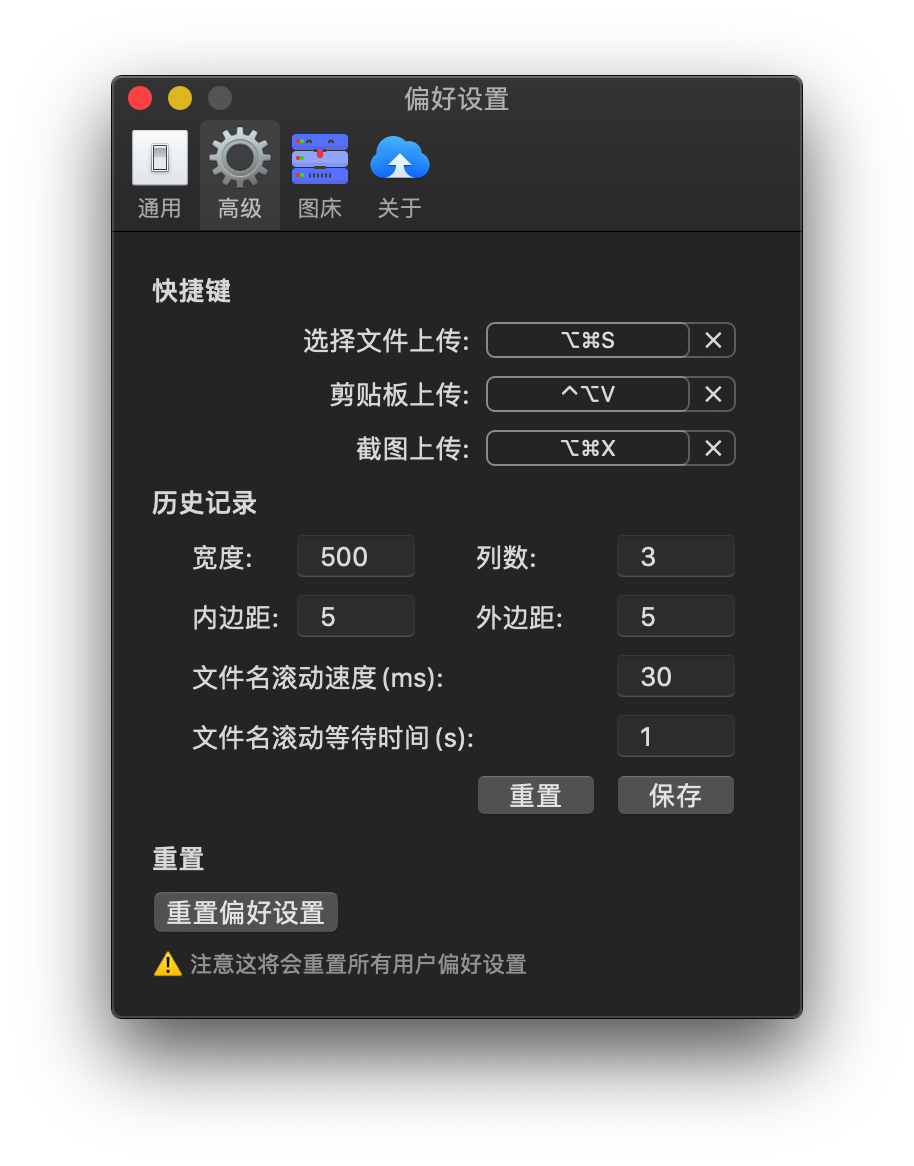 ### 2. 上传历史
 ## 优秀软件推荐
- [Bob:macOS 平台上最强的翻译和 OCR 软件](https://github.com/ripperhe/Bob)
## ✨ Contributors
### Code Contributors
This project exists thanks to all the people who contribute. [[Contribute](CONTRIBUTING.md)].
## 优秀软件推荐
- [Bob:macOS 平台上最强的翻译和 OCR 软件](https://github.com/ripperhe/Bob)
## ✨ Contributors
### Code Contributors
This project exists thanks to all the people who contribute. [[Contribute](CONTRIBUTING.md)].


