
Picture and file upload tool for macOS. - A native, powerful, beautiful and simple
[](https://travis-ci.org/gee1k/uPic) [](https://github.com/gee1k/uPic/blob/master/LICENSE)
[](https://paypal.me/geeee1k) [](https://t.me/upic_host) [](https://twitter.com/realSvend) [](https://weibo.com/6436660358)
-----
**👬Chat: _[Telegram](https://t.me/upic_host), [Twitter](https://twitter.com/realSvend), [Weibo](https://weibo.com/6436660358)_**
**☕️Donate: _[Paypal](https://paypal.me/geeee1k), [Alipay](https://raw.githubusercontent.com/gee1k/oss/master/qrcode/alipay.JPG), [WechatPay](https://raw.githubusercontent.com/gee1k/oss/master/qrcode/wechat_pay.JPG)_**
**📱uPic for iOS: [](https://apps.apple.com/us/app/id1510718678)**
## 📑 Introduction
> **uPic(upload Picture) is a image(file) hosting client for Mac.**
**💡 Tips:** They can automatic uploading local file and screenshot, meanwhile the menu bar shows the uploading progress constantly. File's link will automatically copied to the clipboard when finish upload, make you insert pictures quickly when you are blogging or chatting. Link’s format can be a normal URL, HTML or Markdown, it's totally up to you.
**🔋 Support image hosting:**[smms](https://sm.ms/), [UPYUN USS](https://www.upyun.com/products/file-storage), [qiniu KODO](https://www.qiniu.com/products/kodo), [Aliyun OSS](https://www.aliyun.com/product/oss/), [TencentCloud COS](https://cloud.tencent.com/product/cos), [BaiduCloud BOS](https://cloud.baidu.com/product/bos.html), [Weibo](https://weibo.com/), [Github](https://github.com/settings/tokens), [Gitee](https://gitee.com/profile/personal_access_tokens), [Amazon S3](https://aws.amazon.com/cn/s3/), [Imgur](https://imgur.com/), [custom upload api](https://blog.svend.cc/upic/tutorials/custom), ...
## 🚀 How to install
### 1. AppStore(Recommend):
> Only AppStore is the latest version. Other installations stay at `v0.21.1'.and you can pull the code to compile and package by yourself.
[](https://apps.apple.com/cn/app/id1549159979)
### 2.Homebrew
```bash
brew install bigwig-club/brew/upic --cask
```
### 3. Download from github
Click [release](https://github.com/gee1k/uPic/releases) to download.
**If you have difficulty accessing Github in mainland China, you can download it from [Gitee release](https://gitee.com/gee1k/uPic/releases).**
### Check System Share Permission
- 1. Run uPic
- 2. Make sure the app has Full Disk Access permission, which can be authorized in `Preferences` - `Advanced`

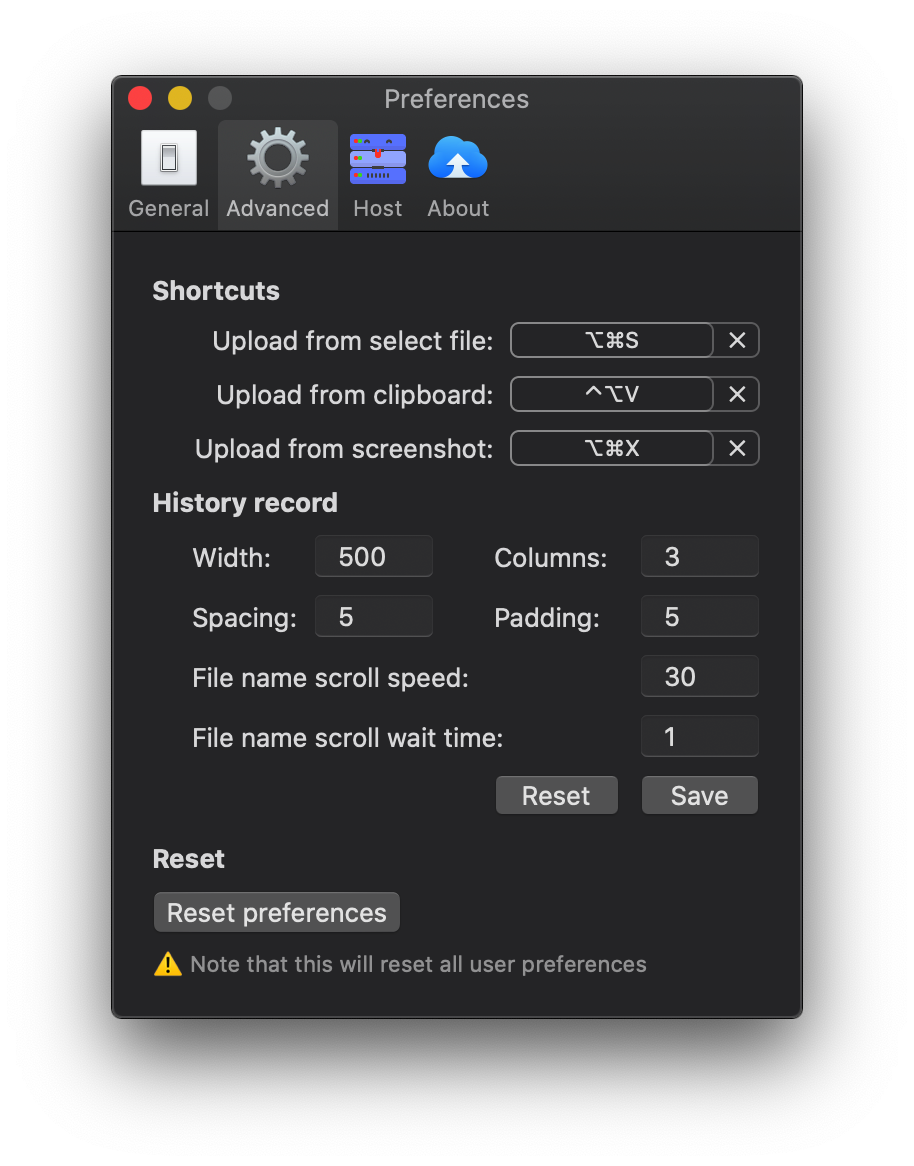 ### 2. Upload history
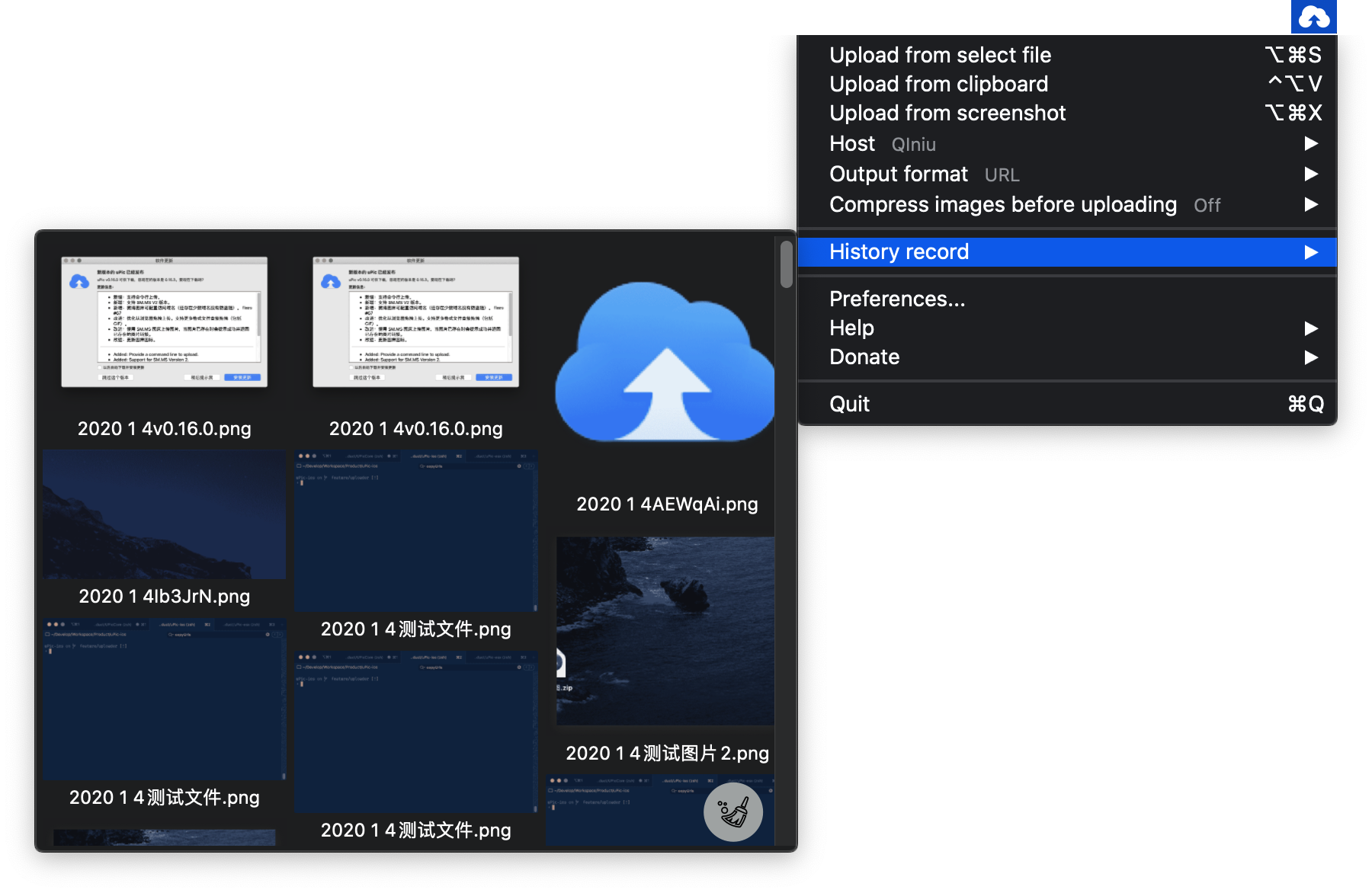 ## Software recommendation
- [Bob:The most powerful translation and OCR software on macOS](https://github.com/ripperhe/Bob)
## ✨ Contributors
### Code Contributors
This project exists thanks to all the people who contribute. [[Contribute](CONTRIBUTING.md)].
## Software recommendation
- [Bob:The most powerful translation and OCR software on macOS](https://github.com/ripperhe/Bob)
## ✨ Contributors
### Code Contributors
This project exists thanks to all the people who contribute. [[Contribute](CONTRIBUTING.md)].


