Let one AI operate your other coding agents.
English · 简体中文






|
Six agents. One screen. Run Claude Code, Codex, OpenCode, Pi Agent, Antigravity, and Grok Build side by side in as many real PTY terminals as you need, choose which stay visible, and arrange them in a custom 1–6 row/column grid. Reorder tabs by dragging, close one with the middle mouse button, and drive the workbench from the keyboard. Each workspace remembers its folder, tabs, layout, model, and theme. 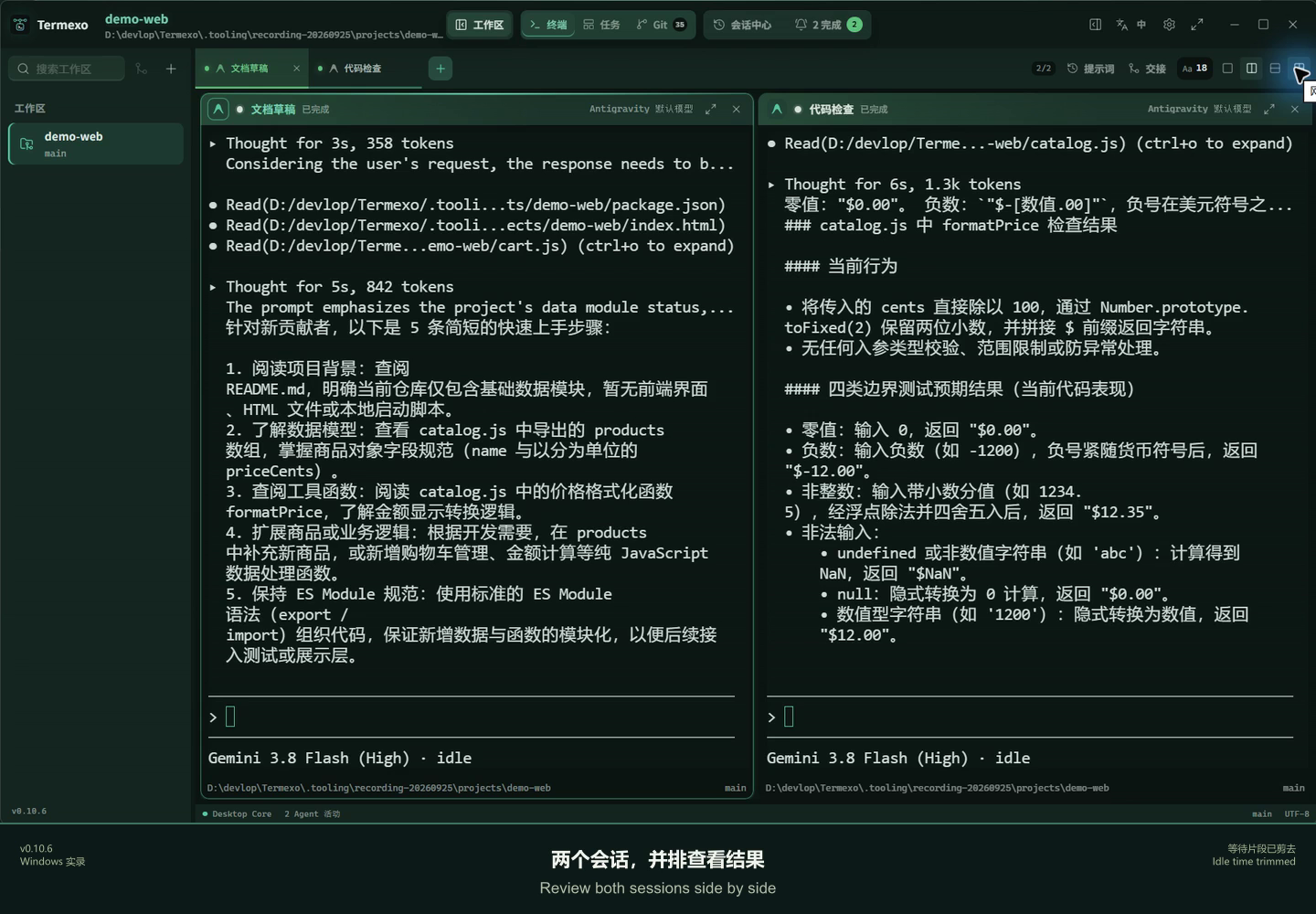
|
Know when an agent needs you. Waiting for input, waiting for approval, completed, and failed states are distinct. A persistent banner, native Windows notification, and taskbar flash bring you back to the exact terminal that needs attention. 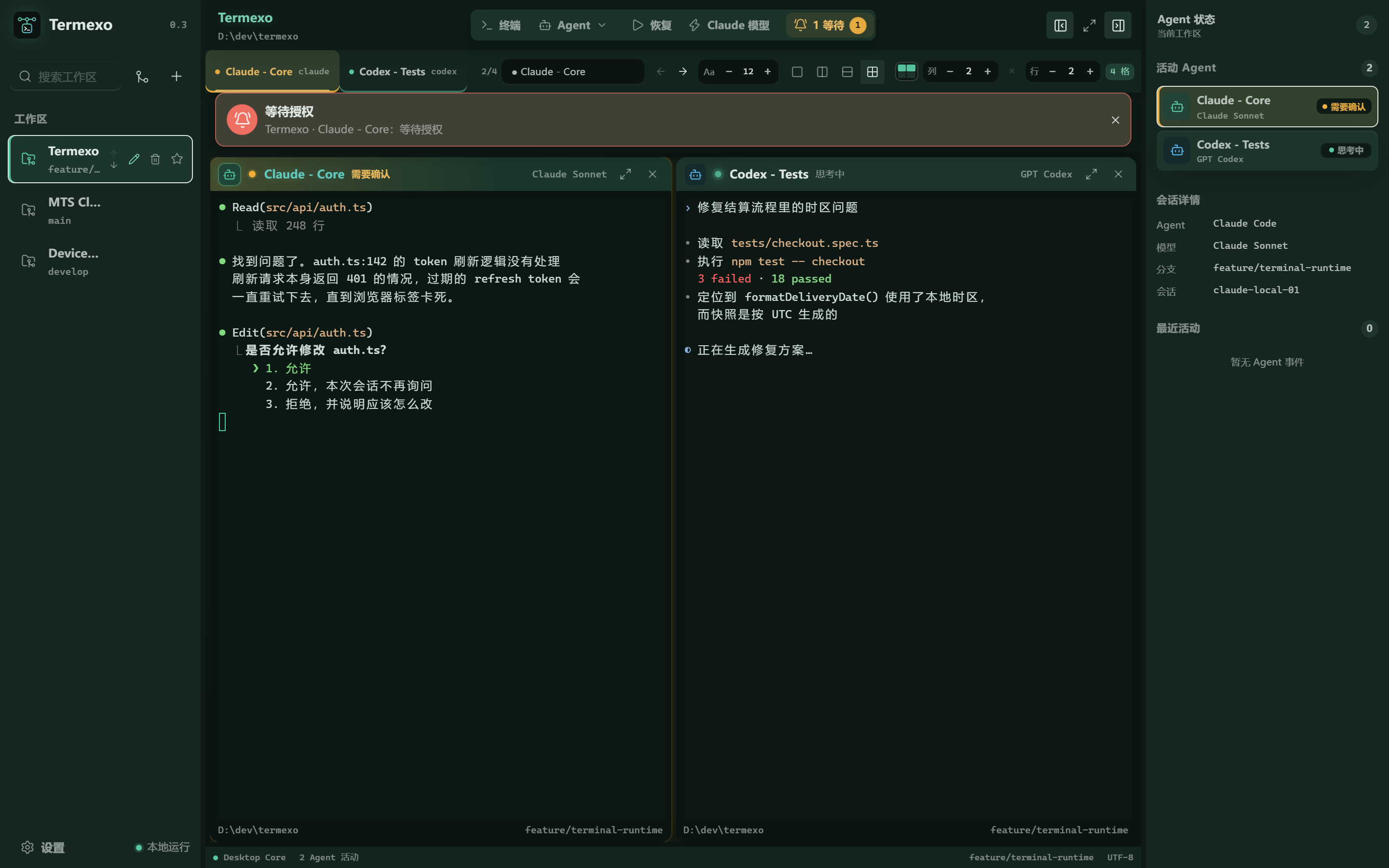
|
|
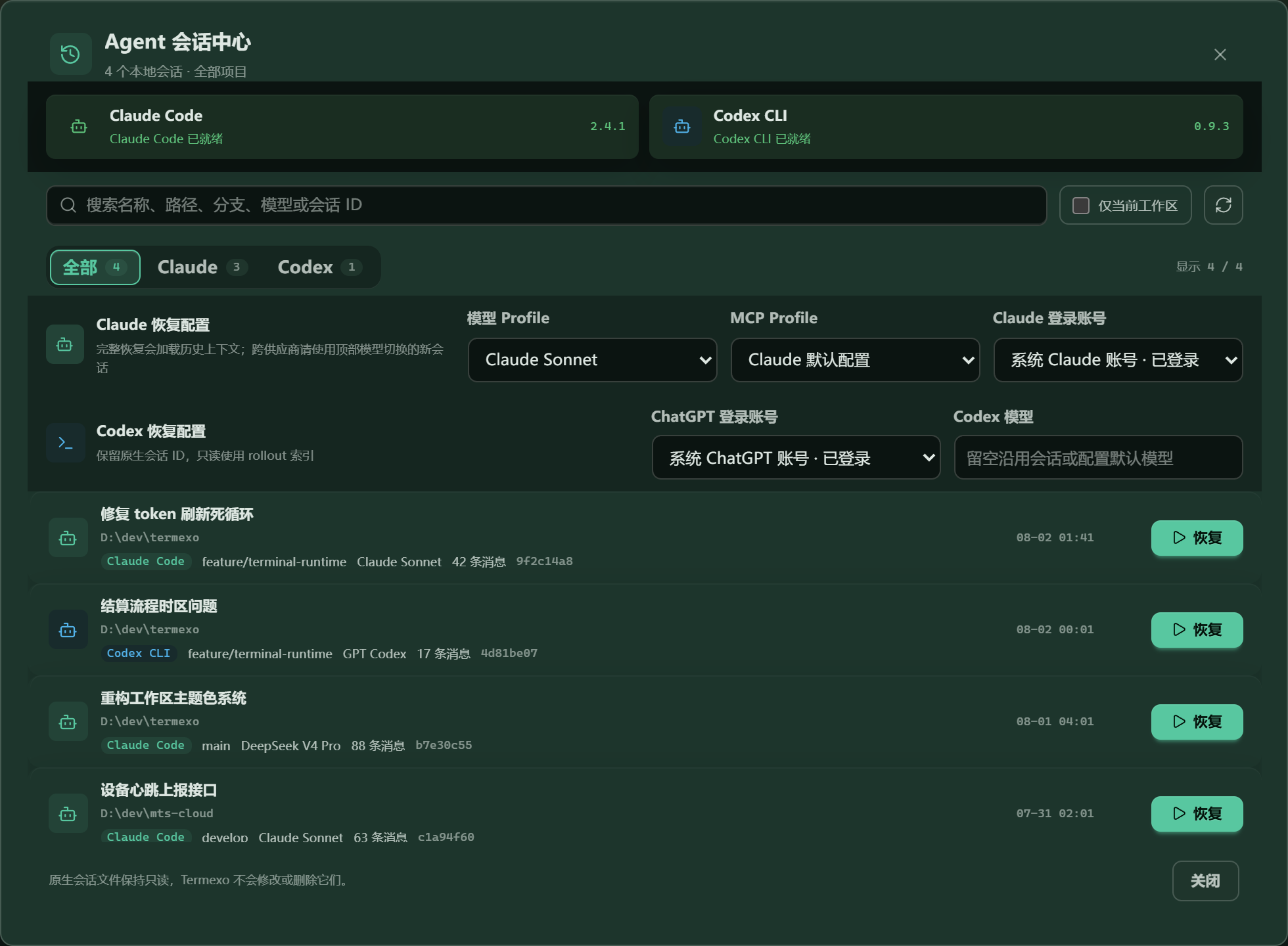
Pick up yesterday's conversation. Search local Claude Code, Codex, OpenCode, Pi Agent, Antigravity, and Grok Build sessions across projects, accounts, branches, and models. Termexo restores them through the CLIs' own claude --resume, codex resume, opencode --session,
agy --conversation, and grok --resume commands. It can reclaim a Claude session the CLI still holds
open and keeps native session files read-only.
|
Same CLI. Different model. Point Claude Code at Anthropic, DeepSeek, MiniMax, GLM, or a custom Anthropic-compatible endpoint. Save providers as profiles, keep API keys in Windows Credential Manager / macOS Keychain / Linux Secret Service, and switch every Claude terminal in a workspace together. 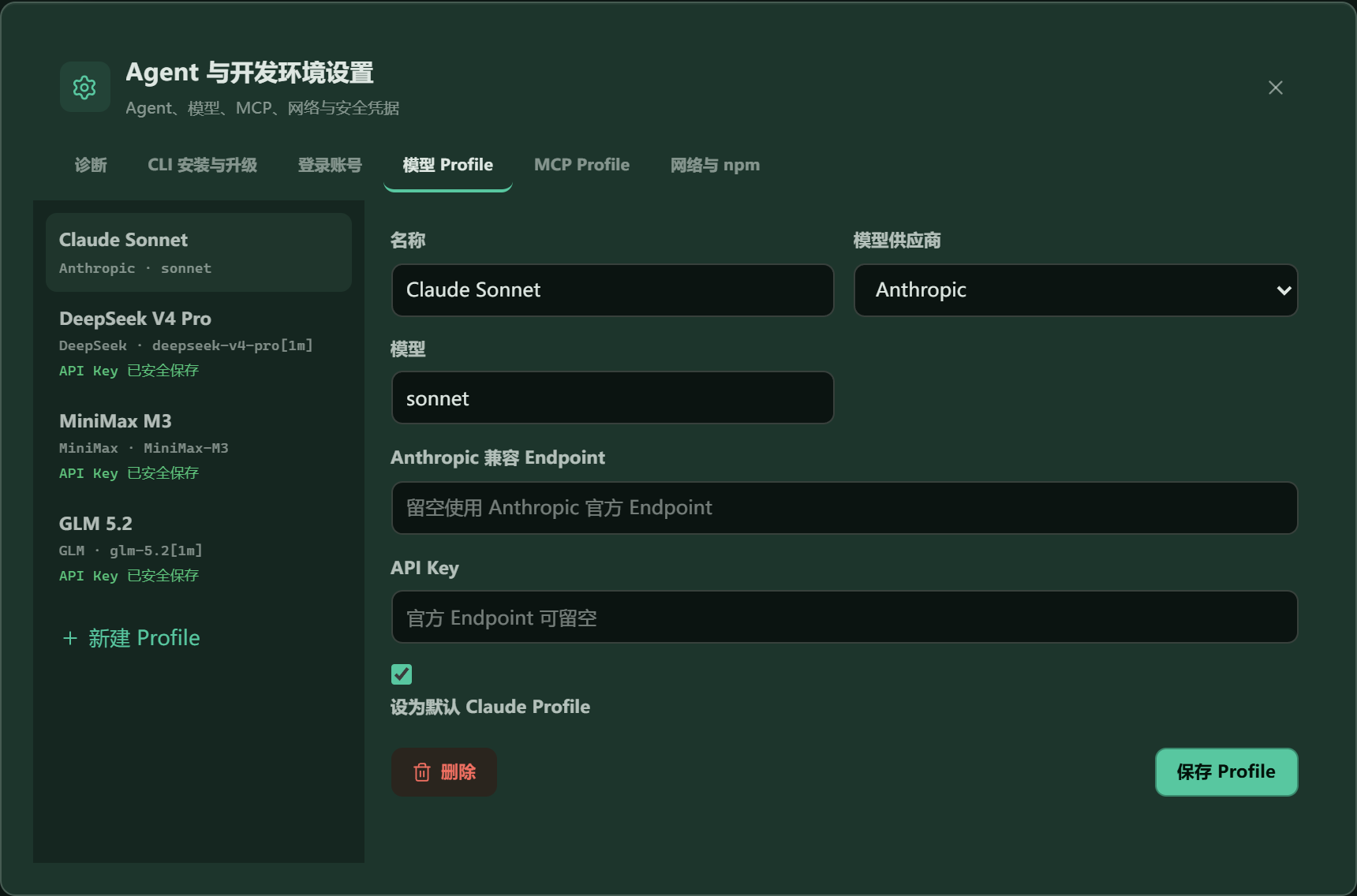
|
|
Answer it from your phone. Turn on remote access and any phone, tablet, or second computer connected through your own relay, trusted LAN or VPN opens the whole workbench in a browser — the same workspaces and the same live terminals, reading and writing the very PTYs the desktop is running. Terminals scroll by finger, the layout folds down to one terminal with panels that float over it, and the link is HTTPS behind an access token you can reveal, turn into a QR code, or rotate. 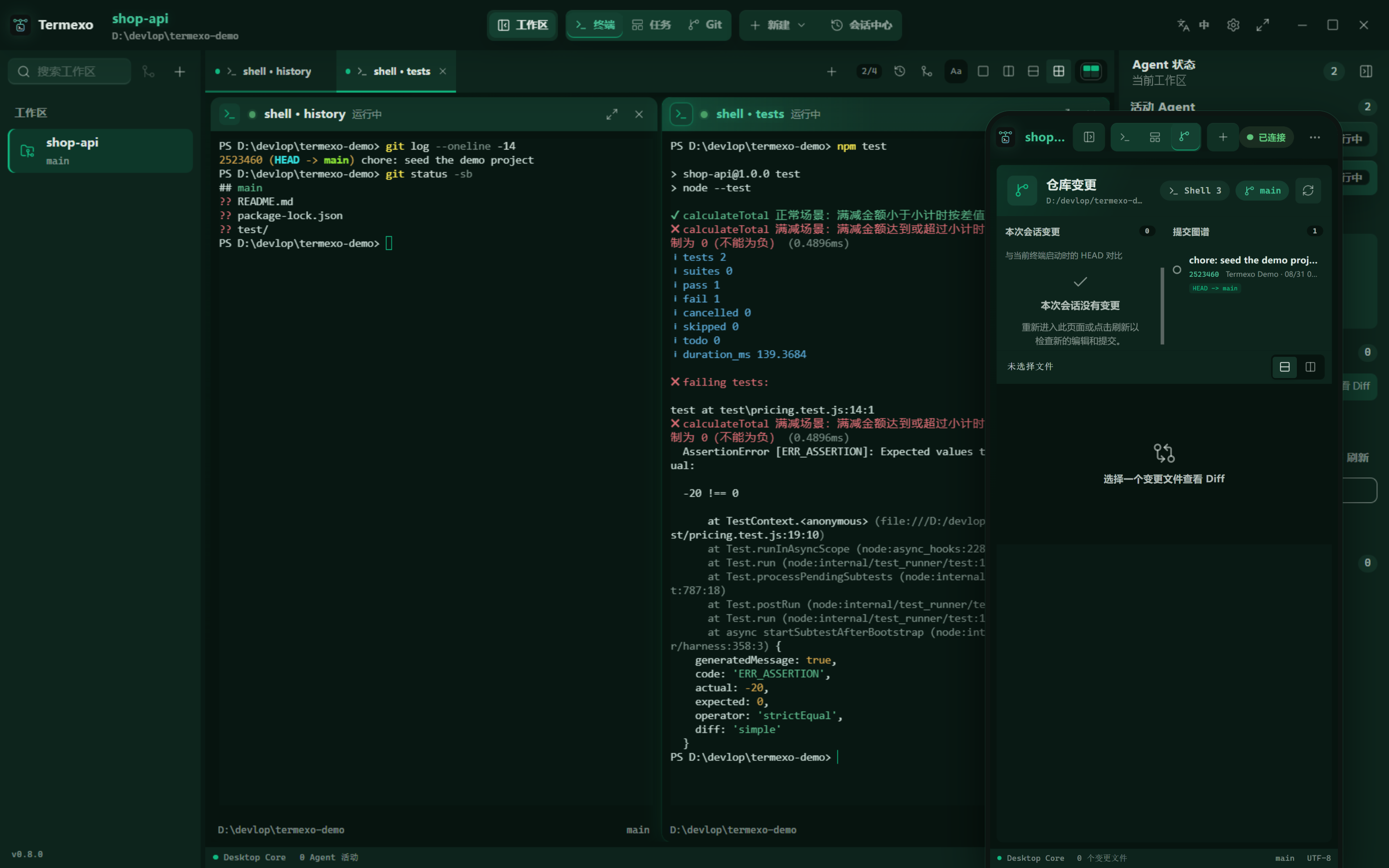
|
See what this session changed. The Git view follows the active terminal and measures against the HEAD that terminal started on: the files it touched, the commits it made, and a unified or split diff of any one of them. It keeps reading while you are in it, so the list stays current without a refresh, and it comes back to the file and layout you left it on. 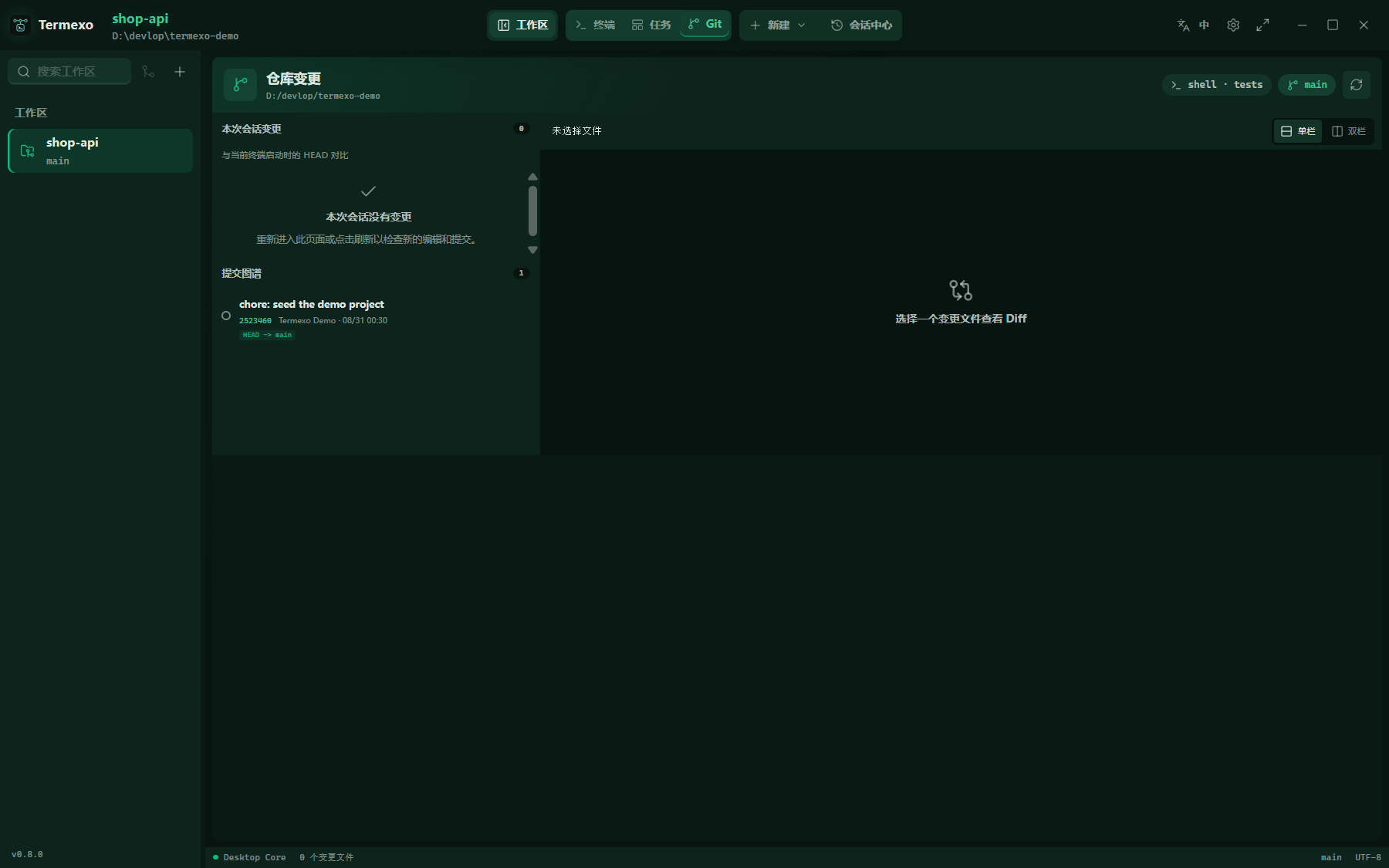
|
|
Turn a task into a running agent. The task board keeps projects and tasks with priorities and acceptance criteria. Hand one to Claude Code, Codex, OpenCode, or Grok Build and it becomes a real terminal, moving through todo, executing, completed, and verified as that terminal reports its own status. |
Let it run without babysitting. Start any agent with automatic confirmation — --permission-mode auto for
Claude, --approve-for-me for Codex, --auto for OpenCode,
--dangerously-skip-permissions for Antigravity — so the
AUTO chip on a terminal means the same thing whichever agent drew it.
|
Models, endpoints, and credential entry are managed in one place. Stored secrets are never returned to the frontend.
## Design Goals 1. **Local first** — Project paths, terminals, session indexes, and configuration stay on the local machine by default. Termexo does not require a Termexo cloud service. 2. **Preserve native agent semantics** — Prefer native session and configuration mechanisms instead of pretending that a terminated process is still alive. 3. **Coordinate terminals, do not replace them** — Termexo provides the workbench, state, and orchestration layer. Commands still run inside real PTYs and agents. 4. **Make agent state observable** — Map agent-specific events into common running, thinking, input, approval, completed, and failed states. 5. **Keep security boundaries explicit** — Secrets belong in the operating-system credential store, not in SQLite, snapshots, hook payloads, or logs. 6. **Grow into a multi-agent architecture** — Evolve around adapters, PTY, hooks, snapshots, and routing boundaries so more CLIs can be added without rebuilding the core. 7. **Extend workspaces across trusted devices** — Add sharing, remote access, mobile approvals, and collaboration without weakening local ownership or security boundaries. ## Current Boundaries - macOS updates use a new DMG or `npm install --global termexo@latest`; in-app automatic updates and Windows system-proxy discovery are not provided on Mac. - Linux x64 is available through `.deb` or npm. It requires a graphical desktop, GTK / WebKitGTK libraries and an unlocked Secret Service keyring for API keys. Update through a new package or npm; Windows-only WeChat automation and system-proxy discovery do not apply. - Windows and macOS builds support detection and launch for all six Agent types, with native sessions discoverable and resumable from the session center. macOS runtime coverage varies by Agent; see the release notes for known limits. Status events and launch options vary by CLI; compatible-provider model switching currently applies to Claude terminals. - Termexo restores terminal configuration after an app restart. An exited operating-system process is not treated as still running; resume a historical agent session explicitly from the session center. - Native session files remain read-only. Cross-agent handoff uses a redacted context package rather than rewriting a provider's private transcript. - Git session changes are repository deltas observed since terminal start; concurrent editors or other terminals may contribute. - Cross-network phone access needs a running PC connected to a self-hosted relay. Shared workspaces, granular permissions, and centralized audit are long-term plans. See [Termexo.md](./Termexo.md) for the complete product plan and [V0.2 architecture](./docs/architecture/v0.2.md) for current technical boundaries. ## Build from source These requirements are for contributors building Termexo, not for installing the release. ### Requirements macOS source builds require macOS 12+ and Xcode command-line tools. The Windows-specific runtime requirements below do not apply to Mac builds. Linux x64 desktop and npm packages are published in v0.12.1. See [Linux build and desktop testing](docs/linux.md) for dependencies, `.deb` packaging, and real WebKit/PTY smoke tests. For local Linux package development, build the `.deb`, then run `npm run npm:stage:linux` followed by `npm run npm:pack:linux`. This produces a Linux-only test archive, not the combined package distributed on npm. The source toolchain requirements below are separate from the npm launcher's Node.js 18.18+ requirement. - Windows 10 build 17763 (October 2018) or newer, the first to carry the pseudo console the terminals run on; - the WebView2 runtime at Chromium 111 or newer — the interface states its colours through `color-mix()` and `oklch()`, which older runtimes drop. Termexo says so and offers the download when it finds an older one, and Windows 11 and the installers both provide a current runtime; - Node.js `^22.22.3`, `^24.15.0`, or `>=26.0.0`; - Rust stable, with Visual Studio C++ Build Tools on Windows or Xcode command-line tools on macOS; - a local installation of at least one agent CLI (Termexo can also install and upgrade them). ### 1. Clone and install frontend dependencies ```sh git clone https://github.com/gemron/Termexo.git cd Termexo npm --prefix apps/desktop-ui install ``` ### 2. Run the browser preview ```sh npm run dev ``` Open