A minimal terminal coding agent




English | 简体中文 | Explainer Video
> ⚠️NOTE: So far only `opencode-go` and `deepseek` have been tested.
## Introduction
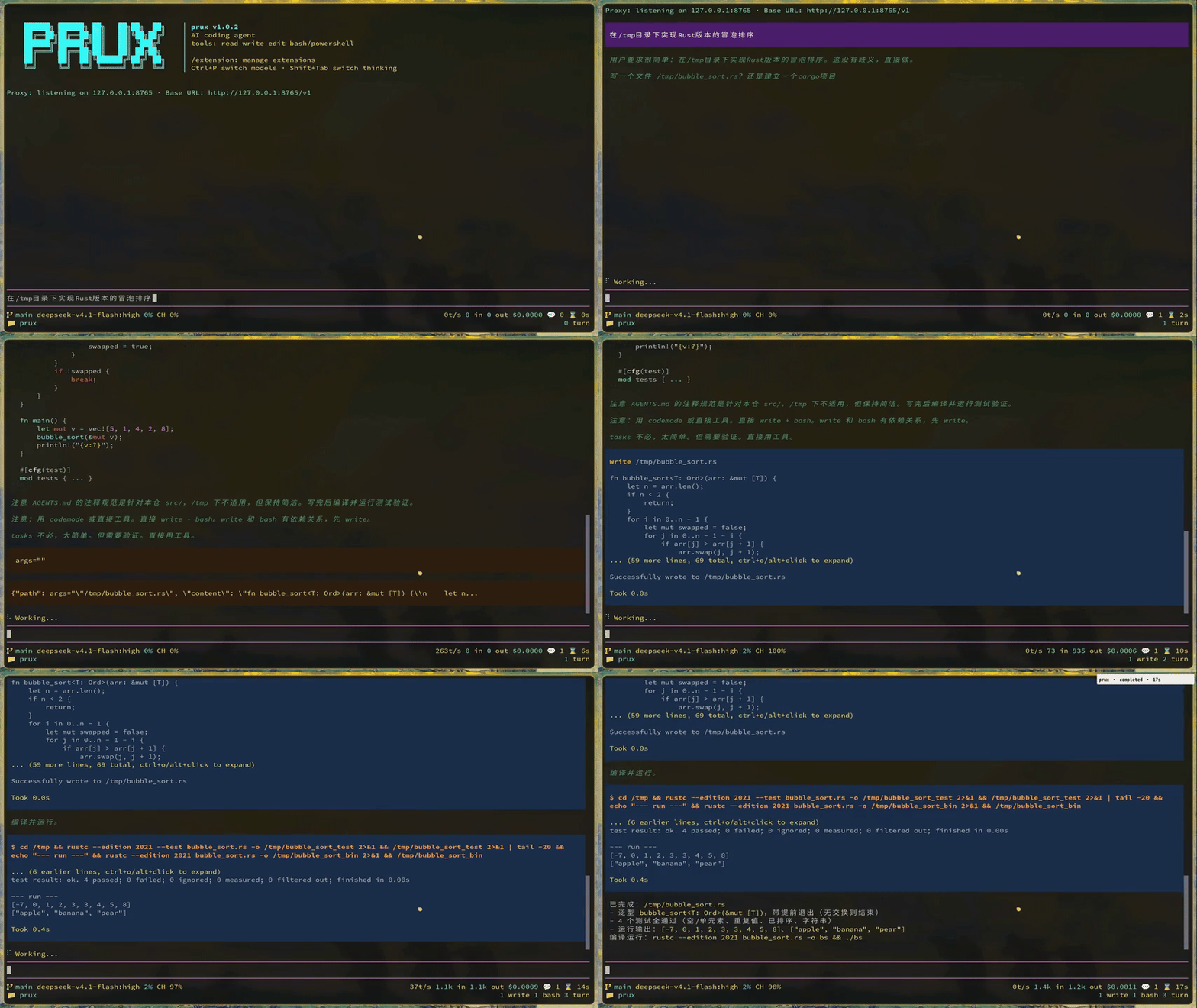
`prux` is a minimal terminal coding agent. The core stays small and focused, and its capabilities are extended through extensions, skills, prompt templates, themes, and customizable keybindings. It is a Rust rewrite of [@earendil-works/pi-coding-agent](https://github.com/earendil-works/pi), staying aligned with upstream in behavior and wording for the most part.
![]()
## Features
- **Interactive TUI**: a full-screen terminal interface with themes and customizable keybindings. Requires stdin/stdout to be a TTY.
- **Built-in tools**: `read` / `bash` / `edit` / `write` / `grep` / `find` / `ls`, covering common coding tasks.
- **Multiple providers**: supports API providers such as Anthropic, OpenAI, and DeepSeek, with custom and virtual model routing.
- **Session management**: session persistence, `/resume` restoration, forking, and tree navigation.
- **Context compaction**: `/compact` compacts long contexts, with branch summaries.
- **Extension system**: implement the `Extension` trait in Rust to provide tools, commands, keybindings, CLI flags, and event hooks.
- **Built-in extensions**: MCP, subagents, codemode (QuickJS sandbox orchestration), skills, scheduled tasks, plan mode, and more.
## Installation and build
Install the released binary from crates.io (requires a Rust toolchain):
```bash
cargo install prux
```
Or build from source:
```bash
cargo build --release
./target/release/prux --version
```
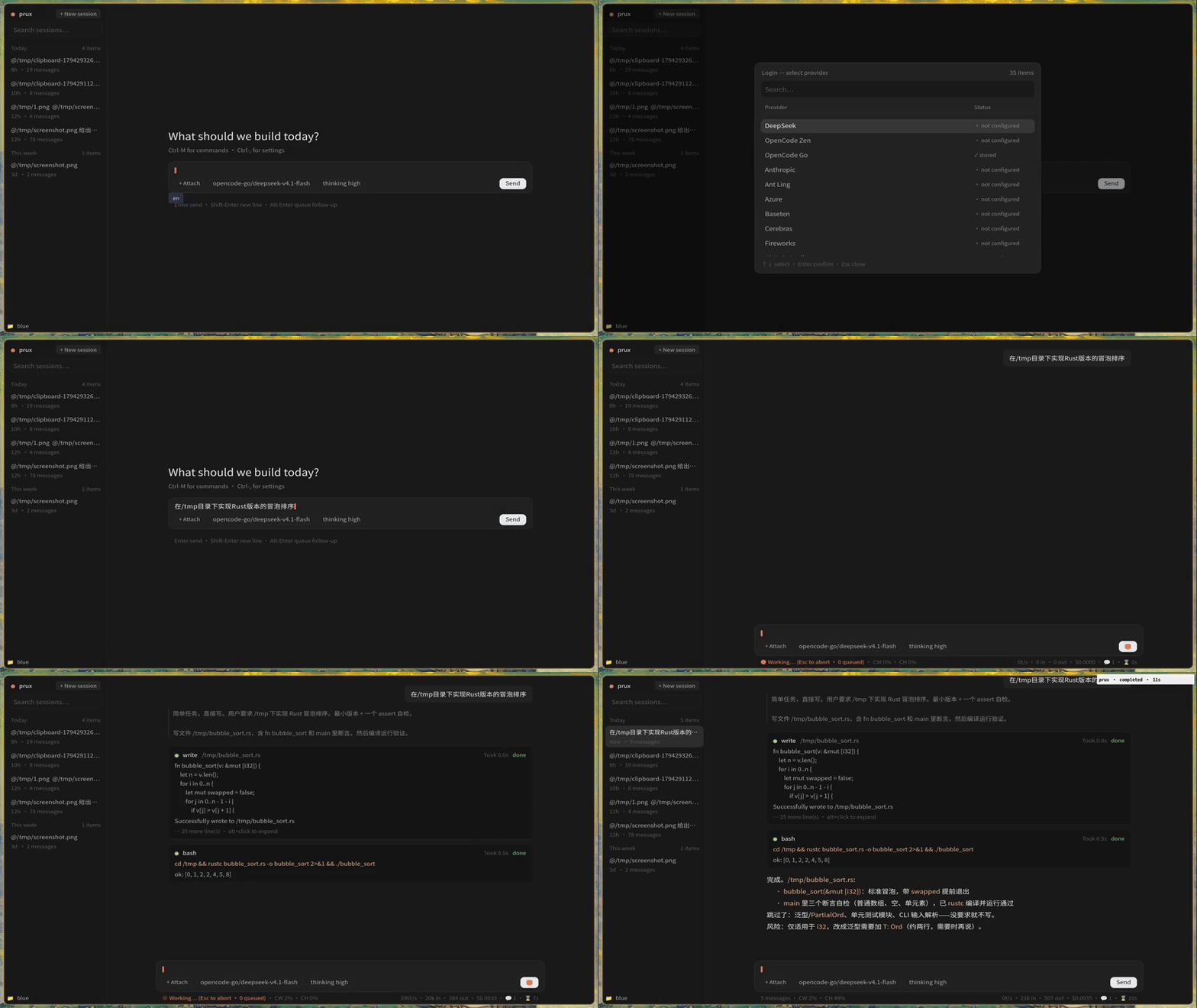
The desktop GUI is an optional build (the `gui` feature, gpui-based); the default build produces the terminal binary only:
```bash
cargo build --release --bin prux-gui --features gui
./target/release/prux-gui
```
`prux` and `prux-gui` share the same `~/.prux` settings and session files, so either can open the other's sessions. See [`assets/docs/gui.md`](assets/docs/gui.md) for the GUI layout and keybindings.
Common commands:
```bash
make # cargo build --release
make build # compile only (debug)
make debug # cargo run
make release-gui # release build of prux-gui
make debug-gui # cargo run prux-gui
make deb-gui # package prux-gui as a .deb (output in target/)
make check # cargo check
cargo test # full test suite
cargo clippy # static checks
```
## Quick start
```bash
cd /path/to/project
prux
```
On the first run, configure a provider with `/login` inside the TUI, or set the environment variable before launching:
```bash
export ANTHROPIC_API_KEY=sk-ant-...
prux
```
Settings are written to `~/.prux/` (the agent directory, overridable with `$PRUX_AGENT_DIR`): credentials in `auth.json`, global settings in `settings.json`, and so on.
## Non-TUI entry points
Besides conversational mode, the following commands do not require a TTY:
- `prux auth`: credential management
- `prux mcp`: MCP server management
- `prux --export`: export a session as HTML
- `prux --list-models`: list available models
## Documentation
The complete documentation is written in Chinese and lives in [`assets/docs/`](assets/docs/). It is embedded at compile time and synced to the agent directory at runtime. Start at [`assets/docs/index.md`](assets/docs/index.md), and see [`assets/docs/quickstart.md`](assets/docs/quickstart.md) to get up and running.
## Contributing from source
Development conventions, module layering, and build details are in [`AGENTS.md`](AGENTS.md). The upstream alignment cadence is recorded in `sync.md` and [`migrations/`](migrations/).
### Troubleshooting
Windows limitations: under `Git Bash` on Windows, prux goes through the legacy console API used by `crossterm`, which implements neither the kitty keyboard protocol nor bracketed paste. `Shift+Enter` therefore cannot be told apart from a plain `Enter` (use `Ctrl+J` to insert a newline), and pasted text arrives as ordinary keystrokes, so a multi-line paste may be submitted line by line. Running inside Windows Terminal (ANSI/VT support) is recommended.
Platform limits of the `computer` extension (it drives the real desktop):
- **Linux is Wayland only, no X11**: the backend is written against a Wayland session, so without `WAYLAND_DISPLAY` every `computer_*` tool reports that no usable backend exists.
- **Input needs a compositor implementing the virtual input protocols**: sway / Hyprland / river / wayfire (wlroots) work; GNOME and KDE implement neither `zwp_virtual_keyboard_v1` nor `zwlr_virtual_pointer_v1`, so clicks and typing fail with an explanation.
- **Capture needs `grim` or a working `xcap`** (`grim` wins when it is on `PATH`).
- **Window listing needs `swaymsg`** (the sway/wlroots IPC tree): without it `computer_windows` errors while the other tools keep working. A window screenshot is the screen region of that window's rectangle, so occluded parts show whatever covers them; `minimize` fails outright because Wayland leaves visibility to the compositor.
- **The pointer position is unknowable**: Wayland exposes no global cursor coordinates, so `cursor: unknown` in a screenshot receipt is expected.
- **Accessibility depends on the app**: `at-spi2-core` must be running; GTK/Qt apps usually work, Electron apps need `--force-renderer-accessibility`.
- **Windows**: capture and window enumeration use `xcap`, accessibility uses UI Automation (no extra grant needed). High-DPI scaling makes image pixels differ from screen pixels, so prefer the screenshot's `from_frame` when clicking by coordinates.
- **macOS**: capture needs the Screen Recording grant; input and accessibility need the Accessibility grant. Window actions (close / minimize / maximize) are simulated with ⌘ W / ⌘ M / ⌃⌘ F rather than a system API, so an app's own key bindings can interfere.
- **`select_text` and `get_caret` are not wired up on Windows or macOS**: the former fails explicitly, the latter reports that no caret is available.
- **Subagents cannot call `computer_*`**: a real mouse and keyboard must not be reachable by "delegating to a subagent". The extension also only appears in `/extension` in Dev / Creator / All mode, not in Minimal.
## License
MIT, see [`LICENSE`](LICENSE).