




๐Ÿ“บ
smartest-tv

The CLI your TV has been waiting for.

Play Netflix / Apple TV+ / YouTube / Spotify by name. Cast URLs. Multi-room audio. AI concierge. All from your terminal.

PyPI: stv Total Downloads Downloads/month Tests MIT License Python MCP Tools Glama Score Awesome MCP Servers Awesome Smart TV HACS

ํ•œ๊ตญ์–ด ยท ไธญๆ–‡ ยท ๆ—ฅๆœฌ่ชž ยท Espaรฑol ยท Deutsch ยท Portuguรชs ยท Franรงais


pip install stv && stv play "Frieren"

No TV? Opens in your browser. Got a TV? stv setup to connect it.
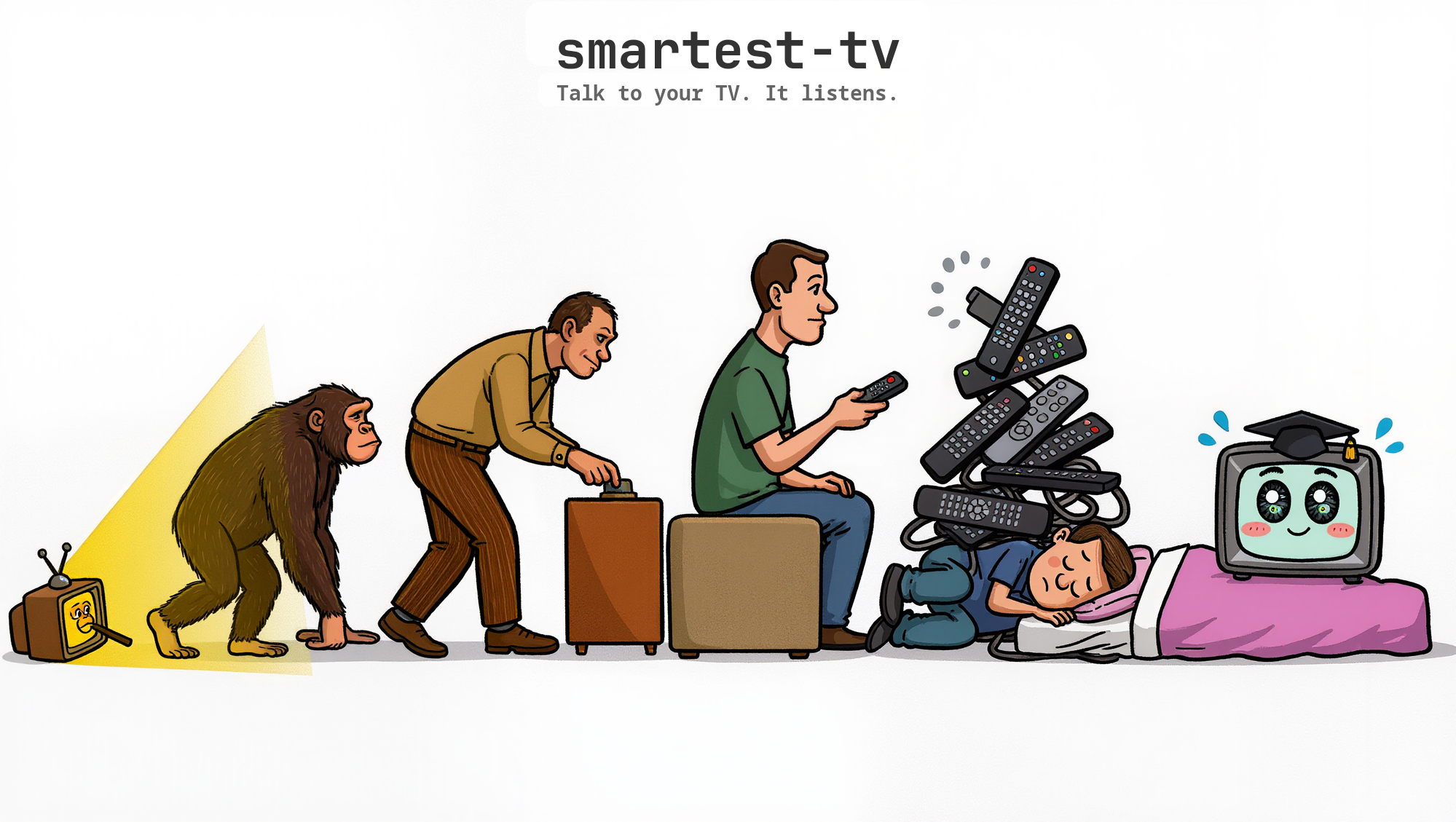
The Evolution of TV Control

---
๐Ÿ˜ฉ Without stv ๐Ÿ˜Ž With stv
1. Pick up remote 2. Open Netflix app 3. Search for show 4. Pick the season 5. Pick the episode 6. Press play **~30 seconds** ```bash stv play netflix "Dark" s1e1 ``` **~3 seconds**

> **No TV? No problem.** Without a TV configured, stv opens content directly in your browser. > Netflix, YouTube, Spotify, Disney+ โ€” just `pip install stv` and go. --- ## ๐Ÿ›‹ Vibe-code and chill Vibe-coding at 2am. Claude writes your code. You tell it to put on a show. It does. ``` you: play frieren on the living room tv claude: Playing Frieren s2e8 on Living Room. (3s) you: bit quieter claude: Volume โ†’ 18. you: good night claude: All 3 TVs off. ``` Already installed stv? Just tell Claude: ```bash # Option 1 โ€” just talk (zero config) "run stv play netflix Frieren s2e8" # Option 2 โ€” install the Skill for auto-trigger clawhub install smartest-tv # now "play Frieren", "good night", "next episode" just work mid-session ``` Also available as an MCP server (21 tools) for Claude Code, Codex, Antigravity, and other MCP clients. --- ## ๐ŸŽฏ Just type `stv`

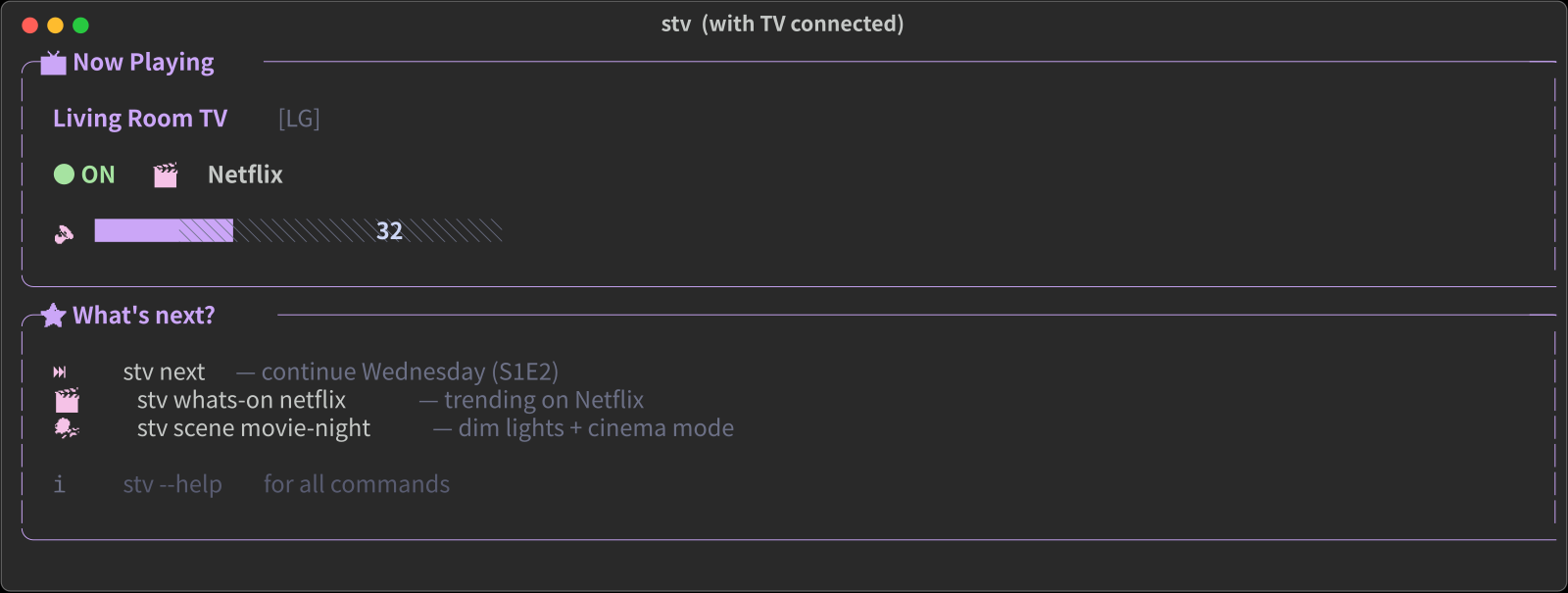
stv home dashboard

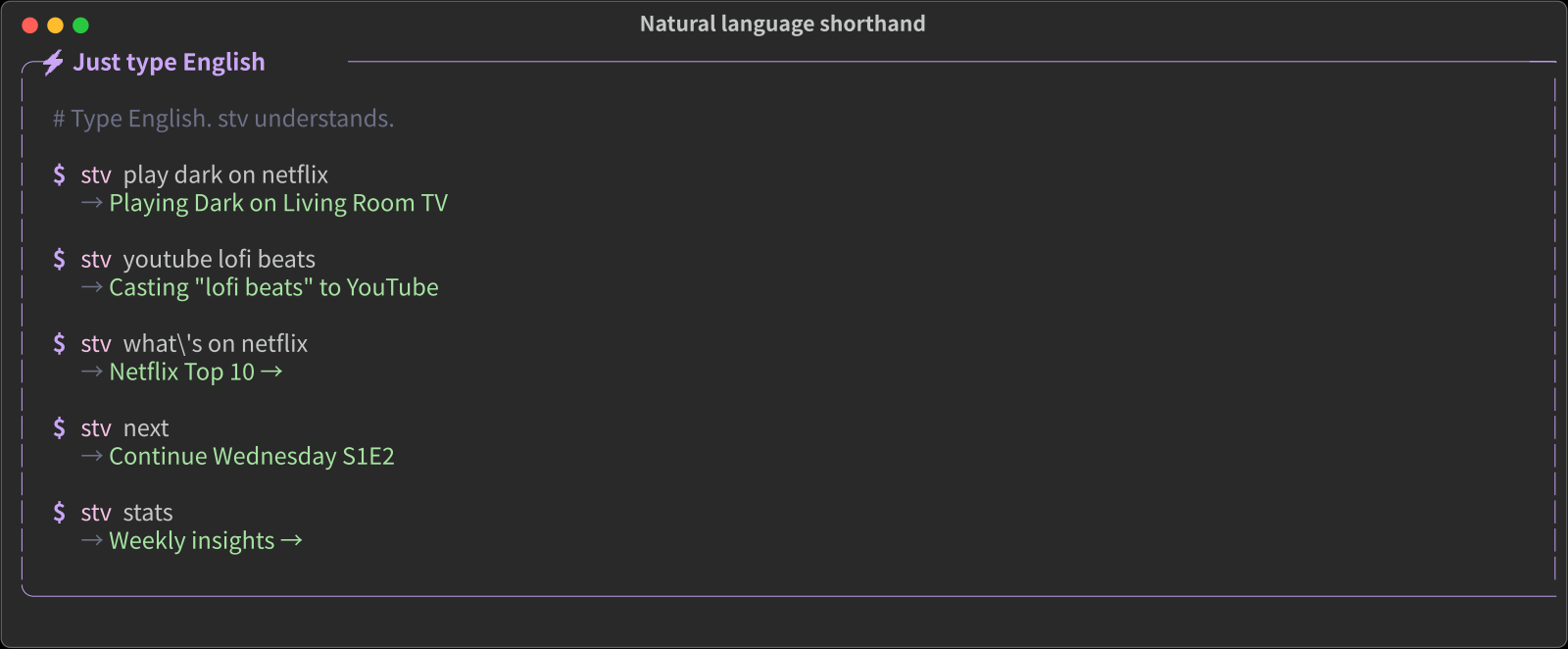
No subcommand? You get a Now Playing card and three contextual next-actions based on your watch history โ€” not a 30-command help dump. ```bash $ stv "play dark on netflix" # natural language works $ stv play "Frieren" # auto-detects platform $ stv next # continue last show $ stv stats # โ†’ insights ``` Unknown input? You get a friendly hint, not an error. --- ## ๐ŸŽจ A CLI that looks like a product
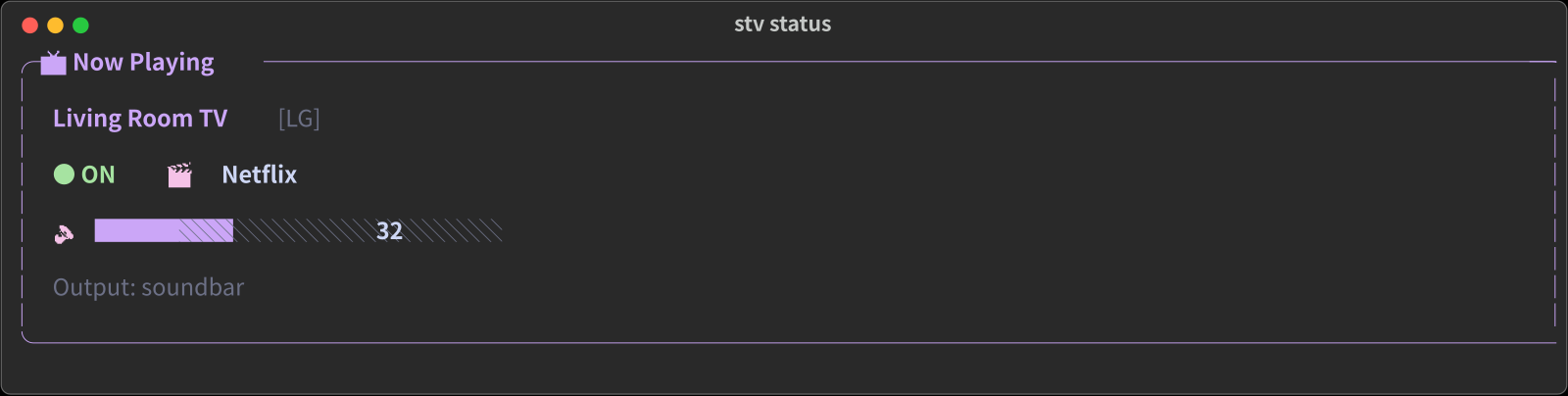
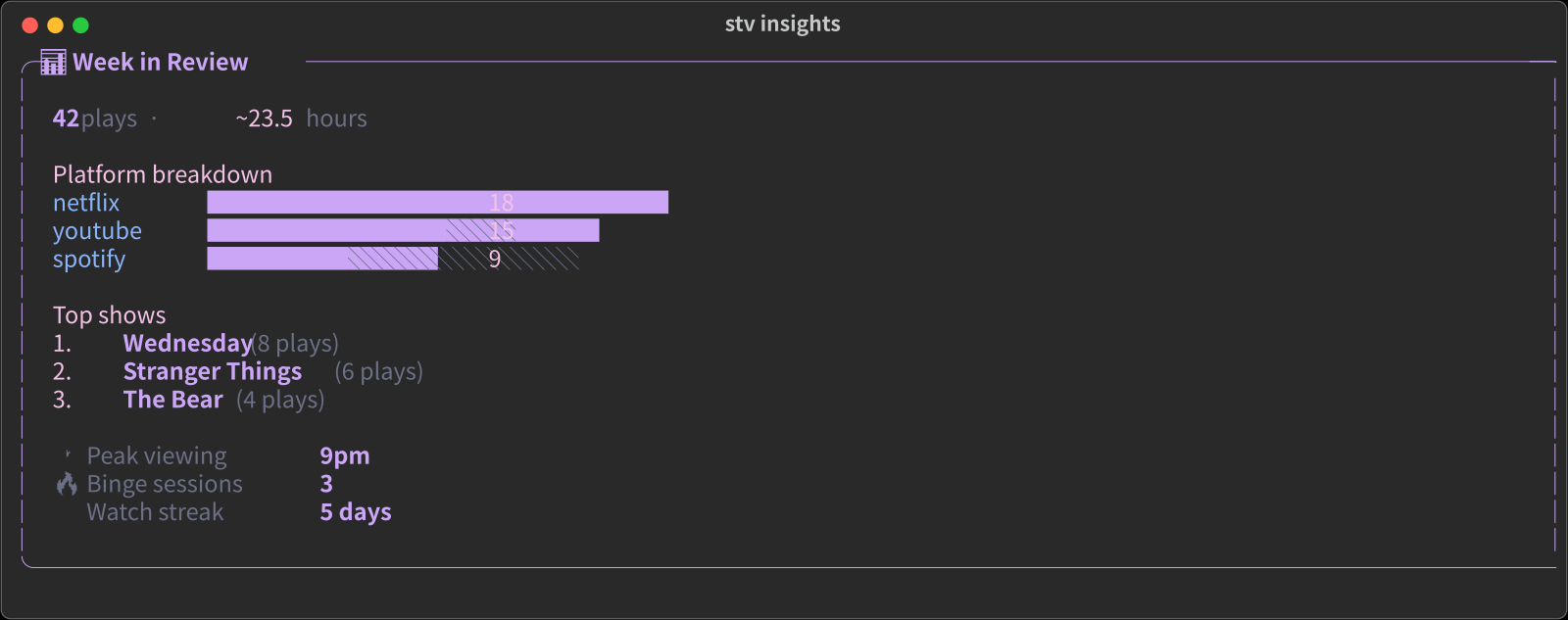
stv status stv insights
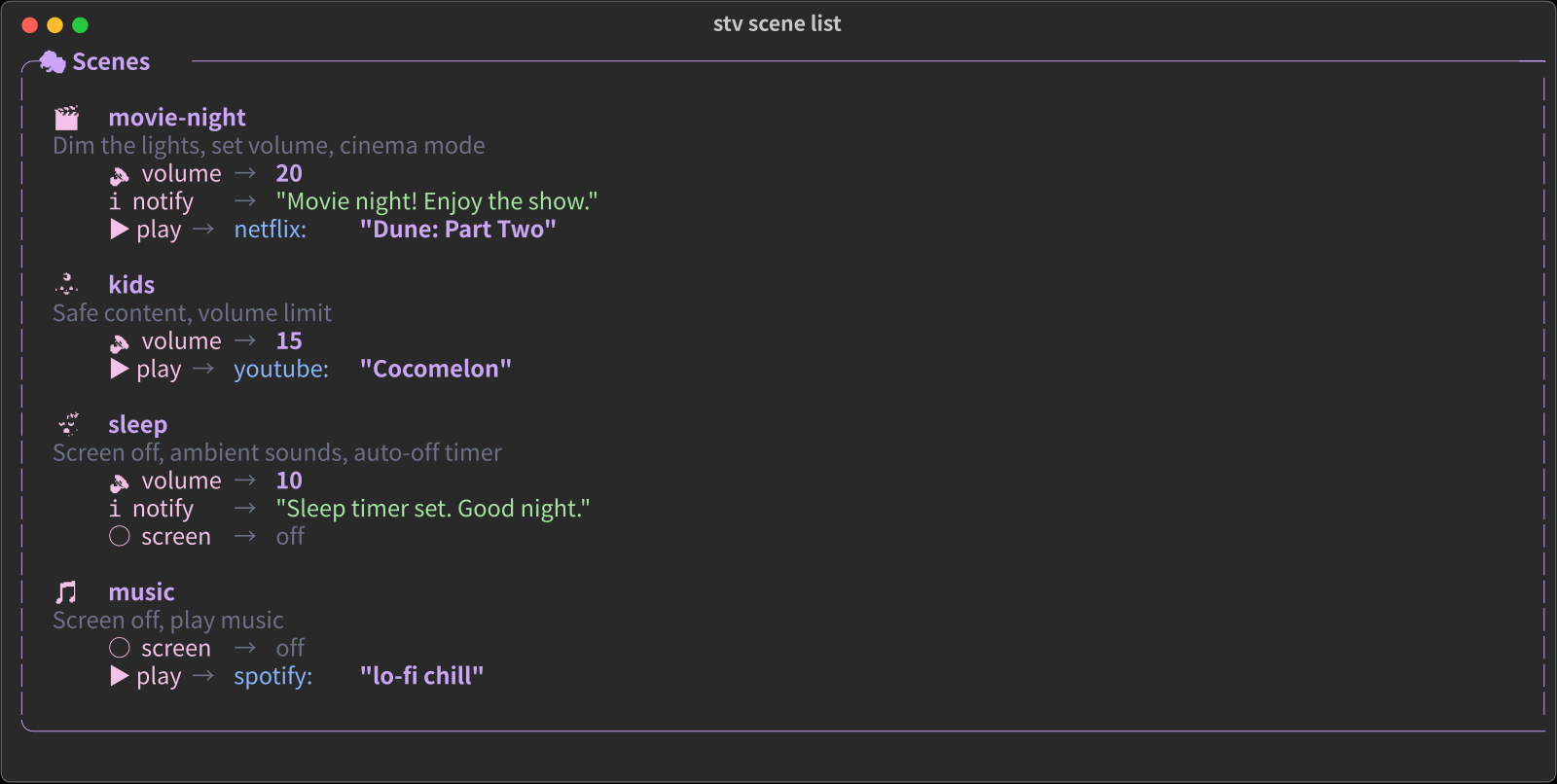
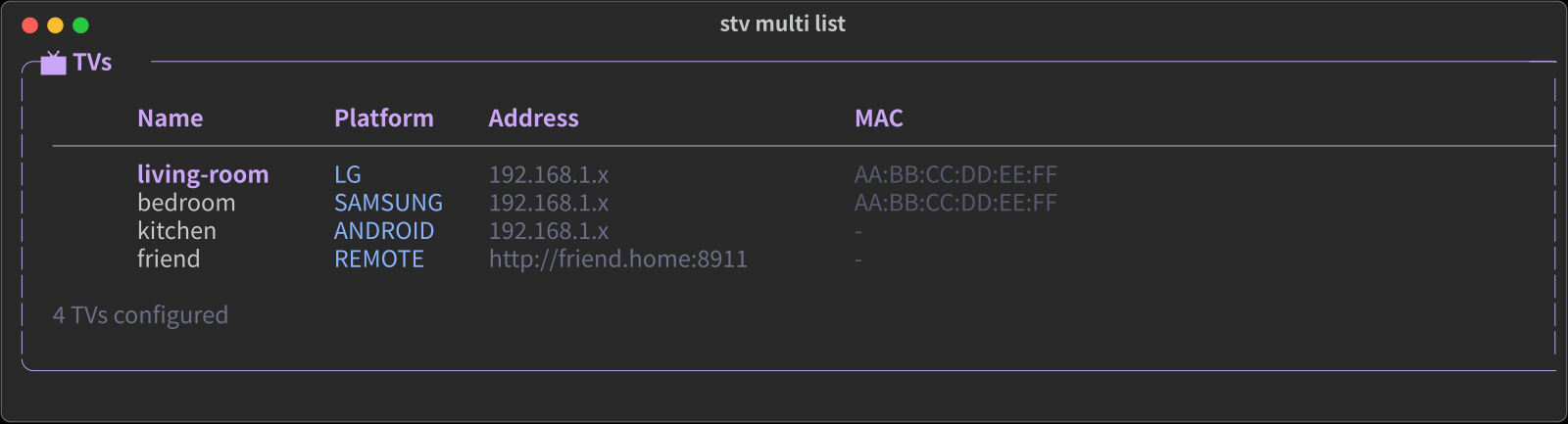
stv scene list stv multi list
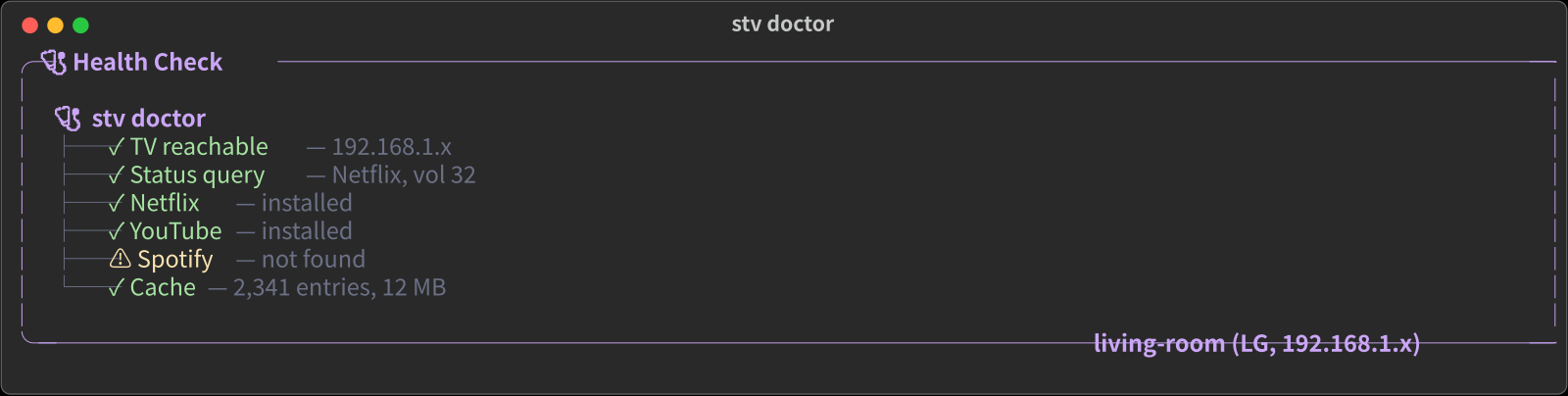
stv doctor natural language
Every command renders with Catppuccin Mocha colors, semantic icons, and real visual hierarchy. Prefer another palette? Set `STV_THEME=nord` or `STV_THEME=gruvbox`. `--format json` is always available when you need to pipe to `jq`. --- ## โœจ What it does
### ๐ŸŽฌ Play by name ```bash stv play netflix "Dark" s1e1 stv play disney "Percy Jackson" s1e1 stv play prime "The Boys" s1e1 stv play "Frieren" s2e8 # auto-detects platform ``` Say the name. stv finds the ID, opens the app, starts playback. Netflix and Apple TV+ resolve via HTML parsing. Disney+, Max, Prime, Hulu, Paramount+, Peacock, Crunchyroll, and [every platform on JustWatch](https://www.justwatch.com/) resolve via their API โ€” no login, no API key. Skip the platform name and stv auto-detects where it's streaming in your region. ### ๐Ÿ”— Cast any URL ```bash stv cast https://youtu.be/dQw4w stv cast https://netflix.com/watch/... stv cast https://open.spotify.com/... ``` Friend sends a link. Paste it. TV plays it. ### ๐ŸŽต Queue & party ```bash stv queue add youtube "Gangnam Style" stv queue add spotify "Blinding Lights" stv queue play ``` Everyone adds their pick. TV plays in order.
### ๐ŸŽญ Scene presets ```bash stv scene movie-night # volume 20, cinema stv scene kids # volume 15, Cocomelon stv scene sleep # rain sounds, auto-off ``` One command sets the vibe. ### ๐Ÿ”Š Multi-room audio ```bash stv audio play "lo-fi beats" stv audio volume kitchen 30 stv audio stop ``` Screens off. Music everywhere.
**Free Sonos.**
### ๐Ÿ“บ TV as display ```bash stv display message "Dinner!" stv display clock stv display dashboard "Temp:22ยฐC" ``` Dashboards, clocks, signage.
**$0/month.**
### ๐Ÿ“Š Watch intelligence ```bash stv insights stv screen-time stv sub-value netflix --cost 17.99 ``` Is your Netflix worth $18/month? ### ๐ŸŒ Sync party ```bash stv --all play youtube "lo-fi beats" stv --group party play netflix "Wed..." stv --all off # good night ``` Every TV. At once. Even remote friends. ### ๐Ÿค– AI concierge ``` "Play something chill" โ†’ tv_recommend โ†’ tv_play โ†’ Playing The Queen's Gambit ``` 21 MCP tools. One sentence is enough.
--- ## ๐Ÿค– Tell your AI to control your TV stv is an **MCP server**. Claude, GPT, Cursor, or any MCP client can control your TV with natural language.
**Setup (one line):** ```json { "mcpServers": { "tv": { "command": "uvx", "args": ["stv"] } } } ``` Or via [OpenClaw](docs/integrations/openclaw.md): ```bash clawhub install smartest-tv ``` **Then just talk:** ``` You: "I just got home, set up movie night" Claude: ๐ŸŽฌ Movie night activated. Volume โ†’ 20, cinema mode on. Based on your history: 1. The Queen's Gambit (Netflix) 2. Ozark (Netflix) 3. Squid Game S2 (Netflix) You: "Play 1, put a clock on kitchen TV" Claude: โœ“ Playing The Queen's Gambit โœ“ Clock on kitchen TV ```
All 21 MCP tools
| Category | Tool | What it does | |----------|------|-------------| | **Play** | `tv_play` | Search + play by name | | | `tv_cast` | Cast any URL | | | `tv_next` | Continue watching | | | `tv_launch` | Launch app with ID | | | `tv_resolve` | Get content ID only | | **Discover** | `tv_whats_on` | Trending content | | | `tv_recommend` | Personalized picks | | **Control** | `tv_power` | On/off | | | `tv_volume` | Get/set/step/mute | | | `tv_screen` | Screen on/off | | | `tv_notify` | Toast notification | | | `tv_status` | Current state | | **Organize** | `tv_queue` | Play queue | | | `tv_scene` | Scene presets | | | `tv_history` | Watch history | | **Intelligence** | `tv_insights` | Viewing stats | | | `tv_display` | TV as display | | | `tv_audio` | Multi-room audio | | **Multi-TV** | `tv_sync` | Play on all TVs | | | `tv_list_tvs` | List TVs | | | `tv_groups` | TV groups |
--- ## ๐Ÿ“… A day with stv | Time | What happens | |------|-------------| | **7am** | `stv display dashboard "Weather:18ยฐC" "Meeting:10am"` on kitchen TV | | **8am** | `stv scene kids --tv kids-room` -- Cocomelon, volume 15 | | **12pm** | Friend sends Netflix link โ†’ `stv cast ` | | **5pm** | `stv screen-time` โ†’ kids watched 2h 15m today | | **6:30pm** | `stv scene movie-night` -- volume 20, cinema mode | | **7pm** | `stv recommend --mood chill` โ†’ suggests Ozark | | **9pm** | `stv audio play "friday vibes" -p spotify` -- music everywhere | | **10pm** | `stv --group party play netflix "Wednesday" s1e1` -- sync | | **11:30pm** | `stv scene sleep` โ†’ `stv --all off` -- good night | --- ## ๐Ÿ”ฅ Killer combos
**๐ŸŒ™ Bedtime autopilot** ```bash stv audio play "rain" --rooms bedroom stv scene sleep stv --all off ``` Ambient sound, screen off, auto-timer, every other TV killed. **๐ŸŽง Free Sonos** ```bash stv audio play "lo-fi beats" stv audio volume kitchen 40 stv audio volume bedroom 15 ``` Every TV is a speaker. Per-room volume. Screens off. **๐Ÿ’ฐ Subscription audit** ```bash stv sub-value netflix --cost 17.99 # โ†’ $8.50/hr โ€” consider canceling stv sub-value youtube --cost 13.99 # โ†’ $1.20/hr โ€” good value ```
> [**10 more recipes โ†’**](docs/guides/recipes.md) ---

smartest-tv demo
โ–ฒ Click to watch the full demo

--- ## โš™๏ธ How it works ``` "Play Dark S1E1" โ”‚ โ–ผ โ”Œโ”€โ”€โ”€ Resolution โ”€โ”€โ”€โ” โ”‚ Cache โ†’ API โ†’ Web โ”‚ content_id โ”‚ 0.1s 1s 3s โ”‚โ”€โ”€โ”€โ”€โ”€โ”€โ”€โ”€โ”€โ”€โ”€โ”€โ”€โ”€โ–ถ ๐Ÿ“บ TV plays it โ””โ”€โ”€โ”€โ”€โ”€โ”€โ”€โ”€โ”€โ”€โ”€โ”€โ”€โ”€โ”€โ”€โ”€โ”€โ”€โ”˜ โ”‚ Deep link via LG / Samsung / Roku / Android ``` Say a name. stv resolves it to a content ID, deep-links into the app on your TV. No browser automation, no API keys, no cloud dependency. Results are cached so repeat plays are instant. --- ## ๐Ÿ“ฆ Install ```bash pip install stv # LG webOS (default) pip install "stv[samsung]" # Samsung Tizen pip install "stv[android]" # Android TV / Fire TV pip install "stv[all]" # Everything ``` ```bash stv setup # auto-discover + pair your TV ``` > Supports **LG webOS** ยท **Samsung Tizen** ยท **Android TV / Fire TV** ยท **Roku** ### Home Assistant (HACS) [![hacs_badge](https://img.shields.io/badge/HACS-Custom-41BDF5.svg?style=flat-square)](https://github.com/hacs/integration) Add as a custom repository (default listing in review: [hacs/default#6907](https://github.com/hacs/default/pull/6907)): ``` HACS โ†’ โ‹ฎ (top right) โ†’ Custom repositories URL: https://github.com/Hybirdss/smartest-tv Category: Integration โ†’ Add Then: Install โ†’ Restart HA Settings โ†’ Integrations โ†’ Add โ†’ "Smartest TV" โ†’ auto-discovers your TVs ``` Android TV / Fire TV: the setup flow shows a **6-digit PIN on the TV** โ€” enter it in the pairing form to finish. In HA OS / HA Container set `STV_CONFIG_DIR=/config/smartest-tv` so pairing survives container rebuilds. See [docs/integrations/home-assistant.md](docs/integrations/home-assistant.md). Then use in automations: ```yaml service: media_player.play_media target: entity_id: media_player.living_room data: media_content_type: stv media_content_id: "netflix:Frieren:s2e8" ``` This does what HA's built-in `media_player.play_media` can't: resolve a show by name and deep-link into the streaming app. Power, volume, and playback controls also work as standard HA media player entities. --- ## ๐Ÿ”Œ Works with | Integration | How | |------------|-----| | **Home Assistant** | HACS custom integration โ†’ `media_player.play_media` with content resolution | | **Claude Code / Cursor** | Add MCP config โ†’ `"play Dark s1e1"` | | **OpenClaw** | `clawhub install smartest-tv` โ†’ Telegram bot | | **cron** | `0 7 * * * stv display dashboard ...` | | **Shell scripts** | `sleep-mode`, `party-mode` one-liners | | **Any MCP client** | 21 tools, stdio or HTTP (`stv serve`) | --- ## ๐Ÿ“š Docs | | | |---|---| | [Getting Started](docs/getting-started/installation.md) | Setup for any TV brand | | [Playing Content](docs/guides/playing-content.md) | play, cast, queue, resolve | | [Scenes](docs/guides/scenes.md) | movie-night, kids, sleep, custom | | [Sync & Party](docs/guides/sync-party.md) | Multi-TV, remote watch party | | [Recipes](docs/guides/recipes.md) | **10 powerful feature combos** | | [AI Agents](docs/guides/ai-agents.md) | MCP for Claude, Cursor, OpenClaw | | [CLI Reference](docs/reference/cli.md) | Every command and option | | [MCP Tools](docs/reference/mcp-tools.md) | All 21 tools with parameters | --- ## ๐Ÿ”“ Open source Every line of stv is on GitHub โ€” the CLI, resolvers (Netflix, Apple TV+, YouTube, Spotify, Disney+, Max, Prime Video, Paramount+, Hulu, Peacock, Crunchyroll, and more via JustWatch), all 4 TV drivers (LG, Samsung, Roku, Android), cache, sync engine, scenes, and all 253 tests. Streaming availability data powered by [JustWatch](https://www.justwatch.com/). --- ## ๐Ÿ”’ Privacy stv runs on your **local network**. No telemetry, no analytics, no cloud sync, no phoning home about what you watch. There is no `posthog`, no `amplitude`, no `sentry`, no `mixpanel` โ€” grep the source. **One exception โ€” community cache contribution.** When you play content that isn't in the local cache, stv resolves it (via web parsing) and submits the resolved ID to a shared community cache so the next user gets an instant lookup. This is the same pattern as Wikipedia or a package mirror โ€” many small contributions, anonymous. What's sent (background HTTPS, fire-and-forget, never blocks playback): - Platform name (`netflix` / `youtube` / `spotify`) - Content slug (e.g. `frieren`) - Resolved content ID (Netflix title ID, YouTube video ID, Spotify URI) What's **not** sent: - Your name, email, or any user identifier - Your IP address (the CDN sees a connection IP per standard HTTP, but the client never reads or transmits it) - Your watch history or play timestamps - Your TV's IP address or hardware info - Anything about how often or when you use stv To disable cache contribution entirely: ```bash export STV_NO_CONTRIBUTE=1 ``` Source: [`src/smartest_tv/cache.py`](src/smartest_tv/cache.py) โ€” search for `_contribute`. --- ## ๐Ÿค Contributing 211 tests. No TV needed to run them. ```bash pip install -e ".[dev]" python -m pytest tests/ -v ``` Samsung, Roku, and Android TV drivers need real-world testing. If you have one, [your feedback matters](https://github.com/Hybirdss/smartest-tv/issues). [Cache Contributions](docs/contributing/cache-contributions.md) ยท [Driver Development](docs/contributing/driver-development.md) ---

smartest-tv mascot

MIT License ยท Made with Python ยท No cloud required