Lumina Terminal
简体中文 | English
A modern, cross-platform terminal emulator built with Tauri, React, and Xterm.js — featuring a sleek UI, command palette, and customizable profiles.
## Installation
* Arch Linux (with an AUR helper like `paru` or `yay`):
```shell
paru -S lumina-terminal-bin
# or: yay -S lumina-terminal-bin
```
* Fedora (via COPR):
```shell
dnf copr enable iewnfod/lumina-terminal
dnf install lumina-terminal
```
* Other Linux / macOS: install with script
```shell
curl -fsSL https://raw.githubusercontent.com/iewnfod/lumina-terminal/master/scripts/install.sh | bash
```
* Windows: download installer from [releases](https://github.com/iewnfod/lumina-terminal/releases)
## Screenshots
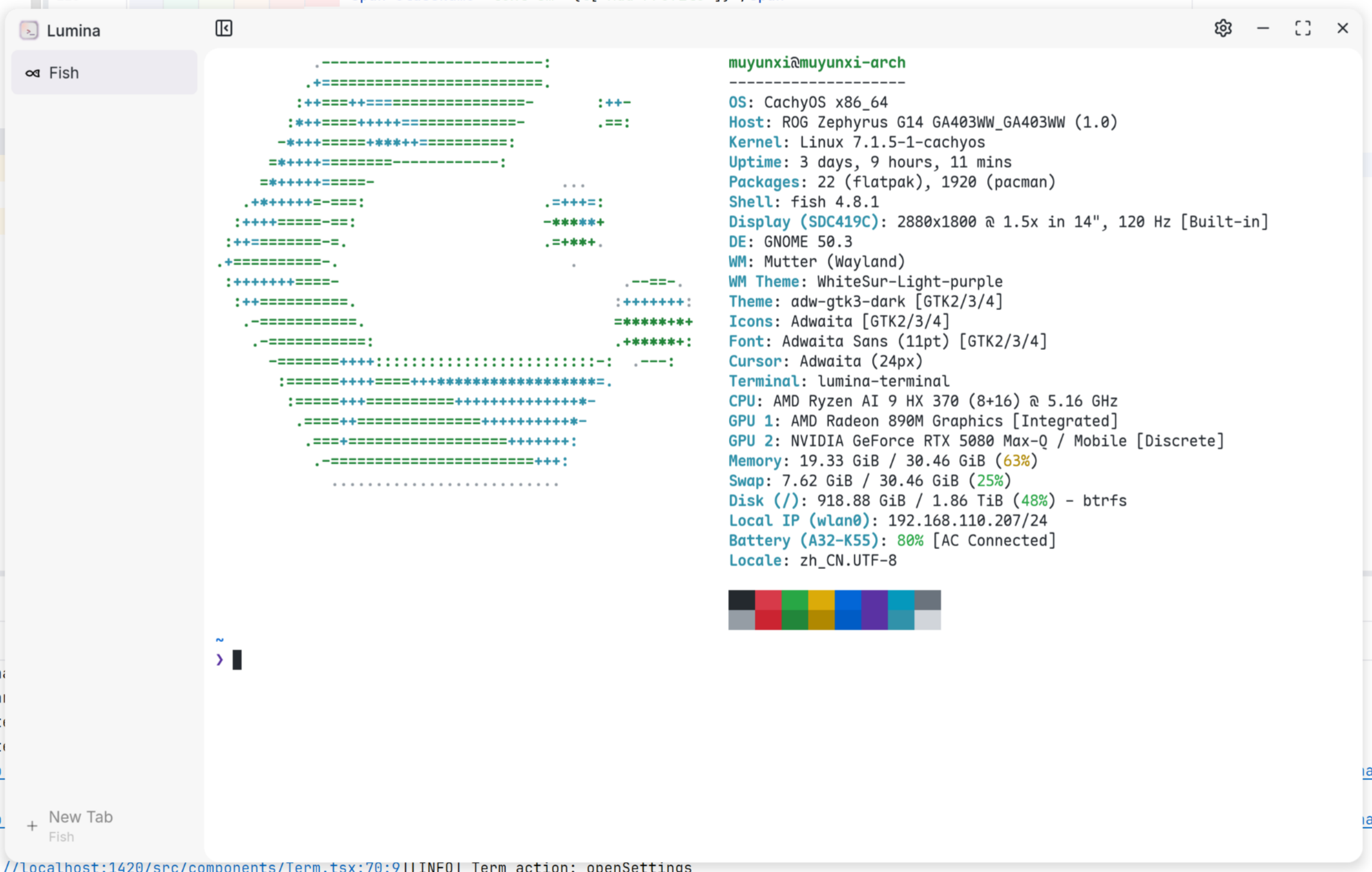
### Terminal
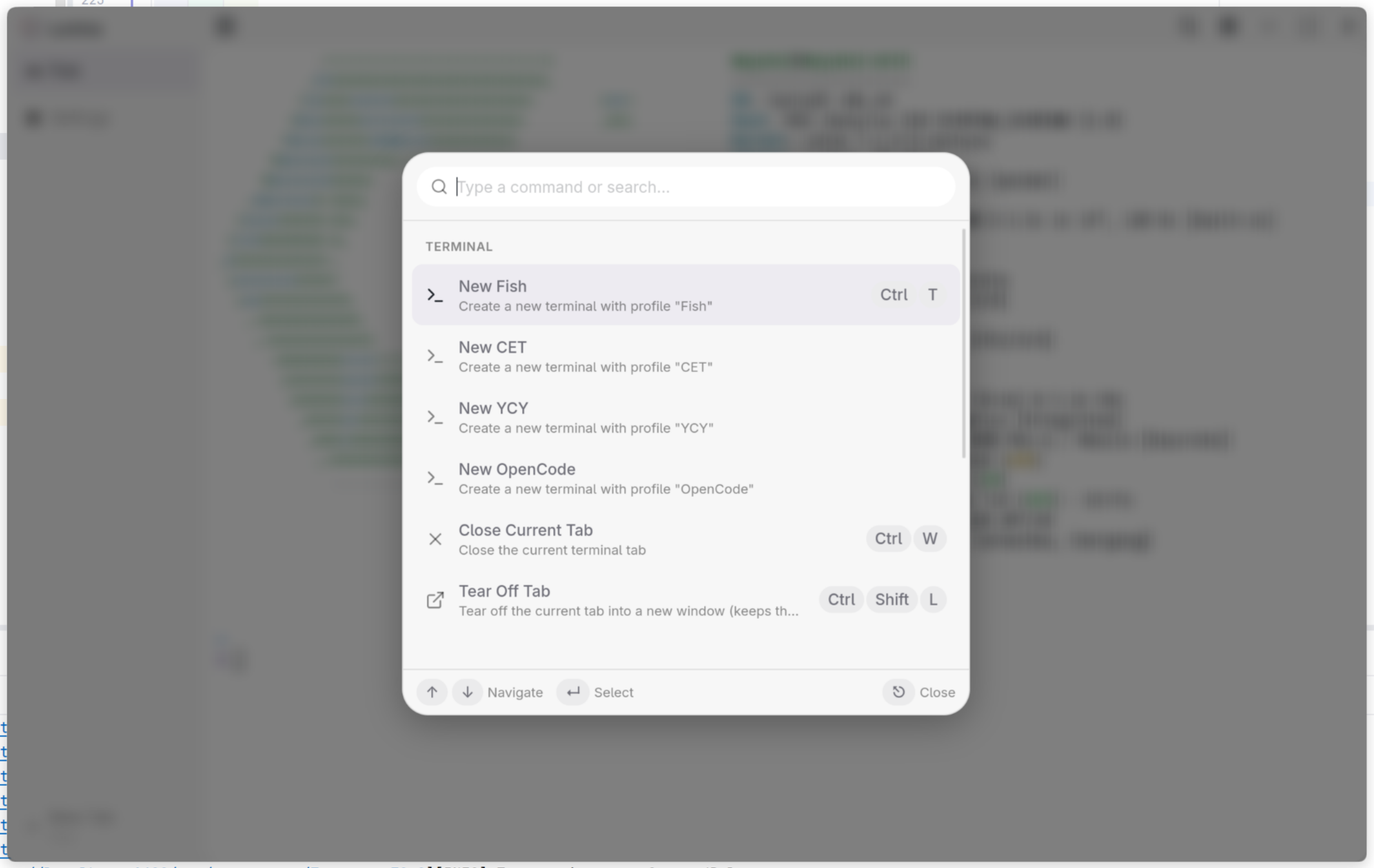
### Command Palette
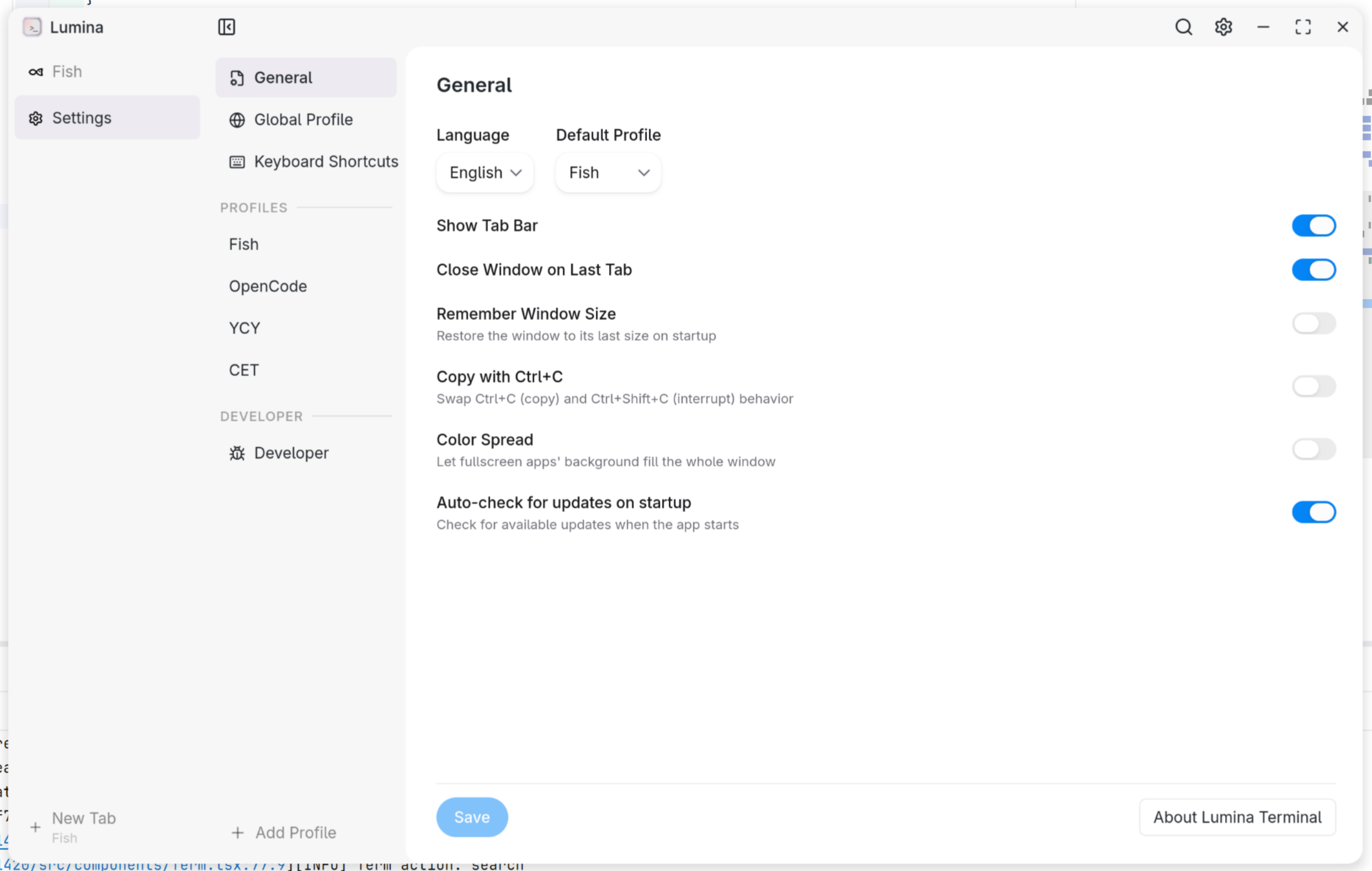
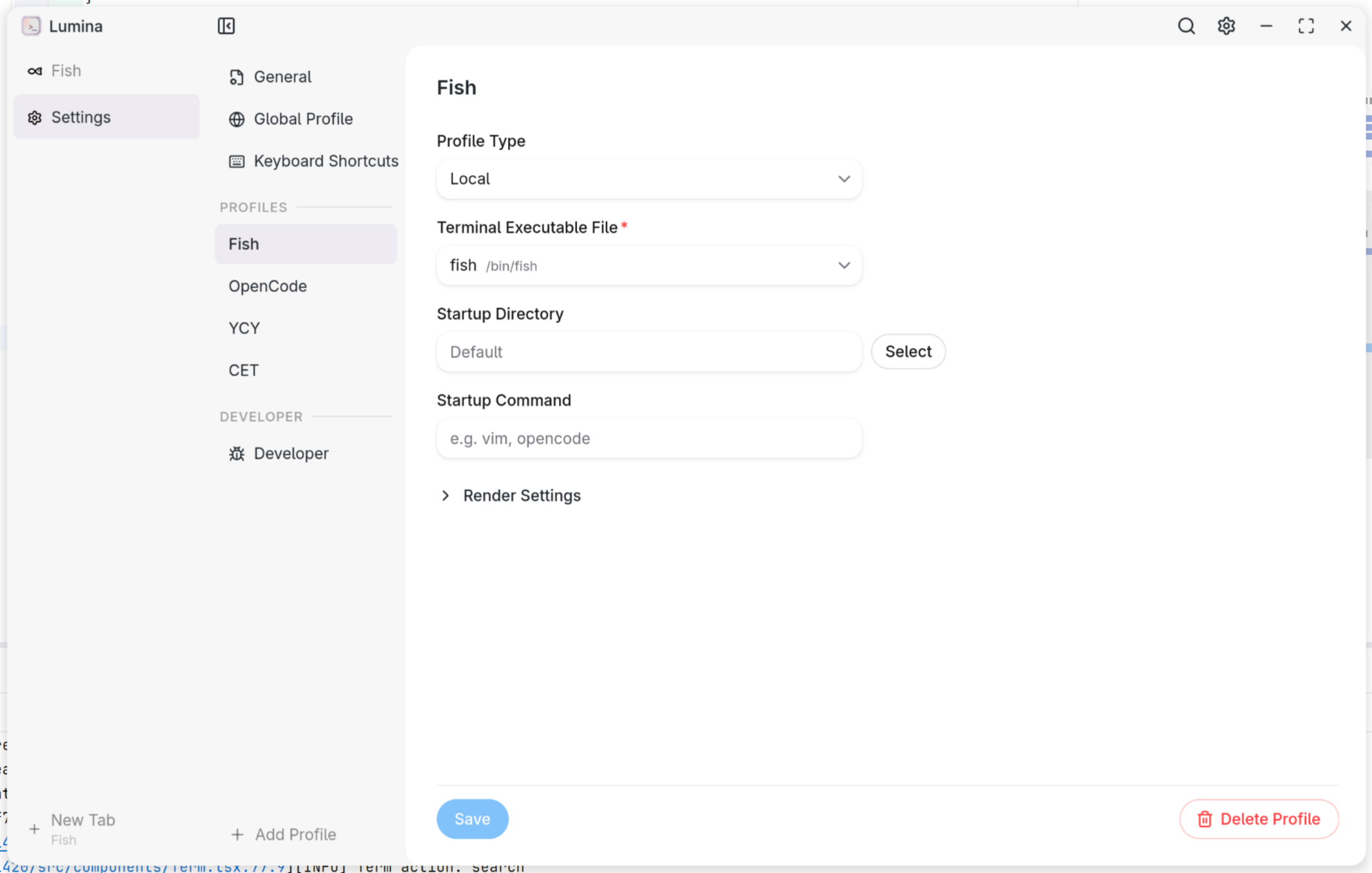
### Settings
### Profile
## Features
### Terminal
* Multi-tab terminal backed by [portable-pty](https://docs.rs/portable-pty/latest/portable_pty/) — each tab runs a real shell process
* **Tear off tabs** — move a tab into its own window (`Ctrl+Shift+L` / `Cmd+Shift+L`) while keeping the running process and scrollback alive
* **Find in terminal** (`Ctrl+F` / `Cmd+F`) — match-case / whole-word / regex with a live result counter, via [addon-search](https://github.com/xtermjs/xterm.js/tree/master/addons/addon-search)
* Configurable shell per profile — PowerShell, WSL, Git Bash, or any executable
* **Wrap a profile as an app** — generate a desktop launcher (`.desktop` / `.app` / Start-Menu shortcut) that opens the profile in its own window: its own title, working directory and sidebar visibility, with the icon auto-derived from the startup command (or picked manually). Launchers regenerate on every settings save and orphaned ones prune themselves. Configure per profile in Settings → Profiles.
* Optional [WebGL renderer](https://github.com/xtermjs/xterm.js/tree/master/addons/addon-webgl) for GPU-accelerated rendering
* [Unicode 11 width rules](https://github.com/xtermjs/xterm.js/tree/master/addons/addon-unicode11) + optional [grapheme-cluster](https://github.com/xtermjs/xterm.js/tree/master/addons/addon-unicode-graphemes) rendering for correct emoji/symbol widths
* Optional [programming ligatures](https://github.com/princjef/font-ligatures) via the real OpenType GSUB table (Fira Code `www`/`//`, JetBrains Mono `==`, …)
* Chunked output batching — smoothly handles large text dumps without blocking the UI
* Drag and drop files into the terminal to insert their paths; auto-resize on window/container changes
* **MCP server (experimental)** — optionally expose terminal state (open tabs, running command, cwd, recent output) to local AI clients over a read-only loopback endpoint, via [rmcp](https://github.com/modelcontextprotocol/rust-sdk). Enable in Settings → Developer.
* **Shell completion popup** — TAB in zsh/fish tabs is intercepted via shell integration: the shell's own completion candidates (commands, files, git subcommands, descriptions) are sent to Lumina and rendered as a floating, keyboard-navigable suggest popup (VSCode-style) instead of the shell's in-buffer list; accepting an entry inserts it into the line editor. A single unambiguous match completes silently. Works for new terminals while enabled; bash/nu/pwsh/SSH tabs keep native behavior. Toggle in Settings → General. An opt-in, **experimental** as-you-type mode requests candidates automatically after a short typing pause — no TAB needed, the popup follows along and narrows as you type (works on already-open zsh/fish terminals; off by default, may not work reliably).
* **Auto proxy sync** — detect system proxy changes (GNOME `gsettings` / KDE `kioslaverc` / macOS `scutil` / Windows registry) and keep `http_proxy` / `HTTPS_PROXY` / `all_proxy` / `no_proxy` in sync inside already-running bash/zsh/fish tabs, applied silently by the shell-integration prompt hook — no restart, no visible keystrokes. Manually exported proxies are never touched. Toggle in Settings → General.
### User Interface
* **Command Palette** (`Ctrl+Shift+P` / `Cmd+Shift+P`) — search and execute commands with keyboard navigation
* **Tab Bar** — sidebar with drag region and hover-close, toggleable via title bar or palette
* **Command icons** — the tab icon follows the running command (vim, neovim, opencode, Claude Code, …). User-defined rules: plain command names or regex matched against the whole command line, with built-in app icons or your own imported SVG/PNG. Configure in Settings → Command Icons.
* **Custom Title Bar** — window controls integrated with the terminal theme on Windows & Linux; double-click any drag region (title bar, sidebar header, empty state) to maximize/restore
* **Auto Theme** — UI light/dark mode syncs to the terminal background color
* **Color Spread** — a fullscreen TUI's uniform edge background fills the window chrome for an immersive look (toggleable)
### Keyboard Shortcuts
* Fully customizable keybindings stored in the config file. Defaults:
* `Ctrl/Cmd+T` — New tab · `Ctrl/Cmd+W` — Close tab (closes the app from the empty state)
* `Ctrl/Cmd+Shift+L` — Tear off tab · `Ctrl/Cmd+F` — Find
* `Ctrl/Cmd+Shift+C` — Copy selection · `Ctrl/Cmd+Shift+A` — Select all
* `Ctrl/Cmd+Shift+V` — Paste (native `Ctrl/Cmd+V` paste also works)
* `Ctrl/Cmd+,` — Settings · `Ctrl/Cmd+Shift+P` — Command palette
* `Ctrl/Cmd+1–9` — Switch to tab by index
* Copy falls through to the shell when nothing is selected, so even `Ctrl+C` can be bound to copy and still sends SIGINT on an empty selection
### Profiles
* Multiple named profiles with per-profile shell, dimensions, font, theme, and startup command (e.g. `vim`, `opencode` — tab closes on exit; passed to the remote host for SSH profiles)
* Custom terminal themes via JSON files (xterm.js ITheme format) with live color preview
### i18n
* English · Simplified Chinese (简体中文)
### Welcome Wizard
* First-run onboarding: language → profile → confetti finish
## Command-line options
Lumina accepts Alacritty-style launch flags (with Lumina-specific `--profile` and `--sidebar`). When a tab-shaping flag (`-e`, `--working-directory`, `-T`, `--hold`, `--profile`) is given, a **single tab** is opened with the overrides and session restore is skipped; `--sidebar` only overrides the sidebar for this launch and does not affect tab seeding.
| Flag | Description |
|------|-------------|
| `-e, --command ...` | Command + args to run on startup. Runs through the profile's configured shell; the tab closes when the command exits unless `--hold` is given. Tokens after it belong to the command, **except** Lumina's own flags (`-T/--title`, `--hold`, `--working-directory`, `--profile`), which still parse as flags — so `-e nvim -T nvim` runs nvim and titles the window "nvim". Use `--` to pass everything after it to the command verbatim (e.g. `-e -- ssh -T host`). |
| `--working-directory ` | Start the shell in this directory. |
| `-T, --title ` | Set the window title. |
| `--hold` | Keep the terminal open (frozen, read-only) after the command exits. |
| `--profile <NAME>` | Open a configured profile by name; other flags layer on top. Falls back to the default if not found. *(Lumina-specific)* |
| `--sidebar <SHOW\|HIDE>` | Show/hide the sidebar for this launch only, ignoring the setting **without overwriting it** (the first explicit toggle drops the override). *(Lumina-specific)* |
| `--version` / `--help` | Print version / usage and exit (no window). |
```shell
lumina-terminal -e nvim # run nvim; closes on :q
lumina-terminal -e nvim -T nvim # run nvim, title the window "nvim"
lumina-terminal --hold -e ls -la # run ls -la, keep the output
lumina-terminal --working-directory ~/projects -e npm run dev
lumina-terminal --profile work # open the "work" profile
lumina-terminal --hold --profile dev -e cargo build
lumina-terminal -T "build log" # set the window title
lumina-terminal --sidebar hide # hide the sidebar this launch (setting untouched)
```
## Configuration
The user config lives in `config.toml` (TOML, hand-editable — comments included). Every option — including the ones with no Settings UI — is documented in the [Configuration Reference](https://github.com/iewnfod/lumina-terminal/wiki/Configuration). A legacy `config.json` from older versions is still parsed and migrated automatically on first launch; the original is kept as `config.json.bak`. The file is watched live: hand-edits apply without a restart, and the app's own saves patch the document in place, so your ordering and comments survive. Render options (font, theme, cursor, …) hot-apply to running terminals; `rows`/`cols` and the webgl toggle take effect on new terminals only.
## Performance
Lumina Terminal's rendering pipeline is tuned to stay smooth under heavy output — large `cat`, ANSI-dense TUIs, scrolling, and unicode — while keeping memory bounded via read backpressure.
Benchmarks below use [vtebench](https://github.com/alacritty/vtebench) (the same suite Alacritty uses), reporting **90th-percentile** sample latency (lower is better). Lumina is compared against three peers:
- [Alacritty](https://alacritty.org/) — native Rust + OpenGL, the performance ceiling for any terminal
- [Tabby](https://tabby.sh/) — Electron + xterm.js, a popular web-tech terminal
- VS Code integrated terminal — Electron + xterm.js, the most widely used web-tech terminal
| Benchmark | Lumina | Alacritty | Tabby | VS Code |
|-----------|-------:|----------:|------:|--------:|
| cursor_motion | 58ms | 9ms | 89ms | 165ms |
| light_cells | 41ms | 8ms | 60ms | 138ms |
| medium_cells | 4ms | 8ms | 73ms | 320ms |
| dense_cells | 135ms | 25ms | 247ms | 473ms |
| scrolling_fullscreen | 6ms | 10ms | 74ms | 139ms |
| scrolling | 257ms | 158ms | 198ms | 730ms |
| scrolling_top_region | 176ms | 172ms | 191ms | 1296ms |
| scrolling_bottom_region | 263ms | 128ms | 198ms | 1250ms |
| scrolling_top_small_region | 277ms | 138ms | 175ms | 1391ms |
| scrolling_bottom_small_region | 248ms | 190ms | 181ms | 1364ms |
| sync_medium_cells | 4ms | 9ms | 72ms | 164ms |
| unicode | 4ms | 7ms | 73ms | 56ms |
Lumina **matches or beats Alacritty** on several benchmarks (medium_cells, scrolling_fullscreen, sync_medium_cells, unicode) and **comfortably outperforms both Tabby and the VS Code integrated terminal** across the board — while running the same underlying web rendering stack.
For a pure rendering-stress test, [DOOM Fire](https://github.com/const-void/DOOM-fire-node) (a continuous full-screen ANSI animation) measures sustained frames per second (higher is better):
| | Lumina | Alacritty | Tabby | VS Code |
|---|-------:|----------:|------:|--------:|
| fps | ~420 | ~1800 | ~175 | ~60 |
Lumina sustains **~7× the framerate of Tabby and VS Code** under continuous heavy repaint.
> Tested on `AMD Ryzen™ AI 9 HX 370 w`, `NVIDIA GeForce RTX™ 5080 Laptop GPU`, Arch Linux.
## Development
```shell
git clone https://github.com/iewnfod/lumina-terminal.git
cd lumina-terminal
pnpm install
pnpm tauri dev
```
See [**CONTRIBUTING.md**](./CONTRIBUTING.md) for the development setup, app-icon guide, and code standards. The full architecture and contributor rules live in [AGENTS.md](./AGENTS.md).
## Technology Used
<!-- lumina:tech-stack — anchor parsed by the About page; keep on its own line -->
### Core
* [Tauri & Tauri Plugins](https://tauri.app/) — cross-platform desktop framework
* [Rust](https://rust-lang.org/) — backend language (PTY, MCP, filesystem)
* [portable-pty](https://docs.rs/portable-pty/latest/portable_pty/) — pseudo-terminal spawning and I/O
### Backend
* [clap](https://docs.rs/clap/) — command-line argument parsing
* [rmcp](https://github.com/modelcontextprotocol/rust-sdk) — Model Context Protocol server
* [axum](https://github.com/tokio-rs/axum) — modular web framework (MCP Streamable HTTP endpoint)
* [tokio](https://tokio.rs/) — async runtime
* [log](https://docs.rs/log/latest/log/) — structured logging
* [base64](https://docs.rs/base64/) — launcher icon PNG payload decoding
### Frontend
* [TypeScript](https://www.typescriptlang.org/) — typed frontend language
* [React](https://react.dev/) — UI component framework
* [HeroUI](https://heroui.com/) — React UI component library
* [Xterm.js & Addons](https://xtermjs.org/) — terminal renderer
* [Tailwind CSS](https://tailwindcss.com/) — utility-first styling
* [Lucide Icons](https://lucide.dev/) — icon set
* [Framer Motion](https://www.framer.com/motion/) — animation library
* [react-markdown](https://github.com/remarkjs/react-markdown) — markdown rendering
* [smol-toml](https://github.com/squirrelchat/smol-toml) — TOML parsing/serialization for the config file
* [toml-patch](https://github.com/DecimalTurn/toml-patch/) — comment/format-preserving TOML rewriting for the config file
### Tooling
* [pnpm](https://pnpm.io/) — package manager
* [Vite](https://vite.dev/) — bundler and dev server
## License
[Mozilla Public License Version 2.0](./LICENSE)
## Publicity Community
* [LINUX DO](https://linux.do/)