
MarkerOn icon

MarkerOn

中文

CI Release Downloads License Stars Website Bilibili tutorial (Chinese) Sponsor on 爱发电

Lightweight screen annotation tool (~1.5 MB) — press a hotkey (keyboard-first) to instantly draw, highlight, and annotate anywhere on your desktop. Built for demos, teaching, meetings, and screen recording.Free & open source. If MarkerOn saves you time in demos, teaching, or meetings, sponsor on Afdian — every contribution helps keep the project maintained.
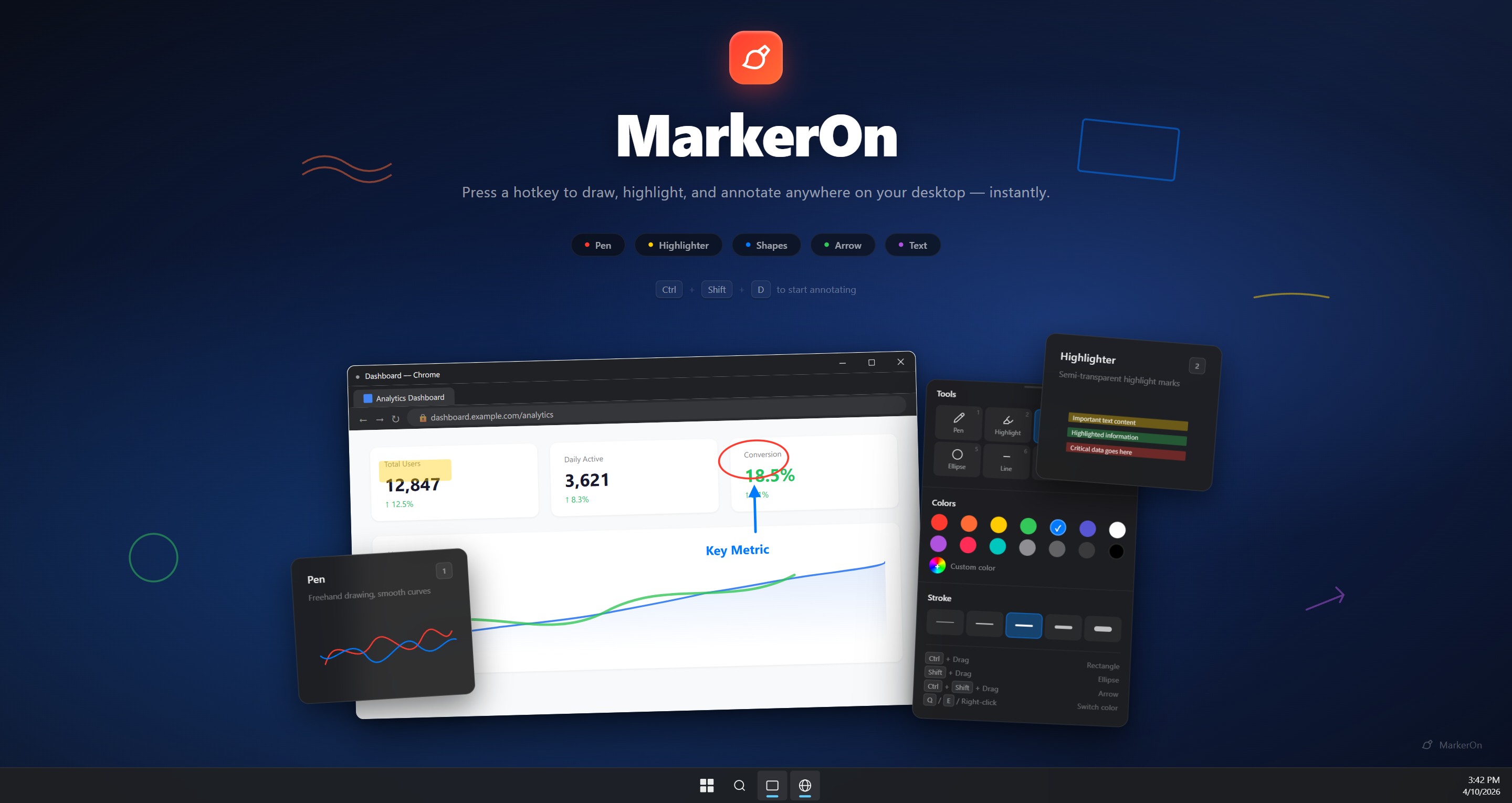
MarkerOn

**Contents:** [Download](#download) · [Quick Start](#quick-start) · [Features](#features) · [Shortcuts](#keyboard-shortcuts) · [Feedback](#feedback--issues) · [Development](#development) ## Download

Windows macOS ARM64 macOS x64 Microsoft Store

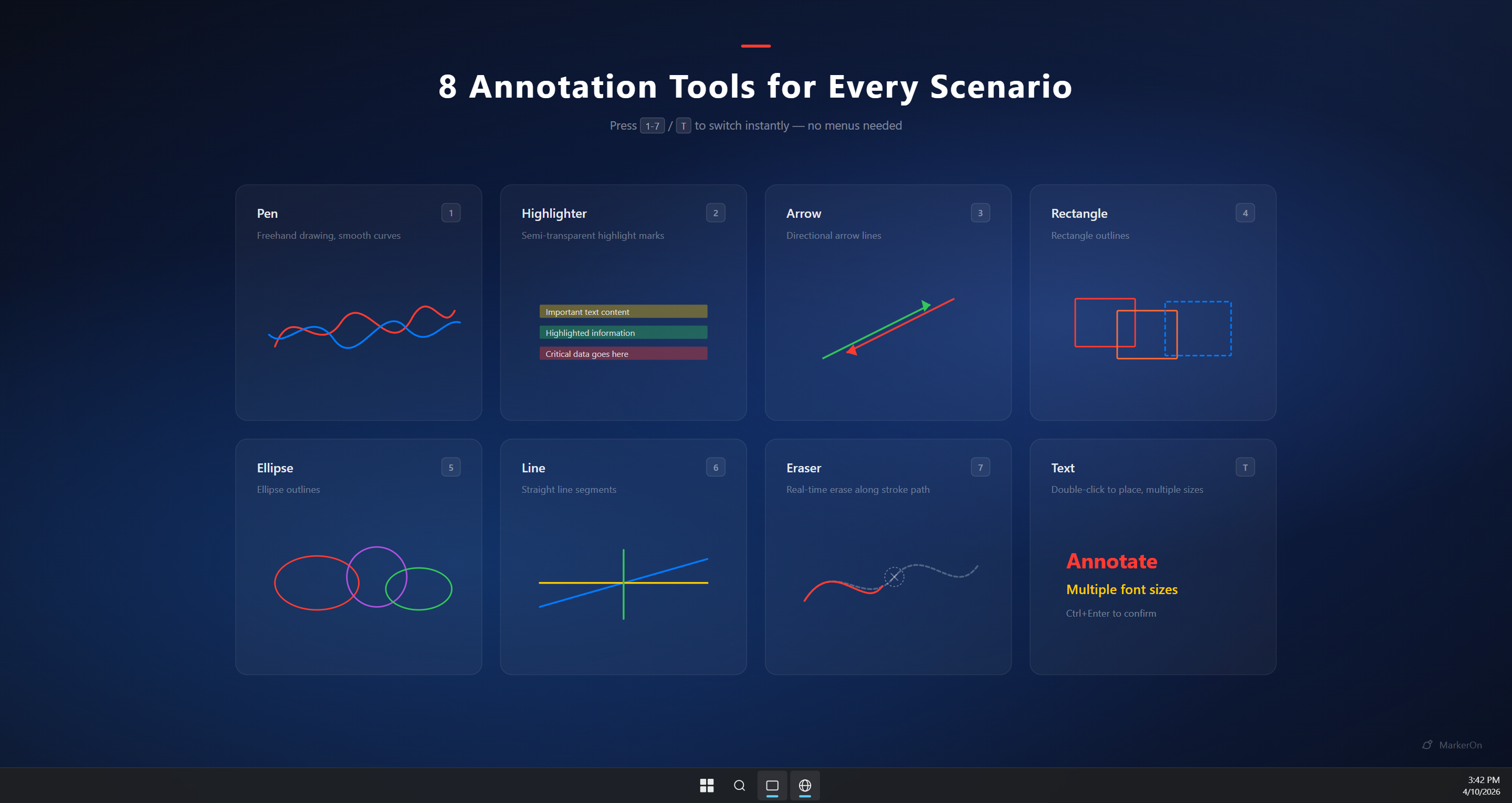
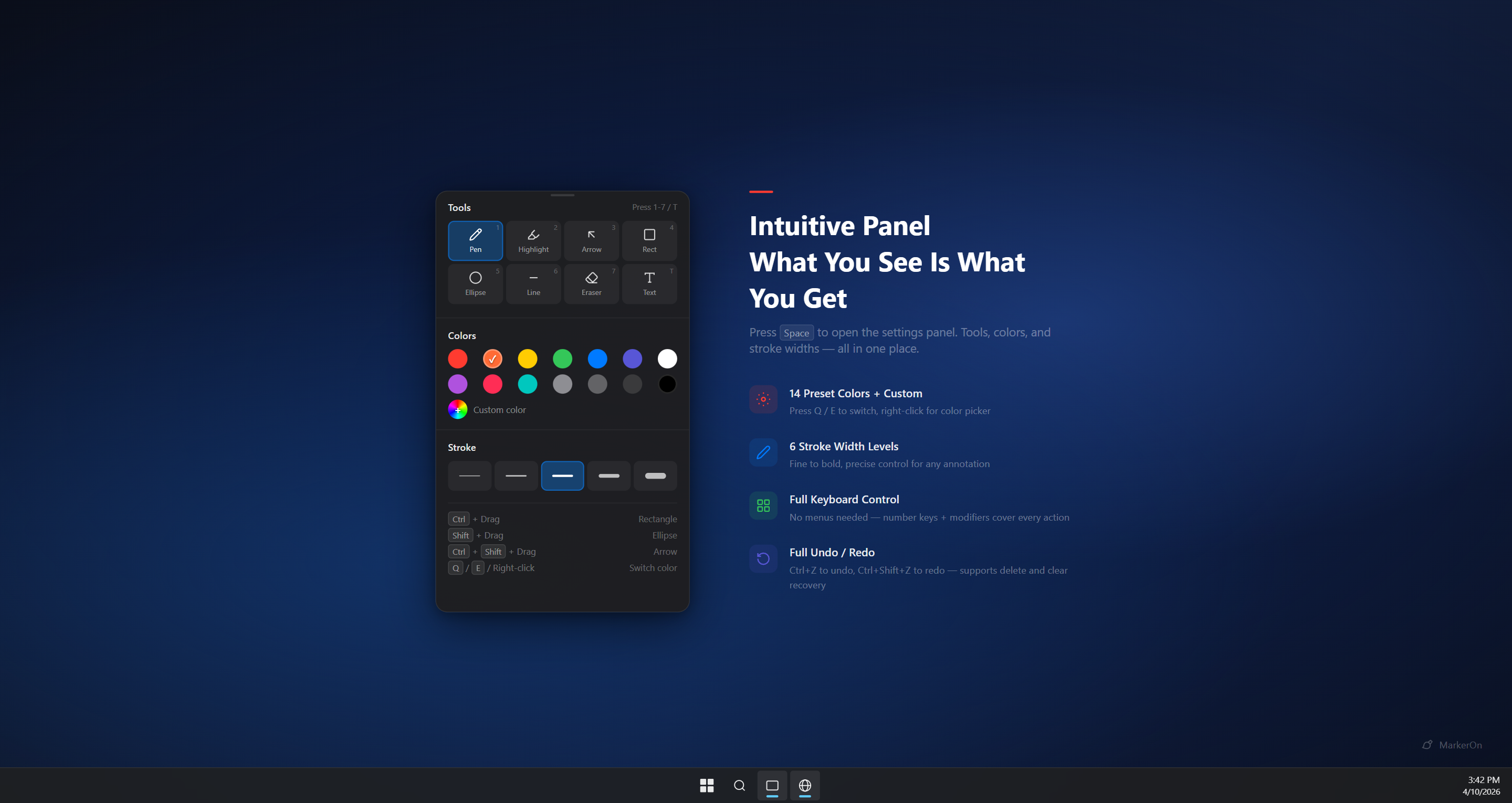
**[Download Latest Release](https://github.com/ifer47/markeron/releases/latest)** — pick the installer for your platform from the assets list. Windows also ships a **portable zip** (`*_x64_portable.zip`): extract and run — config stays under `data\` next to the exe (no AppData). Windows users can also install the Microsoft Store version with WinGet: ```powershell winget install --id 9N6623X973JV --source msstore ``` > Official downloads are GitHub Releases and Microsoft Store. Third-party mirrors may be outdated or repackaged. ## Quick Start 1. **Install and launch** — MarkerOn runs in the **system tray**; no window appears. 2. **Enter annotation mode** — press Ctrl + Shift + D (Command + Shift + D on macOS). 3. **Draw, then click through** — use number keys and V (Select) for tools; press X to interact with apps below while keeping annotations visible; press Esc to exit. > **New here?** Press Space for the toolbar. See [Keyboard Shortcuts](#keyboard-shortcuts) for the full list. ## Features - **Lightweight & fast** — ~1.5 MB installer (Rust + Canvas), minimal memory; runs quietly in the system tray (no extra daemons or telemetry) - **Annotate anywhere** — draw over any app, including the taskbar - **11 tools** — select, pen, highlighter, laser, arrow, rectangle, ellipse, line, eraser, text, stamp - **Marquee batch edit** — press V for Select: box/click select, group drag, Delete to remove - **Flexible toolbar** — press Space to toggle, or enable **always-on** in Settings; compact panel with **Expand** for full options, undo, copy, and whiteboard actions in-panel; **independent floating window** with drawing / click-through toggles - **Click-through mode** — interact with apps below while staying in the session; toggle via toolbar buttons, Ctrl+Shift+X (global), or X while drawing; disabled in whiteboard mode - **Full keyboard control** — every action has a shortcut, no menus needed - **Preserve drawings** — enable **Keep after exit** under Whiteboard & content to resume on re-enter - **Whiteboard mode** — set default entry to whiteboard, or press W to toggle; content rules are in **Whiteboard & content** settings - **Whiteboard copy** — copy the whiteboard as an image with Ctrl/Command + C
MarkerOn annotation tools Settings panel
## Keyboard Shortcuts On **macOS**, use Command (⌘) in place of Ctrl, and Option (⌥) in place of Alt. ### Global Shortcuts | Action | Windows | macOS | | :--- | :--- | :--- | | Toggle annotation mode | Ctrl + Shift + D | Command + Shift + D | | Clear all annotations | Ctrl + Shift + C | Command + Shift + C | | Toggle click-through mode | Ctrl + Shift + X | Command + Shift + X | ### Tool Switching | Key | Tool | Key | Tool | | :---: | :--- | :---: | :--- | | V | Select | 5 | Ellipse | | 1 | Pen | 6 | Line | | 2 | Highlighter | 7 | Eraser | | 3 | Arrow | 8 | Laser | | 4 | Rectangle | T | Text | | | | N | Stamp | ### Common Actions | Action | Windows | macOS | | :--- | :--- | :--- | | Toolbar (toggle) | Space | Space | | Delete selection | Delete / Backspace | Delete / Backspace | | Click-through (while drawing) | X | X | | Cycle eraser mode (stroke / object) | 7 again while eraser selected | 7 again while eraser selected | | Toolbar always-on / layout | Settings → General | Settings → General | | Copy screen / whiteboard | Ctrl + C | Command + C | | Whiteboard toggle | W | W | | Undo / Redo | Ctrl + Z / Y | Command + Z / Y | | Stroke width | Ctrl + Scroll | Command + Scroll (pen, laser & shapes share; highlighter/eraser/text separate) | | Exit | Esc | Esc |
All shortcuts #### Drawing with Modifier Keys | Draws | Windows | macOS | | :--- | :--- | :--- | | Current tool (default: pen) | Drag | Drag | | Line | Alt + Drag | Option + Drag | | Rectangle | Ctrl + Drag | Command + Drag | | Square | Ctrl + Alt + Drag | Command + Option + Drag | | Ellipse | Shift + Drag | Shift + Drag | | Circle | Shift + Alt + Drag | Shift + Option + Drag | | Arrow | Ctrl + Shift + Drag | Command + Shift + Drag | #### Edit & Move | Action | Effect | | :--- | :--- | | Select tool (V) | Marquee or click to select; drag selection as a group; Delete / Backspace to remove; Esc clears selection | | Element dragging | In General settings: **Off** / **Hover drag** / **Hold Ctrl to drag** | | Double-click existing text | Re-enter **edit mode** for that text | | Double-click empty area in T mode | Create a new text input at cursor position | #### Color Switching | Action | Effect | | :--- | :--- | | Q / E | Previous / Next color | | Right-click | Hold to erase; release restores the previous tool | #### Other | Action | Windows | macOS | | :--- | :--- | :--- | | Redo (alt) | Ctrl + Shift + Z | Command + Shift + Z |
Advanced settings In **Settings → General** (toolbar display, click-through, and stroke width — see [Features](#features)): - **Whiteboard & content** — default entry (screen / whiteboard), keep after exit, keep on W toggle - **Element dragging** — off, hover to drag, or hold Ctrl/Command to drag (disabled while eraser is selected) - **Eraser mode** — stroke (local erase) or object (delete whole elements); with eraser selected, press 7 again (or click the toolbar eraser again) to switch - **Angle snap step** — snap interval for straight lines drawn with Alt - **Auto start** — launch the app automatically at system startup
## Feedback & Issues - **Bug reports:** Settings → **Diagnostics** → export a report, then open a [GitHub Issue](https://github.com/ifer47/markeron/issues) - **Privacy:** [PRIVACY.md](./PRIVACY.md) ## Development See [CONTRIBUTING.md](./CONTRIBUTING.md) for prerequisites, setup, and the full workflow. **Stack:** Tauri v2 · Vue 3 · Vite · TypeScript · Canvas API