
English · 简体中文
Summarize long topics, ask follow-up questions, and let AI search the whole forum for you, with links to the posts it used.





➜ Add DiscourseCopilot to Chrome (free)
⭐ Star on GitHub to follow new releases. It is free, and it helps other forum readers find DiscourseCopilot.
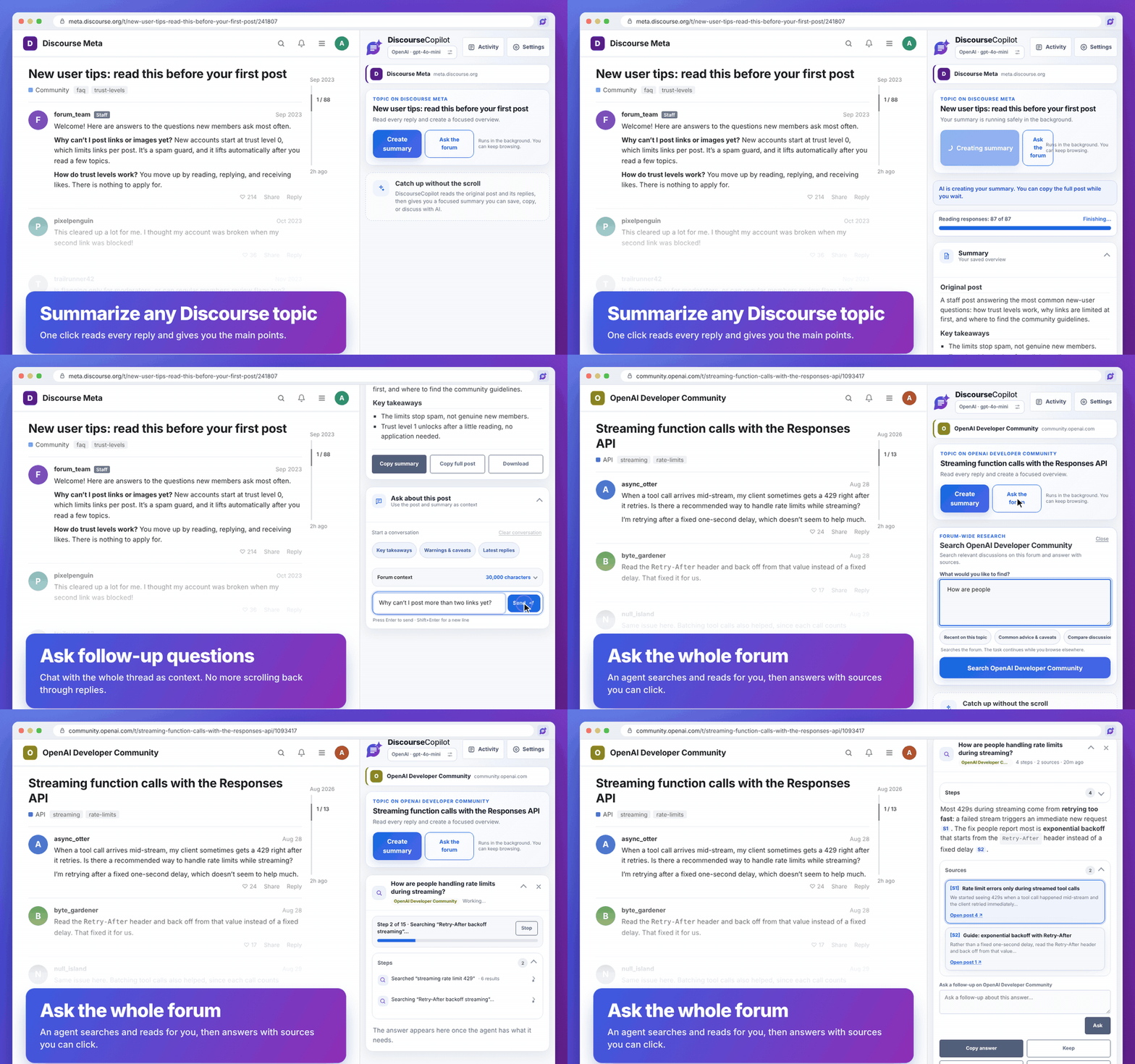 DiscourseCopilot is a free, open-source Chrome extension. It opens in your browser's side panel next to a forum built on Discourse, like [meta.discourse.org](https://meta.discourse.org), [community.openai.com](https://community.openai.com), or your own community. You bring your own AI (a provider's API key, or a model on your own computer), and **it has no servers, accounts, or analytics of its own**: see [Privacy first](#privacy-first). ## Privacy first DiscourseCopilot is built so your reading stays yours. - **No analytics, no tracking, no accounts.** There is no telemetry and no sign-up. - **No DiscourseCopilot servers.** Nothing is sent to the developer, because there is nowhere to send it. - **Your data stays in your browser.** Settings, API keys, and your saved summaries, chats, and answers are stored on your computer only. - **Only two kinds of network calls.** 1. **The forums you allow**, to read topics and search, using your existing login there. Access is granted one forum at a time and you can remove it in Settings. 2. **The AI provider you choose**, with your own key. It receives the forum text you ask about and your questions. **With a local model (Ollama or LM Studio), nothing leaves your computer** (unless you point it at a server on another machine). - **Your key goes only to its own provider.** That includes the request that lists the provider's models. The details, including what is stored and for how long, are in the [privacy policy](PRIVACY.md). The code is open, so you can check all of this yourself. ## Why you'll like it - **Skip the scroll.** Get the main points of a 500-reply topic without reading every post. - **Ask about the whole thread.** Every reply goes into the conversation, not just a few search hits, so you can ask "What did people decide?" or "Which reply mentioned a workaround?" and get an answer that points to the posts. - **Search the whole forum.** Ask a question and an agent looks through the forum for you, step by step, then answers with numbered sources you can click. You can watch what it does and ask follow-ups. - **Made for Discourse forums.** Allow access once per forum you use; nothing else to set up. - **Use the AI you like.** OpenAI, Anthropic (Claude), Google Gemini, and more (see [the list](#choosing-an-ai-provider)), or a free model running on your own computer. - **Keep browsing.** Work runs in the background, and you can come back to it later. - **Check the answers.** AI can be wrong. Summaries and answers link back to the posts so you can verify what matters. ## Get started in 3 steps **1. Install the extension.** Open [DiscourseCopilot in the Chrome Web Store](https://chromewebstore.google.com/detail/discoursecopilot/dpngnaiiofobfjleabbhnfmdflddnhac) and click **Add to Chrome**. Then click the puzzle-piece icon in the toolbar and pin **DiscourseCopilot** so it's easy to reach. > **About store updates.** New versions reach the Chrome Web Store only after Google reviews them, which can take anywhere from a few hours to several days. So the store can be a little behind the newest [GitHub Release](https://github.com/kccarlos/DiscourseCopilot/releases/latest). If you want the newest version right away, install the zip from GitHub (below). Chrome updates the store version for you once it is approved.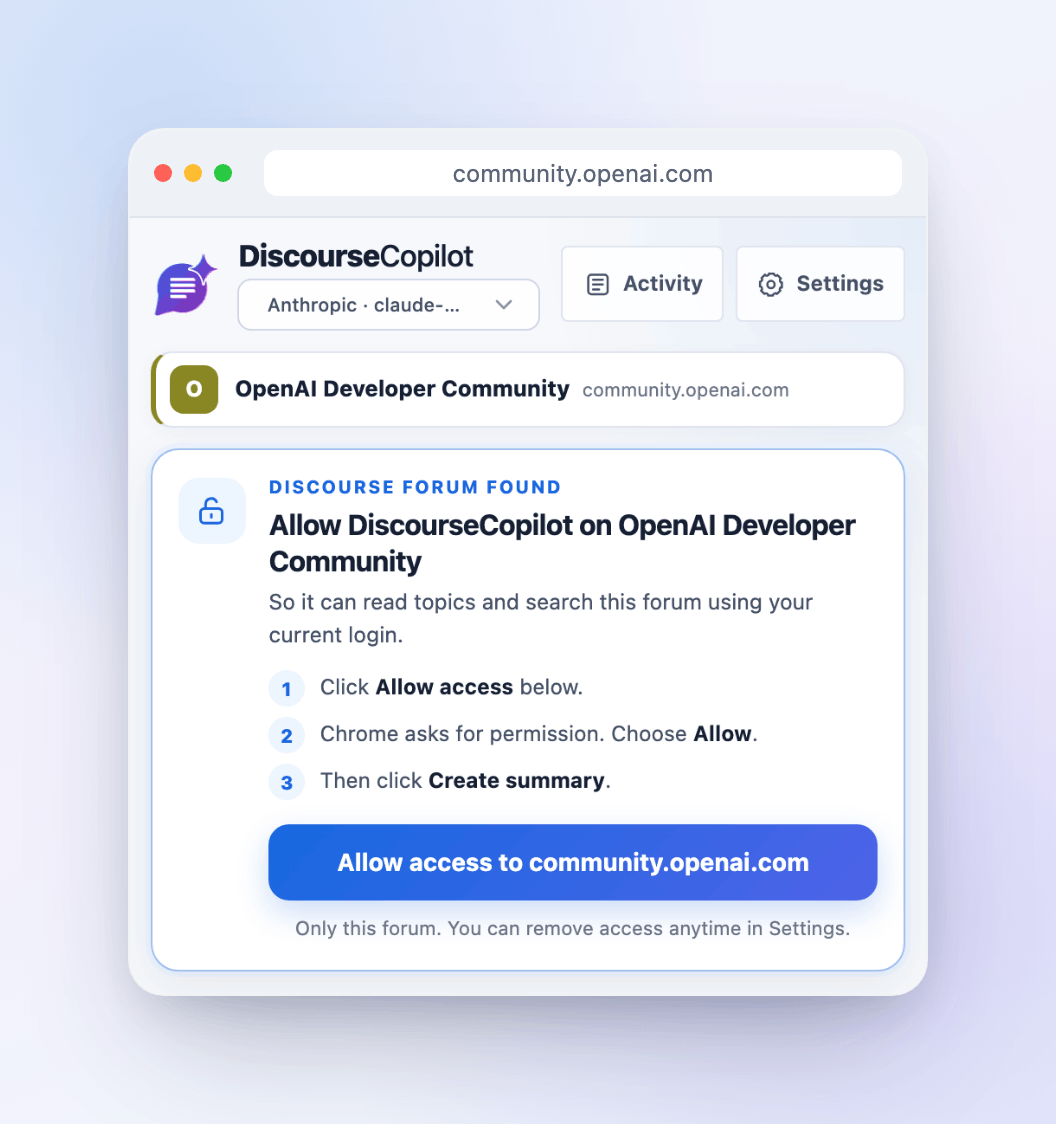 On a page that isn't a Discourse forum, the side panel says so and suggests forums to try.
## What you can do
On a page that isn't a Discourse forum, the side panel says so and suggests forums to try.
## What you can do
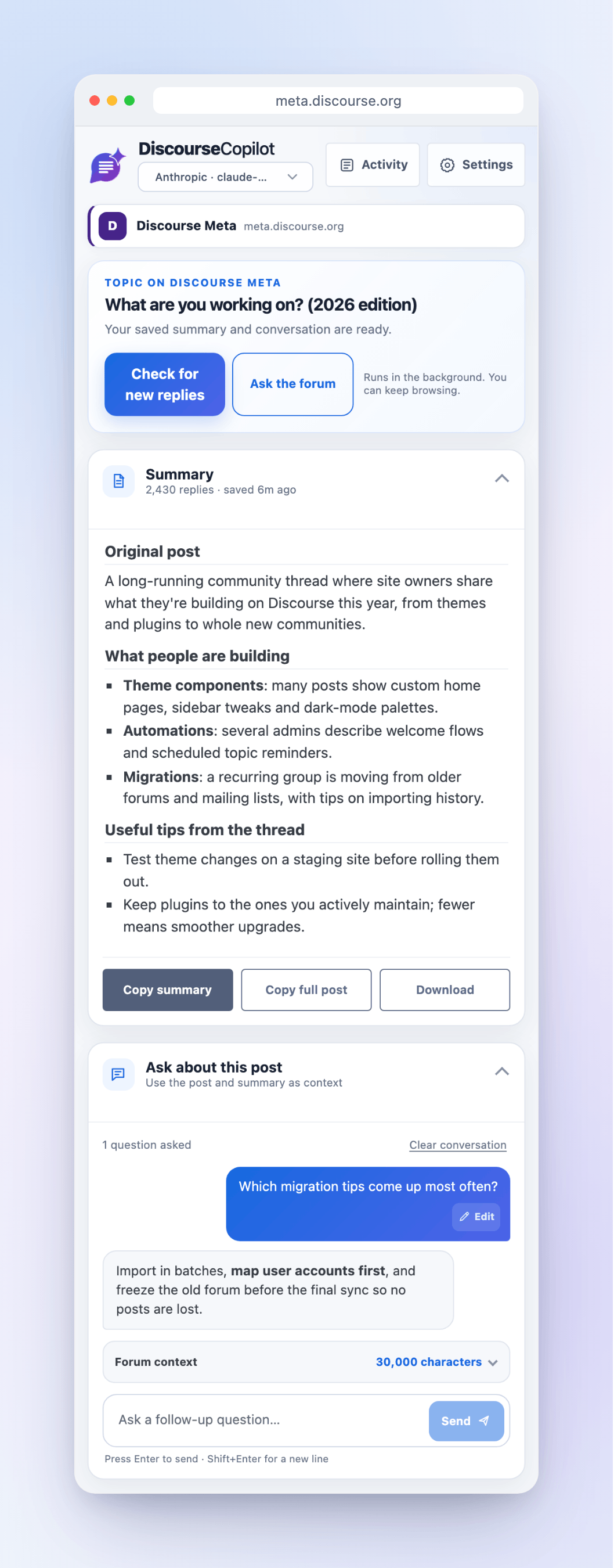
Summaries and chat |
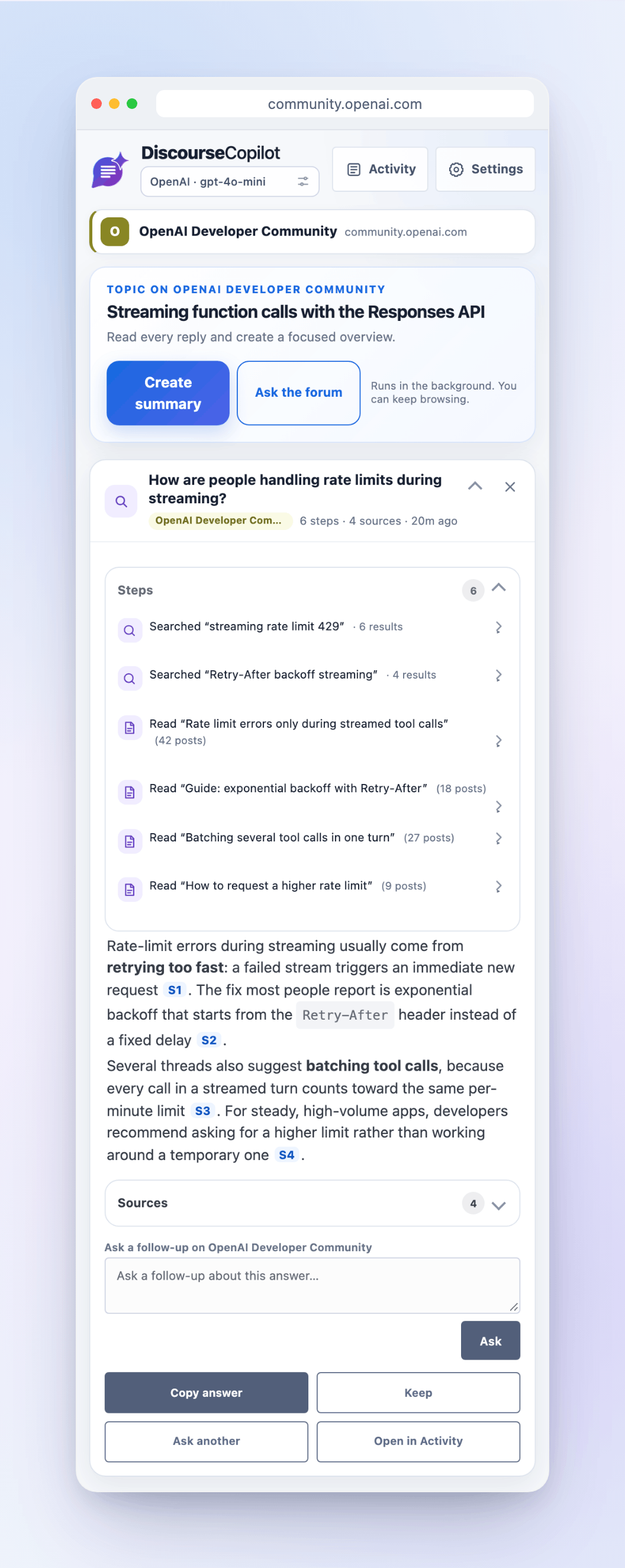
Ask the forum |
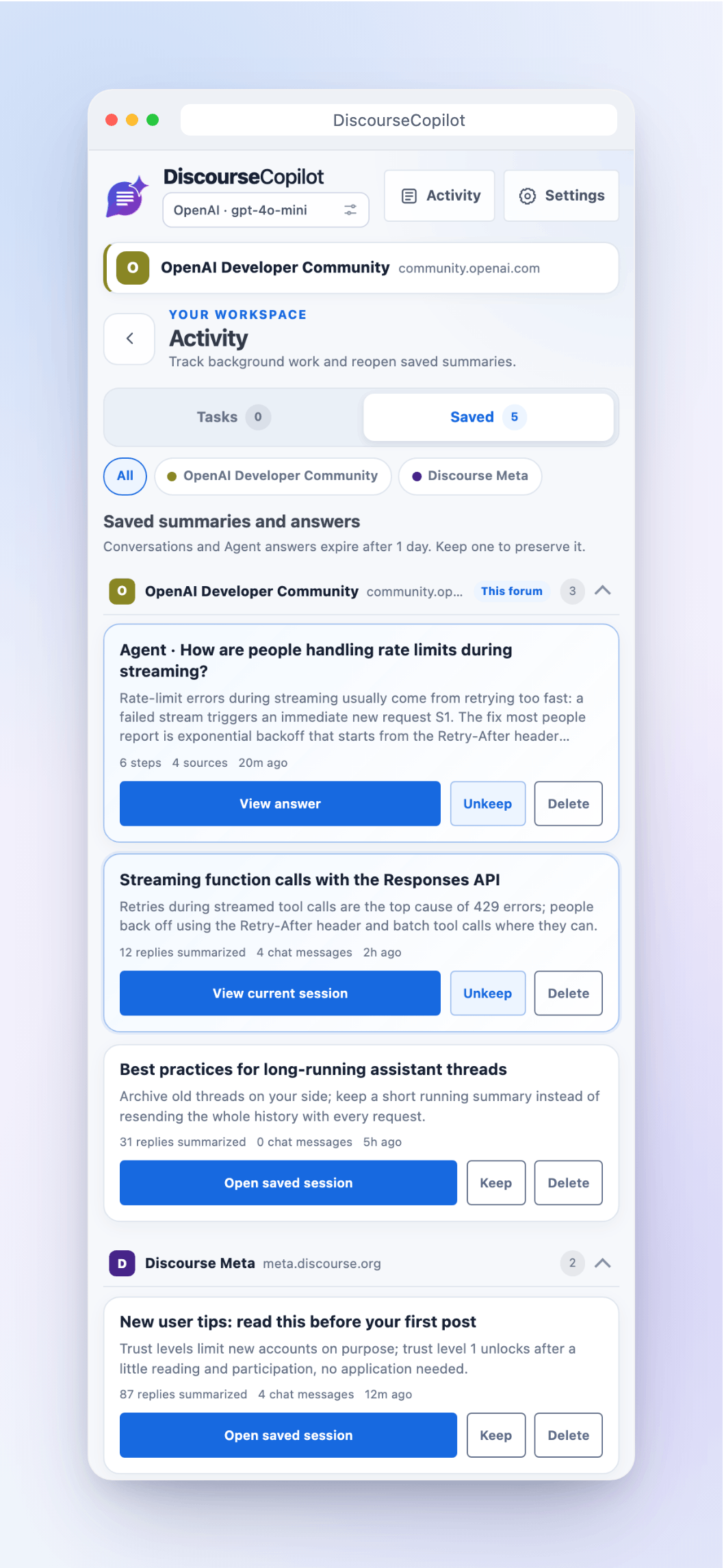
Activity, grouped by forum |
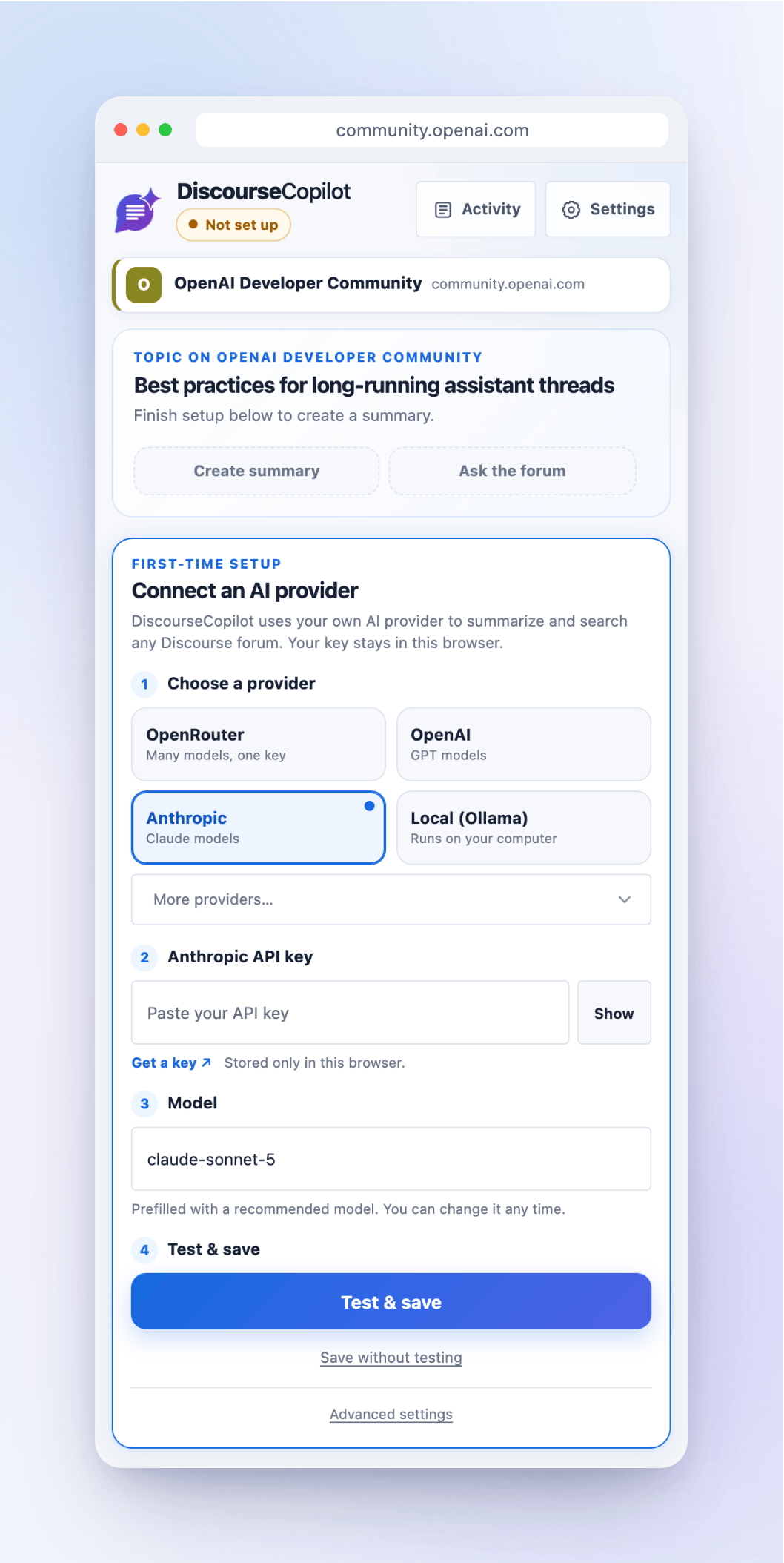
Quick setup |
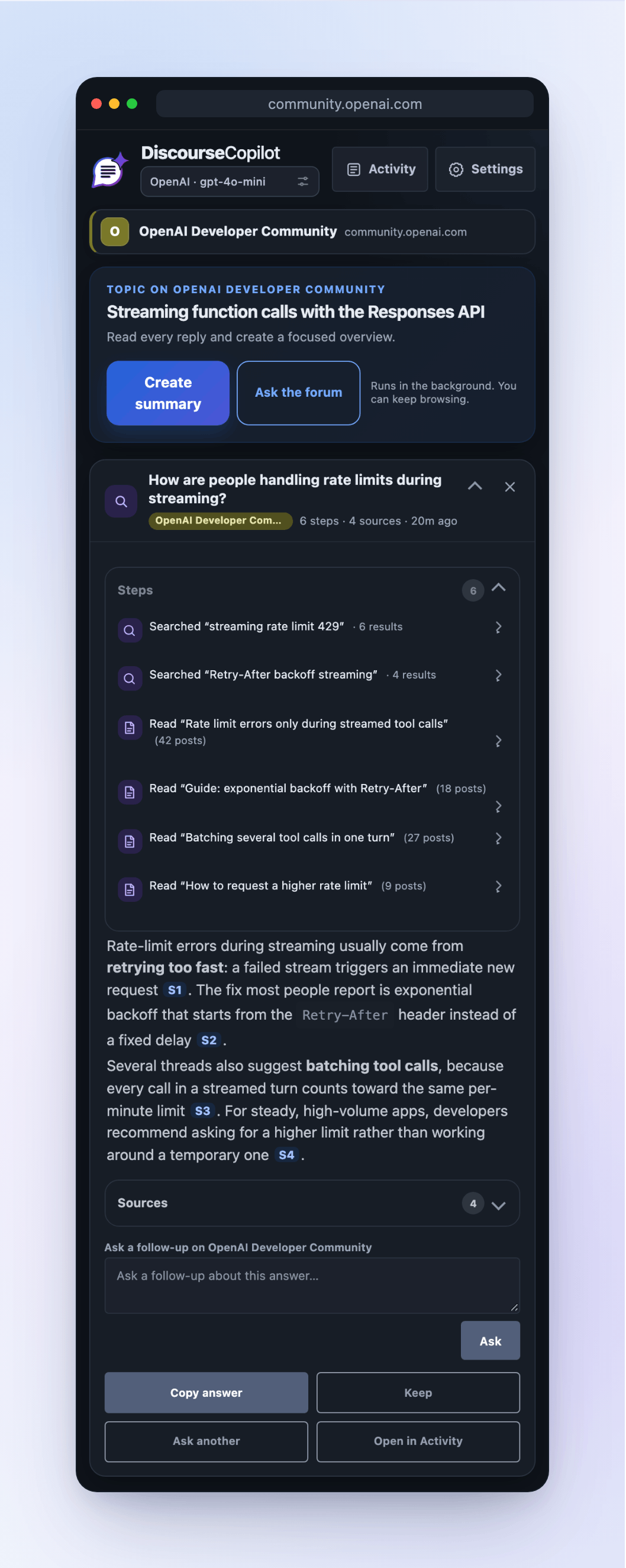
Dark mode |
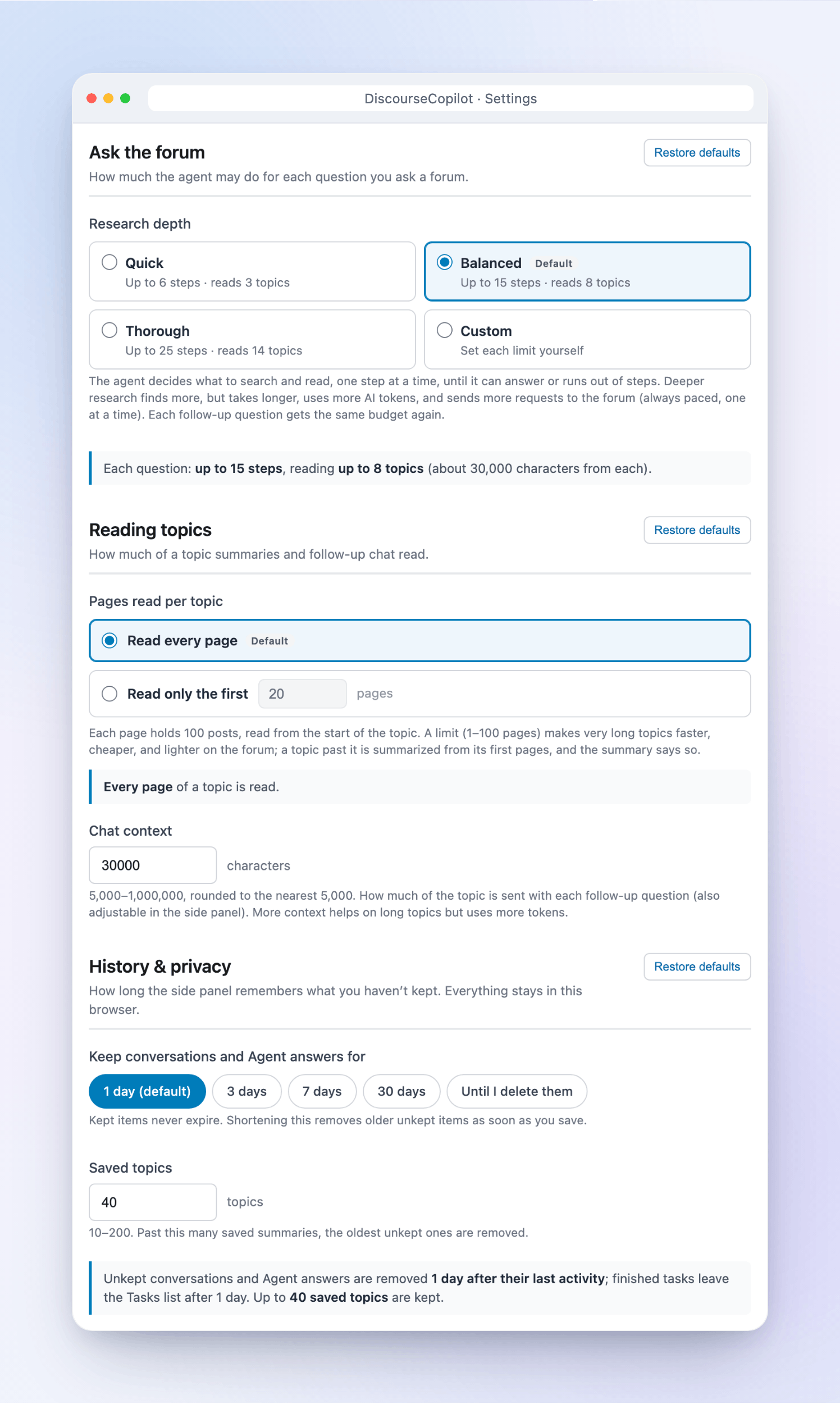
Settings you control |