
An Agent-driven IDE for industrial PLC programming — describe a control task in natural language, watch it become a running IEC 61131-3 program.



English | 简体中文
---
## 📖 Overview
**Sema PLC** turns a natural-language control requirement into a running PLC program. Type a task into the chat panel — *"latch a motor when the start button is pressed and a 3-second timer elapses"* — and an embedded [sema-core](https://github.com/midea-ai/sema-code-core) Agent writes IEC 61131-3 Structured Text, compiles it, deploys it to a live [OpenPLC Runtime](https://openplcproject.com/), behavior-verifies it (force inputs, trace variables), and renders the result as a ladder diagram + live variable values + a process simulation.
**[📚 View Documentation](https://midea-ai.github.io/SemaPLC/#/en/)** — architecture, toolchain reference, and Web IDE internals (English / 中文).
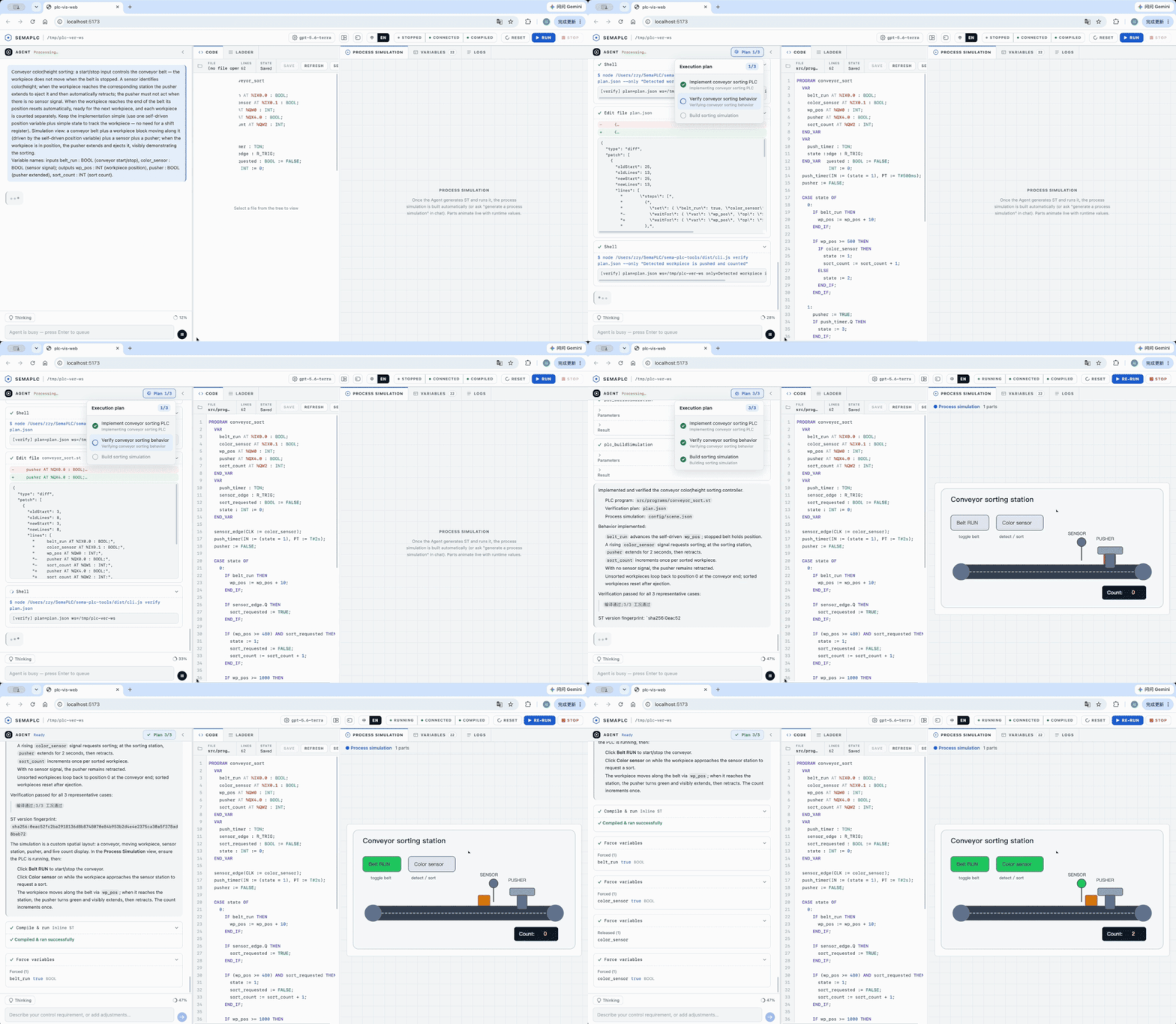
The repository ships two products that work together:
| Package | Role |
|:--------|:-----|
| **[`sema-plc-web`](sema-plc-web/)** | The Agent-driven IDE. A localhost web app (React + Vite frontend, Node backend) that embeds the sema-core Agent and visualizes ST → ladder + live vars + process simulation + tool-call log. |
| **[`sema-plc-tools`](sema-plc-tools/)** | The PLC toolchain that makes the IDE work. Usable two ways — as an **MCP server** an agent drives, or as a **standalone CLI** you run from the terminal — it covers the full loop (syntax-check → compile → upload → run → read / force / trace variables), and ships the OpenPLC Runtime Docker environment. |
## ✨ Features
| Feature | Description |
|:--------|:------------|
| **Natural-language → running PLC** | Describe control logic in plain language; the Agent generates, compiles, deploys, and verifies the ST program end-to-end. |
| **Live ladder diagram** | Generated ST is transformed into a ladder-logic view (React Flow) that reflects live runtime variable values. |
| **Behavior verification** | The Agent forces `%I` inputs and traces variables over time to prove timers / state-machines / counters actually behave as specified — not just that the code compiles. |
| **Process simulation** | A native Scene-Spec simulation animates a plant model (conveyors, tanks, motors) driven by live PLC values. |
| **MCP server + CLI** | 16 composable tools (`plc_check`, `plc_compile`, `plc_buildAndRun`, `plc_readVariables`, `plc_forceVariables`, `plc_trace`, …) — usable by any MCP-capable agent, or directly from the terminal via the `sema-plc-tools` CLI. |
| **OpenPLC Runtime v4** | Real IEC 61131-3 execution via OpenPLC + matiec, packaged as a one-command Docker environment. |
## 🌐 The Sema Family
**Midea AIRC · SEMA Agent Systems** explores agent systems engineering through three open-source research efforts. **Sema Code** turns product-bound coding agents into programmable, embeddable infrastructure; **SemaClaw** studies harness engineering for open, controllable, and extensible personal agents; and **SemaPLC** grounds industrial code generation in existing projects and gates completion on specification, compilation, and runtime evidence. **Embed · Harness · Verify** summarizes the distinct focus of each project, not a shared pipeline or strict dependency chain.
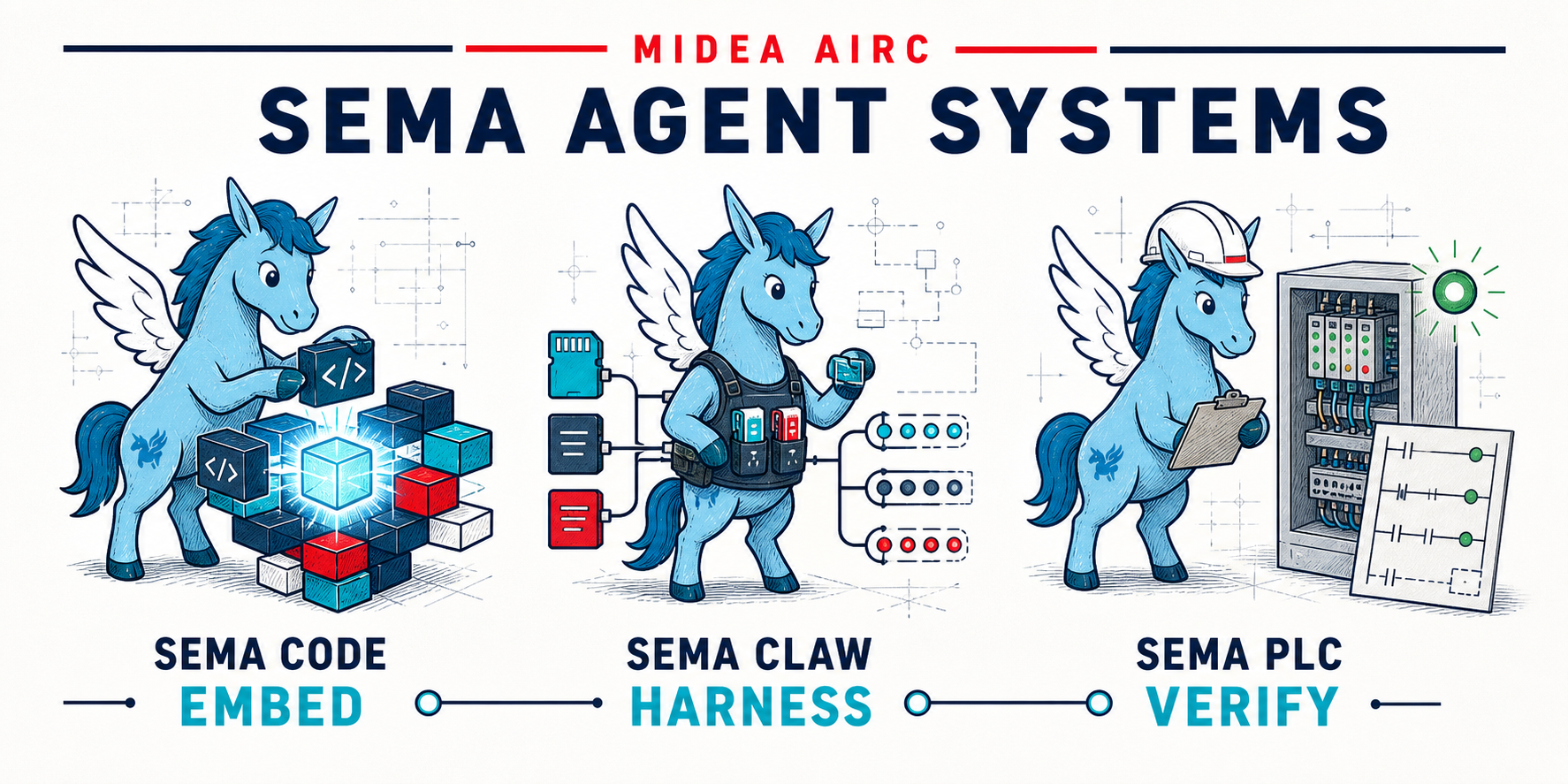
The SEMA series currently includes the following papers and open-source implementations:
[1] [*Sema Code: Decoupling AI Coding Agents into Programmable, Embeddable Infrastructure*](https://arxiv.org/abs/2604.11045) · [Code](https://github.com/midea-ai/sema-code-core)
[2] [*SemaClaw: A Step Towards General-Purpose Personal AI Agents through Harness Engineering*](https://arxiv.org/abs/2604.11548) · [Code](https://github.com/midea-ai/SemaClaw)
[3] [*SemaPLC: A Project-Grounded, Verification-Gated Agent Harness for PLC Code Generation*](https://arxiv.org/abs/2608.18565) · [Code](https://github.com/midea-ai/SemaPLC)
## 🏗 Architecture
```
Browser (Vite + React 18, :5173)
│ /api/* (proxied to :3001) WebSocket → ws://localhost:3002
▼
sema-plc-web backend (:3001 HTTP + :3002 WS)
├── sema-bridge embeds SemaCore, runs the Agent
├── plc-controller user-triggered Run / Stop
└── plc-monitor live variable polling
│ direct import
▼
sema-plc-tools (dist/) ──MCP/REST──► OpenPLC Runtime v4 (Docker, :8443)
ST → matiec → C → GCC → .so → execution
```
The Agent reasons over the MCP tools in `sema-plc-tools`; the same tools back the IDE's Run/Stop buttons and live-variable panel. Everything runs on `localhost` — your code and your LLM key never leave your machine except for the model API calls you configure.
## ⌨️ Standalone CLI
Beyond the MCP server, `sema-plc-tools` is a full command-line tool for driving OpenPLC from the terminal — no agent required (run `npm run build` in `sema-plc-tools/` first, and have the runtime container up):
```bash
cd sema-plc-tools
node dist/cli.js status # runtime status
node dist/cli.js compile program.st # compile, print structured result JSON
node dist/cli.js buildAndRun program.st # compile → upload → start
node dist/cli.js trace --names led --durationMs 3000 # sample a variable over time
node dist/cli.js force --set start_btn=true # simulate an input
node dist/cli.js waitFor red_led eq true # poll until a condition holds
node dist/cli.js verify plan.json # run a declarative verify plan
node dist/cli.js serve # run as an MCP stdio server instead
```
See [`sema-plc-tools/README.md`](sema-plc-tools/README.md) for the full command and tool reference.
## 🚀 Quick Start
### Prerequisites
- **Node.js ≥ 18** and **npm**
- **Docker** (Docker Desktop on macOS / Windows) — for the OpenPLC Runtime container
- An **LLM API key** (DeepSeek recommended; Anthropic and OpenAI-compatible providers such as MiniMax / Gemini / OpenAI / xAI / Groq / OpenRouter / Qwen / Kimi are also supported)
### Setup
```bash
# 1. Clone
git clone https://github.com/midea-ai/SemaPLC.git
cd SemaPLC
# 2. Build the toolchain (the web app direct-imports its dist/)
cd sema-plc-tools && npm install && npm run build && cd ..
# 3. Build the OpenPLC runtime base image (first time only; needs Docker + network)
# Upstream openplc-runtime's main moved to STruC++; this pins a MatIEC-era commit.
( cd sema-plc-tools/runtime && ./scripts/build-matiec-base.sh )
# 4. Install the web app (sema-core is vendored in sema-plc-web/vendor/, installed via a file: dep)
cd sema-plc-web && npm install
# 5. Configure your LLM key
cp .env.example .env
# edit .env and fill in one key, e.g. DEEPSEEK_API_KEY=sk-...
```
### Run
One command brings up everything — starts the OpenPLC container, rebuilds the toolchain, and launches the dev server (frontend + backend):
```bash
# from sema-plc-web/
./dev.sh # default: deepseek
PLC_MODEL=minimax-m2.7 ./dev.sh
PLC_MODEL=openai ./dev.sh
```
When it's up you'll see:
```
[SERVER] HTTP ready on http://127.0.0.1:3001
[SERVER] WS ready on ws://127.0.0.1:3002
[SERVER] [plc-tools] MCP server ready
[VITE] ➜ Local: http://localhost:5173/
```
Open **** and describe a control requirement in the chat panel. For manual step-by-step startup, model options, supported providers, and configuration, see **[sema-plc-web/README.md](sema-plc-web/README.md)**.
> First run builds the OpenPLC Docker image (incl. the `rusty` checker from source), which can take several minutes. The container exposes its REST API on `https://localhost:8443` with a self-signed certificate. The image is self-contained — no private images required.
## 📂 Project Structure
```
.
├── sema-plc-web/ # Agent-driven IDE (React + Vite frontend, Node backend)
│ ├── server/ # HTTP + WS backend: sema-bridge / plc-controller / plc-monitor
│ ├── src/ # React UI: chat, ladder view, vars, process simulation
│ ├── templates/ # workspace seed: AGENTS.md + .sema skills + .mcp.json
│ └── dev.sh # one-command launcher (Docker → build → dev server)
│
└── sema-plc-tools/ # MCP toolchain + OpenPLC runtime
├── src/ # 16 tools, exposed via MCP server + CLI (check/compile/run/read/force/trace/…)
└── runtime/ # OpenPLC Runtime v4 Docker environment
├── docker-compose.yml
├── Dockerfile.plc-dev
└── samples/ # example ST programs
```
## 🧪 Tests
```bash
cd sema-plc-tools && npm test # no Docker needed
cd sema-plc-web && npm test # server: vitest/node, frontend: vitest/jsdom
```
## 🤝 Acknowledgments
- Built on [OpenPLC](https://openplcproject.com/) Runtime v4 + the [matiec](https://github.com/nucleron/matiec) IEC 61131-3 compiler.
- The embedded LLM Agent runtime is [sema-code-core](https://github.com/midea-ai/sema-code-core); WebSocket-gateway and embedded-Agent patterns are adapted from [SemaClaw](https://github.com/midea-ai/SemaClaw).
- The ladder-diagram renderer is lifted from [cdilga/ladder-logic-editor](https://github.com/cdilga/ladder-logic-editor) (MIT) — see `sema-plc-web/LICENSE`.
## 📜 License
Sema PLC's own code is released under the [MIT License](LICENSE).
It drives a GPL/LGPL PLC toolchain (matiec, rusty, OpenPLC) as **separate command-line
binaries built into the Docker image** — arm's-length process invocation, so their copyleft
does not extend to this MIT source. Component licenses, the aggregation rationale, and Docker
image redistribution obligations are documented in [THIRD_PARTY_NOTICES.md](THIRD_PARTY_NOTICES.md).