
Agent 驱动的工业 PLC 编程 IDE —— 用自然语言描述一个控制任务,看着它变成一个运行中的 IEC 61131-3 程序。



English | 简体中文
---
## 📖 项目简介
**Sema PLC** 把一句自然语言的控制需求变成一个运行中的 PLC 程序。在聊天面板里输入任务 —— *"按下启动按钮且 3 秒定时器到达后锁存电机"* —— 内置的 [sema-core](https://github.com/midea-ai/sema-code-core) Agent 会编写 IEC 61131-3 结构化文本(ST)、编译它、部署到运行中的 [OpenPLC Runtime](https://openplcproject.com/)、做行为验证(强制输入、采样变量),并把结果以梯形图 + 实时变量 + 过程仿真的形式呈现。
**[📚 查看文档](https://midea-ai.github.io/SemaPLC/#/)** —— 架构设计、工具链参考与 Web IDE 机制(中文 / English)。
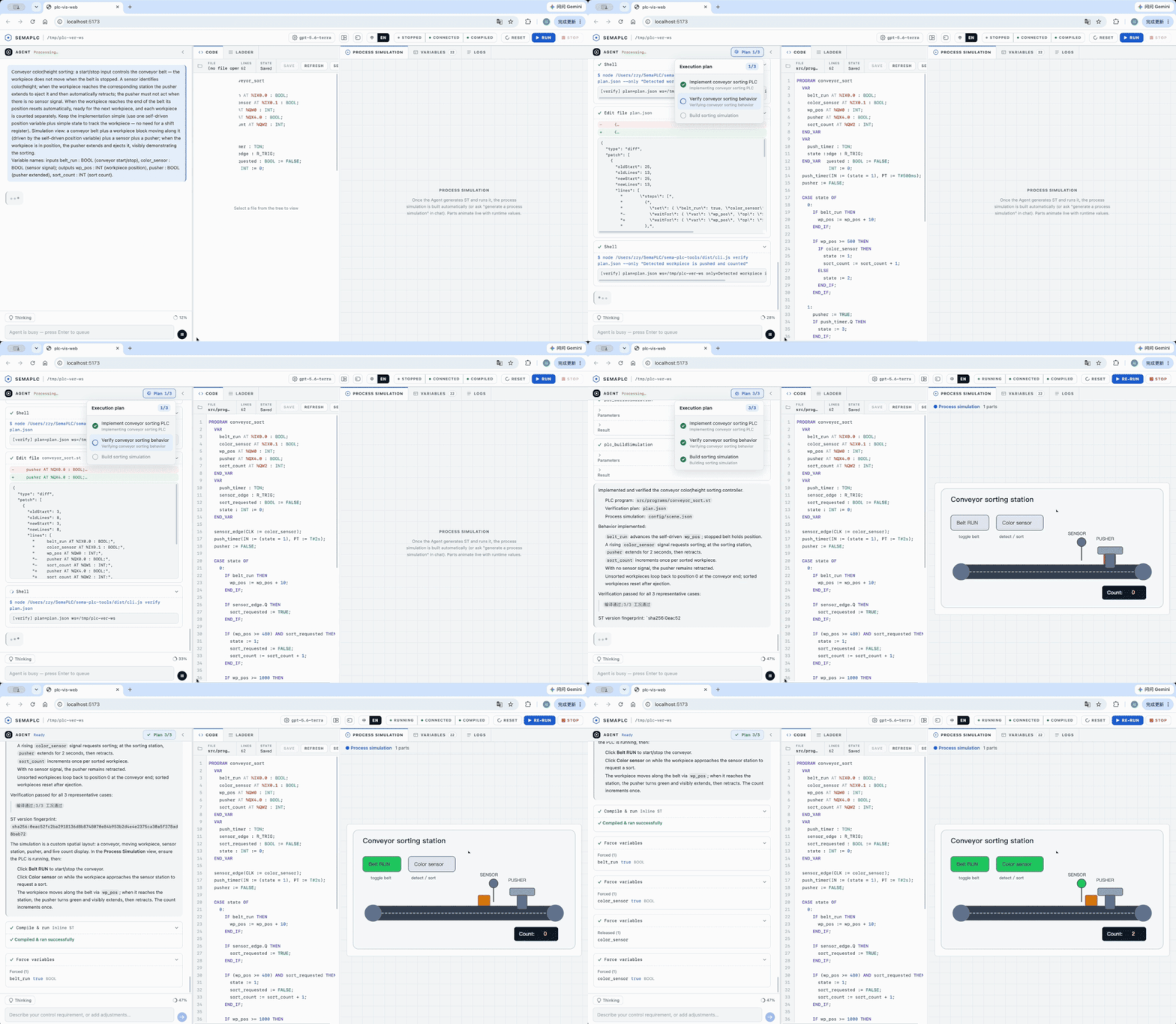
仓库包含两个协同工作的产品:
| 包 | 角色 |
|:--------|:-----|
| **[`sema-plc-web`](sema-plc-web/)** | Agent 驱动的 IDE。一个本地 Web 应用(React + Vite 前端,Node 后端),内嵌 sema-core Agent,把 ST → 梯形图 + 实时变量 + 过程仿真 + 工具调用日志可视化。 |
| **[`sema-plc-tools`](sema-plc-tools/)** | 支撑 IDE 运行的 PLC 工具链。两种用法 —— 既是 Agent 驱动的 **MCP 服务**,也是可在终端直接运行的**独立 CLI**;覆盖完整闭环(语法检查 → 编译 → 上传 → 运行 → 读取 / 强制 / 采样变量),并附带 OpenPLC Runtime 的 Docker 环境。 |
## ✨ 功能特性
| 特性 | 说明 |
|:--------|:------------|
| **自然语言 → 运行中的 PLC** | 用大白话描述控制逻辑;Agent 端到端地生成、编译、部署并验证 ST 程序。 |
| **实时梯形图** | 生成的 ST 被转换为梯形图视图(React Flow),并随运行时变量值实时着色。 |
| **行为验证** | Agent 强制 `%I` 输入、随时间采样变量,以证明定时器 / 状态机 / 计数器确实按需求行为 —— 不只是"能编译过"。 |
| **过程仿真** | 原生 Scene-Spec 仿真,用一个被实时 PLC 值驱动的对象模型(传送带、水箱、电机)做动画。 |
| **MCP 服务 + CLI** | 16 个可组合工具(`plc_check`、`plc_compile`、`plc_buildAndRun`、`plc_readVariables`、`plc_forceVariables`、`plc_trace` …)—— 任何支持 MCP 的 agent 可用,也可经 `sema-plc-tools` CLI 在终端直接调用。 |
| **OpenPLC Runtime v4** | 经 OpenPLC + matiec 的真实 IEC 61131-3 执行环境,打包为一条命令即可启动的 Docker 环境。 |
## 🌐 The Sema Family
**Midea AIRC · SEMA Agent Systems** 从三个方向探索 Agent 系统工程:**Sema Code** 将编码 Agent 解耦为可编程、可嵌入的基础设施;**SemaClaw** 通过 Harness Engineering 构建开放、可控、可扩展的个人 Agent 系统;**SemaPLC** 面向工业代码生成,以项目上下文以及规格、编译和运行时验证结果约束交付。图中的 **Embed · Harness · Verify** 分别概括三项工作的研究重点,并不表示统一流程或严格依赖关系。
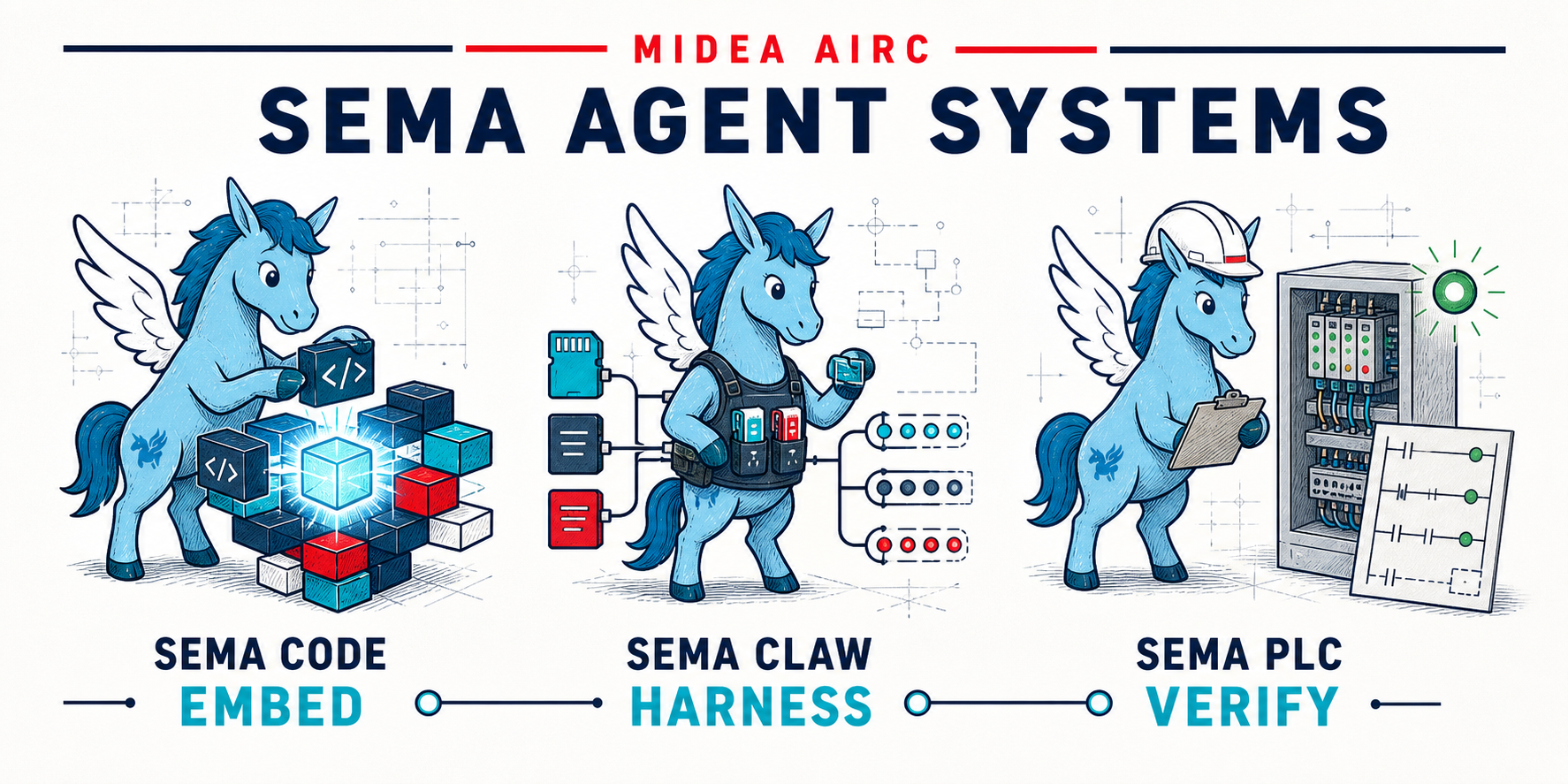
SEMA 系列目前包含以下论文与开源实现:
[1] [*Sema Code: Decoupling AI Coding Agents into Programmable, Embeddable Infrastructure*](https://arxiv.org/abs/2604.11045) · [代码](https://github.com/midea-ai/sema-code-core)
[2] [*SemaClaw: A Step Towards General-Purpose Personal AI Agents through Harness Engineering*](https://arxiv.org/abs/2604.11548) · [代码](https://github.com/midea-ai/SemaClaw)
[3] [*SemaPLC: A Project-Grounded, Verification-Gated Agent Harness for PLC Code Generation*](https://arxiv.org/abs/2608.18565) · [代码](https://github.com/midea-ai/SemaPLC)
## 🏗 架构
```
浏览器 (Vite + React 18, :5173)
│ /api/* (代理到 :3001) WebSocket → ws://localhost:3002
▼
sema-plc-web 后端 (:3001 HTTP + :3002 WS)
├── sema-bridge 内嵌 SemaCore,运行 Agent
├── plc-controller 用户触发的 Run / Stop
└── plc-monitor 实时变量轮询
│ 直接 import
▼
sema-plc-tools (dist/) ──MCP/REST──► OpenPLC Runtime v4 (Docker, :8443)
ST → matiec → C → GCC → .so → 执行
```
Agent 基于 `sema-plc-tools` 里的 MCP 工具进行推理;同一套工具也支撑着 IDE 的 Run/Stop 按钮和实时变量面板。一切都跑在 `localhost` —— 你的代码和 LLM key 除了你自己配置的模型 API 调用外,不会离开你的机器。
## ⌨️ 独立 CLI
除了作为 MCP 服务,`sema-plc-tools` 本身也是一个完整的命令行工具,无需 agent 即可在终端直接驱动 OpenPLC(先在 `sema-plc-tools/` 跑 `npm run build`,并确保运行时容器已起):
```bash
cd sema-plc-tools
node dist/cli.js status # 运行时状态
node dist/cli.js compile program.st # 编译并打印结构化结果 JSON
node dist/cli.js buildAndRun program.st # 编译 → 上传 → 启动
node dist/cli.js trace --names led --durationMs 3000 # 随时间采样某个变量
node dist/cli.js force --set start_btn=true # 模拟一个输入
node dist/cli.js waitFor red_led eq true # 轮询至条件成立
node dist/cli.js verify plan.json # 跑一个声明式验证 plan
node dist/cli.js serve # 改以 MCP stdio 服务方式运行
```
完整命令与工具清单见 [`sema-plc-tools/README.md`](sema-plc-tools/README.md)。
## 🚀 快速开始
### 前置条件
- **Node.js ≥ 18** 和 **npm**
- **Docker**(macOS / Windows 上用 Docker Desktop)—— 用于 OpenPLC Runtime 容器
- 一个 **LLM API key**(推荐 DeepSeek;也支持 Anthropic 以及 MiniMax / Gemini / OpenAI / xAI / Groq / OpenRouter / Qwen / Kimi 等 OpenAI-compatible 提供商)
### 安装
```bash
# 1. 克隆
git clone https://github.com/midea-ai/SemaPLC.git
cd SemaPLC
# 2. 构建工具链(web 应用会直接 import 它的 dist/)
cd sema-plc-tools && npm install && npm run build && cd ..
# 3. 构建 OpenPLC 运行时基础镜像(仅首次;需 Docker + 网络)
# 上游 openplc-runtime 的 main 已切到 STruC++,此脚本钉死到 MatIEC-era 提交。
( cd sema-plc-tools/runtime && ./scripts/build-matiec-base.sh )
# 4. 安装 web 应用(sema-core 以 vendor 形式内置于 sema-plc-web/vendor/,经 file: 依赖安装)
cd sema-plc-web && npm install
# 5. 配置你的 LLM key
cp .env.example .env
# 编辑 .env,填入一个 key,例如 DEEPSEEK_API_KEY=sk-...
```
### 运行
一条命令拉起一切 —— 启动 OpenPLC 容器、重新构建工具链、启动 dev server(前端 + 后端):
```bash
# 在 sema-plc-web/ 目录下
./dev.sh # 默认:deepseek
PLC_MODEL=minimax-m2.7 ./dev.sh
PLC_MODEL=openai ./dev.sh
```
起来后你会看到:
```
[SERVER] HTTP ready on http://127.0.0.1:3001
[SERVER] WS ready on ws://127.0.0.1:3002
[SERVER] [plc-tools] MCP server ready
[VITE] ➜ Local: http://localhost:5173/
```
打开 ****,在聊天面板里描述一个控制需求即可。手动分步启动、模型选项、支持的提供商与详细配置见 **[sema-plc-web/README.md](sema-plc-web/README.md)**。
> 首次运行会构建 OpenPLC Docker 镜像(含从源码构建的 `rusty` 检查器),可能耗时几分钟。容器在 `https://localhost:8443` 暴露 REST API(自签名证书)。镜像自包含,无需任何私有镜像。
## 📂 目录结构
```
.
├── sema-plc-web/ # Agent 驱动的 IDE(React + Vite 前端,Node 后端)
│ ├── server/ # HTTP + WS 后端:sema-bridge / plc-controller / plc-monitor
│ ├── src/ # React UI:聊天、梯形图视图、变量、过程仿真
│ ├── templates/ # 工作区种子:AGENTS.md + .sema skills + .mcp.json
│ └── dev.sh # 一条命令启动器(Docker → 构建 → dev server)
│
└── sema-plc-tools/ # MCP 工具链 + OpenPLC 运行时
├── src/ # 16 个工具,经 MCP 服务 + CLI 暴露(check/compile/run/read/force/trace/…)
└── runtime/ # OpenPLC Runtime v4 Docker 环境
├── docker-compose.yml
├── Dockerfile.plc-dev
└── samples/ # 示例 ST 程序
```
## 🧪 测试
```bash
cd sema-plc-tools && npm test # 无需 Docker
cd sema-plc-web && npm test # 后端:vitest/node,前端:vitest/jsdom
```
## 🤝 致谢
- 基于 [OpenPLC](https://openplcproject.com/) Runtime v4 + [matiec](https://github.com/nucleron/matiec) IEC 61131-3 编译器构建。
- 内嵌的 LLM Agent 运行时是 [sema-code-core](https://github.com/midea-ai/sema-code-core);WebSocket 网关与内嵌 Agent 的模式参考自 [SemaClaw](https://github.com/midea-ai/SemaClaw)。
- 梯形图渲染器取自 [cdilga/ladder-logic-editor](https://github.com/cdilga/ladder-logic-editor)(MIT)—— 见 `sema-plc-web/LICENSE`。
## 📜 License
Sema PLC 自身代码以 [MIT 许可证](LICENSE) 发布。
它以**独立命令行二进制(构建进 Docker 镜像)**的方式驱动一套 GPL/LGPL 的 PLC 工具链
(matiec、rusty、OpenPLC)——属一臂之遥的进程调用,其 copyleft 不会传染到本 MIT 源码。
各组件许可证、聚合(aggregation)依据,以及 Docker 镜像再分发义务,详见
[THIRD_PARTY_NOTICES.md](THIRD_PARTY_NOTICES.md)。