KiCk logo

KiCk

A native local OpenAI-compatible proxy for Gemini CLI and Kiro.

Connect your accounts, start a local /v1 endpoint, and use Gemini CLI or Kiro from tools that already speak the OpenAI API.

Latest release CI status Downloads Built with Flutter License

Download | Quickstart | Screenshots | Privacy | Contributing | Russian README
--- ## Screenshots

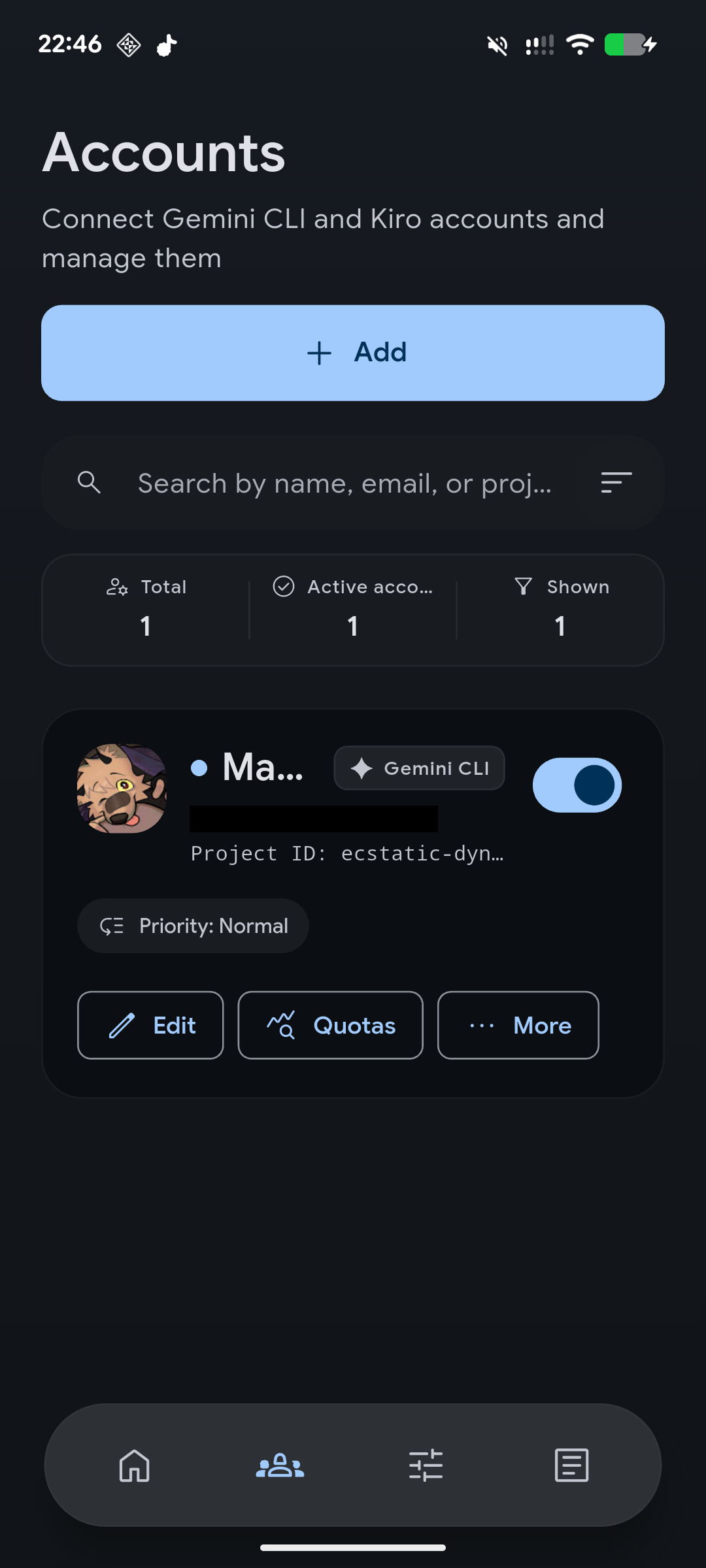
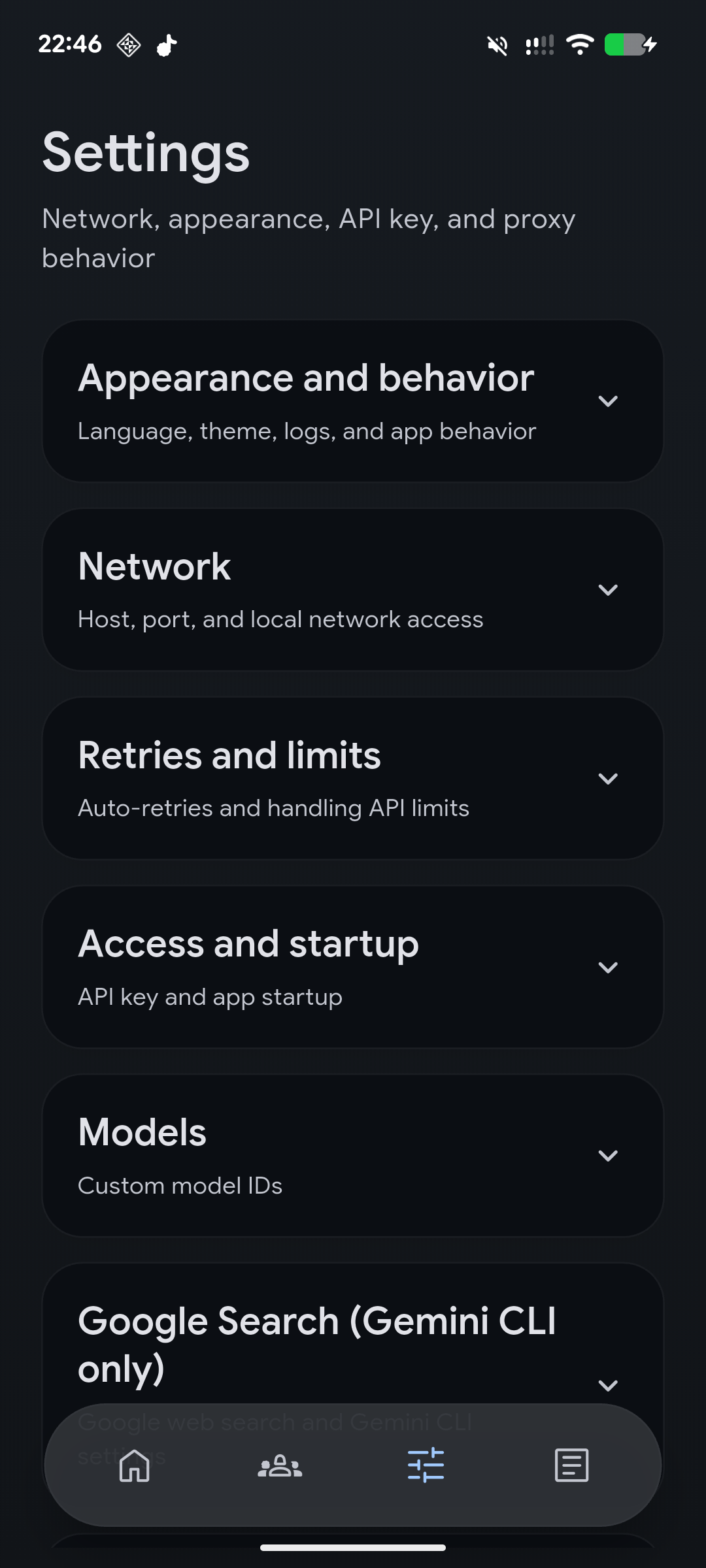
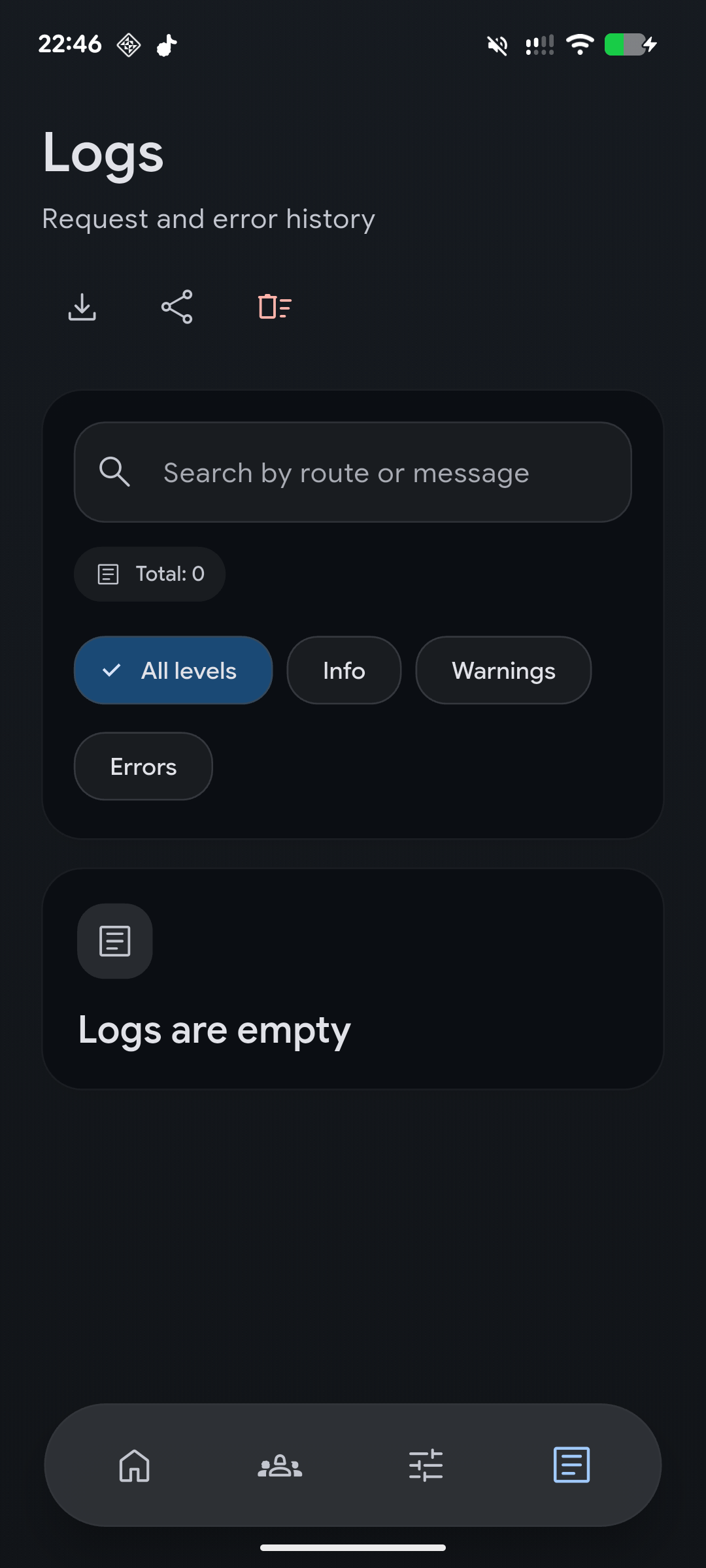
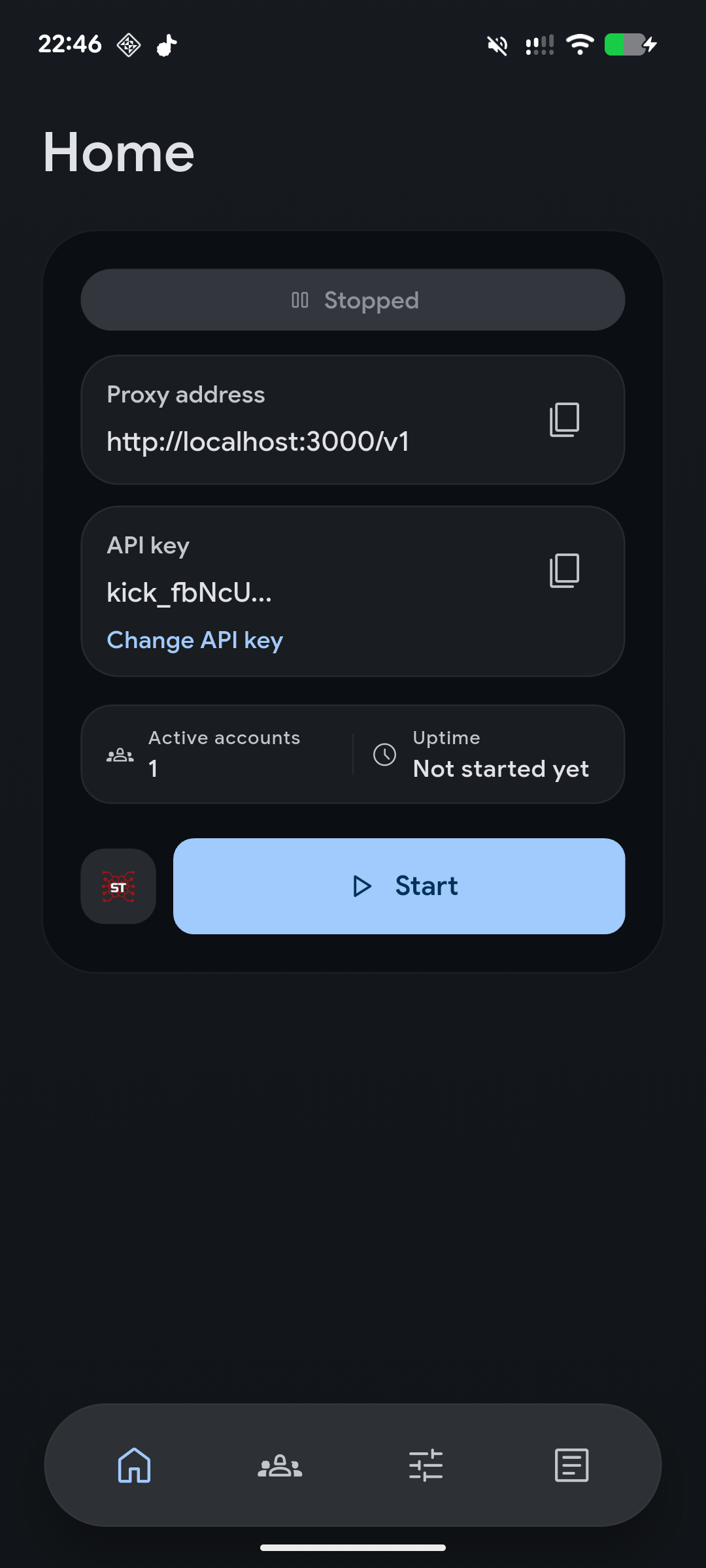
KiCk home screen with proxy address, API key, active accounts, and start button KiCk accounts screen with account search, counters, provider badge, and account actions KiCk settings screen with appearance, network, retries, access, model, and Google Search sections KiCk logs screen with search, export actions, severity filters, and empty log state

## What KiCk Does KiCk runs a local OpenAI-compatible server on your device and forwards requests to Gemini CLI through connected Google accounts, or to Kiro through a signed-in Kiro account. It is built for people who want a native app around local AI proxying: account management, keys, logs, retries, model routing, and one-button startup. | Area | What you get | | --- | --- | | Local API | OpenAI-compatible `http://127.0.0.1:3000/v1` endpoint | | Providers | Gemini CLI via Google sign-in, Kiro via GitHub or Google sign-in | | Platforms | Windows, Linux, and Android | | Accounts | Multiple accounts with priority ordering and availability handling | | Privacy | Tokens, settings, keys, and logs stay on your device | ## Quickstart 1. Download the latest build from [Releases](https://github.com/mxnix/kick/releases/latest), or install from a Linux repository below. 2. Open **Accounts** and connect a Gemini CLI or Kiro account. 3. For Gemini CLI, enter your `Google Cloud` project ID. For Kiro, sign in through GitHub or Google in the browser. 4. Return to **Home**, start the proxy, and copy the local endpoint plus API key. 5. Use them in Gemini CLI, SillyTavern, another OpenAI-compatible client, or your own app. The default endpoint is `http://127.0.0.1:3000/v1`. You can change the host, port, LAN access, and API key behavior in settings. ## Features - Local OpenAI-compatible proxy with `/v1/chat/completions` and `/v1/responses`, including SSE streaming via `"stream": true`. - Account pool for Gemini CLI and Kiro with priorities, retries, cooldowns, and model filters. - Native account connection flows for Google sign-in and Kiro sign-in via GitHub or Google. - Configurable address, port, LAN access, access key, retry policy, and custom model IDs. - One-click profile push to a running SillyTavern instance. - Searchable logs with export, raw request logging controls, and sensitive data masking. - Android background mode, desktop tray support, and launch-at-startup options. - English and Russian interface, documentation, and release metadata. ## Supported Routes - `GET /health` - `GET /v1/models` - `POST /v1/chat/completions` - `POST /v1/responses` ## Request Example ```bash curl http://127.0.0.1:3000/v1/chat/completions \ -H "Content-Type: application/json" \ -H "Authorization: Bearer YOUR_API_KEY" \ -d '{ "model": "gemini-3.1-pro-preview", "messages": [ {"role": "user", "content": "Write a short greeting"} ] }' ``` If API key protection is disabled, remove the `Authorization` header. ## Install | Platform | Options | | --- | --- | | Windows | Download the installer from [Releases](https://github.com/mxnix/kick/releases/latest). | | Linux | Use AppImage, `.deb`, `.rpm`, `.pkg.tar.zst`, `.tar.gz`, APT/RPM/Pacman repositories, or [AUR](https://aur.archlinux.org/packages/kick-bin). | | Android | Download the APK from [Releases](https://github.com/mxnix/kick/releases/latest) or [Obtainium](http://apps.obtainium.imranr.dev/redirect.html?r=obtainium://add/https://github.com/mxnix/kick). |
Linux repositories Debian, Ubuntu, and Linux Mint: ```bash curl -fsSL https://mxnix.github.io/kick/linux/kick.asc | sudo gpg --dearmor -o /usr/share/keyrings/kick.gpg echo "deb [signed-by=/usr/share/keyrings/kick.gpg] https://mxnix.github.io/kick/linux/apt stable main" | sudo tee /etc/apt/sources.list.d/kick.list sudo apt update sudo apt install kick ``` Fedora/RHEL/openSUSE-style systems: ```bash sudo rpm --import https://mxnix.github.io/kick/linux/kick.asc sudo tee /etc/yum.repos.d/kick.repo >/dev/null <<'EOF' [kick] name=KiCk baseurl=https://mxnix.github.io/kick/linux/rpm/x86_64 enabled=1 gpgcheck=0 repo_gpgcheck=1 gpgkey=https://mxnix.github.io/kick/linux/kick.asc EOF sudo dnf install kick ``` Arch Linux-style systems: ```bash curl -fsSL https://mxnix.github.io/kick/linux/kick.asc | sudo pacman-key --add - sudo pacman-key --lsign-key "$(curl -fsSL https://mxnix.github.io/kick/linux/kick.asc | gpg --show-keys --with-colons | awk -F: '/^pub:/ { print $5; exit }')" sudo tee -a /etc/pacman.conf >/dev/null <<'EOF' [kick] Server = https://mxnix.github.io/kick/linux/pacman/x86_64 SigLevel = DatabaseRequired PackageOptional EOF sudo pacman -Sy kick ``` Or install from the AUR: ```bash yay -S kick-bin ``` ```bash paru -S kick-bin ``` On GNOME, tray support may require the AppIndicator extension.
## Privacy - Sign-in tokens and the local access key are stored in the device's secure storage. - Settings, account lists, and logs are stored locally. - Full raw request logging is disabled by default. - Sensitive values are masked when logs are saved or exported. - Anonymous analytics is disabled by default. Read the full [Privacy Policy](docs/PRIVACY.md). ## Troubleshooting
Common fixes - Port already in use: choose a different port in settings. - No active accounts: connect a Gemini CLI or Kiro account, or re-enable an existing one. - Google sign-in expired: reconnect the Gemini CLI account. - Kiro session expired: sign in to Kiro again. - Google asks for verification: open the verification page and sign in with the same account. - Wrong `Google Cloud` project ID or disabled access: verify the project and its settings. - `429` errors: wait for the limit to reset or enable temporary account cooldown.
## Build From Source
Developer setup 1. Install Flutter and the required Android, Windows, or Linux tooling for your target platform. 2. Install dependencies and run tests: ```powershell flutter pub get flutter test ``` 3. Run the app: ```powershell flutter run -d windows ``` ```bash flutter run -d linux ``` ```powershell flutter run -d android ``` 4. Build the Windows installer locally with Inno Setup 6: ```powershell powershell -NoProfile -ExecutionPolicy Bypass -File .\scripts\build-windows-installer.ps1 ``` 5. Build Linux packages locally with `nfpm` and `appimagetool`: ```bash scripts/build-linux-packages.sh ``` Build and release details live in [CONTRIBUTING.md](docs/CONTRIBUTING.md). Localization notes live in [LOCALIZATION.md](docs/LOCALIZATION.md).