
Your On-Device AI Assistant
|
Demo
|
Quick Start
|
Release
|
Issues
|
English
|
简体中文
|
> Unlike traditional mobile AI chat apps, OpenOmniBot runs directly on your device and can operate your Android phone like a human, including apps, gestures, and system settings.
OpenOmniBot is an on-device AI agent built with native Android Kotlin and Flutter. Instead of stopping at chat, it focuses on the full loop of **understand -> decide -> execute -> reflect**.
Core Capabilities
- **Extensible tool ecosystem**: Skills, Alpine environment, browser access, MCP, and Android system-level tools.
- **Phone task automation**: Uses vision models to understand and operate mobile interfaces.
- **System-level actions**: Supports scheduled tasks, alarms, calendar creation/query/update, and audio playback control.
- **Memory system**: Short-term and long-term memory with embedding support.
- **Productivity tools**: Read and write files, browse the workspace, use the browser, and access the terminal.
Quick Start
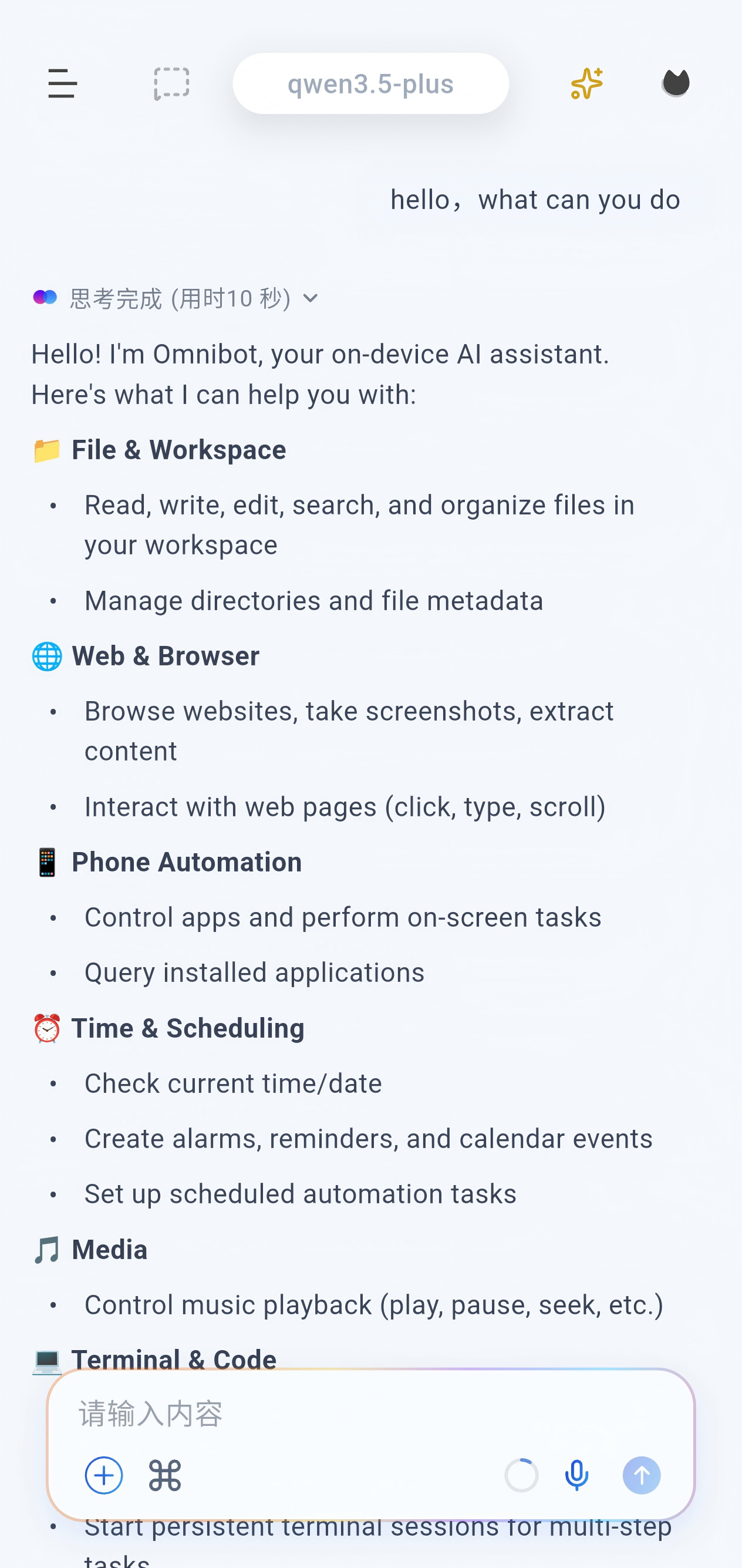
### Configure the app
Open the settings page from the left sidebar:
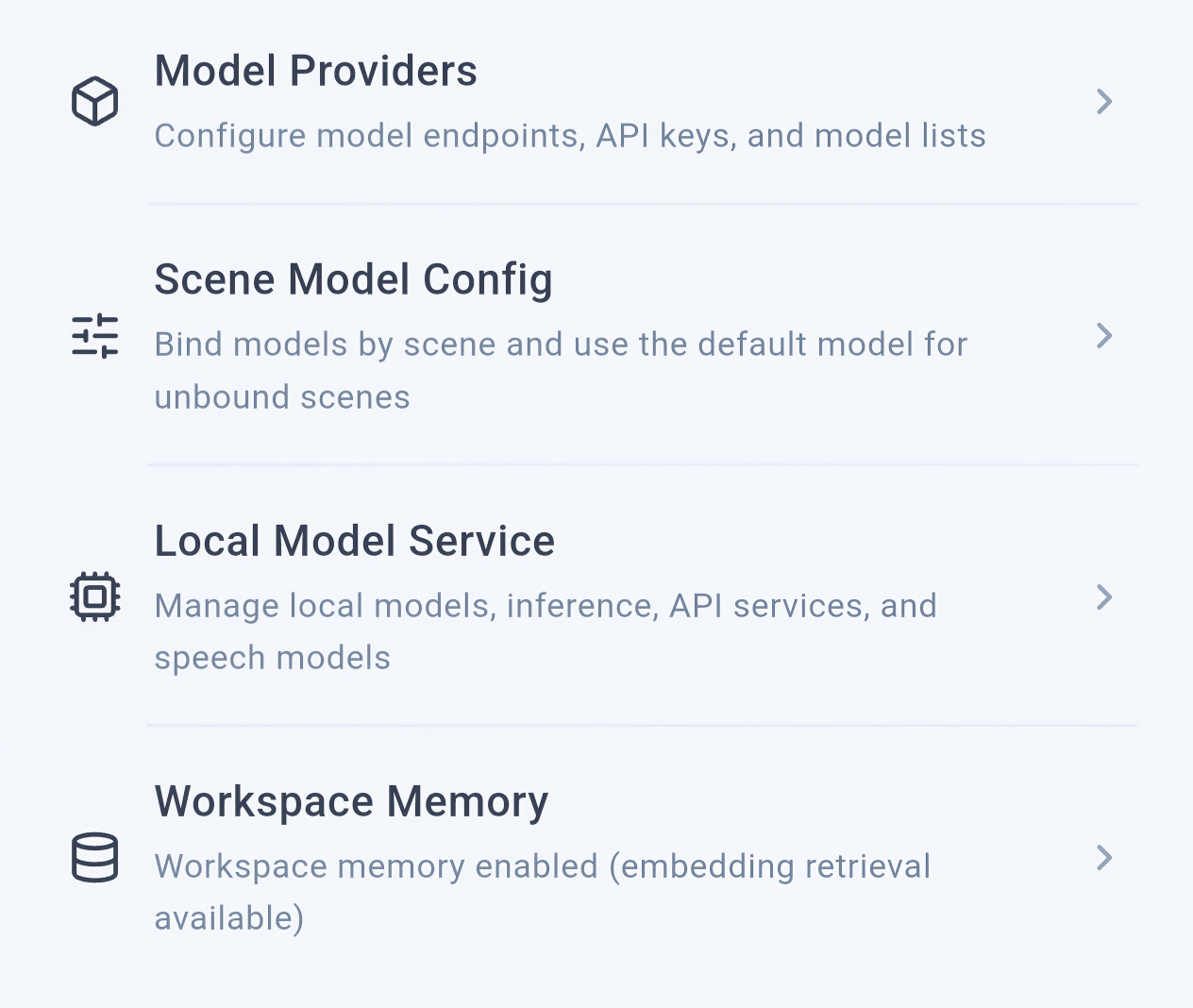
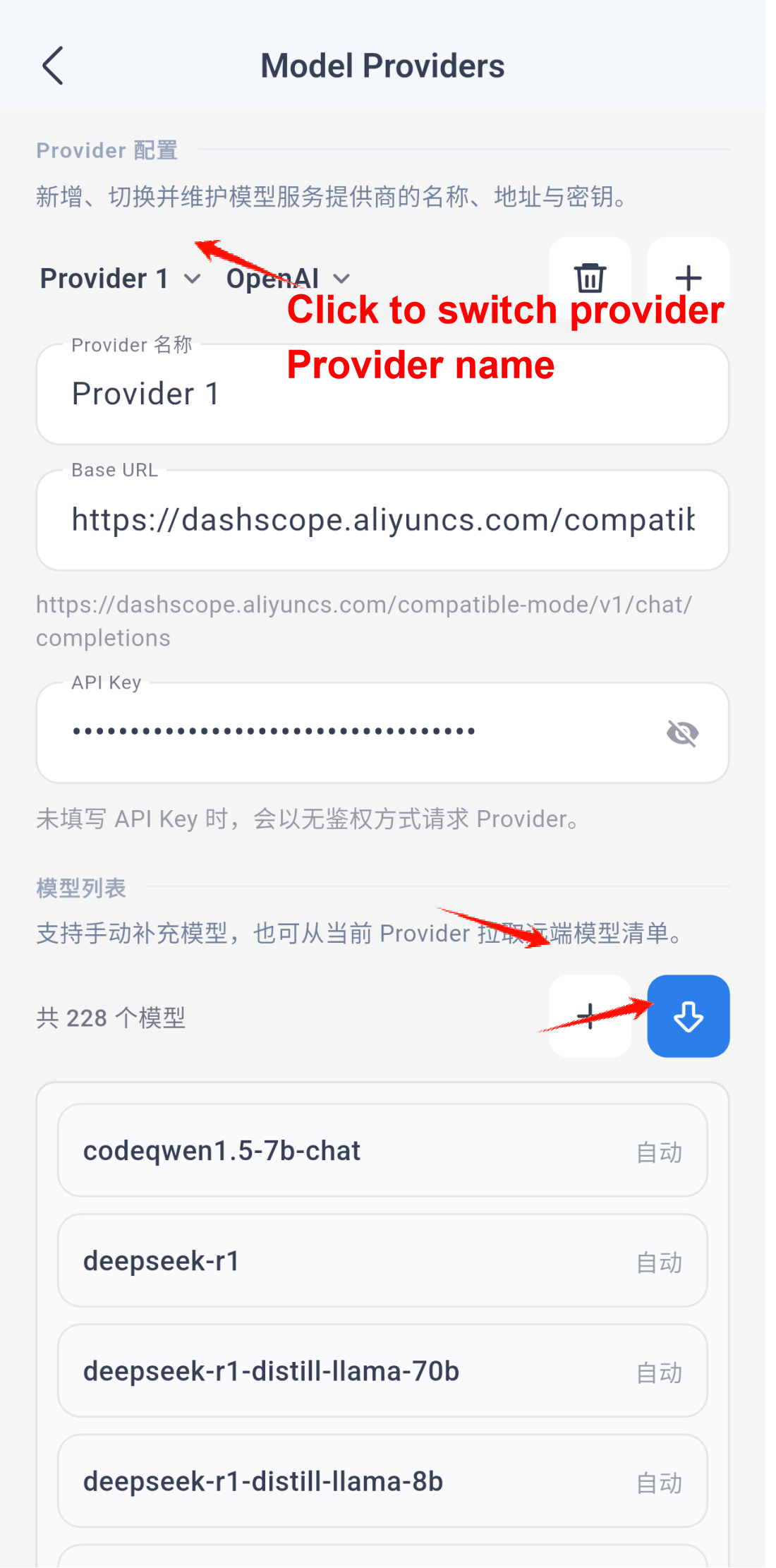
Then open the scenario model settings:
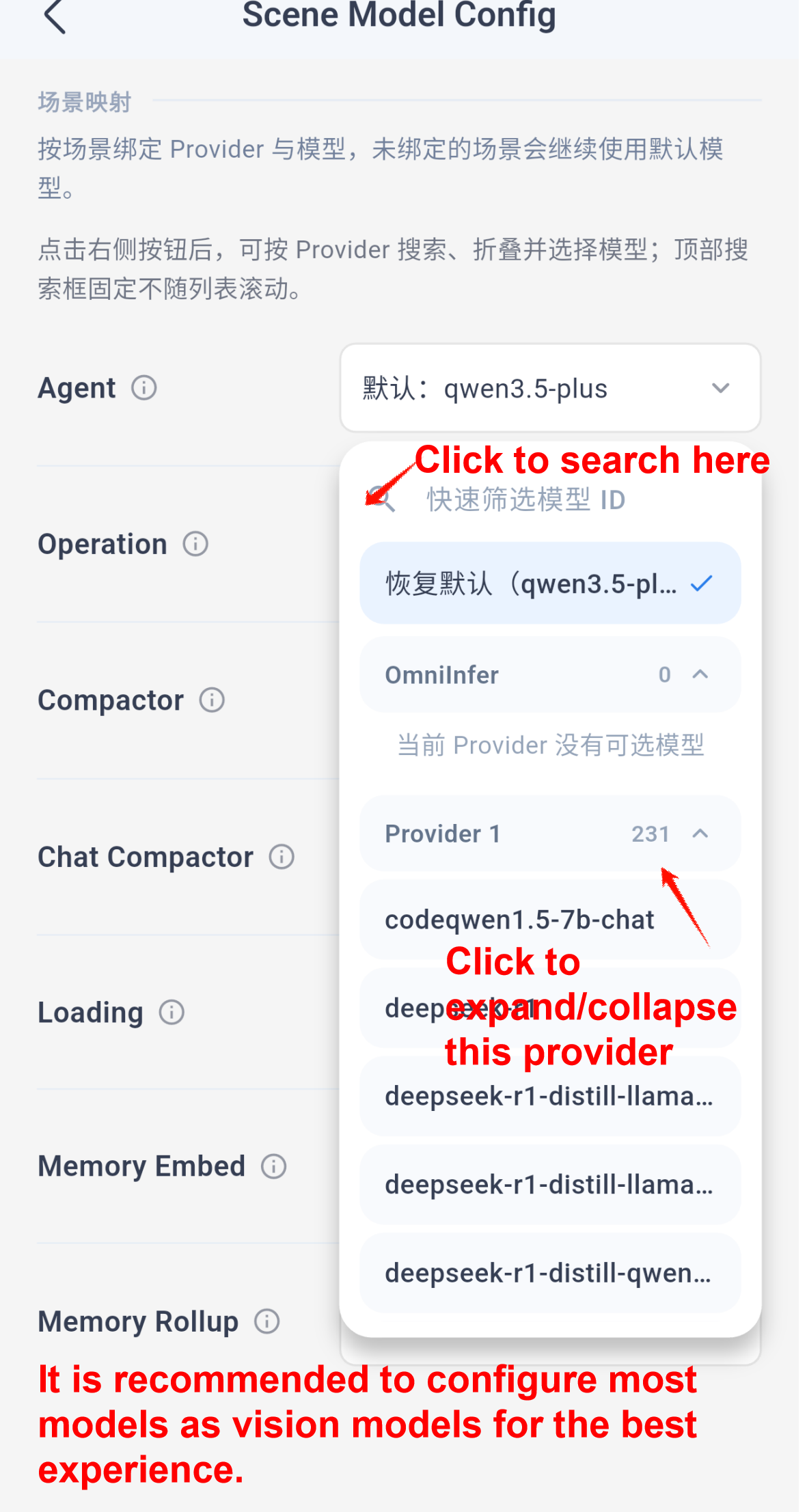
Note: `Memory embedding` requires an embedding model. For the best overall experience, the other scenarios should use multimodal or vision-capable models whenever possible.
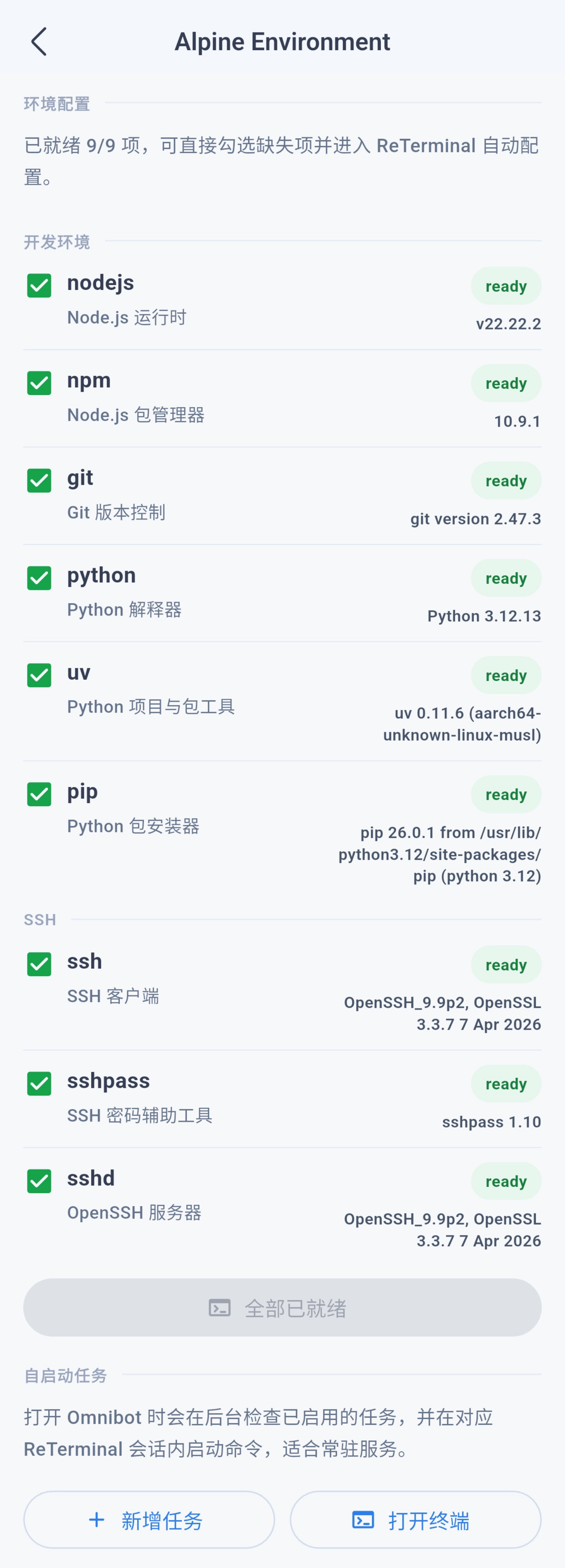
The app usually initializes the Alpine environment automatically on startup, and you can also manage that environment from the same settings area.
Use Cases
### Skills
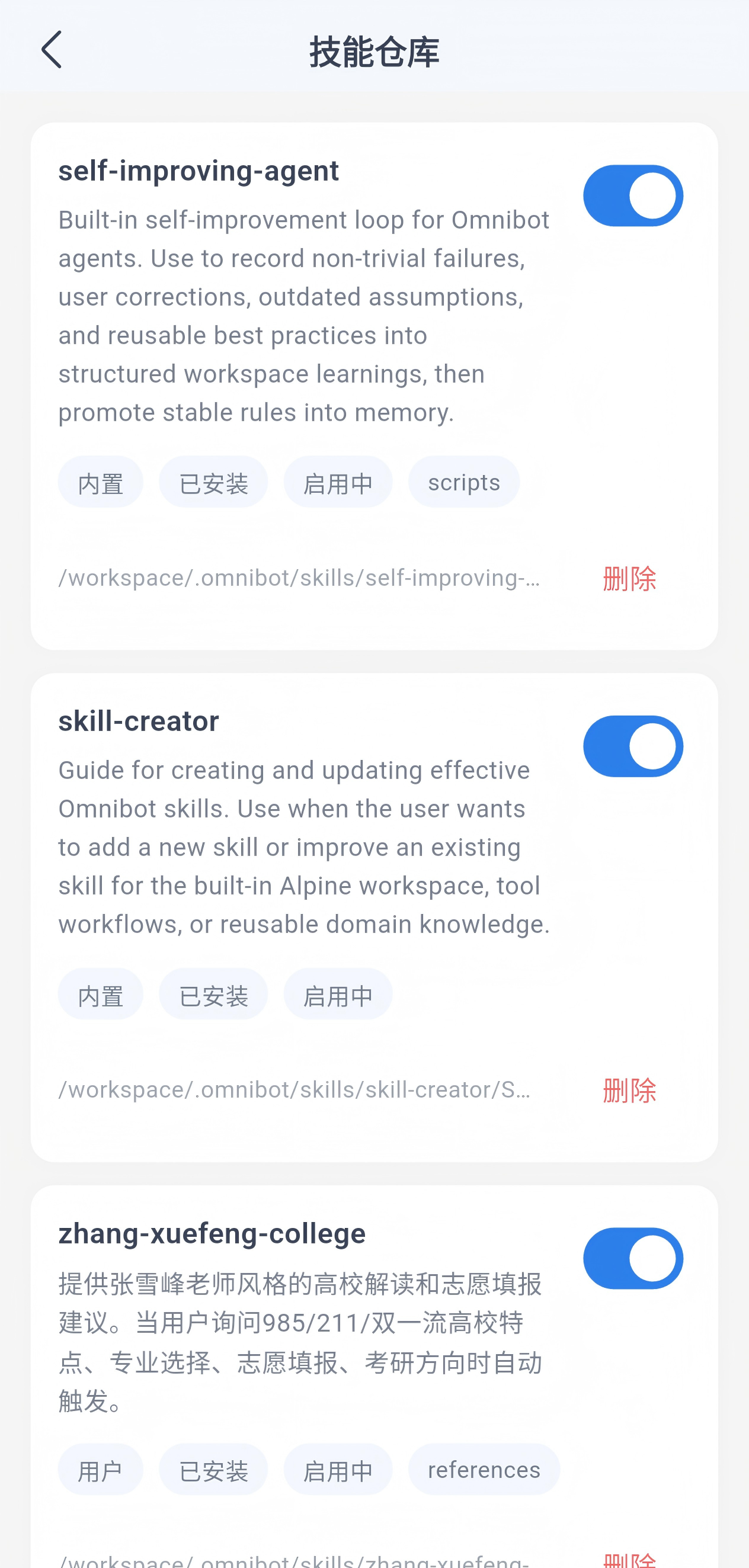
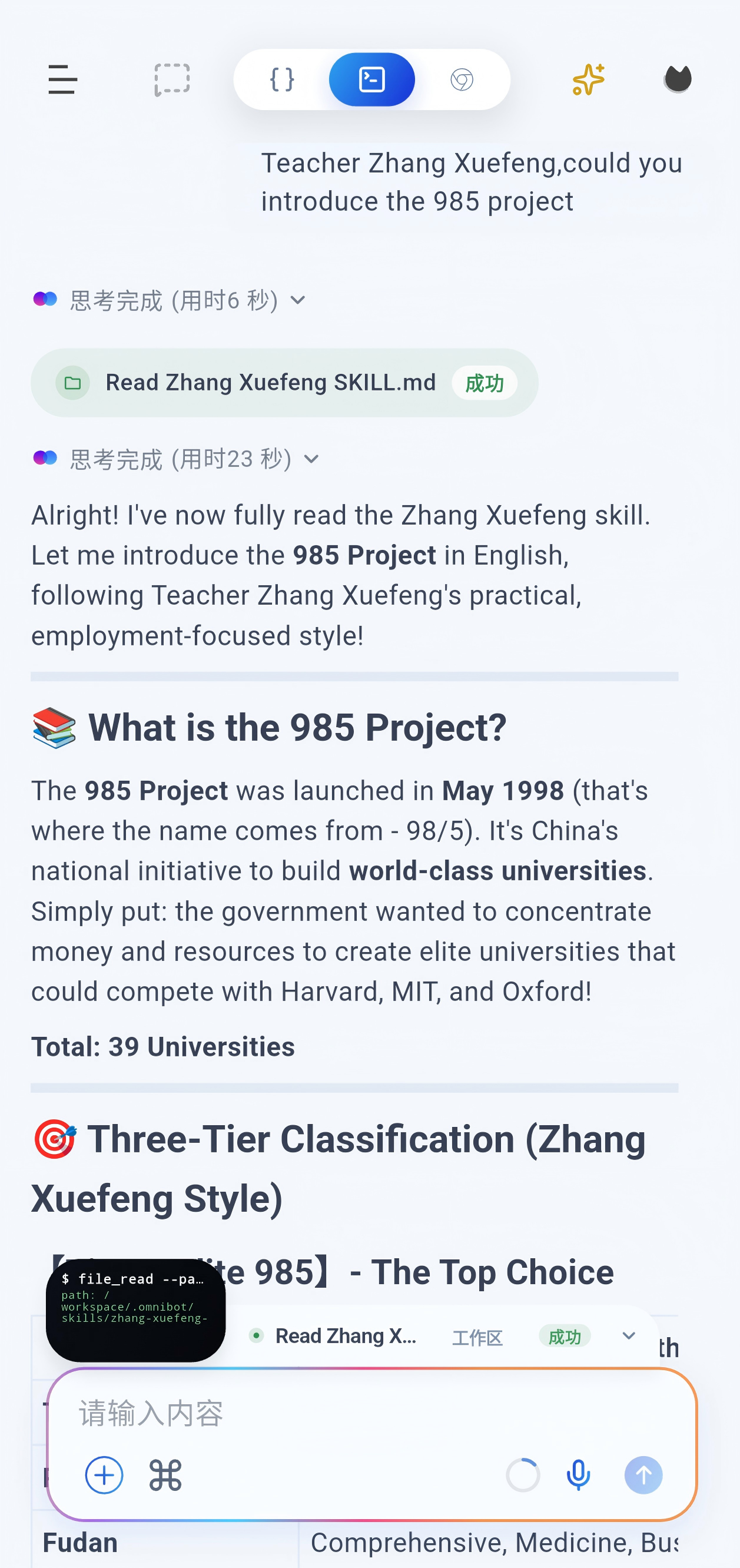
You can ask OmniBot to install a skill by simply sending it the repository link. Recommended collection: https://github.com/OpenMinis/MinisSkills
Enable or disable skills from the skill repository:
### VLM tasks
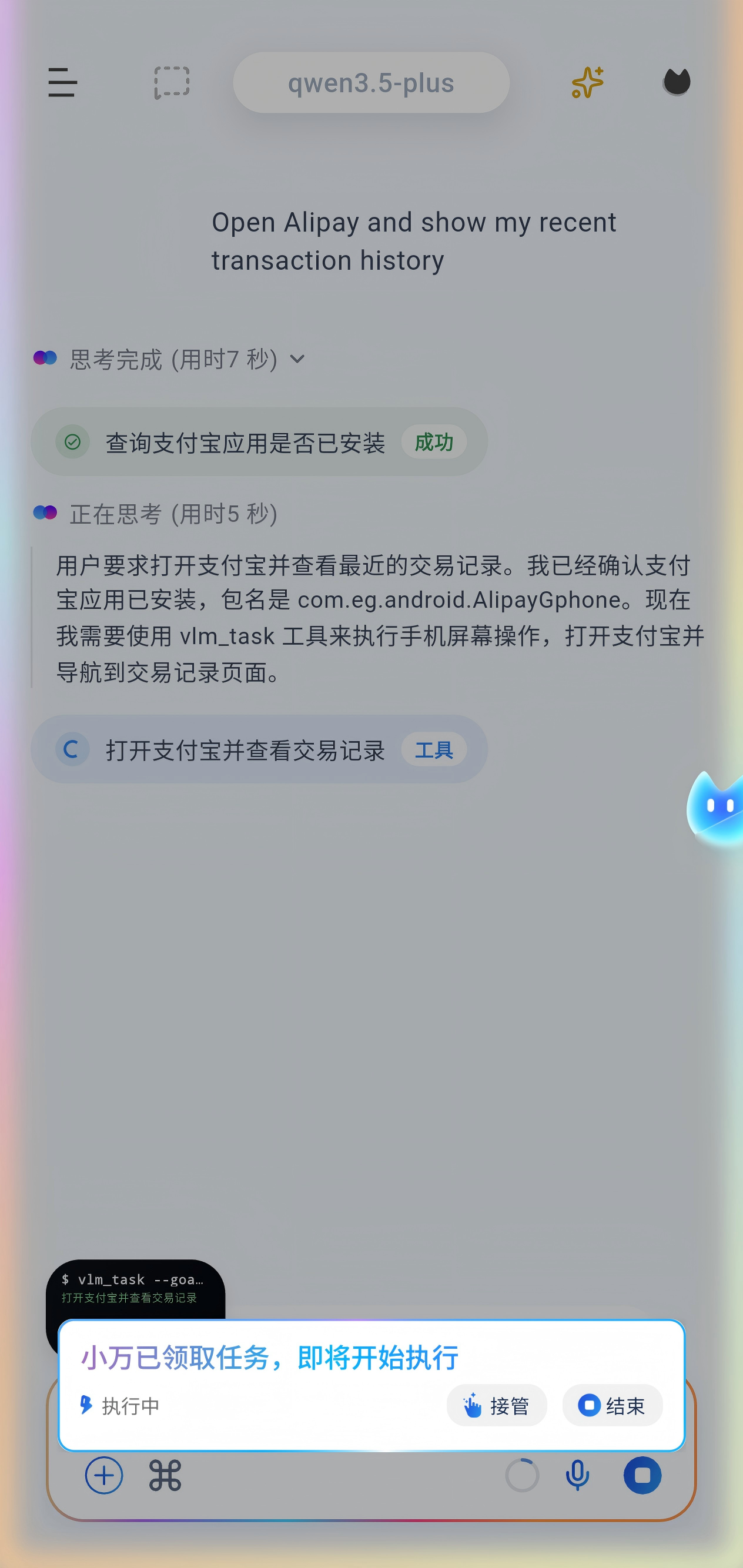
Before starting a task, open the chat page and grant all required permissions from the top-right corner.
### Local model inference
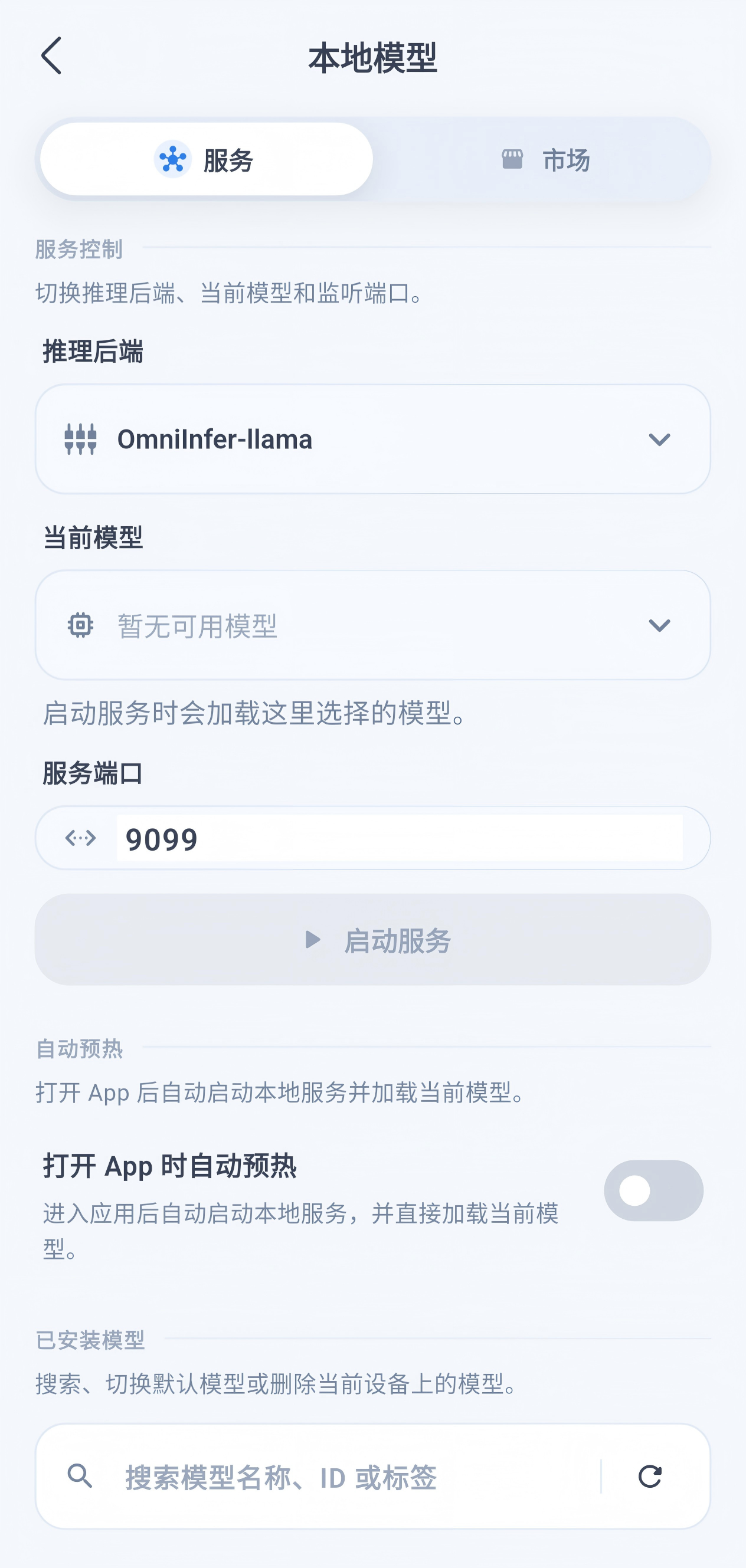
Supports both MNN and llama backends.
### Scheduled tasks
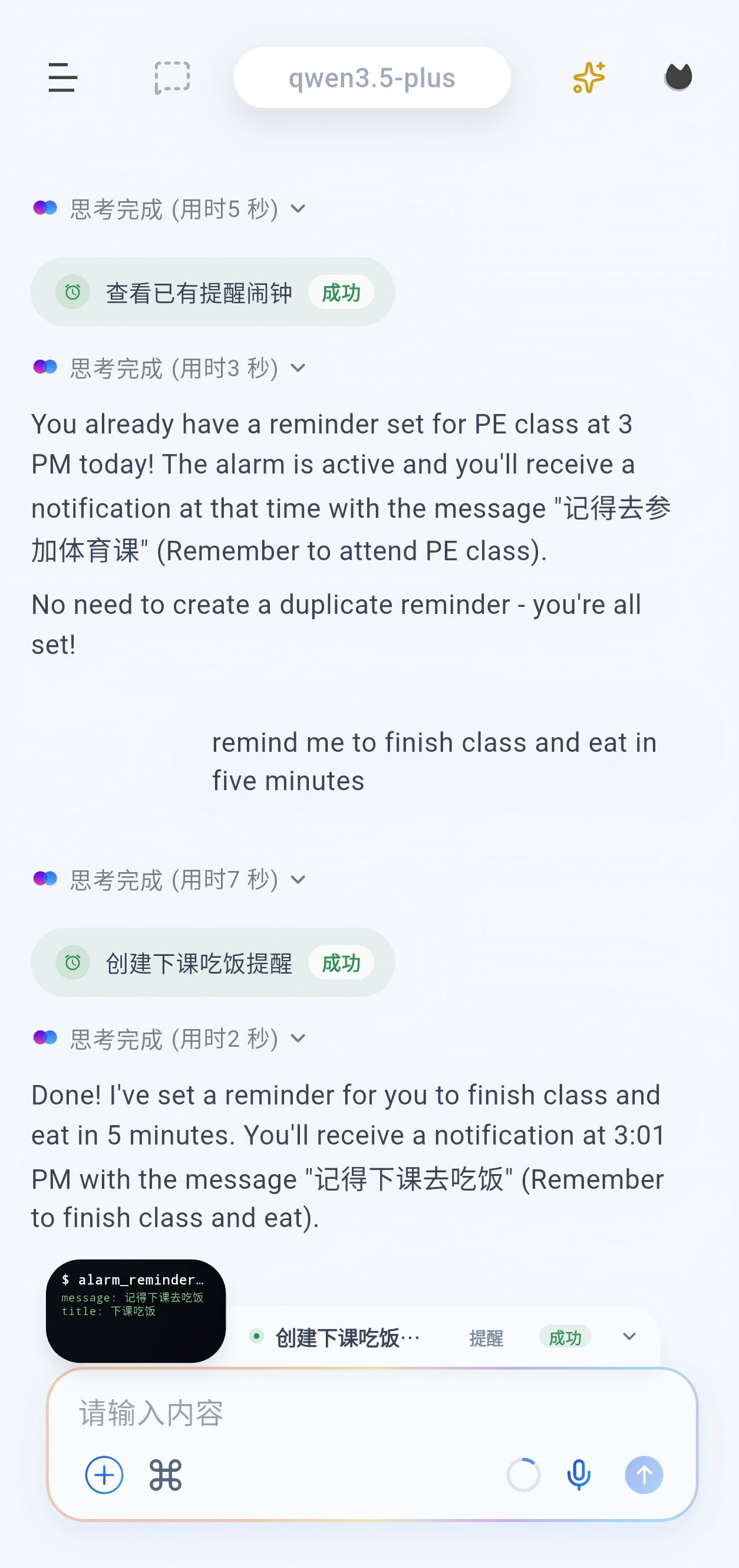

Scheduled tasks can execute work such as VLM tasks and subagent flows. Alarms are reminder-only. A subagent can be assigned a complete task and behaves like a full agent.
### Browser
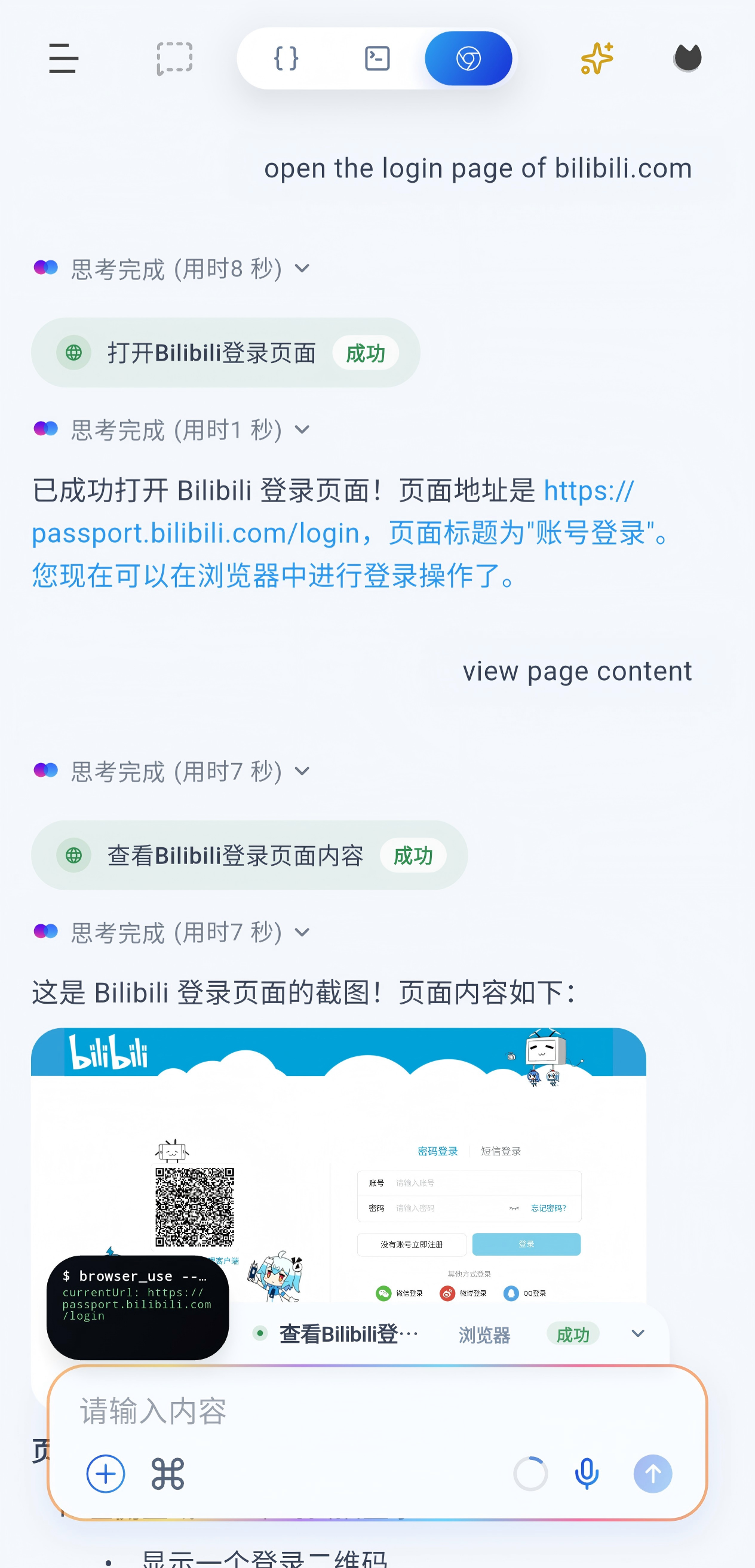
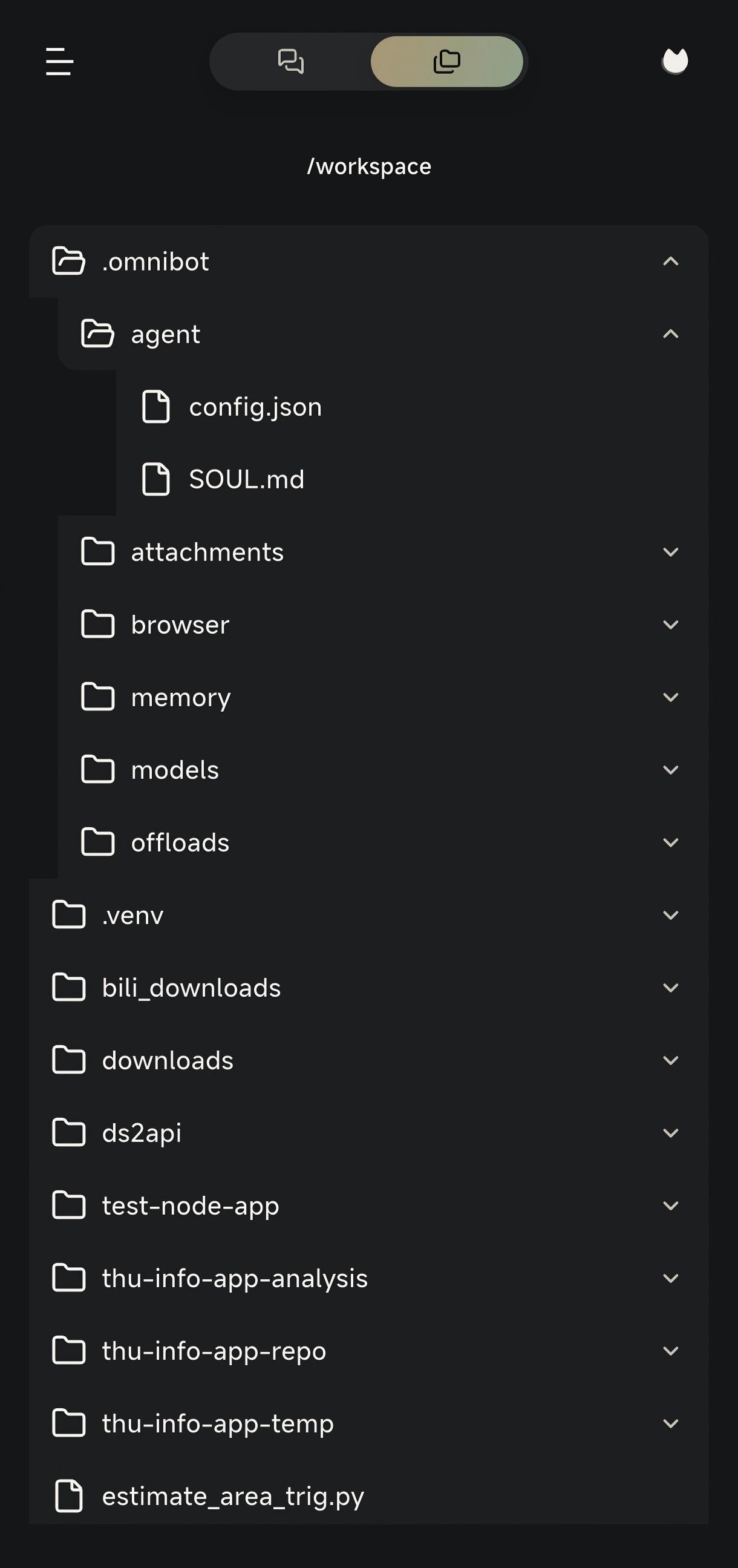
### Workspace
Development Guide
### Requirements
- Flutter SDK `3.9.2+`
- JDK `11+`
### Get the code
```bash
git clone https://github.com/omnimind-ai/OpenOmniBot.git
cd OpenOmniBot
git submodule update --init third_party/omniinfer
git -C third_party/omniinfer submodule update --init framework/mnn
git -C third_party/omniinfer submodule update --init framework/llama.cpp
cd ui
flutter pub get
```
If Flutter reports `Could not read script '.../ui/.android/include_flutter.groovy'`, run:
```bash
flutter clean
flutter pub get
```
### Build and install
```bash
cd ..
./gradlew :app:installDevelopDebug
```
Architecture Overview
```text
OpenOmniBot/
├── app/ # Android host app: entry point, agent orchestration, system abilities, MCP, services
├── ui/ # Flutter UI: chat, settings, tasks, memory, and web chat bundle
├── baselib/ # Shared core libraries: database, storage, networking, model config, OCR, permissions
├── assists/ # Automation engine: task scheduling, state machine, visual detection, execution control
├── accessibility/ # Accessibility and screen perception: accessibility service, screenshots, projection
├── omniintelligence/ # AI abstractions: model protocol, task status, request/response models
├── uikit/ # Native overlay UI: floating ball, overlay panels, half-screen surfaces
├── third_party/omniinfer/ # Local inference runtime and Android integration modules
└── ReTerminal/core/ # Embedded terminal experience modules
```
Thanks to the community (including [LINUX](linux.do))developers supporting OpenOmniBot.
Special thanks to these open-source projects:
- https://github.com/RohitKushvaha01/ReTerminal
- https://github.com/OpenMinis
WeChat Group
|


