All-in-one terminal player — Radio, Spotify & YouTube, for Windows, macOS and Linux.





English |
Español

---
## Installation
```bash
# Quick install (Windows)
irm https://raw.githubusercontent.com/sewandev/Reverbic/main/install.ps1 | iex
# Quick install (macOS / Linux)
brew install sewandev/reverbic/reverbic
# Package managers
scoop bucket add reverbic https://github.com/sewandev/scoop-reverbic; scoop install reverbic # Windows (Scoop)
cargo install --git https://github.com/sewandev/Reverbic.git --locked # Any OS (Rust)
# Build from source
git clone https://github.com/sewandev/Reverbic.git
cd Reverbic
cargo build --release
./target/release/reverbic
```
> [!TIP]
> Recommended: run Reverbic in [Windows Terminal](https://apps.microsoft.com/detail/9n0dx20hk701?hl) with [PowerShell 7+](https://apps.microsoft.com/detail/9mz1snwt0n5d?hl) for the best visual experience.
> [!WARNING]
> **Windows SmartScreen** may show a warning for unsigned binaries. Click "More info" → "Run anyway".
---
## Features
- **Radio** — Search and play thousands of internet radio stations by name, genre, or country
- **Spotify** — Remote control: search, play, pause, seek, volume, and device transfer (Premium required)
- **YouTube** — Search and stream audio directly from YouTube
- **Lightweight** — ~25 MB RAM and < 1% CPU at idle, starts in under a second
- **Floating overlay** — always on top, with automatic game detection
- **Discord Rich Presence** — shows your current station and track on your profile
- **Favorites & crossfade** — save your favorite stations with smooth crossfade between them
- **Screensaver mode** — clock, station info, and track metadata when idle
- **Headless CLI** — control radio playback from the command line; it keeps running in the background after you close the terminal
> [!NOTE]
> Currently, the **Floating overlay**, **Audio ducking**, **Media Keys**, **System Tray**, **Notifications**, **Discord RPC**, and **Headless CLI** features are exclusive to Windows. We are actively looking for contributors to help port them to macOS and Linux!
> [!NOTE]
> Spotify's 2026 policy changes could restrict native playback (librespot) at any time. Remote Control mode (search and playback control via the official Spotify API) does not depend on librespot and is a reasonable fallback for that risk, though it has its own requirements (your own Spotify Premium account and Developer app). See [LEGAL.md](LEGAL.md) for details.
---
## Command-line control (headless)
> [!NOTE]
> Windows only for now. Radio only — Spotify and YouTube are out of scope.
Control radio playback without keeping the interface open. After installing, run `reverbic` followed by a command; playback runs in a background process that survives closing the terminal.
```bash
reverbic play # start radio in the background (matches favorites first, then searches online)
reverbic play # resume the last played station
reverbic status # show the current station, track, and playback state
reverbic volume <0-100> # set the volume
reverbic toggle # play / pause
reverbic stop # stop and shut down the background player
reverbic # no arguments: open the full interface
```
---
## Documentation
- **[Spotify guide](docs/spotify.md)** — playback modes, Client ID setup, shortcuts, and known limitations
- **[YouTube guide](docs/youtube.md)** — features (Mix, chapters, SponsorBlock), cookies setup, and known limitations
- **[Legal notes](LEGAL.md)** — third-party services, terms of service, and risk disclosures
> [!WARNING]
> If you configure YouTube cookies, **use a secondary ("burner") account** — never your main Google account. Full instructions in the [YouTube guide](docs/youtube.md).
---
## Screenshots
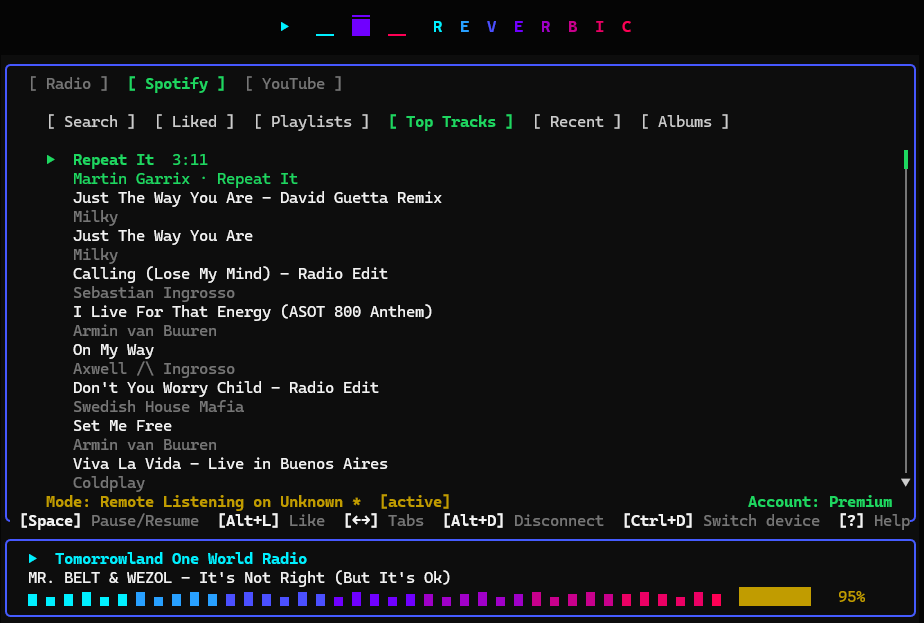
Spotify remote control
|
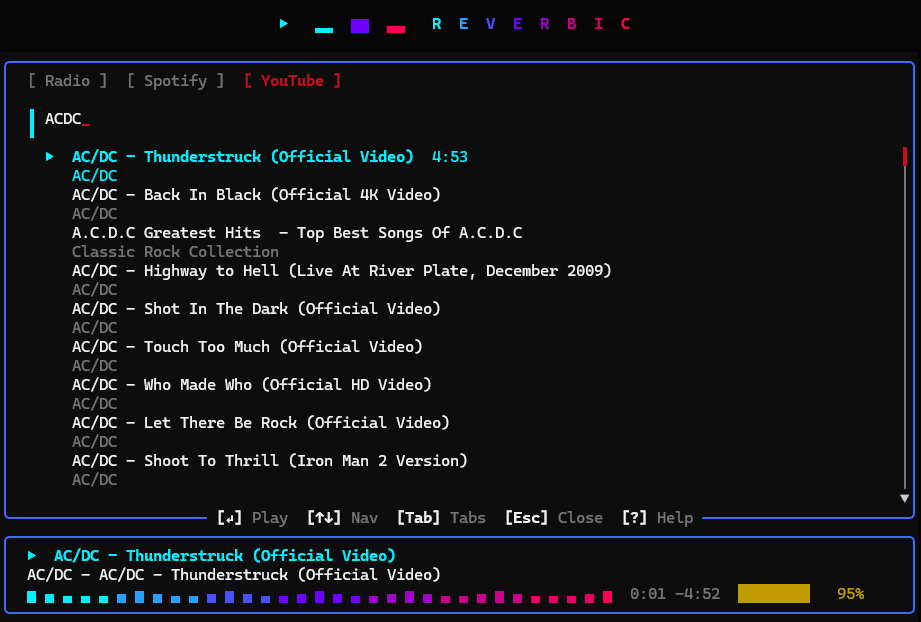
YouTube search
|

Gaming overlay
|
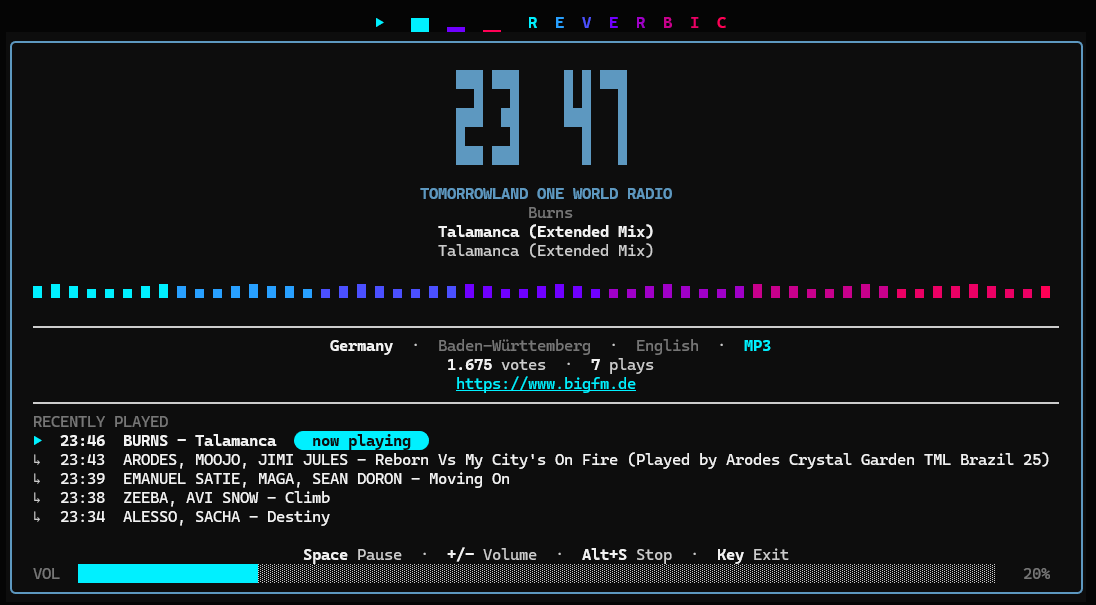
Screensaver mode
|
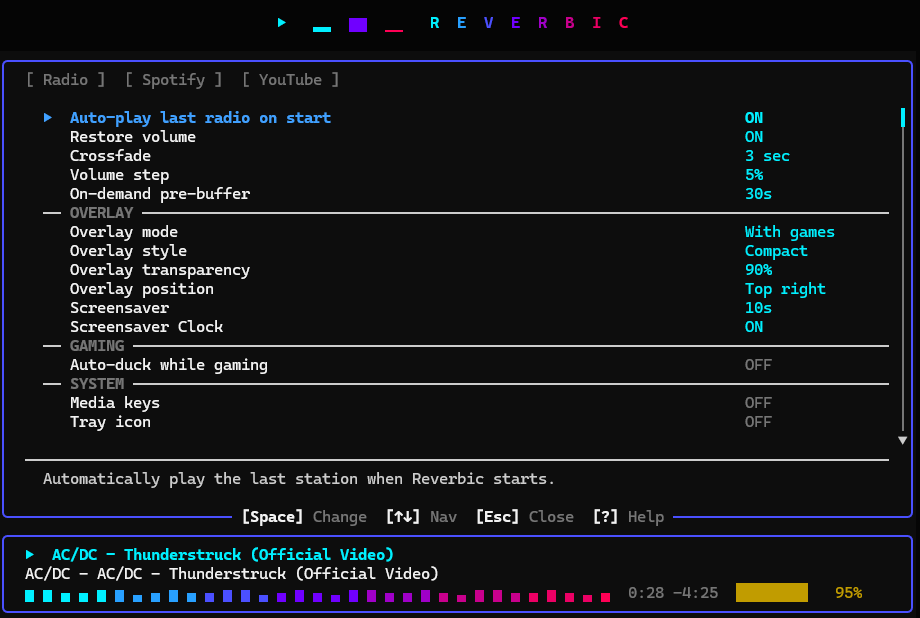
Settings
|

Discord Rich Presence
|
---
## Changelog
See [CHANGELOG.md](CHANGELOG.md) for release notes and version history. ([Español](CHANGELOG.es.md))
---
## About this project & AI
Reverbic is built in my spare time outside of work. To move fast with limited time, I lean on AI tools throughout development — but the architecture, design choices, and the final review of what ships are mine. Contributions and feedback are always welcome.
---
## Contributors