
Your documents. Your knowledge. Your workspace.
Open-source document management, a knowledge base, and real-time collaborative editing
for individuals and small teams. Self-hosted, with a personal AI assistant.




Website → · Try the live demo · Documentation · Plugin marketplace · Self-host Doca
简体中文 · English
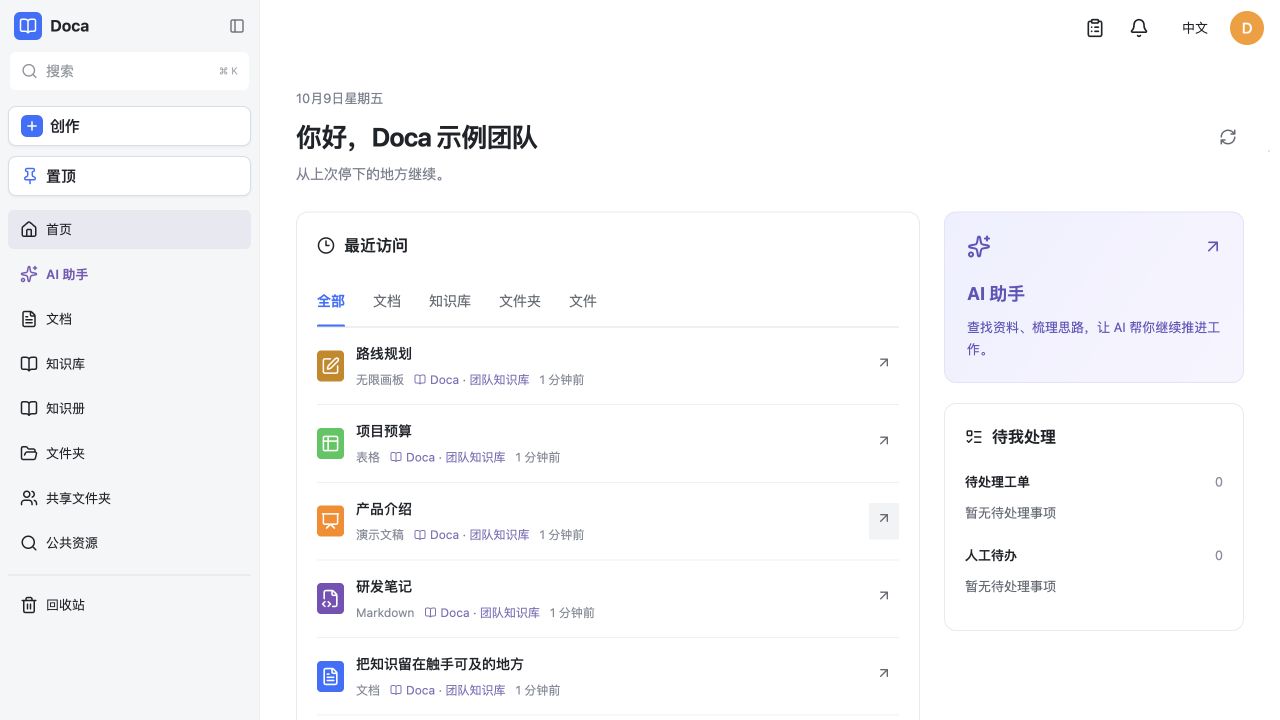Pick up where you left off. Documents, team knowledge, and your AI assistant in one workspace.
> [!NOTE] > The [live demo](https://d.smartdoca.cc) is for exploration. Demo data is cleared from time to time; please do not store important data there. ## Make room for your next idea | Write and collaborate | Build a shared memory | Make it your own | | --- | --- | --- | | Draft a proposal, track a budget, or sketch a plan. Invite collaborators and discuss details in comments. | Organize documents into knowledge libraries. Build knowledge books with source evidence, workflows, and human review. | Deploy on your own server. Connect your AI models and extend the workspace with business plugins. | ## See Doca in action ### Documents that bring the team together Rich text for plans and meeting notes, with a library tree, formatting tools, permissions, and document history close at hand. 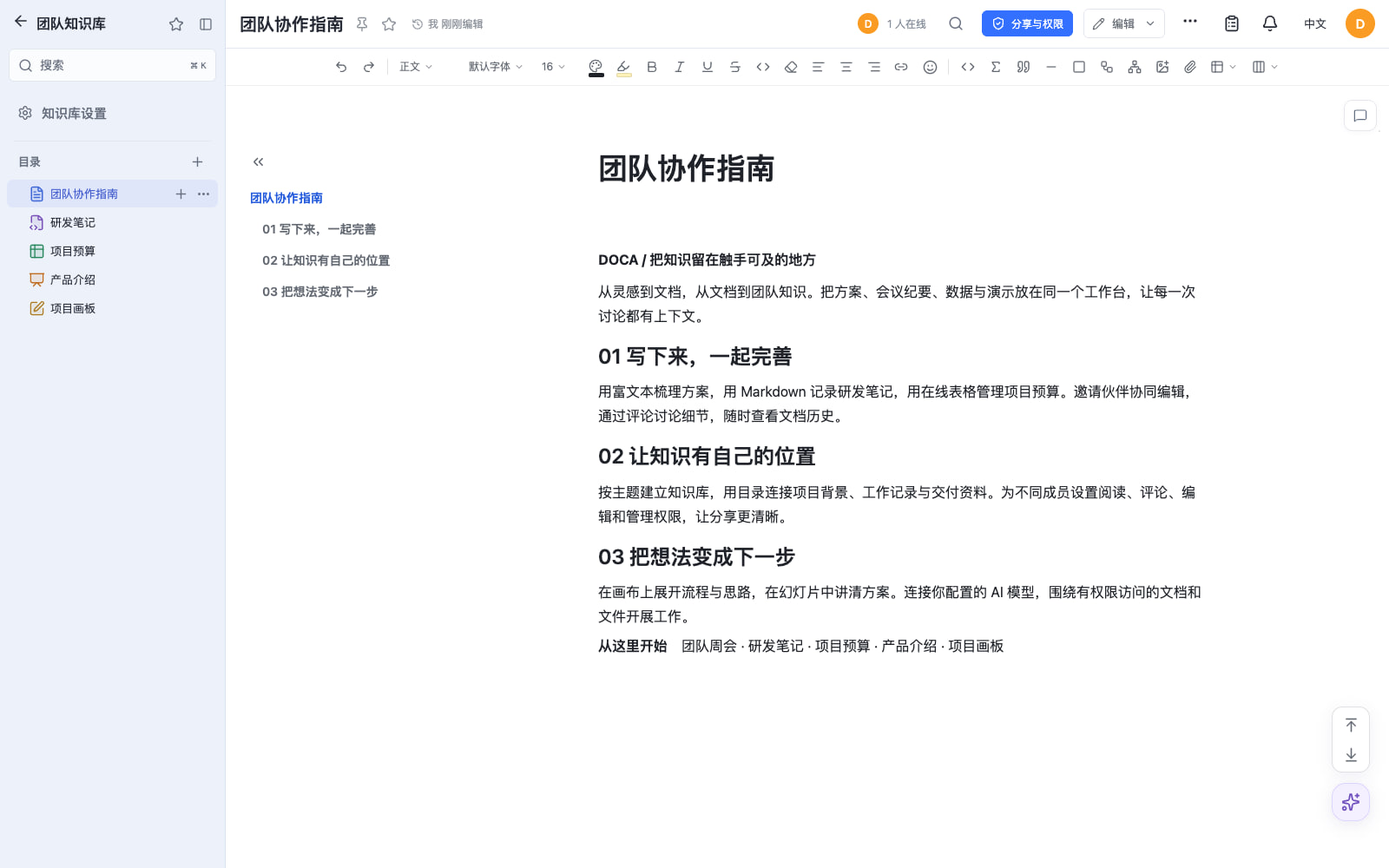 ### Five formats, one workspace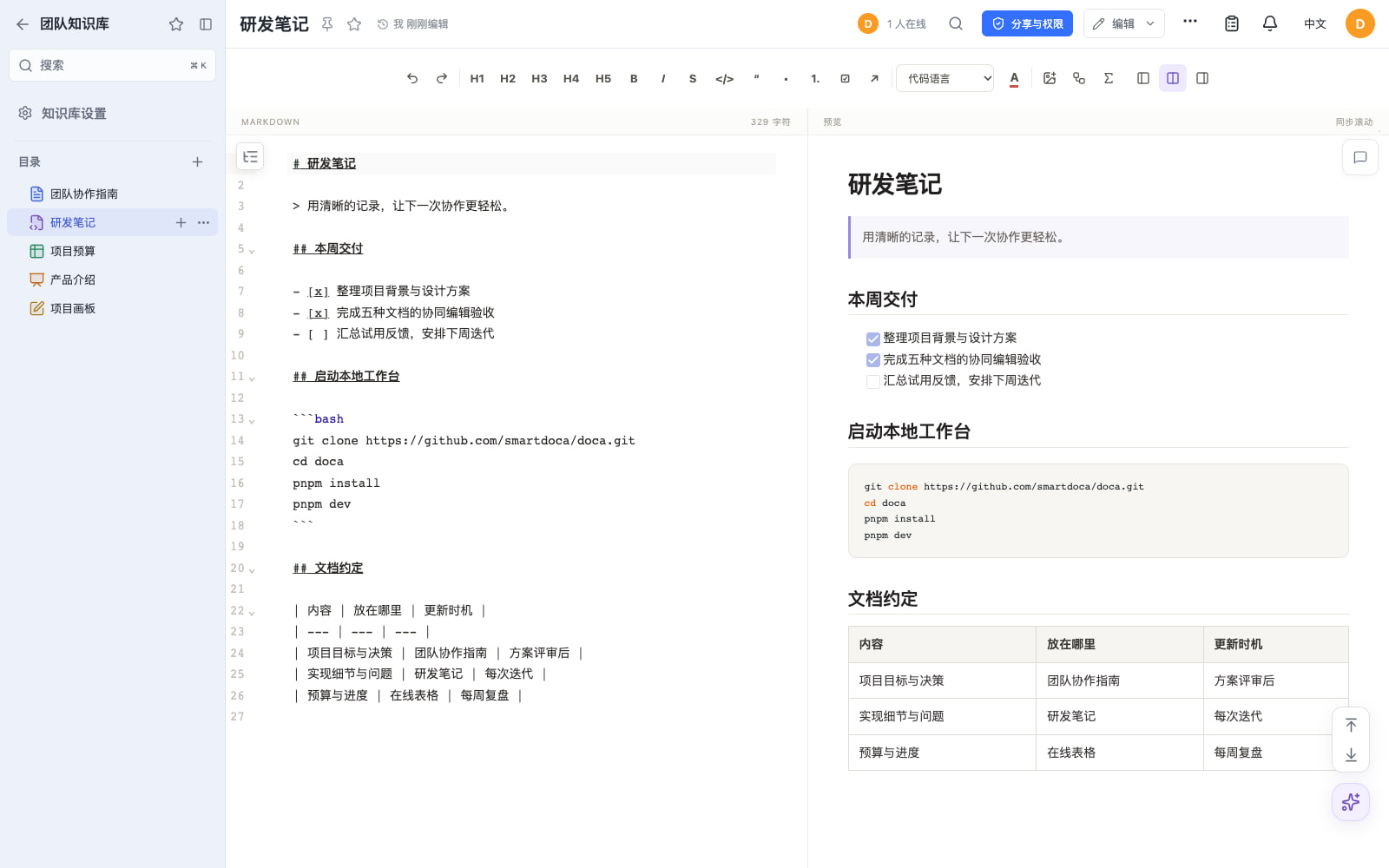 Markdown — notes, code, and structured writing. |
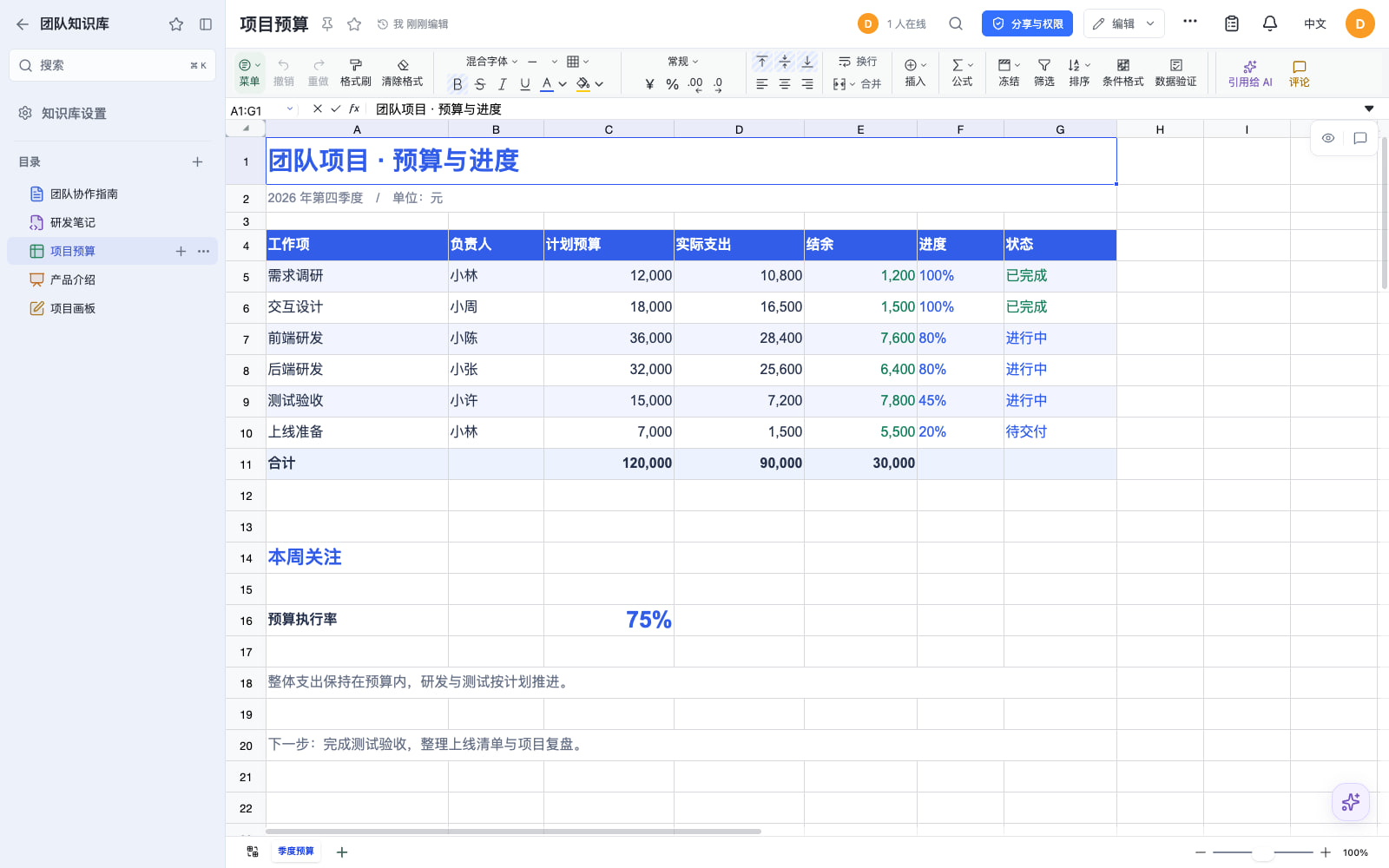 Spreadsheets — budgets, data, and project tracking. |
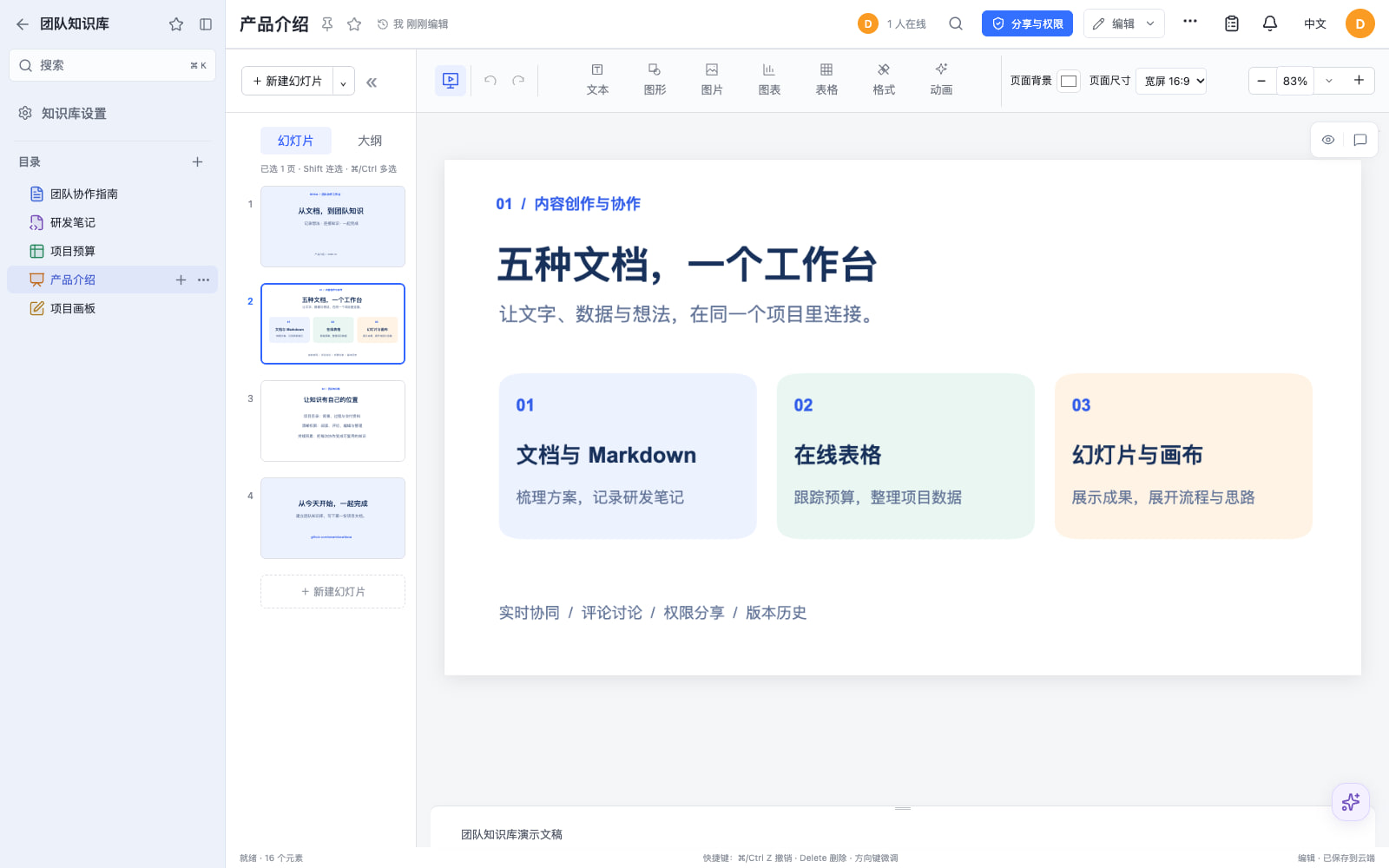 Slides — present ideas and project updates. |
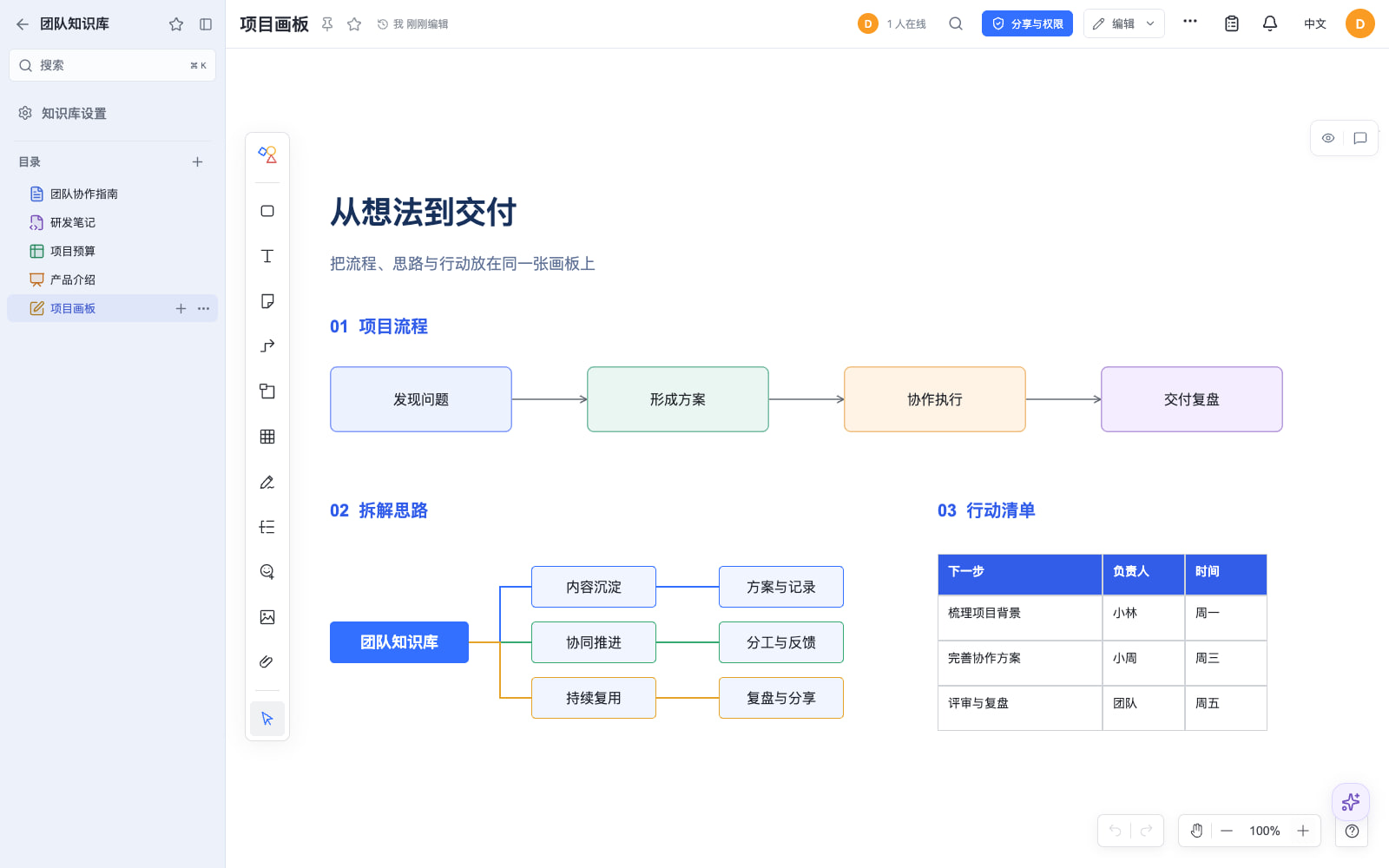 Canvas — map out a process on an infinite board. |
Five editor screenshots updated on 2026-10-17, captured from Doca 0.1.31 with sample content in an isolated local deployment.
## What you can do | Capability | What it brings to your workspace | | --- | --- | | **Online documents and collaboration** | Rich text, Markdown, spreadsheets, slides, and canvas; realtime collaboration, comments, and history. | | **Knowledge management** | Knowledge libraries with document trees, plus shared knowledge books with workflows, source evidence, and human review. | | **Personal AI assistant** | Work with authorized documents and files, read PDF/Office attachments, generate or edit images, and analyze webpage material. Requires configured models and services. | | **Browser extension** | Capture pages or selections in Chrome / Edge with text, source links, and images; choose create/append destinations and organize webpages with Doca AI in the sidebar. | | **MCP services** | Connect external AI clients such as Codex to authorized Doca tools and SKILLs, using personal services or company integrations acting as a named user. | | **Files and sharing** | Personal files, shared folders, invitations, permission controls, share links, search, notifications, and trash. Local or S3-compatible file storage. | | **Accounts and languages** | Password, OIDC, Google, GitHub, WeChat QR, and QQ sign-in; Chinese and English interfaces. External login requires service configuration. | | **Self-hosting and extensions** | Docker deployment; SQLite for one server, or shared PostgreSQL, Redis, and file storage for multiple replicas. Business plugins use the public `@smartdoca/plugin-sdk`. | One deployment has one account system. The default image installs no quick-notes, mail, calendar, membership, or moderation plugins. Templates and materials need a separately installed provider. See [capabilities and limits](https://workhold.github.io/doca/#/en/getting-started/features). ### Bring web sources into your own knowledge library Configure a capture profile under Browser assistant in personal settings, download the site-configured extension, and load its unpacked folder in Chrome / Edge. It follows your Doca website sign-in and saves a page or selection to personal documents, a library destination, or an existing document. Installation currently uses the download package; no browser-store release is provided. The webpage toolbar provides capture, Doca assistant, and settings. Its sidebar summarizes and organizes the active page using the site's models, metering, and approvals, with conversations available in Doca too. Source webpages appear in operated resources, and page-first conversation titles make them easier to find. See [browser assistant setup and usage](docs/browser-assistant.md). ### Connect external AI clients to Doca tools and SKILLs Doca exposes Streamable HTTP MCP so compatible clients can discover authorized tools, read SKILL manuals, and work with documents and files. Personal services act as their owner; company services support integrations with an explicit target user on every operation. Service grants and resource permissions both apply. Tokens can be reset, disabled, or revoked independently. Enable MCP in personal settings, create a service, and copy its generated client configuration. Administrators manage company services in the administration area. Tokens are displayed only when created or reset and can be supplied through the client's environment. See [MCP services and client setup](docs/mcp.md). ## Useful links | Destination | Address | | --- | --- | | **Website** | [i.smartdoca.cc](https://i.smartdoca.cc) | | **Live demo** | [d.smartdoca.cc](https://d.smartdoca.cc) | | **Documentation** | [workhold.github.io/doca](https://workhold.github.io/doca/#/en/) | | **Plugin marketplace** | [store.smartdoca.cc](https://store.smartdoca.cc) | | **Source code** | [github.com/workhold/doca](https://github.com/workhold/doca) | | **Releases** | [Download and release notes](https://github.com/workhold/doca/releases) | | **Feedback** | [Report an issue or request a feature](https://github.com/workhold/doca/issues) | ## Quick start with Docker Requires Git, Docker Engine, Docker Compose, and an HTTP(S) origin served by a reverse proxy. This installs the image specified by compose.yaml on main into a fresh database. Existing installations must read the [release requirements](https://workhold.github.io/doca/#/en/releases/0.2.26) and preserve their data before changing versions. ```sh # 1. Clone deployment files from main git clone --branch main --depth 1 https://github.com/workhold/doca.git cd doca # 2. Configure the environment cp docker.env.example .env # Edit .env: set DOCA_ORIGIN to your HTTP(S) origin. # For a fresh install, replace the public DOCA_CREDENTIAL_MASTER_KEY sample with openssl rand -hex 32 output. # Keep the example local file-store configuration for a single server. # 3. Pull the image docker compose pull # 4. Start and check health docker compose up -d docker compose ps # Wait for healthy before initializing the administrator # 5. Initialize the administrator login and password bash scripts/bootstrap-admin.sh ``` The password must be at least 12 characters. There is no default account. Compose binds to `127.0.0.1:39120`; configure an HTTP(S) reverse proxy before browser access. SQLite, files, plugins, and the AI database persist in `doca_data`. The [complete quick start](https://workhold.github.io/doca/#/en/getting-started/quickstart) includes `.env`, the reverse proxy, health checks, administrator recovery, and data preservation. For servers without GitHub access, [transfer deployment files](https://workhold.github.io/doca/#/en/operations/deployment-without-github) without Git or source code. The supplier runs `node scripts/pack-deployment.mjs` to generate the bundle; the guide also includes copyable Compose, `.env`, and initialization steps. If registries are unreachable too, deliver the matching image with `docker save` / `docker load`. ## Development Node.js 22.12 or newer and pnpm 11.25.0: ```sh pnpm install --frozen-lockfile cp .env.example .env # Set a writable absolute storage root; replace the public master-key sample for a fresh install. pnpm dev ``` Open `http://127.0.0.1:39130`. Initialize the administrator with `bash scripts/bootstrap-admin-local.sh`. `pnpm check` runs TypeScript, tests, and the Web build. See [development](https://workhold.github.io/doca/#/en/development/development). ## Documentation - [User guide](https://workhold.github.io/doca/#/en/getting-started/user-guide) - [Browser assistant](docs/browser-assistant.md) · [MCP services](docs/mcp.md) - [Deployment and configuration](https://workhold.github.io/doca/#/en/operations/deployment) - [Plugin development](https://workhold.github.io/doca/#/en/plugins/plugin-development) - [HTTP API](https://workhold.github.io/doca/#/en/reference/api); the running application also provides `/api/openapi.json`. - [Release notes](https://workhold.github.io/doca/#/en/releases/0.2.26) - [Documentation source](docs/README.md) For a documentation preview, run `pnpm docs:dev` and open `http://127.0.0.1:39140/#/en/`. `pnpm docs:check` verifies bilingual coverage and local links. GitHub Pages setup is in [documentation maintenance](docs/documentation.md). ## Contact the author - WeChat: `smartdoca` - Email: [smartdoca@163.com](mailto:smartdoca@163.com) ## License [MIT](LICENSE). The separately published rich text, spreadsheet, Markdown, canvas, and slides editors use the same license.