## Easydict
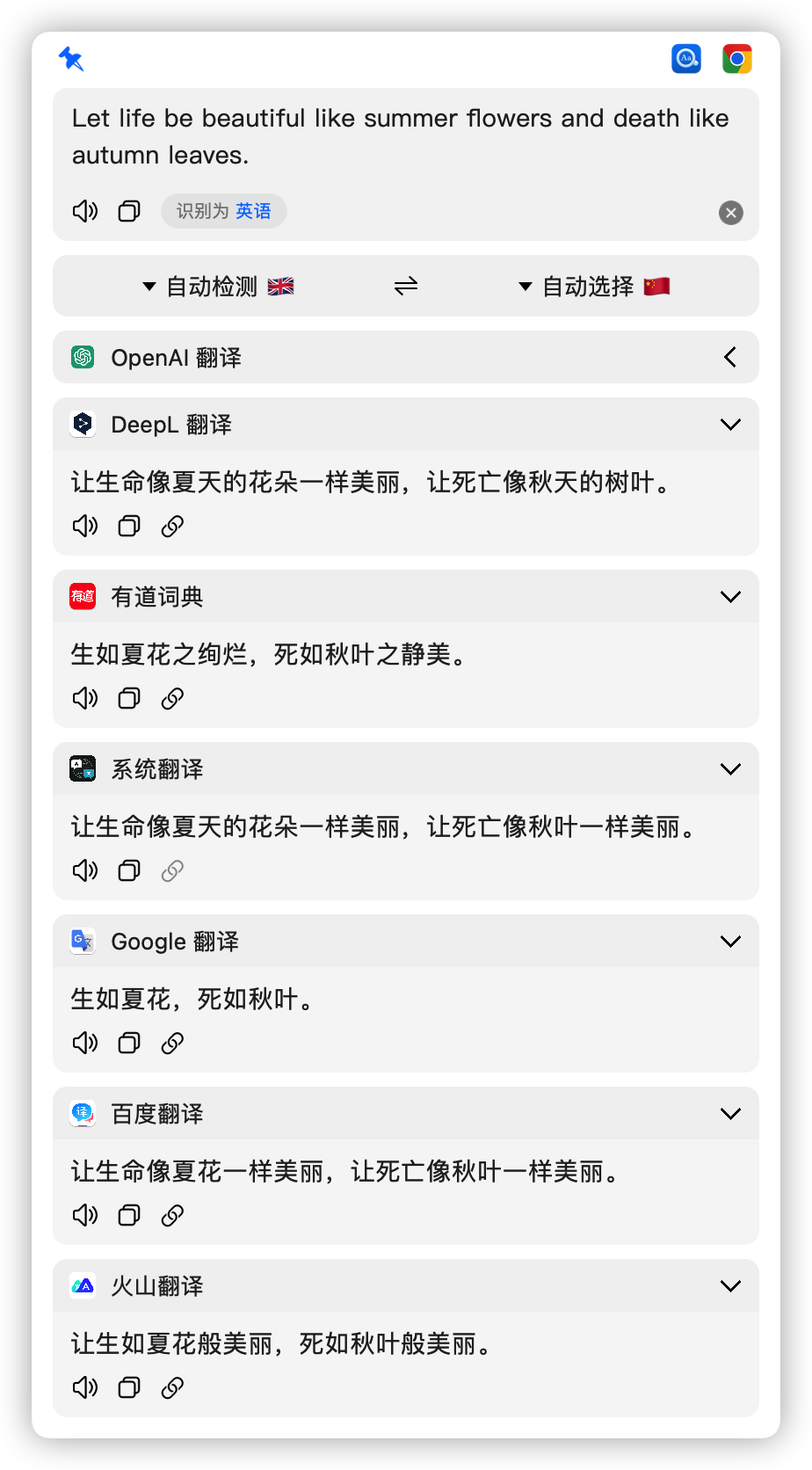
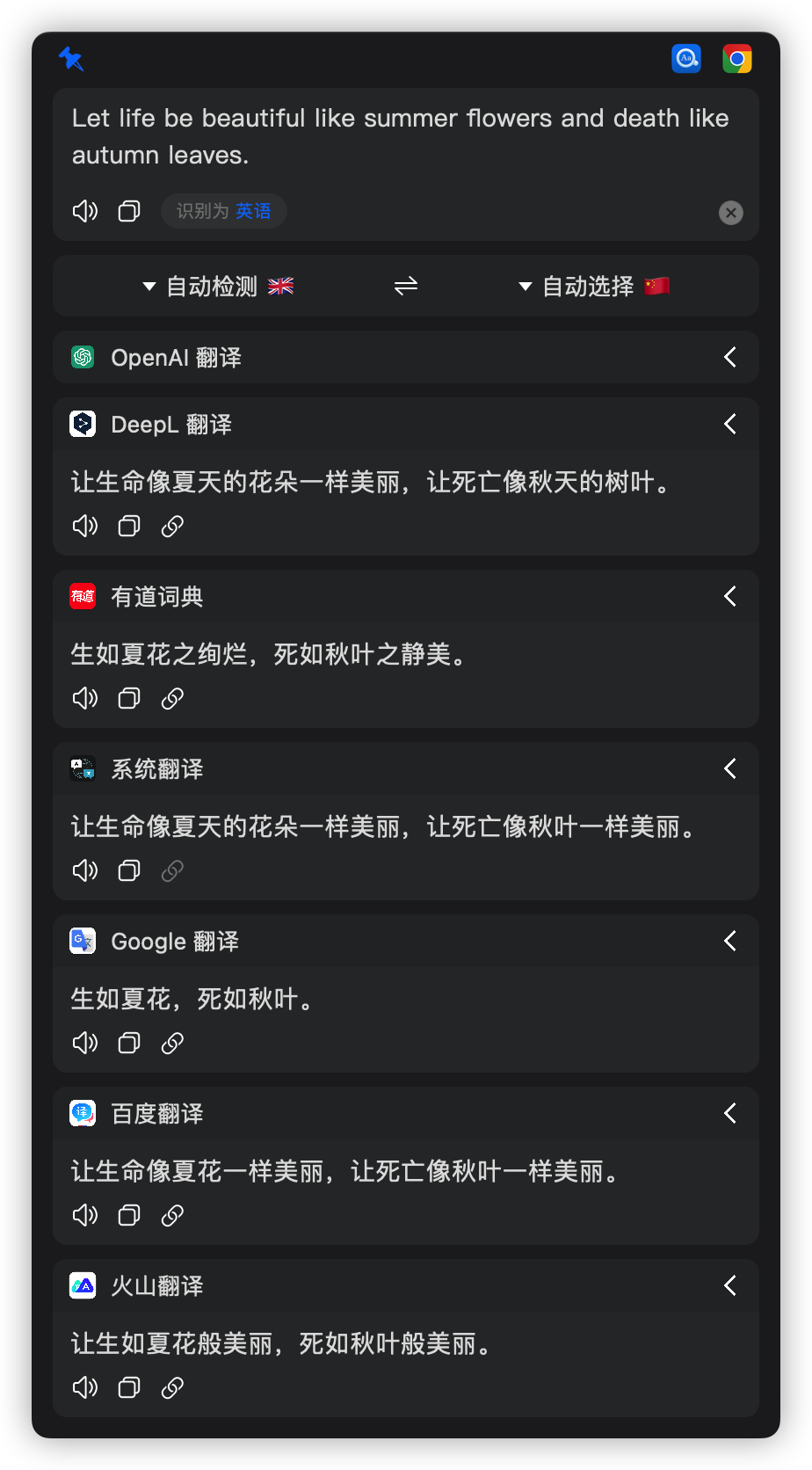
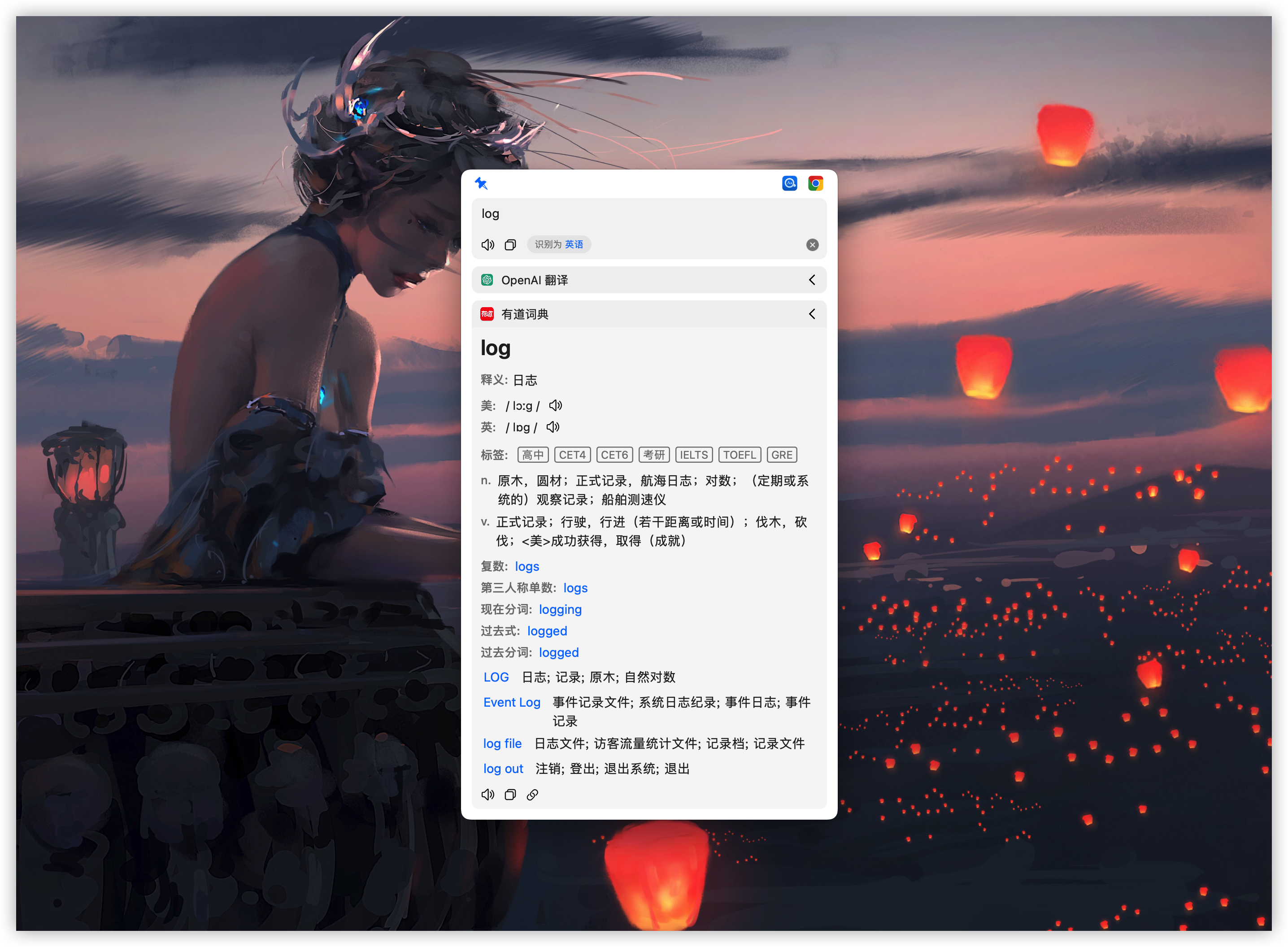
`Easydict` is a concise and easy-to-use translation dictionary macOS App that allows you to easily and elegantly look up words or translate text.
Easydict is ready to use out of the box, can automatically recognize the language of the input text, supports input translate, select translate, and OCR screenshot translate, and can query multiple translation services results at the same time.
**Supported translation services:** [**🍎 Apple Dictionary**](./docs/en/How-to-use-macOS-system-dictionary-in-Easydict.md), [🍎 **Apple Translate**](./docs/en/How-to-use-macOS-system-translation-in-Easydict.md), [OpenAI](https://chat.openai.com/), [Gemini](https://gemini.google.com/), [DeepSeek](https://www.deepseek.com/), [Ollama](https://ollama.com/), [Groq](https://groq.com/), [Zhipu AI](https://open.bigmodel.cn/), [GitHub Models](https://github.com/marketplace/models), [DeepL](https://www.deepl.com/translator), [Google](https://translate.google.com), [Youdao](https://www.youdao.com/), [Tencent](https://fanyi.qq.com/), [Bing](https://www.bing.com/translator), [Baidu](https://fanyi.baidu.com/), [Niutrans](https://niutrans.com/), [Caiyun](https://fanyi.caiyunapp.com/), [Alibaba](https://translate.alibaba.com/), [Volcano](https://translate.volcengine.com/translate) and [Doubao](https://www.volcengine.com/docs/82379/1820188).
## Features
- 🚀 Out of the box, automatic language recognition
- 🖱️ Auto select with mouse and shortcut key
- 📸 OCR screenshot translation and slient screenshot OCR
- 🔊 Multiple TTS voice services
- 📚 Support 🍎 [Apple System Dictionary](./docs/en/How-to-use-macOS-system-dictionary-in-Easydict.md) and [System Translation](./docs/en/How-to-use-macOS-system-translation-in-Easydict.md)
- 🌐 Support 20+ translation services (OpenAI, Gemini, DeepL, Google, Ollama, Groq, etc.)
- 🗣️ Support for 48 languages
**If you like this app, please consider giving it a [Star](https://github.com/tisfeng/Easydict) ⭐️, thanks! (^-^)**
## Contributing
If you're interested in this project, we welcome your contributions. Our development follows this workflow:
- **dev branch**: Latest development code, may contain features in progress
- **main branch**: Stable release code, regularly merged from dev branch
Please submit bug fixes and features to dev branch; for major new features or UI changes, please open an issue for discussion first. See [full contribution guide](./docs/en/GUIDE.md#contributor-guide).
### AI Coding
We recommend using `Codex` for AI-assisted development in Easydict, especially for codebase exploration, issue diagnosis, patch generation, and refactoring.
- Prefer the latest available GPT models, such as `GPT-5.4`.
- Review AI-generated changes carefully before opening a PR, and make sure the result matches this repository's contribution workflow and coding standards.
#### AI Commit Helper
This repository supports `Codex` and `Claude` for automatic commit message generation.
- Stage your changes first, then run `$git-commit`.
- The command drafts an Angular-style English commit message from the staged diff and provides a Simplified Chinese preview.
- No commit is created until you explicitly approve the generated message.
## Issue/PR Triage Notes
The maintainer has been quite busy recently and usually only has time to triage issues on weekends. PRs (especially bugfix PRs) are prioritized. Also, due to an overloaded inbox and notifications, some messages may not be seen or replied to promptly. Thanks for your understanding.
## Installation
### Homebrew Installation (Recommended)
```bash
brew install --cask easydict
```
### Manual Installation
[Download](https://github.com/tisfeng/Easydict/releases) the latest release.
> [!NOTE]
> Latest version supports macOS 13.0+, for older systems please use [2.7.2](https://github.com/tisfeng/Easydict/releases/tag/2.7.2)
---
## Usage
| Ways | Description | Preview |
| ------------------------- | -------------------------------------------------------------------------------------------------------------------------------------------- | ---------------------------------------------------------------------------------------------------------------------------------------------- |
| Input Translate | Press the input translate shortcut key (default `⌥ + A`), enter the text to be translated, and `Enter` key to translate | 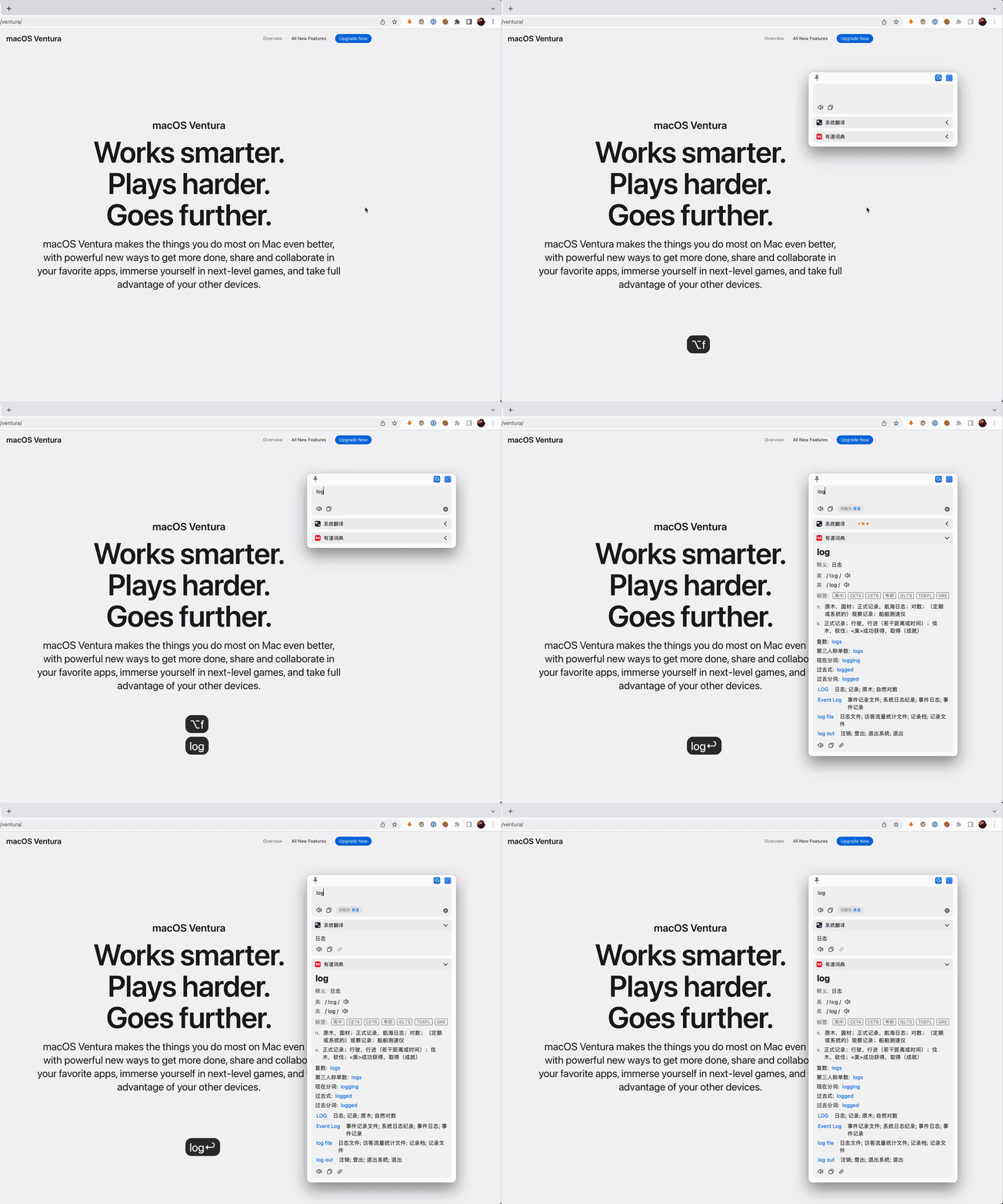 |
| Mouse Select Translate | The query icon is automatically displayed after the word is selected, and the mouse hovers over it to query | 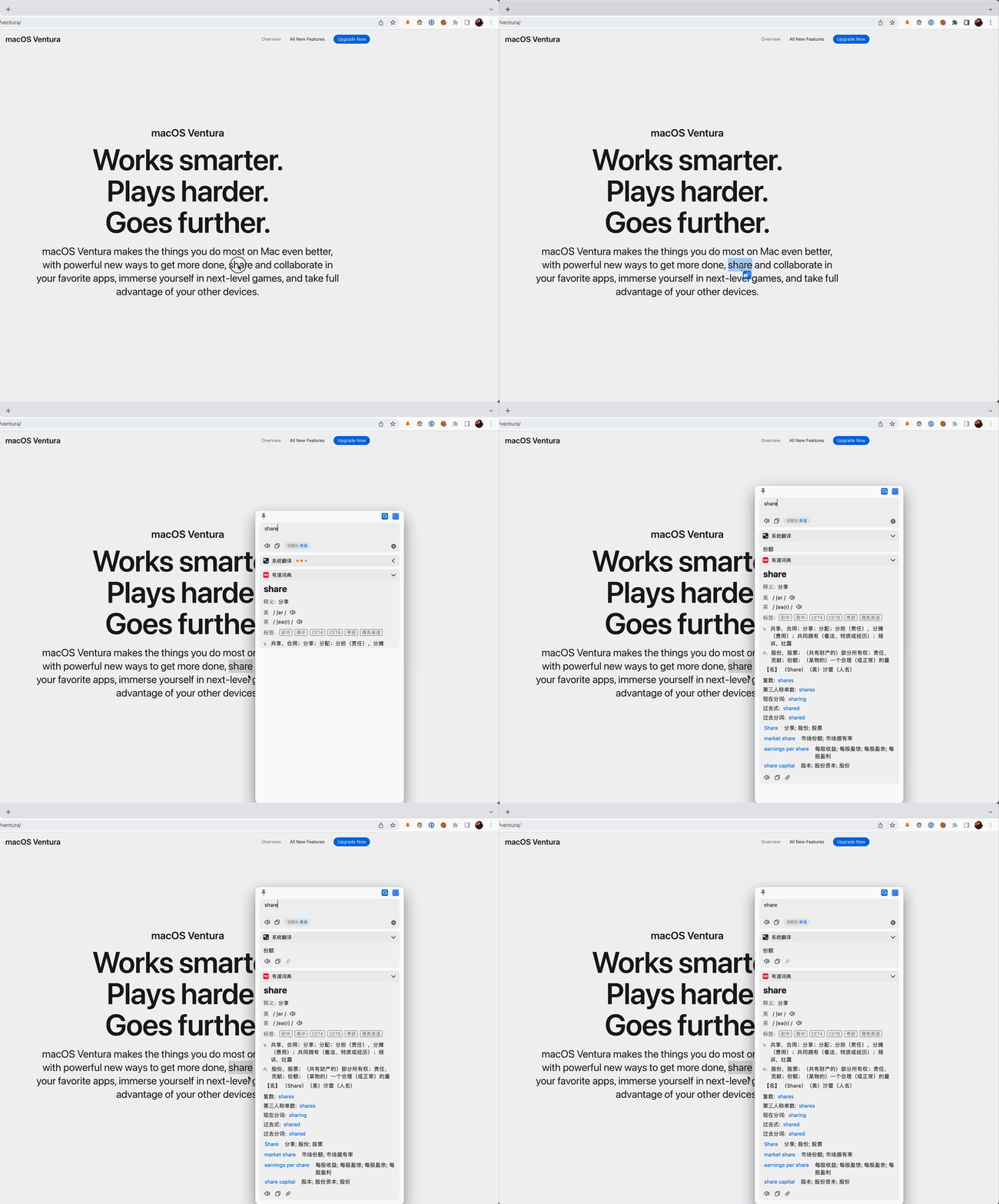 |
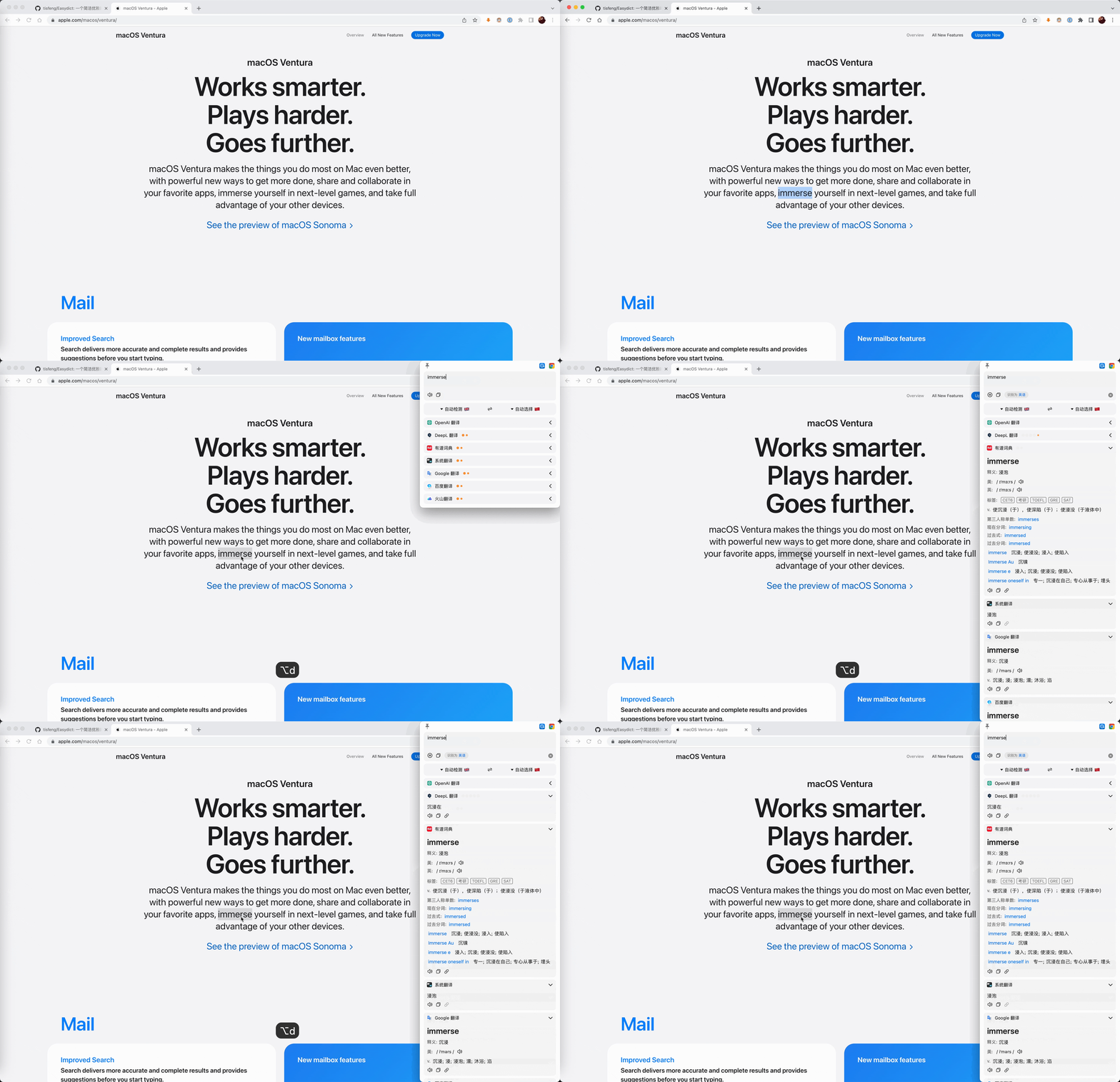
| Shortcut Select Translate | After selecting the text to be translated, press the shortcut key (default `⌥ + D`) | 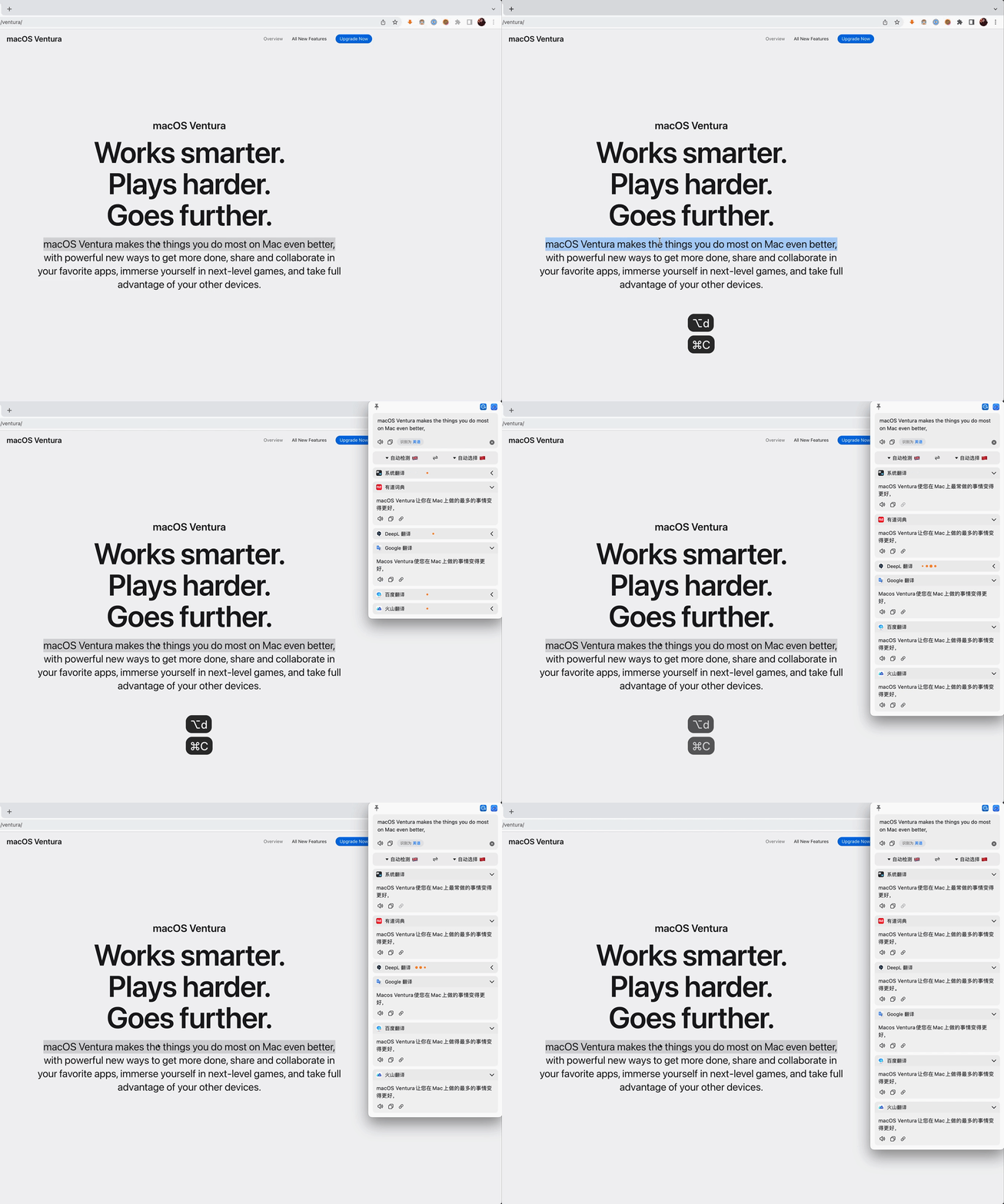 |
| Screenshot Translate | Press the screenshot translate shortcut key (default `⌥ + S`) to capture the area to be translated | 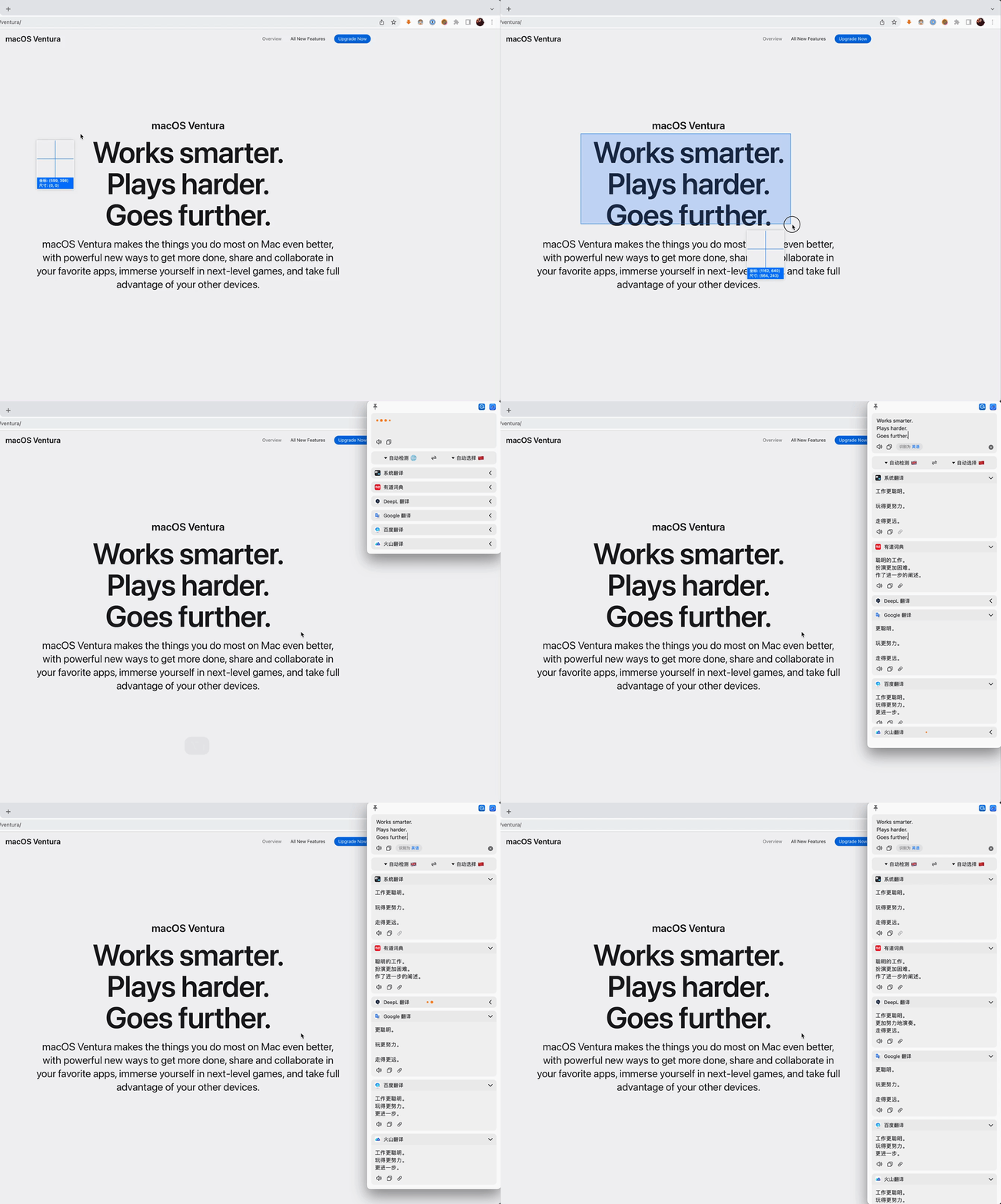 |
| Silent Screenshot OCR | Press the Silent Screenshot shortcut key(default `⌥ + ⇧ + S`)to capture the area, the OCR results will be copied directly to the clipboard | 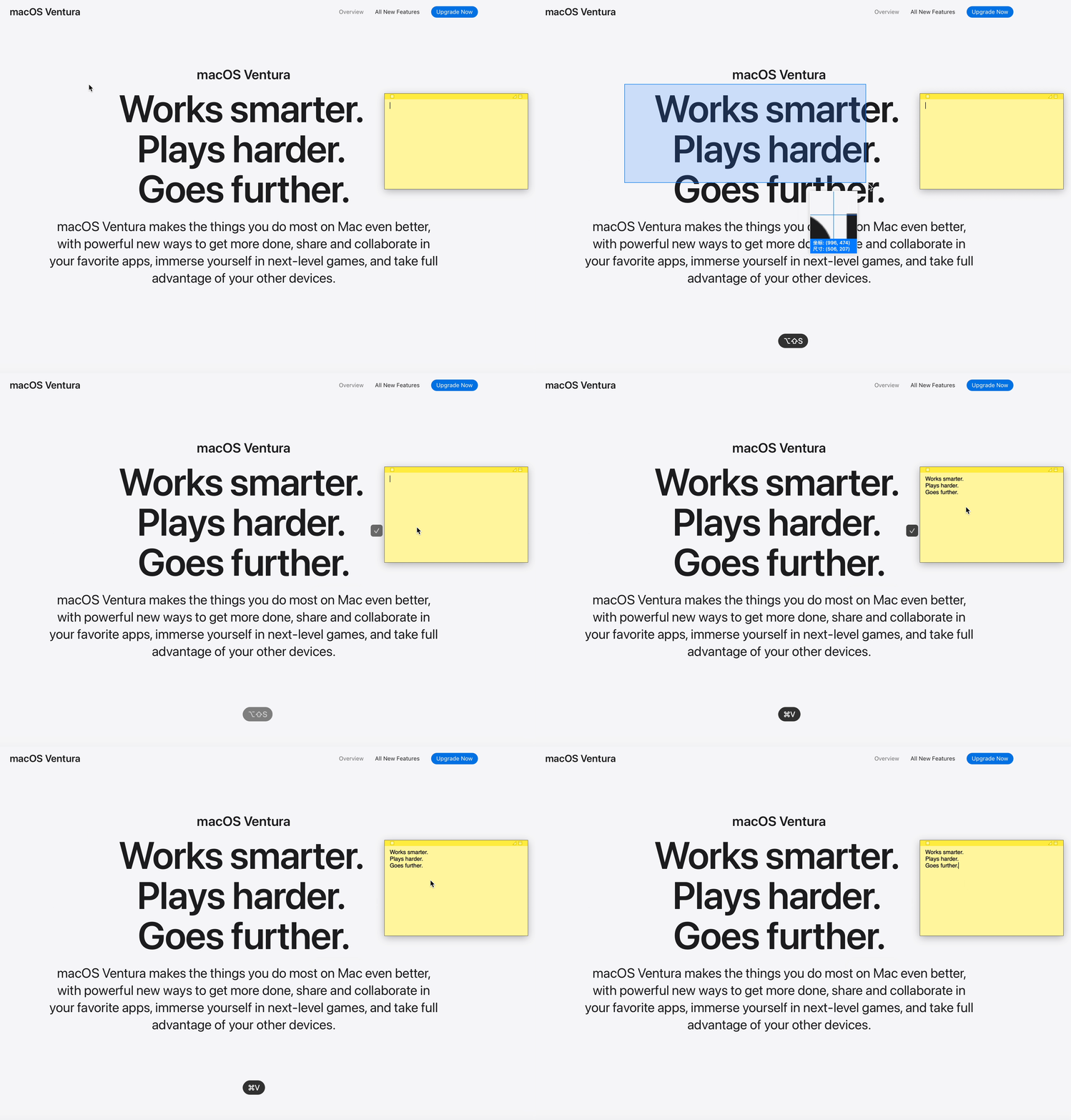 |
---
## Documentation
- 📖 [Complete Usage Guide](./docs/en/GUIDE.md) - Detailed features, configuration and tips
- 🔧 [Developer Build Guide](./docs/en/GUIDE.md#developer-build) - Build and run from source code
- 🍎 [How to use macOS System Dictionary](./docs/en/How-to-use-macOS-system-dictionary-in-Easydict.md)
- 🍎 [How to use macOS System Translation](./docs/en/How-to-use-macOS-system-translation-in-Easydict.md)
- 🌍 [How to translate Easydict](./docs/How-to-translate-Easydict-en.md)
---
## Acknowledgements
- This project was inspired by [saladict](https://github.com/crimx/ext-saladict) and [Bob](https://github.com/ripperhe/Bob), and the initial version was made based on [Bob (GPL-3.0)](https://github.com/1xiaocainiao/Bob). Easydict has made many improvements and optimizations on the original project, and many features and UI are referenced from Bob.
- Screenshot feature is based on [isee15](https://github.com/isee15)'s [Capture-Screen-For-Multi-Screens-On-Mac](https://github.com/isee15/Capture-Screen-For-Multi-Screens-On-Mac), and optimized on this project.
- Select text feature is referenced from [PopClip](https://pilotmoon.com/popclip/).
## Statement
Easydict is licensed under the [GPL-3.0](https://github.com/tisfeng/Easydict/blob/main/LICENSE) open source license, which is for learning and communication only. Anyone can get this product and source code for free. If you believe that your legal rights have been violated, please contact the [author](https://github.com/tisfeng) immediately. You can use the source code freely, but you must attach the corresponding license and copyright.
## Sponsor
Easydict is a free and open source project, currently mainly developed and maintained by the author. If you like this project and find it helpful, you can consider sponsoring this project to support it, so that it can go further.
Thanks to [@CanglongCl](https://github.com/CanglongCl) for providing the Apple Developer account, which solved the app [signature issue](https://github.com/tisfeng/Easydict/issues/2), allowing more people to use Easydict conveniently.
Thanks to all sponsors for their generous support. For details, please see the [Sponsor List](./docs/en/SPONSOR_LIST.md).
---
## Star History