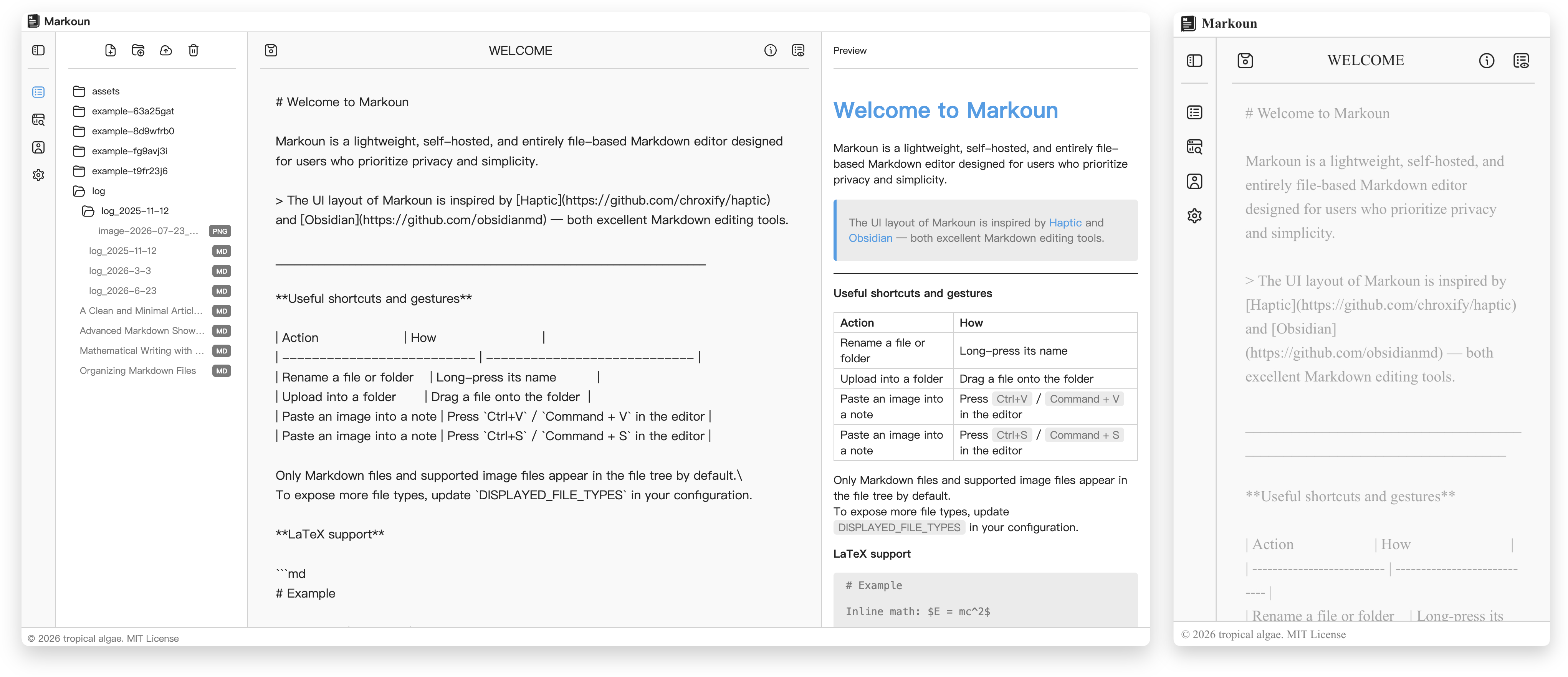
A self-hosted, file-based Markdown editor



🐳 Docker Setup - Click to expand
**Setup**
```bash
export MARKOUN_PORT=10000
export MARKOUN_ROOT=./
docker run -itd --name markoun \
--restart unless-stopped \
-p ${MARKOUN_PORT:-10000}:80 \
-e DEFAULT_ADMIN_NAME=admin \
-e DEFAULT_ADMIN_EMAIL=admin@example.com \
-e DEFAULT_ADMIN_PASSWORD=change-this-password \
-v ${MARKOUN_ROOT:-$(pwd)}:/markoun \
tropicalalgae/markoun:latest
```
> The `DEFAULT_ADMIN_*` environment variables are optional.
>
> If no administrator credentials are provided, Markoun will automatically create a default administrator account with a randomly generated password on the first startup.
>
> To view the generated credentials, run: `docker logs -f markoun`
**Volume Explanation**
After the container starts for the first time, Markoun will automatically create the following files and directories under `MARKOUN_ROOT`:
| Path | Description |
| ------------- | ------------------------------------------------- |
| `config.yaml` | Application configuration file. |
| `welcome.md` | Default welcome page displayed to new users. |
| `data/` | Stores all Markdown documents and workspace data. |
| `log/` | Application log files. |
If you are upgrading from `v0.2.2` or earlier, or would like to learn more about the changes to the Docker mounting layout, please refer to the [Docker Migration Guide](./docs/en/docker_migration.md).
📦 Docker Compose Setup - Click to expand
**Setup**
Copy [docker-compose.yaml](./docker-compose.yaml) to your local machine, then create a `.env` file in the same directory:
```.env
MARKOUN_PORT=10000 # Port exposed by Markoun
MARKOUN_ROOT=. # Directory for persistent data
DEFAULT_ADMIN_NAME=admin # Default administrator username
DEFAULT_ADMIN_EMAIL=admin@example.com # Default administrator email
DEFAULT_ADMIN_PASSWORD=change-this-password # Default administrator password
```
Then start Markoun by:
```
docker compose up -d
```
**Volume Explanation**
After the container starts for the first time, Markoun will automatically create the following files and directories under `MARKOUN_ROOT`:
| Path | Description |
| ------------- | ------------------------------------------------- |
| `config.yaml` | Application configuration file. |
| `welcome.md` | Default welcome page displayed to new users. |
| `data/` | Stores all Markdown documents and workspace data. |
| `log/` | Application log files. |
❄️ Nix Setup - Click to expand
**Setup**
With [Nix](https://nixos.org/download/) installed and flakes enabled, run Markoun directly from the repository's default branch:
```bash
export PORT=10000
export DEFAULT_ADMIN_NAME=admin
export DEFAULT_ADMIN_EMAIL=admin@example.com
export DEFAULT_ADMIN_PASSWORD=change-this-password
nix run github:tropical-algae/markoun
```
To run the source currently checked out in this repository instead:
```bash
nix run .
```
Alternatively, install Markoun into your user profile and run it as a regular command:
```bash
nix profile install github:tropical-algae/markoun#markoun
markoun
```
Markoun serves the complete web application at [`http://localhost:10000`](http://localhost:10000). The process runs in the foreground; use your preferred process or service manager for a persistent server.
> The `DEFAULT_ADMIN_*` environment variables are optional.
>
> If they are omitted, the first startup creates an administrator with a random password and prints the credentials in the terminal output.
**Runtime Path Explanation**
Markoun keeps editable files in the standard XDG user directories:
| Path | Description |
| ------------------------------------------------------------------------------------- | -------------------------------------------------------------- |
| `$XDG_CONFIG_HOME/markoun/config.yaml`
default: `~/.config/markoun/config.yaml` | Application configuration file. |
| `$XDG_DATA_HOME/markoun/welcome.md`
default: `~/.local/share/markoun/welcome.md` | Editable welcome page, initialized from the packaged template. |
| `$XDG_DATA_HOME/markoun/data/`
default: `~/.local/share/markoun/data/` | Stores all Markdown documents and workspace data. |
| `$XDG_STATE_HOME/markoun/log/`
default: `~/.local/state/markoun/log/` | Application log files. |
The runtime paths can be overridden before starting Markoun:
```bash
export MARKOUN_CONFIG_FILE=/path/to/config.yaml
export DOCUMENT_ROOT=/path/to/documents
export WELCOME_NOTE_PATH=/path/to/welcome.md
export LOG_ROOT=/path/to/log
nix run github:tropical-algae/markoun
```
## Configuration
Markoun is configured via a `config.yaml` file. Restart the service after
modifying this file for changes to take effect. Below are some important options:
| **Key** | **Description** | **Default** | **Since** |
| -------------------------------------- | --------------------------------------------------------------------------------------------------------- | ------------------------------------------ | --------- |
| `USER_WORKSPACE_ISOLATION` | Uses `/` as each authenticated user's workspace when authentication is enabled. | false | `v0.2.2` |
| `MEDIA_DELIVERY_MODE` | Sends protected images through FastAPI (`application`) or an Nginx internal redirect (`nginx`). | `nginx` | `v0.2.2` |
| `AUTH_REQUIRED` | Requires users to sign in before accessing and editing workspace files. | true | `v0.2.1` |
| `DEBUG` | Enables/disable debug-level logging for the backend service. | false | `v0.0.1` |
| `ACCESS_TOKEN_DEFAULT_EXPIRE_MINUTES` | **Standard Session Lifetime**: Duration (in minutes) a user remains logged in before the session expires. | 1440 | `v0.0.1` |
| `ACCESS_TOKEN_EXTENDED_EXPIRE_MINUTES` | **Persistent Session Lifetime**: Duration (in minutes) for users who select "Remember Me" during login. | 43200 | `v0.0.1` |
| `ACCESS_TOKEN_COOKIE_SECURE` | Sends the auth cookie only over HTTPS. Enable this when the public site is served through HTTPS. | false | `v0.1.4` |
| `DISPLAYED_FILE_TYPES` | **File Filter**: A list of file extensions that the editor is permitted to display. | ["md", "png", "jpg", "jpeg", "bmp", "svg"] | `v0.0.1` |
| `WELCOME_NOTE_PATH` | Path to the Markdown file used as the default welcome page when no document is open. | `./welcome.md` | `v0.1.0` |
All configuration options can be initialized via environment variables at startup, and then modified at runtime through `config.yaml`.
For more configurable options, see [config.py](src/markoun/common/config.py)
> [!WARNING]
> Setting `AUTH_REQUIRED` to `false` gives every visitor full access to read, create, edit, upload, move, and delete workspace files.
> Only disable authentication on a trusted network or behind another access-control layer.
## Editor Details
**Keyboard Shortcuts**:
| **Action** | **Windows / Linux** | **macOS** |
| --------------------- | ------------------- | ------------- |
| Paste clipboard image | `Ctrl + V` | `Command + V` |
| Save current document | `Ctrl + S` | `Command + S` |
**Relative Image Paths**:
When inserting images into a Markdown file, image paths are generated relative to the Markdown file’s location — not the project root. The renderer resolves them through the protected media API, preserving portability without exposing the physical workspace path.
**Rename by Long Press**:
Long-press on a file or folder name in the sidebar to rename it.
**Drag-and-Drop Upload**:
Drag a local file onto a folder in the sidebar to upload it directly into that folder.
**File Visibility Rules**:
By default, the sidebar displays only Markdown files and common image formats. To show additional file types, modify `DISPLAYED_FILE_TYPES` in `config.yaml`.
**System configuration**:
Administrators can manage these options from the sidebar settings:
- Enable or disable user registration.
- Group pasted images by note, storing them in a folder named after the Markdown file.
## Limitations & Roadmap
- [x] **Image security**: static image routes currently lack authentication checks
- [x] **File system architecture**: design can be further optimized
- [x] **UI polish**: incomplete animation feedback and styling inconsistencies
- [ ] **Settings expansion**: add more configurable options for personalization and workflow control
- [x] **Quick actions & interaction enhancements**: support more intuitive and efficient operations
- [x] **Improved usability**: provide a smoother and more comfortable operation experience
- [x] **Enhanced previews**: support richer previews, including image preview and ~~Gantt chart rendering~~ in Markdown files
- [x] **Frontend refactoring**: codebase requires further optimization
- [ ] **File synchronization**: support syncing files with a remote source
- [ ] **Version management**: introduce file versioning with history tracking and restore capability
- [ ] **Deployment options**: support more installation and deployment methods across different environments
## License
This project is licensed under the [MIT License](https://github.com/tropical-algae/markoun/blob/main/LICENSE).