Local-first browser memory for DeepSeek Harness.
Search Chrome, Microsoft Edge, and Brave bookmarks, browsing history, and downloads from inside a DSH agent session without uploading browser data to a third-party service. 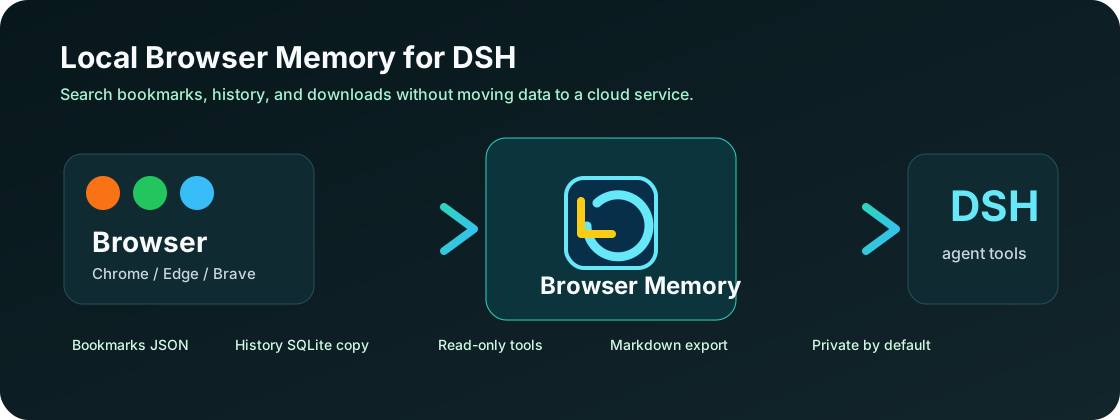 **Keywords:** DeepSeek Harness plugin, DSH plugin, browser memory, Chrome history search, Chrome bookmarks AI, Edge history search, Brave browser history, local-first AI agent, private browser history assistant. ## Why People often remember a page by context, not by URL: - "Find the DeepSeek Harness plugin page I opened yesterday." - "Search my browser bookmarks for AI pricing docs." - "Where is the PDF I downloaded from that paper site?" - "Summarize the research trail from my recent browser history." This plugin gives DeepSeek Harness read-only tools for that local browser footprint. ## Features - Search Chrome, Edge, and Brave bookmarks by title, URL, and folder. - Search Chromium browsing history by page title and URL. - List recent pages across browser profiles. - Search browser download records by file path, source URL, and tab URL. - Export matching browser memory as Markdown for research notes. - Read-only by design: it never deletes, moves, edits, or uploads browser files. - No API key, no cloud database, no native SQLite dependency. 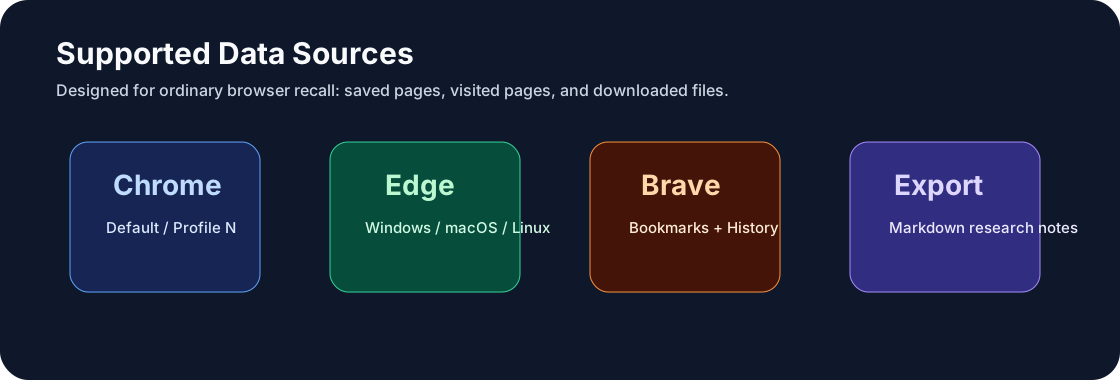 ## Tools The plugin registers these DSH tools: | Tool | What it does | | --- | --- | | `browser_memory_profiles` | Lists readable Chrome, Edge, and Brave profiles. | | `browser_memory_search_bookmarks` | Searches local browser bookmarks. | | `browser_memory_search_history` | Searches local browsing history. | | `browser_memory_recent_pages` | Lists recent pages, newest first. | | `browser_memory_search_downloads` | Searches local browser download records. | | `browser_memory_export_markdown` | Exports matching bookmarks, history, and downloads as Markdown. | ## Installation Install through the DeepSeek Harness plugin bundle channel: ```bash dsh plugin --profile default add dsh-plugin-browser-memory ``` Then start or restart DeepSeek Harness with that profile. If you are testing from a local checkout: ```bash pnpm install pnpm run check ``` ## Example Prompts ```text Search my Chrome bookmarks for DeepSeek Harness plugin docs. ``` ```text Find the browser history page I visited about MCP servers last week. ``` ```text List my recent Edge pages and turn them into a short research note. ``` ```text Find the PDF I downloaded from arxiv or github. ``` ## Configuration Optional Cordis config: ```yaml - insert: - id: dsh-plugin-browser-memory name: dsh-plugin-browser-memory config: browsers: [chrome, edge, brave] maxResults: 25 includeHistory: true includeDownloads: true ``` Supported browser IDs: - `chrome` - `edge` - `brave` ## Privacy Model 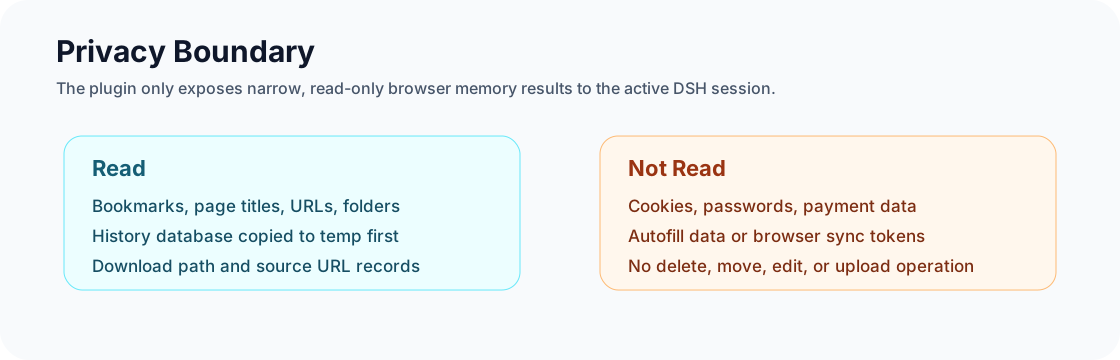 This plugin is intentionally conservative: - It reads browser files from the local machine only. - It copies Chromium `History` databases to a temporary file before querying, so a running browser is not modified. - It opens copied SQLite databases in read-only mode. - It does not read cookies, passwords, autofill data, payment data, or browser sync tokens. - It does not send browser data anywhere by itself. The model only sees the tool result it requested. ## Supported Paths Default profile discovery covers: | OS | Browsers | | --- | --- | | Windows | Chrome, Edge, Brave under `%LOCALAPPDATA%` | | macOS | Chrome, Edge, Brave under `~/Library/Application Support` | | Linux | Chrome, Edge, Brave under `$XDG_CONFIG_HOME` or `~/.config` | Profiles named `Default`, `Profile N`, and `Guest Profile` are detected when they contain a `Bookmarks` or `History` file. ## SEO Topics Recommended GitHub repository topics: ```text dsh-plugin deepseek-harness browser-memory chrome-history chrome-bookmarks edge-history brave-browser local-first ai-agent mcp-alternative personal-knowledge ``` ## Roadmap - Optional date filters for history and downloads. - Browser profile picker in the DSH Web GUI. - Read-only Obsidian export for browser research sessions. - Duplicate bookmark finder with a dry-run report. - Local embedding index for semantic browser memory search. ## FAQ ### Does it upload my browser history? No. The plugin reads local files and returns only the matching tool results to the active DSH session. ### Does it read cookies or passwords? No. It only reads bookmarks, browsing history URLs/titles, and download records. ### Does Chrome need to be closed? No. The plugin copies the `History` database to a temporary file before querying it. ### Is this only for developers? No. The main use case is ordinary browser recall: saved pages, previously visited pages, and downloaded files. ## License MIT