
Oryxis
A modern SSH client built entirely in Rust. Fast, encrypted, native.
English | 简体中文 | 繁體中文 | 日本語 | 한국어 | فارسی | Português (BR)







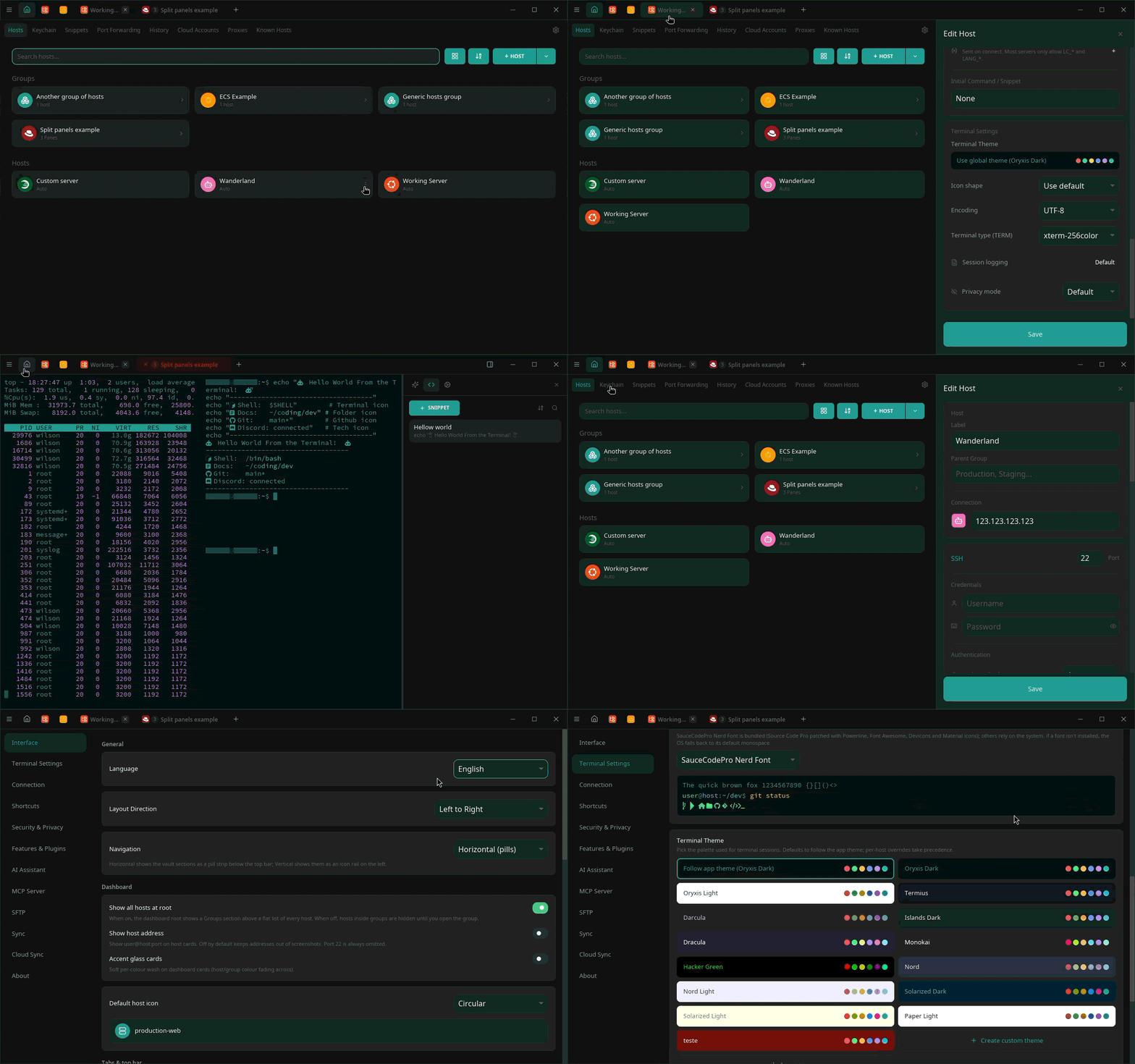
## What is Oryxis?
Oryxis is an open-source alternative to [Termius](https://termius.com/): a
desktop SSH client with a modern UI, an encrypted local vault for
credentials, and no cloud account anywhere in the loop. No Electron, no
webview, no vendor servers. Just a single native binary.
Most SSH clients make you pick two out of three: powerful but dated
(PuTTY), pretty but Electron-heavy (Termius, Tabby), or minimal and
terminal-only (OpenSSH). Oryxis aims at all three: **beautiful, fast, and
native**.
| | Oryxis | Termius | PuTTY | Tabby |
|--|--------|---------|-------|-------|
| UI stack | Native Rust (iced + wgpu) | Electron | Native | Electron |
| License | AGPL-3.0, open source | Proprietary | MIT | MIT |
| Credential storage | Local encrypted vault | Vendor cloud account | None | Local config files |
| Device sync | P2P, E2E encrypted, optionally self-hosted relay | Vendor cloud (subscription) | None | Via Tabby Web |
| SFTP GUI | Dual-pane, built in | Paid plan | CLI only | Basic panel |
| Price | Free | Free tier + subscription | Free | Free |
## Install
**Windows**
[](https://apps.microsoft.com/detail/9NTKPPSHBTG2)
or, from a terminal:
```powershell
winget install WilsonGlasser.Oryxis
```
**Arch Linux (AUR)**
```bash
yay -S oryxis-bin
```
**Direct downloads** from the [latest release](https://github.com/wilsonglasser/oryxis/releases/latest):
| Platform | Architecture | Download |
|----------|-------------|----------|
| Linux | x86_64 | [`.tar.gz`](https://github.com/wilsonglasser/oryxis/releases/latest/download/oryxis-linux-x86_64.tar.gz) · [`.deb`](https://github.com/wilsonglasser/oryxis/releases/latest/download/oryxis-linux-x86_64.deb) · [`.AppImage`](https://github.com/wilsonglasser/oryxis/releases/latest/download/oryxis-linux-x86_64.AppImage) |
| Linux | ARM64 | [`.tar.gz`](https://github.com/wilsonglasser/oryxis/releases/latest/download/oryxis-linux-aarch64.tar.gz) · [`.deb`](https://github.com/wilsonglasser/oryxis/releases/latest/download/oryxis-linux-aarch64.deb) · [`.AppImage`](https://github.com/wilsonglasser/oryxis/releases/latest/download/oryxis-linux-aarch64.AppImage) |
| macOS | Apple Silicon | [`.dmg`](https://github.com/wilsonglasser/oryxis/releases/latest/download/oryxis-macos-aarch64.dmg) · [`.tar.gz`](https://github.com/wilsonglasser/oryxis/releases/latest/download/oryxis-macos-aarch64.tar.gz) |
| Windows | x86_64 | [`setup.exe`](https://github.com/wilsonglasser/oryxis/releases/latest/download/oryxis-setup-x86_64.exe) · [`user-setup.exe`](https://github.com/wilsonglasser/oryxis/releases/latest/download/oryxis-user-setup-x86_64.exe) · [`.zip` portable](https://github.com/wilsonglasser/oryxis/releases/latest/download/oryxis-windows-x86_64.zip) |
| Windows | ARM64 | [`setup.exe`](https://github.com/wilsonglasser/oryxis/releases/latest/download/oryxis-setup-aarch64.exe) · [`user-setup.exe`](https://github.com/wilsonglasser/oryxis/releases/latest/download/oryxis-user-setup-aarch64.exe) · [`.zip` portable](https://github.com/wilsonglasser/oryxis/releases/latest/download/oryxis-windows-aarch64.zip) |
Which Windows installer? (system vs per-user, VSCode-style)
- **System** (`oryxis-setup-*.exe`): installs to `Program Files`, registers
under `HKLM`, requires UAC. Use this for shared machines or when all
Windows users should share the install. This is the build
`winget install` targets.
- **Per-user** (`oryxis-user-setup-*.exe`): installs to
`%LOCALAPPDATA%\Programs\Oryxis`, registers under `HKCU`, no admin
rights. Use this on locked-down machines or when you don't want UAC
prompts on every update.
Both register `oryxis` and `oryxis-mcp` on `PATH` so they resolve from any
shell. The auto-updater detects the install scope and downloads the
matching installer. Windows binaries are Authenticode-signed (see
[Code signing policy](#code-signing-policy)).
## Highlights
- **Native and fast.** Pure Rust, GPU-accelerated [iced](https://iced.rs)
UI, single binary. No Electron, no webview.
- **Encrypted local vault.** Argon2id + ChaCha20-Poly1305 per field,
optional master password, biometric unlock (Windows Hello / Touch ID /
Linux keyring), idle auto-lock, and TOTP autofill for 2FA hosts.
- **The full SSH pipeline.** Auto-auth, multi-hop jump chains, SOCKS /
HTTP / command proxies, agent forwarding, standalone `-L`/`-R`/`-D` port
forwarding, and `~/.ssh/config` import.
- **More than SSH.** Telnet and serial consoles for the gear that never
learned SSH, ZMODEM transfers, local shells, and one-click RDP/VNC
through an SSH tunnel.
- **A real terminal.** alacritty-based emulator, split panes, session
groups, per-host themes, bundled Nerd Fonts, smart tabs that flag
long-running commands, and per-host command history.
- **Files everywhere.** Dual-pane SFTP with drag-and-drop, edit-in-place
and server-to-server copy; every SSH tab also carries a Files sidebar
that follows your shell's working directory.
- **Session recording.** Encrypted at rest; exports to asciinema `.cast`
(theme embedded) or plain transcript, output-only by design.
- **Cloud accounts.** AWS, Google Cloud, Azure and Kubernetes discovery
and connect (EC2, SSM, ECS Exec, GKE, AKS, `kubectl`), shipped as
signed on-demand plugins.
- **AI where you work.** A per-tab assistant (bring your own key:
Anthropic, OpenAI, Gemini, or compatible) with layered auto-exec safety,
plus an [MCP server](docs/FEATURES.md#mcp-server) that exposes your
hosts to AI clients like Claude Code.
- **P2P sync, no cloud.** End-to-end encrypted (X25519 +
XChaCha20-Poly1305) over QUIC; mDNS on the LAN, optional
[self-hosted](SELF_HOSTING.md) signaling/relay across networks. No
account, no vendor server.
- **Keyboard-first.** `user@host` quick connect (Ctrl+K), MRU tab
switching, full keyboard navigation down to the last toggle, every
hotkey rebindable.
- **Private by design.** No telemetry, Privacy Mode masking, a paste guard
that reads what you're pasting, and
[23 languages](docs/FEATURES.md#themes--internationalization) with full
RTL support: English, Português, Español, Français, Deutsch, Italiano,
简体中文, 繁體中文, 日本語, Русский, فارسی, العربية, עברית, 한국어, Polski,
Türkçe, Bahasa Indonesia, Tiếng Việt, Українська, ไทย, हिन्दी, Čeština,
Ελληνικά.
The complete inventory lives in the **[feature tour](docs/FEATURES.md)**.
Using tmux? **[Logs and command history under tmux](docs/TMUX.md)**
explains what works out of the box and what you install yourself.
## Screenshots
Click any thumbnail for the full-size image.
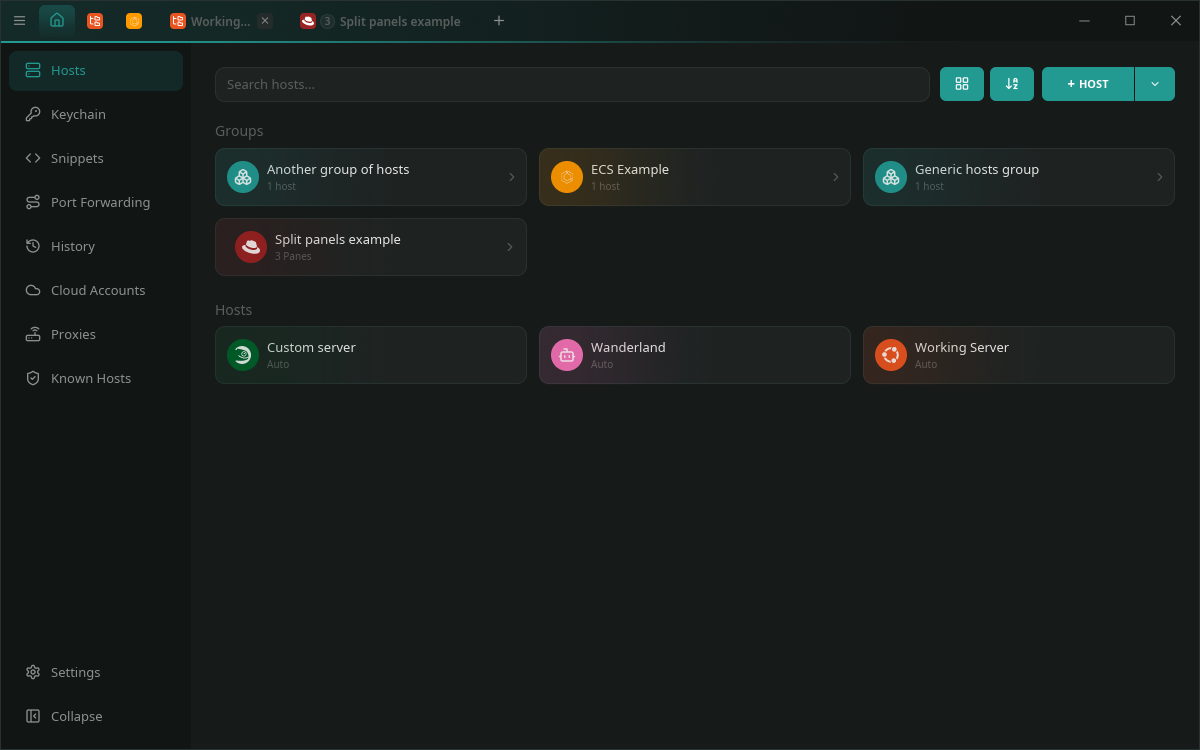
Hosts dashboard: card grid, groups, distro auto-detection
|
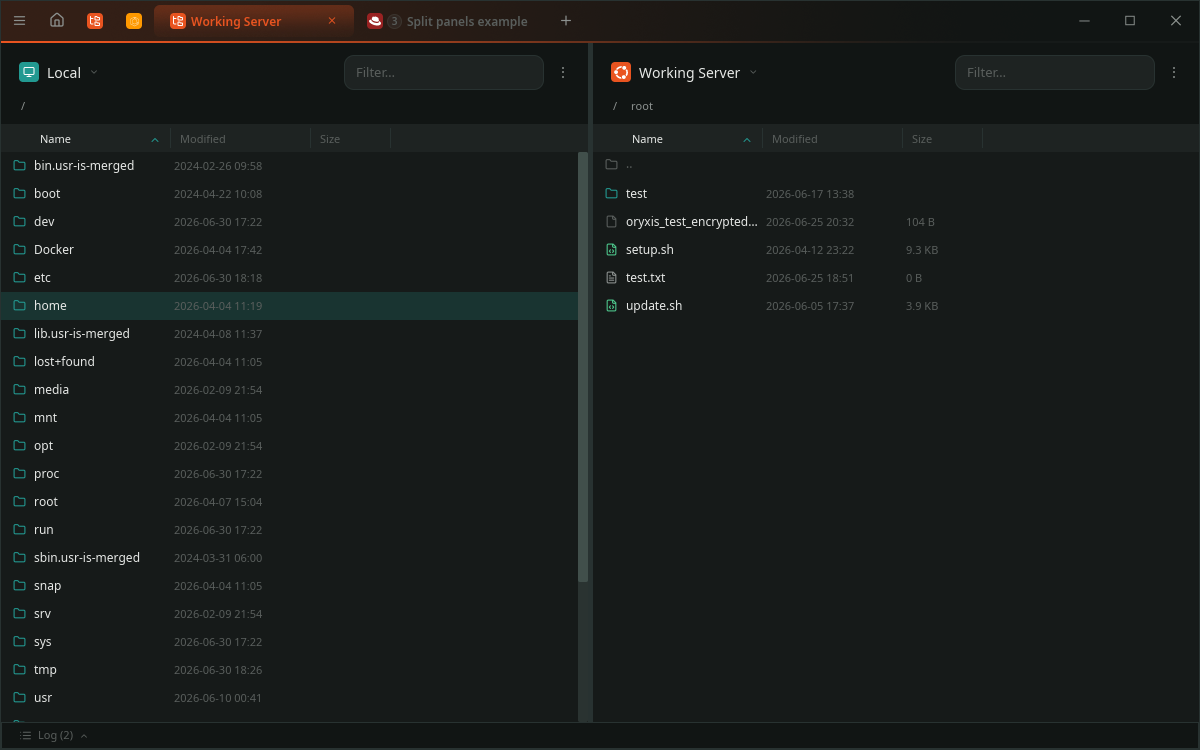
Dual-pane SFTP: drag-and-drop, multi-select, edit-in-place
|
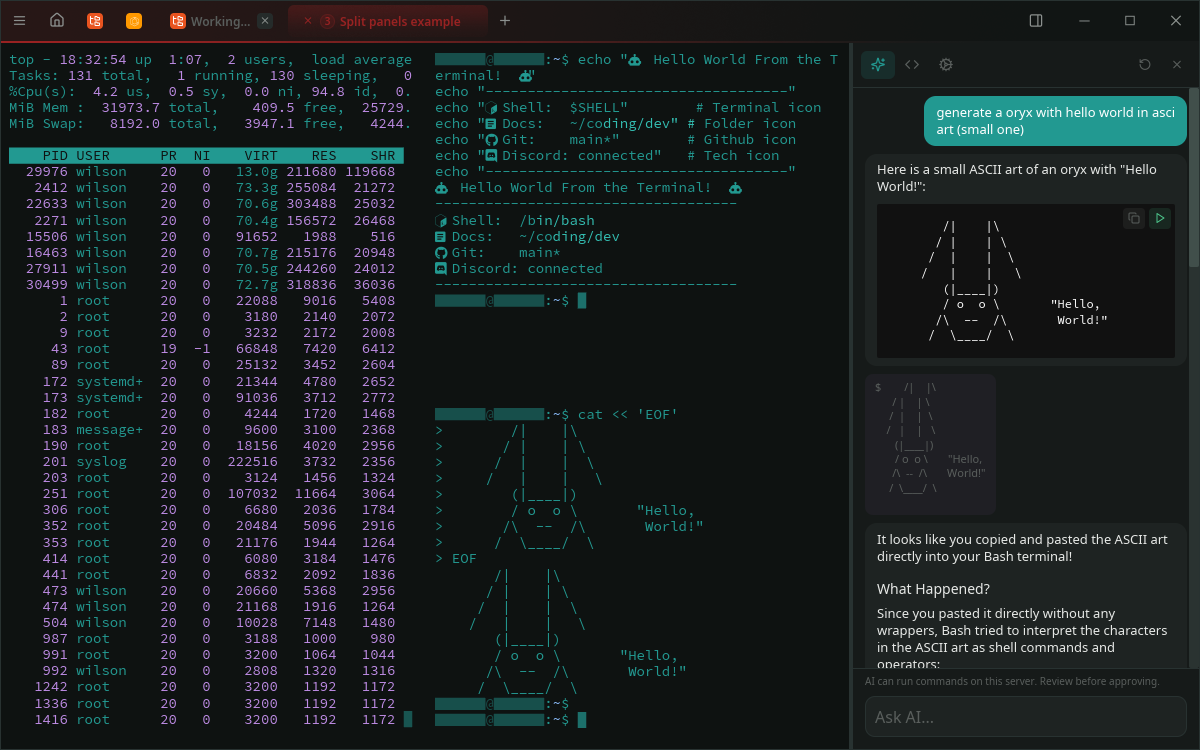
Streaming AI sidebar with per-block Copy / Play
|
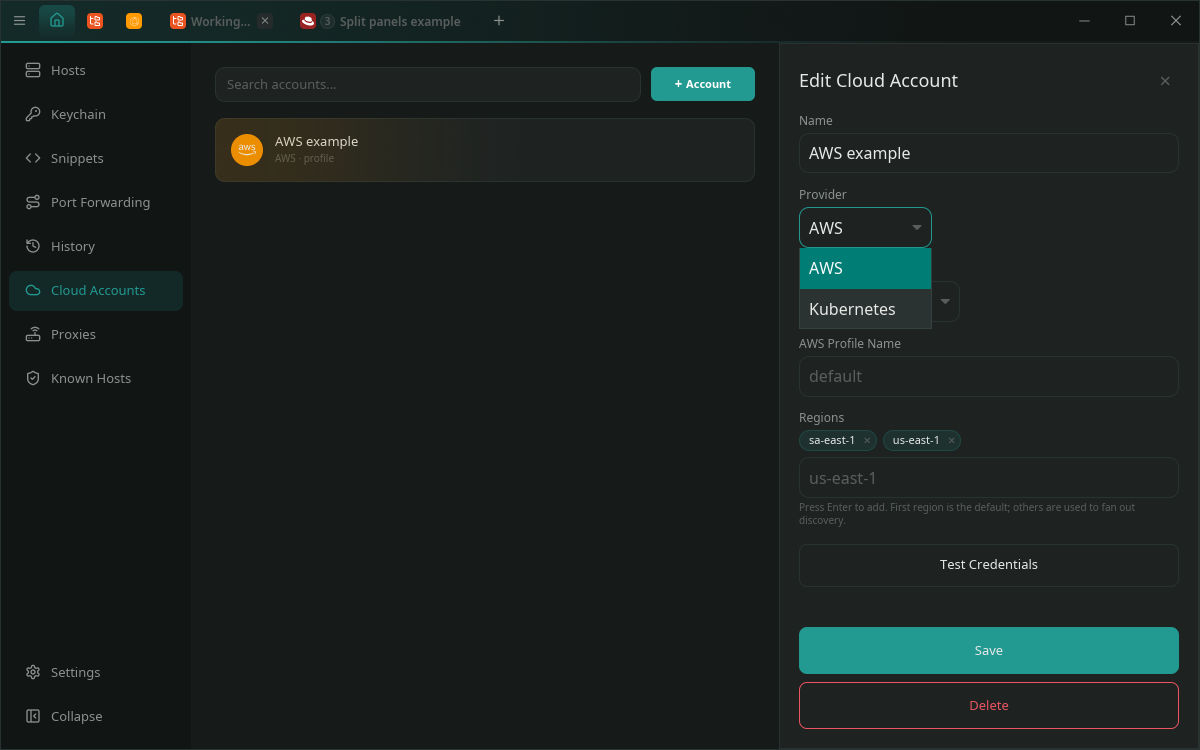
Cloud Accounts: AWS / Kubernetes providers, multi-region fan-out
|
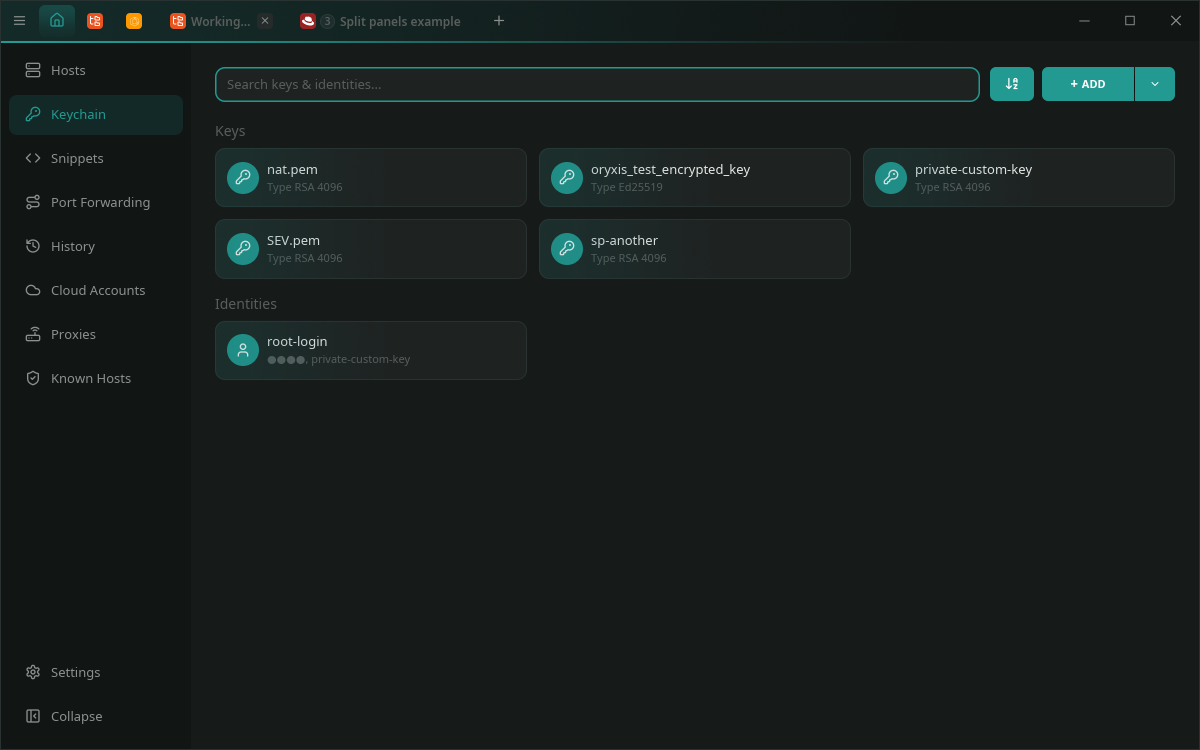
Keychain: keys and reusable Identities side by side
|
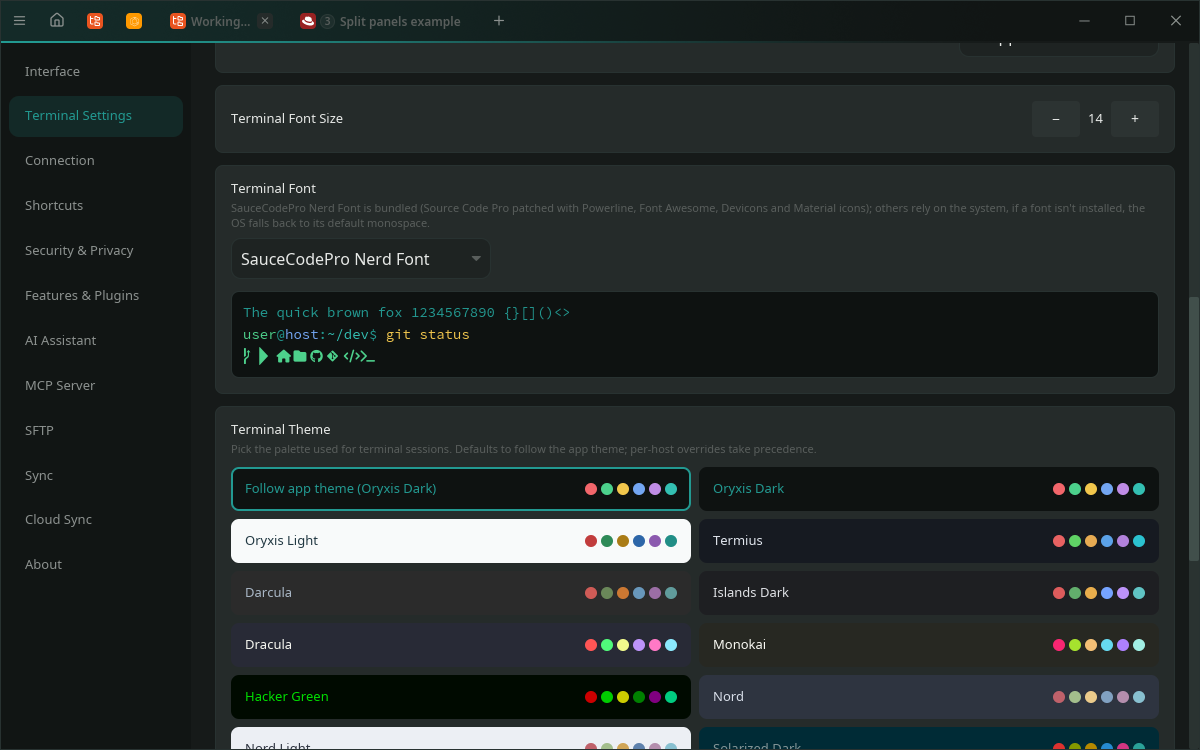
Terminal palettes with inline previews, plus custom schemes
|
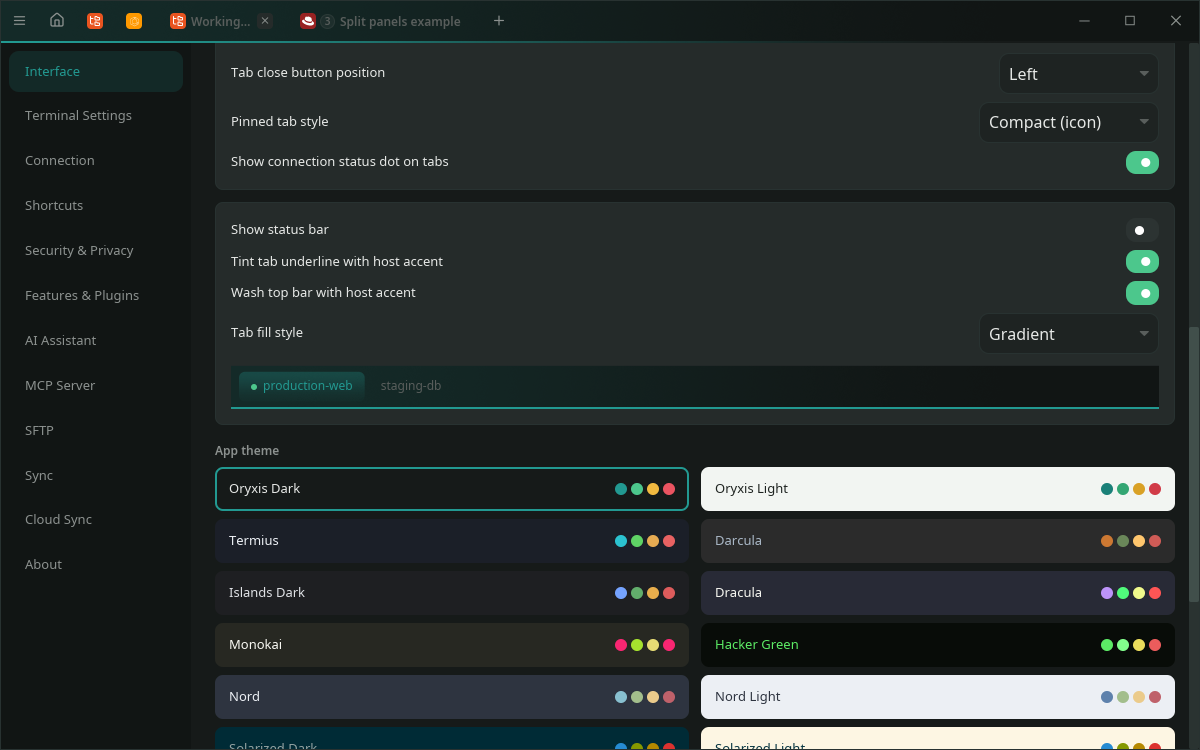
Settings → Interface: tab styling with live preview, app theme grid
|
## Quick start
1. **First launch:** choose a master password or continue without one
(you can enable it, plus biometric unlock, later in Settings).
2. **Add hosts:** click `+ HOST`, or just type `user@host` (Ctrl+K) to
connect without saving. `~/.ssh/config` imports in one click.
3. **Connect:** click a host card. Split panes, the Files sidebar, SFTP
and snippets are one keystroke away.
4. **Optional extras:** AI chat (Settings > AI), MCP server
(Settings > Security, [setup guide](docs/FEATURES.md#mcp-server)),
P2P sync between your devices (Settings > Sync,
[self-hosting guide](SELF_HOSTING.md)).
Questions? Check the
[FAQ](https://github.com/wilsonglasser/oryxis/discussions/66) or open a
[Discussion](https://github.com/wilsonglasser/oryxis/discussions).
## Security
Everything sensitive is encrypted per-field at rest (Argon2id +
ChaCha20-Poly1305), host keys are TOFU-pinned, sync payloads are
end-to-end encrypted, plugins are Ed25519-signature-verified before
execution, and there is no telemetry of any kind.
The full security model and the vulnerability disclosure policy live in
[SECURITY.md](SECURITY.md). Please report vulnerabilities privately.
### Code signing policy
Free code signing provided by [SignPath.io](https://about.signpath.io),
certificate by [SignPath Foundation](https://signpath.org).
The Windows binaries and installers (`oryxis.exe`, `oryxis-setup-*.exe`,
`oryxis-user-setup-*.exe`) are Authenticode-signed in CI by SignPath. The
private key never leaves SignPath's hardware security module. No private
information is collected or shared as part of this process.
## Roadmap
Oryxis ships small and often (roughly weekly). This section is
forward-looking: items land incrementally as they are ready rather than
being tied to a specific version. Latest stable is **v0.11.0**;
[CHANGELOG.md](CHANGELOG.md) has the full history, and the
[roadmap discussion](https://github.com/wilsonglasser/oryxis/discussions/67)
tracks it interactively.
**Planned**
- **Native FIDO2:** talk to security keys directly (USB / NFC) for
`sk-ssh-ed25519` / `sk-ecdsa-sk`, without delegating the touch to an
external agent.
- **Terminal:** keyword highlighting with user-defined trigger actions,
and window opacity (Linux and macOS first; Windows depends on the
graphics stack).
- **Mosh:** a native Rust client for mosh's State Synchronization
Protocol, interoperating with the stock `mosh-server`; sessions survive
IP changes and sleep, with predictive local echo. This would be the
first open-source mosh client to run natively on Windows (no Cygwin or
WSL layer).
- **Quick-connect OS integration:** register as the `ssh://` URL handler
and accept `oryxis user@host` on the CLI.
- **Importers & utilities:** PuTTY / WinSCP / mRemoteNG / Termius config
importers plus generic CSV import / export, Wake-on-LAN, and an
optional network tools panel (DNS, ping / traceroute, port test,
TLS check, WHOIS, RBL).
- **Vault & sync:** a curated terminal theme collection plus theme file
import, extra sync snapshot
backends (private GitHub repo via device code, any WebDAV server;
ciphertext only, as always), one-click relay deploy (the app installs
`oryxis-relay` on a host from your vault over SSH, with the script
shown before it runs), connection health indicators with
connection reuse, and group settings inheritance (per-parameter
defaults hosts inherit, Termius-style).
- **Host monitoring:** GPU gauges next to the CPU / memory / disk /
network ones the per-session panel already shows, plus a multi-host
dashboard view. Still agentless and opt-in per host, nothing installed
on servers.
- **China & CJK:** Alibaba Cloud (ECS) and Tencent Cloud (CVM)
providers, an East Asian ambiguous-width option, and terminal
background images.
- **AI ops toolkit:** the assistant graduates from generating shell
strings to typed, structured operations synthesized for the host's
actual OS, with dry-run previews on every state change, an audit
journal, and secrets structurally excluded from model context.
Local-first, bring-your-own-key, no hosted backend.
**Exploring**
- **Team vaults over P2P sync:** share a vault with teammates with no
hosted server; per-member key wrapping, re-key on member removal,
optional self-hosted relay mailbox for teams never online together.
- **Multi-host AI agent:** the typed-operation agent detached from a
single tab, investigating across vault hosts over ad-hoc SSH channels,
gated by explicit per-host opt-in.
- **Storage browser plugins:** S3-compatible, SMB, and Chinese-cloud
object storage (Huawei OBS / Tencent COS / Alibaba OSS) browsing as
optional plugins on the existing signed-plugin pipeline.
## Building from source
Rust stable (via [rustup](https://rustup.rs/)), plus:
- **Linux:** `sudo apt install -y build-essential pkg-config libssl-dev libgtk-3-dev libwayland-dev libxkbcommon-dev`
- **macOS:** Xcode Command Line Tools (`xcode-select --install`)
- **Windows:** Visual Studio Build Tools with the C++ workload
```bash
git clone https://github.com/wilsonglasser/oryxis.git
cd oryxis
cargo run # debug
cargo build --release # release
cargo test --workspace
```
The workspace layout is documented in
[docs/ARCHITECTURE.md](docs/ARCHITECTURE.md).
## Contributing
Contributions are welcome. Open an issue to discuss before starting large
PRs, and see [CONTRIBUTING.md](CONTRIBUTING.md) for the dev setup, quality
gates and project conventions (i18n, keyboard navigation, secret
handling).
## License
Copyright (C) 2026 Wilson Glasser. Licensed under
[AGPL-3.0-or-later](LICENSE). Free and open-source forever: anyone can
use, modify, and distribute Oryxis, but any modified version made
available over a network must also share its source code under the same
license. See [NOTICE](NOTICE) for details.
---
Built with Rust, for people who live in the terminal.