# SkillDeck
中文 ·
English ·
Official Site ·
Quick Start ·
GitHub
Turn local Agent Skills into a capability deck that models can discover, use, and share.
Adapter for runtimes, MCP dynamic discovery, and share artifacts generated through agent conversation.








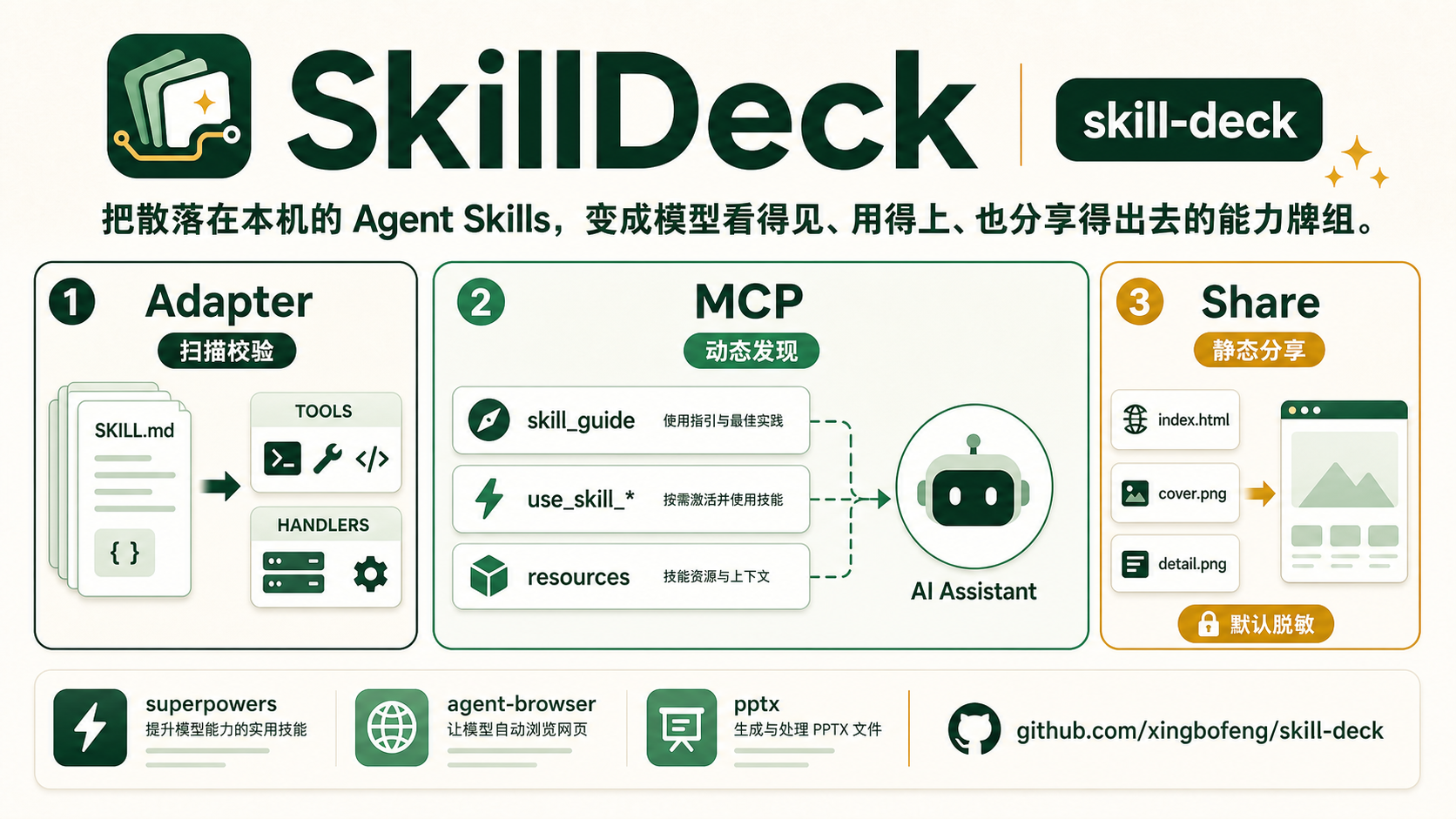
**SkillDeck** is a local Agent Skill adapter, activation, and sharing tool.
It solves three concrete scenarios:
| Scenario | Why It Matters | What SkillDeck Does |
| --- | --- | --- |
| I have Skills and want to connect them to the OpenAI Agent SDK as tools. | OpenAI already frames `SKILL.md` as reusable workflow material, and Agents SDK supports local skills, but hand-writing schemas, handlers, and stable ids is tedious. | **Adapter** scans, parses, and validates `SKILL.md`, then generates provider-neutral tools and runtime handlers so the same Skills can connect to different Agent runtimes. |
| I have Skills and want to connect them to Claude Code, Cursor, or another MCP host. | Plain `list_skills` / `read_skill` is not enough; the model may not know it should inspect local Skills before a complex task. | **MCP + Skill Activation** exposes Skills as tools/resources and lets the model discover, search, and load Skills during the task through `compact`, `guided`, and `active` modes. |
| I have Skills and want to share them with teammates, peers, or social platforms. | Private Skills may contain local paths, secrets, or private URLs; screenshots are not searchable, drillable, or reusable. | **Share** lets an agent generate a complete share page plus two images through MCP, with redaction on by default, search, drill-down, and reviewable onboarding. |
References: [OpenAI Skills guide](https://developers.openai.com/api/docs/guides/tools-skills), [Skills in ChatGPT](https://help.openai.com/articles/20001066), [Agents SDK tools](https://openai.github.io/openai-agents-js/guides/tools/), and [openai-agents-python #2906](https://github.com/openai/openai-agents-python/issues/2906).
Mapped to product capabilities, it does three things:
| Line | Role | Result |
| --- | --- | --- |
| **Adapter** | Scan, parse, and validate local `SKILL.md`, then generate stable ids, provider-neutral tools, and runtime handlers. | The same Skills can connect to OpenAI, Anthropic, OpenAI Agents SDK, and local runtimes. |
| **MCP** | Expose Skills as MCP tools/resources and help the model discover them through Skill Activation. | The model can load Skills with `skill_guide`, `use_skill_*`, `search_skills`, and `read_skill`. |
| **Share** | You tell the agent to share this Skill set; the agent uses MCP to generate a static share page and two images with redaction on by default. | Useful for teammates, peers, and social sharing without leaking local paths, secrets, or private URLs. |
It is not a public marketplace or a remote hosting service. The user's Skill directory stays local.
## Skill Activation
Plain `list_skills` / `read_skill` can read Skills, but the model may not know it should call them first. SkillDeck adds three modes so the model can discover and load local Skills more reliably.
| Mode | Exposed Surface | How The Model Discovers Skills | Best For | Cost |
| --- | --- | --- | --- | --- |
| `compact` | `list_skills`, `search_skills`, `get_skill_info`, `read_skill`, resources | The model must actively search or list the catalog. | Compatibility, many Skills, short tool lists. | Weak automatic discovery. |
| `guided` | `compact` + `skill_guide` + MCP instructions | The model sees `skill_guide` and gets a usage guide. | Better discovery without turning every Skill into a tool. | Still depends on the model calling the guide. |
| `active` | `guided` + up to N `use_skill__` tools | Common Skills appear directly in `tools/list`. | Strongest automatic discovery. | More tools. |
Example:
```bash
npx -y skill-deck mcp serve \
--skills ~/.skills
```
## Install
```bash
npm install skill-deck
```
## MCP In Three Steps
First, choose a Skill Activation mode and install MCP. Start with the default `active` mode:
All three commands use the same MCP server name, `skill-deck`; update the same server when switching modes.
```bash
# active: default mode; common Skills appear directly in tools/list
claude mcp add skill-deck \
-- npx -y skill-deck mcp serve \
--skills ~/.codex/skills
```
```bash
# guided: exposes skill_guide so the model can inspect groups and recommendations first
claude mcp add skill-deck \
-- npx -y skill-deck mcp serve \
--skills ~/.codex/skills \
--skill-mode guided
```
```bash
# compact: only exposes list/search/info/read/resources for the shortest tool list
claude mcp add skill-deck \
-- npx -y skill-deck mcp serve \
--skills ~/.codex/skills \
--skill-mode compact
```
Codex or another MCP host can use the same stdio arguments. To switch modes, append `--skill-mode` and the mode value to `args`:
```json
{
"mcpServers": {
"skill-deck": {
"command": "npx",
"args": [
"-y",
"skill-deck",
"mcp",
"serve",
"--skills",
"~/.codex/skills"
]
}
}
}
```
Second, confirm `skill-deck` is connected in Claude / Codex. In Claude Code, type:
```text
/mcp
```
Third, tell the agent:
```text
Please use the SkillDeck MCP generate_skill_share tool to generate a shareable Skill workflow package for the currently loaded ~/.codex/skills.
```
To specify an output directory, add:
```text
Write it to ~/skilldeck-shares/codex-skills-share, keep redaction enabled, and tell me the paths for index.html, cover.png, detail.png, and manifest.json when done.
```
## Share
Sharing is not about hand-writing config or throwing private Skills into a public marketplace. You just talk to the agent:
```text
Turn my ~/.skills Skills into a share page and two images that I can send to peers. Keep it redacted.
```
The agent uses SkillDeck MCP Share interfaces to generate:
```text
share/
index.html
cover.png
detail.png
```
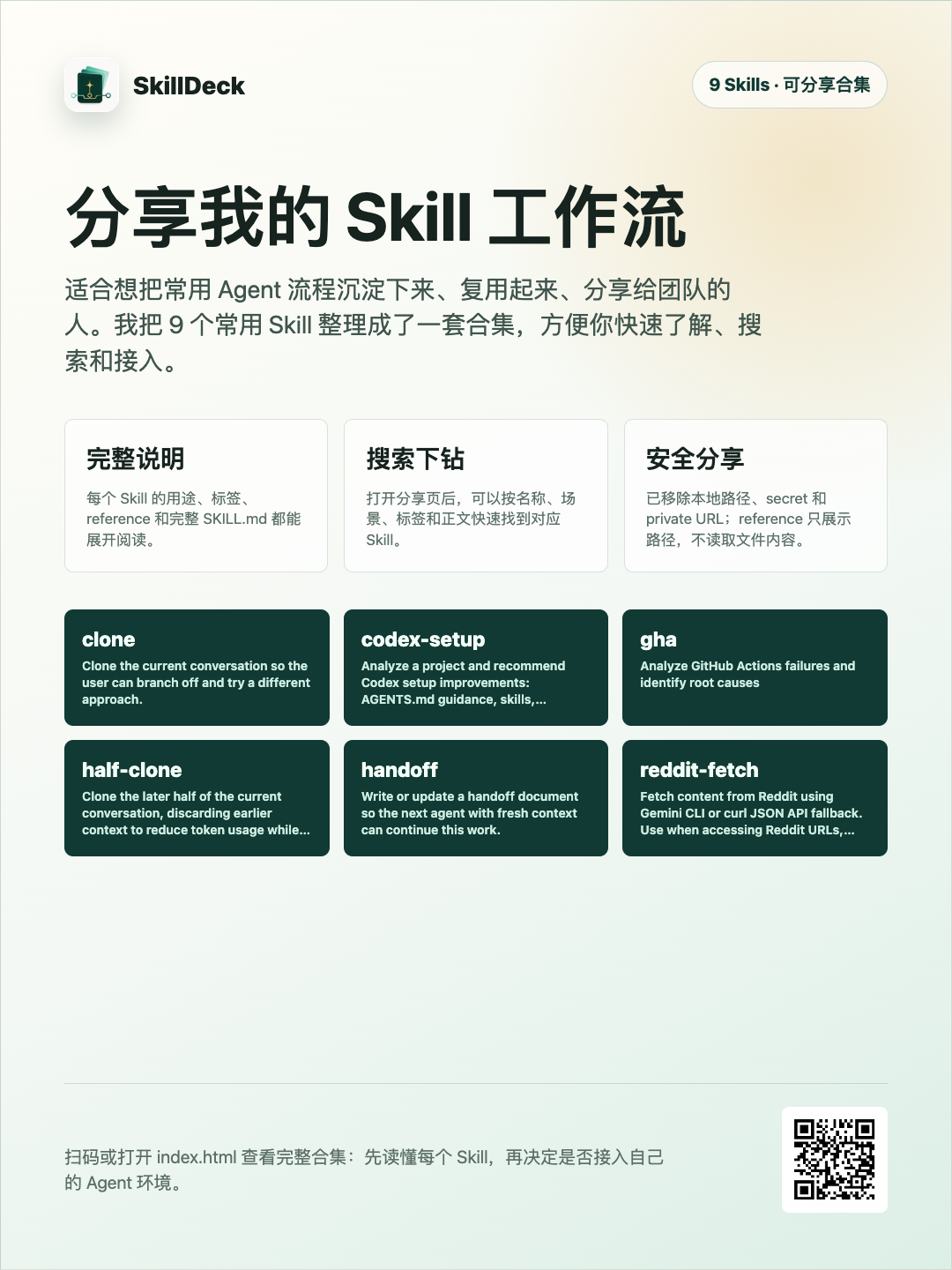
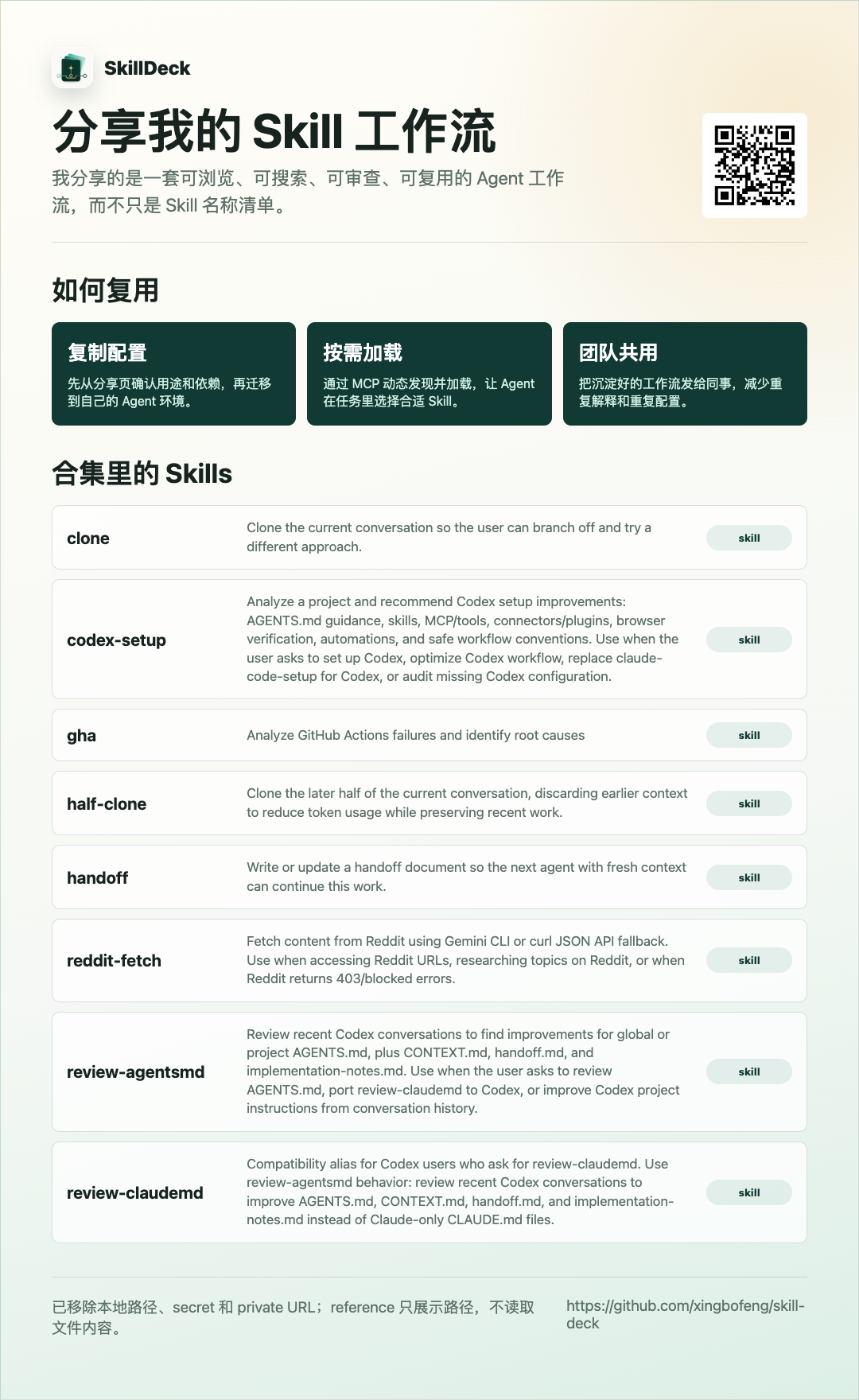
`index.html` is the complete introduction page with search and drill-down into Skill details; `cover.png` is for quick sharing, and `detail.png` is for technical readers. Local paths, secrets, and private URLs are removed by default; references only show paths and do not read file contents.
Generated example:
## Full Capabilities
- Skill Activation: `compact` / `guided` / `active`.
- `skill_guide` and `use_skill_*`.
- Search ranking, pagination, and field selection.
- Catalog/resources.
- Watcher.
- Explicit symlink support.
- Share HTML + two images.
- Docs-site search in the top right.
- npm package: `skill-deck`.
- MCP Registry: `server.json` + npm/stdio metadata.
- MCP Streamable HTTP transport.
## Docs
- [Quick Start](packages/docs/quickstart.en.md)
- [Agent SDK Integration](packages/docs/agents.en.md)
- [MCP Integration](packages/docs/mcp.en.md)
Read the full docs at [skill.counterxing.top](https://skill.counterxing.top).
## License
[MIT](LICENSE)