# YukiHub

简体中文 | English




**YukiHub** is a Galgame / visual novel management and launcher tool for Android. It is suitable for managing local games, Android app-style games, emulator game entries, external program shortcuts, and play records.
Its goal is to integrate "game library management, quick launch, data synchronization, and usage statements" into a unified dark interface.
Developers are also welcome to actively build different branch versions. As the first mobile Gal frontend, there are still many shortcomings. Let's keep improving it together meow (⌯ᵔᗜᵔ⌯)/
> This project is open-sourced under the **GPL-3.0** license.
---
## Features
- Supports adding, editing, and deleting game entries
- Integrates game metadata sources from VNDB and Bangumi
- Supports game entries with empty directories
- Suitable for Android app-style games, external programs, and custom launch entries
- Supports importing GameHub shortcuts
- Shortcut list supports icon display
- Supports search and filtering
- Supports multiple launch methods
- Supports local games, Android app-style entries, and external launch entries
- Supports game synchronization and import/export
- Supports game entry synchronization
- Supports play record synchronization
- Supports matching and restoring empty-directory entries
- Supports viewing the complete disclaimer in Settings
- Requires agreeing to the disclaimer on first launch before entering
- Dark-style interface, suitable for landscape use
---
## Project Positioning
YukiHub is closer to a **local game management hub** rather than a simple launcher.
It is suitable for the following scenarios:
- Managing locally installed games
- Managing Android app-style game entries
- Managing external launch entries
- Organizing shortcuts in one place
- Recording and synchronizing play records
- Migrating game data between multiple devices
---
## Core Features
### 1. Game Management
Supports adding, editing, and deleting game entries, and provides unified management for different types of launch entries.
### 2. Empty-directory Entry Support
For games or app entries that do not require a local directory, the directory field is not mandatory.
This is especially useful for the following scenarios:
- Directly launching Android apps
- Entries launched by package name
- External program entries
- Custom quick-launch entries
### 3. GameHub Shortcut Import
Supports importing shortcuts from GameHub and provides:
- Icon display
- Search and filtering
- A clearer list selection experience
### 4. Synchronization
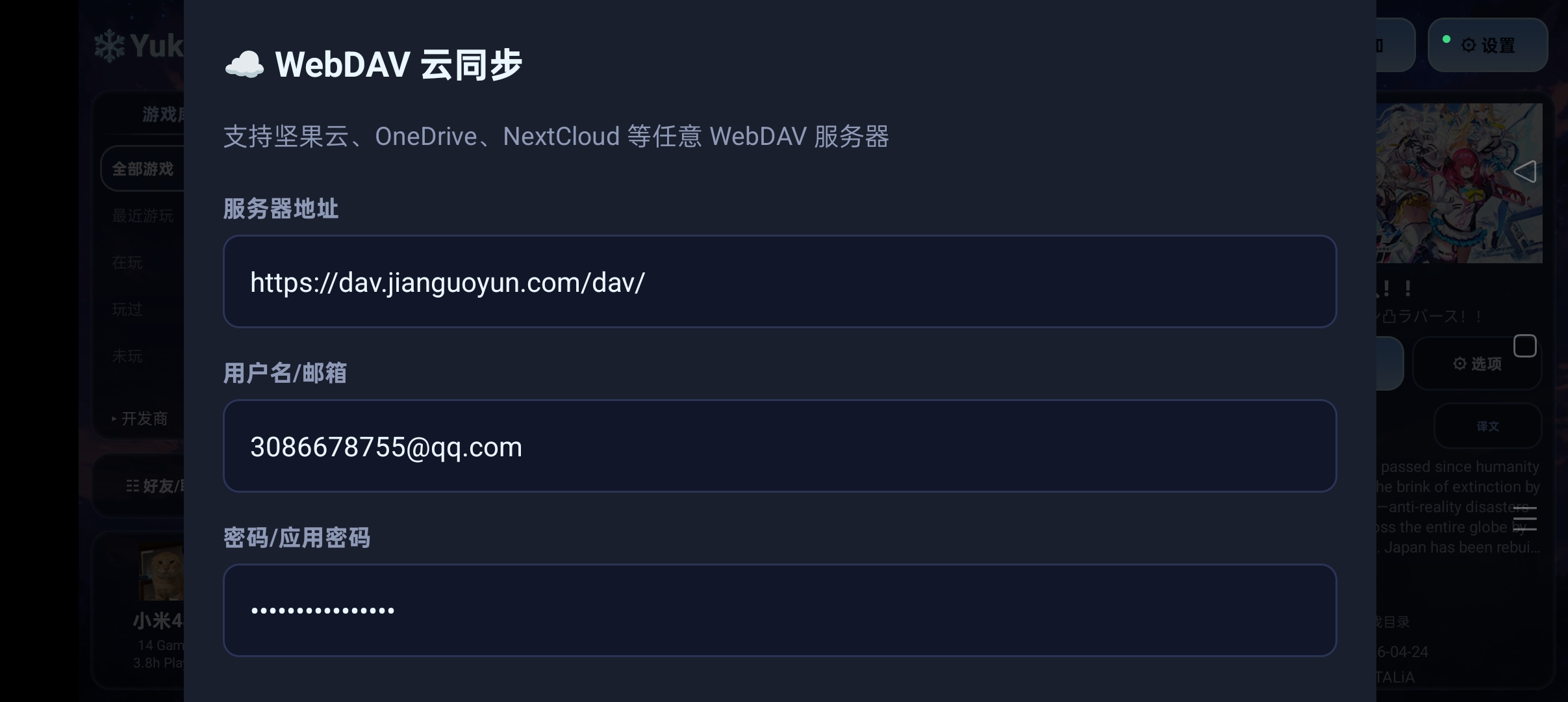
Supports synchronization import/export of game data and play records, suitable for local backup or multi-device migration. It also supports ☁️ WebDAV cloud synchronization.
During synchronization, matching will be attempted based on the following information:
- root path
- local ID
- game title
For empty-directory entries, title matching is prioritized.
### 5. Disclaimer System
- The full disclaimer can be viewed in Settings
- The disclaimer must be accepted on first launch before entering
- Helps with open-source release and clarifies usage boundaries
---
## Screenshots
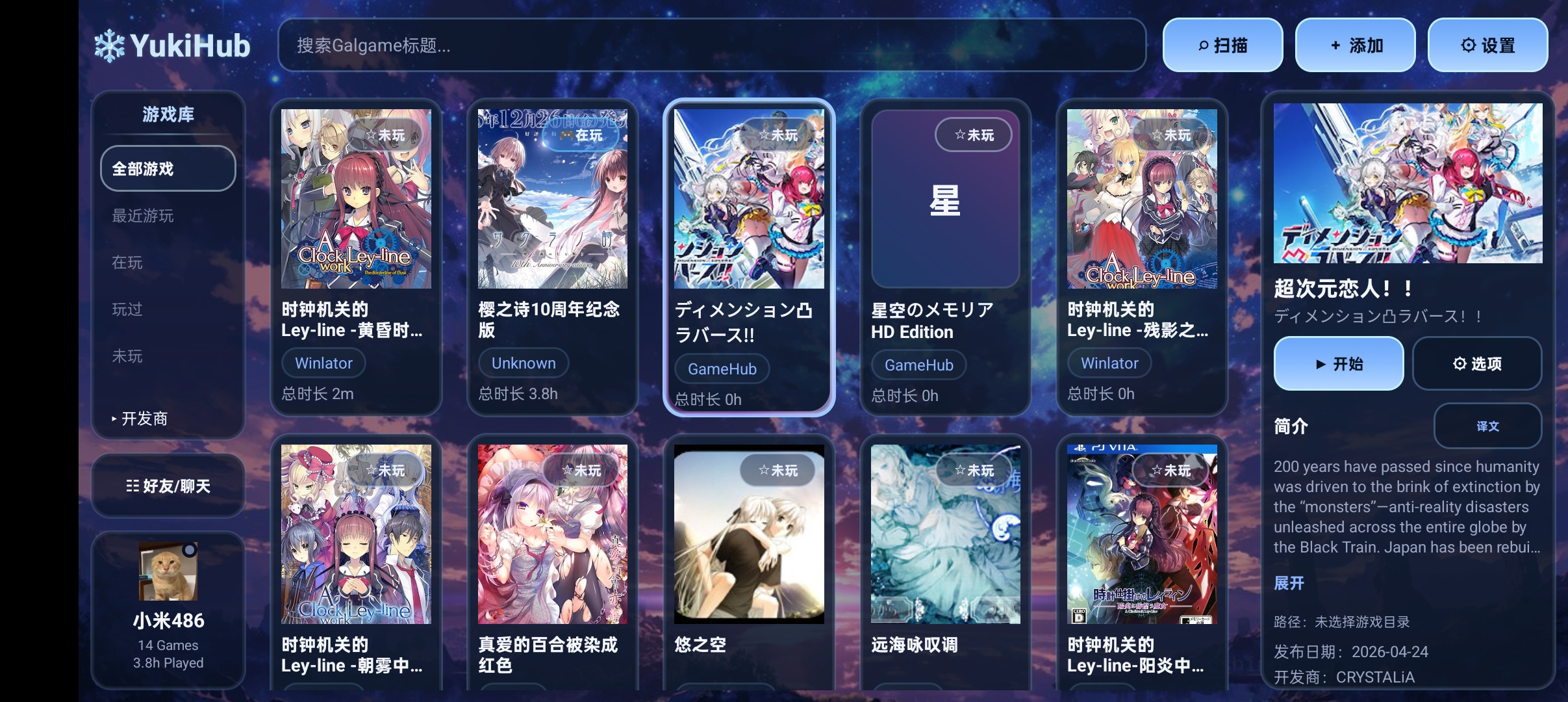
### Main Screen
 ### Sync Page
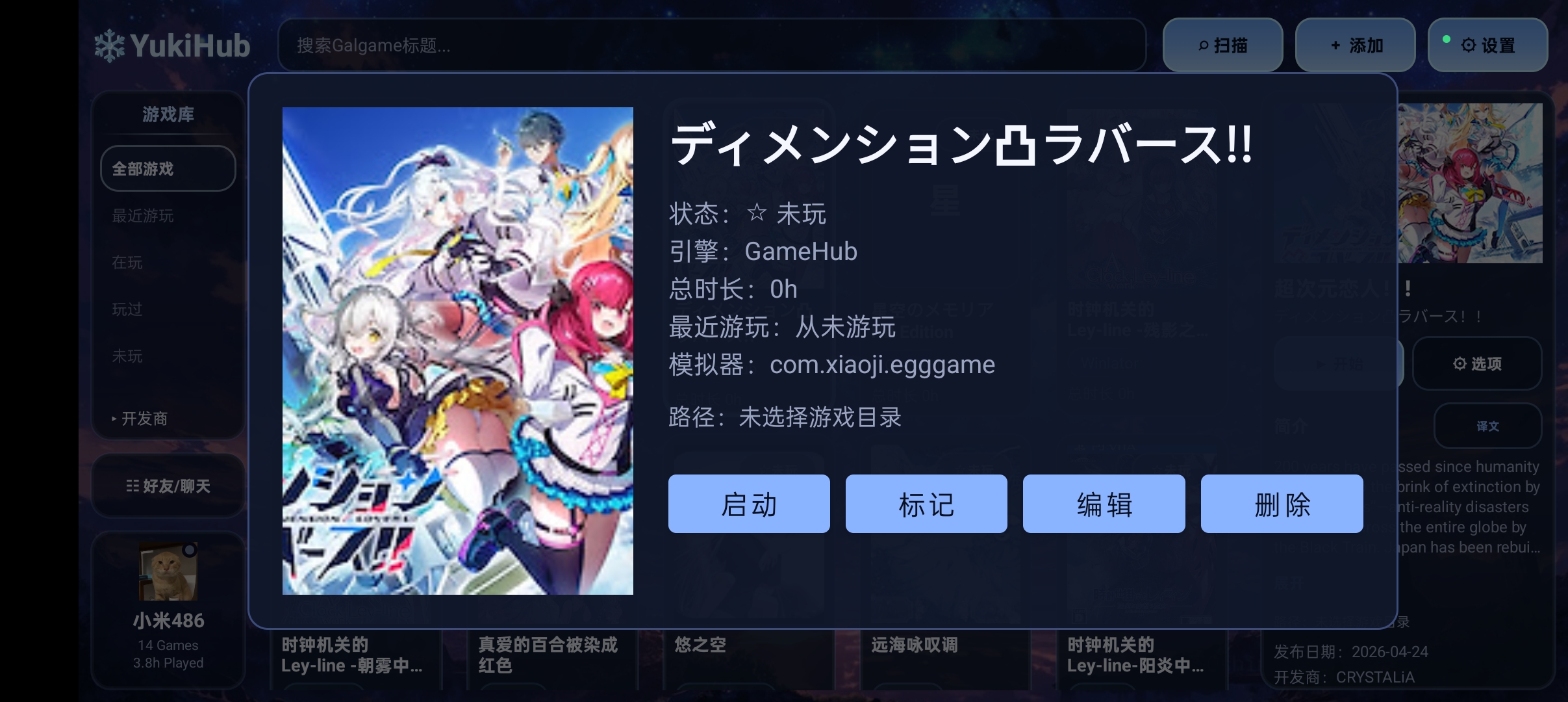
 ### Game Detail Page
 ---
## Tutorial Area
### Import Winlator and G-station games and launch them directly
---
## Tutorial Area
### Import Winlator and G-station games and launch them directly


- Notes:
- The modified Winlator emulator package is based on the modified version by hostei2. `XServerDisplayActivity exported=false` was changed to `android:exported="true"` to expose the Activity for direct launch.
- G-station games are based on the original version 5.3.5, with MT file extractor injection and Activity exposure. That is, add or change `android:exported="true"` for `android:name="com.xj.landscape.launcher.ui.gamedetail.GameDetailActivity"` in AndroidManifest.
### Tutorial for using WebDAV data cloud synchronization
---
### Currently Known Issues
- 1. Direct launching KRKR games with TF currently seems not to work ( )
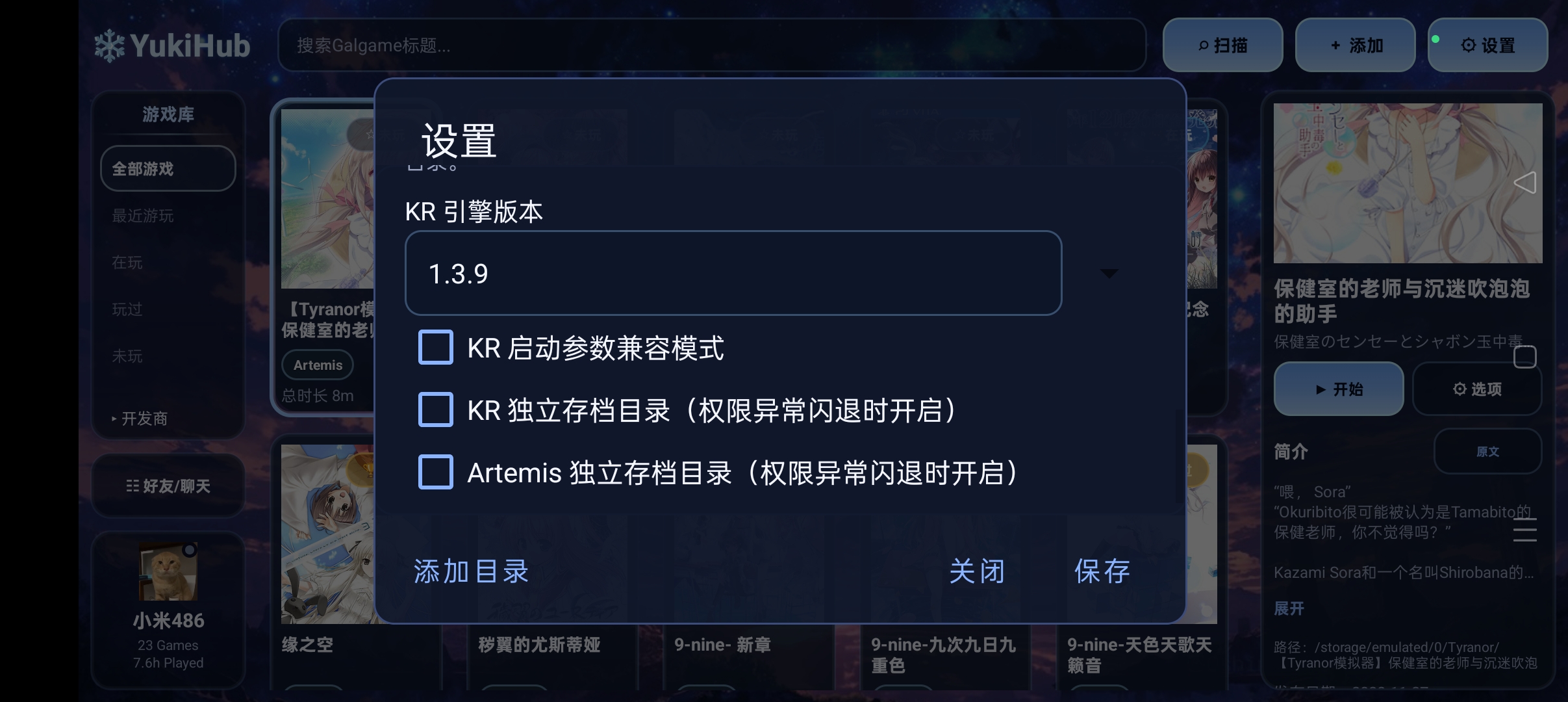
- 2. Due to storage read/write restrictions on Huawei and some other phones, KRKR, Artemis and other engine games may not play normally. (An external private save option has been added. You can try enabling it; maybe it helps? A lightweight SAF option has also been added 🤔. Whether it works still depends on your testing.) (Feature entry is shown below ↓)
 - That's all. PRs from capable people are welcome meow 😽😽😽
---
## Community Group
- That's all. PRs from capable people are welcome meow 😽😽😽
---
## Community Group

Welcome to join the QQ community group to report issues, make suggestions, or discuss features together.
---
## Before Use
This project has a built-in disclaimer mechanism. On first launch, you need to check and agree to the disclaimer before continuing.
Please make sure you only use it to manage and launch games, apps, or resources that you have the right to use.
This project does not provide:
- Game files
- Cracked resources
- Ability to bypass authorization
- Support for any illegal use
---
## System Requirements
- Android 8.0 or above
- Landscape experience is better
- Requires partial file access permissions
- Some features may depend on system compatibility or third-party component support
---
## Permission Description
This app may request the following permissions:
- File read/write permission
- All files access permission
- Network permission
Purpose description:
- File permissions: used to read and manage game files, directories, and configurations
- Network permission: used for synchronization, online resources, or related features
- All files access: used for some directory-based game management scenarios
> Please grant permissions only when you clearly understand and accept their purposes.
---
## Installation
### Method 1: Install APK directly
Download the APK from the Releases page and install it.
### Method 2: Build it yourself
If you want to build the project yourself, please make sure you have installed:
- Android Studio
- Android SDK
- Gradle environment
Then open the project and run the build.
---
## Build Information
- Application ID: `com.yuki.yukihub`
- Min SDK: `26`
- Target SDK: `33`
- Compile SDK: `33`
- Current version: `0.1`
---
## Notes
- The project is currently in a continuous polishing stage before and after open-source release
- Some synchronization or cloud features depend on external service availability
- Some compatibility entries depend on the device environment and third-party app support
---
## Open Source License
This project is open-sourced under the **GNU General Public License v3.0 (GPL-3.0)**.
You may:
- Use it freely
- Modify it freely
- Distribute it freely
- Carry out secondary development under GPL-3.0 restrictions
Please use this project's source code under the terms of GPL-3.0.
---
## Disclaimer
This project is for legal use only.
The author is not responsible for the following situations:
- User operation mistakes
- Third-party resource issues
- System compatibility issues
- Third-party service unavailability
- Any illegal behavior caused by the user's use of this software
Please make sure you only use it to manage and launch software, games, or resources that you have the right to use.
---
## Acknowledgements
Thanks to the projects used as references and learning materials:
- krkr2
- Tyranor
- Beacon
- LunaBox
- Playnite
Thanks also to all users who participated in testing, feedback, and suggestions.
---
## Feedback and Contribution
If you encounter problems during use, feel free to submit an Issue or Pull Request.
You can also include the following when submitting feedback:
- Device model
- Android version
- Problem screenshots
- Reproduction steps
- Log information
This makes it easier to locate the issue.
---
## License
[GPL-3.0](./LICENSE)