English | Simplified Chinese

# MATRiX **A High-Fidelity Robot Simulation Platform Powered by Unreal Engine and MuJoCo** A quadruped robot exploring a high-fidelity forest in MATRiX [Why MATRiX](#why-matrix) · [Promotional Demo](#-promotional-demo) · [Quick Start](#-quick-start) · [Documentation](#-documentation) · [Robots & Maps](docs/Robots_and_Maps.md)
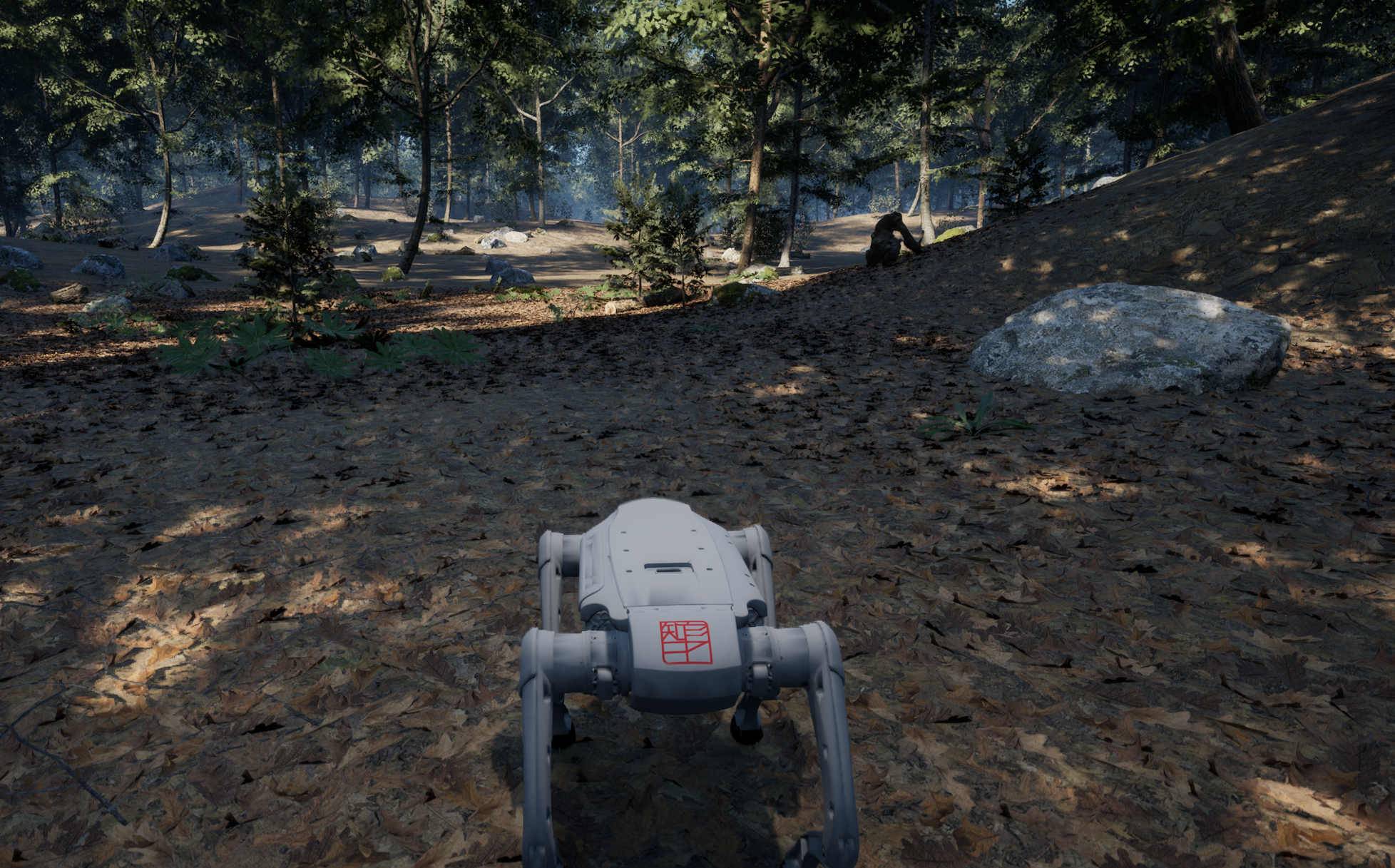
MATRiX is a runtime-first robot simulation platform that combines Unreal Engine 5 rendering with MuJoCo dynamics in one workflow. Load an MJCF/XML robot directly, assemble a calibrated sensor suite, run built-in motion control, and stream ROS 2-compatible data over Zenoh—without installing ROS 2 for the core simulator. > [!IMPORTANT] > The current release is **v1.1.2** and provides a Linux x86_64 runtime. Install a suitable graphics driver before running it; the simulator is not limited to Ubuntu 22.04. Requirements of optional external controllers depend on the separately downloaded version. ## Why MATRiX | From model to algorithm | What MATRiX provides | |---|---| | **Bring up robots faster** | Load MJCF/XML at runtime and configure robots, initial poses, sensors, topics, and control mode through JSON instead of rebuilding the simulator for every model. | | **Test perception with sensor realism** | RGB, semantic ground truth, infrared, GPU depth, panorama, fisheye, generic LiDAR, Mid360, Airy, IMU, GPS, and odometry; camera calibration, Brown-Conrady and Kannala-Brandt distortion, LiDAR scan timing, and motion distortion are modeled in the simulation path. | | **Keep multi-sensor data coherent** | A unified ROS 2 time model supports stable UTC, Unreal simulation time, external `/clock`, and fixed-step time. Camera and LiDAR can share hardware-style trigger groups and timestamps. | | **Move from simulation control to controller integration** | MuJoCo runs on a dedicated worker with a 500 Hz target. Built-in motion control is enabled by default (`inside_mc=true`), while the optional external `robot_mc` uses the same simulated-hardware ABI; joint and actuator targets are constrained by the active MuJoCo model. | | **Use ROS-compatible data without a ROS dependency** | Zenoh publishes ROS 2-compatible CDR messages such as compressed images and `PointCloud2`. The simulator can run standalone, while ROS 2 bridges remain optional. | | **Scale scenes independently from the base runtime** | The launcher updates a validated remote map catalog, detects mounted content, and downloads map DLCs on demand. Standard UE scenes, dynamic actors, Gaussian-splatting content, and Pixel Streaming 2 can share the same runtime. | | **Debug with tools already in the release** | Sensor receiver, topic monitor, LiDAR-camera projection, categorized XY bounding boxes, fisheye projection, recording/replay, gimbal control, motion-control UDP tests, spawn tests, and voice-message tests are included under `Tools/`. | ## 🎥 Promotional Demo
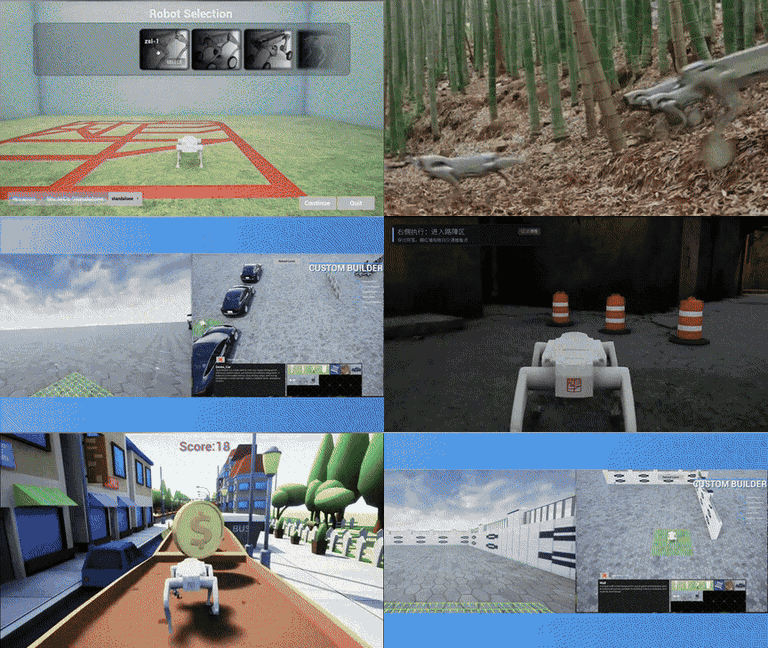
Selecting a robot and starting a MATRiX simulation

MATRiX 2.0 Simulation Showcase
Robot selection · High-fidelity environments · Multi-robot simulation · Reinforcement learning · Real-world scene reconstruction

## ✨ Core Capabilities - **Runtime robot onboarding:** MJCF/XML loading, custom models, visual/collision binding, and reusable sensor schemes without baking every robot into a separate package. - **High-rate physics and control:** Dedicated MuJoCo simulation worker, 500 Hz target control/hardware loops, command timeout handling, and model-derived joint/actuator limit enforcement. - **Calibrated perception:** GPU scene depth, asynchronous GPU readback and encoding, perspective and fisheye lens models, synchronized capture, and LiDAR per-point timing/motion-distortion support. - **Open data plane:** Zenoh publish/subscribe with ROS 2-compatible message layouts, configurable key expressions, unified timestamps, and optional LAN state/event synchronization. - **Flexible control architecture:** Built-in motion control for a ready-to-run experience, or a separately downloaded external controller through the original shared-memory hardware interface—selected with one configuration switch. - **Expandable environments:** Dynamic map catalog updates, automatic DLC download and mounting, runtime map detection, Gaussian-splatting rendering, crowds/vehicles, and Pixel Streaming 2. - **Developer-facing workflow:** JSON and graphical sensor configuration plus Linux tools for data inspection, projection, bounding boxes, gimbal control, and protocol testing. ### Built for - Perception, SLAM, sensor-fusion, and synthetic-data development. - Locomotion, whole-body control, reinforcement learning, and controller regression. - Simulated-hardware and external-controller integration before physical-robot deployment. - Multi-scene testing, remote demonstrations, and browser-based visualization. ## 🎬 Simulation Gallery
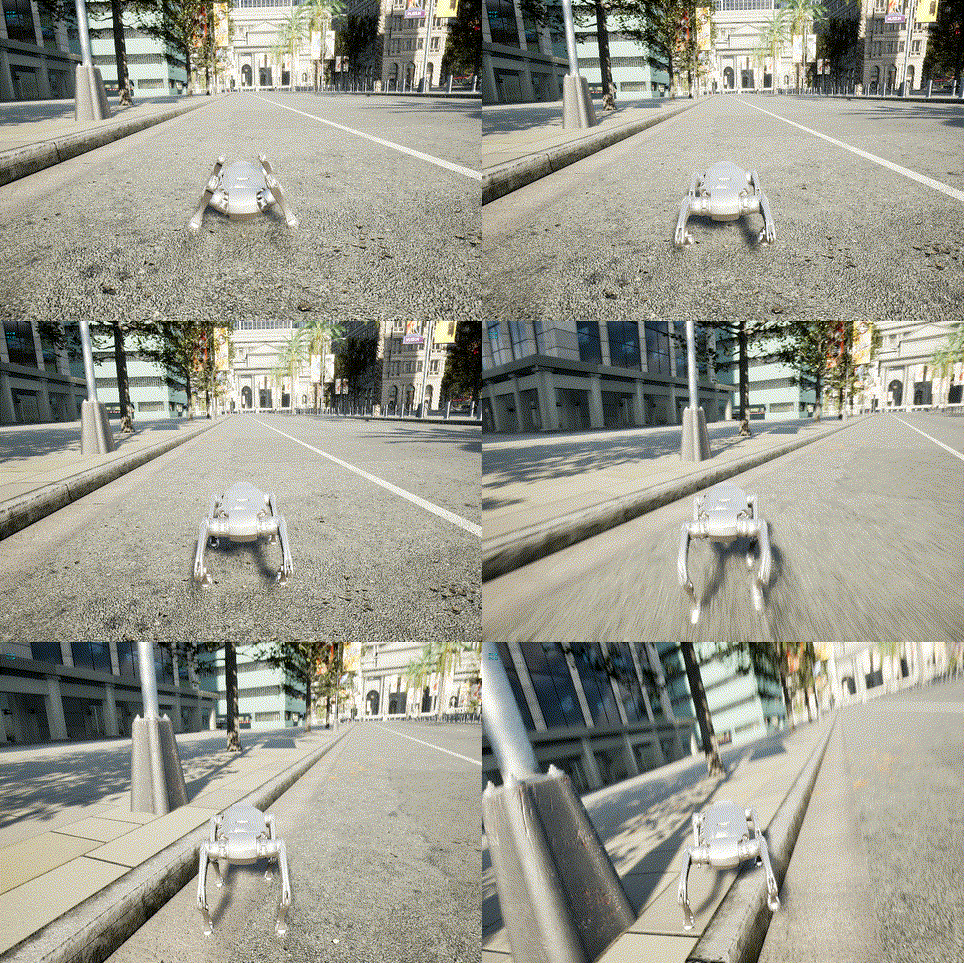
Quadruped robot navigating a Town10 city street
Town10 · Urban Robot Navigation
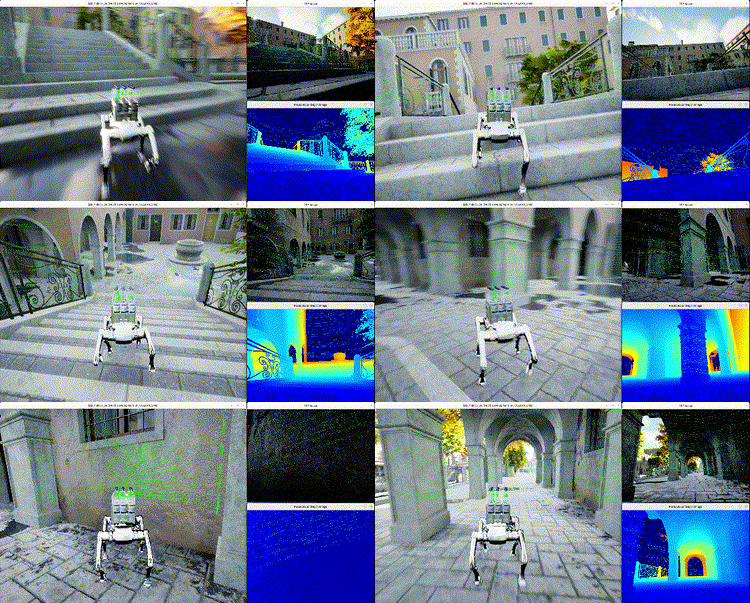
Venice simulation with RGB and sensor views
Venice · RGB and Sensor Visualization
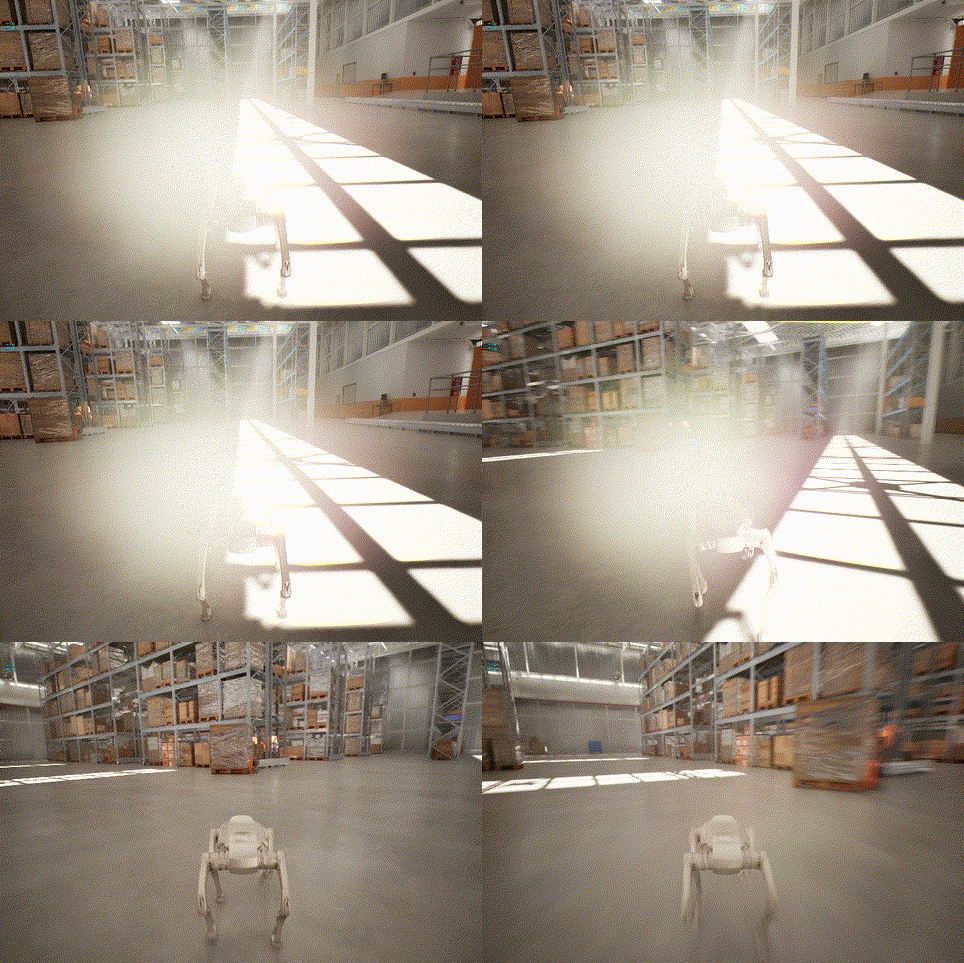
Robot simulation in a sunlit warehouse
Warehouse · Industrial Lighting and Scale
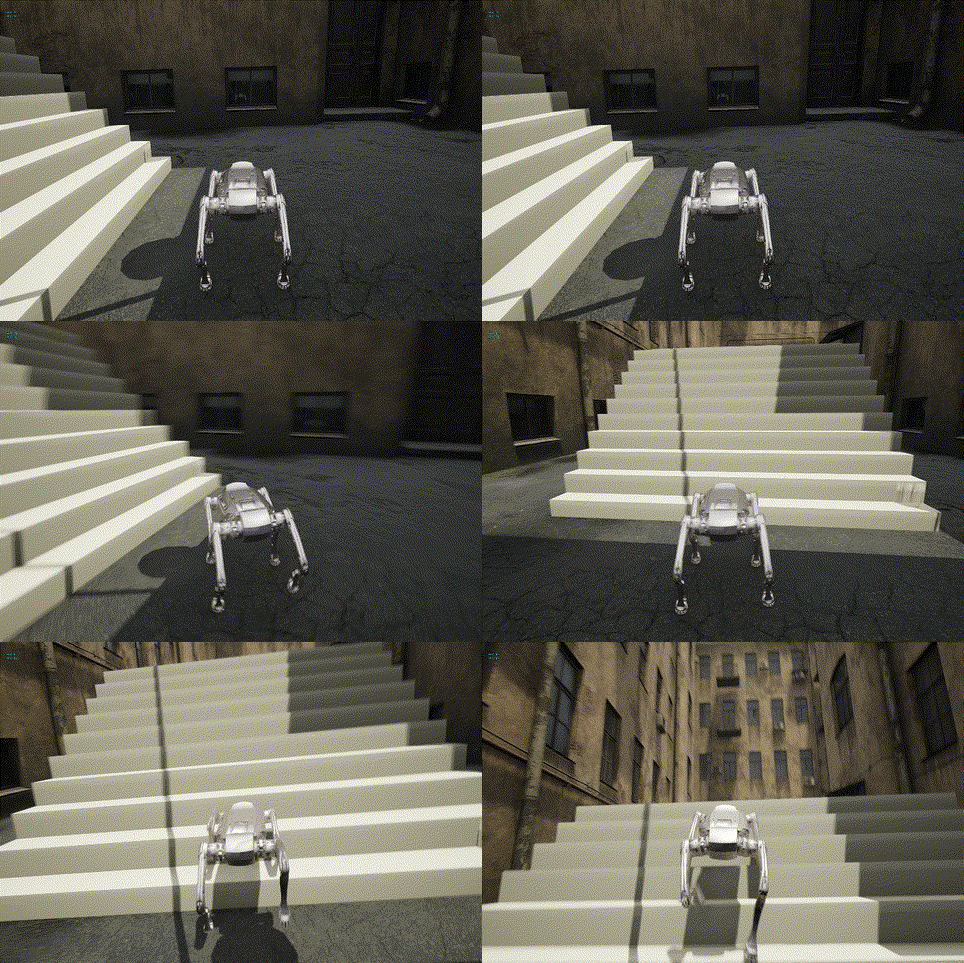
Quadruped robot moving through a courtyard
Courtyard · Locomotion Near Steps
## 🚀 Quick Start 1. Download MATRiX v1.1.2: - [Direct Linux download](http://39.96.31.125:18080/matrix/v1.1.2/Linux/MATRiX_v1.1.2.tar.gz): complete `.tar.gz`, supports resume. - [GitHub Release](https://github.com/zsibot/matrix/releases/tag/v1.1.2): download **all** `.part-*` assets and `SHA256SUMS`. Each part is below 2 GB. - [Baidu Netdisk](https://pan.baidu.com/s/1dweDOFO5AzRmzY1-gEI53Q), code `118g`: **select the latest Linux version** (this guide targets v1.1.2). 2. Extract the complete archive, or verify and extract the GitHub parts: ```bash # Direct/Baidu complete archive tar -xzf MATRiX_v1.1.2.tar.gz # GitHub parts: use this instead, in a directory containing only this release's parts sha256sum -c SHA256SUMS && \ cat MATRiX_v1.1.2.tar.gz.part-* | tar -xzf - ``` 3. Start the runtime: ```bash cd MATRiX_v1.1.2 ./UeSim.sh ``` This Git repository contains documentation, Python tools and release scripts; the executable runtime, Engine and models are distributed as download assets. Cloning the repository does not install the simulator. See [download and checksum instructions](docs/Release_Download.md). Defaults are `xgb`, `inside_mc=true`, and `sensor_sync_mode=true`. The initial `robot.sensors` dictionary is empty, so sensors do not publish automatically. `sensor_sync_mode=true` is retained. Load and apply `config_default.json` (IMU, odometry, GPS, RGB, depth, Airy), or another scheme, before entering the simulation and spawning the robot. See [sensor schemes](docs/Sensor_Schemes.md). Built-in motion control requires no external process. Optional standalone `robot_mc` remains a [separate download](https://github.com/GENISOM-AI/MATRiX_Robot_MC/releases); follow the [motion-control guide](docs/Motion_Control.md). In map selection, select **UPDATE LIST**, then **DOWNLOAD** for the required map. For manual DLC downloads, use [Baidu Netdisk](https://pan.baidu.com/s/1I87hQ9C8XzIGXgbyWk3i9A?pwd=6sth#list/path=%2F), code `6sth`; select the latest DLC compatible with your runtime. See [map DLCs](docs/Map_DLC.md). Optional Python tools (Python 3.10+) run from the extracted runtime directory: ```bash python3 -m venv .venv . .venv/bin/activate python3 -m pip install -r Tools/requirements.txt python3 Tools/zenoh_sensor_receiver.py --key 'rt/**' ``` See [Getting Started](docs/Getting_Started.md) and the [tool index](Tools/README.md). ## 📚 Documentation | Topic | Documentation | |---|---| | Installation and startup | [English](docs/Getting_Started.md) · [Chinese](docs/Getting_Started_CN.md) | | Release download and checksums | [English](docs/Release_Download.md) · [Chinese](docs/Release_Download_CN.md) | | Robots and environments | [English](docs/Robots_and_Maps.md) · [Chinese](docs/Robots_and_Maps_CN.md) | | Maps and DLCs | [English](docs/Map_DLC.md) · [Chinese](docs/Map_DLC_CN.md) | | Sensors and Zenoh | [Sensor and Communication (Chinese)](docs/Sensor_and_Communication_CN.md) | | Sensor configuration | [Sensor Configuration Tutorial](docs/Sensor_Config_Tutorial.md) | | Data tools | [Python Tools (Chinese)](docs/Python_Tools_CN.md) | | LiDAR-camera projection | [English](docs/Lidar_Camera_Projection.md) · [Chinese](docs/Lidar_Camera_Projection_CN.md) | | Motion control | [English](docs/Motion_Control.md) · [Chinese](docs/Motion_Control_CN.md) | | Controllers | [Controller Guide](docs/Controller_Guide.md) · [Chinese](docs/Controller_Guide_CN.md) | | Manual configuration | [Advanced Configuration (Chinese)](docs/Advanced_Configuration_CN.md) | | Architecture and maintenance | [Maintainer Guide](docs/MAINTAINER_GUIDE.md) | | Troubleshooting | [FAQ (Chinese)](docs/FAQ_CN.md) | | Docker | [Docker Support Status](docs/Docker_Tutorial.md) | | Pixel Streaming | [Pixel Streaming Guide](docs/pixelstreaming_tutorial.md) | | Sensor schemes and GPU LiDAR | [English](docs/Sensor_Schemes.md) · [中文](docs/Sensor_Schemes_CN.md) | | Fisheye projection and recording | [Fisheye (Chinese)](docs/Lidar_Fisheye_Projection_CN.md) · [Recording (Chinese)](docs/Zenoh_Recording_CN.md) | | Release changes | [v1.1.2 Release Notes (Chinese)](docs/Release_Notes_CN.md) | | Chinese documentation index | [Simplified Chinese](docs/README_CN.md) | ## 💬 Community **Add the GENISOM AI WeChat assistant for MATRiX simulation discussions and support:**
GENISOM AI WeChat Assistant QR Code

Scan to add XinQi Robo; mention MATRiX to join the simulation community.

## 🤝 Contributing Bug reports, documentation improvements, and runtime tooling changes are welcome. Start with [CONTRIBUTING.md](CONTRIBUTING.md), and review the [architecture and maintainer guide](docs/MAINTAINER_GUIDE.md) before changing launch or release scripts. Security issues should follow [SECURITY.md](SECURITY.md) rather than being filed as public issues. ## 🙏 Acknowledgements This project builds upon the incredible work of the following open-source projects: - [MuJoCo-Unreal-Engine-Plugin](https://github.com/oneclicklabs/MuJoCo-Unreal-Engine-Plugin) - [MuJoCo](https://github.com/google-deepmind/mujoco) - [Unreal Engine](https://github.com/EpicGames/UnrealEngine) - [CARLA](https://carla.org/) For semantic/RGB pairing, class IDs and display, see [Semantic camera / 语义相机](docs/Semantic_Camera.md)。 XXG is hidden in open-source mode. The defaults are `xgb`, built-in motion control enabled, and no active sensors. Mirrors synchronize independently. If this version is not available there, use GitHub Release; select the latest version on Baidu Netdisk. The open-source runtime excludes `UeSim/Content/model/xxg`.