

Understand Anything

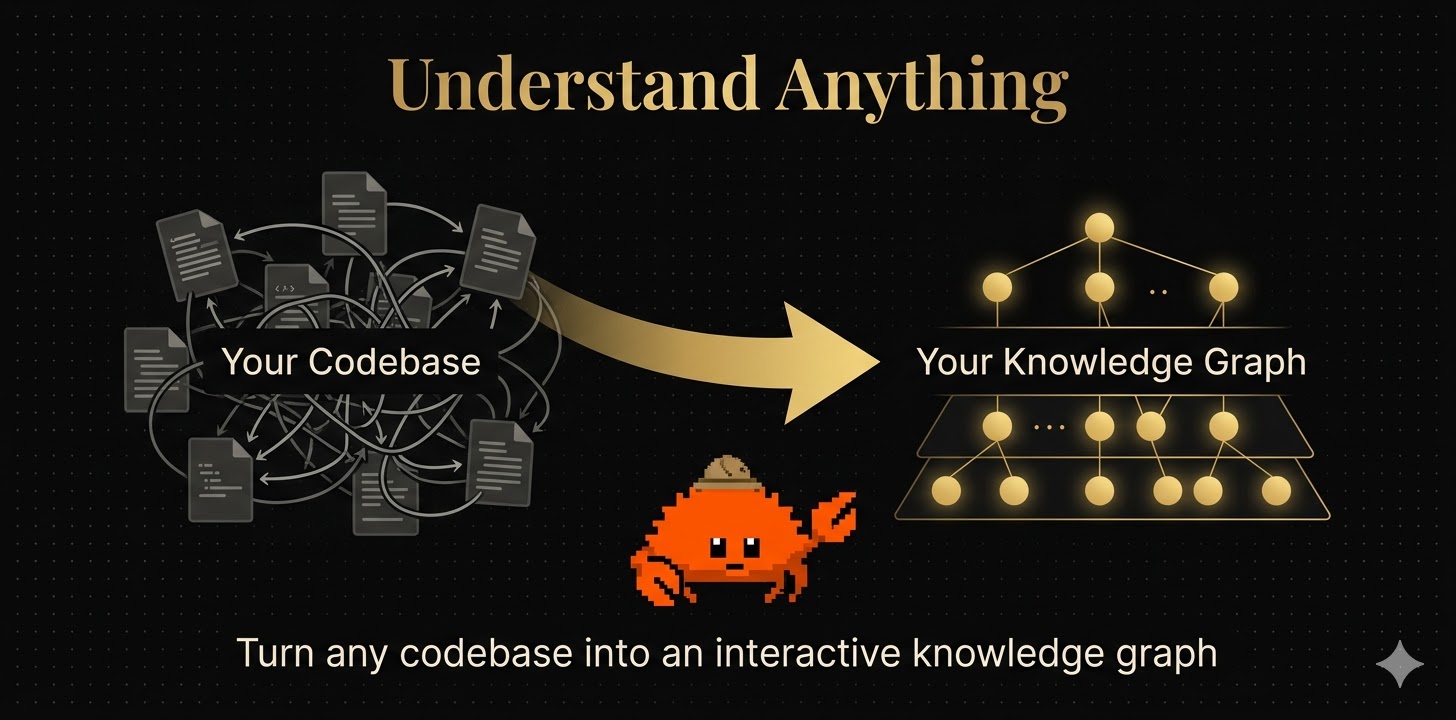
Turn any codebase into an interactive knowledge graph you can explore, search, and ask questions about.

English | 简体中文 | 繁體中文 | 日本語 | Türkçe
Quick Start License: MIT Claude Code Plugin Homepage

Understand Anything — Turn any codebase into an interactive knowledge graph

--- > [!TIP] > **A huge thank you to the community!** The support for Understand-Anything has been incredible. If this tool saves you a few minutes of digging through complexity, that's all I wanted. 🚀 **You just joined a new team. The codebase is 200,000 lines of code. Where do you even start?** Understand Anything is a [Claude Code](https://docs.anthropic.com/en/docs/claude-code) plugin that analyzes your project with a multi-agent pipeline, builds a knowledge graph of every file, function, class, and dependency, then gives you an interactive dashboard to explore it all visually. Stop reading code blind. Start seeing the big picture. --- ## 🤔 Why? Reading code is hard. Understanding a whole codebase is harder. Documentation is always out of date, onboarding takes weeks, and every new feature feels like archaeology. Understand Anything fixes this by combining **LLM intelligence** with **static analysis** to produce a living, explorable map of your project — with plain-English explanations for everything. --- ## 🎯 Who is this for?

👩‍💻 Junior Developers

Stop drowning in unfamiliar code. Get guided tours that walk you through the architecture step by step, with every function and class explained in plain English.

📋 Product Managers & Designers

Finally understand how the system actually works without reading code. Ask questions like "how does authentication work?" and get clear answers grounded in the real codebase.

🤖 AI-Assisted Developers

Give your AI tools deep context about your project. Use /understand-diff before code review, /understand-explain to dive into any module, or /understand-chat to reason about architecture.

--- ## 🚀 Quick Start ### 1. Install the plugin ```bash /plugin marketplace add Lum1104/Understand-Anything /plugin install understand-anything ``` ### 2. Analyze your codebase ```bash /understand ``` A multi-agent pipeline scans your project, extracts every file, function, class, and dependency, then builds a knowledge graph saved to `.understand-anything/knowledge-graph.json`. ### 3. Explore the dashboard ```bash /understand-dashboard ``` An interactive web dashboard opens with your codebase visualized as a graph — color-coded by architectural layer, searchable, and clickable. Select any node to see its code, relationships, and a plain-English explanation. ### 4. Keep learning ```bash # Ask anything about the codebase /understand-chat How does the payment flow work? # Analyze impact of your current changes /understand-diff # Deep-dive into a specific file or function /understand-explain src/auth/login.ts # Generate an onboarding guide for new team members /understand-onboard ``` --- ## 🌐 Multi-Platform Installation Understand-Anything works across multiple AI coding platforms. ### Claude Code (Native) ```bash /plugin marketplace add Lum1104/Understand-Anything /plugin install understand-anything ``` ### Codex Tell Codex: ``` Fetch and follow instructions from https://raw.githubusercontent.com/Lum1104/Understand-Anything/refs/heads/main/.codex/INSTALL.md ``` ### OpenCode Tell OpenCode: ``` Fetch and follow instructions from https://raw.githubusercontent.com/Lum1104/Understand-Anything/refs/heads/main/.opencode/INSTALL.md ``` ### OpenClaw Tell OpenClaw: ``` Fetch and follow instructions from https://raw.githubusercontent.com/Lum1104/Understand-Anything/refs/heads/main/.openclaw/INSTALL.md ``` ### Cursor Cursor auto-discovers the plugin via `.cursor-plugin/plugin.json` when this repo is cloned. No manual installation needed — just clone and open in Cursor. ### VS Code + GitHub Copilot VS Code with GitHub Copilot (v1.108+) auto-discovers the plugin via `.copilot-plugin/plugin.json` when this repo is cloned. No manual installation needed — just clone and open in VS Code. For personal skills (available across all projects), tell GitHub Copilot: ```text Fetch and follow instructions from https://raw.githubusercontent.com/Lum1104/Understand-Anything/refs/heads/main/.vscode/INSTALL.md ``` ### Antigravity Tell Antigravity: ```text Fetch and follow instructions from https://raw.githubusercontent.com/Lum1104/Understand-Anything/refs/heads/main/.antigravity/INSTALL.md ``` ### Gemini CLI Tell Gemini CLI: ```text Fetch and follow instructions from https://raw.githubusercontent.com/Lum1104/Understand-Anything/refs/heads/main/.gemini/INSTALL.md ``` ### Pi Agent Tell Pi Agent: ```text Fetch and follow instructions from https://raw.githubusercontent.com/Lum1104/Understand-Anything/refs/heads/main/.pi/INSTALL.md ``` ### Platform Compatibility | Platform | Status | Install Method | |----------|--------|----------------| | Claude Code | ✅ Native | Plugin marketplace | | Codex | ✅ Supported | AI-driven install | | OpenCode | ✅ Supported | AI-driven install | | OpenClaw | ✅ Supported | AI-driven install | | Cursor | ✅ Supported | Auto-discovery | | VS Code + GitHub Copilot | ✅ Supported | Auto-discovery | | Antigravity | ✅ Supported | AI-driven install | | Gemini CLI | ✅ Supported | AI-driven install | | Pi Agent | ✅ Supported | AI-driven install | --- ## ✨ Features

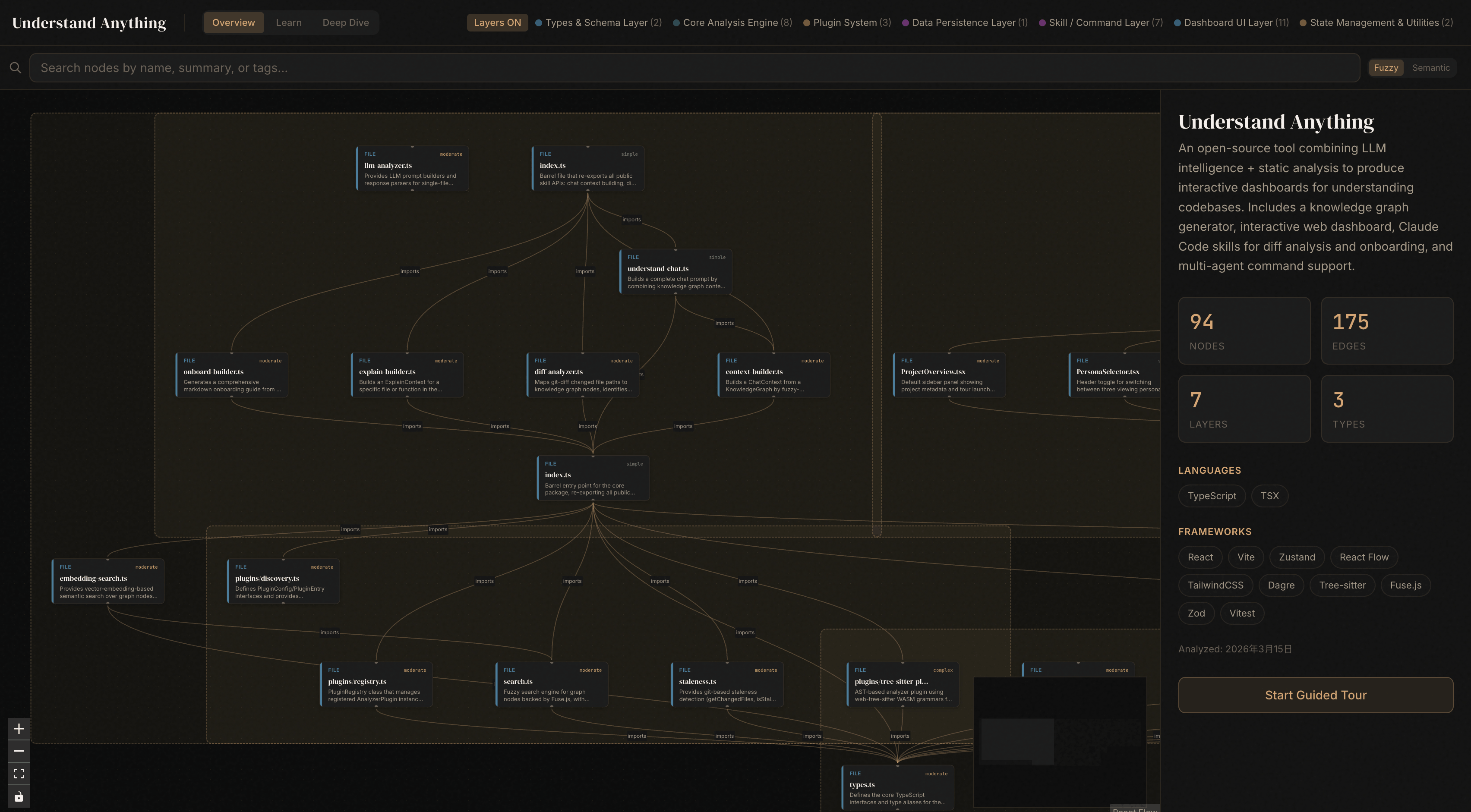
Dashboard Screenshot

🗺️ Interactive Knowledge Graph

Files, functions, classes, and their relationships visualized with React Flow. Click any node to see its code and connections.

💬 Plain-English Summaries

Every node described by an LLM so anyone — technical or not — can understand what it does and why it exists.

🧭 Guided Tours

Auto-generated walkthroughs of the architecture, ordered by dependency. Learn the codebase in the right order.

🔍 Fuzzy & Semantic Search

Find anything by name or by meaning. Search "which parts handle auth?" and get relevant results across the graph.

📊 Diff Impact Analysis

See which parts of the system your changes affect before you commit. Understand ripple effects across the codebase.

🎭 Persona-Adaptive UI

The dashboard adjusts its detail level based on who you are — junior dev, PM, or power user.

🏗️ Layer Visualization

Automatic grouping by architectural layer — API, Service, Data, UI, Utility — with color-coded legend.

📚 Language Concepts

12 programming patterns (generics, closures, decorators, etc.) explained in context wherever they appear.

--- ## 🔧 Under the Hood ### Multi-Agent Pipeline The `/understand` command orchestrates 5 specialized agents: | Agent | Role | |-------|------| | `project-scanner` | Discover files, detect languages and frameworks | | `file-analyzer` | Extract functions, classes, imports; produce graph nodes and edges | | `architecture-analyzer` | Identify architectural layers | | `tour-builder` | Generate guided learning tours | | `graph-reviewer` | Validate graph completeness and referential integrity (runs inline by default; use `--review` for full LLM review) | File analyzers run in parallel (up to 5 concurrent, 20-30 files per batch). Supports incremental updates — only re-analyzes files that changed since the last run. ### Project Structure ``` understand-anything-plugin/ .claude-plugin/ — Plugin manifest agents/ — Specialized AI agents skills/ — Skill definitions (/understand, /understand-chat, etc.) src/ — TypeScript source (context-builder, diff-analyzer, etc.) packages/ core/ — Analysis engine (types, persistence, tree-sitter, search, schema, tours) dashboard/ — React + TypeScript web dashboard ``` ### Tech Stack TypeScript, pnpm workspaces, React 18, Vite, TailwindCSS v4, React Flow, Zustand, web-tree-sitter, Fuse.js, Zod, Dagre ### Development Commands | Command | Description | |---------|-------------| | `pnpm install` | Install all dependencies | | `pnpm --filter @understand-anything/core build` | Build the core package | | `pnpm --filter @understand-anything/core test` | Run core tests | | `pnpm --filter @understand-anything/skill build` | Build the plugin package | | `pnpm --filter @understand-anything/skill test` | Run plugin tests | | `pnpm --filter @understand-anything/dashboard build` | Build the dashboard | | `pnpm dev:dashboard` | Start dashboard dev server | --- ## 🤝 Contributing Contributions are welcome! Here's how to get started: 1. Fork the repository 2. Create a feature branch (`git checkout -b feature/my-feature`) 3. Run the tests (`pnpm --filter @understand-anything/core test`) 4. Commit your changes and open a pull request Please open an issue first for major changes so we can discuss the approach. ---

Stop reading code blind. Start understanding everything.

## Star History Star History Chart

MIT License © Lum1104