
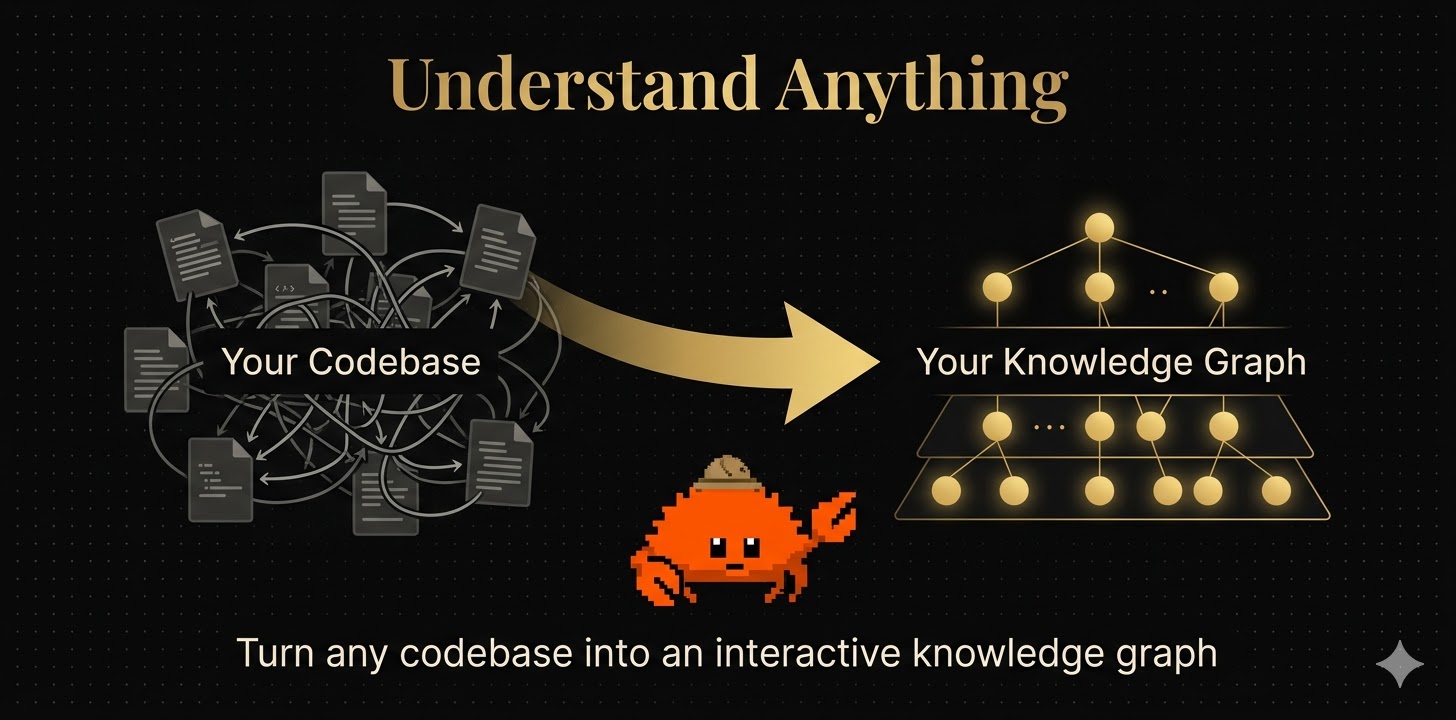
Understand Anything

將任意程式碼庫轉化為可探索、可搜尋、可對話的互動式知識圖譜

English | 简体中文 | 繁體中文 | 日本語 | Türkçe
Quick Start License: MIT Claude Code Plugin Homepage

Understand Anything — 將任何程式碼庫轉換為互動式知識圖譜

--- > [!TIP] > **衷心感謝社群的支持!** Understand-Anything 收到的關注超出了我的預期。如果這個工具能幫你從複雜的資料中理出一點頭緒,少走幾分鐘彎路,那我開發它的初衷就達到了。🚀 **當你剛加入一個新團隊,面對 20 萬行程式碼,你從哪裡開始?** Understand Anything 是一個基於 [Claude Code](https://docs.anthropic.com/en/docs/claude-code) 的外掛程式,透過多智能體(multi-agent)架構分析你的專案,建構包含檔案、函式、類別以及相依關係的知識圖譜,並提供一個視覺化互動介面,幫助你理解整個系統。不再「盲讀程式碼」,而是從全局視角理解系統結構。 --- ## 🤔 為什麼需要它? 閱讀程式碼已經很難,理解整個系統更難。文件往往過時,上手週期長達數週,新功能開發像考古。 Understand Anything 透過結合**大型語言模型(LLM)**與**靜態程式碼分析**去產生一個**動態、可探索的程式碼知識地圖** — 並提供自然語言解釋。 --- ## 🎯 適用對象

👩‍💻 入門級開發者

不再被陌生程式碼淹沒。透過結構化引導逐步理解系統架構,每個函式和類別都有簡明易懂的解釋。

📋 產品經理 & 設計師

無需閱讀程式碼,也能理解系統邏輯。比如直接提問:「認證流程是怎麼實作的?」便可獲得基於實際程式碼庫的清晰答案。

🤖 AI 協同開發者

讓你的 AI 工具深入了解你的專案。在程式碼審查之前使用 /understand-diff,在深入任何模組時使用 /understand-explain,或在架構分析中使用 /understand-chat

--- ## 🚀 快速開始 ### 1. 安裝外掛程式 ```bash /plugin marketplace add Lum1104/Understand-Anything /plugin install understand-anything ``` ### 2. 分析你的程式碼庫 ```bash /understand ``` 多智能體(multi-agent)架構會:掃描你的專案,提取函式 / 類別 / 相依關係,建構知識圖譜並儲存至 `.understand-anything/knowledge-graph.json`。 ### 3. 開啟資料看板 ```bash /understand-dashboard ``` 開啟互動式網頁資料看板,你的程式碼庫將以圖表形式呈現 — 按架構層級進行顏色編碼,支援搜尋和點擊。選擇任意節點即可查看其程式碼、關係以及簡明易懂的解釋。 ### 4. 深度使用 ```bash # 詢問任意程式碼庫的問題 /understand-chat 付款流程是怎麼運作的? # 分析目前修改的影響 /understand-diff # 深入理解某個檔案 /understand-explain src/auth/login.ts # 為新團隊成員產生指南 /understand-onboard ``` --- ## 🌐 多平台支援 Understand-Anything 可在多個 AI 編碼平台上執行。 ### Claude Code(原生支援) ```bash /plugin marketplace add Lum1104/Understand-Anything /plugin install understand-anything ``` ### Codex 告訴 Codex: ``` Fetch and follow instructions from https://raw.githubusercontent.com/Lum1104/Understand-Anything/refs/heads/main/.codex/INSTALL.md ``` ### OpenCode 告訴 OpenCode: ``` Fetch and follow instructions from https://raw.githubusercontent.com/Lum1104/Understand-Anything/refs/heads/main/.opencode/INSTALL.md ``` ### OpenClaw 告訴 OpenClaw: ``` Fetch and follow instructions from https://raw.githubusercontent.com/Lum1104/Understand-Anything/refs/heads/main/.openclaw/INSTALL.md ``` ### Cursor 複製此儲存庫後,Cursor 會自動透過 `.cursor-plugin/plugin.json` 檔案發現外掛程式。無需手動安裝 — 只需複製並在 Cursor 中開啟即可。 ### VS Code + GitHub Copilot 安裝 GitHub Copilot 擴充功能(v1.108+)後,VS Code 會透過 `.copilot-plugin/plugin.json` 自動發現外掛程式,複製後直接在 VS Code 中開啟即可,無需手動安裝。 若需要在所有專案中使用(個人技能),告訴 GitHub Copilot: ```text Fetch and follow instructions from https://raw.githubusercontent.com/Lum1104/Understand-Anything/refs/heads/main/.vscode/INSTALL.md ``` ### Antigravity 告訴 Antigravity: ```text Fetch and follow instructions from https://raw.githubusercontent.com/Lum1104/Understand-Anything/refs/heads/main/.antigravity/INSTALL.md ``` ### Gemini CLI 告訴 Gemini CLI: ```text Fetch and follow instructions from https://raw.githubusercontent.com/Lum1104/Understand-Anything/refs/heads/main/.gemini/INSTALL.md ``` ### Pi Agent 告訴 Pi Agent: ```text Fetch and follow instructions from https://raw.githubusercontent.com/Lum1104/Understand-Anything/refs/heads/main/.pi/INSTALL.md ``` ### 多平台相容性 | 平台 | 狀態 | 安裝方式 | |----------|--------|----------------| | Claude Code | ✅ 原生 | 外掛程式市集 | | Codex | ✅ 支援 | AI 驅動安裝 | | OpenCode | ✅ 支援 | AI 驅動安裝 | | OpenClaw | ✅ 支援 | AI 驅動安裝 | | Cursor | ✅ 支援 | 自動發現 | | VS Code + GitHub Copilot | ✅ 支援 | 自動發現 | | Antigravity | ✅ 支援 | AI 驅動安裝 | | Gemini CLI | ✅ 支援 | AI 驅動安裝 | | Pi Agent | ✅ 支援 | AI 驅動安裝 | --- ## ✨ 核心功能

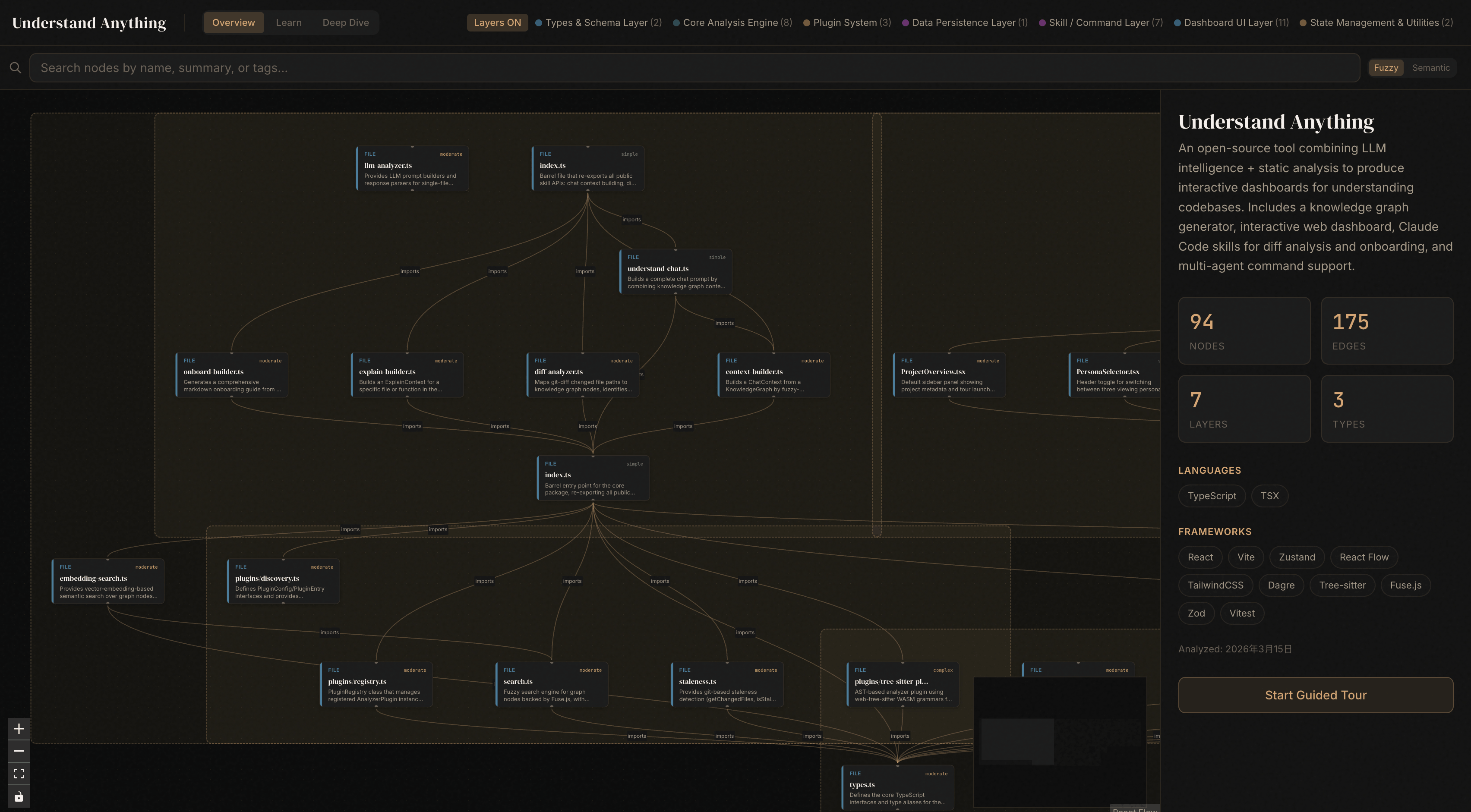
Dashboard Screenshot

🗺️ 互動式知識圖譜

使用 React Flow 視覺化檔案、函式、類別及其關係。點擊任意節點即可查看其程式碼和連接。

💬 簡明語言解釋

LLM 自動產生解釋,讓非技術人員也能理解程式碼。

🧭 引導式學習

自動產生架構學習路徑,按相依順序學習。

🔍 語意搜尋

支援模糊搜尋 + 語意搜尋,例如搜尋「哪些部分處理身分驗證?」即可在整個圖中獲取相關結果。

📊 變更影響分析

提交變更前,查看變更會影響系統的哪些部分。了解變更對整個程式碼庫的連鎖反應。

🎭 使用者角色自適應 UI

根據使用者類型(初級開發 / 專案經理 / 進階使用者)調整其詳細程度。

🏗️ 層級視覺化

按架構層級自動分組 — API、服務、資料、UI、系統工具 — 並附有顏色編碼圖例。

📚 語言概念

12 種程式設計模式(泛型、閉包、裝飾器等)將在上下文中逐一解釋。

--- ## 🔧 技術原理 ### 多智能體架構 `/understand` 指令呼叫 5 個 agent: | Agent | 職責 | |-------|------| | `project-scanner` | 掃描專案檔案,偵測語言和框架 | | `file-analyzer` | 提取程式碼結構(函式、類別和匯入),產生圖節點和邊 | | `architecture-analyzer` | 識別架構層 | | `tour-builder` | 產生引導式學習路徑 | | `graph-reviewer` | 驗證圖的完整性和參考完整性 | 檔案分析器並行執行(最多 3 個並發)。支援增量更新 — 僅重新分析自上次執行以來發生變更的檔案。 ### 專案結構 ``` understand-anything-plugin/ .claude-plugin/ — 外掛程式清單 agents/ — 專業 AI 智能體 skills/ — Skill 定義 (/understand, /understand-chat, etc.) src/ — TypeScript 原始碼 (context-builder, diff-analyzer, etc.) packages/ core/ — 分析引擎 (types, persistence, tree-sitter, search, schema, tours) dashboard/ — React + TypeScript 網頁資料看板 ``` ### 技術堆疊 TypeScript、pnpm workspaces、React 18、Vite、TailwindCSS v4、React Flow、Zustand、web-tree-sitter、Fuse.js、Zod、Dagre ### 開發指令 | 指令 | 說明 | |---------|-------------| | `pnpm install` | 安裝所有相依套件 | | `pnpm --filter @understand-anything/core build` | 建置核心套件 | | `pnpm --filter @understand-anything/core test` | 執行核心測試 | | `pnpm --filter @understand-anything/skill build` | 建置外掛程式套件 | | `pnpm --filter @understand-anything/skill test` | 執行外掛程式測試 | | `pnpm --filter @understand-anything/dashboard build` | 建置資料看板 | | `pnpm dev:dashboard` | 啟動資料看板開發伺服器 | --- ## 🤝 貢獻 歡迎貢獻!以下是貢獻指南: 1. Fork 專案 2. 新建分支(`git checkout -b feature/my-feature`) 3. 執行測試(`pnpm --filter @understand-anything/core test`) 4. 提交變更並建立 PR 對於重大變更,請先提交 issue,以便我們討論解決方案。 ---

不再盲讀程式碼,而是理解整個系統

## Star 歷史記錄 Star History Chart

MIT 授權條款 © Lum1104