Hindsight
A local-first computer activity log & AI review tool
Automatically records app and window activity and shows where your time went by day, week, and month — no manual timers, no project tags to maintain.
简体中文 · 繁體中文 · English · 日本語 · Português


Download latest ·
Interface Preview ·
Key Features ·
Quick Start
---
## Interface Preview
App preview · Hindsight's core interactions in 1 minute
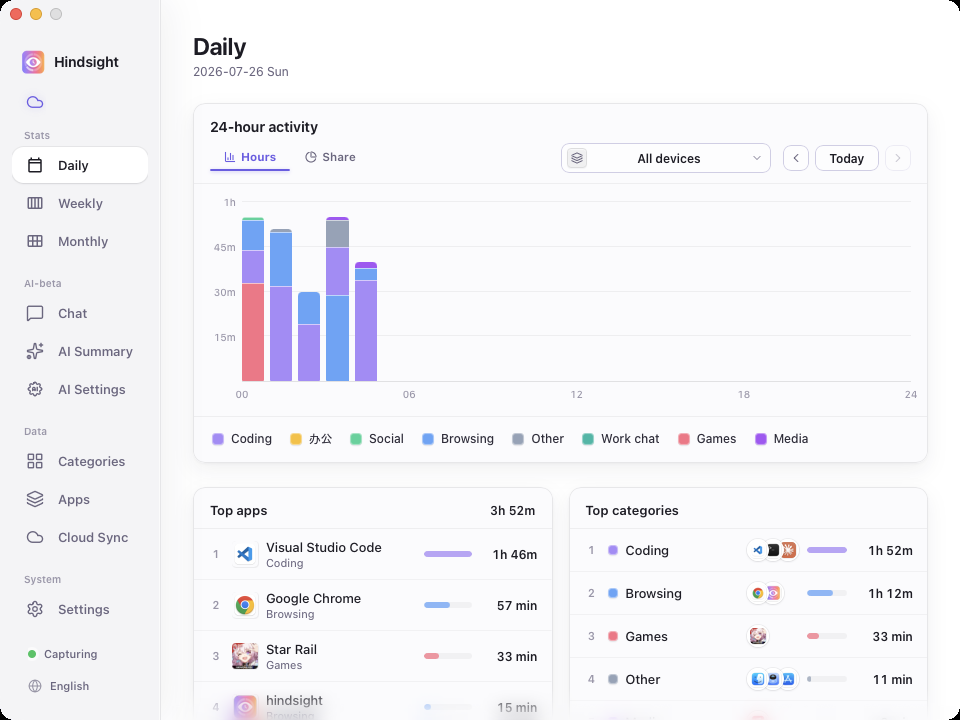
Daily stats · 24-hour stacked timeline × app / category rankings — see where today went at a glance
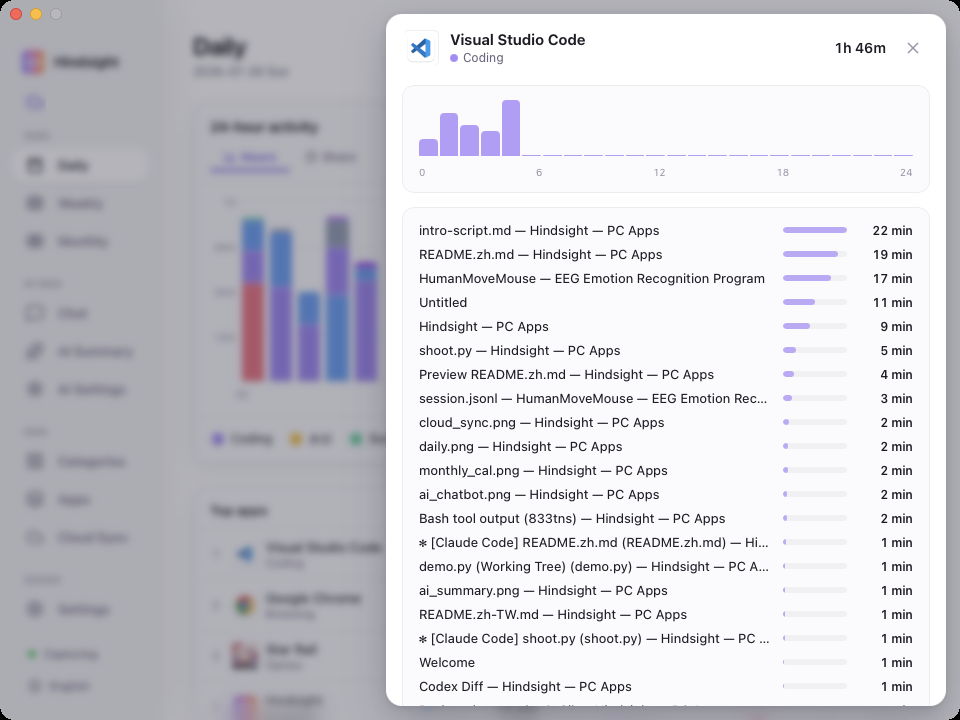
App detail · Click any app to see what you were actually doing inside it
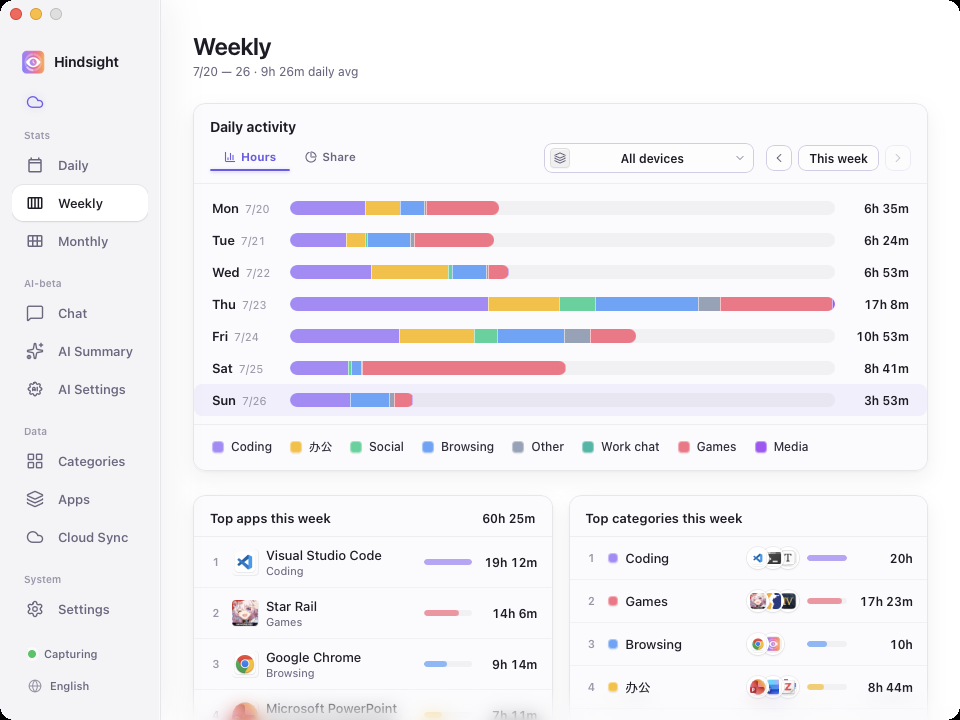
Weekly stats · Your whole week at a glance
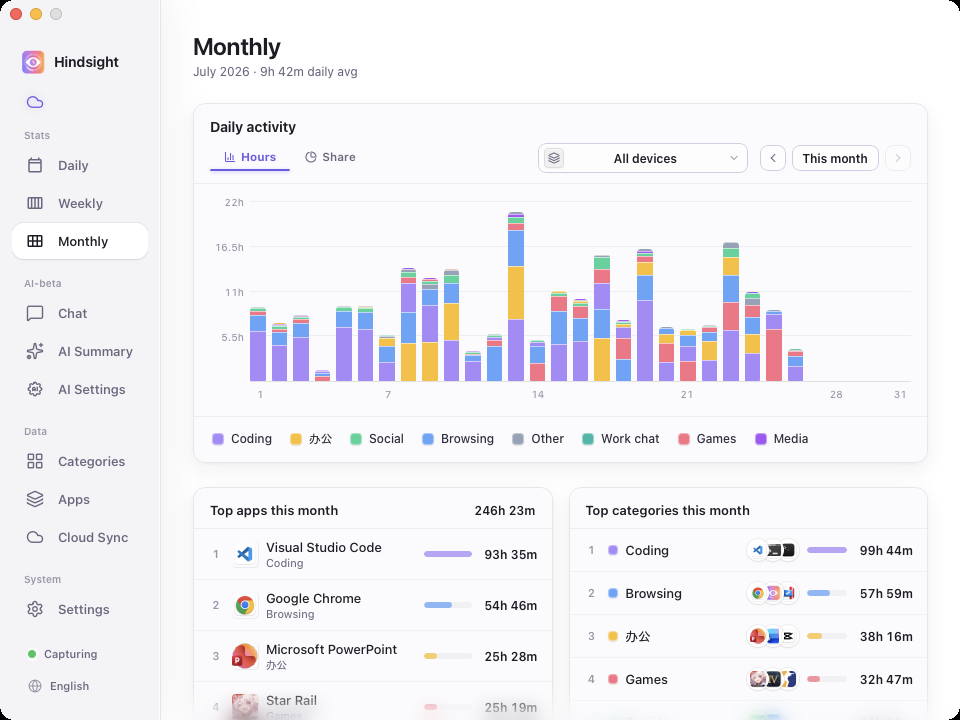
Monthly stats · Daily activity bars with app / category rankings — see where this month's time really went
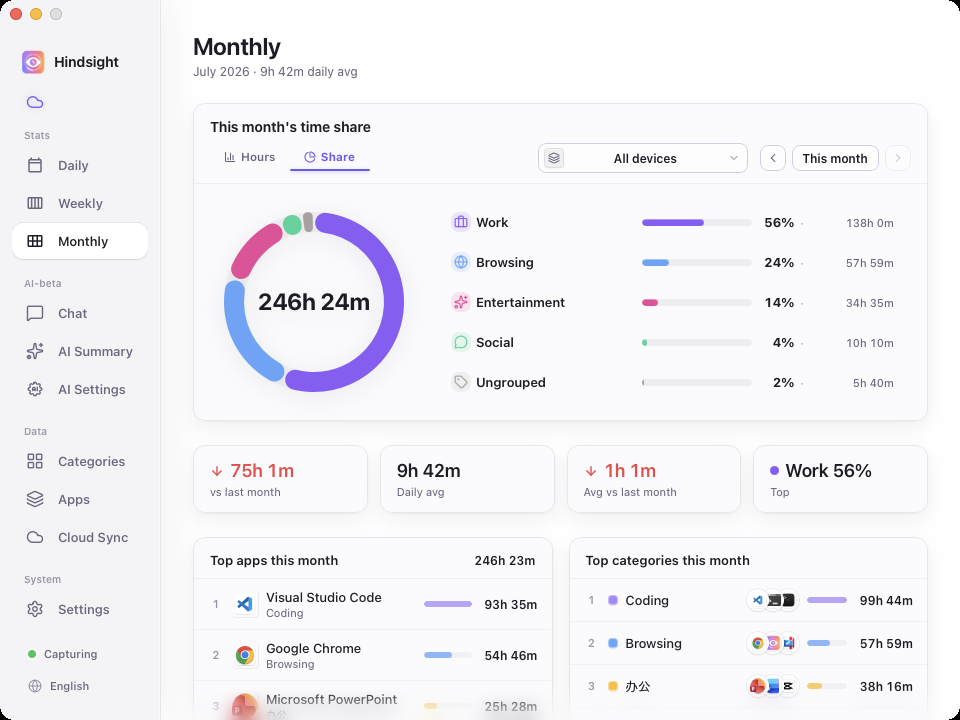
Monthly breakdown · Time share by category, with totals, daily average, and change vs. last month
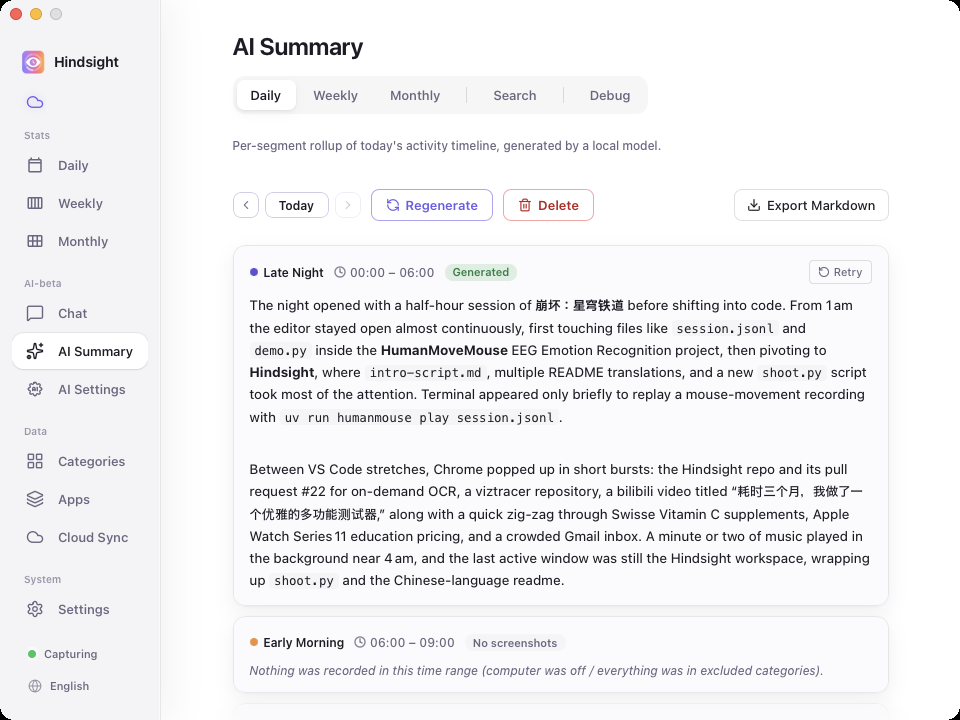
AI daily report · A local or cloud model rolls up each segment of your day into a written report
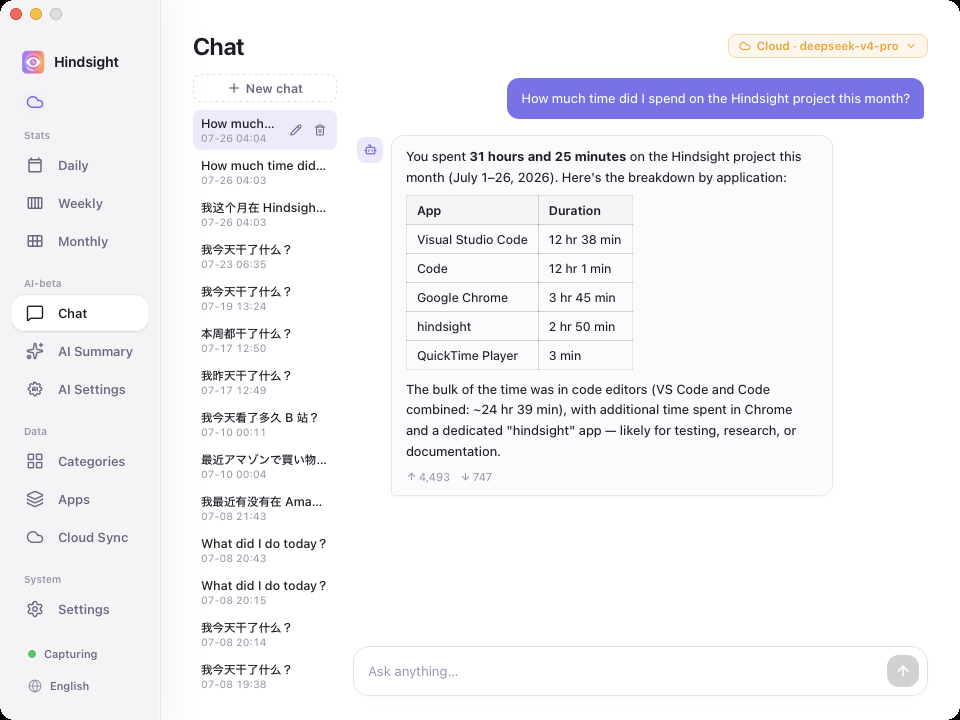
AI chat · Just ask, e.g. "How much time did I spend on X this month?"
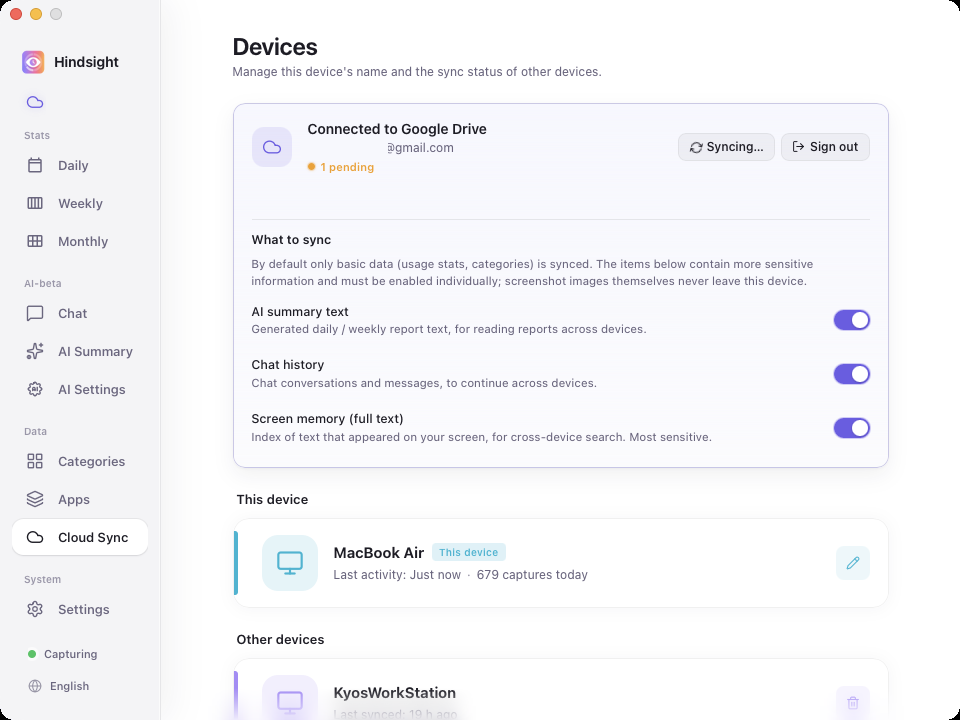
Multi-device sync · For people who use more than one computer
## Key Features
- 📊 **See where your time goes** — Automatic background tracking with per-segment histograms + app rankings; daily / weekly / monthly rollups, click any app for title-level detail; customizable categories ("Work / Entertainment / Learning")
- 🤖 **AI daily report** — A local model writes up each segment of your day; with Auto summary on, yesterday's daily and last week's weekly reports fill in automatically
- 💬 **AI chat** — Ask "What did I do today?" or "How long did I spend on project X this month?" — answered from your own records
- 🔍 **Screen memory search** — Find any text that ever appeared on your screen and jump to the screenshot and moment (screenshots and OCR are off by default, enable as needed)
- ☁️ **Multi-device aggregation** — Optional Google Drive sync of activity data; view all your computers in one place (screenshots never leave the device)
- 🔒 **Local & privacy-first** — Data stays on your machine by default
## Why Hindsight
Have you ever closed the laptop at midnight feeling like you "worked all day" but couldn't say what you actually got done? A while back I went hunting for a tracker to fix exactly that. Tried a bunch — none of them stuck:
- **[ActivityWatch](https://github.com/ActivityWatch/activitywatch)** — open-source, privacy-first, technically ticks all the right boxes. Honest take: the UI just doesn't pull me in. I'd install it, look at it once, never open it again.
- **[WorkReview](https://github.com/wm94i/Work-Review)** — couldn't find one with both (a) cross-device visibility and (b) an hourly timeline like iPhone's Screen Time. I really wanted that "what was I doing at 3pm" zoomable view for desktop, and nothing had it the way I wanted.
- **[Toggl](https://toggl.com) / [RescueTime](https://www.rescuetime.com) / paid SaaS** — these feel built for teams and HR-style "billable hours" tracking. The dashboards are dense, the flow is project-tagging-first, and the data lives on someone else's servers. Wrong tool for "personal awareness."
To fix exactly these gaps, I built Hindsight.
## Quick Start
Download the installer for your platform from [Releases](https://github.com/Tomotsugu-dev/Hindsight/releases) and install it.
### Windows
Download `hindsight_x.y.z_x64-setup.exe` and double-click to install.
> ⚠️ **First launch will trigger "Windows protected your PC"** — the installer is not yet signed with an EV code-signing certificate, so SmartScreen will block it. Click "More info" → "Run anyway" to continue.
### macOS
Download `hindsight_x.y.z_universal.dmg` (Apple Silicon + Intel universal binary), double-click to mount, then drag Hindsight into the Applications folder. The app is signed with an Apple Developer certificate and notarized, so it opens normally without any Gatekeeper warning.
> All activity data and screenshots are stored locally by default. If you enable Google Drive sync, only activity metadata will be uploaded, **screenshots will not be uploaded**.
## License
This project is open source under the MIT License. Feel free to use, modify, and distribute.
© 2026 Hindsight contributors