

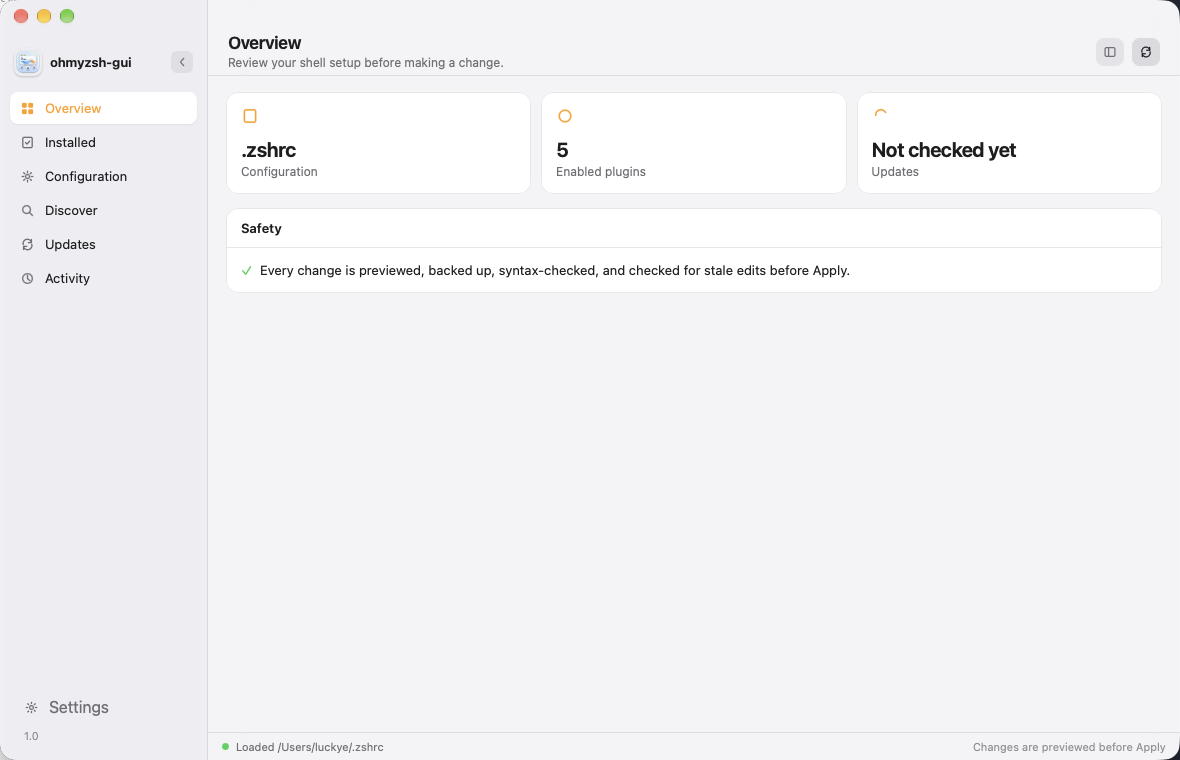
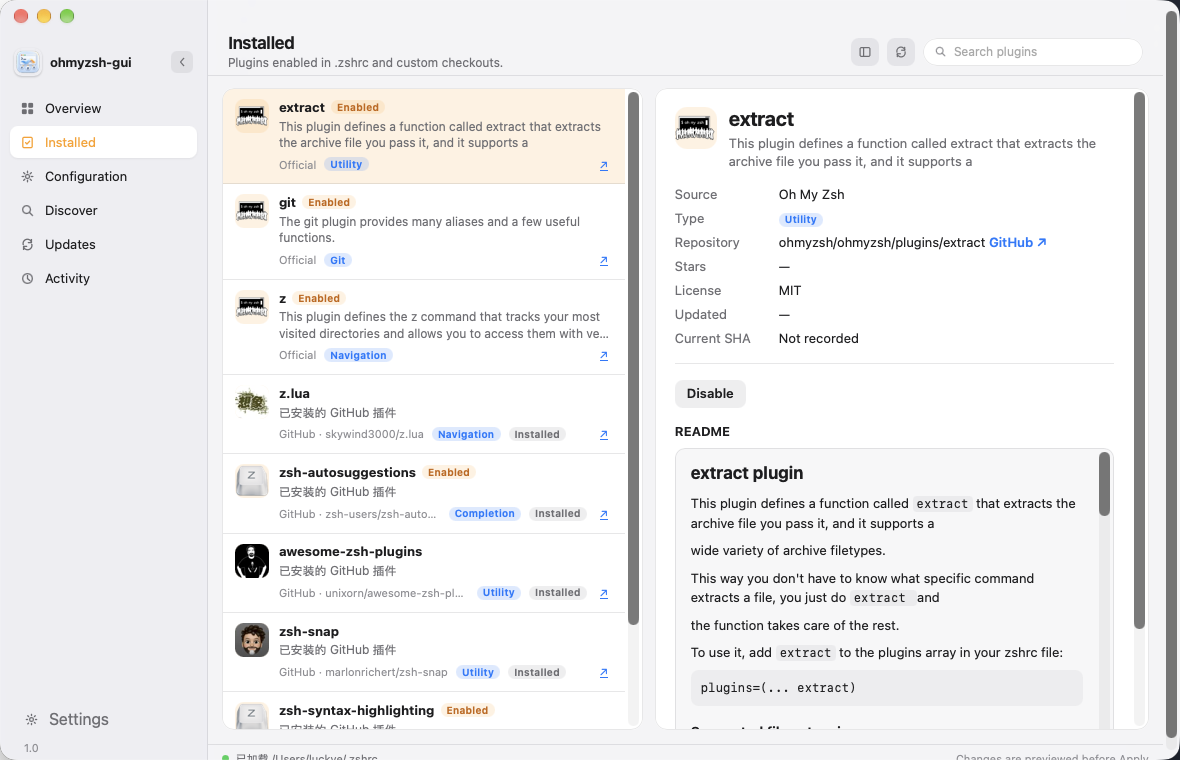
 Installed plugins
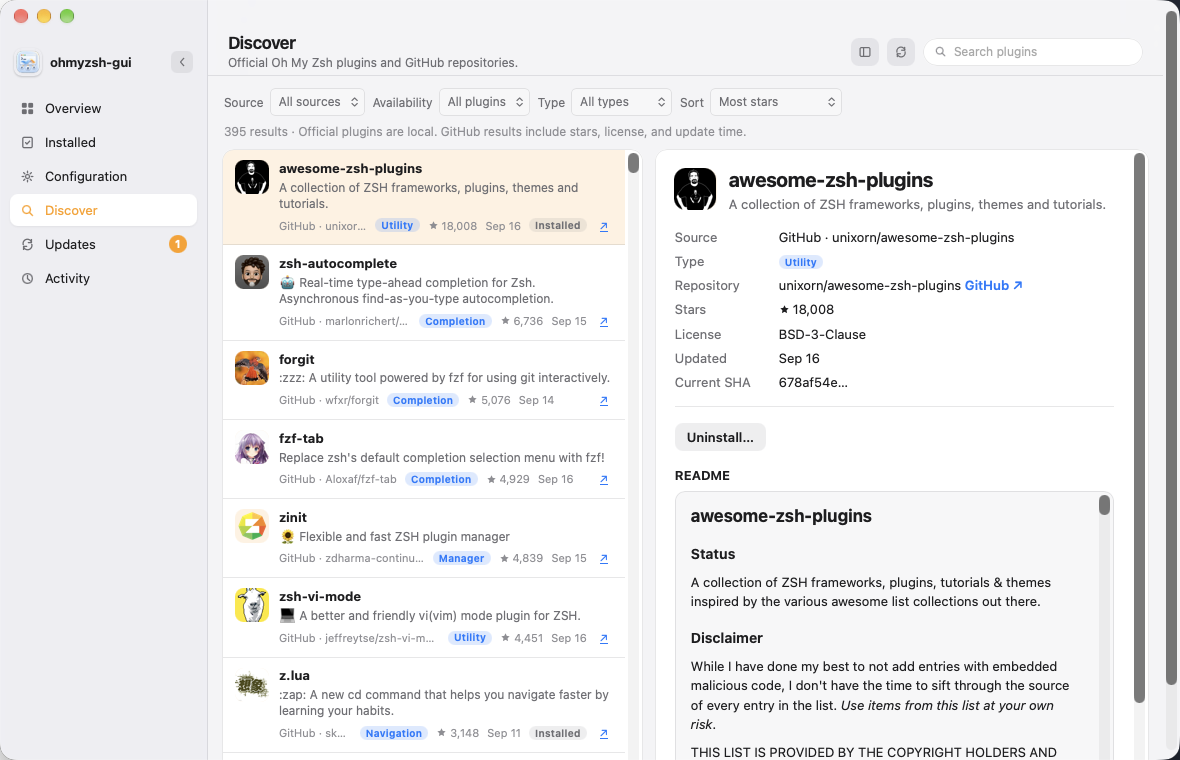
 Discover on GitHub
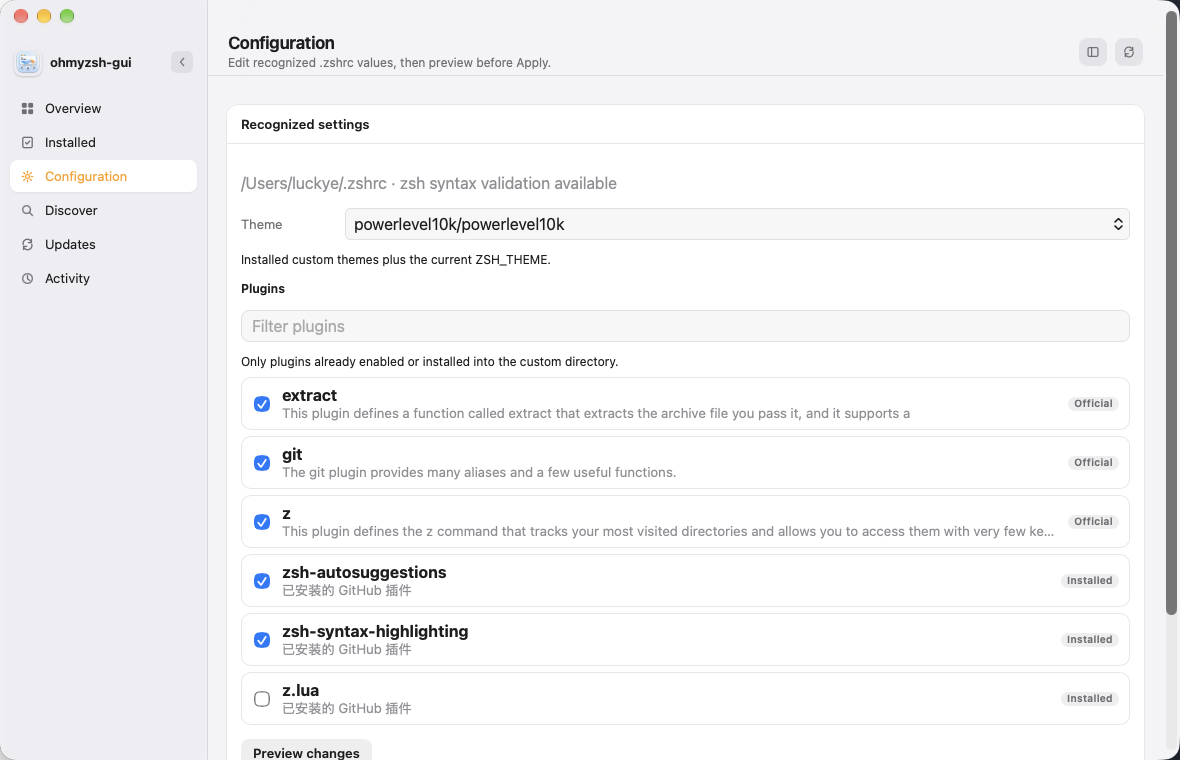
 Configuration
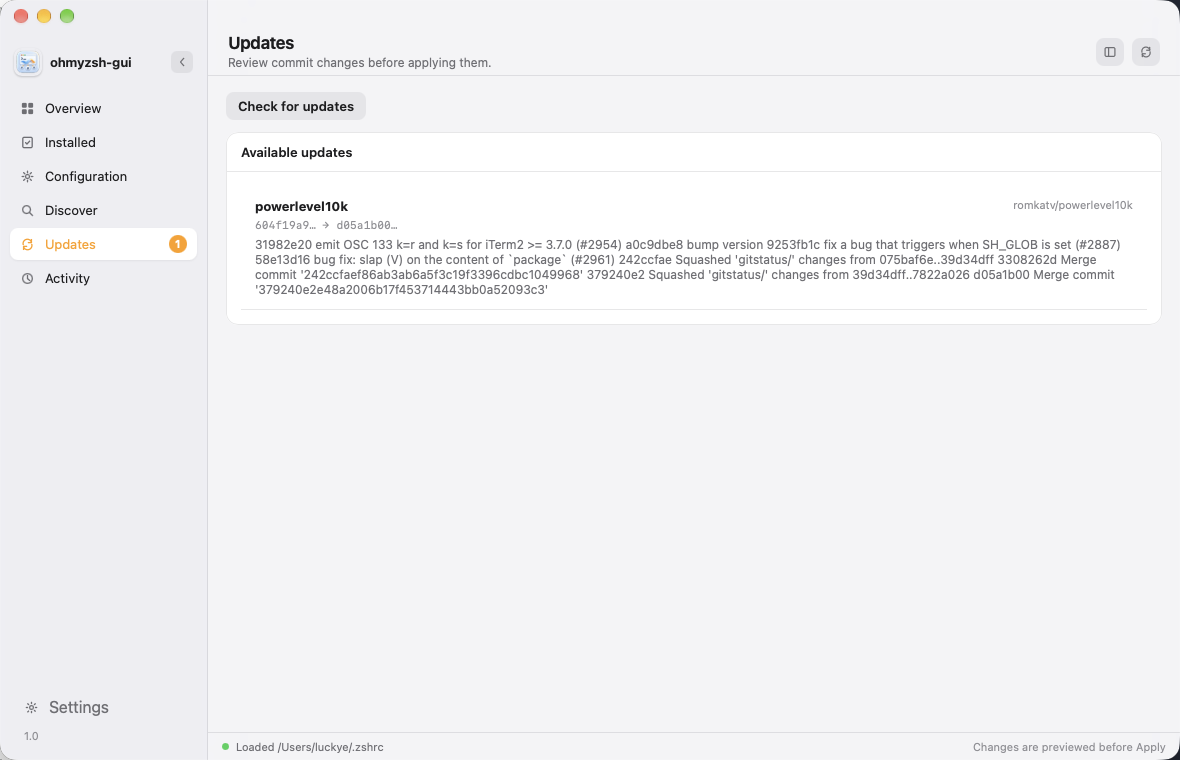
 Updates
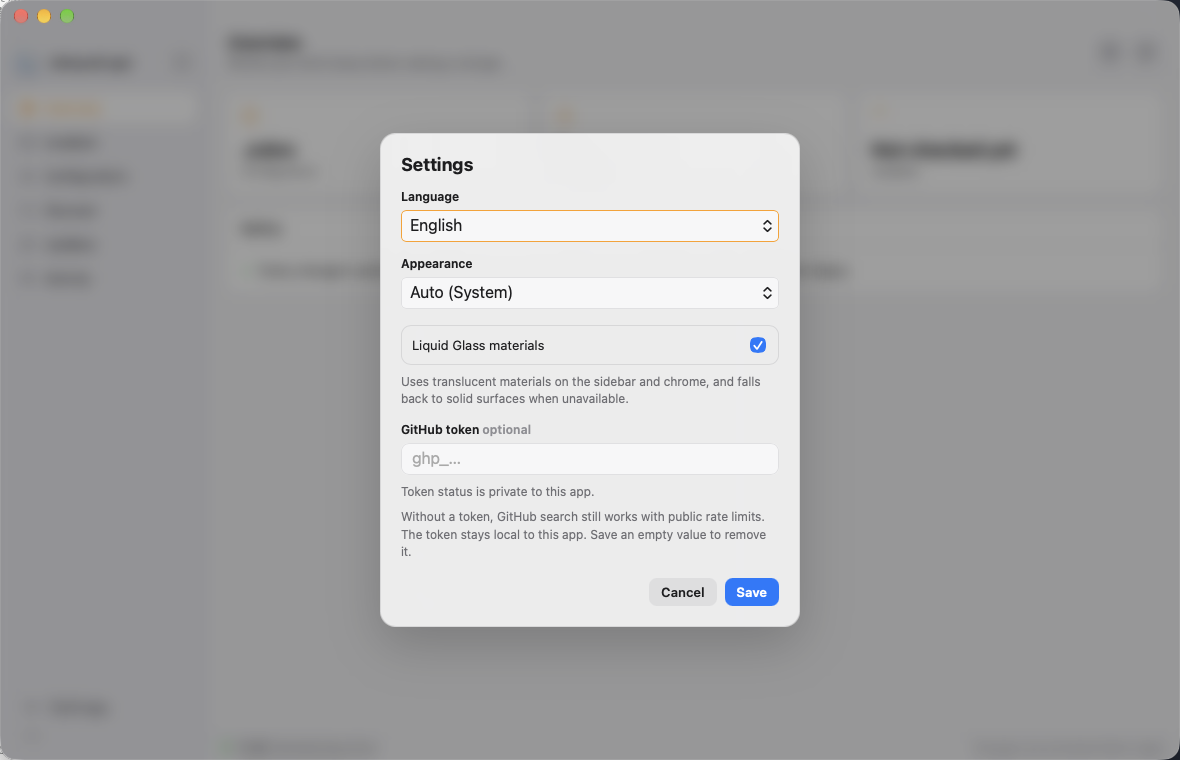
 Settings
 ## Features
- Reads the real `~/.zshrc` and only rewrites recognized `ZSH_THEME` / `plugins=()` values
- Enable or disable official Oh My Zsh plugins
- Search GitHub and install plugins or themes (themes go to `custom/themes`, not `plugins=()`)
- Preview a diff, backup, validate with `zsh -n`, then Apply
- Opens a **new terminal** after Apply so the change actually loads
- Activity history with backups and Undo
- Optional GitHub token in the OS credential store; anonymous search still works
- English, Simplified Chinese, or system language; light / dark / system appearance
## Safety
The app never writes `.zshrc` without an explicit Apply. It creates a backup, writes a temporary file, runs `zsh -n`, and replaces the original only after validation succeeds. GitHub sources are limited to `owner/repository` names. Plugin code is never executed by the manager.
## Install
Download **1.0.0** from [Releases](https://github.com/a1024053774/ohmyzsh-gui/releases/tag/v1.0.0). Pick the file for your OS and CPU:
| Platform | Arch | File |
| --- | --- | --- |
| macOS | Apple Silicon | [ohmyzsh-gui_1.0.0_aarch64.dmg](https://github.com/a1024053774/ohmyzsh-gui/releases/download/v1.0.0/ohmyzsh-gui_1.0.0_aarch64.dmg) |
| macOS | Intel | [ohmyzsh-gui_1.0.0_x64.dmg](https://github.com/a1024053774/ohmyzsh-gui/releases/download/v1.0.0/ohmyzsh-gui_1.0.0_x64.dmg) |
| Linux | x86_64 | [AppImage](https://github.com/a1024053774/ohmyzsh-gui/releases/download/v1.0.0/ohmyzsh-gui_1.0.0_amd64.AppImage) · [deb](https://github.com/a1024053774/ohmyzsh-gui/releases/download/v1.0.0/ohmyzsh-gui_1.0.0_amd64.deb) · [rpm](https://github.com/a1024053774/ohmyzsh-gui/releases/download/v1.0.0/ohmyzsh-gui-1.0.0-1.x86_64.rpm) |
| Linux | ARM64 | [AppImage](https://github.com/a1024053774/ohmyzsh-gui/releases/download/v1.0.0/ohmyzsh-gui_1.0.0_aarch64.AppImage) · [deb](https://github.com/a1024053774/ohmyzsh-gui/releases/download/v1.0.0/ohmyzsh-gui_1.0.0_arm64.deb) · [rpm](https://github.com/a1024053774/ohmyzsh-gui/releases/download/v1.0.0/ohmyzsh-gui-1.0.0-1.aarch64.rpm) |
| Windows | x86_64 | [MSI](https://github.com/a1024053774/ohmyzsh-gui/releases/download/v1.0.0/ohmyzsh-gui_1.0.0_x64_en-US.msi) · [setup.exe](https://github.com/a1024053774/ohmyzsh-gui/releases/download/v1.0.0/ohmyzsh-gui_1.0.0_x64-setup.exe) |
| Windows | ARM64 | [MSI](https://github.com/a1024053774/ohmyzsh-gui/releases/download/v1.0.0/ohmyzsh-gui_1.0.0_arm64_en-US.msi) · [setup.exe](https://github.com/a1024053774/ohmyzsh-gui/releases/download/v1.0.0/ohmyzsh-gui_1.0.0_arm64-setup.exe) |
SHA-256 checksums: [SHA256SUMS.txt](https://github.com/a1024053774/ohmyzsh-gui/releases/download/v1.0.0/SHA256SUMS.txt).
These builds are **not signed or notarized**. macOS Gatekeeper and Windows SmartScreen will warn on first launch. That is expected.
### macOS (Gatekeeper)
1. Open the `.dmg` and drag `ohmyzsh-gui.app` to **Applications**.
2. Do **not** double-click it the first time. In Finder, **Control-click** (right-click) the app → **Open** → **Open**.
3. If macOS still blocks it, open **System Settings → Privacy & Security**, scroll to **Security**, and click **Open Anyway** (some versions say **Open Anyway** / **Still Open**). Confirm with your password if asked.
4. If it still will not start (often after a browser download), the file has a quarantine flag. That is not a re-sign; it only removes Gatekeeper’s download mark:
```bash
xattr -rd com.apple.quarantine /Applications/ohmyzsh-gui.app
```
If that prints a permission error:
```bash
sudo xattr -rd com.apple.quarantine /Applications/ohmyzsh-gui.app
```
Then Control-click → Open again. Only if macOS still says the app is damaged, ad-hoc sign it locally (this is not an Apple Developer signature):
```bash
codesign --force --deep --sign - /Applications/ohmyzsh-gui.app
```
### Windows (SmartScreen)
Run the `.msi` or `setup.exe`. If **Windows protected your PC** appears: **More info** → **Run anyway**. Or in Explorer: right-click the installer → **Properties** → check **Unblock** → **OK**, then run it again.
### Linux
`chmod +x` the AppImage before running it. `.deb` / `.rpm` install with the system package manager.
## Develop
Requires [Oh My Zsh](https://ohmyz.sh), `git`, `zsh`, and [Rust](https://rustup.rs).
```bash
cargo install tauri-cli --version "^2"
cargo tauri dev
node --check src/app.js
cargo test --manifest-path src-tauri/Cargo.toml
```
`cargo test --manifest-path src-tauri/Cargo.toml -- --ignored` runs the live GitHub lifecycle smoke test in a temporary `HOME`.
Build the native app:
```bash
cargo tauri build
```
Output is in `src-tauri/target/release/bundle/`. Signing and notarization need extra Apple / platform certificates.
Read-only browser preview (does not change your shell):
```bash
npm run dev
```
Then open `http://localhost:1420`.
## Notes
- Running terminals do not automatically `source ~/.zshrc`. Use the new window the app opens.
- If `~/.zshrc` still has Powerlevel10k instant prompt and `source ~/.p10k.zsh`, changing `ZSH_THEME` alone will not replace the p10k prompt.
- Plugin managers such as `zsh-snap`, `zinit`, and `antigen` are not Oh My Zsh plugins and cannot go in `plugins=()`.
## License
[MIT](LICENSE)
## Features
- Reads the real `~/.zshrc` and only rewrites recognized `ZSH_THEME` / `plugins=()` values
- Enable or disable official Oh My Zsh plugins
- Search GitHub and install plugins or themes (themes go to `custom/themes`, not `plugins=()`)
- Preview a diff, backup, validate with `zsh -n`, then Apply
- Opens a **new terminal** after Apply so the change actually loads
- Activity history with backups and Undo
- Optional GitHub token in the OS credential store; anonymous search still works
- English, Simplified Chinese, or system language; light / dark / system appearance
## Safety
The app never writes `.zshrc` without an explicit Apply. It creates a backup, writes a temporary file, runs `zsh -n`, and replaces the original only after validation succeeds. GitHub sources are limited to `owner/repository` names. Plugin code is never executed by the manager.
## Install
Download **1.0.0** from [Releases](https://github.com/a1024053774/ohmyzsh-gui/releases/tag/v1.0.0). Pick the file for your OS and CPU:
| Platform | Arch | File |
| --- | --- | --- |
| macOS | Apple Silicon | [ohmyzsh-gui_1.0.0_aarch64.dmg](https://github.com/a1024053774/ohmyzsh-gui/releases/download/v1.0.0/ohmyzsh-gui_1.0.0_aarch64.dmg) |
| macOS | Intel | [ohmyzsh-gui_1.0.0_x64.dmg](https://github.com/a1024053774/ohmyzsh-gui/releases/download/v1.0.0/ohmyzsh-gui_1.0.0_x64.dmg) |
| Linux | x86_64 | [AppImage](https://github.com/a1024053774/ohmyzsh-gui/releases/download/v1.0.0/ohmyzsh-gui_1.0.0_amd64.AppImage) · [deb](https://github.com/a1024053774/ohmyzsh-gui/releases/download/v1.0.0/ohmyzsh-gui_1.0.0_amd64.deb) · [rpm](https://github.com/a1024053774/ohmyzsh-gui/releases/download/v1.0.0/ohmyzsh-gui-1.0.0-1.x86_64.rpm) |
| Linux | ARM64 | [AppImage](https://github.com/a1024053774/ohmyzsh-gui/releases/download/v1.0.0/ohmyzsh-gui_1.0.0_aarch64.AppImage) · [deb](https://github.com/a1024053774/ohmyzsh-gui/releases/download/v1.0.0/ohmyzsh-gui_1.0.0_arm64.deb) · [rpm](https://github.com/a1024053774/ohmyzsh-gui/releases/download/v1.0.0/ohmyzsh-gui-1.0.0-1.aarch64.rpm) |
| Windows | x86_64 | [MSI](https://github.com/a1024053774/ohmyzsh-gui/releases/download/v1.0.0/ohmyzsh-gui_1.0.0_x64_en-US.msi) · [setup.exe](https://github.com/a1024053774/ohmyzsh-gui/releases/download/v1.0.0/ohmyzsh-gui_1.0.0_x64-setup.exe) |
| Windows | ARM64 | [MSI](https://github.com/a1024053774/ohmyzsh-gui/releases/download/v1.0.0/ohmyzsh-gui_1.0.0_arm64_en-US.msi) · [setup.exe](https://github.com/a1024053774/ohmyzsh-gui/releases/download/v1.0.0/ohmyzsh-gui_1.0.0_arm64-setup.exe) |
SHA-256 checksums: [SHA256SUMS.txt](https://github.com/a1024053774/ohmyzsh-gui/releases/download/v1.0.0/SHA256SUMS.txt).
These builds are **not signed or notarized**. macOS Gatekeeper and Windows SmartScreen will warn on first launch. That is expected.
### macOS (Gatekeeper)
1. Open the `.dmg` and drag `ohmyzsh-gui.app` to **Applications**.
2. Do **not** double-click it the first time. In Finder, **Control-click** (right-click) the app → **Open** → **Open**.
3. If macOS still blocks it, open **System Settings → Privacy & Security**, scroll to **Security**, and click **Open Anyway** (some versions say **Open Anyway** / **Still Open**). Confirm with your password if asked.
4. If it still will not start (often after a browser download), the file has a quarantine flag. That is not a re-sign; it only removes Gatekeeper’s download mark:
```bash
xattr -rd com.apple.quarantine /Applications/ohmyzsh-gui.app
```
If that prints a permission error:
```bash
sudo xattr -rd com.apple.quarantine /Applications/ohmyzsh-gui.app
```
Then Control-click → Open again. Only if macOS still says the app is damaged, ad-hoc sign it locally (this is not an Apple Developer signature):
```bash
codesign --force --deep --sign - /Applications/ohmyzsh-gui.app
```
### Windows (SmartScreen)
Run the `.msi` or `setup.exe`. If **Windows protected your PC** appears: **More info** → **Run anyway**. Or in Explorer: right-click the installer → **Properties** → check **Unblock** → **OK**, then run it again.
### Linux
`chmod +x` the AppImage before running it. `.deb` / `.rpm` install with the system package manager.
## Develop
Requires [Oh My Zsh](https://ohmyz.sh), `git`, `zsh`, and [Rust](https://rustup.rs).
```bash
cargo install tauri-cli --version "^2"
cargo tauri dev
node --check src/app.js
cargo test --manifest-path src-tauri/Cargo.toml
```
`cargo test --manifest-path src-tauri/Cargo.toml -- --ignored` runs the live GitHub lifecycle smoke test in a temporary `HOME`.
Build the native app:
```bash
cargo tauri build
```
Output is in `src-tauri/target/release/bundle/`. Signing and notarization need extra Apple / platform certificates.
Read-only browser preview (does not change your shell):
```bash
npm run dev
```
Then open `http://localhost:1420`.
## Notes
- Running terminals do not automatically `source ~/.zshrc`. Use the new window the app opens.
- If `~/.zshrc` still has Powerlevel10k instant prompt and `source ~/.p10k.zsh`, changing `ZSH_THEME` alone will not replace the p10k prompt.
- Plugin managers such as `zsh-snap`, `zinit`, and `antigen` are not Oh My Zsh plugins and cannot go in `plugins=()`.
## License
[MIT](LICENSE)