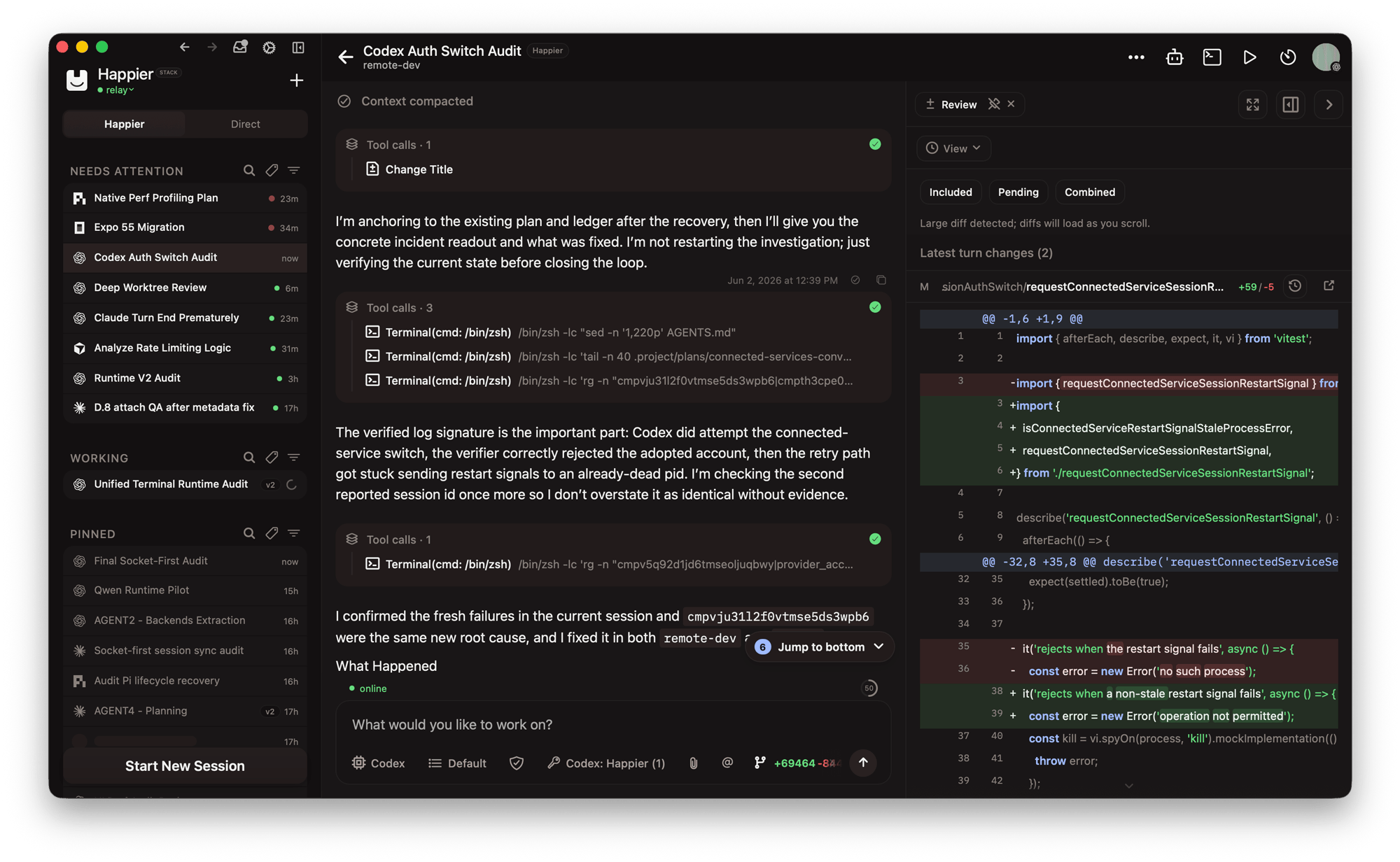
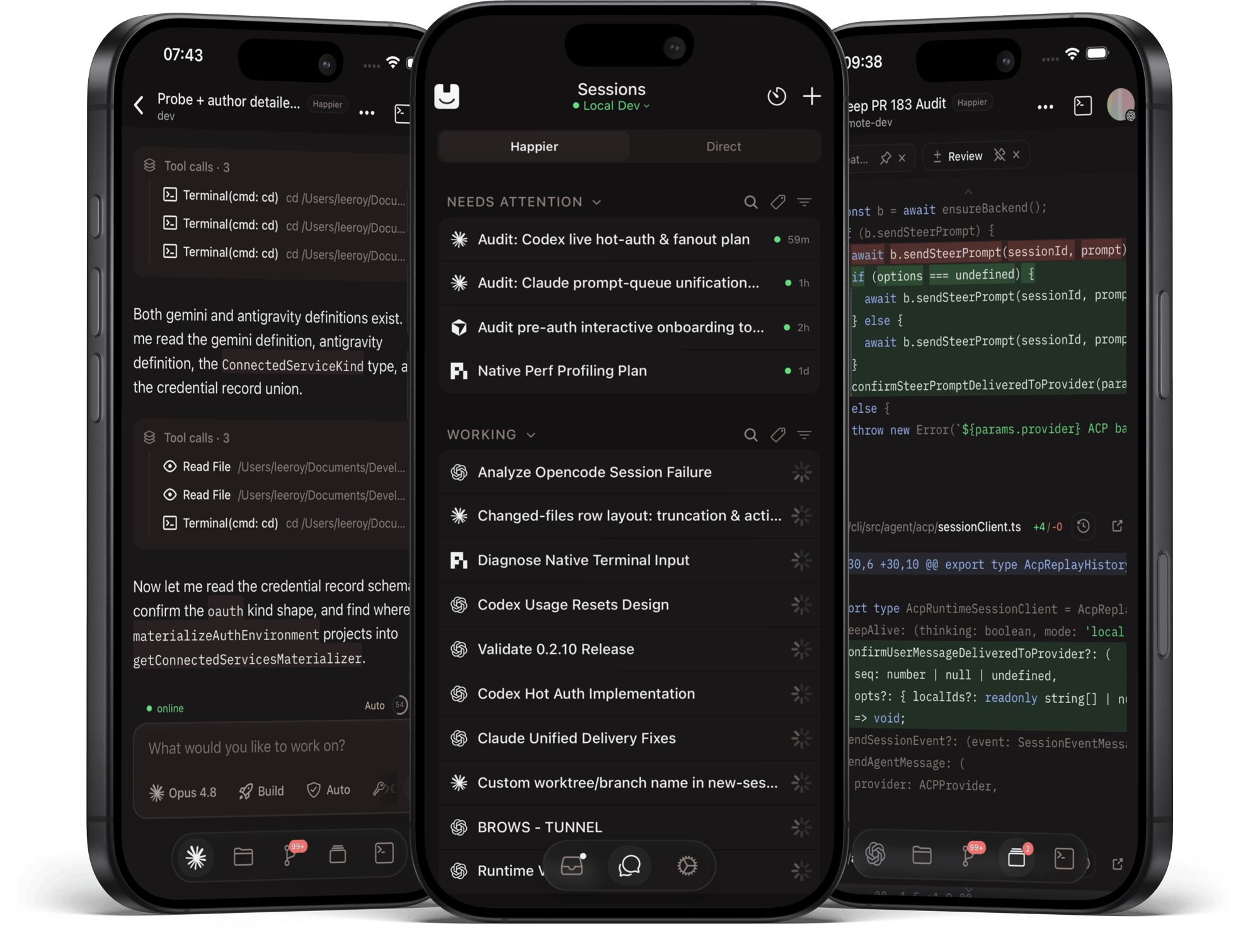
### The multi-device control room to orchestrate teams of 100+ coding agents
**From your phone, desktop and browser.**
Claude Code, Codex, OpenCode, Pi and more, working together and in parallel on your own machines.
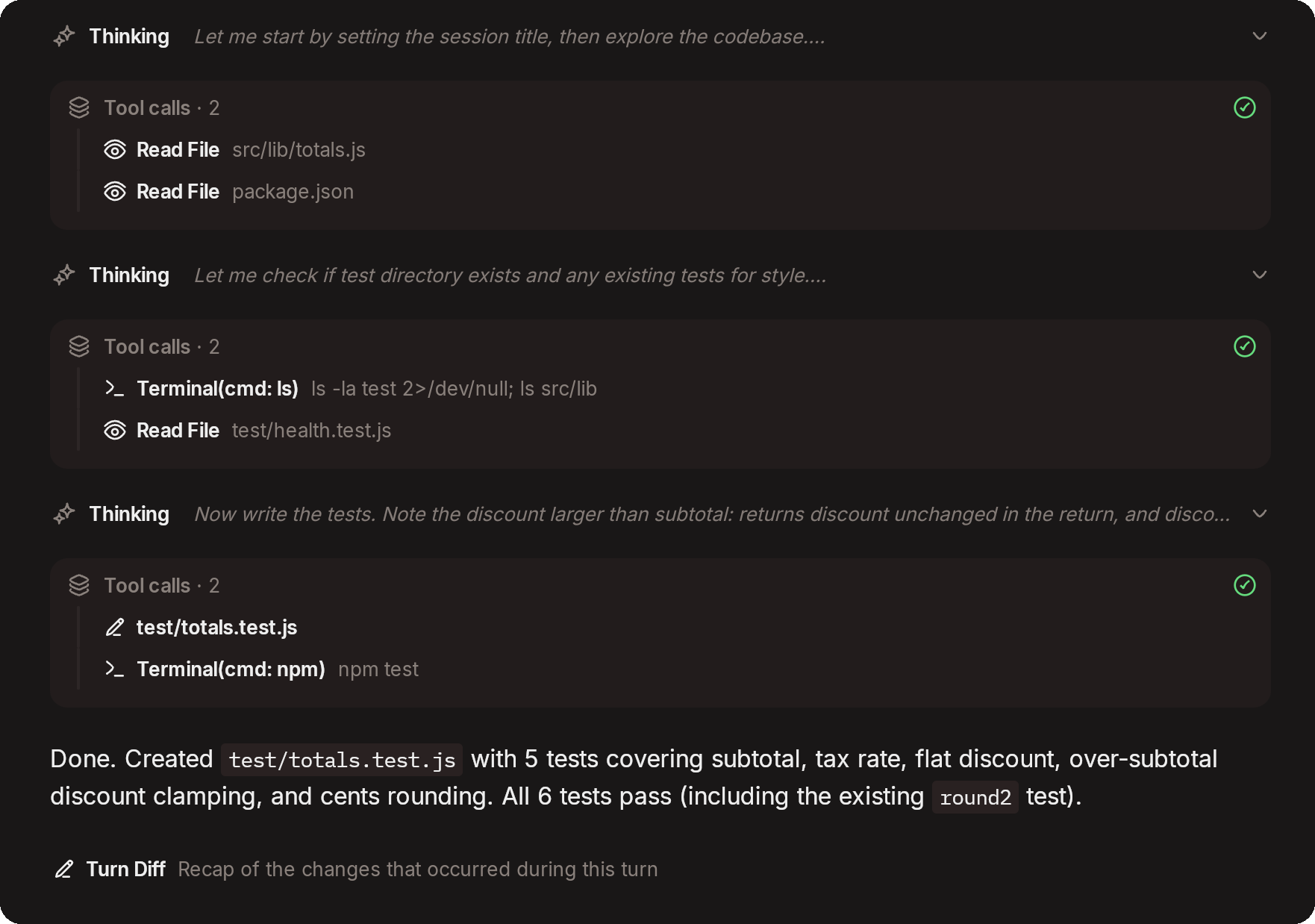
Sessions can spawn subagents across agents: e.g. Claude asking Codex for a review, or Codex delegating work to Claude subagents. Switch agents mid-session. Approve, steer, review and commit from wherever you are.
**Open source · Self-hostable · End-to-end encrypted**
Happier is free and open source.
You use your existing subscriptions and coding agents.
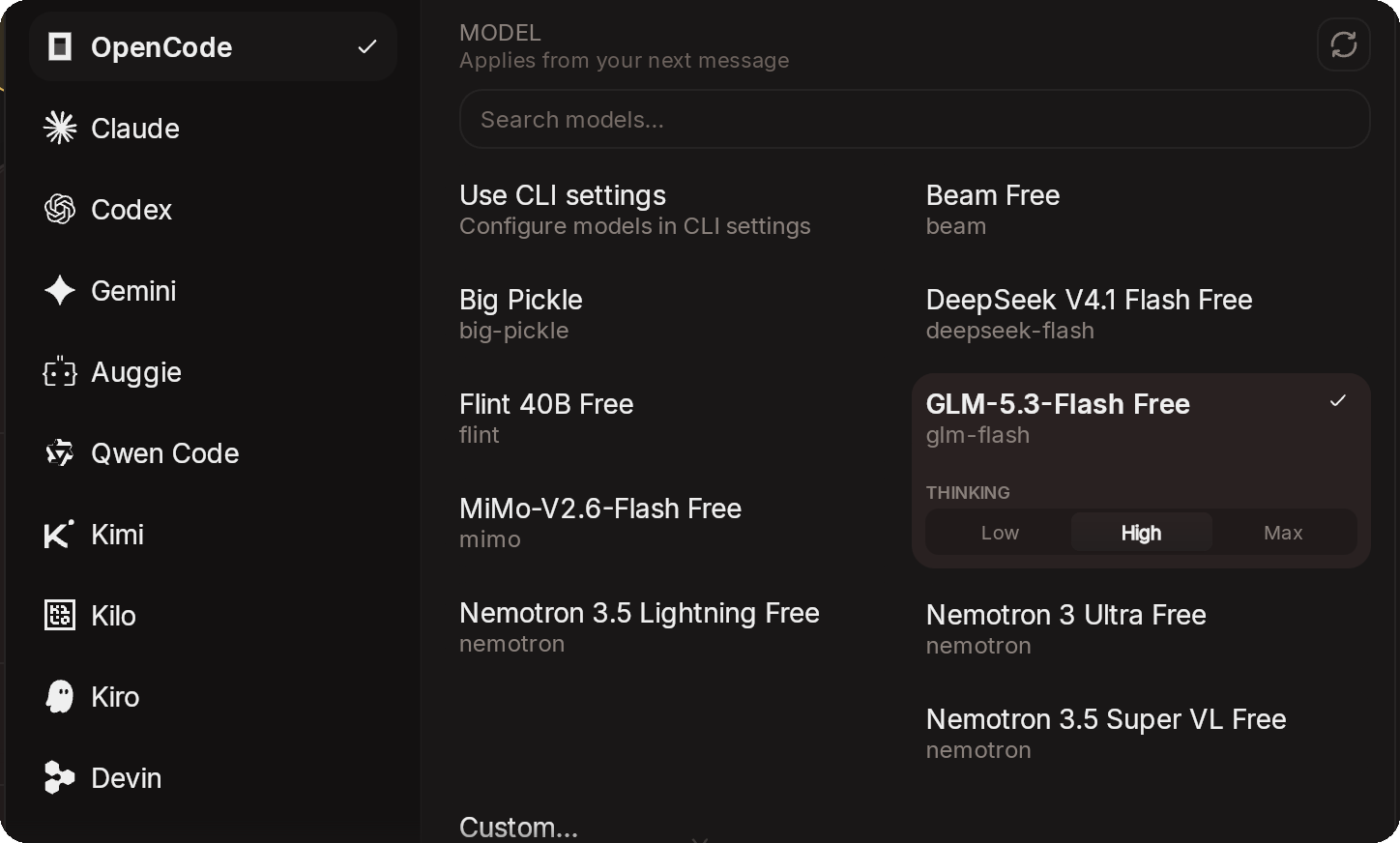
Built-in supported agents (& 30+ more)
Any agent that speaks ACP can be added from the settings.
## Get started
### 1. Install on your computer
The desktop app is the recommended way in: it sets up the CLI and the daemon for you.
Prefer the terminal? Install the CLI and daemon without the desktop app
macOS/Linux:
```bash
curl -fsSL https://happier.dev/install | bash
```
Windows:
```powershell
iwr https://happier.dev/install.ps1 -useb | iex
```
If you specifically want the npm package instead: `npm install -g @happier-dev/cli` ([CLI docs](https://docs.happier.dev/apps/cli)).
Already use Claude Code, Codex or another coding agent? Let it set Happier up with you
Paste this into your agent:
```text
Set up Happier on this computer by following https://docs.happier.dev/getting-started/agent-setup.mdx
Fetch that file raw (for example with curl) and follow it step by step with me.
```
It asks what it needs to know, confirms each change, and leaves the sign-in approval and your agent's own login to you. [Set up with your coding agent](https://docs.happier.dev/getting-started/agent-setup)
Use Grok Bot? Install and manage Happier through Grok on X
Install the [Happier session control Grok Bot](https://x.ai/bot/eI3Gm7MjAxV_bgJ_MB0pk) on X. On first run it installs the Happier CLI on its own computer, pairs with your Happier Cloud account or self-hosted relay, and starts the daemon. You control how hands-on it is: watch only, assist, or drive sessions. [Grok Bot integration](https://docs.happier.dev/extending/grok-bot-integration)
Installing on a remote computer or devbox? Set it up over SSH, from your machine
One command installs the CLI and the daemon on the remote host (release-signature verified) and registers it as one of your machines:
```bash
happier machine setup --ssh user@host
```
To sign the remote machine in without a browser on its side, run this from a machine where you are already signed in:
```bash
happier auth pair-remote --ssh user@host
```
Headless alternative on the remote host itself: `happier auth login --no-open --method web` prints an authorization URL you approve from any browser. [Machines and the daemon](https://docs.happier.dev/apps/daemon)
You sign in from the app, or on first run.
### 2. Add your phone
Sign in with the same account and your sessions, machines and settings are already there.
### 3. Start a session
**In the app →** Press **New session**, pick the machine, the folder and the agent. No terminal needed.
**Or in the terminal**, from any project folder:
```bash
happier # Claude Code
happier codex # Codex
happier opencode # OpenCode
```
Either way, the session shows up everywhere at once: keep typing in the terminal, follow along and approve from your phone, review in the browser. `happier --help` lists the other agents and commands.
## What you can do
📱 Run your agents from your phone, desktop or the web
Start, steer, review and approve sessions from whichever device is in your hand. Sessions are cross-device, so you pick up the same session wherever you are, including Claude Code, Codex or OpenCode sessions already running on your machine. Continuing a session
🖥️ Orchestrate parallel sessions across machines
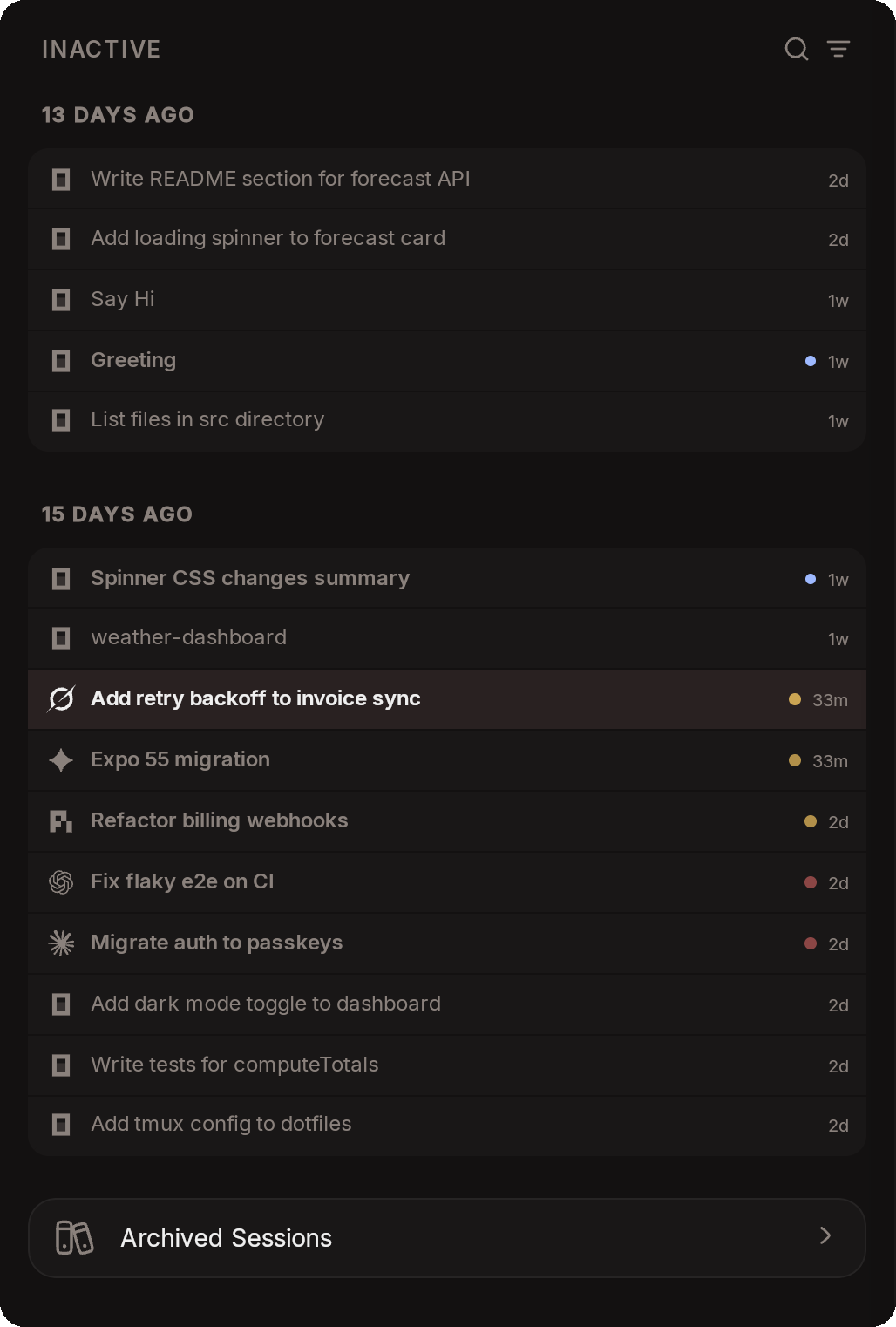
Run as many sessions as you like and pick the machine, folder, agent and model for each one. Follow all of them from one list, whichever machine they run on. Starting a session · Machines and the daemon
🔄 Switch agents mid-session
Move a session from Claude to Codex, or back, in place. The session keeps its id, history and settings, and the arriving agent gets a summary of the recent conversation. Continue with another agent
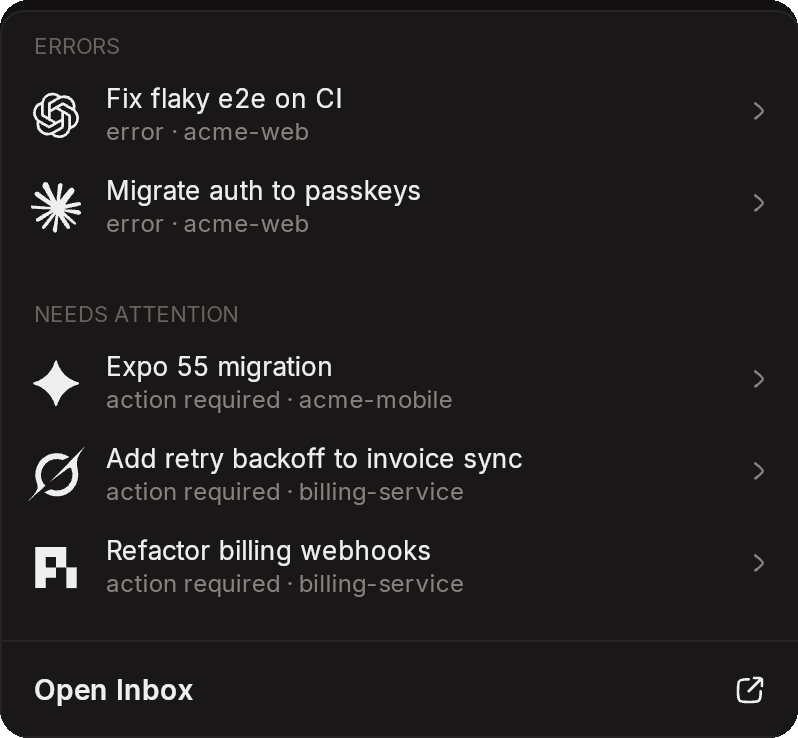
🔔 An inbox for what needs you
Permission requests, agent questions and unread sessions gather in one attention center across all sessions and machines. A push notification opens the exact session that asked. Inbox and approvals
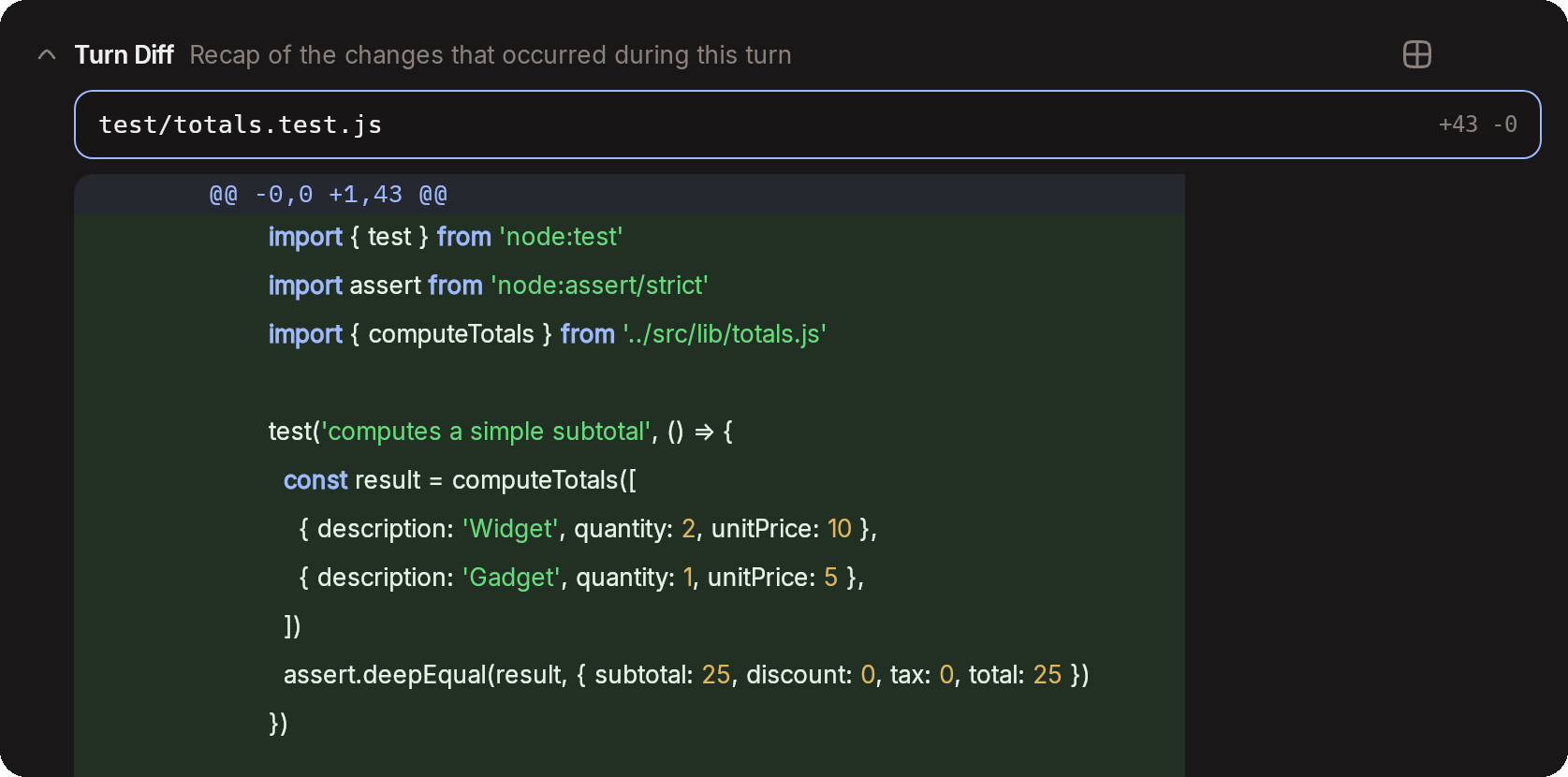
📝 Review diffs and send notes back
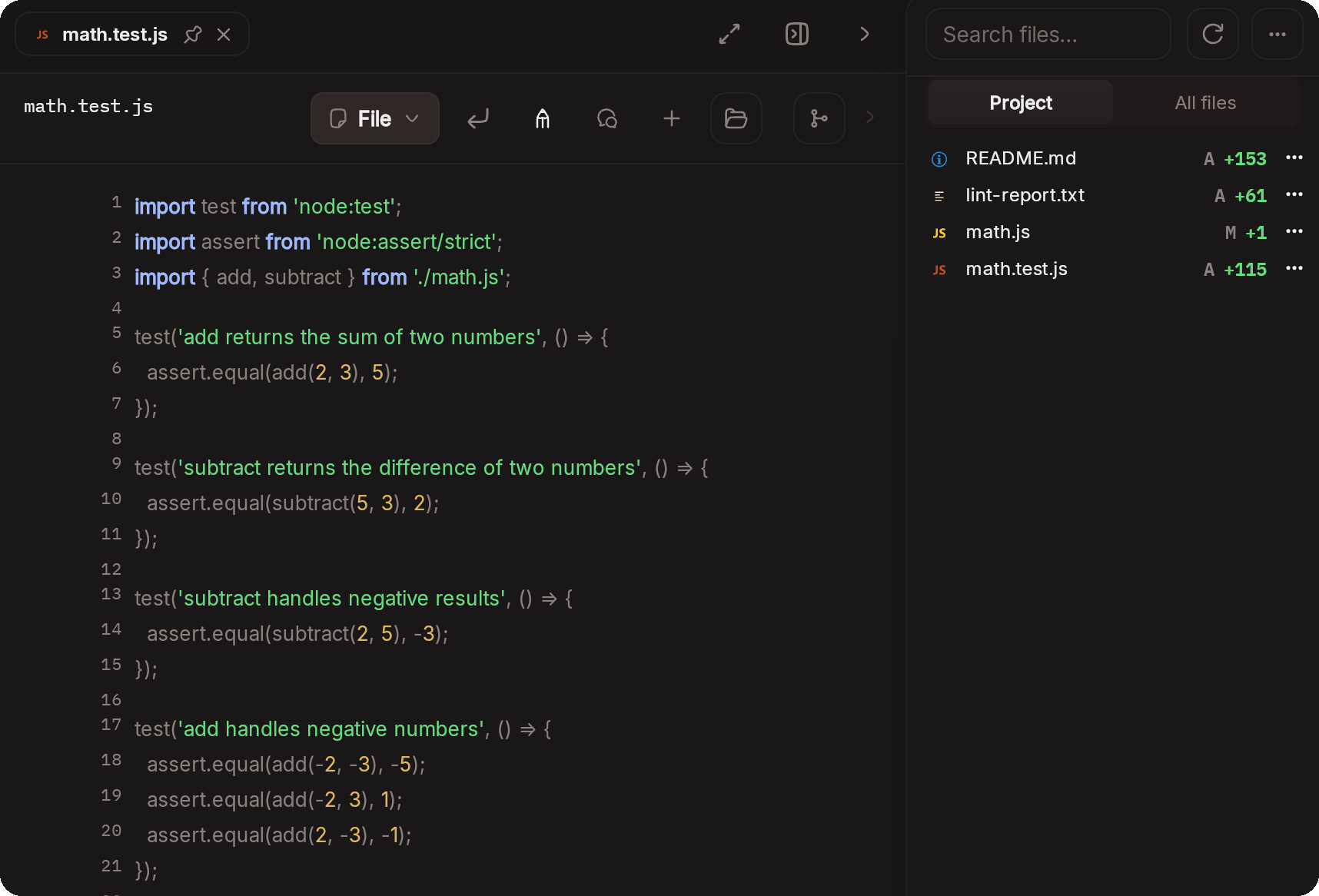
Browse your agent's changes and mark the exact lines you want addressed. Send the notes straight back to the same session or to a new one. Review comments
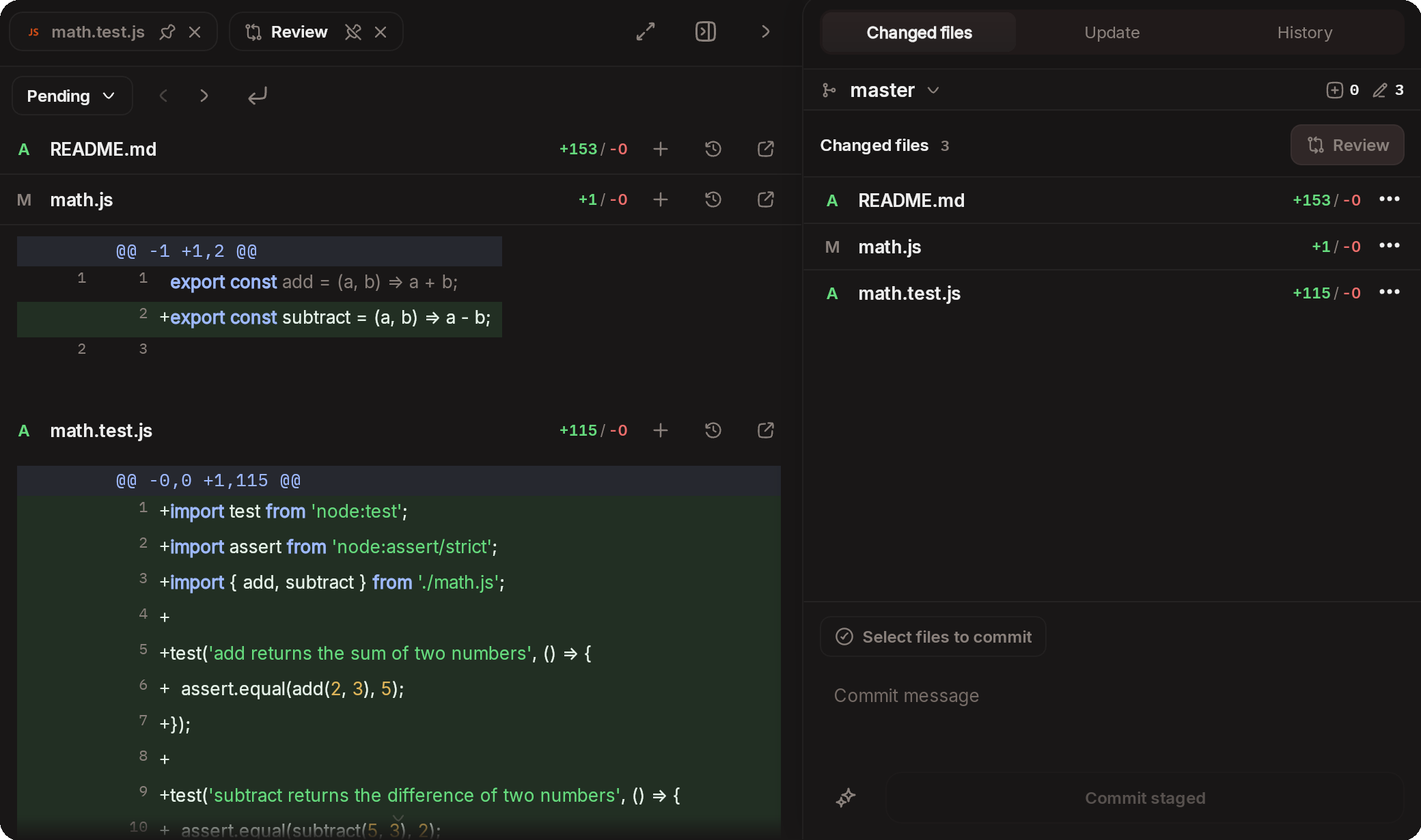
🌿 Git and worktrees from any device
Stage, commit, push, branch and open pull requests without leaving the app. Start a session in its own Git worktree from any local or remote branch, or in the folder you are already in. Git · New session options
📬 Queue it, steer it
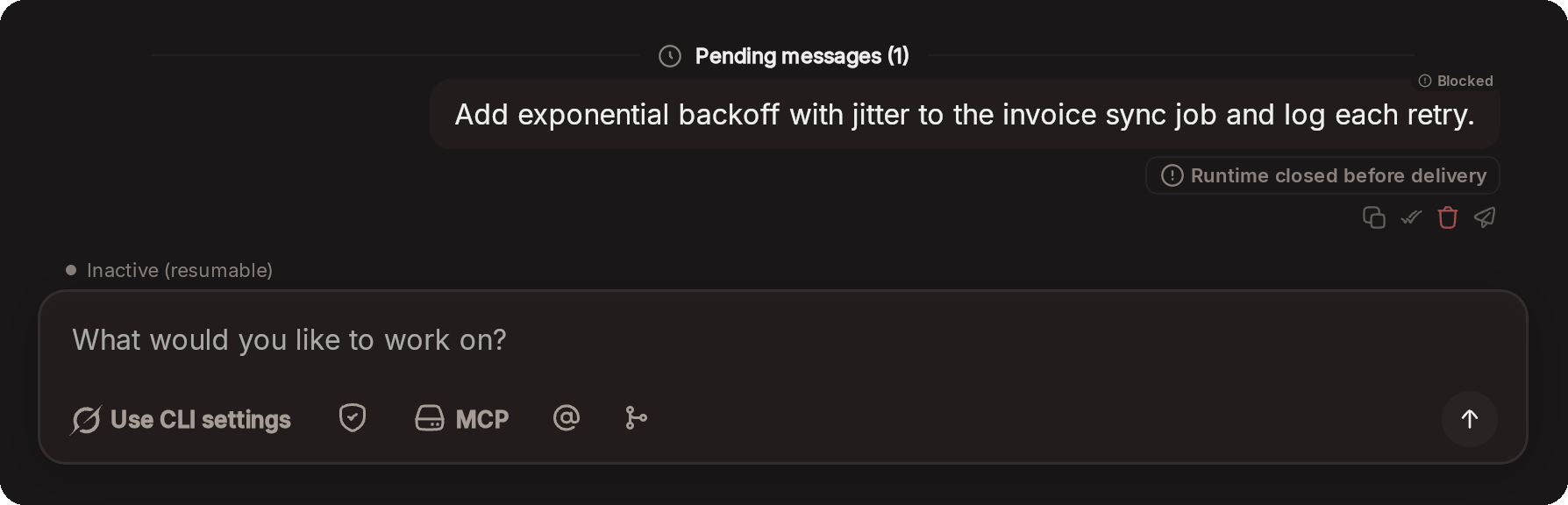
Queue messages while the agent works and reorder or edit them before they run. Steer a running turn without interrupting it. Steering · Pending queue
🪪 Subscriptions, account pools and usage limits
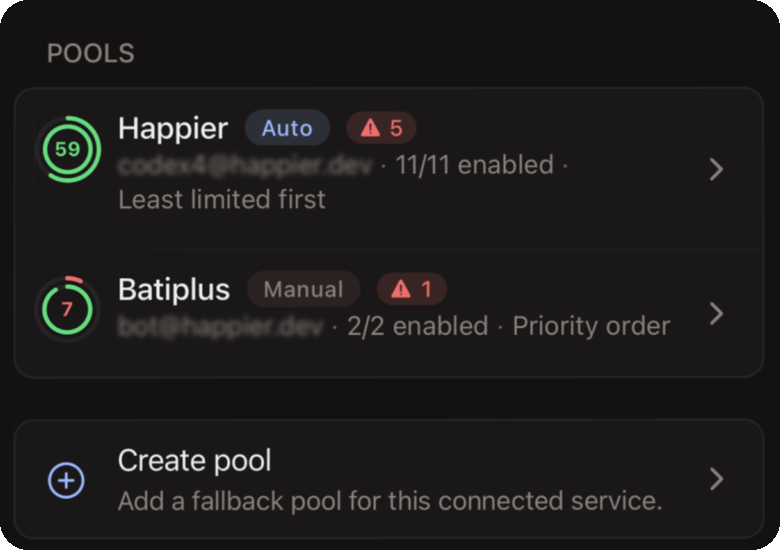
Connect several accounts you own for the same service and group them in a pool. With automatic switching turned on, a pool moves sessions to another account when one hits a usage limit or its sign-in expires, so the work keeps going. When there is nowhere to switch, Claude sessions resume on their own once the limit resets. Connected services and pools · Usage limits
📊 Track your accounts usage
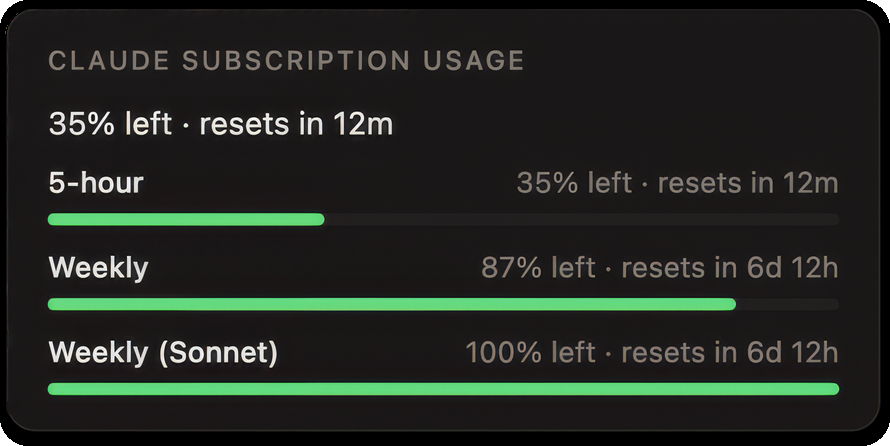
See how much is left on each of your connected accounts and subscriptions. For a Claude subscription that means the 5-hour and weekly limits, with the time until each one resets. Connected services
🤝 Subagents across agents
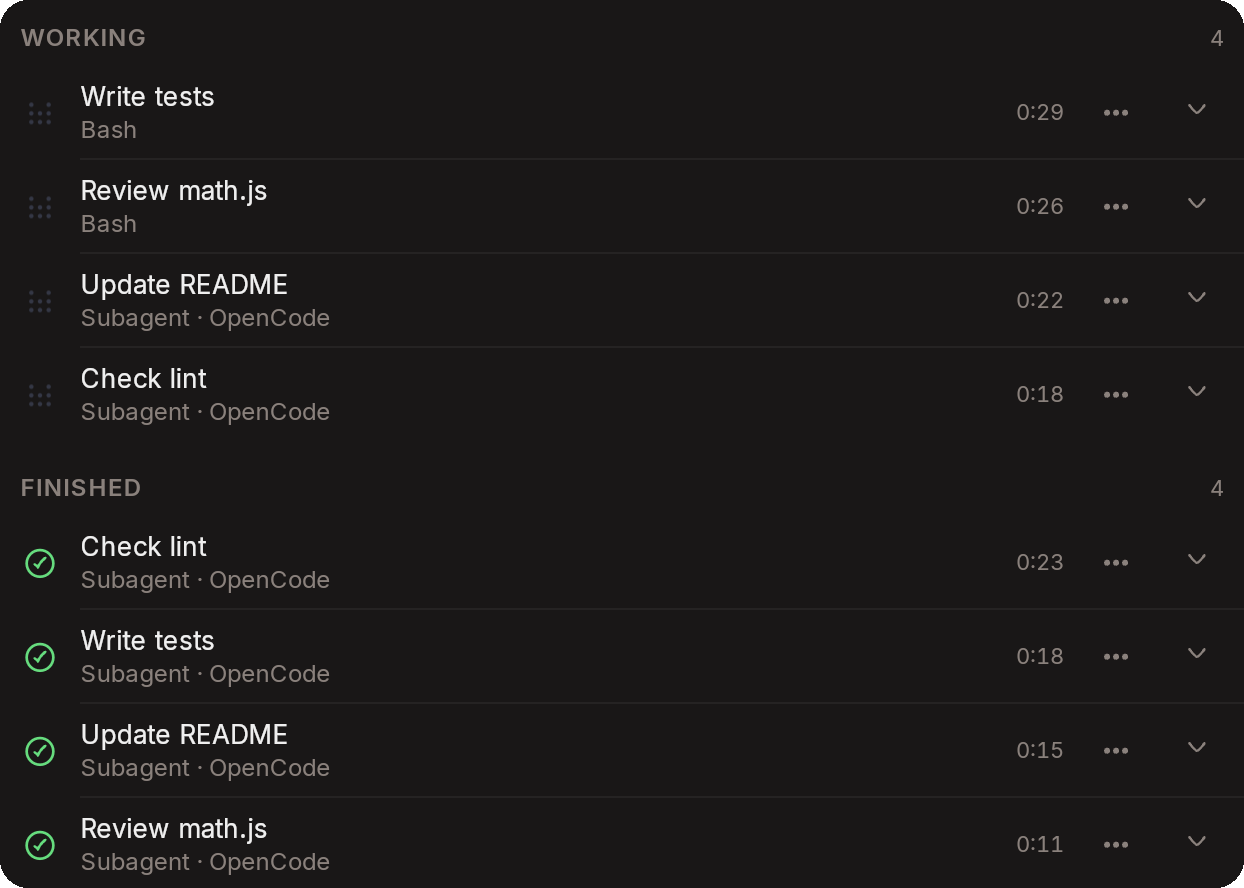
A session can hand work to another agent. Claude can start a review, plan or delegate run on Codex, for example, and you follow every run from the Agents tab in the session. Delegated work
🗂️ Files, editor and terminal
Browse, search and edit the files in a session's folder from any device. Open a terminal on the connected machine when you need a quick command. Files and editor · Embedded terminal
⌨️ Love the terminal? Keep using it!
Run Claude Code, Codex or OpenCode in their own terminal UIs. Happier mirrors those sessions to every device, so you can follow along, send messages and approve from anywhere. Claude unified terminal
🎙️ Voice
The voice assistant follows your running sessions, answers permission requests for you and sends the messages you dictate. Use realtime ElevenLabs voice, or build a local pipeline from on-device speech, OpenAI-compatible endpoints, Google Gemini and Google Cloud, or Kokoro. Voice
### Also in the box
- **Session handoff.** Move a live Claude Code or OpenCode session to another machine and bring the working tree along if you want it. [Session handoff](https://docs.happier.dev/sessions/session-handoff)
- **Session sharing.** Invite someone with view or edit access, or publish a read-only public link. [Session sharing](https://docs.happier.dev/accounts/session-sharing)
- **Happier as an MCP server.** `happier mcp serve` lets any MCP host create sessions, send messages and run session actions. [Happier as an MCP server](https://docs.happier.dev/extending/happier-as-mcp-server) · [CLI](https://docs.happier.dev/apps/cli)
- **Grok Bot integration.** Install and manage Happier sessions through Grok on X — setup, monitoring, and session control in one shareable bot. [Grok Bot integration](https://docs.happier.dev/extending/grok-bot-integration)
- **MCP servers, configured once.** Use them with every agent on every machine. [MCP servers](https://docs.happier.dev/extending/mcp-servers)
- **Add a machine over SSH** from the app or the CLI. [Machines and the daemon](https://docs.happier.dev/apps/daemon)
- **Self-hosting.** The self-hosted relay runs the same apps, encryption and features. [Self-hosting](https://docs.happier.dev/self-hosting)
- **End-to-end encryption.** Content is encrypted on your devices by default. [Security](#security)
Step-by-step guides live at [guides.happier.dev](https://guides.happier.dev).
## How Happier works
```
Phone Desktop Browser
│ │ │
└────────────────┼────────────────┘
│
▼
Happier relay (hosted or yours)
syncs end-to-end encrypted sessions
between your devices and machines
│
▼
Your machines (laptop, desktop, VPS, dev box)
the Happier daemon starts and manages
agent processes where your code lives
│
▼
Claude Code · Codex · OpenCode · Pi · ...
each agent talks to its own model
provider directly
```
The relay stores and forwards content it cannot read: session content is encrypted on your devices before it reaches the server. The server only processes what routing needs, such as session ids, timestamps, turn status and usage metadata. Your agents keep talking to their model providers directly.
## Self-hosting
Run your own relay with one command:
```bash
happier relay host install --mode system
```
This installs and updates a managed relay service on the current machine. For a remote host: `happier relay host install --ssh user@host --mode system`.
The [self-hosting docs](https://docs.happier.dev/self-hosting/self-host-runtime) (also reachable at [happier.dev/self-host](https://happier.dev/self-host)) cover the details, with [Docker](https://docs.happier.dev/self-hosting/docker) and [Proxmox](https://docs.happier.dev/self-hosting/proxmox) as alternatives.
## Security
- **Content is end-to-end encrypted by default.** Code, prompts, messages and transcripts are encrypted on your devices before they ever reach a server. [Encryption](https://docs.happier.dev/security/encryption)
- **The server processes routing metadata.** Session ids, timestamps, turn status and usage metadata are visible to the relay so it can sync your devices.
- **Self-host operators choose their storage policy.** A self-hosted server can be configured with other storage policies for its deployment. [Server encryption settings](https://docs.happier.dev/self-hosting/encryption)
- **Model traffic stays with your agents.** Each agent talks to its own model provider directly.
More in the [security docs](https://docs.happier.dev/security).
## Downloads
| Platform | Get it |
| --- | --- |
| iOS | [App Store](https://apps.apple.com/app/happier-claude-codex-opencode/id6758554297) |
| Android | [Google Play](https://happier.dev/playstore) · [APK](https://happier.dev/apk) |
| macOS · Windows · Linux (desktop app) | [happier.dev/download](https://happier.dev/download) · [all desktop builds](https://github.com/happier-dev/happier/releases/tag/ui-desktop-stable) |
| Web | [cloud.happier.dev](https://cloud.happier.dev) |
| CLI (macOS, Linux) | `curl -fsSL https://happier.dev/install \| bash` |
| CLI (Windows) | `iwr https://happier.dev/install.ps1 -useb \| iex` |
Release notes live in the [changelog](https://docs.happier.dev/releases).
### Release channels and nightly builds
Everything above installs the **stable** channel. Two faster channels ship
ahead of it, and they install side by side (`happier`, `hprev`, `hdev`), so
trying one never breaks your stable setup:
- **preview**: new features land here first, ahead of stable.
- **dev**: nightly builds of the latest changes. Can contain partial commits
and can break at any moment.
Install preview or dev builds
Preview (macOS/Linux, then Windows):
```bash
curl -fsSL https://happier.dev/install-preview | bash
```
```powershell
iwr https://happier.dev/install-preview.ps1 -useb | iex
```
Dev:
```bash
curl -fsSL https://happier.dev/install-dev | bash
```
```powershell
iwr https://happier.dev/install-dev.ps1 -useb | iex
```
Then run **`hprev`** or **`hdev`** instead of `happier`. If you want `happier`
to map to your dev lane, add `alias happier='hdev'` to your `.bashrc`/`.zshrc`.
On `dev` you must run everything from the dev releases (CLI, app, daemon and
server): the hosted cloud (cloud.happier.dev) runs `stable`, so `preview` and `dev` features may not work
against it, and `dev` has no hosted web app (self-host the dev server to use
the dev web UI).
Mobile and server dev builds:
- [iOS TestFlight](https://testflight.apple.com/join/PyRCsaS3)
- [Android dev APK](https://github.com/happier-dev/happier/releases/download/ui-mobile-dev/happier-dev-android.apk)
- Server images: [Docker Hub `happierdev/relay-server:dev`](https://hub.docker.com/repository/docker/happierdev/relay-server/tags/dev) · [GHCR](https://github.com/happier-dev/happier/pkgs/container/relay-server)
- Dev box (CLI + daemon + agents preinstalled): [Docker Hub `happierdev/dev-box:dev`](https://hub.docker.com/repository/docker/happierdev/dev-box/tags/dev)
How channels map to release tags and how each install method updates:
[docs.happier.dev/releases/updates](https://docs.happier.dev/releases/updates).
## Community and contributing
Happier is built in the open, and it grows through real feedback. If something feels broken, missing or awkward, we want to hear about it.
- Bugs, with repro steps: [GitHub issues](https://github.com/happier-dev/happier/issues)
- Ideas and design questions: [GitHub discussions](https://github.com/happier-dev/happier/discussions)
- News, questions and quick feedback: [Discord](https://discord.gg/W6Pb8KuHfg)
- Code, docs and development setup: [CONTRIBUTING.md](CONTRIBUTING.md)
A clear issue is often worth more than a pull request: say what you did, what you expected, and what happened instead.
## Why “Happier”?
We originally started as contributors to [Happy](https://github.com/slopus/happy), submitting fixes, improvements, and new features upstream.
We were using it daily for work and genuinely loved the concept.
Over time, we realized that our own needs required faster iteration that we could not comfortably explore within the main project.
So we started building them for ourselves.
After weeks of refining, fixing, and extending the foundation, we decided to share Happier so others could try it, use it, and help shape what comes next.
Happier is about exploring a faster-moving, more collaborative direction, while remaining deeply grateful for the foundation Happy provided. We loved and still love Happy. ❤️ Happier would not exist without it.
Built in Switzerland. MIT licensed.
Not affiliated with or endorsed by Anthropic, OpenAI, or Google.