
Sketch Material 3 Expressive screens in the browser, link them, tap through them, and copy a prompt for your AI coding tool.






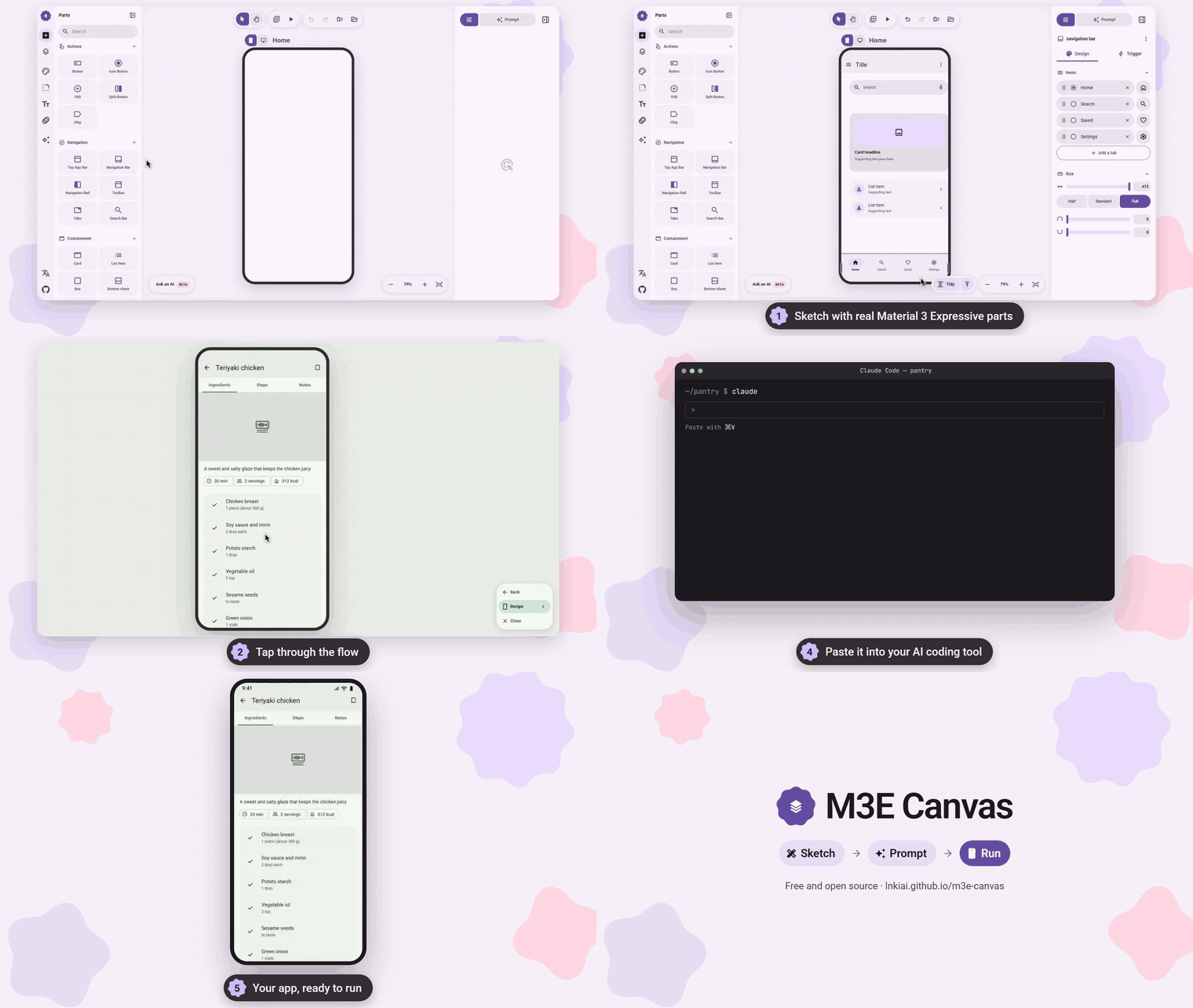
Sketch the screens, tap through the flow, copy the prompt, and let your AI coding tool build the app. (mp4)
M3E Canvas is a free, open-source sketchpad for app screens made of real Material 3 Expressive parts. It runs entirely in your browser: no account, no server, nothing to install. What you sketch becomes a precise prompt that any AI coding tool that takes one, such as Claude Code, Codex, Gemini CLI or Cursor, can turn into a working app.
 How it works
 |
 |
 |
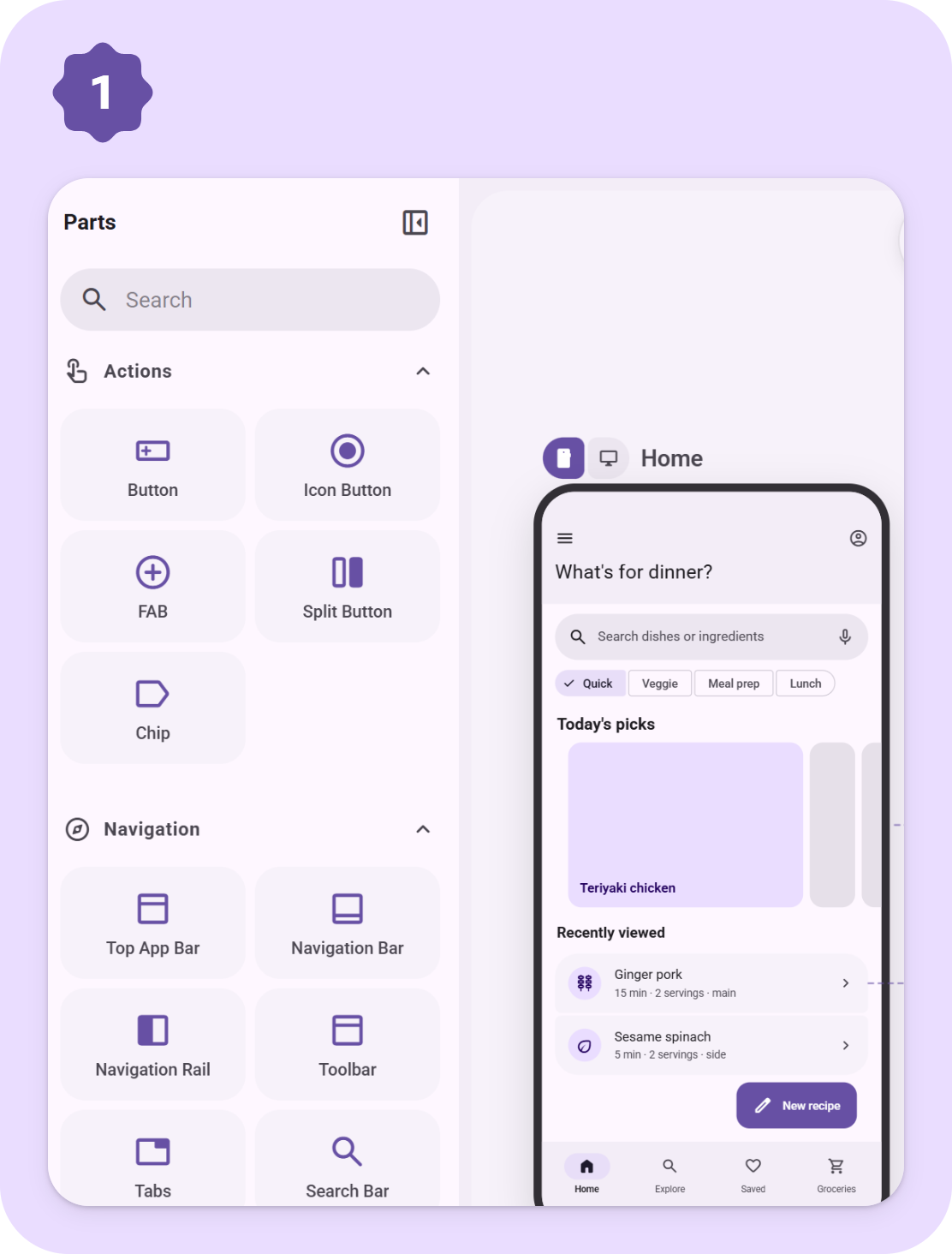
| Sketch Drag parts onto phone or desktop screens. They snap together and line up on a 4dp grid. |
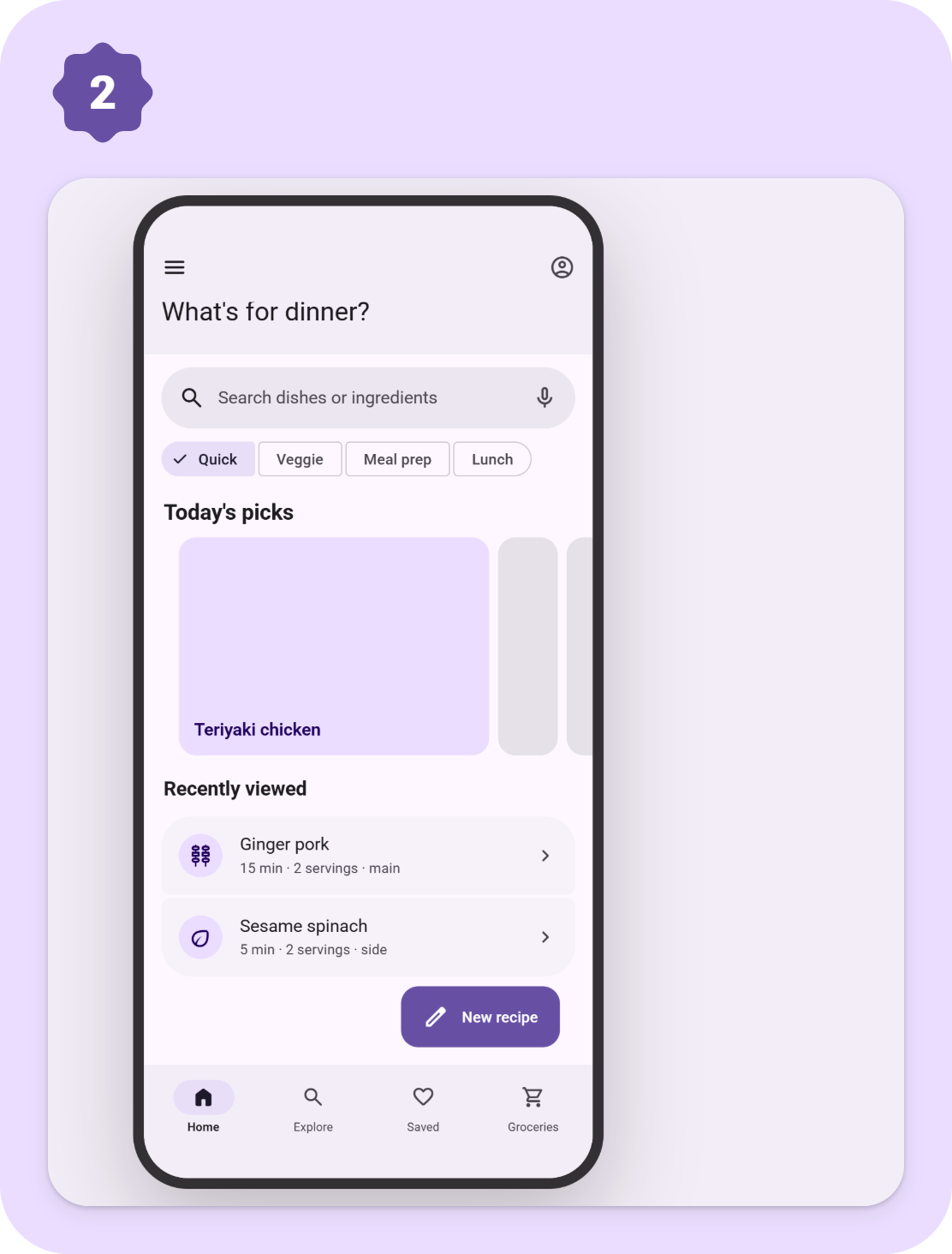
Tap through Link parts to screens and press Preview to try the flow, transitions included. |
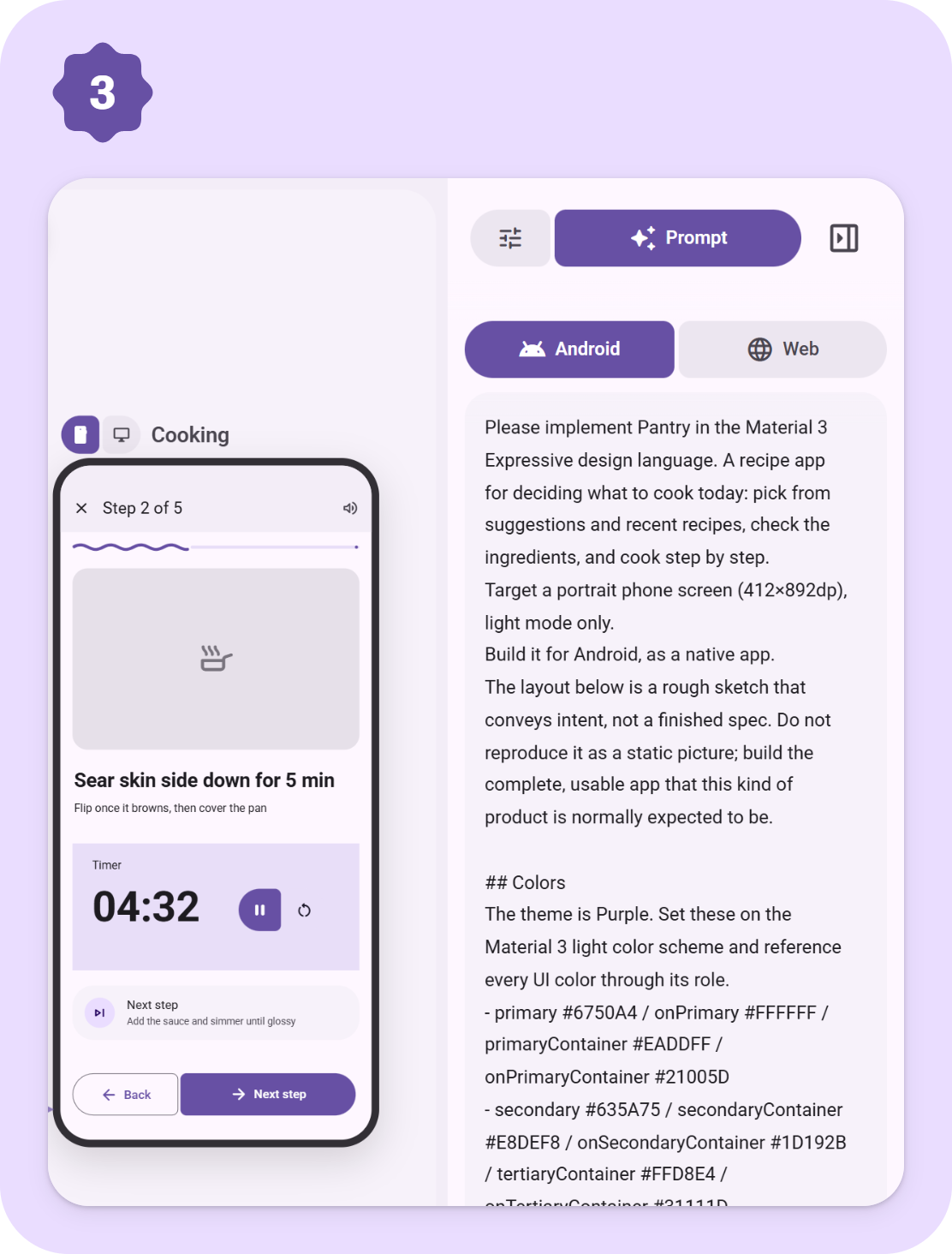
Copy the prompt The whole design becomes a short brief in your language. Paste it into your AI coding tool. |
 What's inside
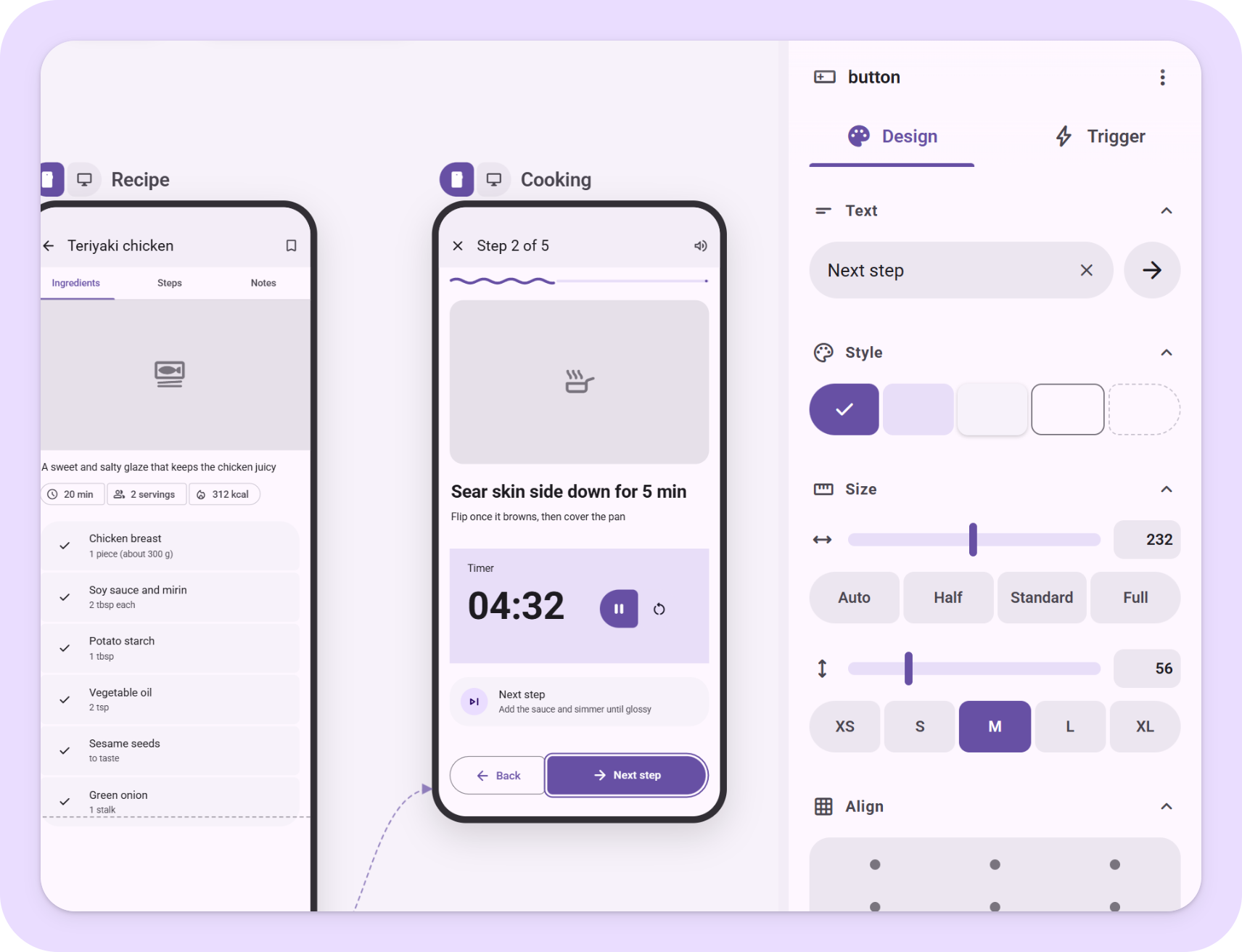
Real M3 Expressive partsButtons, FABs, bars, tabs, cards, lists, sheets, pickers, carousels, loading indicators and more, each with its own panel for text, style, size and what a tap does. |
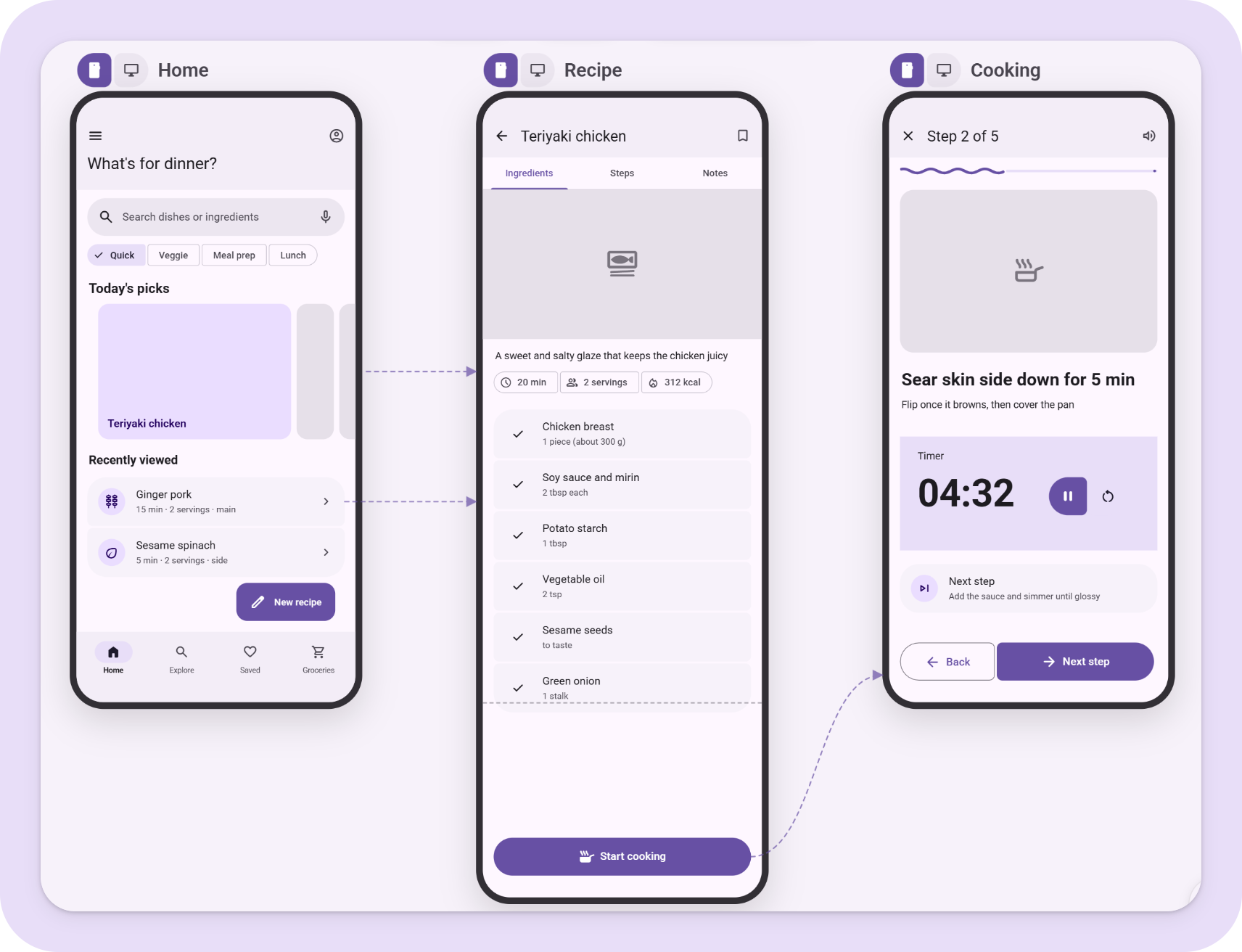
Screens and flowPhone and desktop screens, screens that scroll, taps and swipes that open other screens with the transition you pick, and arrows that show the whole flow. |
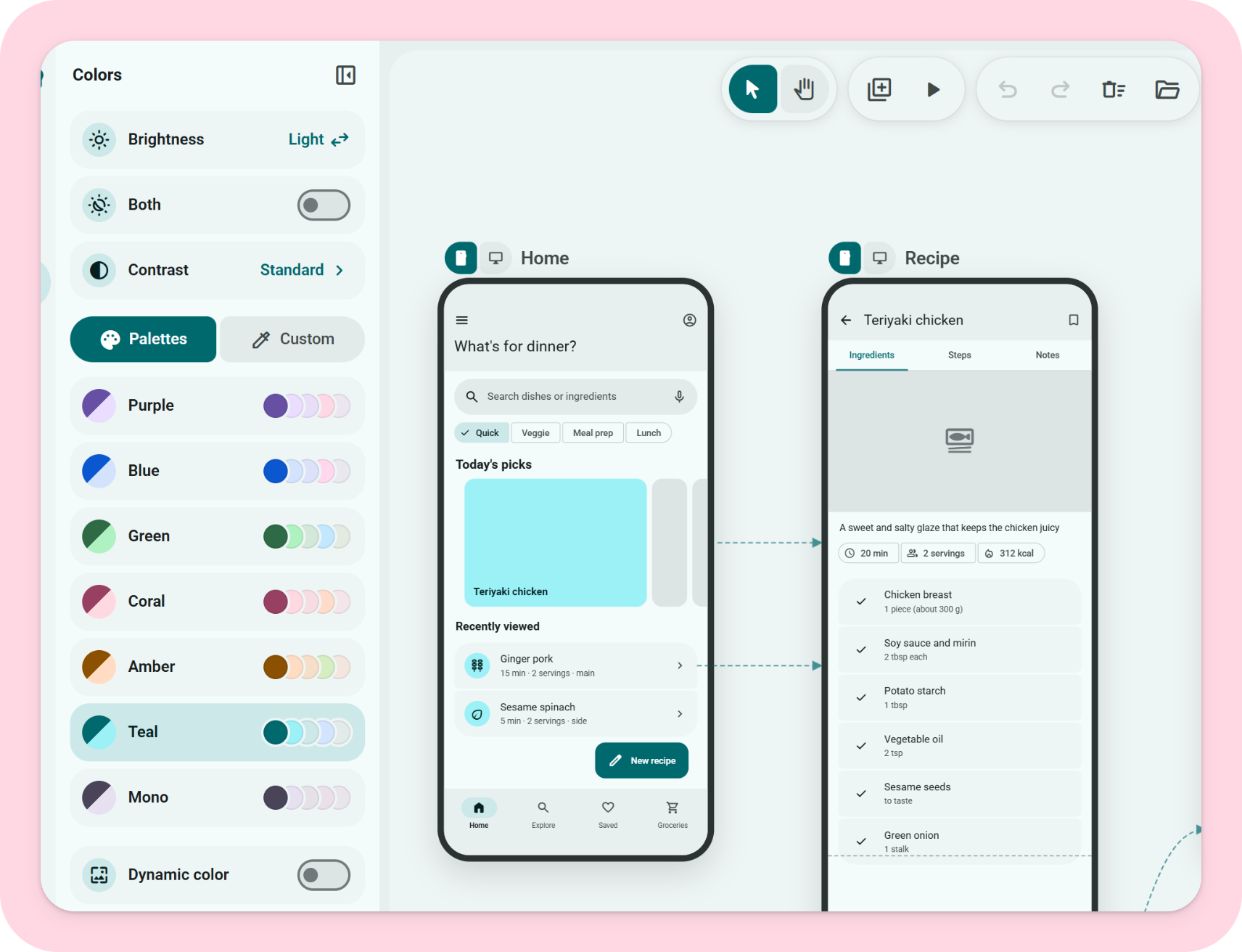
Theme in one placeColor, shape, type and motion: seven palettes or your own seed color, light and dark, three contrast levels, corner styles, fonts and the expressive spring motion. |
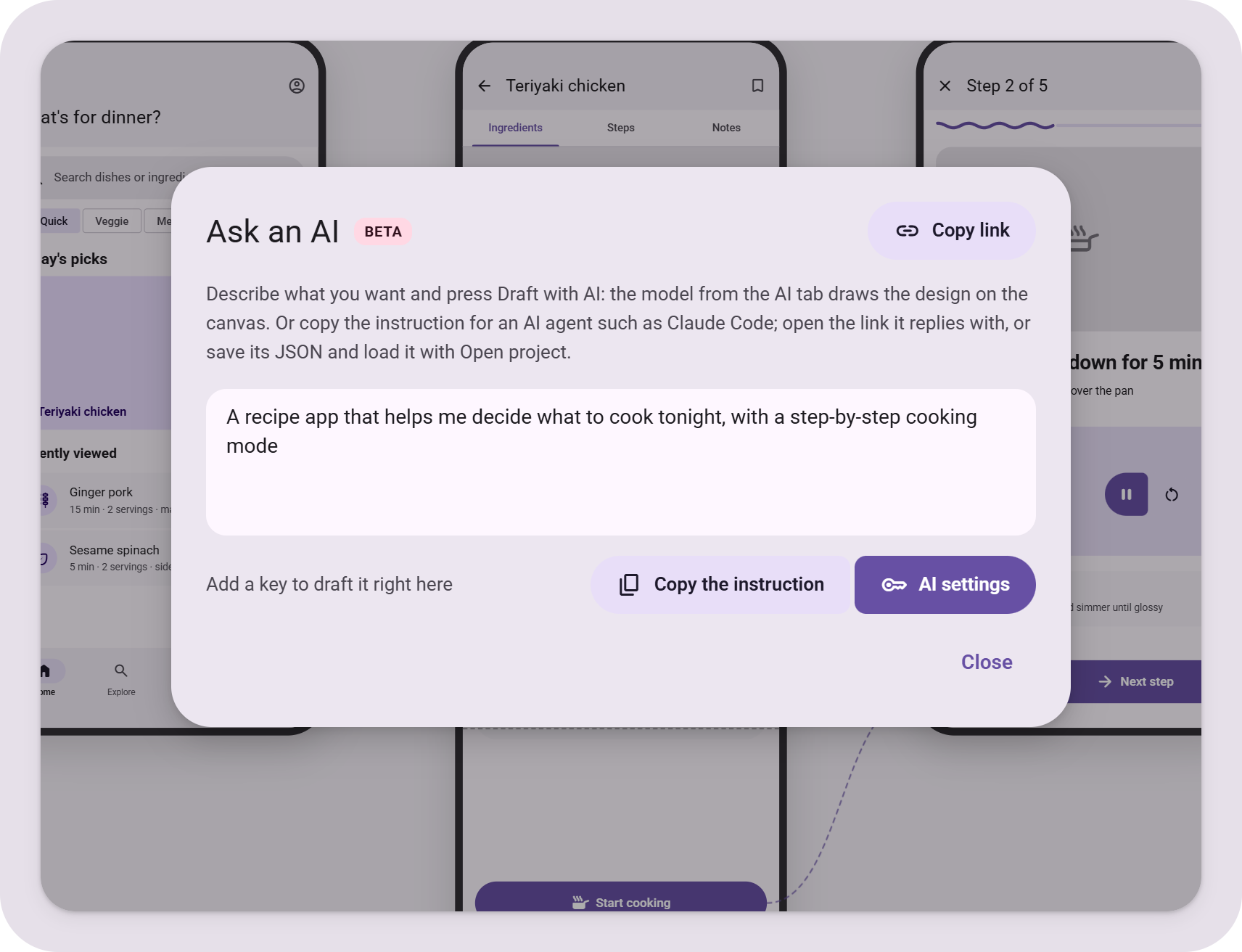
Optional AI helpBring your own key to draft a design or write notes for you, or copy an instruction for a coding agent that replies with a share link. Keys never leave your browser. |
 Keyboard
| Key | Action |
| --- | --- |
| `V` / `H` | Select / hand tool (hold `Space` to pan) |
| Wheel, `Ctrl` + wheel | Pan, zoom |
| `+` `-` `0` | Zoom in, zoom out, fit |
| `Ctrl+Z` / `Ctrl+Shift+Z` | Undo / redo |
| `Ctrl+C` / `Ctrl+V` | Copy / paste parts, also across screens |
| `Ctrl+D` | Duplicate |
| `Ctrl+G` / `Ctrl+Shift+G` | Group / ungroup |
| `Shift` + click | Add to the selection |
| Arrows (`Shift` = 8dp) | Nudge |
| `Ctrl` + drag | Move without snapping (no guides, no 4dp grid) |
| `Delete` | Delete part or screen |
| `P` | Preview |
##
Keyboard
| Key | Action |
| --- | --- |
| `V` / `H` | Select / hand tool (hold `Space` to pan) |
| Wheel, `Ctrl` + wheel | Pan, zoom |
| `+` `-` `0` | Zoom in, zoom out, fit |
| `Ctrl+Z` / `Ctrl+Shift+Z` | Undo / redo |
| `Ctrl+C` / `Ctrl+V` | Copy / paste parts, also across screens |
| `Ctrl+D` | Duplicate |
| `Ctrl+G` / `Ctrl+Shift+G` | Group / ungroup |
| `Shift` + click | Add to the selection |
| Arrows (`Shift` = 8dp) | Nudge |
| `Ctrl` + drag | Move without snapping (no guides, no 4dp grid) |
| `Delete` | Delete part or screen |
| `P` | Preview |
##  Run it locally
```bash
npm install
npm run dev # http://localhost:3000
npm run build # static export to ./out
```
The app is a static Next.js export. To host it under a sub-path (for example a GitHub Pages project site), set `NEXT_PUBLIC_BASE_PATH=/your-repo` at build time. `.github/workflows/deploy.yml` does this and publishes `out/` to GitHub Pages on every push to `main`.
##
Run it locally
```bash
npm install
npm run dev # http://localhost:3000
npm run build # static export to ./out
```
The app is a static Next.js export. To host it under a sub-path (for example a GitHub Pages project site), set `NEXT_PUBLIC_BASE_PATH=/your-repo` at build time. `.github/workflows/deploy.yml` does this and publishes `out/` to GitHub Pages on every push to `main`.
##  Contributing
Bug reports, part requests and pull requests are welcome. [CONTRIBUTING.md](CONTRIBUTING.md) explains the setup, the conventions (English comments, four languages for every string) and where each kind of change lives. Questions go to [Discussions](https://github.com/lnkiai/m3e-canvas/discussions).
##
Contributing
Bug reports, part requests and pull requests are welcome. [CONTRIBUTING.md](CONTRIBUTING.md) explains the setup, the conventions (English comments, four languages for every string) and where each kind of change lives. Questions go to [Discussions](https://github.com/lnkiai/m3e-canvas/discussions).
##  Support
M3E Canvas is free and MIT-licensed, and stays that way. If it saves you time, you can [sponsor the work on GitHub](https://github.com/sponsors/lnkiai); it pays for the hours that go into new parts, the prompt, and reviewing contributions. No feature is behind sponsorship.
Support
M3E Canvas is free and MIT-licensed, and stays that way. If it saves you time, you can [sponsor the work on GitHub](https://github.com/sponsors/lnkiai); it pays for the hours that go into new parts, the prompt, and reviewing contributions. No feature is behind sponsorship.


 Thanks
 to everyone who has contributed code, ideas and reviews:
Thanks
Thanks to everyone who has contributed code, ideas and reviews:











 Credits
- Loading indicator shapes and animation model: [material-components-android](https://github.com/material-components/material-components-android) (Apache-2.0) via [Aler1x/m3-loading-indicator](https://github.com/Aler1x/m3-loading-indicator). See `NOTICE`.
- Icons: [Material Symbols](https://fonts.google.com/icons) (Apache-2.0). Fonts are loaded from Google Fonts.
##
Credits
- Loading indicator shapes and animation model: [material-components-android](https://github.com/material-components/material-components-android) (Apache-2.0) via [Aler1x/m3-loading-indicator](https://github.com/Aler1x/m3-loading-indicator). See `NOTICE`.
- Icons: [Material Symbols](https://fonts.google.com/icons) (Apache-2.0). Fonts are loaded from Google Fonts.
##  See also
- [matraic/m3e](https://github.com/matraic/m3e) – Material 3 Expressive as Lit web components (MIT), with React bindings and an icon package. A good home for the screens you sketch here.
- [Beer CSS](https://www.beercss.com/) – Material Design 3 as a plain CSS framework (MIT). Another way to build the web version of a screen you sketch here.
##
See also
- [matraic/m3e](https://github.com/matraic/m3e) – Material 3 Expressive as Lit web components (MIT), with React bindings and an icon package. A good home for the screens you sketch here.
- [Beer CSS](https://www.beercss.com/) – Material Design 3 as a plain CSS framework (MIT). Another way to build the web version of a screen you sketch here.
##  Contact
For anything that does not fit an issue, such as collaboration or press, get in touch:
Contact
For anything that does not fit an issue, such as collaboration or press, get in touch:

 License
MIT © lnkiai
License
MIT © lnkiai