---
## What it does
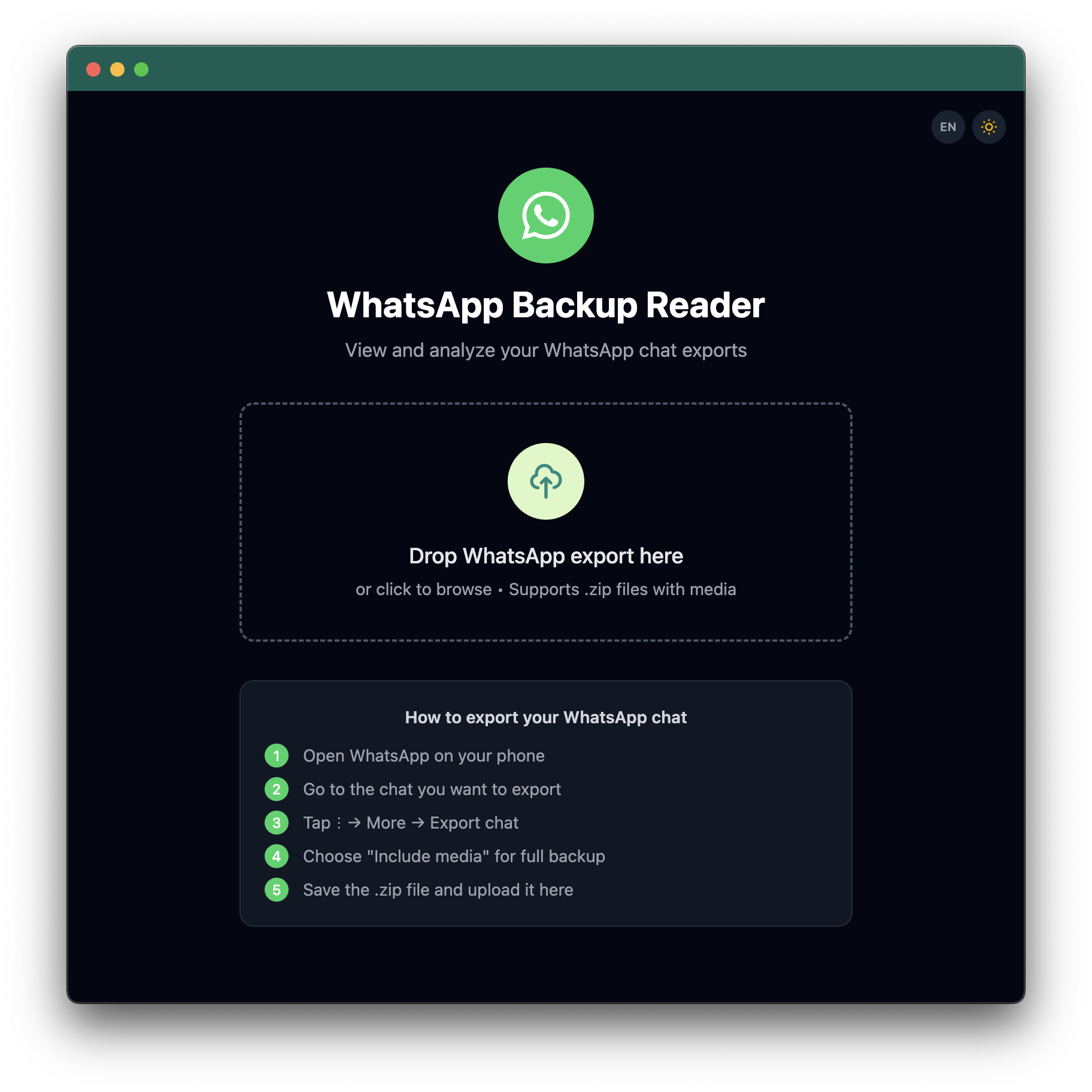
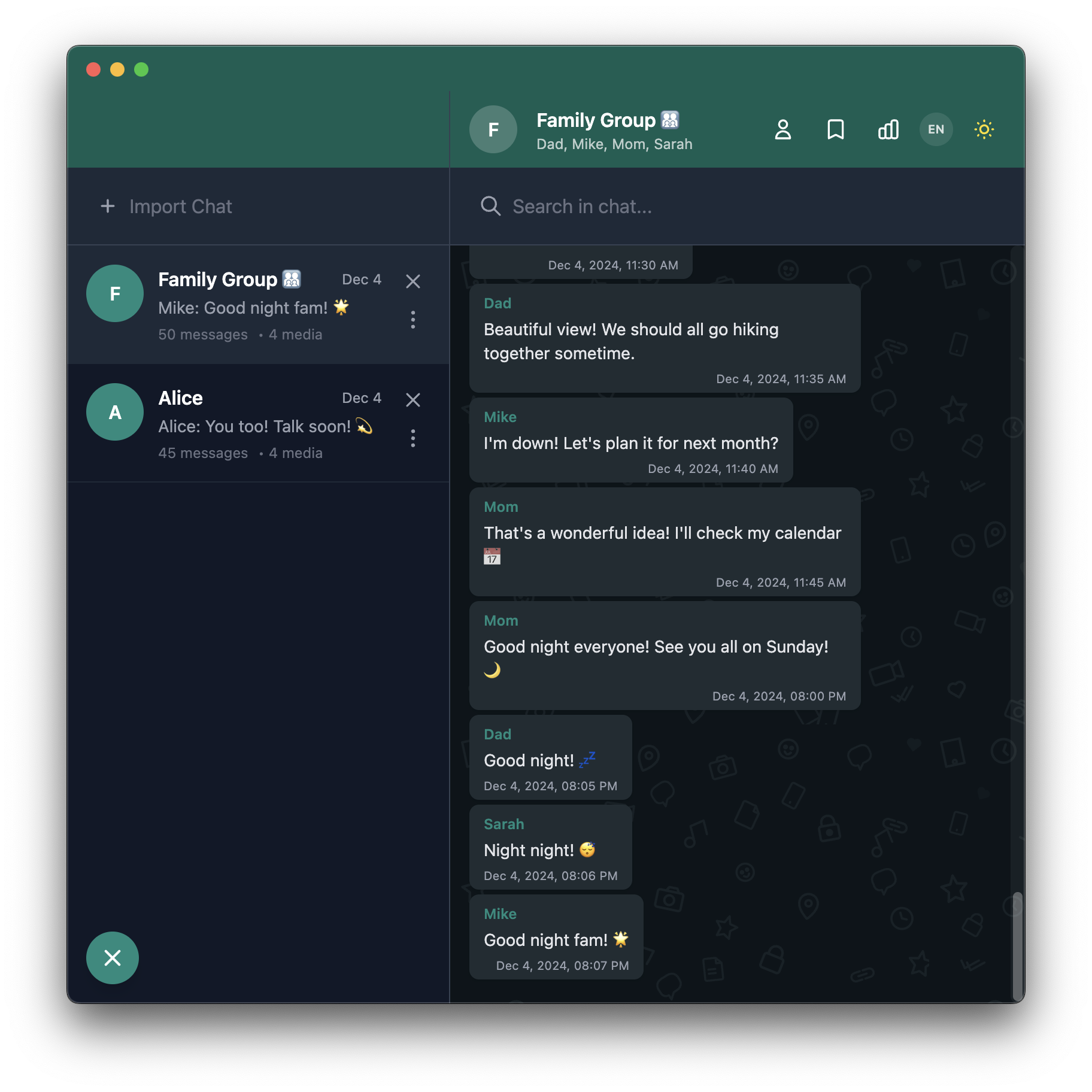
Drop a WhatsApp `.zip` export and browse your messages, photos, and voice notes. Works with big chats (tested with 10k+ messages).
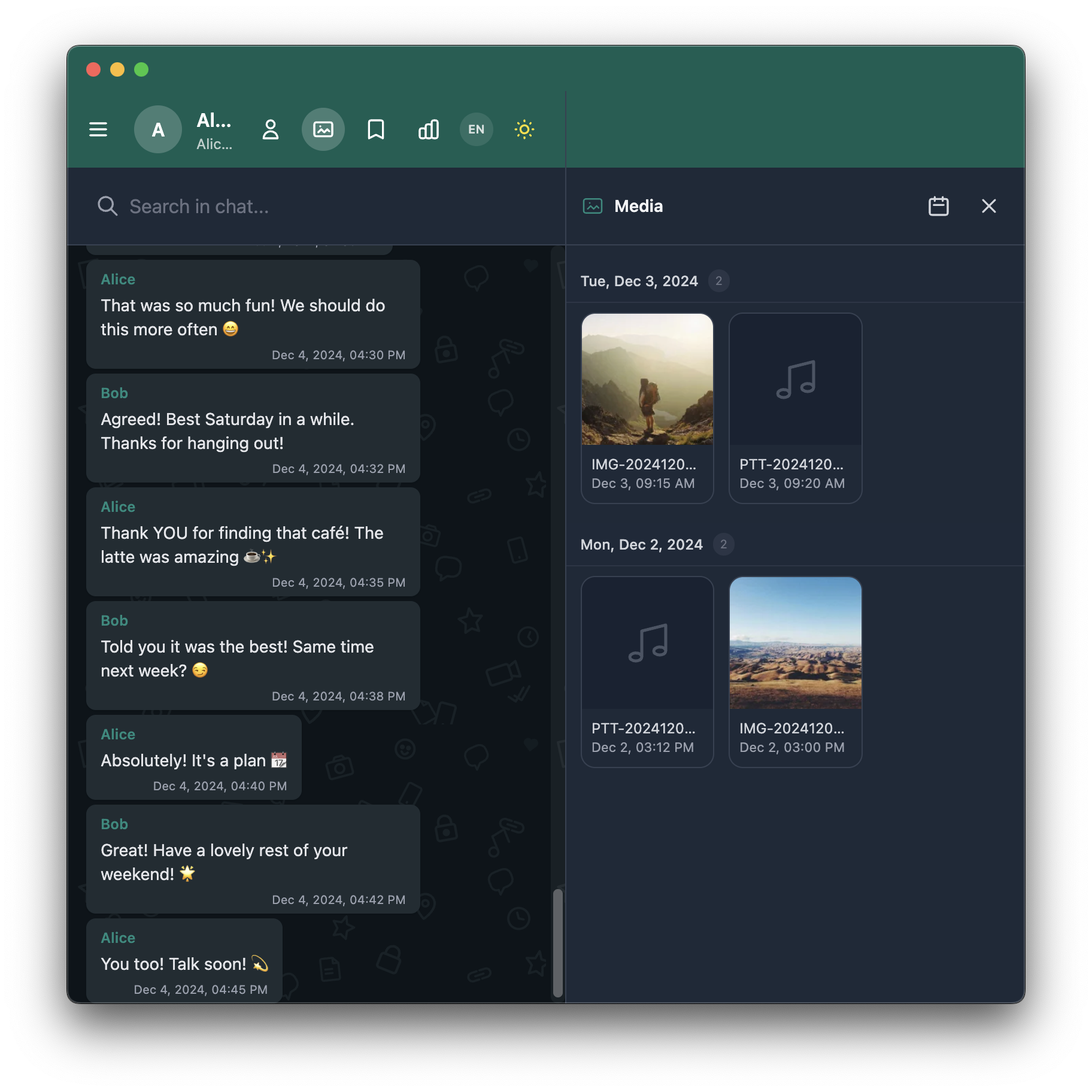
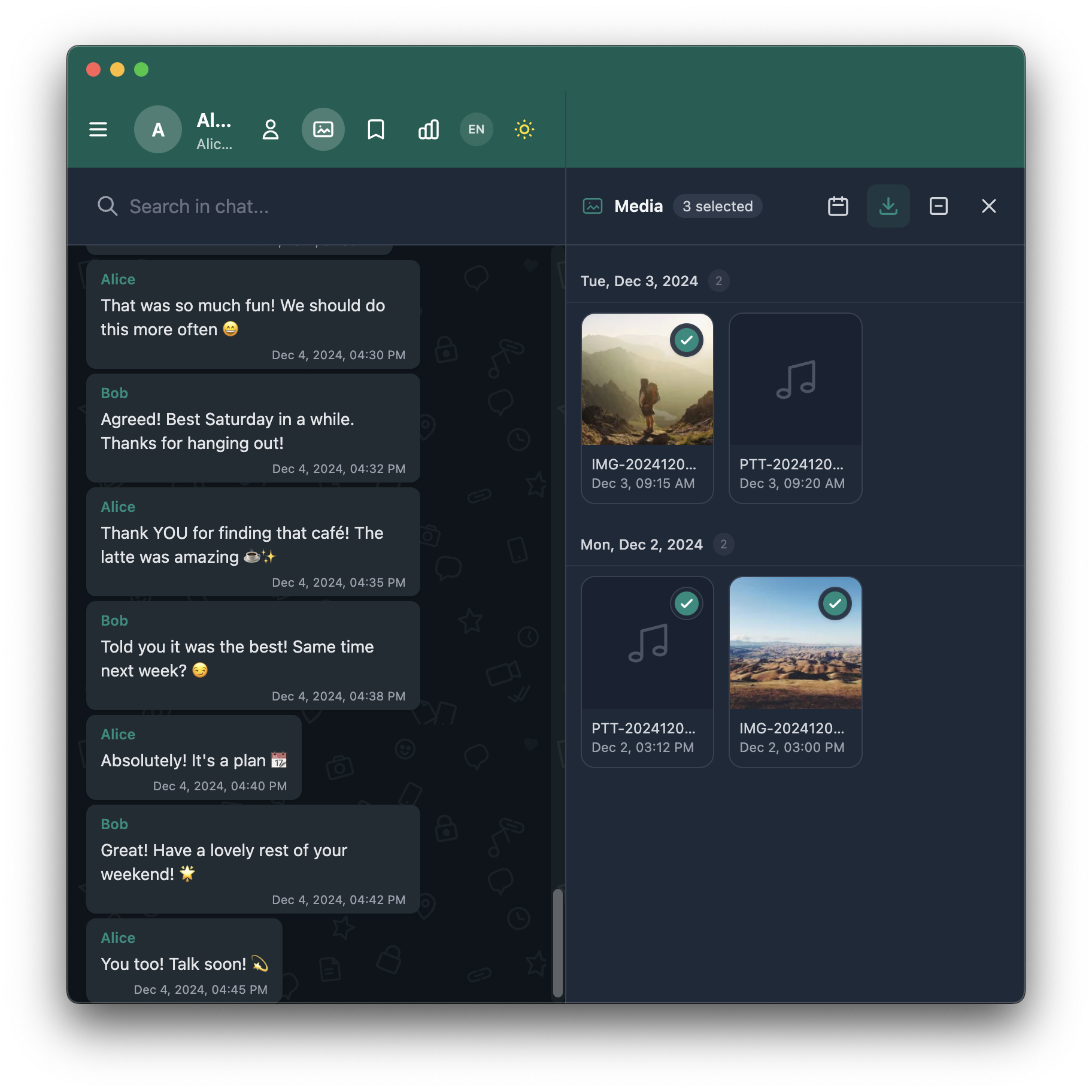
The **Media Gallery** gives you a visual overview of all photos, videos, and audio files organized by date. Select multiple items and download them as a ZIP file, or click any media to view it full-screen and jump to the original message.
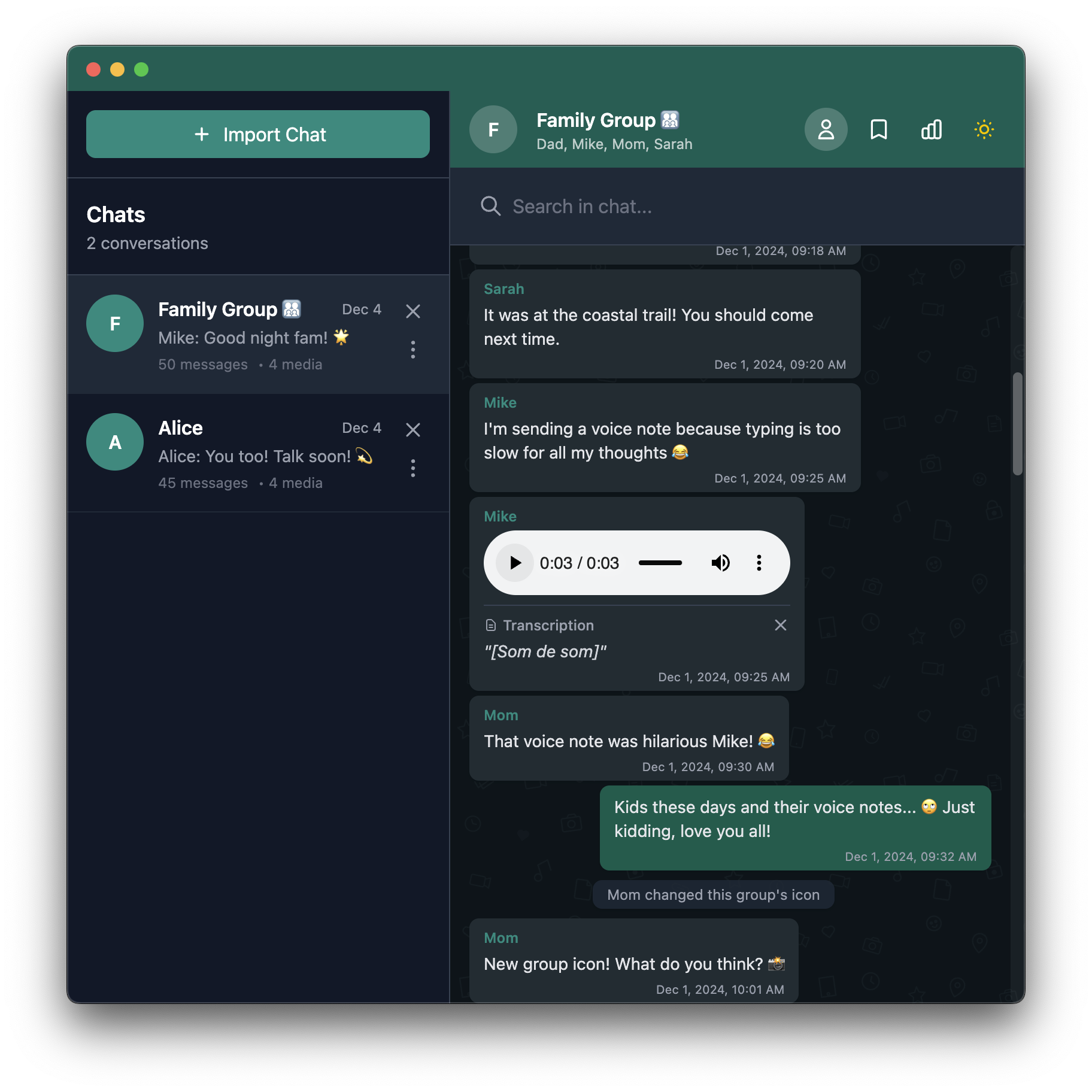
Voice messages can be transcribed using [Whisper](https://openai.com/research/whisper), which runs in your browser via WebGPU. No server, no API key needed.
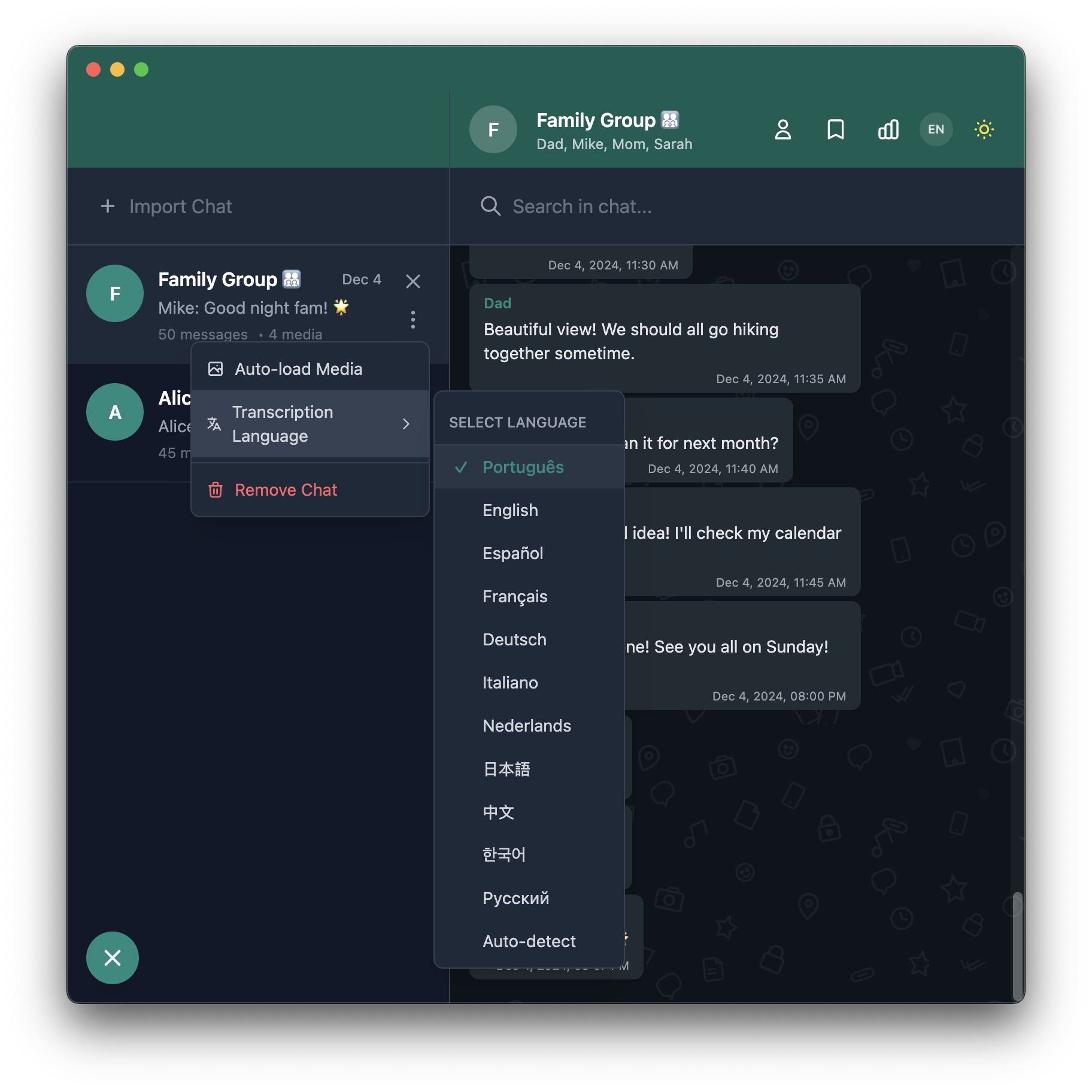
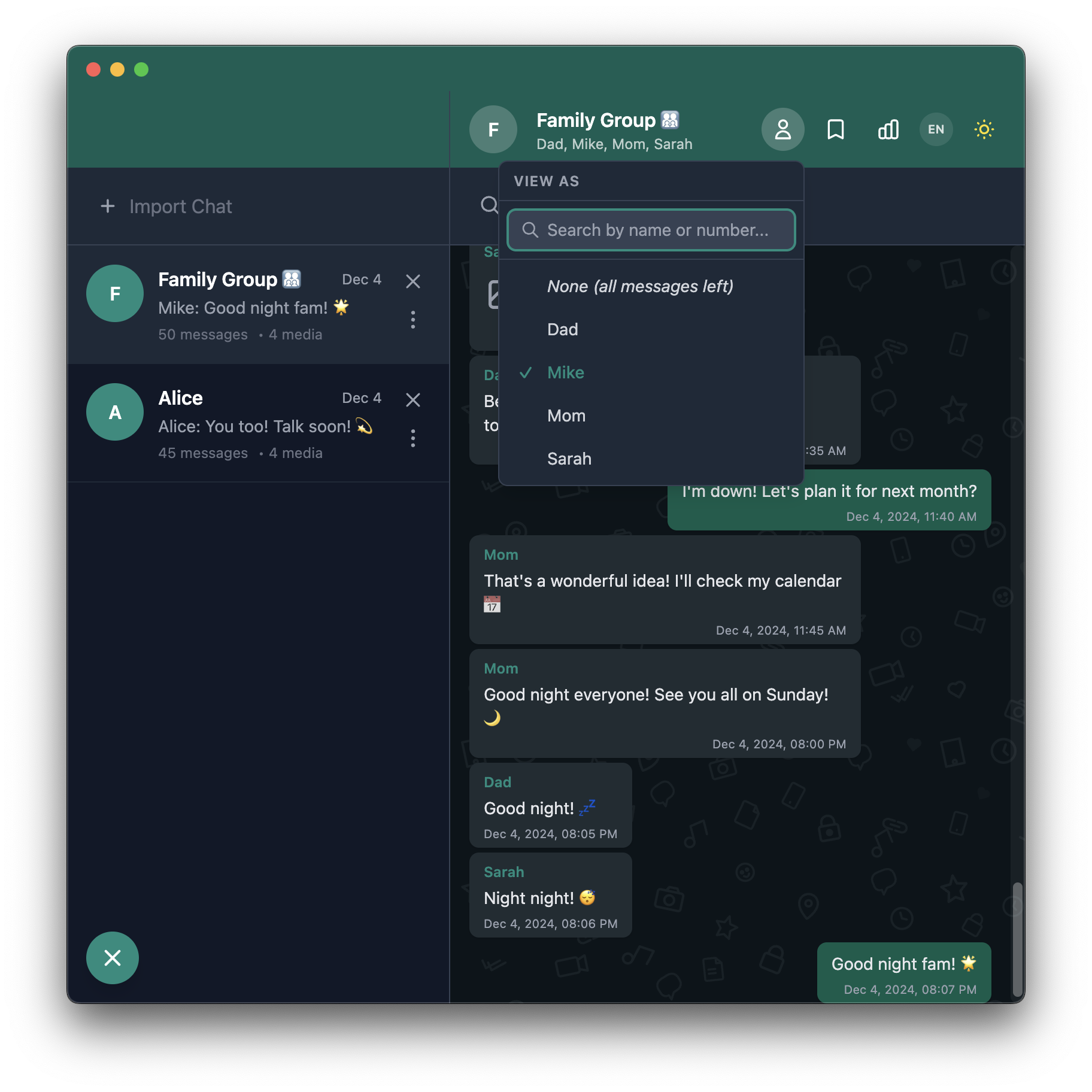
Screenshots
| Start Screen | Chat View |
|:---:|:---:|
| | |
| Chat Options | Perspective Mode |
|:---:|:---:|
| | |
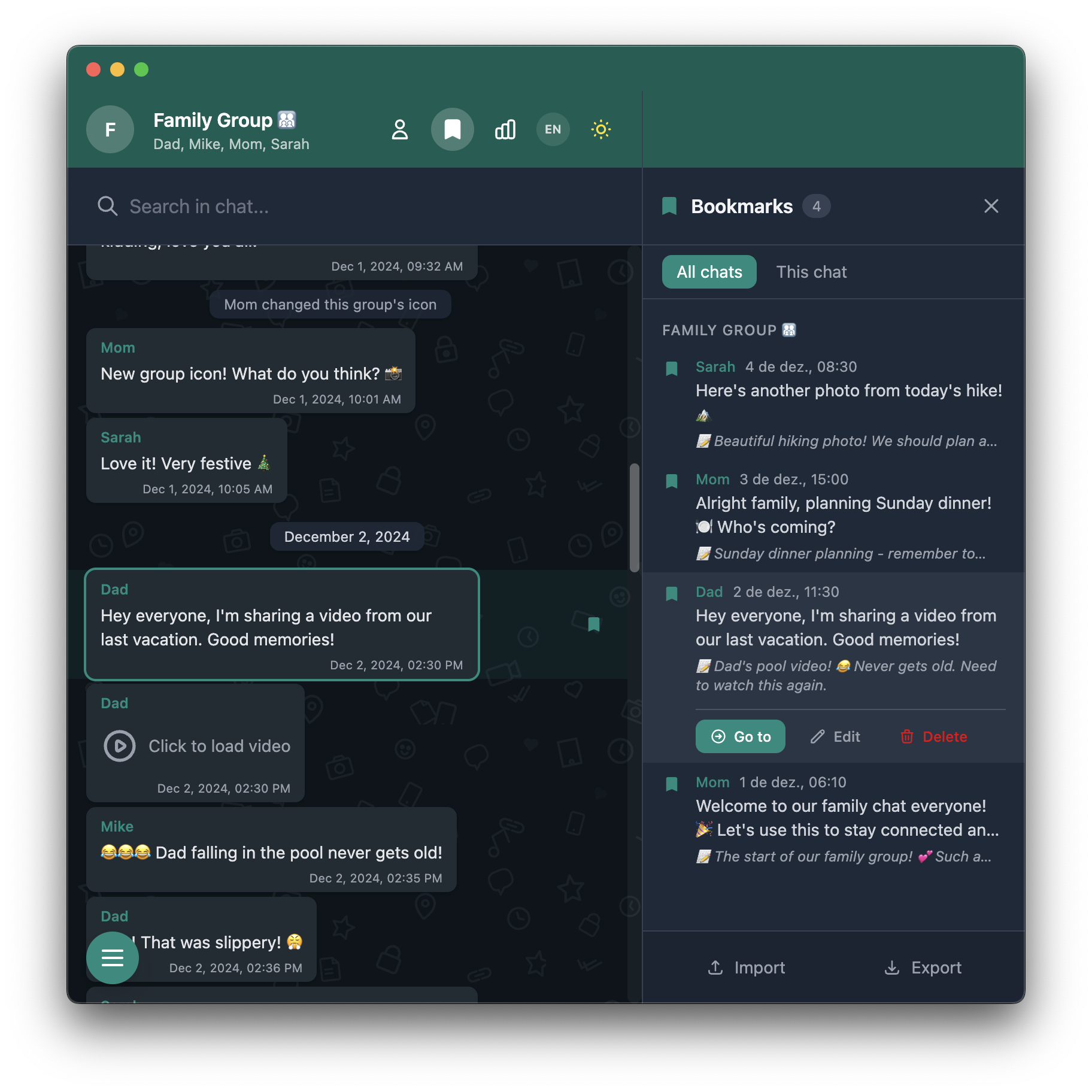
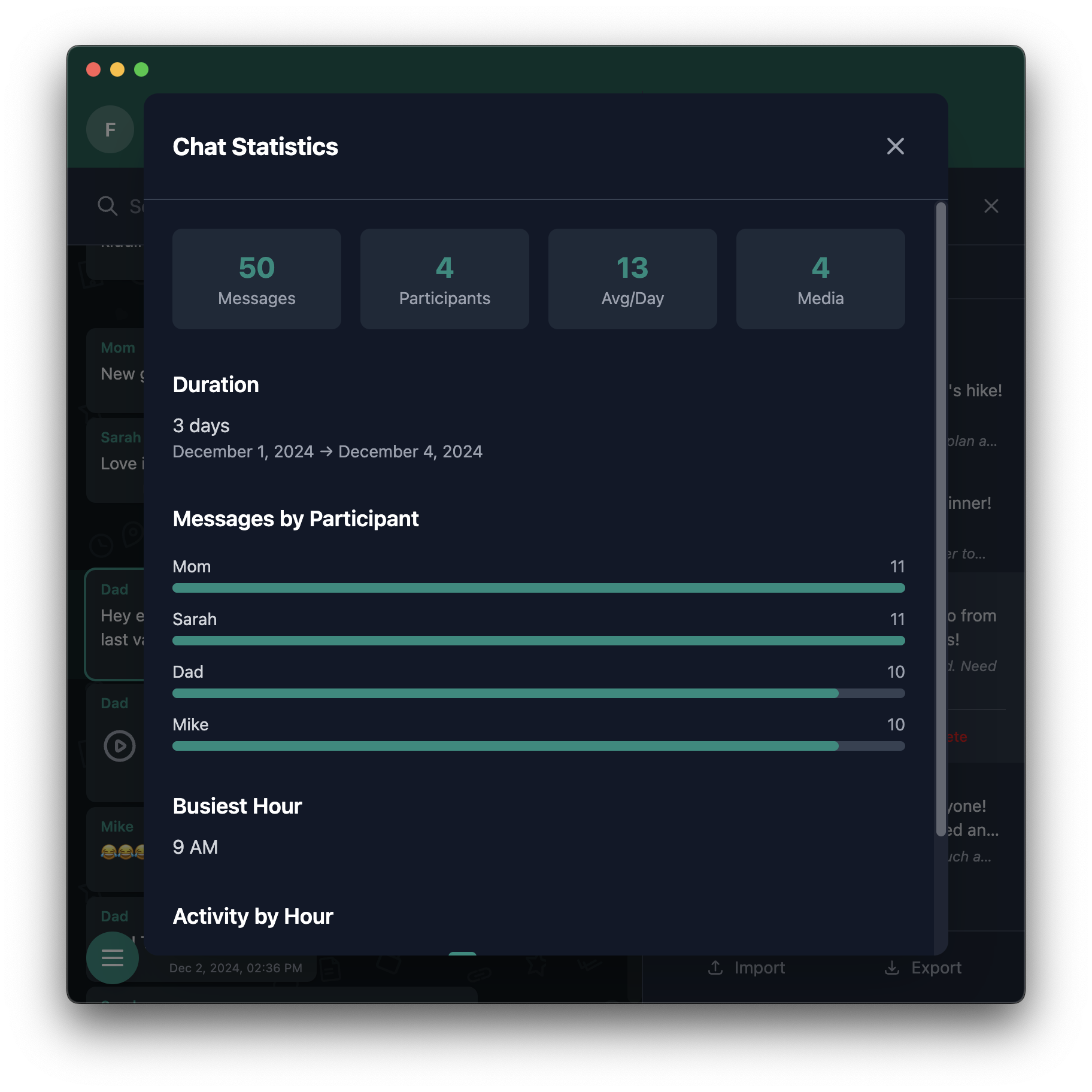
| Bookmarks | Statistics |
|:---:|:---:|
| | |
| Voice Transcription | Media Gallery |
|:---:|:---:|
| | |
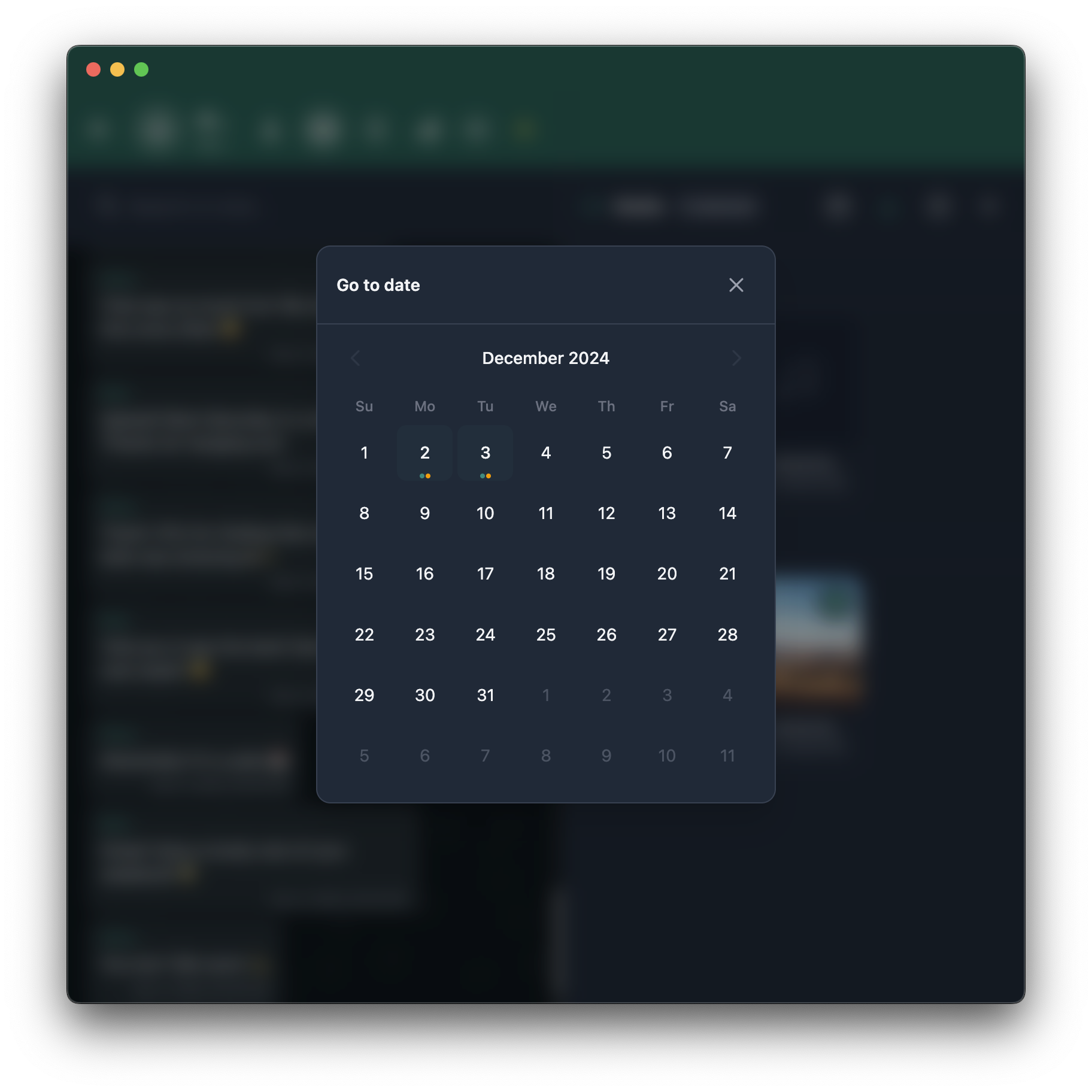
| Download Selected | Go to date |
|:---:|:---:|
| | |
---
## Download
Get the desktop app for your platform:
### Windows
- Download **WhatsApp-Backup-Reader-Setup-{version}.exe** from [latest release](https://github.com/rodrigogs/whats-reader/releases/latest)
- Run the installer and follow the setup wizard
- The app will auto-update when new versions are available
### macOS
- **Apple Silicon (M1/M2/M3)**: Download **WhatsApp-Backup-Reader-{version}-arm64.dmg**
- **Intel**: Download **WhatsApp-Backup-Reader-{version}.dmg**
- Open the DMG file and drag the app to Applications
- On first launch, right-click the app and select "Open" to bypass Gatekeeper
### Linux
- **Debian/Ubuntu**: Download **whats-reader_{version}_amd64.deb** or **whats-reader_{version}_arm64.deb**
```bash
sudo dpkg -i whats-reader_{version}_amd64.deb
```
- **Fedora/RHEL**: Download **whats-reader-{version}.x86_64.rpm** or **whats-reader-{version}.aarch64.rpm**
```bash
sudo rpm -i whats-reader-{version}.x86_64.rpm
```
- **Other distros (Arch, etc.)**: Download **WhatsApp-Backup-Reader-{version}.AppImage**
```bash
chmod +x WhatsApp-Backup-Reader-{version}.AppImage
./WhatsApp-Backup-Reader-{version}.AppImage
```
> **Or use the web version**: Visit [rodrigogs.github.io/whats-reader](https://rodrigogs.github.io/whats-reader) - no installation needed!
---
## Features
- **Media Gallery**: Browse all photos, videos, and audio in a thumbnail grid view
- Date-based organization with calendar navigation
- Bulk select and download as ZIP
- Lightbox preview with navigation back to original message
- **Auto-update**: Desktop app automatically checks and installs updates (Electron only)
- **Voice transcription**: Transcribe audio with Whisper (runs locally, 12+ languages)
- **Search**: Full-text search across messages and transcriptions
- **Bookmarks**: Save messages with notes, export/import as JSON
- **Perspective mode**: View the chat as any participant
- **Statistics**: Message counts, activity charts, timeline
- **Dark mode**: Follows system or toggle manually (preference saved)
- **Multi-language UI**: English, Portuguese, Spanish, French, German, Italian, Dutch, Japanese, Chinese, Russian
- **Desktop app**: macOS, Windows, Linux via Electron
---
## Quick Start
### Prerequisites
You need [Node.js](https://nodejs.org/) installed (version 18 or later). Download it from [nodejs.org](https://nodejs.org/) and run the installer.
To check if you have it:
```bash
node --version
```
### Running the app
1. Clone or download this project
2. Open a terminal in the project folder
3. Run these commands:
```bash
npm install
npm run dev
```
4. Open [localhost:5173](http://localhost:5173) in your browser
5. Drag and drop your WhatsApp `.zip` file into the page
### Desktop app (optional)
If you prefer a standalone app instead of using your browser:
```bash
npm run electron:dev # run in dev mode
npm run electron:build # create an installer for your OS
```
Platform-specific builds:
```bash
npm run electron:build:mac # macOS (dmg, zip)
npm run electron:build:win # Windows (nsis, portable)
npm run electron:build:linux # Linux (deb, rpm, AppImage)
```
---
## How to Export from WhatsApp
First, you need to export a chat from WhatsApp on your phone. This creates a `.zip` file containing your messages and media.
### iPhone
1. Open WhatsApp and go to any chat
2. Tap the contact or group name at the top of the screen
3. Scroll down and tap **Export Chat**
4. Choose **Attach Media** to include photos, videos, and voice messages
5. Save the file (you can AirDrop it to your Mac, save to Files, or email it to yourself)
### Android
1. Open WhatsApp and go to any chat
2. Tap the three dots **⋮** in the top right corner
3. Tap **More** → **Export chat**
4. Choose **Include media**
5. Save or share the `.zip` file to your computer
### Tips
- Large chats may take a few minutes to export
- The file will be named something like `WhatsApp Chat with John.zip`
- Both individual and group chats work
---
## Privacy & Security
This app is designed with privacy as the top priority. Your WhatsApp data never leaves your device.
### Why it's secure
- **100% Offline**: The app works entirely without internet. No servers, no cloud, no data transmission.
- **Local processing**: All parsing, search, and analysis happens in your browser or Electron app.
- **Local AI**: Voice transcription uses [Whisper](https://openai.com/research/whisper) running locally via WebGPU. No audio is sent to any server or API.
- **No tracking**: Zero analytics, telemetry, or third-party scripts. No Google Analytics, no cookies.
- **No account required**: No registration, no login, no personal data collected.
- **Open source**: The entire codebase is public under [AGPL-3.0](LICENSE). Anyone can audit it.
### How to verify
Don't just trust us. Verify it yourself:
1. **Read the source code**
Browse the [GitHub repository](https://github.com/rodrigogs/whats-reader). The main logic is in `src/lib/` and `src/routes/`.
2. **Check network requests**
Open the browser's DevTools (F12) → Network tab → Use the app. You'll see **zero external requests** (except initial page load if using web version).
3. **Test offline**
Disconnect from the internet, then use the app. Everything works because nothing requires a connection.
4. **Build from source**
Clone the repo and build it yourself:
```bash
git clone https://github.com/rodrigogs/whats-reader.git
cd whats-reader
npm install
npm run build
```
5. **Audit the Electron app**
The desktop app uses the same web code. Check `electron/main.cjs` and `electron/preload.cjs`. They only handle window management and file dialogs.
---
## Development
### Scripts
| Command | Description |
|---------|-------------|
| `npm run dev` | Start dev server at [localhost:5173](http://localhost:5173) |
| `npm run build` | Build for production |
| `npm run preview` | Preview production build |
| `npm run check` | Type check with svelte-check |
| `npm run check:watch` | Type check in watch mode |
| `npm run lint` | Lint with Biome |
| `npm run lint:fix` | Auto-fix lint issues |
| `npm run format` | Format code with Biome |
| `npm run electron` | Build and run Electron app |
| `npm run electron:dev` | Run Electron in dev mode |
| `npm run electron:build` | Build Electron installer |
| `npm run electron:build:mac` | Build for macOS |
| `npm run electron:build:win` | Build for Windows |
| `npm run electron:build:linux` | Build for Linux |
| `npm run machine-translate` | Auto-translate with inlang |
### Adding translations
Translation files are in `messages/`. To add a new language:
1. Copy `messages/en.json` to `messages/{locale}.json`
2. Translate the strings
3. Add the locale to `project.inlang/settings.json`
---
## Built with
- [SvelteKit](https://kit.svelte.dev) + [Svelte 5](https://svelte.dev) - Framework
- [Tailwind CSS 4](https://tailwindcss.com) - Styling
- [Electron](https://electronjs.org) - Desktop app
- [Transformers.js](https://huggingface.co/docs/transformers.js) - Whisper AI for transcription
- [JSZip](https://stuk.github.io/jszip/) - ZIP file handling
- [Paraglide JS](https://inlang.com/m/gerre34r/library-inlang-paraglideJs) - Internationalization
---
## Contributing
Found a bug or have an idea? [Open an issue](https://github.com/rodrigogs/whats-reader/issues) on GitHub.
Want to contribute code? Fork the repo, make your changes, and open a pull request.
There are example chat files in `examples/chats/` you can use for testing.
---
## Star History
---
## License
[AGPL-3.0](LICENSE). You can use, modify, and distribute this software freely. If you modify it and run it as a service or distribute it, you must share your source code under the same license.






-00A67E?style=flat-square&logo=openai&logoColor=white)

 |
|  |
| Chat Options | Perspective Mode |
|:---:|:---:|
|
|
| Chat Options | Perspective Mode |
|:---:|:---:|
|  |
|  |
| Bookmarks | Statistics |
|:---:|:---:|
|
|
| Bookmarks | Statistics |
|:---:|:---:|
|  |
|  |
| Voice Transcription | Media Gallery |
|:---:|:---:|
|
|
| Voice Transcription | Media Gallery |
|:---:|:---:|
|  |
|  |
| Download Selected | Go to date |
|:---:|:---:|
|
|
| Download Selected | Go to date |
|:---:|:---:|
|  |
|  |
|