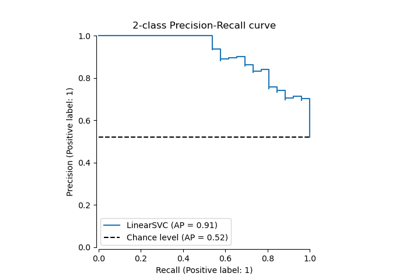
PrecisionRecallDisplay#
- class sklearn.metrics.PrecisionRecallDisplay(precision, recall, *, average_precision=None, name=None, pos_label=None, prevalence_pos_label=None, estimator_name='deprecated')[source]#
Precision Recall visualization.
It is recommended to use
from_estimatororfrom_predictionsto create aPrecisionRecallDisplay. All parameters are stored as attributes.For general information regarding
scikit-learnvisualization tools, see the Visualization Guide. For guidance on interpreting these plots, refer to the Model Evaluation Guide.- Parameters:
- precisionndarray or list of ndarrays
Precision values. Each ndarray should contain values for a single curve. If plotting multiple curves, list should be of same length as
recall.Changed in version 1.9: Now accepts a list for plotting multiple curves.
- recallndarray or list of ndarrays
Recall values. Each ndarray should contain values for a single curve. If plotting multiple curves, list should be of same length as
precision.Changed in version 1.9: Now accepts a list for plotting multiple curves.
- average_precisionfloat or list of floats, default=None
Average precision, used for labeling each curve in the legend. If plotting multiple curves, should be a list of the same length as
precisionandrecall. IfNone, average precision values are not shown in the legend.Changed in version 1.9: Now accepts a list for plotting multiple curves.
- namestr or list of str, default=None
Name for labeling legend entries. The number of legend entries is determined by the
curve_kwargspassed toplot, and is not affected byname.If a string is provided, it will be used to either label the single legend entry or if there are multiple legend entries, label each individual curve with the same name.
If a list is provided, it will be used to label each curve individually. Passing a list will raise an error if
curve_kwargsis not a list to avoid labeling individual curves that have the same appearance.If
None, no name is shown in the legend.Changed in version 1.8:
estimator_namewas deprecated in favor ofname.Changed in version 1.9:
namecan now take a list of str for multiple curves.- pos_labelint, float, bool or str, default=None
The class considered the positive class when precision and recall metrics computed. If not
None, this value is displayed in the x- and y-axes labels.- prevalence_pos_labelfloat or list of floats, default=None
The prevalence of the positive label. It is used for plotting the chance level lines. If None, no chance level line will be plotted even if
plot_chance_levelis set to True when plotting.Added in version 1.3.
Changed in version 1.9: May now be list of floats for when multiple curves plotted.
- estimator_namestr, default=None
Name of estimator. If None, the estimator name is not shown.
Deprecated since version 1.8:
estimator_nameis deprecated and will be removed in 1.10. Usenameinstead.
- Attributes:
- line_matplotlib Artist or list of Artists
Precision recall curve(s).
Changed in version 1.9: This attribute can now be a list of Artists, for when multiple curves are plotted.
- chance_level_matplotlib Artist or list of Artists or None
Chance level line(s). It is
Noneif the chance level is not plotted.Added in version 1.3.
Changed in version 1.9: This attribute can now be a list of Artists, for when multiple curves are plotted.
- ax_matplotlib Axes
Axes with precision recall curve.
- figure_matplotlib Figure
Figure containing the curve.
See also
precision_recall_curveCompute precision-recall pairs for different probability thresholds.
PrecisionRecallDisplay.from_estimatorPlot Precision Recall Curve given a binary classifier.
PrecisionRecallDisplay.from_predictionsPlot Precision Recall Curve using predictions from a binary classifier.
Notes
The average precision (cf.
average_precision_score) in scikit-learn is computed without any interpolation. To be consistent with this metric, the precision-recall curve is plotted without any interpolation as well (step-wise style).To enable interpolation, pass
curve_kwargs={"drawstyle": "default"}to meth:plot,from_estimator, orfrom_predictions. However, the curve will not be strictly consistent with the reported average precision.Examples
>>> import matplotlib.pyplot as plt
>>> from sklearn.datasets import make_classification
>>> from sklearn.metrics import (precision_recall_curve,
...                              PrecisionRecallDisplay)
>>> from sklearn.model_selection import train_test_split
>>> from sklearn.svm import SVC
>>> X, y = make_classification(random_state=0)
>>> X_train, X_test, y_train, y_test = train_test_split(X, y,
...                                                     random_state=0)
>>> clf = SVC(random_state=0)
>>> clf.fit(X_train, y_train)
SVC(random_state=0)
>>> predictions = clf.predict(X_test)
>>> precision, recall, _ = precision_recall_curve(y_test, predictions)
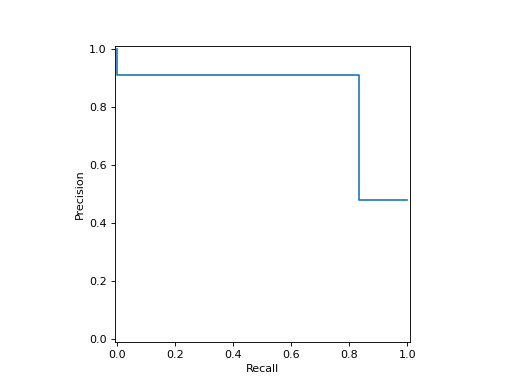
>>> disp = PrecisionRecallDisplay(precision=precision, recall=recall)
>>> disp.plot()
<...>
>>> plt.show()
- classmethod from_cv_results(cv_results, X, y, *, sample_weight=None, drop_intermediate=True, response_method='auto', pos_label=None, name=None, ax=None, curve_kwargs=None, plot_chance_level=False, chance_level_kwargs=None, despine=False)[source]#
Plot multi-fold precision-recall curves given cross-validation results.
Added in version 1.9.
- Parameters:
- cv_resultsdict
Dictionary as returned by
cross_validateusingreturn_estimator=Trueandreturn_indices=True(i.e., dictionary should contain the keys “estimator” and “indices”).- X{array-like, sparse matrix} of shape (n_samples, n_features)
Input values.
- yarray-like of shape (n_samples,)
Target values.
- sample_weightarray-like of shape (n_samples,), default=None
Sample weights.
- drop_intermediatebool, default=True
Whether to drop some suboptimal thresholds which would not appear on a plotted precision-recall curve. This is useful in order to create lighter precision-recall curves.
- response_method{‘predict_proba’, ‘decision_function’, ‘auto’} default=’auto’
Specifies whether to use predict_proba or decision_function as the target response. If set to ‘auto’, predict_proba is tried first and if it does not exist decision_function is tried next.
- pos_labelint, float, bool or str, default=None
The class considered as the positive class when computing the precision and recall metrics. By default,
estimators.classes_[1]is considered as the positive class.- namestr or list of str, default=None
Name for labeling legend entries. The number of legend entries is determined by
curve_kwargs, and is not affected byname.If a string is provided, it will be used to either label the single legend entry or if there are multiple legend entries, label each individual curve with the same name.
If a list is provided, it will be used to label each curve individually. Passing a list will raise an error if
curve_kwargsis not a list to avoid labeling individual curves that have the same appearance.If
None, no name is shown in the legend.- axmatplotlib axes, default=None
Axes object to plot on. If
None, a new figure and axes is created.- curve_kwargsdict or list of dict, default=None
Dictionary with keywords passed to the matplotlib’s
plotfunction to draw the individual precision-recall curves. If a list is provided, the parameters are applied to the precision-recall curves of each CV fold sequentially. If a single dictionary is provided, the same parameters are applied to all precision-recall curves.- plot_chance_levelbool, default=False
Whether to plot the chance level lines.
- chance_level_kwargsdict, default=None
Keyword arguments to be passed to matplotlib’s
plotfor rendering the chance level lines.- despinebool, default=False
Whether to remove the top and right spines from the plot.
- Returns:
- display
PrecisionRecallDisplay
- display
See also
PrecisionRecallDisplay.from_predictionsPlot precision-recall curve using estimated probabilities or output of decision function.
PrecisionRecallDisplay.from_estimatorPlot precision-recall curve using an estimator.
precision_recall_curveCompute precision-recall pairs for different probability thresholds.
average_precision_scoreCompute average precision (AP) from prediction scores.
Notes
The average precision (cf.
average_precision_score) in scikit-learn is computed without any interpolation. To be consistent with this metric, the precision-recall curve is plotted without any interpolation as well (step-wise style).To enable interpolation, pass
curve_kwargs={"drawstyle": "default"}. However, the curve will not be strictly consistent with the reported average precision.Examples
>>> import matplotlib.pyplot as plt
>>> from sklearn.datasets import make_classification
>>> from sklearn.metrics import PrecisionRecallDisplay
>>> from sklearn.model_selection import cross_validate
>>> from sklearn.svm import SVC
>>> X, y = make_classification(random_state=0)
>>> clf = SVC(random_state=0)
>>> cv_results = cross_validate(
...     clf, X, y, cv=3, return_estimator=True, return_indices=True)
>>> PrecisionRecallDisplay.from_cv_results(cv_results, X, y)
<...>
>>> plt.show()
- classmethod from_estimator(estimator, X, y, *, sample_weight=None, drop_intermediate=False, response_method='auto', pos_label=None, name=None, ax=None, curve_kwargs=None, plot_chance_level=False, chance_level_kw=None, despine=False, **kwargs)[source]#
Plot precision-recall curve given an estimator and some data.
For general information regarding
scikit-learnvisualization tools, see the Visualization Guide. For guidance on interpreting these plots, refer to the Model Evaluation Guide.- Parameters:
- estimatorestimator instance
Fitted classifier or a fitted
Pipelinein which the last estimator is a classifier.- X{array-like, sparse matrix} of shape (n_samples, n_features)
Input values.
- yarray-like of shape (n_samples,)
Target values.
- sample_weightarray-like of shape (n_samples,), default=None
Sample weights.
- drop_intermediatebool, default=False
Whether to drop some suboptimal thresholds which would not appear on a plotted precision-recall curve. This is useful in order to create lighter precision-recall curves.
Added in version 1.3.
- response_method{‘predict_proba’, ‘decision_function’, ‘auto’}, default=’auto’
Specifies whether to use predict_proba or decision_function as the target response. If set to ‘auto’, predict_proba is tried first and if it does not exist decision_function is tried next.
- pos_labelint, float, bool or str, default=None
The class considered as the positive class when computing the precision and recall metrics. By default,
estimators.classes_[1]is considered as the positive class.- namestr, default=None
Name for labeling curve. If
None, no name is used.- axmatplotlib axes, default=None
Axes object to plot on. If
None, a new figure and axes is created.- curve_kwargsdict, default=None
Keywords arguments to be passed to matplotlib’s
plotfunction.Added in version 1.9.
- plot_chance_levelbool, default=False
Whether to plot the chance level. The chance level is the prevalence of the positive label computed from the data passed during
from_estimatororfrom_predictionscall.Added in version 1.3.
- chance_level_kwdict, default=None
Keyword arguments to be passed to matplotlib’s
plotfor rendering the chance level line.Added in version 1.3.
- despinebool, default=False
Whether to remove the top and right spines from the plot.
Added in version 1.6.
- **kwargsdict
Keyword arguments to be passed to matplotlib’s
plot.Deprecated since version 1.9: kwargs is deprecated and will be removed in 1.11. Pass matplotlib arguments to
curve_kwargsas a dictionary instead.
- Returns:
- display
PrecisionRecallDisplay
- display
See also
PrecisionRecallDisplay.from_predictionsPlot precision-recall curve using estimated probabilities or output of decision function.
Notes
The average precision (cf.
average_precision_score) in scikit-learn is computed without any interpolation. To be consistent with this metric, the precision-recall curve is plotted without any interpolation as well (step-wise style).To enable interpolation, pass
curve_kwargs={"drawstyle": "default"}. However, the curve will not be strictly consistent with the reported average precision.Examples
>>> import matplotlib.pyplot as plt
>>> from sklearn.datasets import make_classification
>>> from sklearn.metrics import PrecisionRecallDisplay
>>> from sklearn.model_selection import train_test_split
>>> from sklearn.linear_model import LogisticRegression
>>> X, y = make_classification(random_state=0)
>>> X_train, X_test, y_train, y_test = train_test_split(
...         X, y, random_state=0)
>>> clf = LogisticRegression()
>>> clf.fit(X_train, y_train)
LogisticRegression()
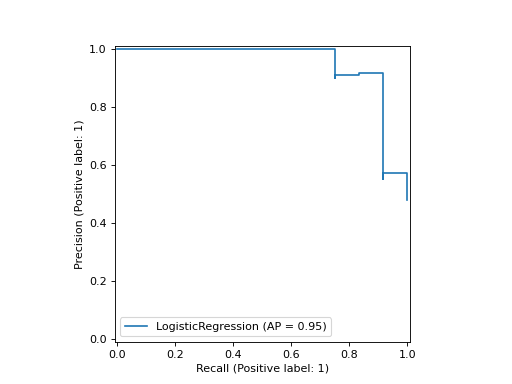
>>> PrecisionRecallDisplay.from_estimator(
...    clf, X_test, y_test)
<...>
>>> plt.show()
- classmethod from_predictions(y_true, y_score=None, *, sample_weight=None, drop_intermediate=False, pos_label=None, name=None, ax=None, curve_kwargs=None, plot_chance_level=False, chance_level_kw=None, despine=False, y_pred='deprecated', **kwargs)[source]#
Plot precision-recall curve given binary class predictions.
For general information regarding
scikit-learnvisualization tools, see the Visualization Guide. For guidance on interpreting these plots, refer to the Model Evaluation Guide.- Parameters:
- y_truearray-like of shape (n_samples,)
True binary labels.
- y_scorearray-like of shape (n_samples,)
Estimated probabilities or output of decision function.
Added in version 1.8:
y_predhas been renamed toy_score.- sample_weightarray-like of shape (n_samples,), default=None
Sample weights.
- drop_intermediatebool, default=False
Whether to drop some suboptimal thresholds which would not appear on a plotted precision-recall curve. This is useful in order to create lighter precision-recall curves.
Added in version 1.3.
- pos_labelint, float, bool or str, default=None
The class considered as the positive class when computing the precision and recall metrics. When
pos_label=None, ify_trueis in {-1, 1} or {0, 1},pos_labelis set to 1, otherwise an error will be raised.- namestr, default=None
Name for labeling curve. If
None, name will be set to"Classifier".- axmatplotlib axes, default=None
Axes object to plot on. If
None, a new figure and axes is created.- curve_kwargsdict, default=None
Keywords arguments to be passed to matplotlib’s
plotfunction.Added in version 1.9.
- plot_chance_levelbool, default=False
Whether to plot the chance level. The chance level is the prevalence of the positive label computed from the data passed during
from_estimatororfrom_predictionscall.Added in version 1.3.
- chance_level_kwdict, default=None
Keyword arguments to be passed to matplotlib’s
plotfor rendering the chance level line.Added in version 1.3.
- despinebool, default=False
Whether to remove the top and right spines from the plot.
Added in version 1.6.
- y_predarray-like of shape (n_samples,)
Estimated probabilities or output of decision function.
Deprecated since version 1.8:
y_predis deprecated and will be removed in 1.10. Usey_scoreinstead.- **kwargsdict
Keyword arguments to be passed to matplotlib’s
plot.Deprecated since version 1.9: kwargs is deprecated and will be removed in 1.11. Pass matplotlib arguments to
curve_kwargsas a dictionary instead.
- Returns:
- display
PrecisionRecallDisplay
- display
See also
PrecisionRecallDisplay.from_estimatorPlot precision-recall curve using an estimator.
Notes
The average precision (cf.
average_precision_score) in scikit-learn is computed without any interpolation. To be consistent with this metric, the precision-recall curve is plotted without any interpolation as well (step-wise style).To enable interpolation, pass
curve_kwargs={"drawstyle": "default"}. However, the curve will not be strictly consistent with the reported average precision.Examples
>>> import matplotlib.pyplot as plt
>>> from sklearn.datasets import make_classification
>>> from sklearn.metrics import PrecisionRecallDisplay
>>> from sklearn.model_selection import train_test_split
>>> from sklearn.linear_model import LogisticRegression
>>> X, y = make_classification(random_state=0)
>>> X_train, X_test, y_train, y_test = train_test_split(
...         X, y, random_state=0)
>>> clf = LogisticRegression()
>>> clf.fit(X_train, y_train)
LogisticRegression()
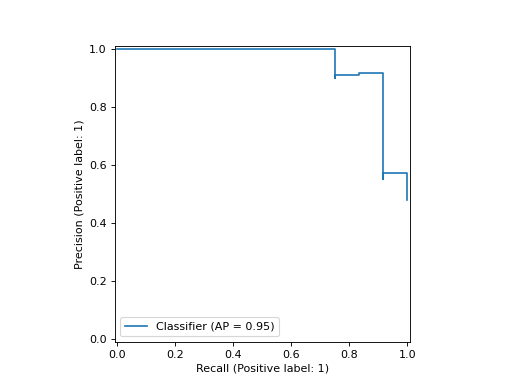
>>> y_score = clf.predict_proba(X_test)[:, 1]
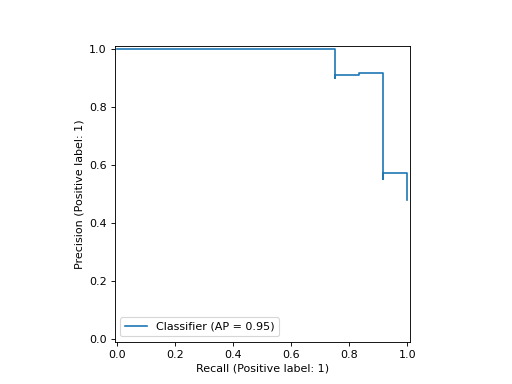
>>> PrecisionRecallDisplay.from_predictions(
...    y_test, y_score)
<...>
>>> plt.show()
- plot(ax=None, *, name=None, curve_kwargs=None, plot_chance_level=False, chance_level_kw=None, despine=False, **kwargs)[source]#
Plot visualization.
- Parameters:
- axMatplotlib Axes, default=None
Axes object to plot on. If
None, a new figure and axes is created.- namestr or list of str, default=None
Name for labeling legend entries. The number of legend entries is determined by
curve_kwargs, and is not affected byname.If a string is provided, it will be used to either label the single legend entry or if there are multiple legend entries, label each individual curve with the same name.
If a list is provided, it will be used to label each curve individually. Passing a list will raise an error if
curve_kwargsis not a list to avoid labeling individual curves that have the same appearance.If
None, set tonameprovided atPrecisionRecallDisplayinitialization. If stillNone, no name is shown in the legend.Changed in version 1.9: Now accepts a list for plotting multiple curves.
- curve_kwargsdict or list of dict, default=None
Keywords arguments to be passed to matplotlib’s
plotfunction to draw individual precision-recall curves. For single curve plotting, this should be a dictionary. For multi-curve plotting, if a list is provided, the parameters are applied to each precision-recall curve sequentially and a legend entry is added for each curve. If a single dictionary is provided, the same parameters are applied to all curves and a single legend entry for all curves is added, labeled with the mean average precision.Added in version 1.9.
- plot_chance_levelbool, default=False
Whether to plot the chance level. The chance level is the prevalence of the positive label computed from the data passed during
from_estimatororfrom_predictionscall.Added in version 1.3.
- chance_level_kwdict, default=None
Keyword arguments to be passed to matplotlib’s
plotfor rendering the chance level line.Added in version 1.3.
- despinebool, default=False
Whether to remove the top and right spines from the plot.
Added in version 1.6.
- **kwargsdict
Keyword arguments to be passed to matplotlib’s
plot.Deprecated since version 1.9: kwargs is deprecated and will be removed in 1.11. Pass matplotlib arguments to
curve_kwargsas a dictionary instead.
- Returns:
- display
PrecisionRecallDisplay Object that stores computed values.
- display
Notes
The average precision (cf.
average_precision_score) in scikit-learn is computed without any interpolation. To be consistent with this metric, the precision-recall curve is plotted without any interpolation as well (step-wise style).To enable interpolation, pass
curve_kwargs={"drawstyle": "default"}. However, the curve will not be strictly consistent with the reported average precision.
Gallery examples#
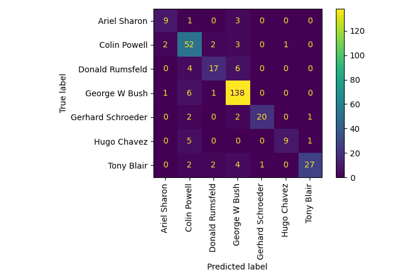
Faces recognition example using eigenfaces and kernel approximation
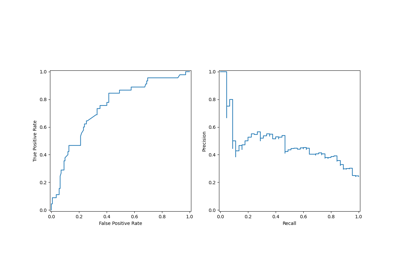
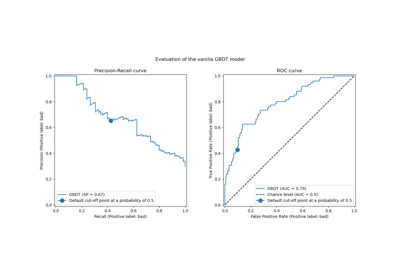
Post-tuning the decision threshold for cost-sensitive learning