Remove OpenDJ directory server software with the uninstall command.
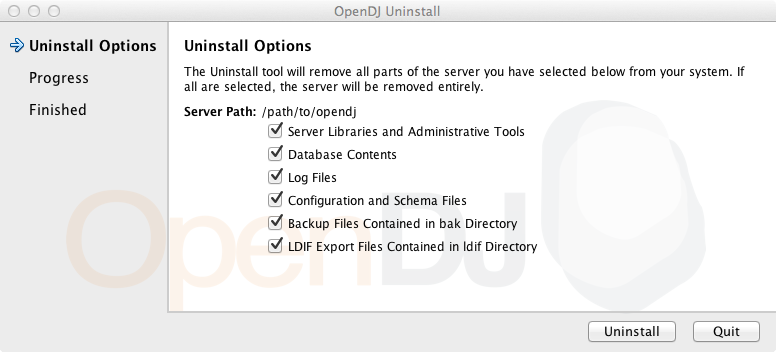
Procedure 5.1. To Uninstall OpenDJ From the Graphical Uninstaller
-
(UNIX) Run opendj/uninstall.
(Windows) Double-click
opendj\uninstall.bat.(Mac OS X) Double-click
opendj/Uninstall.app. -
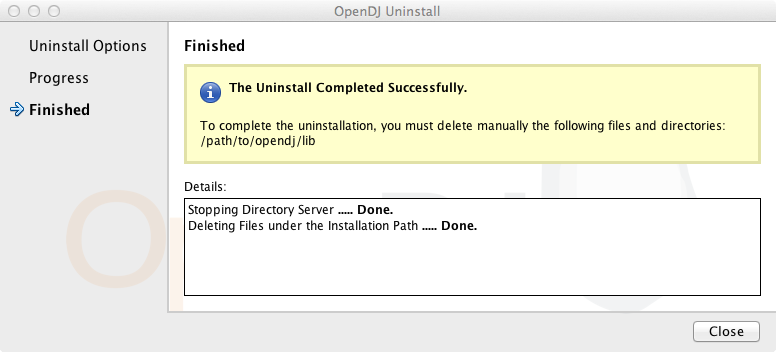
When the process is finished, you might still have some files to remove manually.
Procedure 5.2. To Uninstall OpenDJ On the Command Line
-
Login as the user who installed and runs the server.
-
Run the opendj/uninstall --cli command.
This command starts the removal program in interactive mode on the command line, prompting you for each option. Alternatively, use additional uninstall options to specify choices for the options. See uninstall --help for more information.
$ cd /path/to/opendj $ ./uninstall --cli Do you want to remove all components of the server or select the components to remove? 1) Remove all components 2) Select the components to be removed q) quit Enter choice [1]: The server is currently running and must be stopped before uninstallation can continue. Stop the Server and permanently delete the files? (yes / no) [yes]: Stopping Directory Server ..... Done. Deleting Files under the Installation Path ..... Done. The Uninstall Completed Successfully. To complete the uninstallation, you must delete manually the following files and directories: /path/to/opendj/lib See /var/....log for a detailed log of this operation. -
If the command output tells you to delete files manually, then remove those remaining files to complete the process.
$ rm -rf /path/to/opendj
Procedure 5.3. To Uninstall the Debian Package
When you uninstall the Debian package from the command line, OpenDJ directory server is stopped if it is running.
-
Remove the package from your system.
$ sudo dpkg -r opendj
(Reading database ... 185725 files and directories currently installed.)
Removing opendj ...
*Stopping OpenDJ server...
Stopping Server...
[03/Jun/2013:10:00:49 +0200] category=BACKEND severity=NOTICE
 msgID=9896306 msg=The backend userRoot is now taken offline
[03/Jun/2013:10:00:49 +0200] category=CORE severity=NOTICE
 msgID=458955 msg=The Directory Server is now stopped

*OpenDJ successfully removed

$
Removing the package does not remove your data or configuration. You must remove
/opt/opendjmanually to get rid of all files.
Procedure 5.4. To Uninstall the RPM Package
When you uninstall the RPM package from the command line, OpenDJ directory server is stopped if it is running.
-
Remove the package from your system.
# rpm -e opendj
Pre Uninstall - uninstall
Stopping Server...
[03/Jun/2013:10:42:46 +0200] category=BACKEND severity=NOTICE
 msgID=9896306 msg=The backend userRoot is now taken offline
[03/Jun/2013:10:42:46 +0200] category=CORE severity=NOTICE
 msgID=458955 msg=The Directory Server is now stopped
Post Uninstall - uninstall
OpenDJ successfully removed.
#
Removing the package does not remove your data or configuration. You must remove
/opt/opendjmanually to get rid of all files.
