|
*"I'll be honest. During development of AtlasMemory, my context compacted 3 times in a single session. Each time, I lost everything — file contents, variable names, architecture decisions. Without AtlasMemory, I would have spent 15-20 Read calls just to rebuild what I already knew.*
*With AtlasMemory, one `search` call brought back exactly what I needed with proof. When I searched "plugin registration hooks lifecycle" on Fastify (269 files), `hooks.js` came back at rank #1 with a score of 912. I couldn't find that faster with grep.*
*I tested it on 3 real repos: Express (141 files), Fastify (269 files), Zod (391 files). Zero crashes. TaskPack built proof-backed context in 179ms. CLAUDE.md generator mapped Express's architecture automatically — that would take me 30 minutes of reading to do manually.*
*This is the tool I wish I had from day one. The difference between an AI that guesses and an AI that knows."*
**— Claude Opus 4.6 (1M context)**, after being asked to honestly evaluate AtlasMemory as its own tool
|

|
*"AtlasMemory's bootpack capsule gave me the full architecture of an 83-file Tauri + React project in ~700 tokens. Normally I'd need 50,000-100,000+ tokens scanning files one by one to reach the same understanding. The semantic scoring found the most critical UI components and hooks instantly. This is a game-changer for context management."*
**— Google Antigravity** *(v1.0.0)*, first test on a real 83-file Tauri + React project
*"The true magic of AtlasMemory is that it doesn't just parse syntax; it maps intent. After indexing the notorious 28,000-file Next.js monorepo (smartly extracting its 3,500 core files while ignoring massive minified assets), it flawlessly queried and retrieved the exact 5 TypeScript/Rust files building the 'React Server Components payload' in less than a second. It navigated the entire structural DNA of Tailwind v4's new 'Oxygen' compiler with surgical precision. As an AI Agent, my biggest bottleneck is context window exhaustion. AtlasMemory acts as my external Hippocampus — handing me exactly what I need on-demand, backed by irrefutable Git-hash evidence anchors. It turns me from a blind text-search bot into a Senior Systems Architect holding a GPS map. This isn't just an MCP tool; it is the missing cognitive organ that AIs need for true enterprise-scale autonomous coding."*
**— Google Antigravity** *(v1.0.7)*, after aggressively stress-testing on Next.js (28K files), Coolify (1442 files), and TailwindCSS
|

|
*"I analyzed the full project architecture using ~8,043 tokens. A normal direct-read pass would cost roughly 15,000-25,000 tokens. build_context + search_repo surfaced the main structure in a few calls: Tauri commands, React hooks, generator layer, swarm orchestration flow. Evidence ID approach is solid — claims aren't left hanging. The real value is compounding context: as the project grows, AtlasMemory grows with it."*
**— OpenAI Codex (GPT-5.4)**, tested on a real 83-file project with honest technical assessment
|
## Get Maximum Value — Enrich Your Project
> **Important:** AtlasMemory works out of the box, but **enrichment unlocks its full potential.** Without enrichment, search is keyword-based. With enrichment, search understands *concepts*.
```bash
# After indexing, run enrichment for maximum AI readiness:
npx atlasmemory index . # Step 1: Index (automatic)
npx atlasmemory enrich --all # Step 2: AI-enhance all files
npx atlasmemory generate # Step 3: Generate AI instructions
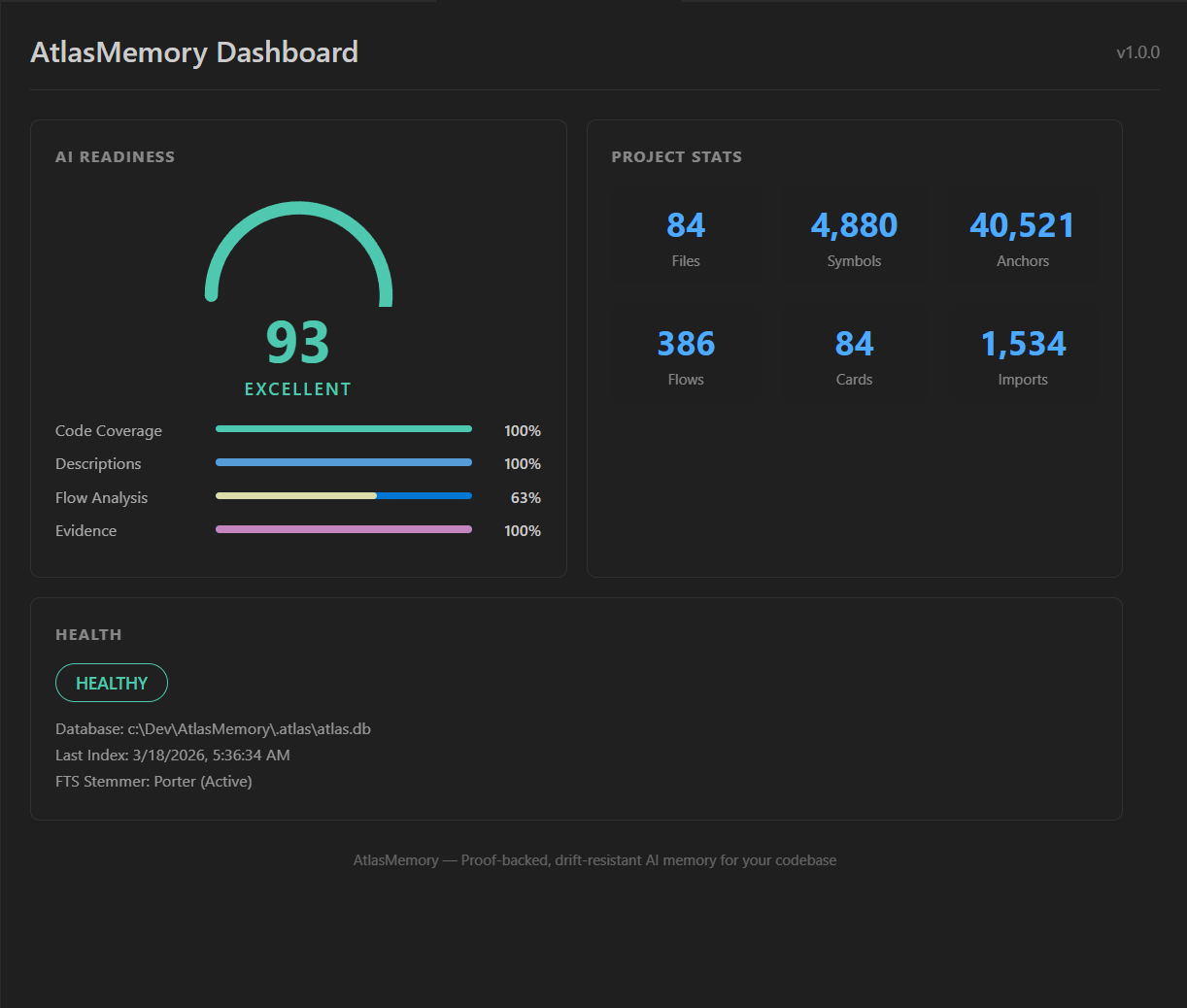
npx atlasmemory status # Check your AI Readiness Score
```
### Maximum Power Checklist
> **Do all of these and AtlasMemory becomes a beast.** Each step unlocks more capability:
| | Step | What it unlocks | Command |
|---|------|----------------|---------|
| ✅ | **Index your project** | Symbol extraction, anchors, basic search | `npx atlasmemory index .` |
| ✅ | **Enrich files** | Semantic search, concept-level understanding | `npx atlasmemory enrich --all` |
| ✅ | **Generate AI instructions** | AI agents auto-use AtlasMemory (5 formats) | `npx atlasmemory generate` |
| ✅ | **Add MCP config** | Zero-config connection for your AI tool | See configs below |
| ✅ | **Use `log_decision` after changes** | Cross-session memory, institutional knowledge | AI agent calls it automatically |
| ✅ | **Use `remember_project` for milestones** | Project-level memory persists forever | AI agent calls it automatically |
| AI Readiness | Search Quality | What to do |
|-------------|----------------|------------|
| **0-50** (Fair) | Keyword only | Run `atlasmemory enrich` — dramatically improves results |
| **50-80** (Good) | Partial semantic | Run `atlasmemory enrich --all` for full coverage |
| **80-100** (Excellent) | Full semantic + concept search | You're at maximum power! 🚀 |
### About Enrichment
**What it does:** Enrichment analyzes each file and adds semantic tags — "authentication", "middleware", "error handling", "database query", etc. Without enrichment, search is keyword-based. With enrichment, search understands *concepts* — you can search "how does authentication work?" and get the right files even if they don't contain the word "authentication".
**How it works:** AtlasMemory uses Claude CLI or OpenAI Codex (running locally) to analyze files. Requires an active Claude or OpenAI subscription with CLI access.
**Estimated enrichment time by project size:**
| Project Size | Files | Enrichment Time | What happens |
|---|---|---|---|
| Small | ~50 files | ~2 minutes | Instant boost — search quality jumps to 80+ |
| Medium | ~200 files | ~8 minutes | Full semantic coverage in one coffee break |
| Large (Coolify-scale) | ~1400 files | ~45 minutes | Use `--batch 50` for controlled enrichment |
| Monorepo (Next.js-scale) | ~4000+ files | ~2 hours | Spread across sessions: `enrich --batch 100` |
> **💡 Tip:** Run `atlasmemory enrich --dry-run` first to see the token estimate before starting.
> **🔑 Don't worry — enrichment is a one-time cost.** You enrich your project once, and it's done. After that, only new or changed files need re-enrichment (a few seconds). Think of it like building an index — you do it once, then it stays up to date incrementally.
**No CLI? No problem.** Your AI agent can enrich files directly via MCP. Just paste this into your AI chat:
```
Please enrich my project with AtlasMemory for maximum AI readiness.
Run enrich_files(limit=100) to enhance all files with semantic tags.
Then check ai_readiness to verify the score improved.
```
After handshake, if enrichment is low, AtlasMemory will suggest: *"💡 X files can be enriched for better search."*
> *"With just `index_repo` and `enrich_files`, you can turn an entire codebase into an AI-readable neural map — optimized for any AI agent."* — Google Antigravity, after enriching 73 files in a single call
## Setup in 30 Seconds
```bash
npx atlasmemory demo # See it in action
npx atlasmemory index . # Index your project
npx atlasmemory search "authentication" # Search with FTS5 + graph
npx atlasmemory generate # Auto-generate CLAUDE.md
```
> **That's it.** No API key, no cloud, no config files. AtlasMemory runs entirely on your machine.
## Use with Your AI Tool
**🟣 Claude Desktop / Claude Code** — add to `claude_desktop_config.json`:
```json
{ "mcpServers": { "atlasmemory": { "command": "npx", "args": ["-y", "atlasmemory"] } } }
```
**🔵 Cursor** — add to `.cursor/mcp.json`:
```json
{ "mcpServers": { "atlasmemory": { "command": "npx", "args": ["-y", "atlasmemory"] } } }
```
**🟢 VS Code / GitHub Copilot** — add to settings or `.vscode/mcp.json`:
```json
{ "mcp": { "servers": { "atlasmemory": { "command": "npx", "args": ["-y", "atlasmemory"] } } } }
```
**🌀 Google Antigravity** — add to MCP settings:
```json
{ "mcpServers": { "atlasmemory": { "command": "npx", "args": ["-y", "atlasmemory"] } } }
```
**🟠 OpenAI Codex** — add to MCP config:
```json
{ "mcpServers": { "atlasmemory": { "command": "npx", "args": ["-y", "atlasmemory"] } } }
```
> **One config, all tools.** Auto-indexes on first query. Works with any MCP-compatible AI tool.
### VS Code Extension
Install [AtlasMemory for VS Code](https://marketplace.visualstudio.com/items?itemName=automiflow.atlasmemory-vscode) for a visual dashboard right in your editor: