
Deep Researcher Agent
24/7 Autonomous Deep Learning Experiment Agent
An AI agent that autonomously runs your deep learning experiments 24/7 while you sleep.
English |
中文 |
日本語 |
한국어








---
## Recent Updates
**2026-06-03 — Domestic LLM API presets**
- Run the agent on a **Chinese LLM API instead of a Claude/Codex subscription** by
setting `agent.provider` to a one-word preset — `deepseek`, `qwen` (`dashscope`),
`kimi` (`moonshot`), or `glm` (`zhipu`). The preset auto-fills the OpenAI-compatible
`base_url` and the default key env (`DEEPSEEK_API_KEY` / `DASHSCOPE_API_KEY` /
`MOONSHOT_API_KEY` / `ZHIPUAI_API_KEY`); you just set `model` to that vendor's model
id. `base_url` / `api_key_env` stay overridable for self-hosted or proxied endpoints.
This is a thin alias over the existing OpenAI-compatible path — no new dependency.
(`core/agents.py`)
```yaml
agent:
provider: "deepseek" # or qwen / kimi / glm
model: "deepseek-chat" # vendor's model id
```
**2026-06-02 — Slurm execution backend + truthful experiment outcomes**
- **Slurm execution backend** — added `execution.mode: "slurm"` so the agent can
drive experiments on a Slurm cluster. The controller stays local; training is
submitted to the login node with `sbatch --parsable` over a single transient
SSH call that exits immediately — **no process is ever left running on the
login node**. `sacct` is the sole liveness authority (Slurm enforces `--time`),
GPU status is read from the partition's `squeue` occupancy, and two bounds
inside the liveness check (consecutive-unknown grace + a `--time`-derived
wall-clock backstop) guarantee the monitor loop terminates even if the cluster
goes unreachable — without ever reaping a job `sacct` still reports as queued
or running. File and repo-reading ops reuse the SSH path (the login node shares
the NFS workspace). (`core/execution.py`)
- **Truthful experiment outcomes** — the monitor now asks the backend for a
finished job's real terminal state via `final_status()`, so a `FAILED` /
`TIMEOUT` / `CANCELLED` run is no longer silently recorded as `completed`. The
outcome flows into `state.json`, the experiment ledger, and the REFLECT
context, so the agent reasons over what actually happened. On Slurm the state
comes from `sacct`; pid-only backends (`local`/`ssh`) report it as
indeterminate and keep prior behavior. (`core/monitor.py`, `core/loop.py`)
- Additive and opt-in; `local`/`ssh` behavior is unchanged. (+21 unit tests, no
cluster required.)
**2026-06-01 — v2.0 (major update)**
This release gives the agent (a) a persistent, queryable memory of its own
experiments, (b) explicit progress/quality/safety signals derived from that
memory, and (c) much stronger code- and literature-reading tools. Every change
is additive and backward-compatible — existing projects keep working unchanged,
the new gate and rate limit are opt-in, and the whole suite is unit-tested
without a GPU or network (60 → 99 tests).
*New: autonomy layer*
- **Experiment ledger** — every cycle's hypothesis, metrics, and outcome are appended to `workspace/experiments.jsonl`. Crash-safe, zero token cost, and fed back into planning so the agent remembers what it already tried. (`core/ledger.py`)
- **Data-driven stagnation signal** — the planner is told, from the ledger's metric trajectory, whether results are still improving or have stalled (set `ledger.metric_key`), instead of only a binary repeat-counter.
- **Append-only research journals** — `DEAD_ENDS.md` (failed approaches — do not retry) and `INSIGHTS.md` (durable observations). Never compacted; rotated to dated backups when large, so history is never silently dropped. (`core/journal.py`)
- **Zero-cost violation scanner + advisory phase gate** — surface stuck/stale states and whether a baseline metric bar is met, as pure functions over state + ledger. (`core/safety.py`, `core/ledger.py`)
- **Proactive anti-burn rate limiting** — optional `agent.max_cycles_per_hour` cap protects budget when the agent is stuck in a loop.
*New: agent tools*
- **Code comprehension** — `search_code` (regex grep across the workspace), `list_tree` (recursive, depth-limited repo map), and `read_file` line ranges so large files are no longer blindly truncated. Symlink-safe (never escapes the workspace).
- **Literature** — `get_paper` (paper details + reference/citation snowballing) and `search_arxiv` (freshest preprints), alongside the existing Semantic Scholar search.
- All new tools work identically in **local and SSH** execution modes.
*Config:* new optional sections `ledger:`, `stagnation:`, `journal:`, `safety:`, `gates:`, and `agent.max_cycles_per_hour` — all default to current behavior. See `config.yaml`.
**2026-04-22**
- Added explicit compatible-API configuration, dual Claude/Codex skill installation, and safer skill-installer ownership checks.
**2026-04-21**
- Added an optional SSH execution backend so the controller can stay local while code edits, training, logs, PID checks, and GPU queries run on one remote host.
**2026-04-19**
- Added a real multi-turn worker tool-use loop with authoritative tool-result handoff, stricter CLI behavior, and safer tool-call parsing.
**2026-04-18**
- Added subscription-backed `claude_cli` and `codex_cli` provider modes with fail-fast provider validation and more defensive CLI subprocess handling.
**2026-04-09**
- Reduced token growth and tightened loop/tool safeguards with leader-history resets, no-progress fallback, and stronger path and shell protections.
**2026-04-08**
- Added progress tracking exports with optional Obsidian sync and local text fallback when no vault is configured.
## Start In 3 Steps
If you only want the shortest path to a working experiment loop, do this:
1. Create a project folder with one file: `PROJECT_BRIEF.md`
2. Run `/auto-experiment --project /path/to/project --gpu 0`
3. Check progress with `/experiment-status` or optional Obsidian/local text notes
Prefer AI-guided setup? Open [`AI_GUIDE.md`](AI_GUIDE.md) in Claude / ChatGPT / Codex and let the assistant walk you through it.
## What You Actually Need
| Requirement | Required | Notes |
|-------------|----------|-------|
| Python 3.10+ | Yes | Runtime |
| 1+ NVIDIA GPU | Yes | For training |
| API key | Yes | Anthropic-compatible or OpenAI-compatible endpoint |
| `PROJECT_BRIEF.md` | Yes | Main control file |
| Project `config.yaml` | Optional | Only if you want to override defaults |
| Obsidian vault | Optional | If absent, notes fall back to local text files |
## Minimum Working Example
The smallest project you can launch looks like this:
```text
my-first-experiment/
├── PROJECT_BRIEF.md
└── workspace/ # auto-created
```
Minimal `PROJECT_BRIEF.md`:
```md
# Goal
Train a ResNet-50 on CIFAR-100 to reach 80%+ accuracy.
# Codebase
Create the training code from scratch in PyTorch.
# What to Try
- Start with a basic ResNet-50 baseline.
- If accuracy < 75%, improve optimization and schedule.
- If accuracy is 75-80%, try augmentation.
- If accuracy > 80%, stop and report.
# Constraints
- Use GPU 0 only
- Max 100 epochs per run
```
That is enough to start. Everything else is optional refinement.
## What This Project Is Good At
This project is for people who already know what experiment they want to run, but do not want to babysit the loop:
- edit code
- launch training
- monitor runs
- parse logs
- decide the next variation
- keep going while you sleep
It is not trying to replace the researcher. It is trying to take over the repetitive experiment-ops layer.
## Why It Feels Different From A Simple Script
- It does not just launch one run. It keeps iterating.
- It does not just monitor. It reflects and decides the next step.
- It stays cheap because training-time monitoring makes zero LLM calls.
- It stays controllable because the human can override direction at any cycle.
- It now supports persistent progress notes in Obsidian or local text files.
## How You Stay In Control
You control the research direction through three files:
- `PROJECT_BRIEF.md`: stable goal, constraints, allowed search space
- `HUMAN_DIRECTIVE.md`: temporary redirect for the next cycle
- `workspace/MEMORY_LOG.md`: rolling memory of results and decisions
Common control patterns:
```md
# Keep the search narrow
- Only tune augmentation.
- Do not change the backbone.
- Keep training budget fixed.
```
```md
# Make the agent stop exploring a weak direction
- If gain stays below 0.3 points for 3 runs, stop this branch.
- Return to the last trusted baseline and try a different idea.
```
```md
# Force result verification
- If a result looks unusually strong, rerun with the same seed and one new seed.
- Do not claim improvement until both reproduce.
```
## How You See Progress
You should never have to guess what the agent is doing.
- `/experiment-status` shows current goal, best result, cycle count, running status, and recent decisions
- `/progress-report` generates a structured summary
- `/obsidian-sync` refreshes persistent notes manually
- `workspace/progress_tracking/` stores local text notes when no Obsidian vault is configured
If you want a dashboard outside the terminal:
```yaml
obsidian:
enabled: true
vault_path: "~/Documents/MyObsidianVault" # Optional
auto_append_daily: true
```
If `vault_path` is empty, the same information is saved locally:
```text
workspace/progress_tracking/Dashboard.txt
workspace/progress_tracking/Daily/YYYY-MM-DD.txt
```
---
## 💛 A Note on Why We Built This — and How We Hope You'll Use It
> **Our hope is simple: science stays pure, and the human stays in the loop.**
We built this framework for one reason — to take the *repetitive, mechanical* parts of running deep learning experiments off the researcher's plate (launching jobs, watching GPUs, parsing logs, sweeping hyperparameters) so that more of your time can go into **the part that actually matters: thinking**.
If you're here because you want to spend less time babysitting training runs and more time reading, reasoning, and chasing your own ideas — welcome. That's exactly who we built this for.
**A gentle thought we'd love every user to share with us:**
The agent is happy to run the experiments. But please let the *ideas*, the *interpretation*, and the *scientific judgment* remain yours. We don't see automation and academic integrity as being in tension — quite the opposite. The hours this tool gives back are meant to be reinvested in **deeper thinking**, not in skipping it.
So we'd kindly ask that this project not be used to fabricate results, to generate "research" with no human in the loop, or to shortcut the parts of science that depend on a human actually understanding what they're doing. That isn't the future we want to help build — and we don't think it's the one most of you want either.
> **Science should stay pure. The agent can run the experiments — but the ideas, the interpretation, and the responsibility belong to the human.**
>
> **学术应当保持纯粹。** Agent 可以替你跑实验,但 idea、判断与责任,请留给人来承担。我们真心希望每一位使用者都能 **human in the loop 地去思考**,把这个工具省下来的时间,投入到真正属于你自己的研究方向里。
>
> **科学は純粋であるべきです。** Agent は実験を走らせることができますが、アイデア・解釈・責任は、どうか人間の手に残してください。
>
> **과학은 순수해야 합니다.** Agent는 실험을 대신 실행해 줄 수 있지만, 아이디어와 해석, 그리고 책임은 부디 사람의 몫으로 남겨주세요.
We trust the people who pick up this tool to take that seriously — and we built it because we believe most of you already do. Thank you for being one of them. 💛
---
## The Core Idea
You design the experiment. The agent handles the repetitive loop.
**Deep Researcher Agent**:
1. **Thinks** — Reads your project brief, analyzes previous results, plans the next experiment
2. **Executes** — Modifies code/configs, runs a dry-run, launches training on GPU
3. **Monitors** — Watches training at **zero LLM cost** (just process checks + log reads)
4. **Reflects** — Parses results, compares with baselines, decides what to try next
5. **Repeats** — 24/7, without human intervention
```
You sleep 8 hours → Agent runs 3 experiment cycles
You go on vacation → Agent explores 50+ hyperparameter configs
You write your paper → Agent already has the results table ready
```
---
## Battle-Tested Results
> Not benchmarks. Real results from months of 24/7 autonomous operation across research projects.
| Metric | Result |
|--------|--------|
| Autonomous experiment cycles completed | 500+ |
| Best single-project improvement | 52% over baseline (across 200+ auto-run experiments) |
| Concurrent projects managed | 4 projects across 4 GPU servers |
| Longest continuous autonomous operation | 30+ days without human intervention |
| Average LLM cost per 24h cycle | ~$0.08 |
---
## Key Innovation: Zero-Cost Monitoring
The #1 concern with running LLM agents 24/7: **cost**.
Most agent frameworks call the LLM every few minutes to "check progress". That's $50+/day.
Experiment Agent **sleeps** during training — zero API calls. It only wakes the LLM when training finishes.
```
LLM Active Zero Cost LLM Active
┌────────────┐ ┌─────────────────────┐ ┌────────────┐
│ THINK │ │ TRAIN & MONITOR │ │ REFLECT │
│ (5-10 min) │ │ (hours/days) │ │ (5-10 min) │
│ │ │ │ │ │
│ • Analyze │ │ • kill -0 $PID │ │ • Parse │
│ • Plan │ │ • nvidia-smi │ │ logs │
│ • Code │ │ • tail log │ │ • Compare │
│ │ │ │ │ • Decide │
│ ~$0.05 │ │ $0.00 │ │ ~$0.03 │
└────────────┘ └─────────────────────┘ └────────────┘
```
**24-hour cycle with 8 hours of training: ~$0.08 in LLM calls.**
---
## Architecture
### The THINK → EXECUTE → REFLECT Loop
```
┌──────────────────────────────────────────────────────┐
│ ┌──────────┐ ┌──────────┐ ┌──────────┐ │
│ │ THINK │───→│ EXECUTE │───→│ REFLECT │──┐ │
│ │ │ │ │ │ │ │ │
│ │ Analyze │ │ Dry-run │ │ Evaluate │ │ │
│ │ Plan │ │ Launch │ │ Compare │ │ │
│ │ Decide │ │ Monitor │ │ Update │ │ │
│ └──────────┘ └──────────┘ └──────────┘ │ │
│ ↑ │ │
│ └─────────────────────────────────────────┘ │
│ ↻ 24/7 Loop │
└──────────────────────────────────────────────────────┘
```
### Leader-Worker Agent System
Only ONE worker runs at a time. Others idle at zero cost.
```
┌───────────────┐
│ Leader │ Persistent conversation
│ (Planner) │ within each cycle
└───┬───┬───┬───┘
│ │ │
┌───────┘ │ └───────┐
↓ ↓ ↓
┌──────────┐ ┌──────────┐ ┌──────────┐
│ Idea │ │ Code │ │ Writing │
│ Agent │ │ Agent │ │ Agent │
│ (4 tools)│ │ (5 tools)│ │ (3 tools)│
└──────────┘ └──────────┘ └──────────┘
```
### Two-Tier Memory (Constant Size Forever)
```
┌─────────────────────────────────────────┐
│ Tier 1: PROJECT_BRIEF.md │
│ • Frozen project reference │
│ • Max 3,000 chars │
├─────────────────────────────────────────┤
│ Tier 2: MEMORY_LOG.md │
│ • Key Results (auto-compact at 1,200ch) │
│ • Recent Decisions (rolling last 15) │
│ • Max 2,000 chars │
├─────────────────────────────────────────┤
│ Total: ~5K chars / ~1,500 tokens │
│ SAME whether running 1 day or 6 months │
└─────────────────────────────────────────┘
```
### Cost Control Strategies (8 Total)
| # | Strategy | Savings |
|---|----------|---------|
| 1 | Zero-LLM monitoring during training | 90%+ of runtime is free |
| 2 | Two-Tier memory with auto-compaction | Fixed context window |
| 3 | Leader conversation persists within cycle | Brief sent once per cycle |
| 4 | Anthropic prompt caching | System/tools cached |
| 5 | Per-agent minimal tool sets (3-5 tools) | Less schema overhead |
| 6 | Slim system prompts | Fewer input tokens |
| 7 | State trimmed before sending | No bloat |
| 8 | Single worker at a time | No parallel LLM costs |
---
## Getting Started (Step by Step)
> **Complete beginner?** Follow every step below. You'll go from zero to a running experiment agent in ~10 minutes.
>
> **Prefer AI-guided setup?** Open [`AI_GUIDE.md`](AI_GUIDE.md) in Claude Code, ChatGPT, or Codex — the AI will walk you through everything interactively.
### Step 0: What You Need
| Requirement | Why | How to Check |
|-------------|-----|-------------|
| Python 3.10+ | Runtime | `python3 --version` |
| [Claude Code](https://claude.ai/claude-code) | The AI backbone | `claude --version` |
| 1+ NVIDIA GPU | For training | `nvidia-smi` |
| Anthropic API key | LLM calls | `echo $ANTHROPIC_API_KEY` |
Don't have an API key? Get one at [console.anthropic.com](https://console.anthropic.com/) and set it:
```bash
export ANTHROPIC_API_KEY="sk-ant-xxxxx"
# Add to ~/.bashrc or ~/.zshrc to make it permanent
```
### Step 1: Install
```bash
# Clone the repo
git clone https://github.com/Xiangyue-Zhang/auto-deep-researcher-24x7.git
cd auto-deep-researcher-24x7
# Install Python dependencies
pip install -r requirements.txt
# Install 8 Claude slash commands and 8 Codex local skills
python install.py
# Verify everything works
python -m core.loop --check
```
You should see:
```
Deep Researcher Agent — Installer
========================================
✓ Claude /auto-experiment
✓ Claude /experiment-status
✓ Claude /gpu-monitor
✓ Claude /daily-papers
✓ Claude /paper-analyze
✓ Claude /conf-search
✓ Claude /progress-report
✓ Claude /obsidian-sync
✓ Codex $auto-experiment
...
Done! 8 Claude commands and 8 Codex skills installed.
```
### Step 2: Create Your First Project
Let's say you want to train a ResNet on CIFAR-100. Create a project folder with a `PROJECT_BRIEF.md`:
```bash
mkdir ~/my-first-experiment
cd ~/my-first-experiment
```
Now write the brief — **this is the most important file**. It tells the agent what you want:
```bash
cat > PROJECT_BRIEF.md << 'EOF'
# Goal
Train a ResNet-50 on CIFAR-100 to reach 80%+ test accuracy.
# Codebase
The agent should create the training code from scratch using PyTorch.
- Use torchvision for the dataset (auto-download)
- Save checkpoints to ./checkpoints/
- Log metrics to ./logs/
# What to Try
- Start with a basic ResNet-50, lr=0.1, SGD, 100 epochs
- If accuracy < 75%, try cosine annealing + warmup
- If accuracy 75-80%, try adding mixup or cutout augmentation
- If accuracy > 80%, the goal is reached
# Constraints
- Use GPU 0 only
- Max 100 epochs per run
- Batch size 128
# Current Status
No experiments run yet. Starting from scratch.
EOF
```
**Tips for writing a good brief:**
- Be specific about the goal (metric + target value)
- Tell it where the code/data is (or say "create from scratch")
- List constraints (which GPU, max epochs, etc.)
- Give it a decision tree ("if X, try Y") — this guides the agent like you would guide a junior student
### Step 3: Launch the Agent
**Option A: Through Claude Code (recommended)**
Open Claude Code and type:
```
/auto-experiment --project ~/my-first-experiment --gpu 0
```
**Option B: Through Python directly**
```bash
python -m core.loop \
--project ~/my-first-experiment \
--gpu 0 \
--max-cycles 5 # Stop after 5 cycles (remove for unlimited)
```
### Step 4: Watch What Happens
The agent will now do everything automatically. Here's what each cycle looks like:
```
=== Cycle 1 ===
[THINK] Reading PROJECT_BRIEF.md...
Goal: ResNet-50 on CIFAR-100, target 80%+
No previous experiments. Starting with baseline.
Plan: Basic ResNet-50, lr=0.1, SGD with momentum, 100 epochs.
[EXECUTE] Creating train.py...
Creating config.yaml...
Running dry-run (2 steps)... ✓ No errors
Launching training: nohup python train.py --config config.yaml
PID: 12345, Log: logs/exp001.log
[MONITOR] Training in progress... (zero LLM cost)
15:00 — PID alive, GPU 98%, Epoch 12/100, loss=2.34
15:15 — PID alive, GPU 97%, Epoch 25/100, loss=1.87
15:30 — PID alive, GPU 98%, Epoch 38/100, loss=1.54
...
17:45 — PID alive, GPU 97%, Epoch 100/100, loss=0.82
18:00 — PID terminated. Training complete.
[REFLECT] Parsing logs... test accuracy = 76.3%
Result: 76.3% — below 80% target
Brief says: "If < 75%, try cosine annealing"
76.3% > 75%, so try augmentation instead.
Decision: Add mixup augmentation, keep lr=0.1 + cosine
Milestone logged: "Exp001: ResNet-50 baseline, 76.3%"
=== Cycle 2 ===
[THINK] Best so far: 76.3% (Exp001)
Plan: Add mixup (alpha=0.2) + cosine annealing schedule
...
```
### Step 5: Check Progress Anytime
While the agent is running, you can check on it:
```bash
# In Claude Code:
/experiment-status --project ~/my-first-experiment
# Or check GPU usage:
/gpu-monitor
```
You'll see something like:
```
# Experiment Status — my-first-experiment
## Goal
ResNet-50 on CIFAR-100 → 80%+ accuracy
## Progress
- Cycles completed: 3
- Current best: 79.1% (Exp003: ResNet-50 + mixup + cosine)
- Status: TRAINING (PID 12389, GPU 0, running 1.5h)
## Key Results
[04-07 15:00] Exp001: ResNet-50 baseline, 76.3%
[04-07 18:30] Exp002: + cosine annealing, 77.8%
[04-07 22:00] Exp003: + mixup α=0.2, 79.1% ← best
## Current Training
Epoch 67/100 | loss: 0.71 | acc: 79.4%
```
### Step 5.5: Save Progress to Obsidian or Local Text
Enable progress export in your project `config.yaml`:
```yaml
obsidian:
enabled: true
vault_path: "~/Documents/MyObsidianVault" # Optional
project_subdir: "DeepResearcher/{project_name}"
auto_append_daily: true
```
If `vault_path` is set, the agent writes:
```text
DeepResearcher/my-first-experiment/Dashboard.md
DeepResearcher/my-first-experiment/Daily/YYYY-MM-DD.md
```
If `vault_path` is empty, it falls back to project-local files:
```text
workspace/progress_tracking/Dashboard.txt
workspace/progress_tracking/Daily/YYYY-MM-DD.txt
```
Manual refresh:
```bash
/obsidian-sync --project ~/my-first-experiment
# or
python -m core.obsidian --project ~/my-first-experiment
```
### Step 6: Intervene If Needed
Want to change direction? Three ways, from anywhere:
```bash
# Way 1: Drop a directive file (agent reads it next cycle)
echo "Stop trying ResNet. Switch to ViT-B/16, start with lr=1e-3" \
> ~/my-first-experiment/workspace/HUMAN_DIRECTIVE.md
# Way 2: Command-line flag
python -m core.loop --project ~/my-first-experiment \
--directive "Try label smoothing 0.1"
# Way 3: Edit memory directly (for permanent changes)
vim ~/my-first-experiment/workspace/MEMORY_LOG.md
```
## Human-in-the-Loop Playbook
Use the agent as an operator, not a replacement researcher.
```text
Human decides:
- goal
- constraints
- forbidden directions
- when to pivot
Agent executes:
- code edits
- runs
- monitoring
- summaries
```
Write stable rules in `PROJECT_BRIEF.md`, and temporary steering in `HUMAN_DIRECTIVE.md`.
```md
# HUMAN_DIRECTIVE.md
- Do not change the dataset.
- Try label smoothing 0.1 before changing the backbone.
- Stop this direction if gain stays below 0.3 for 3 runs.
- Compare against the last trusted baseline, not just the latest run.
```
Case 1: Safer ablation
```md
- Only change augmentation.
- Keep model, optimizer, and training budget fixed.
- Report a clean comparison table after each run.
```
Case 2: Deliberate pivot
```md
- Current ResNet line is saturated.
- Switch to ViT-B/16 only if the last 3 runs plateau.
- Before switching, write a short rationale.
```
Case 3: Suspicious result
```md
- Accuracy jumped unexpectedly.
- Re-run with the same seed and one new seed.
- Do not claim improvement until both runs reproduce.
```
Rule of thumb: let the agent handle repetition, but keep direction, interpretation, and responsibility human.
### Step 7: Mobile Monitoring with [Happy Coder](https://github.com/slopus/happy) (Optional)
Want to check experiments from your phone? Install [Happy Coder](https://happy.engineering/) ([iOS](https://apps.apple.com/us/app/happy-codex-claude-code-app/id6748571505) / [Android](https://play.google.com/store/apps/details?id=com.ex3ndr.happy)):
```bash
# Install CLI (one time)
npm install -g happy-coder
# Start session through Happy instead of claude
happy
# Inside the session, launch your experiment:
/auto-experiment --project ~/my-first-experiment --gpu 0
```
Now on your phone you can:
- Get **push notifications** when experiments finish or the agent needs input
- **Check results** while commuting
- **Send directives** ("try learning rate 1e-5") from anywhere
- **Switch between phone and desktop** seamlessly
- All communication is **end-to-end encrypted**
```
┌──────────┐ encrypted ┌──────────┐
│ Desktop │ ◄──────────────► │ Phone │
│ Claude │ relay │ Happy │
│ Code │ │ Coder │
├──────────┤ ├──────────┤
│ Agent │ ← push notify ── │ "Try │
│ running │ │ lr=1e-5"│
│ 24/7 │ ── status ────► │ ✓ Got it │
└──────────┘ └──────────┘
```
### What a Good PROJECT_BRIEF.md Looks Like
The brief is your main lever. Here are examples for different scenarios:
Example: Fine-tuning a pretrained model
```markdown
# Goal
Fine-tune ViT-B/16 (pretrained on ImageNet-21K) on Oxford Flowers-102.
Target: 95%+ test accuracy.
# Codebase
- Training script: finetune.py (already exists)
- Config: configs/vit_flowers.yaml
- Data: /data/flowers102/ (already downloaded)
- Pretrained weights: /models/vit-b16-21k.pth
# What to Try
1. First: freeze backbone, train classifier head only (10 epochs, lr=1e-2)
2. Then: unfreeze all, fine-tune end-to-end (30 epochs, lr=1e-4)
3. If stuck below 93%: try layer-wise lr decay (0.65)
4. If above 94%: try test-time augmentation
# Constraints
- GPU 0, batch size 64
- Save best checkpoint based on val accuracy
```
Example: Hyperparameter search
```markdown
# Goal
Find the best hyperparameters for our GAN on CelebA-HQ 256x256.
Target: FID < 15.
# Codebase
- train_gan.py, configs/celeba_gan.yaml
- Data: /data/celeba_hq_256/
- Evaluation: eval_fid.py --real_dir /data/celeba_hq_256/val
# Search Space
- Learning rate: [1e-4, 2e-4, 5e-4]
- Beta1: [0.0, 0.5]
- Discriminator steps per generator step: [1, 2, 5]
- Spectral norm: [yes, no]
# Strategy
Start with lr=2e-4, beta1=0.0, d_steps=1, spectral_norm=yes (baseline).
Change ONE variable at a time. Run each for 50K steps.
Always evaluate FID after training.
# Constraints
- GPU 0-1 (can use both)
- Max 50K steps per run (~4 hours)
```
Example: Debugging a training issue
```markdown
# Goal
Figure out why our transformer model diverges after epoch 20.
Currently: loss explodes from 0.5 to NaN around epoch 20-25.
# Codebase
- train_transformer.py, model/transformer.py
- Config: configs/base.yaml
- Logs from failed runs: logs/failed_run_001.log, logs/failed_run_002.log
# What to Investigate
1. Check gradient norms — add gradient clipping (max_norm=1.0)
2. Try lower learning rate (current: 1e-3, try: 1e-4, 5e-5)
3. Check if it's a specific layer — add per-layer gradient logging
4. Try warmup (1000 steps) if not already present
5. Check data — are there any NaN/Inf in the dataset?
# Constraints
- GPU 0, run each test for 30 epochs (enough to see if it diverges)
- Log gradient norms every 100 steps
```
### FAQ
Q: How much does it cost to run?
About $0.08 per 24-hour cycle (if training takes 8 hours). The secret: zero LLM calls during training. You only pay for the THINK and REFLECT phases (~10 min each).
Q: Can it modify my existing code?
Yes. The Code Agent can read, write, and modify any file in your project. It will make changes, dry-run to verify, then launch training. It won't touch protected files (PROJECT_BRIEF.md, MEMORY_LOG.md).
Q: What if the agent goes in a wrong direction?
Drop a directive: `echo "Stop. Go back to the ResNet approach" > workspace/HUMAN_DIRECTIVE.md`. The agent reads it next cycle with highest priority.
Q: Can I run multiple projects at the same time?
Yes. Launch separate agent instances in different terminals/tmux sessions, each pointing to a different project and GPU.
Q: What happens if training crashes?
The monitor detects the process died, captures the error log, and passes it to REFLECT. The agent will analyze the crash, fix the code, and retry.
Q: Can I use it with PyTorch / TensorFlow / JAX?
Yes. The agent works with any training framework. It just launches shell commands and reads log files — it doesn't care what framework produces them.
---
## One-Click Install (Claude + Codex)
All features are packaged as Claude Code slash commands and Codex local skills.
**One command to install:**
```bash
python install.py
```
After installation, you get:
- **8 slash commands** in Claude Code
- **8 local skills** in Codex (restart Codex after install)
### Core Skills
| Command | What It Does |
|---------|-------------|
| `/auto-experiment` | Launch the 24/7 autonomous THINK→EXECUTE→REFLECT experiment loop |
| `/experiment-status` | Check running experiments: progress, metrics, cycle count, GPU usage |
| `/gpu-monitor` | Quick GPU status: free/busy, memory, utilization, running processes |
### Research Skills
| Command | What It Does |
|---------|-------------|
| `/daily-papers` | Daily arXiv recommendations with automatic dedup |
| `/paper-analyze 2312.12345` | Deep paper analysis + extract real figures from arXiv source |
| `/conf-search --venue CVPR2025 --query "motion"` | Search CVPR/NeurIPS/ICML/ICLR/AAAI/ECCV... |
| `/progress-report` | Generate structured progress report with metrics |
| `/obsidian-sync` | Refresh Obsidian or local progress notes |
### Usage Example
```bash
# Step 1: Install skills (one time)
python install.py
# Step 2a: In Claude Code, launch an experiment loop
/auto-experiment --project /path/to/my_project --gpu 0
# Step 2b: In Codex, use the matching local skill
$auto-experiment
# Step 3: Check how it's going
/experiment-status --project /path/to/my_project
# Step 4: Check GPU resources
/gpu-monitor
# Step 5: Read papers while the agent trains for you
/daily-papers --topics "vision transformer, image classification"
```
### Uninstall
```bash
python install.py --uninstall
```
---
## Supported LLM Providers
Works with **Anthropic-compatible and OpenAI-compatible APIs** out of the box,
and can also run on a **flat-rate subscription** instead of per-token billing
via the local CLIs.
| Tier | Anthropic (Claude) | OpenAI (Codex/GPT) | Best For |
|------|-------------------|-------------------|----------|
| **Fast** | `claude-sonnet-4-6` | `codex-5.3` | Daily experiments, iteration |
| **Strongest** | `claude-opus-4-6` | `gpt-5.4` | Complex reasoning, architecture decisions |
### Authentication mode: API key vs. subscription
| Mode | `provider` value | Billing | Requires | Tool-use support |
|------|------------------|---------|----------|------------------|
| API — Anthropic-compatible | `anthropic` | Per-token, via `ANTHROPIC_API_KEY` or custom env | `pip install anthropic` | ✅ Full |
| API — OpenAI-compatible | `openai` | Per-token, via `OPENAI_API_KEY` or custom env | `pip install openai` | ✅ Full |
| **Subscription — Claude** | `claude_cli` | Flat-rate, uses your Claude Code / Pro / Max plan | `claude` CLI installed and logged in | ✅ Full |
| **Subscription — ChatGPT** | `codex_cli` | Flat-rate, uses your ChatGPT Plus / Pro plan | `codex` CLI installed and logged in | ⚠️ Leader only |
Tool execution is driven by a text-based `` protocol injected
into the worker's system prompt. All three "Full" providers can be forced
into pure text-oracle mode so they honor the protocol (for `claude_cli`
the framework passes `--tools ""` to disable built-in CLI tools). The
`codex` CLI currently offers no equivalent flag — its internal agentic
loop will bypass the protocol and the framework cannot recover PIDs from
experiments it launches. Use `codex_cli` only for the leader/think path
where no tools are needed.
Switch provider in `config.yaml`:
```yaml
agent:
# Pay-per-token (needs API key):
provider: "anthropic" # or "openai"
model: "claude-sonnet-4-6" # or "codex-5.3"
base_url: "" # optional compatible endpoint override
api_key_env: "" # optional custom key env var name
auth_token_env: "" # optional custom bearer token env var
# Flat-rate subscription (needs CLI login instead of API key):
# provider: "claude_cli" # or "codex_cli"
```
Compatible API examples
(illustrative only in this repo — these endpoint/model combinations have not
been live-smoke-tested here):
```yaml
# Qwen / DashScope
agent:
provider: "openai"
model: "qwen-plus"
base_url: "https://dashscope.aliyuncs.com/compatible-mode/v1"
api_key_env: "DASHSCOPE_API_KEY"
# GLM / BigModel
agent:
provider: "openai"
model: "glm-4.5"
base_url: "https://open.bigmodel.cn/api/paas/v4"
api_key_env: "ZHIPUAI_API_KEY"
# MiniMax via OpenAI-compatible endpoint
agent:
provider: "openai"
model: "MiniMax-M1"
base_url: "https://api.minimaxi.com/v1"
api_key_env: "MINIMAX_API_KEY"
```
Or set via environment (API-key modes only):
```bash
# For Anthropic-compatible provider:
export ANTHROPIC_API_KEY="sk-ant-xxxxx"
export ANTHROPIC_BASE_URL="https://your-anthropic-compatible-endpoint"
# For OpenAI-compatible provider:
export OPENAI_API_KEY="sk-xxxxx"
export OPENAI_BASE_URL="https://your-openai-compatible-endpoint/v1"
# For subscription providers (claude_cli / codex_cli): no env var — just
# install the CLI once and run `claude` or `codex login` to sign in.
```
---
## Configuration
By default, everything runs locally inside `project.workspace`. If you want
to keep the controller on your laptop but run code, training, logs, and GPU
checks on one remote server, enable the optional SSH execution mode:
```yaml
execution:
mode: "ssh"
ssh_host: "user@your-server"
remote_workspace: "/home/user/my_project/workspace"
remote_python: "python3"
ssh_args: [] # optional, e.g. ["-p", "2222"]
```
In SSH mode, controller state still stays local:
- `PROJECT_BRIEF.md`
- `workspace/MEMORY_LOG.md`
- `workspace/state.json`
- `workspace/HUMAN_DIRECTIVE.md`
- local progress / Obsidian exports
The remote host only handles the tool-visible workspace, training process,
training logs, PID checks, and `nvidia-smi`.
On a **Slurm cluster**, set `mode: "slurm"`. The controller still stays on your
laptop; training is submitted to the login node with `sbatch --parsable` over a
single transient SSH call that exits immediately (no process is left running on
the login node), and `sacct` is the sole liveness authority — Slurm enforces
`--time`, so a job is always reaped by its time limit plus a safety buffer:
```yaml
execution:
mode: "slurm"
ssh_host: "user@login-node"
remote_workspace: "/nfs/home/user/my_project/workspace"
slurm_partition: "gpu-h200" # required
slurm_time: "24:00:00" # required (--time wall limit)
slurm_gpus_per_job: 1 # -> --gres=gpu:N
slurm_setup: "module load cuda/12.4" # optional shell line prepended to the job
```
In Slurm mode the `gpu` argument to `launch_experiment` is ignored — Slurm
assigns GPUs via `--gres`, so `CUDA_VISIBLE_DEVICES` is not pinned by the agent.
See `config.yaml` for the full set of `slurm_*` options.
```yaml
# config.yaml
project:
name: "my-research"
brief: "PROJECT_BRIEF.md"
execution:
mode: "local" # or "ssh" / "slurm"
ssh_host: "" # required in ssh/slurm mode
remote_workspace: "" # required in ssh/slurm mode
remote_python: "python3"
ssh_args: []
agent:
provider: "anthropic" # "anthropic" or "openai"
model: "claude-sonnet-4-6" # See model table above
base_url: "" # Optional compatible API endpoint override
api_key_env: "" # Optional custom API key env var
auth_token_env: "" # Optional custom bearer token env var
max_cycles: -1 # -1 = run forever
max_steps_per_cycle: 3 # Max worker dispatches per cycle
cooldown_interval: 300 # Smart cooldown polling (seconds)
memory:
brief_max_chars: 3000 # Tier 1 cap
log_max_chars: 2000 # Tier 2 cap
milestone_max_chars: 1200 # Key results cap
max_recent_entries: 15 # Rolling decision count
gpu:
auto_detect: true
reserve_last: true # Reserve last GPU for keep-alive
monitor:
poll_interval: 900 # Check every 15 min during training
zero_llm: true # No LLM during monitoring
experiment:
mandatory_dry_run: true # Always dry-run before real training
max_parallel: 1 # Concurrent experiments
```
---
## How It Compares
| | Deep Researcher Agent | [Claude Scholar](https://github.com/Galaxy-Dawn/claude-scholar) | [AI Scientist](https://github.com/SakanaAI/AI-Scientist) | [OpenHands](https://github.com/All-Hands-AI/OpenHands) | [SWE-Agent](https://github.com/princeton-nlp/SWE-agent) |
|--|:--:|:--:|:--:|:--:|:--:|
| **Runs experiments autonomously** | ✅ | ❌ | ❌ | ❌ | ❌ |
| **Zero-cost training monitoring** | ✅ | ❌ | ❌ | ❌ | ❌ |
| **GPU management** | ✅ | ❌ | ❌ | ❌ | ❌ |
| **24/7 continuous operation** | ✅ | ❌ | ❌ | ❌ | ❌ |
| **Constant-size memory** | ✅ | ❌ | ❌ | ❌ | ❌ |
| Paper writing | Basic | ✅ | ✅ | ❌ | ❌ |
| Knowledge management | Basic | ✅ | ❌ | ❌ | ❌ |
| General coding | ❌ | ❌ | ❌ | ✅ | ✅ |
**Deep Researcher Agent is the only framework built for _running_ deep learning research, not just writing about it.**
---
## Project Structure
```
auto-deep-researcher-24x7/
├── core/ # Autonomous experiment loop engine
│ ├── loop.py # THINK → EXECUTE → REFLECT cycle
│ ├── execution.py # Local / SSH execution backends
│ ├── memory.py # Two-Tier constant-size memory
│ ├── monitor.py # Zero-LLM experiment monitoring
│ ├── agents.py # Leader-Worker agent dispatch
│ └── tools.py # Minimal per-agent tool registry
├── skills/ # Source skills for Claude slash commands + Codex local skills
│ ├── auto-experiment/ # 24/7 autonomous experiment loop
│ ├── experiment-status/ # Check experiment progress
│ ├── gpu-monitor/ # GPU status & availability
│ ├── daily-papers/ # Daily arXiv recommendations
│ ├── paper-analyze/ # Deep paper analysis + figure extraction
│ ├── conf-search/ # Conference paper search
│ └── progress-report/ # Progress report generation
├── agents/ # Agent prompt definitions
│ ├── leader.md # Central decision-maker
│ ├── idea_agent.md # Literature & hypothesis
│ ├── code_agent.md # Experiment execution
│ └── writing_agent.md # Reporting & writing
├── gpu/ # GPU utilities
│ ├── detect.py # Detection & monitoring
│ └── keeper.py # Cloud instance keep-alive
├── examples/ # Ready-to-run demos
├── docs/ # Docs + translations (CN/JP)
├── install.py # Claude + Codex skill installer
├── config.yaml # Default configuration
└── requirements.txt # Dependencies
```
---
## Contributing
Areas where we'd love help:
- More cloud GPU platforms (AWS, GCP, Lambda Labs, RunPod)
- Experiment tracker integration (W&B, MLflow, TensorBoard)
- New research skills (visualization, result comparison)
- Metric extraction for more training frameworks
See [CONTRIBUTING.md](CONTRIBUTING.md).
---
## Citation
If you find this work useful, please cite our paper:
```bibtex
@article{zhang2026autodeepresearcher,
title={Deep Researcher Agent: Autonomous Deep Learning Experiment Framework},
author={Zhang, Xiangyue},
journal={arXiv preprint arXiv:2604.05854},
year={2026},
url={https://arxiv.org/abs/2604.05854}
}
```
Or cite the software release:
```bibtex
@software{auto_deep_researcher_24x7,
title={Deep Researcher Agent: Autonomous Deep Learning Experiment Framework},
author={Xiangyue Zhang},
year={2026},
url={https://github.com/Xiangyue-Zhang/auto-deep-researcher-24x7}
}
```
## Star History
[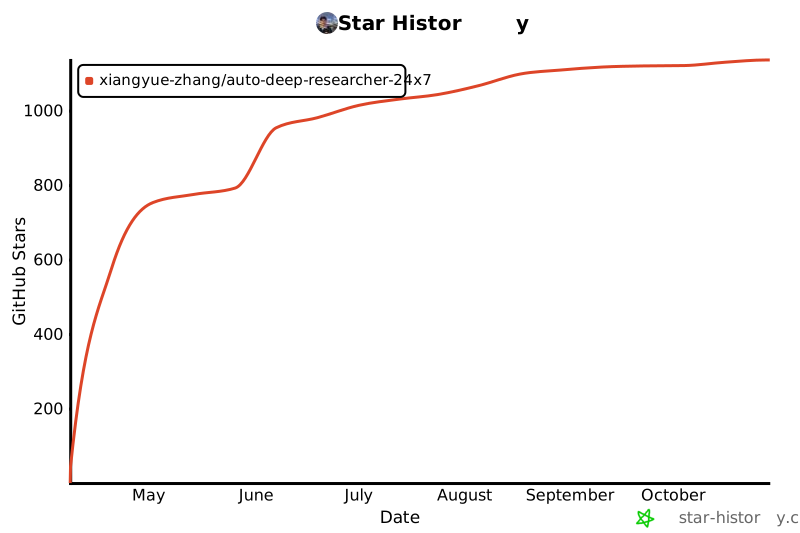](https://www.star-history.com/#Xiangyue-Zhang/auto-deep-researcher-24x7&Date)
## License
Apache 2.0 — see [LICENSE](LICENSE).
---
"Experiments run through the night. Results arrive at dawn."