CERO -> Current Prototype and Disco Tech

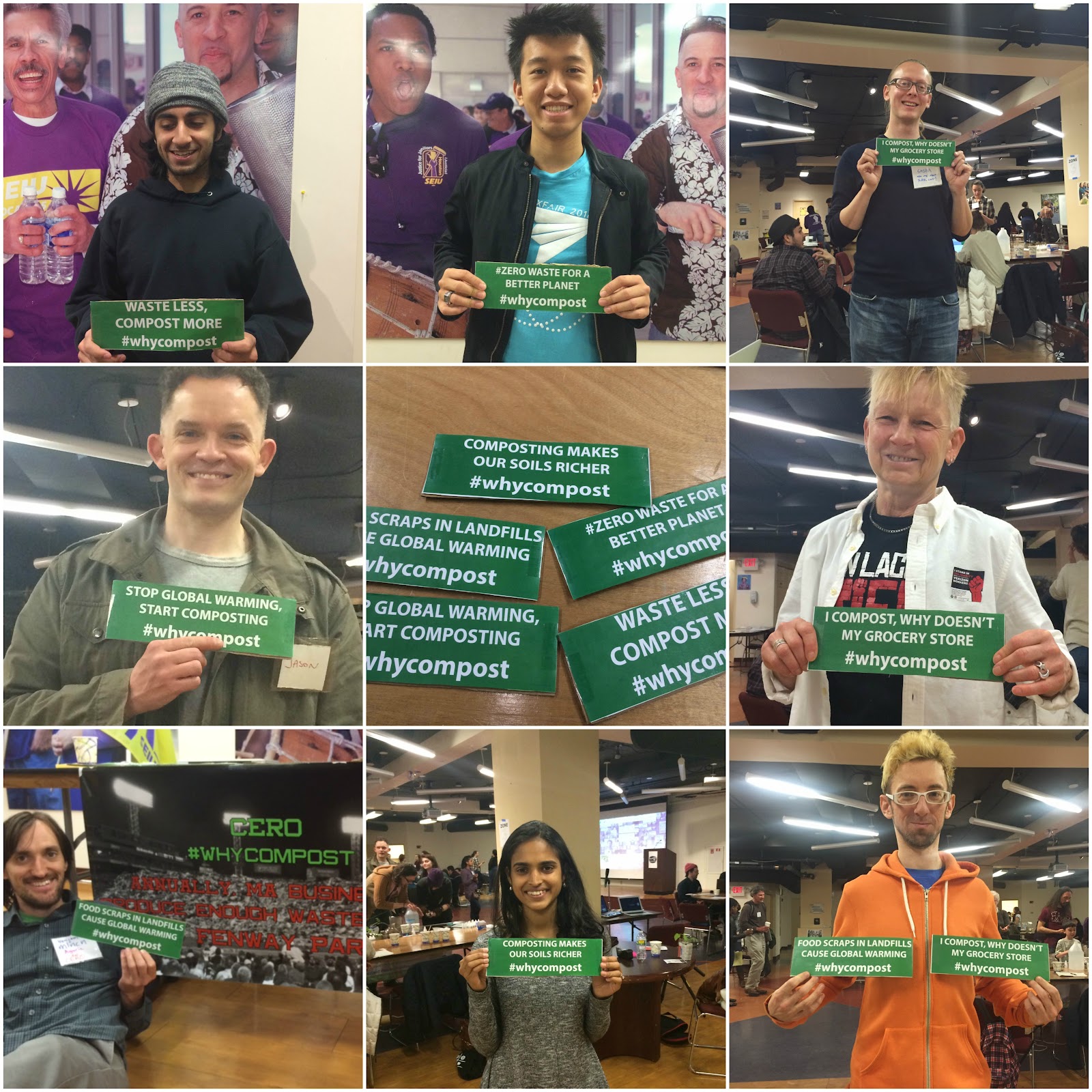
The CERO team attended the disco tech this weekend hosted by Sasha, and we got some great pictures for our composting campaign for twitter. We had some great conversation with other people regarding composting and telling them about CERO as well. With the pictures we took from the Disco Tech, we will be posting them through out this week as part of our composting awareness week campaign.

You can follow some of the twitter posts here, and please use our hashtag #whycompost We also setup a page on the CERO website to see if anyone would be interested in learning more about composting.

http://www.cero.coop/why-compost.html

https://twitter.com/search?q=%23whycompost&src=tyah—–

Here is a collage of some of the pictures we took at the Disco Tech.

Our goal this week is to see if any of these tweets and emails out to CERO’s network will gain any traction.

Draft Case Study:

https://docs.google.com/document/d/1_9unGIc9Pzr3QUBywzrWbviwTRT8I0yLQri2jg08Vq4/edit#heading=h.fb6o4sfdaxex

Placetailor -> DiscoTech!

Link

This week was a very exciting week because we got to go the DiscoTech on Sunday! The event was a great opportunity meeting other groups and individuals interested in spreading the cooperative movement. The discussion and workshop based structure of the event was a enjoyable way to learn more about other organizations and topics about cooperatives. I

Micky, Declan, and Lucia were able to attend the DiscoTech and set up a workshop for user testing both our team’s prototype as well as Josh’s prototype of Loconomics. Our process included prompting the users with certain tasks to perform for each prototype (for example: we asked them to sign up as a housecleaning freelancer named Kimmy Schmidt) and asking them to fill out a post-test feedback form. The subjects were encouraged to speak their thoughts during the user testing, which we found very informative about their user experiences. The feedback form gather information about their background (if they were involved as a freelancer or a cooperative member) and their general thoughts on the two prototypes. Despite the slow wifi and glitches at times, the users were able to go through the process successfully and inform us about how we can improve the platform in the future.

Although there were many comments about various aspects of the prototypes, here are a few examples of our notes:

For prototype 1 (our team’s)

  • Not realizing that you had to switch the tab to “freelancer” instead of “client” in the sign-up pop up  in order to sign up as a freelancer

  • After signing up, the website should guide you to share with others through social media, etc.

  • Not being able to double-click and do things without leaving the page, such as double-clicking messages to respond or double-clicking calendar dates to add appointments

For prototype 2 (Loconomics)

  • Being forced to add details, such as schedules, before being able to become familiarized with website (what if user wants to see if he/she wants to use the website in the first place?)

  • After setting up profile and account, the website should direct the user to find clients instead of going back to the front page (many were confused about the front page)

  • The overall process should be structured more in a step-by-step guide where each page clearly tells the user what to do next

Now that we have user-tested, the next steps until the end of the class include relaying the user feedback back to Josh, deciding which features could potentially change in future iterations of the prototype, and perhaps even proposing these changes to Josh if we decide we have enough evidence that the changes will significantly enhance the user experience of Loconomics. In improving a model like Loconomics, we hope to expand the model to cooperatives instead of freelancers, which Kai has already been working on in our own prototype.

Link to case study: https://docs.google.com/document/d/1YbI31Sj70cX5iEDb9rd6NsqZWkohF6AFD29jsat2y8E/edit#heading=h.e8ejm1rdy84a

Restoring Roots – 4/27 Launching our transmedia campaign

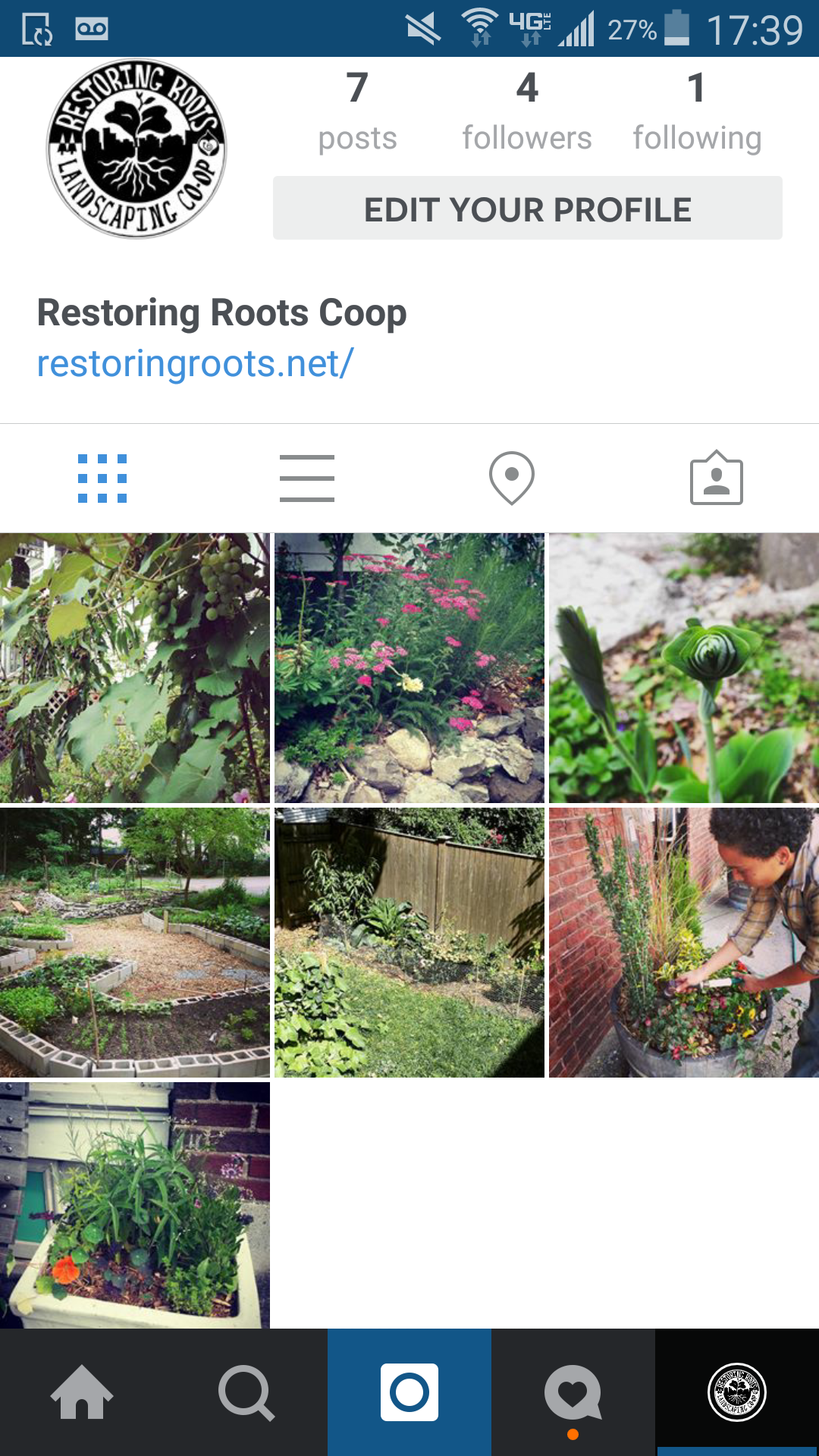
This week on Earth Day we launched our transmedia campaign on Twitter and Instagram using #restoringroots. We started posting original photos and began following like-minded organizations and people.

rrinstagramscreenshot

We also started work on a series of scripts for participants in the campaign to use. Here’s a sample script that Andres wrote usign #restoringroots #green and #healingland :

Script 1:

Would you like to help us heal the land and promote sustainable gardening practices? Help us spread the message of environmental consciousness.  Tweet or share an image on instagram with the hashtag #restoringroots and _______

Express your love for the earth! Share and tweet:

I will try to live more sustainably by ____________________.

I can help heal the land by ________________.

I can help nourish my community by ____________________.

I want to grow __________________ in my neighborhood.

rrtwitterexample

JP Local First, CitySoil, and Renew Boston are now following us on Twitter. All three would make good partner organizations for Restoring Roots. The biggest influencer following us is CityLife/Vida Urbana.

Our next steps are to continue posting content, and increase the frequency of posts. It was suggested in our small group sessions last week that we repost/retweet pictures from popular media sources, such as the Dept. of Interior’s popular Instagram feed. Another important step is to use analytics and start tracking our media presence and landing page.

Vida Verde Update: Houston, we have a product

This week, Team Vida Verde took what we had learned in our interviews over the past several weeks and used it to actually build-out the instant quote widget. With some hard work from the programmers on the team, the widget went from a clickable mockup to a real coded prototype in just a couple of days! We’re excited to have the foundations of a hard product built for Vida Verde, and we’ll continue to iterate on it in the coming days with the goal of having full functionality in time to gather feedback at the DiscoTech.

SS1      SS2

On the less technical side, we’ve also been working on our case study over the last week and it’s coming along nicely. It’s interesting to see how far we’ve come and to reflect on the beginning of the process and the many other ideas we considered. The busy schedules at Vida Verde have made it difficult for us to grab time with the cleaners and coordinators to work on the Google calendaring system, but the team at VV has been working hard to set that up. We now have time scheduled and are looking forward to seeing how the interface works for the co-op members in day-to-day practice, as well as learning more about how to improve upon the current iteration.

Additionally, we are waiting to hear back from Vida Verde’s current website developer in Seattle so that we can begin working on upgrading their web presence. We think that this will be a small but critical piece of the puzzle in increasing VV’s visibility, so we’re excited to get the green light on that. Things are moving along and we’re looking forward to showcasing and testing all of these various components at the DiscoTech!

Placetailor 4/27 Update!

Now that our team has a testable prototype that allows freelancers to sign up, create a profile, communicate to clients, and organize their schedules/appointments/clients, we decided to conduct user testing this week. Micky and Lucia were able to contact 2-3 users to test our prototype as well as the Loconomics prototype and describe their user experiences. For both prototypes, they were specifically prompted to sign up as a freelancer and explore the features of the websites.

The user testings provided a lot of useful information for both prototypes and the users had much feedback about what they liked, disliked, or thought about the websites. For our team’s prototype, users pointed out specific points of the website that were confusing. This included definitions of key terms such as “booking” versus “appointment,” understanding the function of the inbox and clients tabs, and knowing what some of the fields were asking for when creating a profile. For the Loconomics prototype, the most notable observation was that users felt very overwhelmed by all the features and buttons it had. As one of the testers said, “There is a steep learning curve.” It took a while for users to navigate through everything on the site and become familiar with all the features. Despite some confusions, all the users were able to set up profiles and learn how to use functions of the websites. The comments can serve both Josh in improving the Loconomics platform and our team in constructing our prototype.

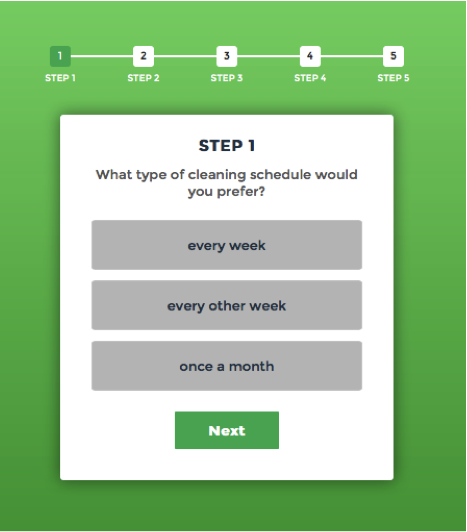
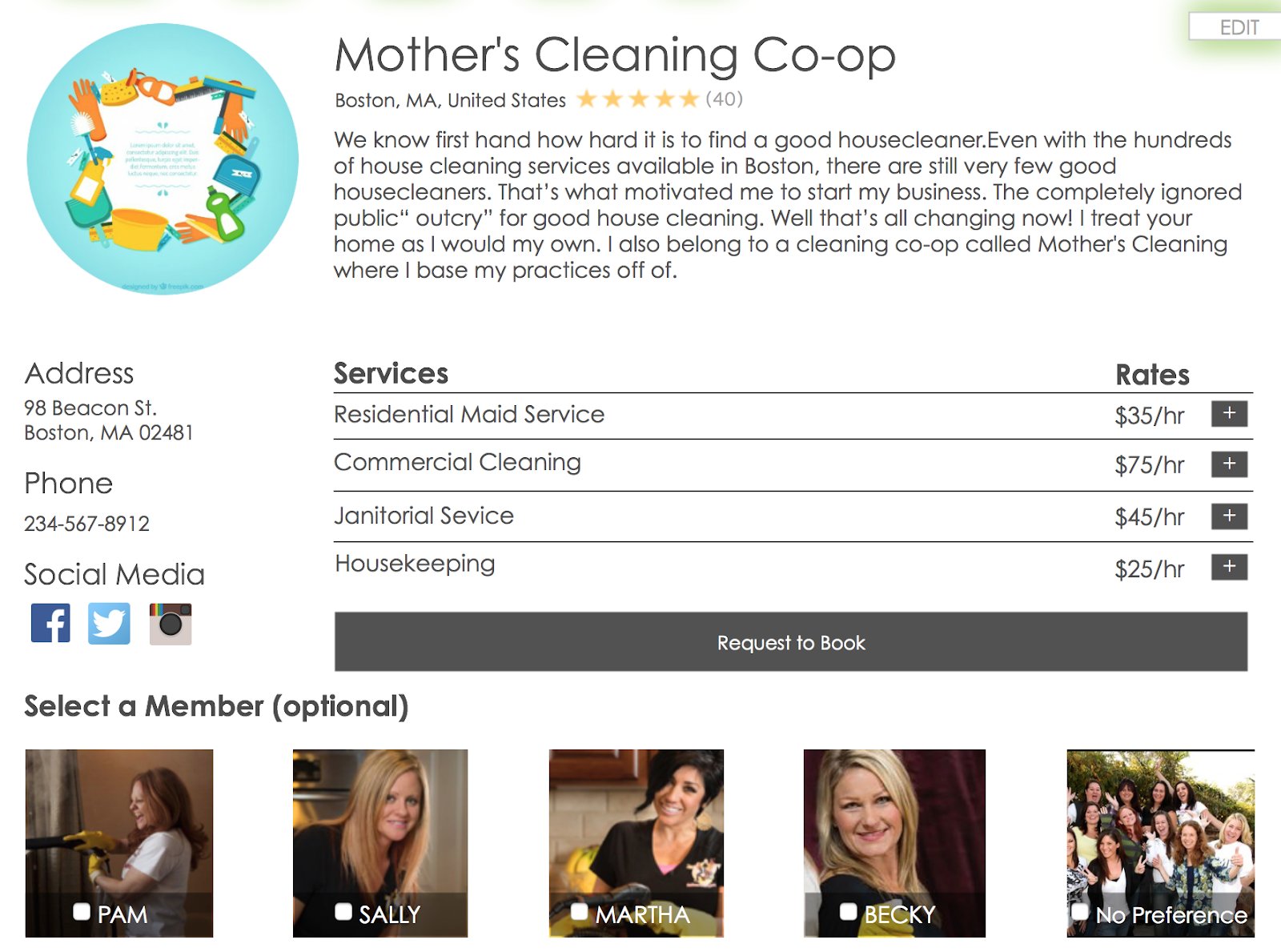
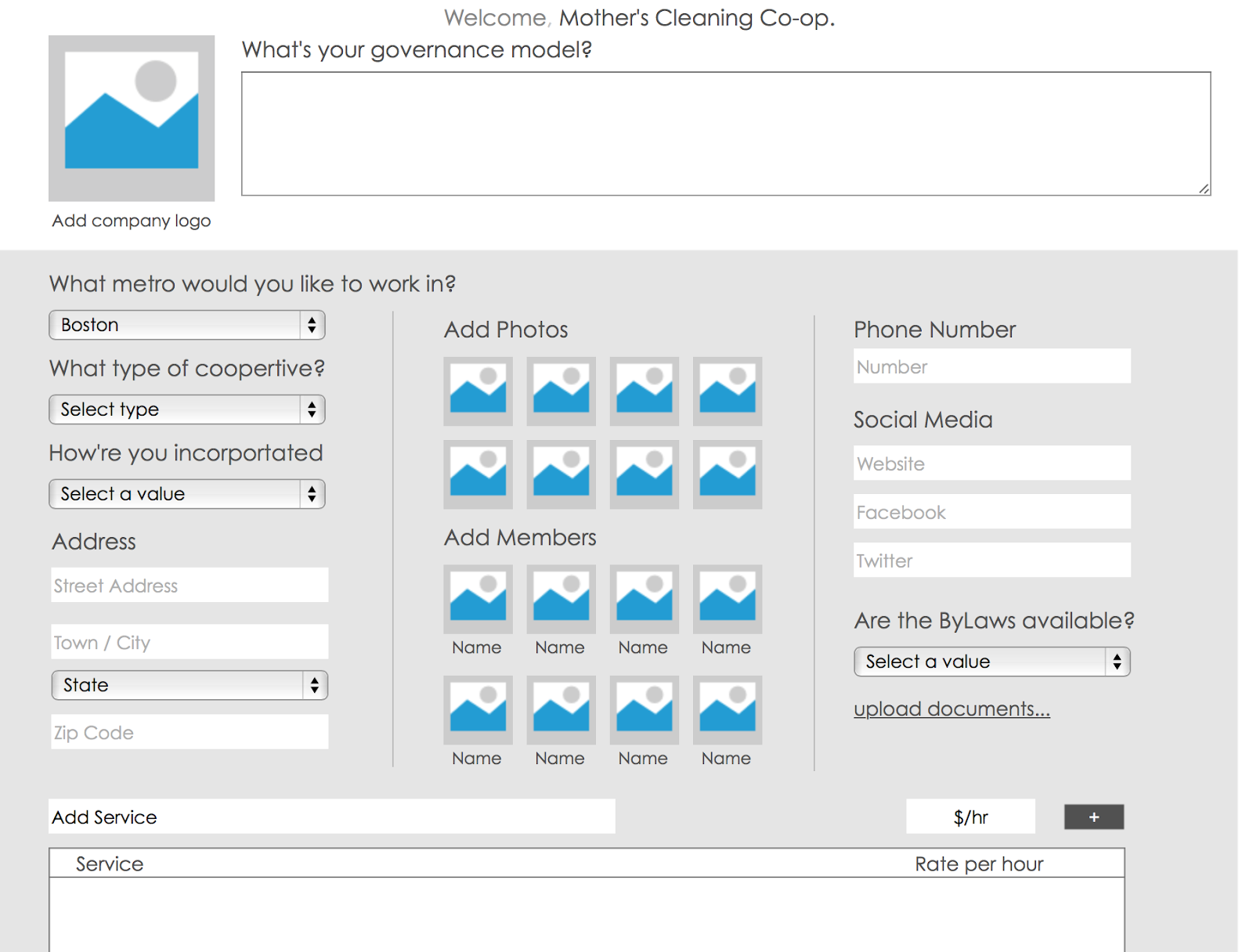
In addition to user testing, Kai constructed a version of our prototype that serves co-ops instead of freelancers. It allows co-ops to sign up and create a profile for their organization, which has some added fields and uses different language in some areas to accommodate for the change in target users. The website also has an added feature for clients to be able to choose which member of the co-op they want when booking a service.

Moving forward, we wish to modify our prototype using the feedback we got and gather more information from user testing. We could also start thinking about what we will be presenting to Josh about the feedback of this prototype.

CERO Progress: Testing Social Media

This week CERO embarked on its first social media adventure. We wanted to see how CERO could fit into a large community that cares about composting, and could collectively pressure local restaurants and grocery stores to adopt this practice.

We noticed that #whycompost had not been used in years, so we thought that CERO could use it to generate buzz around a set of “fun facts” about the environmental costs of not composting. Since last Friday was Earth Day, we planned to soft launch our #whycompost campaign, and released one of our fun fact banners on twitter and facebook:

cero-3

We linked our posts to a landing page where folks who are interested in helping out with the compost movement can sign up: http://whycompost.instapage.com/?platform=hootsuite. Here are a few things we learned from this very short experiment:

  • We noticed that CERO’s twitter account was not validated, which meant that if you searched #whycompost, none of our tweets were showing up. CERO’s social media in the past had only been reaching its current followers, an issue that we were able to resolve this week

  • As Sasha mentioned, tweets that had a picture were much more successful than those that were just text based (based on our small sample size of three posts)

  • While we got more retweets than CERO’s posts normally get (granted, many were from members of this class) only 6 people clicked our landing page linked, and only one person signed up. We will have to brainstorm ways to make this more powerful and attractive for folks (or decide that this isn’t something people are interested in doing)

Moving forward, we are hoping to fully launch our #whycompost campaign at the DiscoTech. We learned that the first full week in May (May 1-7) is “compost awareness week”, which will be convenient for us to plug into: http://compostingcouncil.org/icaw/. We are planning to make more banners like the one above and post tweets everyday about composting fun facts, especially ones that are more focused on the “why” than the “how” side of this issue. We are planning to message and email partners who could help amplify this campaign with their own reasons for composting.


Vida Verde: User Testing Round 2

This week we did user testing with cleaners on the mobile communications prototype and worked on getting everyone set up on the new Google calendaring system. We learned an immense amount from this process and emerged with many more questions than when we started.

Mobile Communications Prototype

This prototype was intended to be a low-fidelity mockup of a feature-rich, custom mobile app for Vida Verde, which honestly, we do not have the skills to fully implement. The purpose of the testing was instead to determine if the product was usable and relevant, and which of the features, if any, would be most impactful on the cleaners’ lives.
All three of the women seemed to understand how to use the prototype and how an app like it would be useful to them, and they were all extremely excited about the instant translation feature. One woman said that out of all the features, the instant translation would be the most useful, one said the calendar (especially with something that added up her income every month), and one said everything would be useful. One woman mentioned, and the others agreed, that the “Useful Phrases” screen is nice but also not particularly helpful since most of the phrases that would be on that screen are phrases they would have already learned.
Coming out of this, and knowing our limitations, we decided initially to focus on an all-sms version of the app that simply provides an automatic Portuguese translation of every text from a client, using the Twilio API for programmable SMS, and the IBM Watson Language Translation API for translation. However, upon further discussion, we came to understand that even if we are able to build a webapp to perfectly route and translate messages, we are not able commit to maintaining it for Vida Verde indefinitely, nor will we be solving a major business need. Although the translation feature was attractive to our users, it’s unclear whether that would lead to more direct communication between clients and cleaners, which is our main goal here. Also, most importantly, coordination and upkeep of the webapp connecting clients and cleaners might paradoxically lead to more work, not less, for coordinators.
We tabled the idea of a translation app, but are still left with the open question of whether outward facing hype is enough reason to keep developing the prototype in parallel to our actually implementable projects. If we cannot build it, is it worth it to create something inspirational, or to synthesize what we have learned into a clickable prototype that perhaps someone else could learn from and build?
Calendaring
While we had a few cleaners together, we also worked on getting everyone set up on shared calendars. This was both practical, and user testing for the platform. We immediately ran into great deal of (significant, though nor insurmountable) obstacles:
  • To access the shared calendar system, each of the cleaners needs to download the Google Calendar app onto their phones (and have smart phones, which all the cleaners do). One cleaner was not able to do this step because she lost her credit card, and even though the Google Calendar app is free, the App Store requires a credit card to use.
  • To use Google Calendar, each of the cleaners needs to have a Gmail account. At least one cleaner only had a Hotmail account, so Tais will be helping her and others get Gmail accounts, at least for the purposes of using the calendar.
  • In order to share a calendar, an administrator needs to open up permissions for the organization so that people “outside the organization” (i.e. cleaners with @gmail.com instead of @vidaverdecoop.com emails) can modify calendars.
  • We invited one cleaner to an individual cleaning as a “guest,” and that seemed to work for automatically adding it to her calendar. In the past week since we did this, it has worked well for her.

In conclusion, it seems like the calendaring system will work for sharing schedules, addresses and contact information for clients, how much each client is expected to pay, appointment reminders, and notes on each house, though there are some big hurdles at the start for standardizing it between cleaners.

SEO
Early on, we decided to focus on internal coordination at Vida Verde, but unfortunately this has caused us to lose sight of their web presence. We recently realized that it is extremely difficult to find Vida Verde’s website from a Google search (though it is relatively easy to find their blog, which doesn’t link to the website). In place of the communications prototype, which is now tabled, we will start working on rectifying this situation by doing a URL redirect from their blog, including a link to their website on the blog, or implementing better SEO for the main site.
  
Quote Widget
We conducted more user interviews on the prototype! Also, we’re currently  trying to get in touch with the woman who developed the website to see about making a javascript widget.
In conclusion, we had a very productive week, and learned a great deal about the directions we think are best to go with this project.

CERO: More Data and Refining Our Problem 4/20

This week, the Cero team continued to collect data using our composting  surveys and have been making progress towards developing a new MVP. Jason and Husayn went to Boston Commons and administered the survey to around 25 individuals, 5 of which had to be filtered out due to their bias in “put what you put” or “we have pretty similar views”. We once again had encouraging results:

 Heard of composting:

Y: 19

N: 1

Prefer local restaurant/grocery store composted?:

Y: 19

N: 0

Don’t care: 1

Willing to travel farther?:

Y: 12

N: 8

How much farther (out of 12 responses):

1: 0

5: 2

10: 7

15: 3

More: 1

Spend extra money?:

Y: 15

N: 5

How much extra (out of 15 responses):

1%: 2

5%: 6

10%: 7

15%: 0

>15%: 0

We’ve also been collaborating to think through an educational/promotional campaign on composting that CERO could lead. Currently we are thinking that a “minimum viable product” for this could be a page on CERO’s website titled “Why Compost?” While we hypothesize that people don’t necessarily pick CERO for its social and environmental justice values, and instead pick it if they see that it can save them money and provide an easy service, we think that CERO can play a role in educating the general public on why composting is critical for a better, more sustainable future. This page would include information along the following lines:

WHY COMPOST?

  • Massachusetts food businesses generate more than 1 million tons of food waste every year. That is enough to fill 20 Fenway Parks.

  • When food waste goes to landfill (which is where it ends up if you don’t compost), toxic methane gas is released into the air that is 40 times worse than carbon dioxide for global warming.

  • When you compost you not only eliminate the production of methane from organic waste, but you also allow the compost in the soil to act as a sponge for carbon in the air. This process of carbon sequestration literally pulls carbon out of the air into the earth, at the same time improving the nutrition, and moisture retention properties of the soil.

  • Composting closes the food loop, allowing spoiled food, food scraps, and food waste to return to the earth as soil to grow new food and enrich the soil with nutrients needed to grow robust fruits and vegetables.

We are considering publishing this page in tandem with a twitter campaign to educate folks on the values of composting. If we get considerable hits on this, we might use this content to develop a more fully fleshed out infographic. Currently there are many infographics on how to compost, but not very good/popular ones on why its important to compost. By making composting a household conversation (and decoding its environmental benefits), we could indirectly influence CERO’s future customers.

We’ve also started to look into mapping our results using D3 with some sort of narrative/story-telling theme. We will need to collect some more data, but once we have a decent amount, we can start using some inference algorithms to estimate composting interest in areas we haven’t surveyed (with a quantifiable degree of certainty). This can all be included in the infographic/web-page, which should be nice.

Placetailor: Further prototyping and thickening ties with Loconomics

This week we made some really important strides in our project: we finally established the type of relationship we are going to have with Loconomics. We’ve decided that instead of focusing on our idea of Co-Everything, which is essentially Loconomics for co-ops instead of freelancers, we are going to help Josh, the founder, with improving his current platform by performing A/B testing on both his prototype and our own with some improvements we believe would benefit his model.

Lucia began this task by mapping out features and functions on the Loconomics platform that we could apply to our own. We ourselves found challenges on the freelancer side of the app and incorporated these features with improvements to our prototype. Thus, Kai began to implement the clickable prototype. In order to more easily compare our prototype with Loconomic’s we decided to edit our prototype so that it catered towards freelancers and looked a lot more similar to Loconomics current platform (stylistically). We thought that Josh would be more open to change if he could visualize them on something that looked like his own platform.

Some of the features we added to our prototype included:

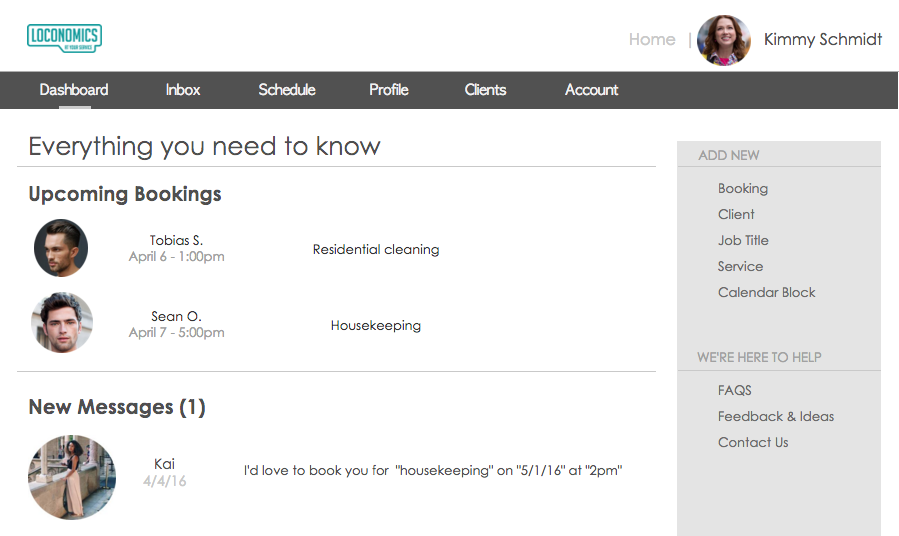
  • A dashboard (including upcoming bookings and new messages)

  • Scheduling and calendar functions

  • A client list (including their booking history and a fast way to reach their profiles)

Although Josh’s current Loconomics platform is essentially pretty intuitive, we made some changes that would decrease the amount of clicks necessary to reach a certain task as well as making the site more visually appealing without sacrificing its functionalities.

Dashboard Feature

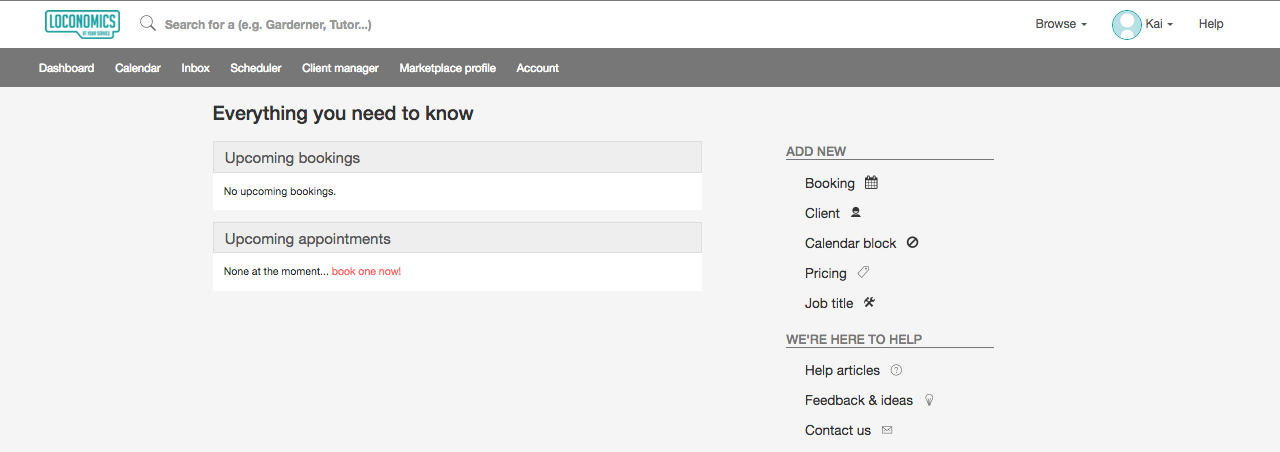
  • Loconomics

    • As Loconomics currently does not let you save or book sample appointments, we weren’t able to see what they would look like on the platform, but we were able to click the links on the right sidebar that simply took you to another page on the website where you were able to complete these tasks (booking, adding a client, adding a job title, etc.)

Screen Shot 2016-04-19 at 1.55.36 PM

  • Our Prototype

    • In our prototype we decided to create sample bookings in order to visualize what that might look like and add a “New Messages” feature to our dashboard. We also decided to make the links in the right toolbar lead to pop up overlay where you could input the information without ever leaving the dashboard (you can also complete these tasks on other pages of the site, this is just a little shortcut!).

Screen Shot 2016-04-19 at 2.04.31 PM

Scheduling & Calendar

  • Loconomics

    • There is currently only one way to view appointments which is by day. Adding a new booking is ambiguous as there is no “add” button.

Screen Shot 2016-04-19 at 2.08.55 PM

  • Our Prototype

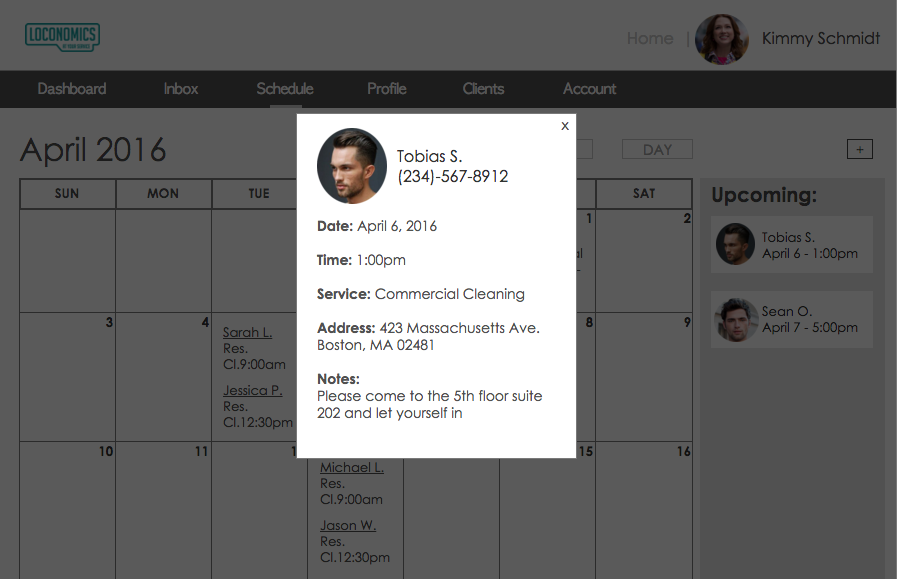
    • We decided to make the default calendar view a monthly one (with options to choose by week and by day) as well as to have an “Upcoming” section where upcoming bookings are easily accessed. From here, you can click on the booking (or the booking on the calendar) and a pop up overlay will display with further info on the booking (who, where, when, extra notes). You can also add a booking by clicking the “+” button on the top right of the page.

Screen Shot 2016-04-19 at 2.15.19 PM

Screen Shot 2016-04-19 at 2.12.24 PMScreen Shot 2016-04-19 at 2.13.57 PM

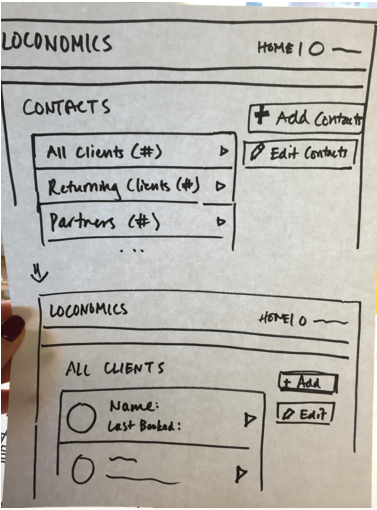
Client List

  • Loconomics

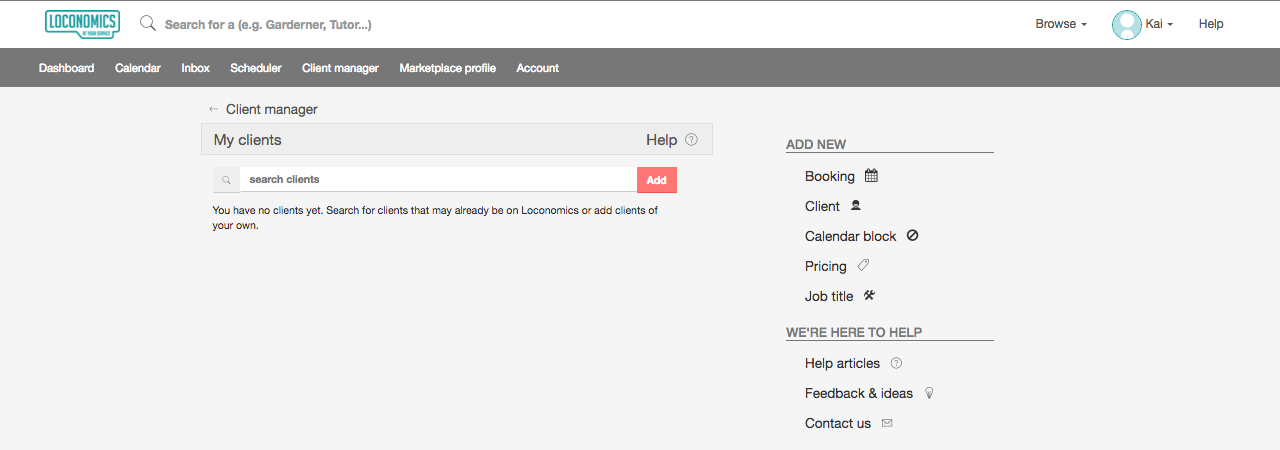
    • There are currently no clients in the list, so we were not able to base our ideas off of the current model.

Screen Shot 2016-04-19 at 2.20.09 PM

  • Our Prototype

    • We thought that there should be a way to organize the client list, so there is a drop down which switches your view from “All Clients” to “Returning Clients” etc. You are also able to search through them alphabetically via the clickable letters on top. Ideally, you could also click the photo in order to go to the client’s profile (function not available in our current prototype). We also thought it might be beneficial to have the clients booking history to help for a more catered experience for returning customers.

Screen Shot 2016-04-19 at 2.25.56 PM

Screen Shot 2016-04-19 at 2.23.32 PM

We were not able to schedule user testings in time to create our version of the Loconomics platform for A/B testing both models, so that will be our task for next week now that they are more stylistically similar and have similar functionalities.

As always, our clickable prototype is available here and please click the arrow on top of the green rectangle to illuminate what is clickable in the prototype if you are lost!

Restoring Roots – Initial feedback

Over the last week we interviewed a few potential TM campaign participants. We got some useful information and some new ideas to work into the project.

One interviewee, Tasha, shares pictures of her garden frequently but only a backdrop to gatherings, never just pictures of plants! On the one hand, this is an affirmation of our core assumption that people enjoy to take and share pictures of their gardens, and on the other hand suggests that events are often the occasion.

Another interviewee said that he only uses hashtags if they are in some way humorous, sardonic, or cynical.  He also is more likely to click through a social media link if there is a riddle or delayed reveal aspect to the post.  Above all, he warned “don’t insult my intelligence.”

Daeve, a regular participant in TM campaigns shared that they are likely to participate if it involves a compelling social/political/environmental issue. They generally only take part in campaigns pushed by businesses if its a local artisan or small business with aligned values and if there is a giveaway or sweepstakes.

In terms of direct feedback for our prototype, they suggested narrowing the scope to a smaller set of hashtags and to ‘layer’ from general to specific ie. #permaculture #healingland #restoringroots. When I mentioned our love/hate relationship with the term permaculure, they suggested #decolonizepermaculture.

Another thing that became apparent is that everyone likes stories that increase their ecological understanding.

When we meet later this week, we’ll figure out how to work this new information into our next prototype.