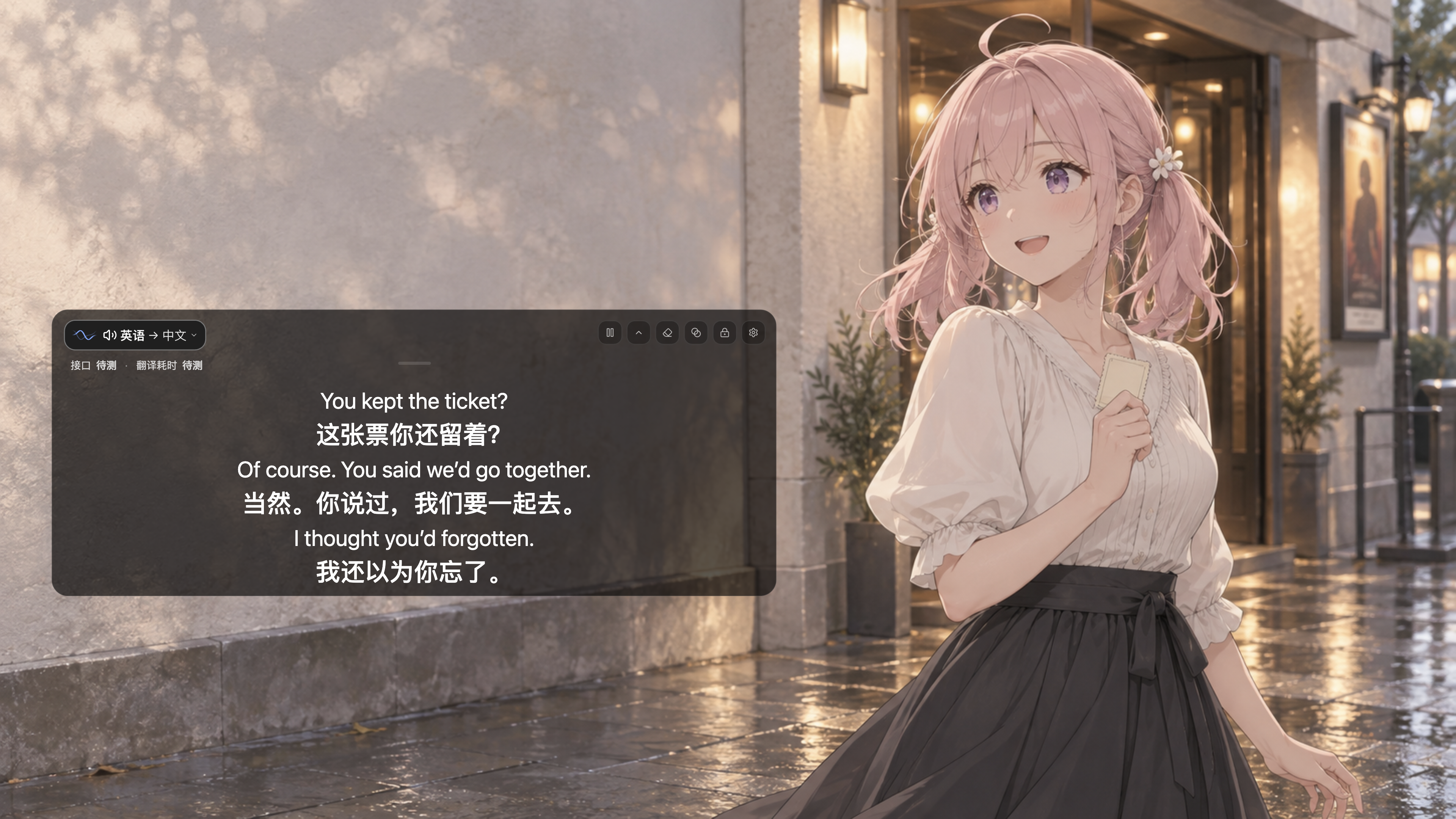
Interface illustration with sample dialogue. [Watch subtitles and Immersive Mode (older UI)](docs/demos/README.md).
## Live subtitles and translation
- **Floating subtitles** for films, streams, and classes. Show both languages, translations only, or originals only.
- **Choose your audio**: computer audio, microphone, or both. Select an app on macOS / Windows 11, or an individual playback stream on Linux.
- **Adjust the display**: change position, font size, and color. Immersive Mode shows only text; click-through lets you use the app underneath.
- **Save subtitles and audio**: on desktop, save subtitles as TXT or record selected audio as WAV. Both options are off until you enable them.
## Get started
[Download for desktop](https://github.com/yuxino/mimi/releases/latest) · [Android setup](android/README.md#start)
Desktop supports macOS 13+ (Apple silicon and Intel), Windows x64, and Linux x86_64.
1. **Set up a service** in Settings → Models & Services. The [setup guide](docs/provider-setup.md#choose) explains how to choose a service and get its credentials.
2. **Choose audio and languages** in Audio & Languages: select your audio source, spoken language, and translation language.
3. **Start subtitles** on the Subtitles page. Turn on Live Subtitles, grant the requested permissions, and play your content.
Mimi is free; cloud services may charge. Cloud recognition or translation sends audio or recognized text to the selected service. See the [setup guide](docs/provider-setup.md#apple-speech) for Apple local service requirements.
## Need help?
The [usage guide](docs/usage.md) covers installation, permissions, subtitle display, and saved sessions. For missing subtitles or connection failures, start with [recognition errors](docs/usage.md#errors). If that does not help, [report an issue](https://github.com/yuxino/mimi/issues).
## Contributors
Want to help improve Mimi? Start with the [contribution guide](.github/CONTRIBUTING.md).
Thanks to everyone who writes code, reports issues, tries Mimi, or shares it (๑•̀ㅂ•́)و✧
Special thanks to [@yebuwudong](https://github.com/yebuwudong) for the [Android app](https://github.com/yuxino/mimi/pull/37), and [@LLLin000](https://github.com/LLLin000) for [subtitle animation](https://github.com/yuxino/mimi/pull/67) and [Windows audio improvements](https://github.com/yuxino/mimi/pull/89).
Thanks also to [@Chtholly000](https://github.com/Chtholly000) for improving [Gemini's continuous captions and planned connection rotation](https://github.com/yuxino/Mimi/pull/176).
Thanks to [@EmmetZ](https://github.com/EmmetZ) for fixing [Wayland overlay controls](https://github.com/yuxino/Mimi/pull/242) and adding [individual playback stream capture on Linux](https://github.com/yuxino/Mimi/pull/275).
Thanks to [@wangmian0](https://github.com/wangmian0) for [disabling thinking mode in DeepSeek live subtitle translation](https://github.com/yuxino/Mimi/pull/270).


[All contributors](https://github.com/yuxino/mimi/graphs/contributors)
## Community
Thanks to the people in [V2EX](https://www.v2ex.com/), [LINUX DO](https://linux.do/), [Appinn](https://meta.appinn.net/), [NodeLoc](https://www.nodeloc.com/), [Solo](https://solo.xin/), [Xinquji](https://xinquji.com/posts/859305), and [Eleduck](https://eleduck.com/) for trying Mimi, sharing feedback, and spreading the word.
[MIT](LICENSE) © 2026 yuxino